AR Packaging: Real-World Cases & Practical Guide (2026)
The global retail packaging market is evolving, and AR (Augmented Reality) has become a powerful tool to enhance consumer experiences. Unlike static traditional packaging, AR packaging overlays virtual content onto the real world, making it easier for brands to connect with consumers and deliver their core values.
For brands, AR packaging is more than just a container—it’s a strategic touchpoint to connect with consumers and convey brand concepts. Its core advantages lie in creating interactive, memorable experiences that drive conversions and long-term loyalty.
Core Advantages of AR Packaging
AR packaging breaks the limitations of traditional static packaging, building a bridge between brands and consumers. It's core advantages include:
1. Direct Brand-Consumer Interaction: It provides a new channel for brands to convey their concepts, allowing consumers to feel the brand’s care and professional attitude through immersive experiences, thereby enhancing long-term loyalty.
2. Visualized Expression: 3D dynamic content is more intuitive than plain text, making it easier for consumers to remember brand information and leave a deep impression.
3. Offline-to-Online Drainage: It effectively connects physical packaging with digital content, guiding consumers from offline purchases to online follow-up interactions, and improving the conversion rate of commercial activities.
These practical advantages are exactly why more and more brands are starting to use AR to empower their packaging. If you’re interested in how AR boosts business conversions, feel free to click this article to learn more details:How WebAR Empowers Industries to Boost Business Conversion Rates
AR Packaging Case Studies
We have selected typical cases across industries to show how AR empowers packaging and creates practical value for brands:
OREO AR Hampers Festive (FMCG Industry)
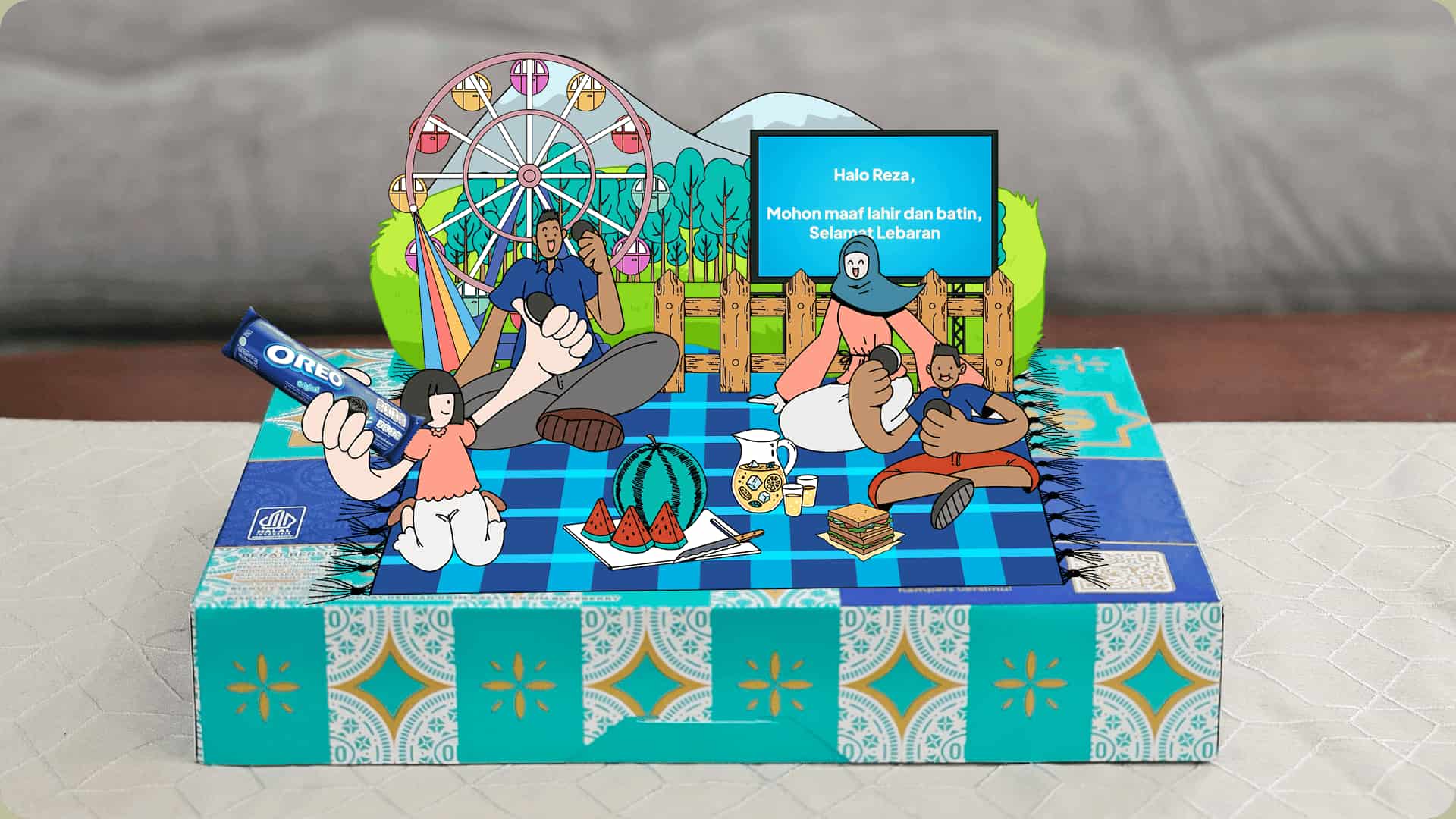
OREO launched Ramadan-themed AR hampers in Southeast Asia in early 2026. Scanning the hamper’s QR code unlocks personalized AR greeting animations (customizable text and visuals), and the campaign partnered with Grab for a charity component—turning traditional holiday gifts into immersive digital experiences.
Luckin Coffee AR Packaging (Beverage Industry)
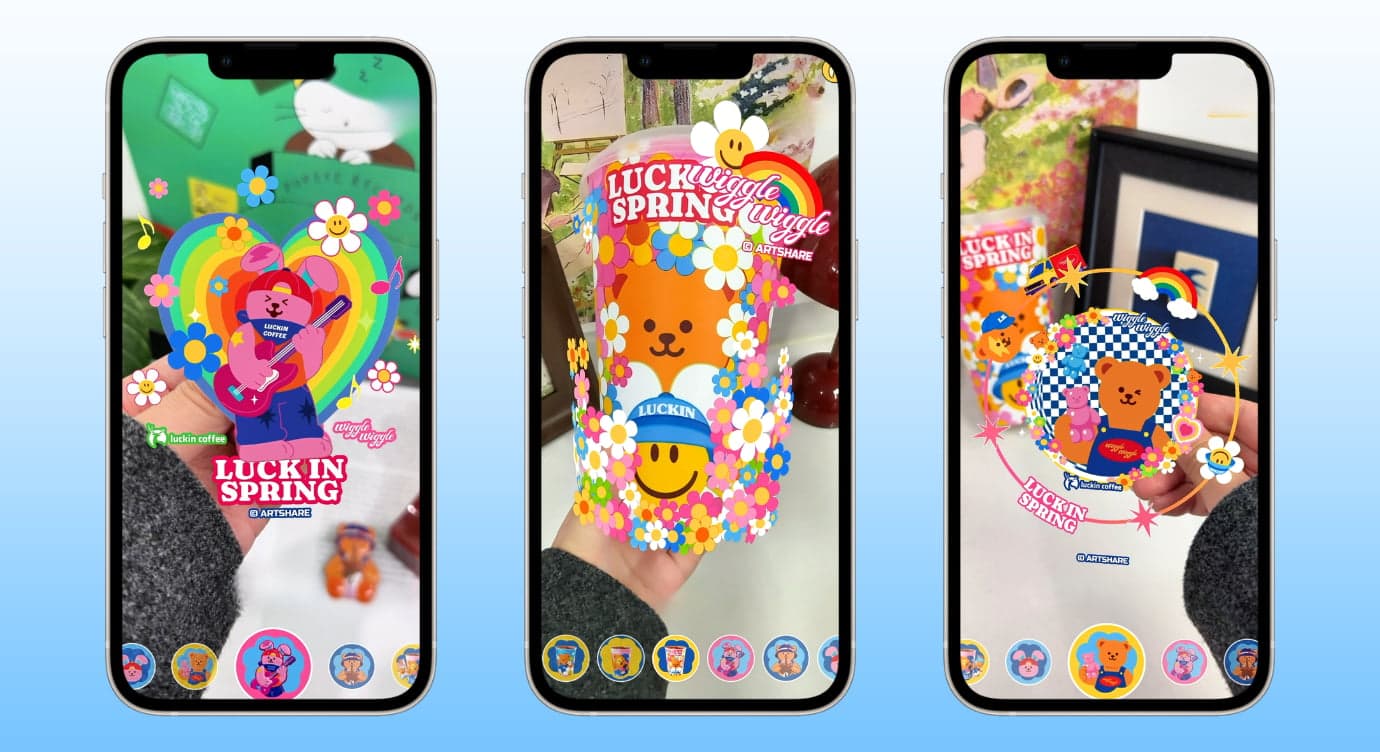
Scan the packaging of Luckin’s co-branded products to trigger spring-themed AR interactions, which not only enriches the product experience but also drives the sales of peripheral products, achieving the effect of increasing brand influence and sales volume.
Martell AR Packaging (Liquor Industry)
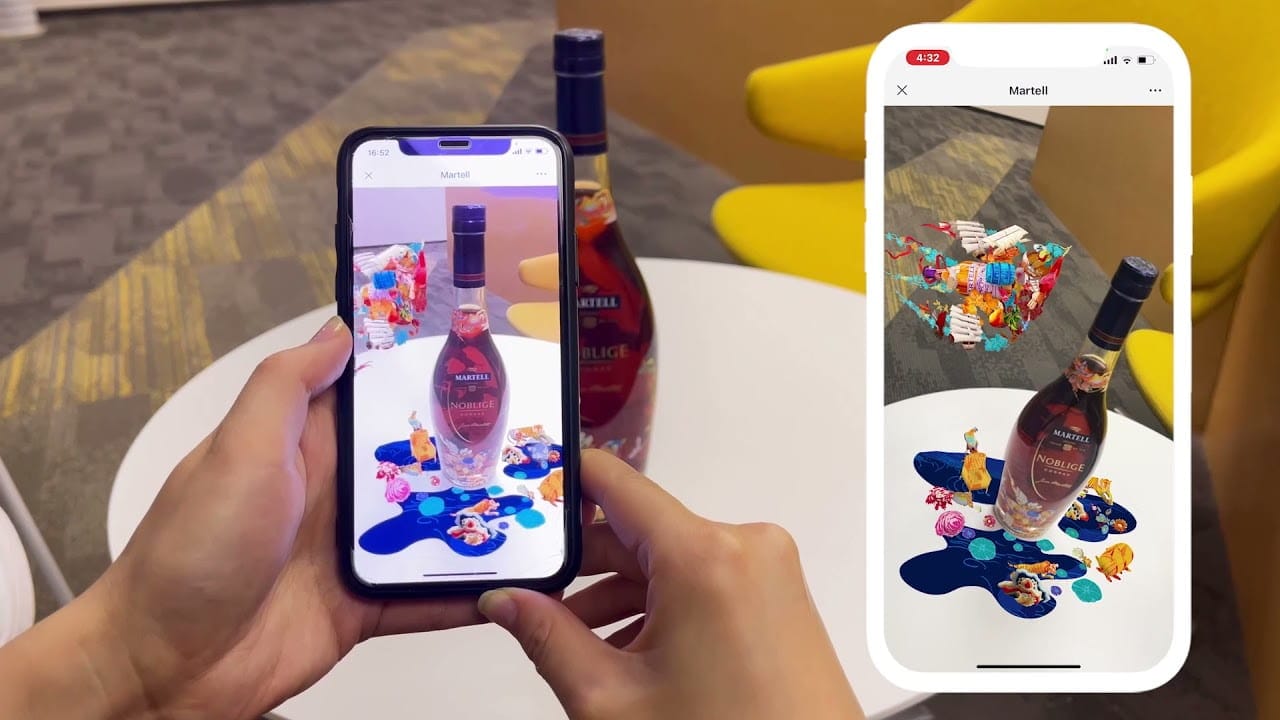
Martell has joined hands with Jacky Tsai to launch AR packaging. By scanning the bottle body, consumers can enjoy the AR visual effect of "flying swallows surrounding the bottle", creating an exclusive and high-end experience and enhancing brand recognition.
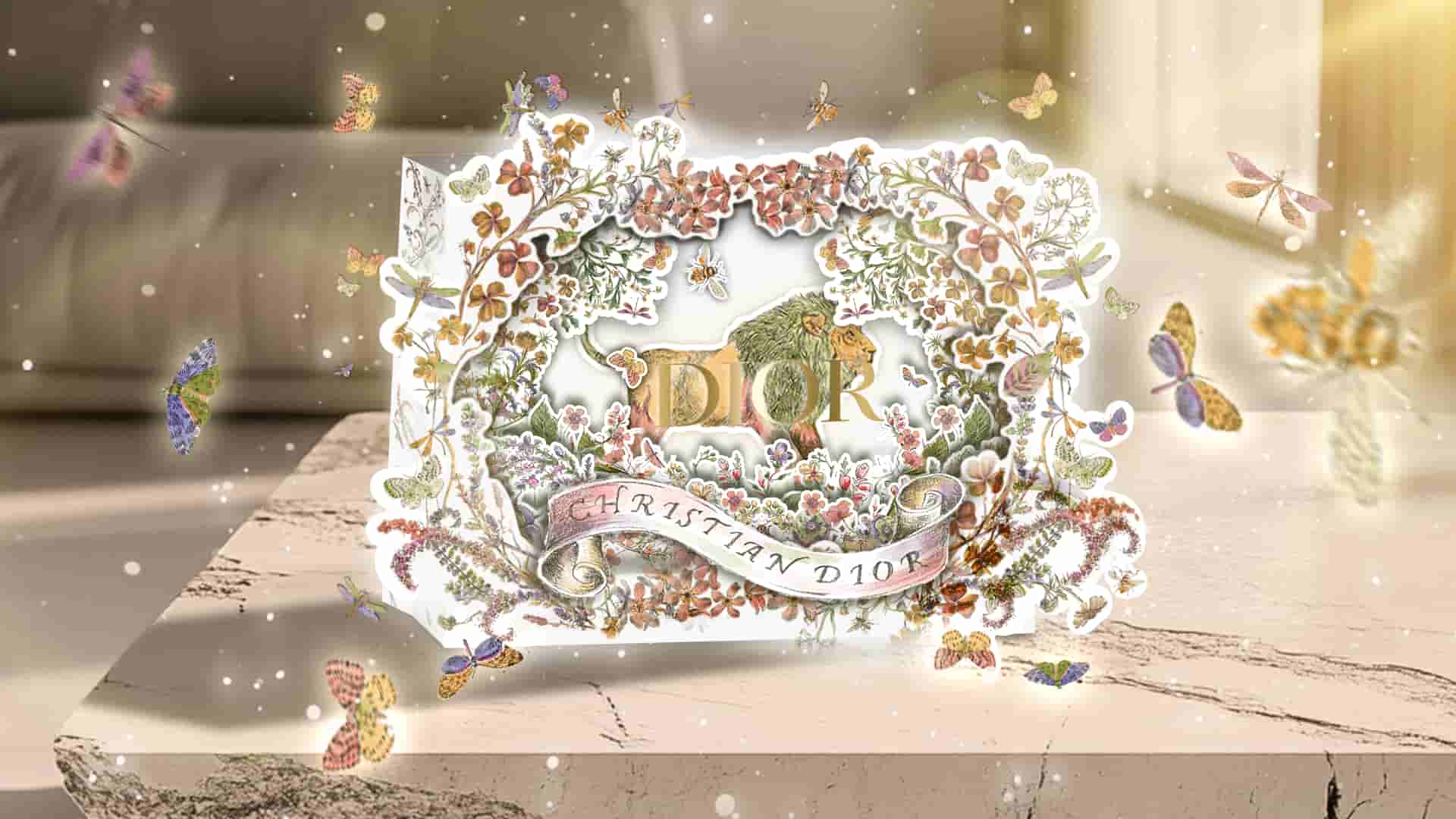
Dior AR Christmas Packaging (Luxury Industry)
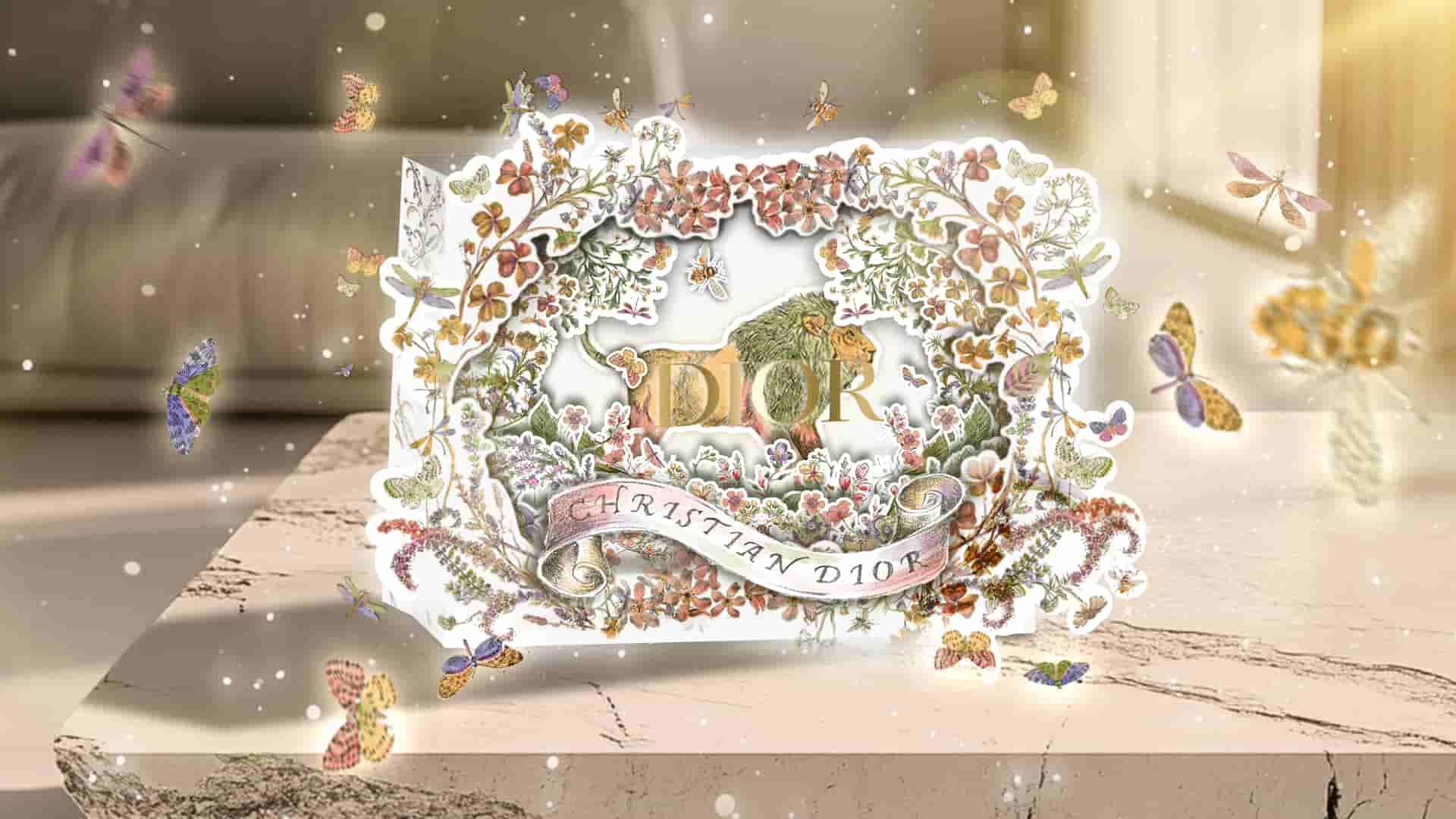
Dior has launched AR packaging for its Christmas collections annually. The brand’s seasonal visuals are enhanced with AR—consumers scan the physical shopping bags or gift boxes to unlock lifelike AR animations, aligning with Dior’s luxury aesthetic and adding a festive, immersive touch to the gifting experience.
L’Oréal Revitalift Filler AR Invitation (Skincare Industry)
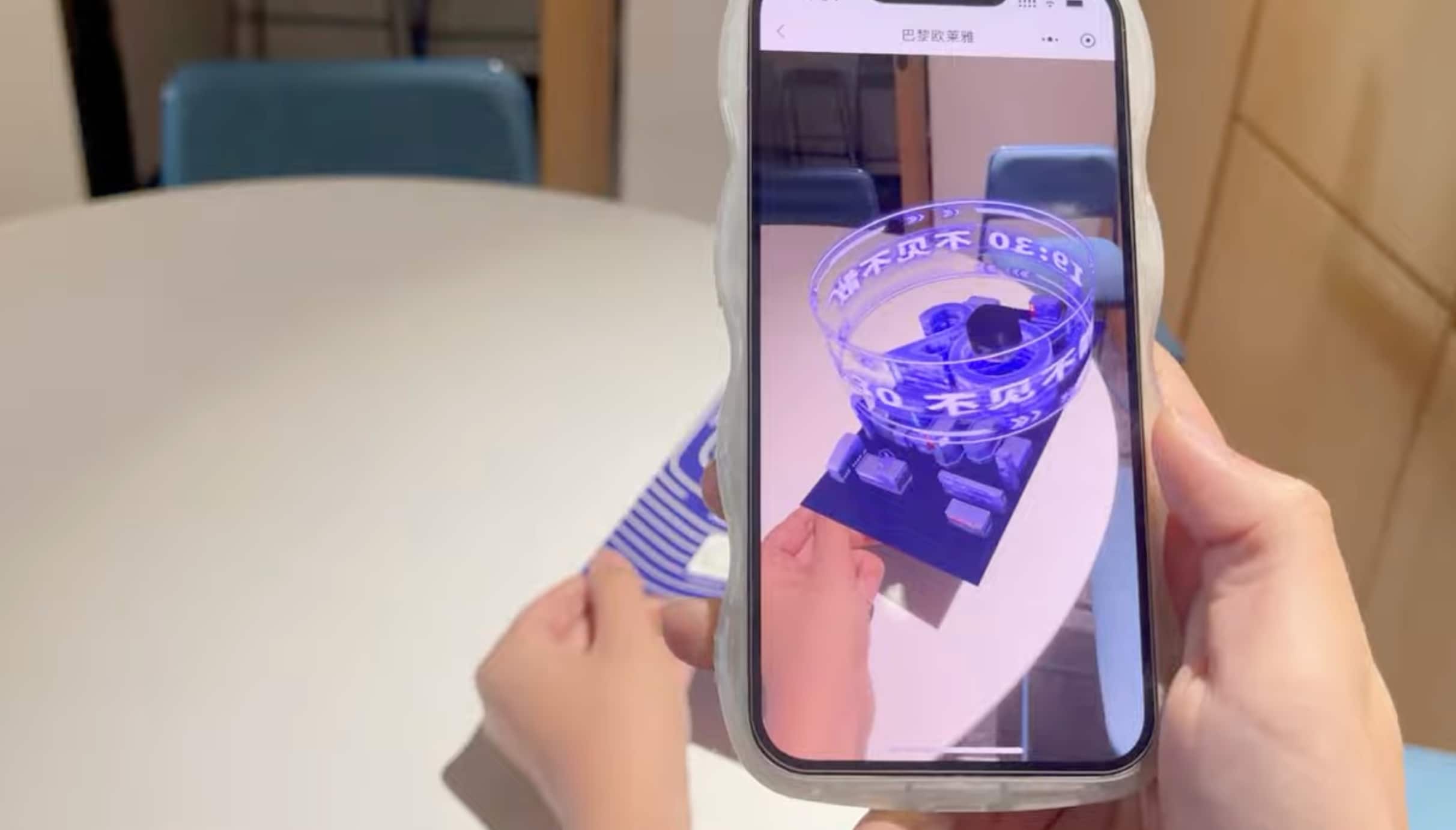
L’Oréal included an AR invitation in the launch gift box of its Revitalift Filler. Scanning the physical invitation reveals a surreal AR building rising from it, inviting consumers to attend the product launch event, creating buzz around the new skincare line and building a tech-savvy first impression of the product for consumers.
How to Create AR Packaging: Choose the Right AR Platform
To turn AR packaging from an idea into something real, the key is to choose the right platform. It should have good compatibility, require no app downloads, offer rich AR features, be highly efficient to use, and let you run commercial projects without coding. For this, I recommend Kivicube.
AR Platform Kivicube | Key Features Overview
Kivicube is such an easy-to-use AR tool that fits all these needs, and here’s what makes it stand out:
- Abundant AR Packaging Templates: Kivicube offers pre-designed templates for different industries (food, alcohol, skincare, furniture), allowing you to start creating quickly without building from scratch.
- WebAR Algorithm System: Finished WebAR content can be experienced directly via QR code or link—no app download required. This enhances usability, expands your marketing funnel, and boosts commercial conversions. If you’re interested in the commercial applications of WebAR, you can check out this tutorial for more details.If you want to learn more about the definition and use cases of WebAR, you can check out this article.
- Comprehensive AR Capabilities: Kivicube supports multiple augmented reality applications, including image tracking, AR object tracking, face tracking, and body tracking—unlocking unlimited creativity for your AR packaging.
- Low-Code Creation: No coding experience? Use the visual editor to drag and drop elements to build AR experiences. For advanced customization needs, Kivicube also supports secondary development via API.
- AI-Powered Efficiency Tools: Kivicube AI Gen supports AI image-to-model conversion and high-precision video generation, improving efficiency and quality for every step of your AR packaging workflow.
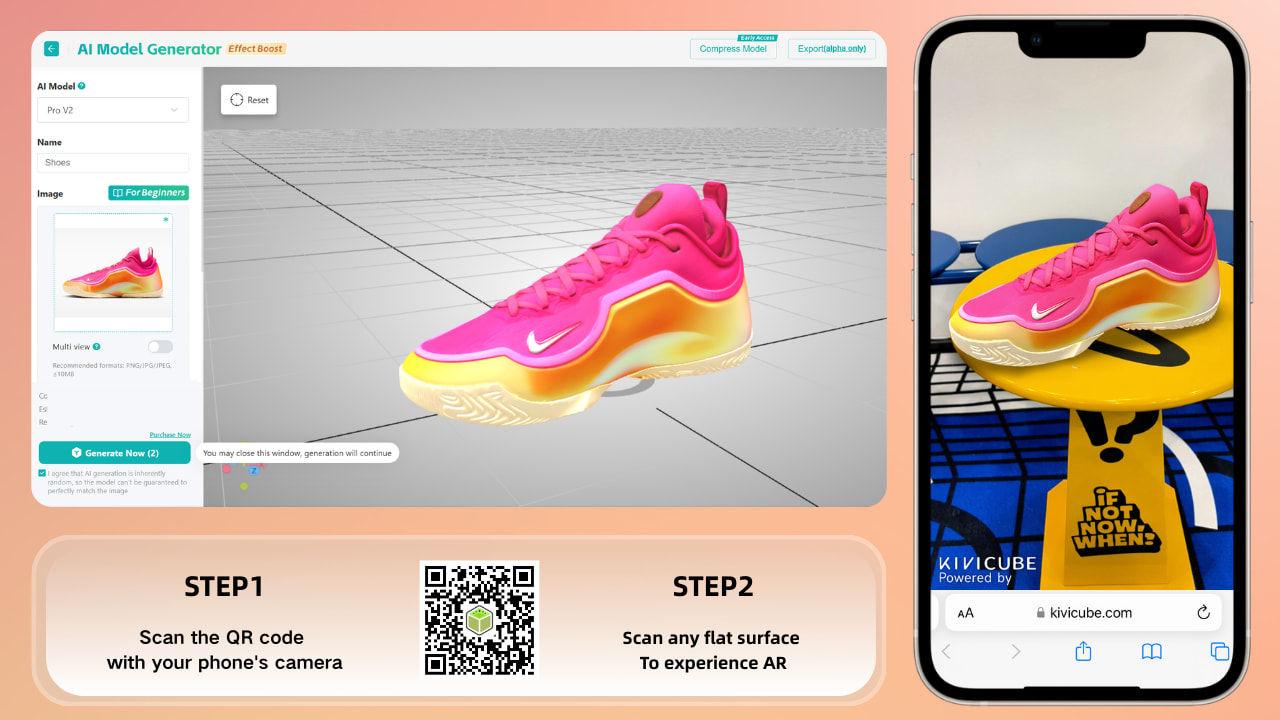
Beginner’s Guide to Creating AR Packaging
If you’re new to AR and want to create your own AR packaging, follow these simple steps to get started:
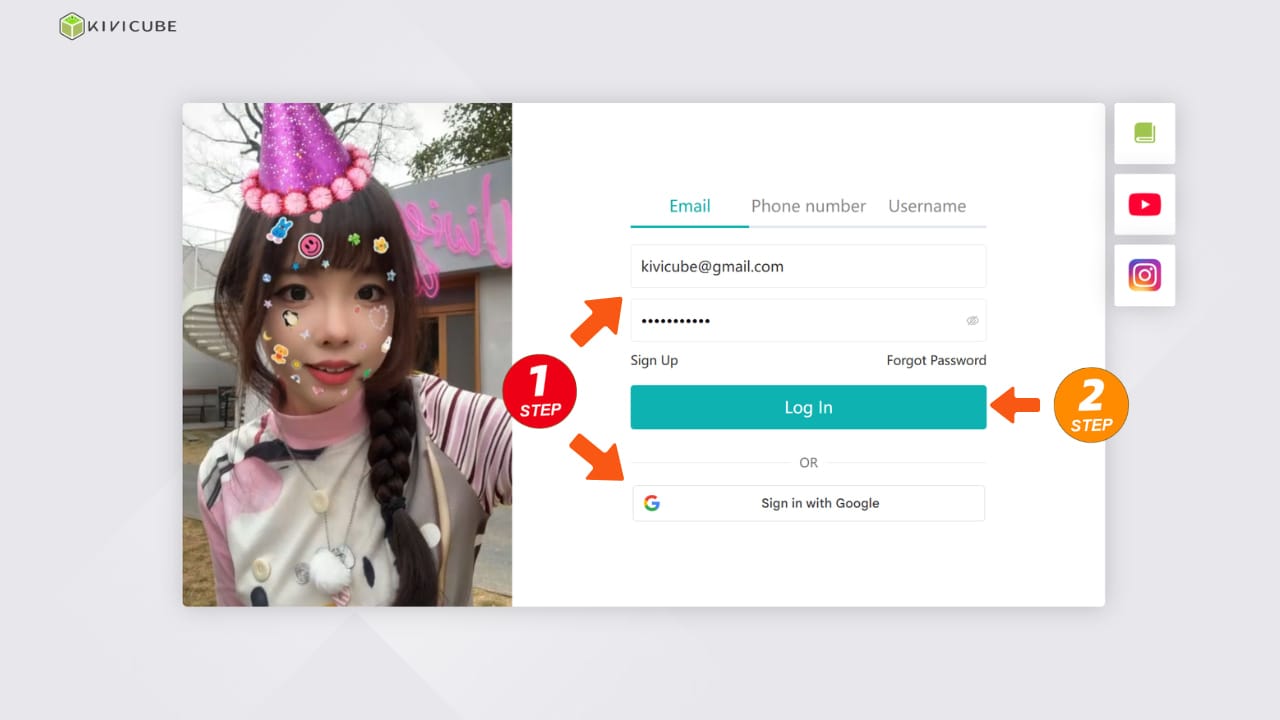
- Sign up for a free Kivicube account.
- Take a photo of your packaging’s front side (make sure it’s clear and well-lit).
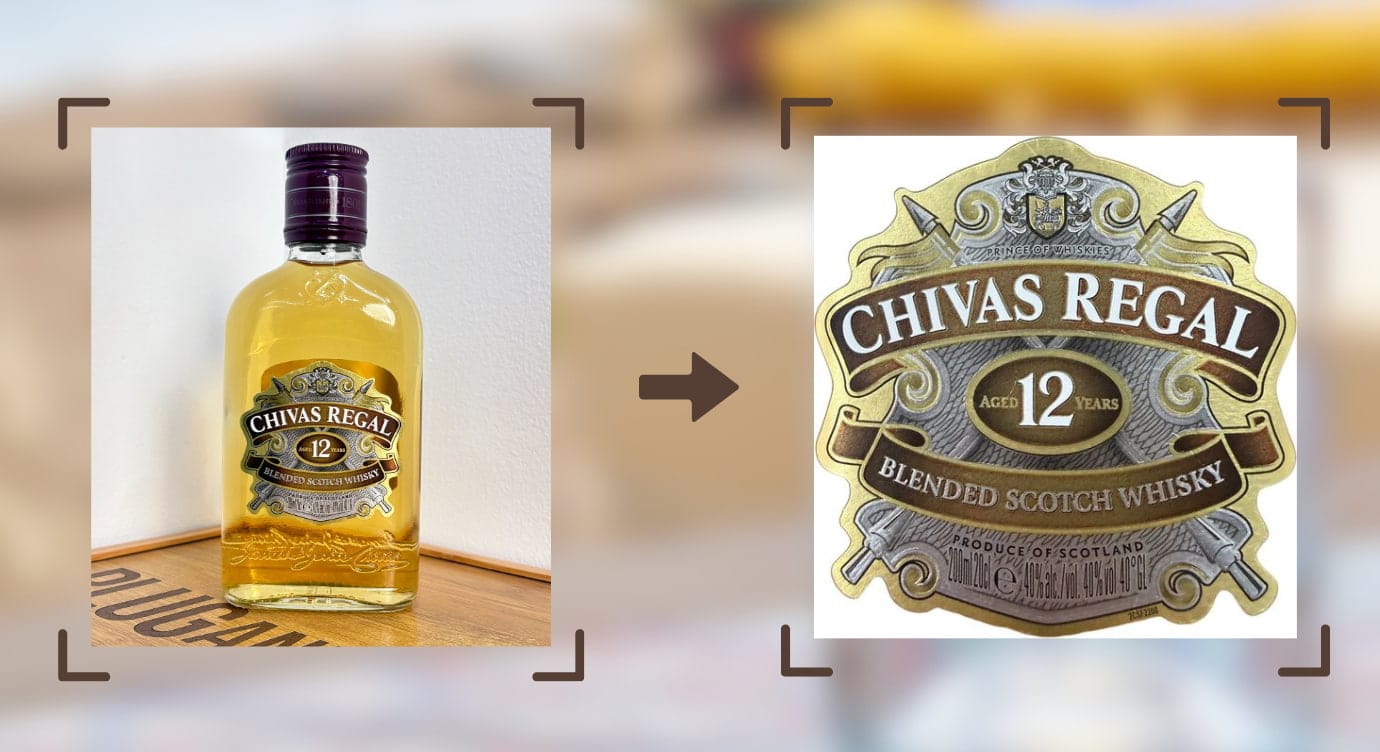
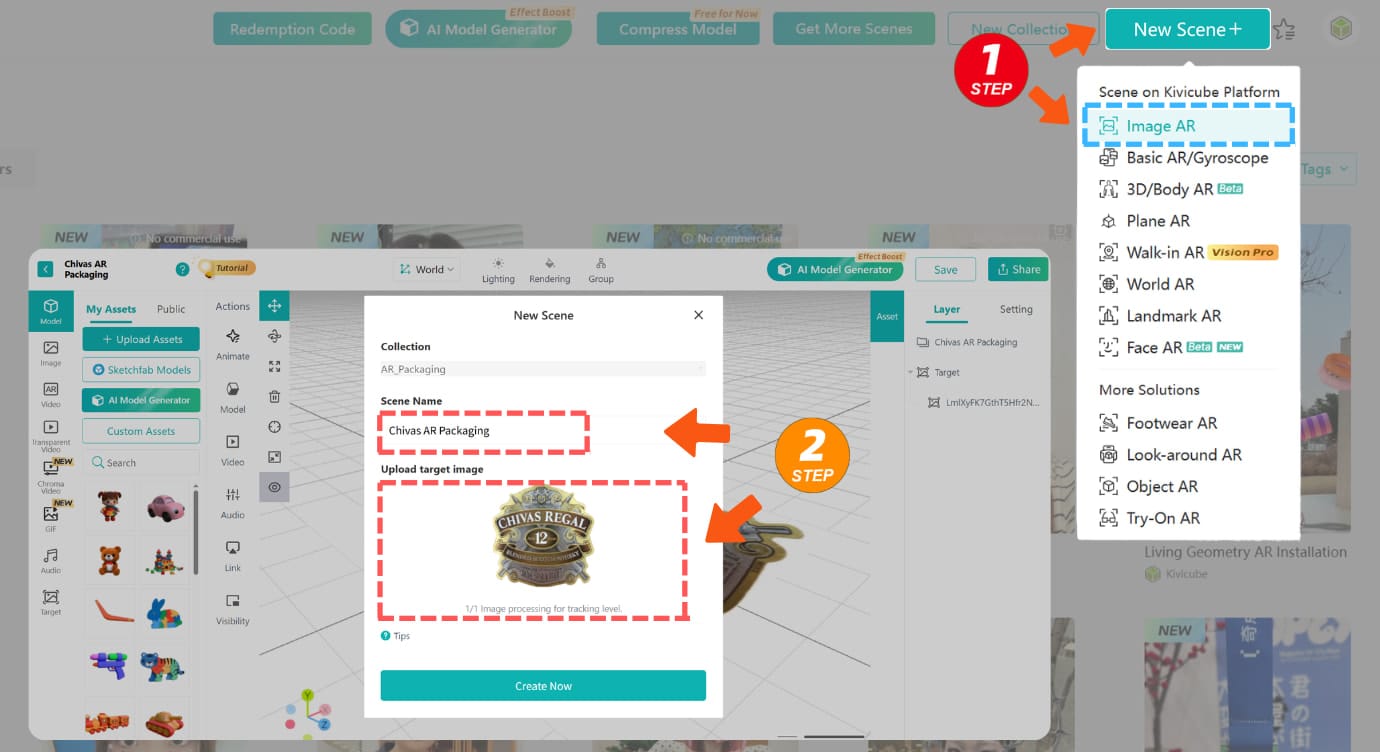
- Create a new Image AR scene on Kivicube, upload the packaging photo as the target image, and name your scene.
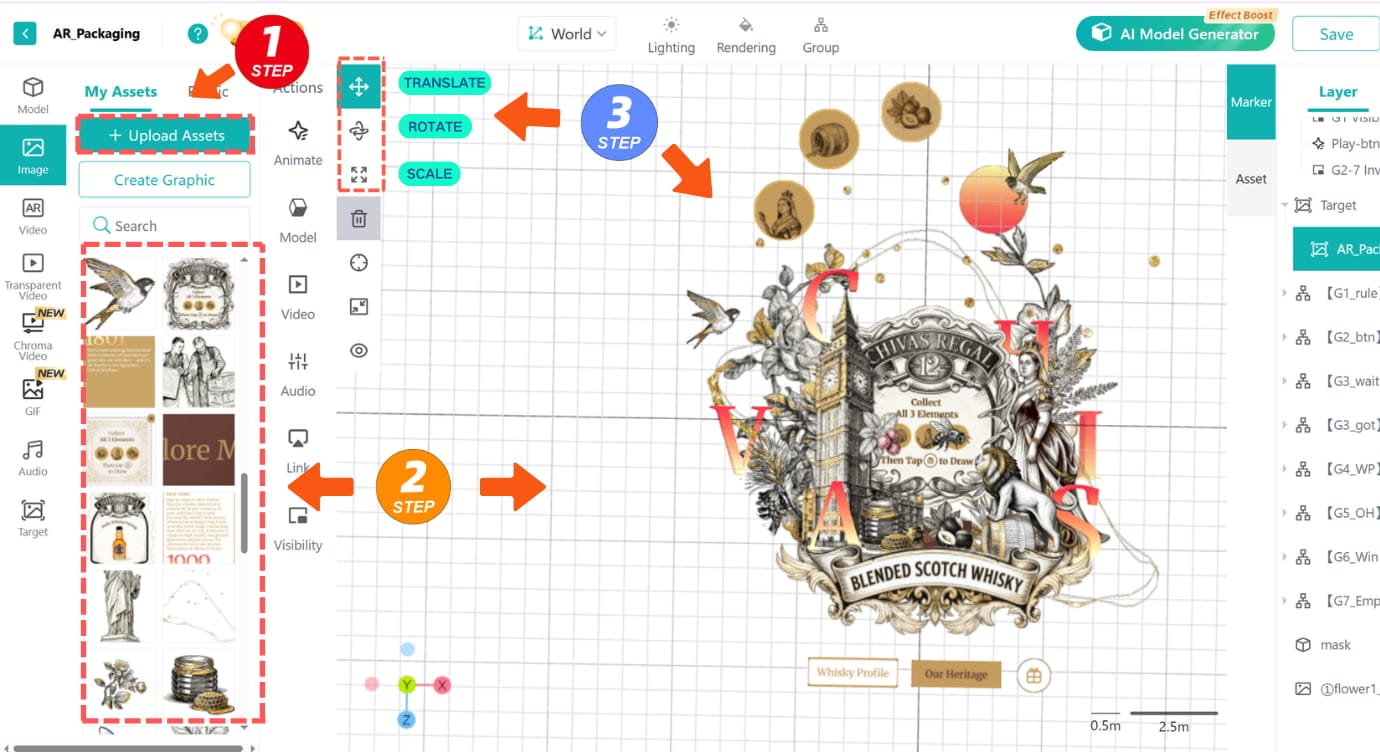
- Import your assets (like logos or product images) into the Asset Library, then drag them into the grid editor and adjust their layout with the Transform Tool.
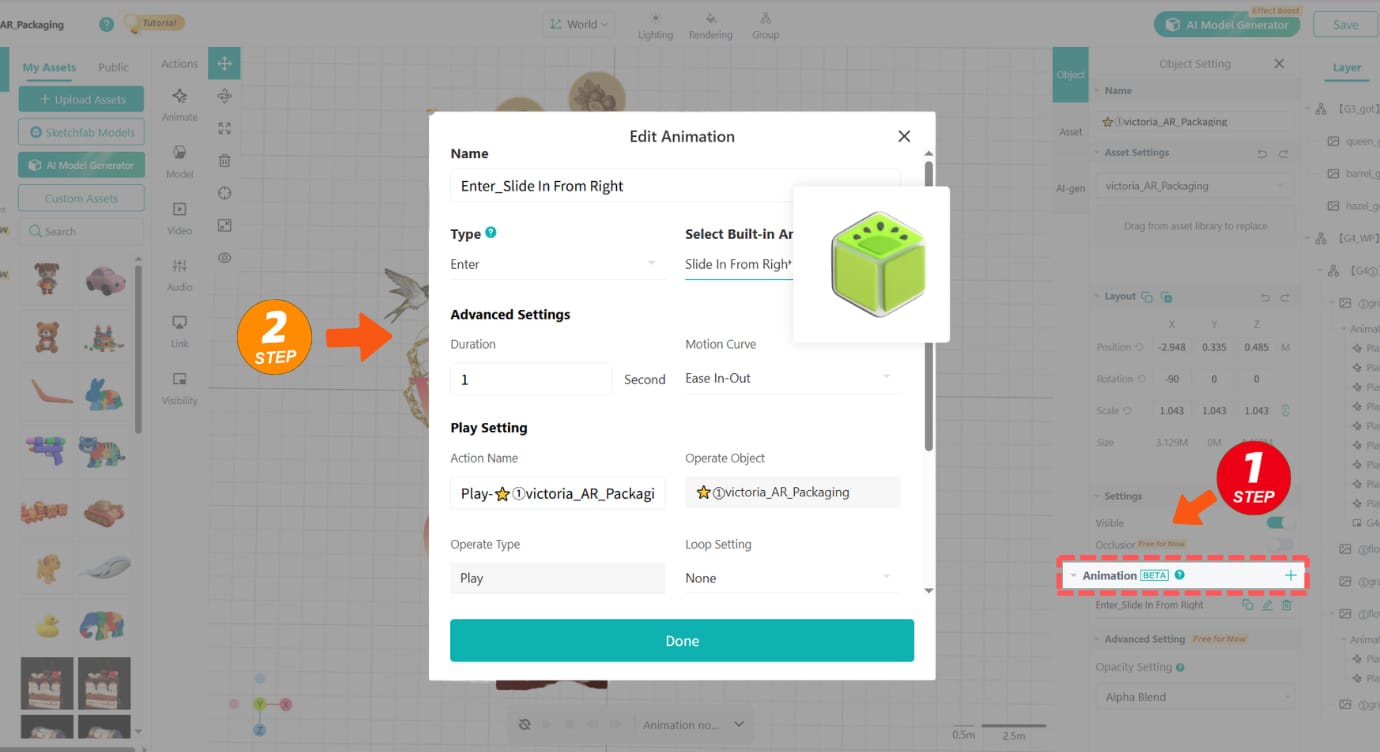
- Select an asset, click the "+" sign in the bottom right corner, and add your desired animations.
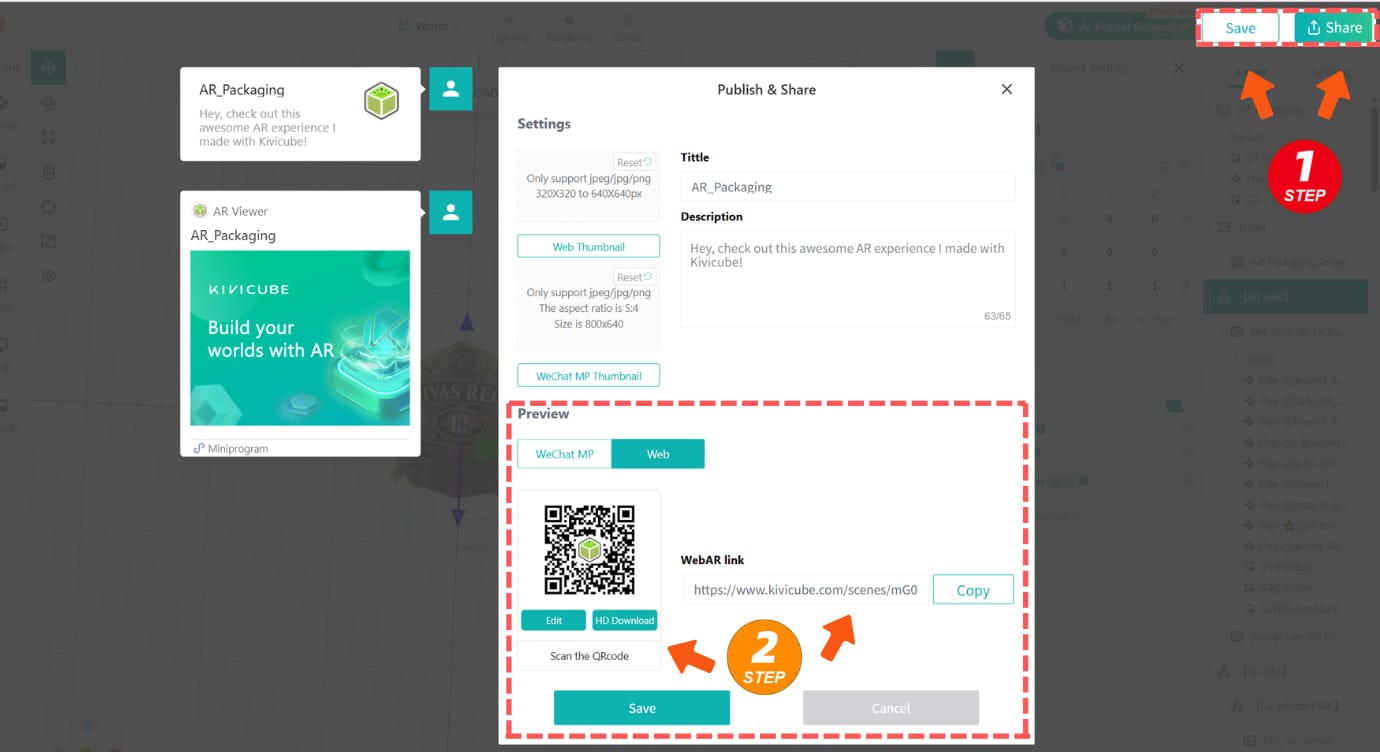
- Click "Save & Share" to generate a QR code. Scan the code to experience your AR packaging and share it easily.
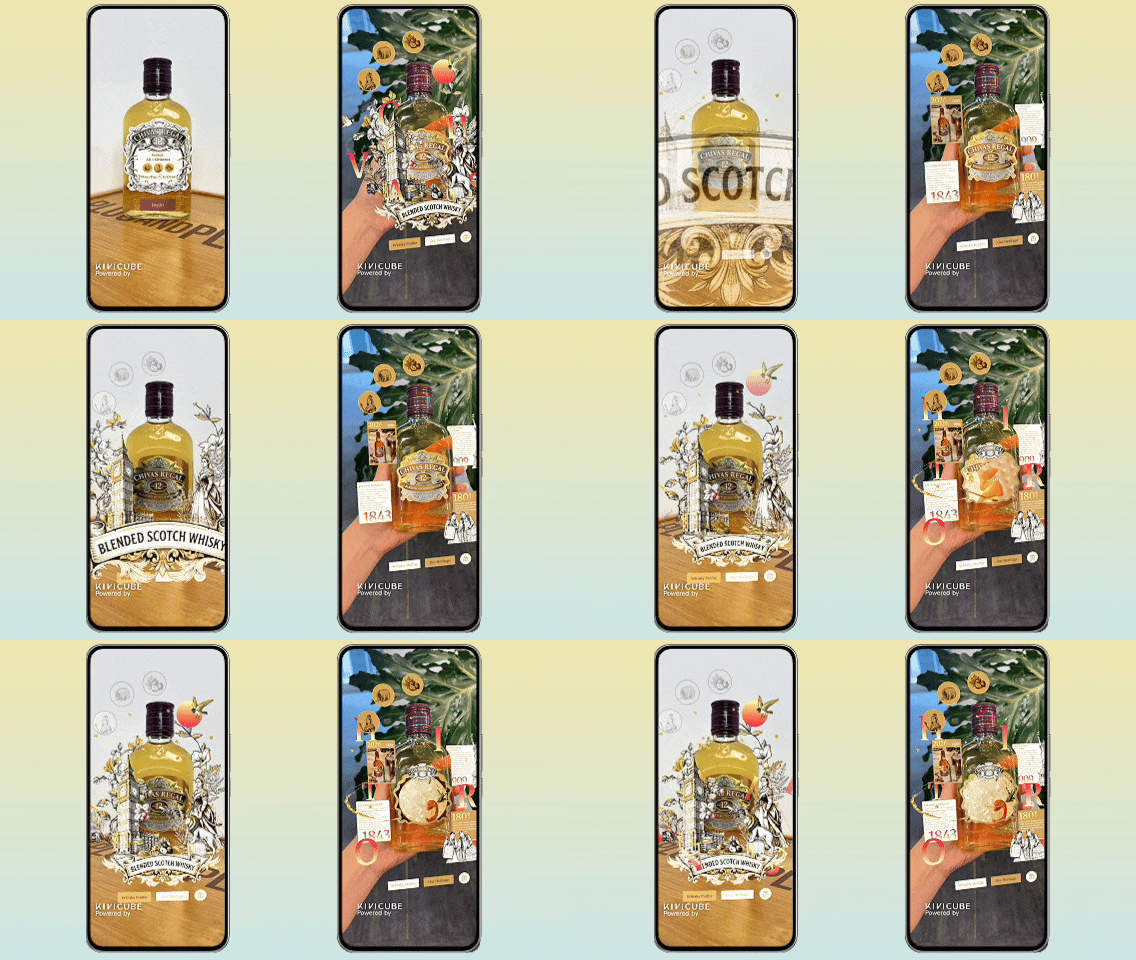
This is the AR packaging effect you just created! Come check it out.
Conclusion
For brands looking to create AR packaging easily, Kivicube is a great choice. It offers WebAR, low-code tools and AI features that simplify the entire process, so you don’t need any technical expertise.
Try it for free today to turn your ordinary packaging into an engaging, interactive touchpoint that connects with your customers.