Augmented Reality Solution: How to Choose and Build One in 2026
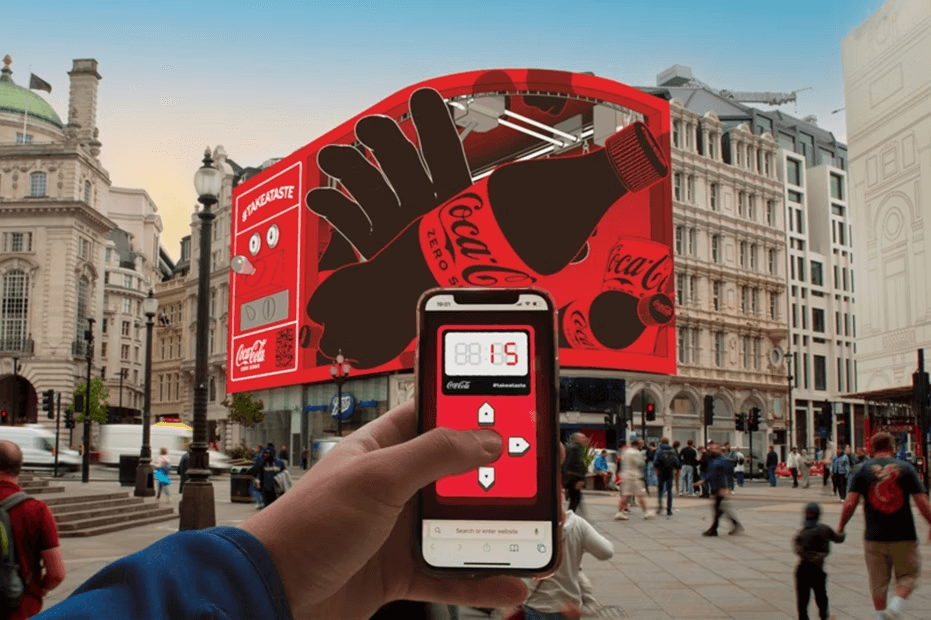
Businesses are no longer asking what is augmented reality.
They are asking a more practical question:What is the right augmented reality solution for my project?Today, modern webAR technology makes it possible to launch interactive experiences directly in the browser — without requiring users to download an app. This shift has transformed augmented reality online from an experimental feature into a scalable business tool.In this guide, you’ll learn:
- What an augmented reality solution actually means
- The difference between app-based and webAR solutions
- Key features to look for
- Real-world business use cases
- How to launch an augmented reality online using Kivicube
What Is an Augmented Reality Solution?
An augmented reality solution is a system or platform that enables businesses and creators to build, manage, and publish interactive digital experiences that overlay 3D models, video, animations, or data onto the real world.A complete augmented reality solution typically includes:
- Content creation tools
- Image or surface tracking technology
- Hosting and cloud delivery
- Cross-device compatibility
- Analytics and performance tracking
Modern platforms now provide these capabilities entirely through webAR, meaning users can access the experience instantly through a browser.No app store approval.No installation friction.Just scan and interact.
Why WebAR Is the Mainstream Augmented Reality Solution
Traditional augmented reality required dedicated mobile apps. That model creates friction:
- Users must download an app
- Storage space is required
- Updates must pass app store review
- Distribution is limited
A webAR-based augmented reality solution removes those barriers.
Mobile marketing research consistently shows that reducing friction dramatically improves engagement. When users are not required to download an app, interaction rates increase significantly and drop-off decreases — making WebAR a more scalable augmented reality solution for most campaigns.
Benefits of WebAR
- Runs directly in Chrome, Safari, Edge
- Accessed via QR code or link
- Instant launch
- Works across marketing, print, social, packaging
- Easier to scale globally
For marketing campaigns, events, exhibitions, retail packaging, and education, webAR is now the most practical way to deploy augmented reality online.
App-Based vs WebAR Augmented Reality Solutions
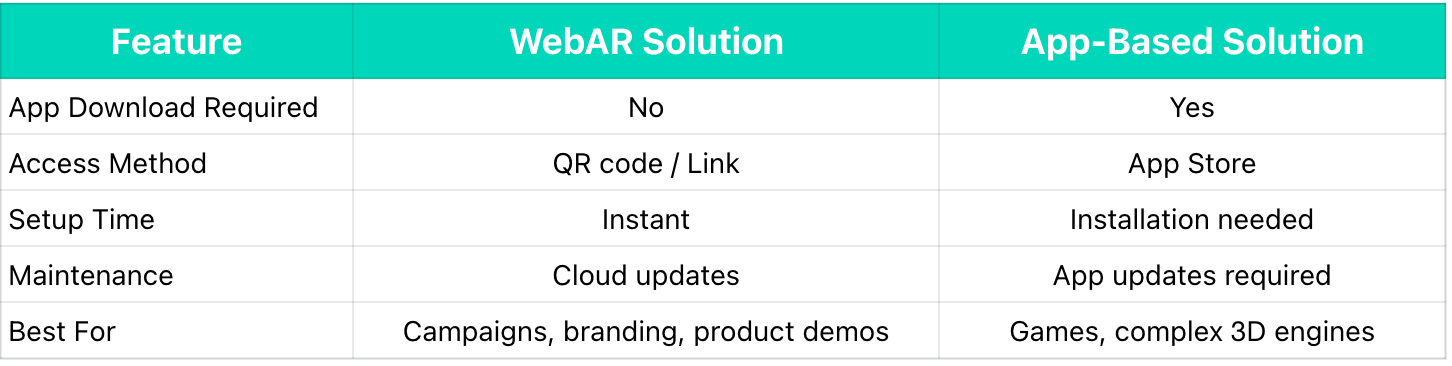
For most businesses, webAR provides faster reach and higher engagement.
What to Look for in an Augmented Reality Solution
Not all platforms are built the same. When evaluating options, consider:
Browser Compatibility
Your augmented reality online experience should work in both:
- Safari (iOS)
- Chrome & Edge (Android)
Rich and Stable AR Capabilities
Consistent performance across common interactive features including AR image tracking, face tracking, plane tracking, and object tracking, designed to meet the requirements of diverse projects.
No-Code Editor
Marketing teams should not depend on developers for updates. This allows them to focus their energy on creativity and achieving client goals.
Cloud Hosting
Publishing should not require server configuration.
Analytics
Tracking scans, sessions, and user behavior is essential for ROI measurement.
Real-World Use Cases for Augmented Reality Solutions
Marketing Campaigns
Turn posters and packaging into interactive portals. Launch videos, 3D models, or games—directly from print.
Example: Scan the Dior Christmas limited-edition packaging and watch butterflies flutter to life.

Retail & E-Commerce
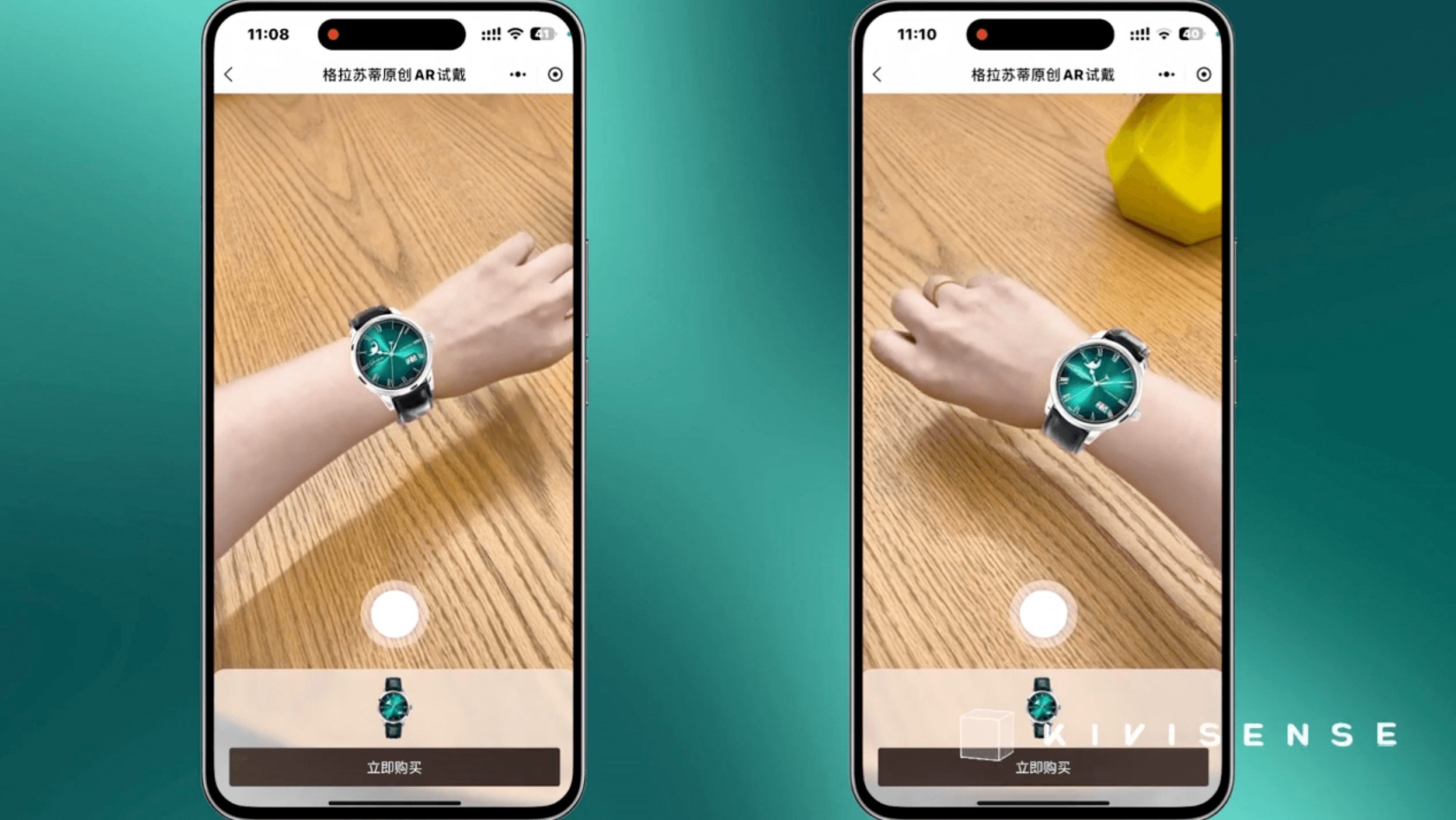
Let customers see products in their own space before buying. Scan a catalog to visualize furniture, appliances, or fashion items in 3D.
Example: Tap the AR try-on button on the product page and start the virtual try-on experience.
Events & Exhibitions
Create immersive installations without forcing attendees to download an app. Perfect for trade shows, museums, and pop-ups.
Example: A museum poster that brings historical artifacts to life when scanned.
Education & Training
Make learning materials interactive. Transform textbooks and manuals into hands-on experiences.
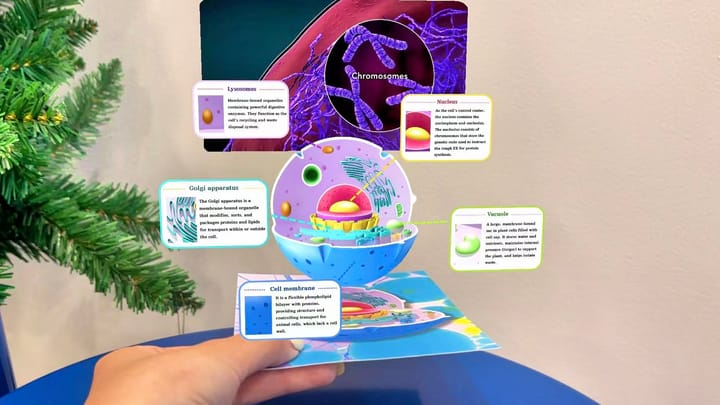
Example: Scan the animal cell card to reveal an interactive 3D model and tap any part to access descriptions and videos.
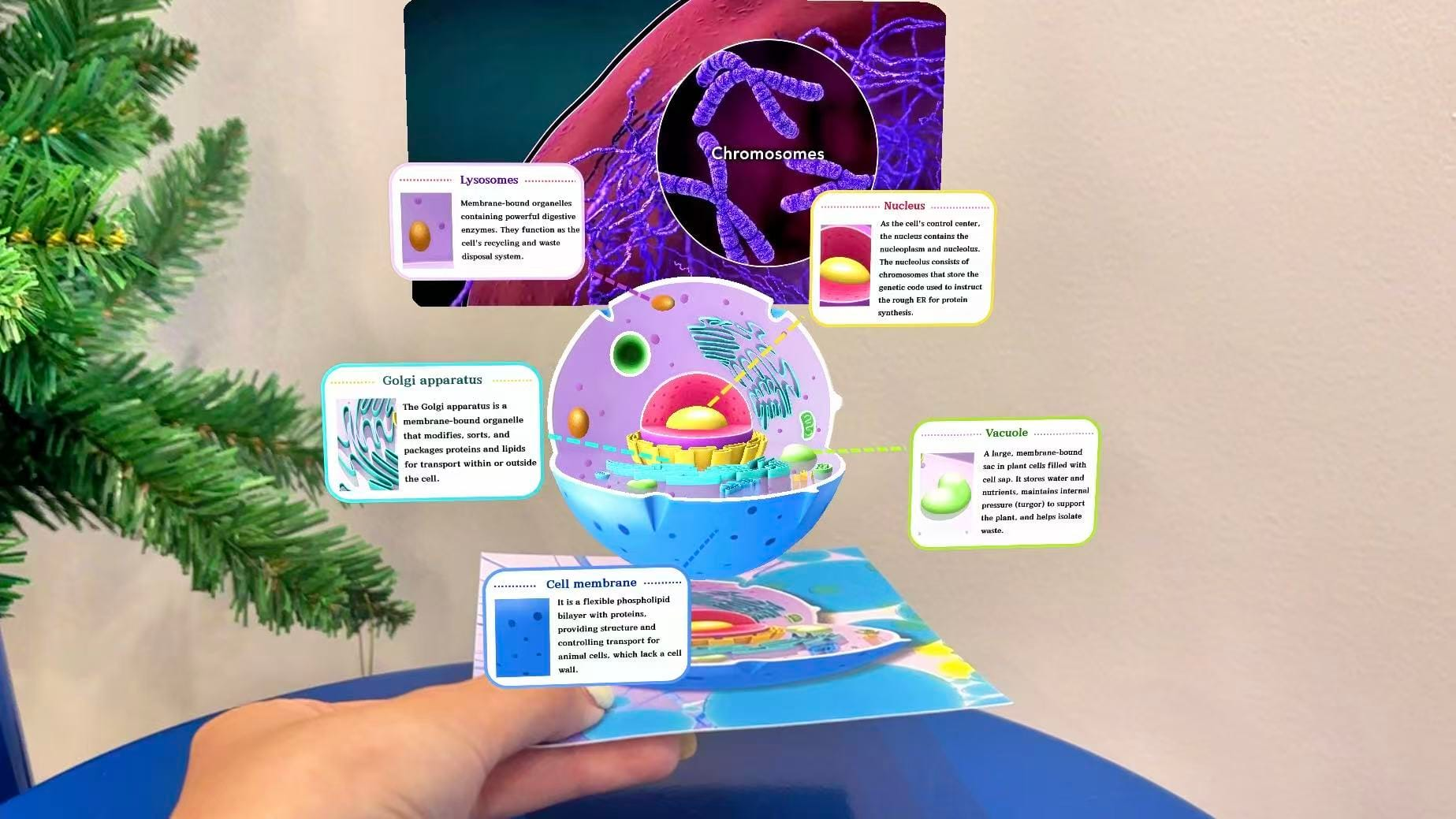
We've also published an in-depth article on how WebAR is transforming traditional education.
 summerqiu
Art & Creative Projects
Bring prints to life or build browser-based installations that anyone can access.
Example: An art print that plays an animation when viewed through a phone.
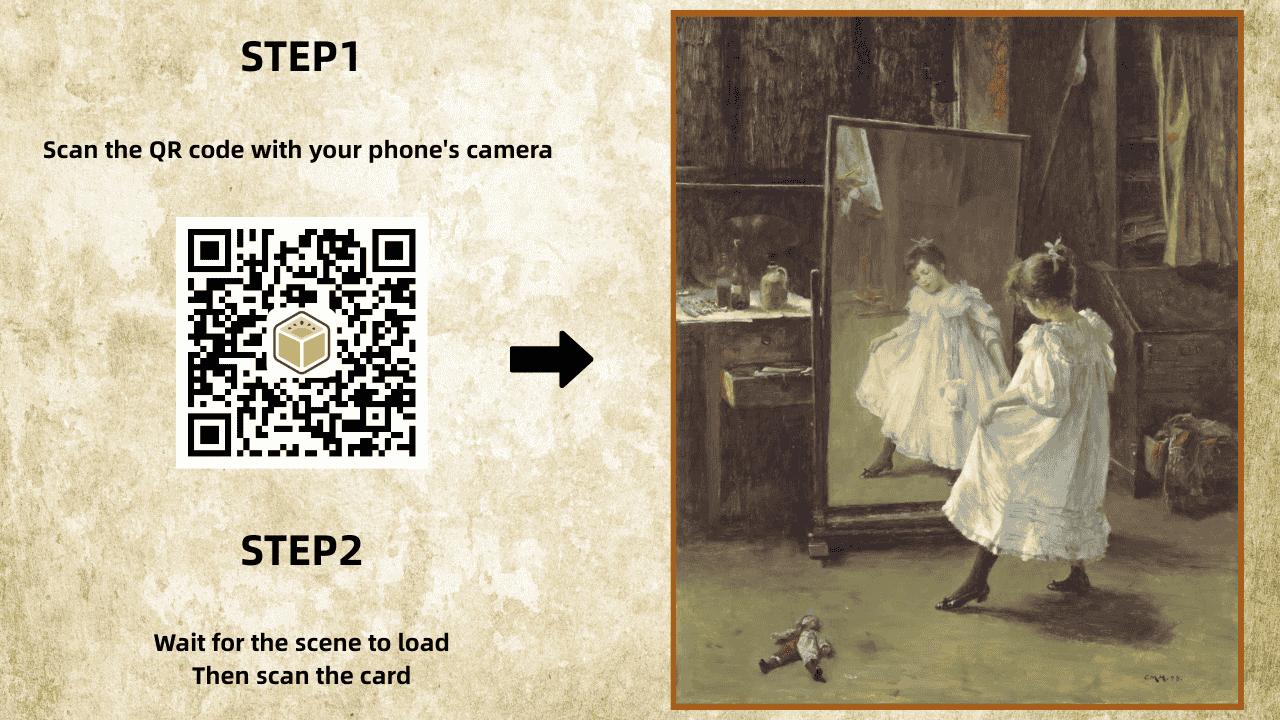
In every case, WebAR removes the barrier between physical media and digital engagement—no app download required.
How to Build an Augmented Reality Online with Kivicube
If you’re looking for a web-first augmented reality solution, Kivicube provides a streamlined platform designed for creators, brands, and educators.
Kivicube capabilities overview
Why Choose Kivicube?
- No-code webAR editor
- Cross-browser compatibility
- Stable support for multiple AR algorithms
- QR code and link sharing
- Built-in asset management
- Cloud-based hosting
- Analytics dashboard
Kivicube allows you to publish augmented reality online experiences without development overhead.
Step-by-Step: Create Your First Augmented Reality Experience
Step 1: Create an Account
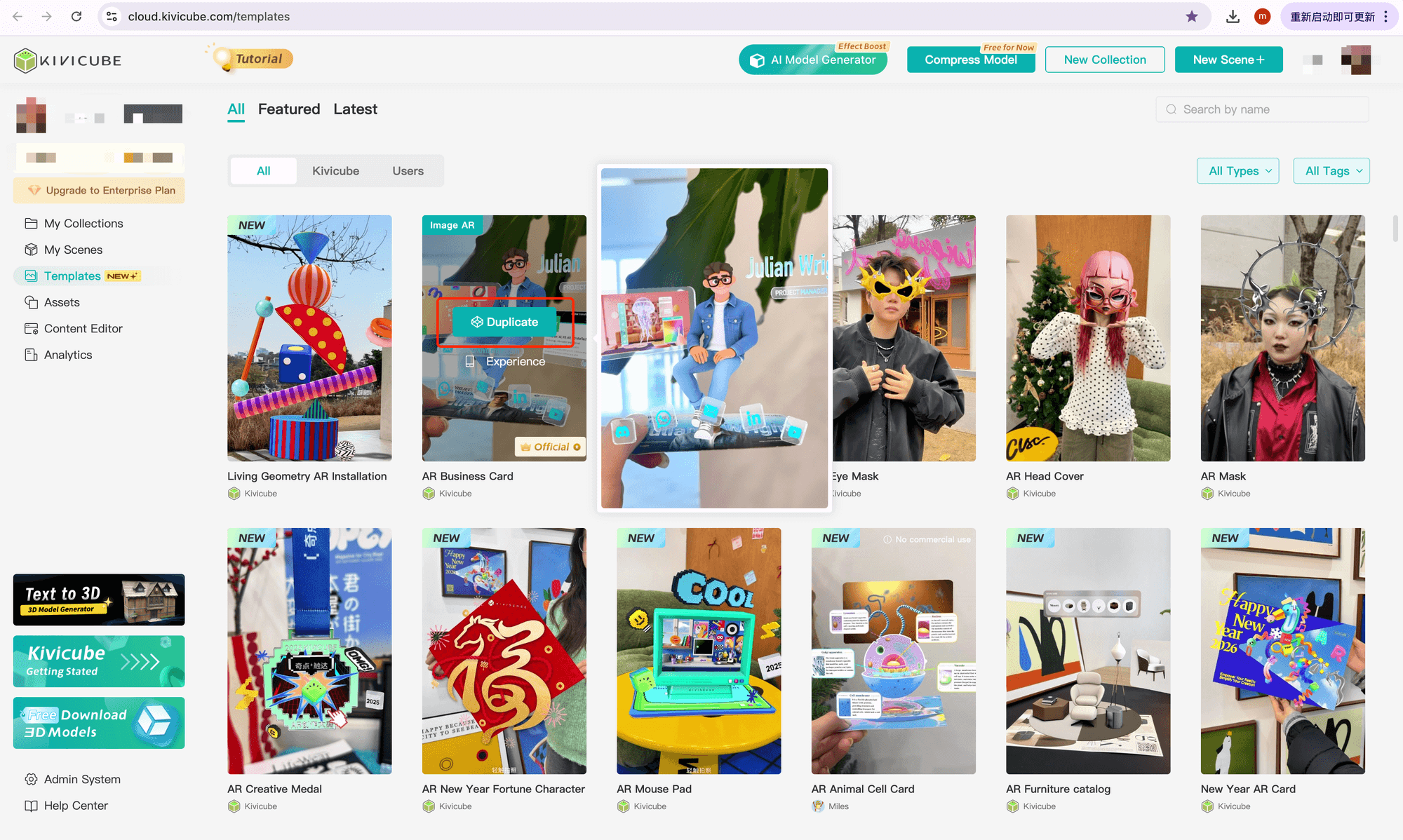
Sign up on Kivicube and access the dashboard. Refine your search by AR capability (Image, Body, Plane AR) or industry, and duplicate any template with one click.
Step 2: Upload Your Trigger Image
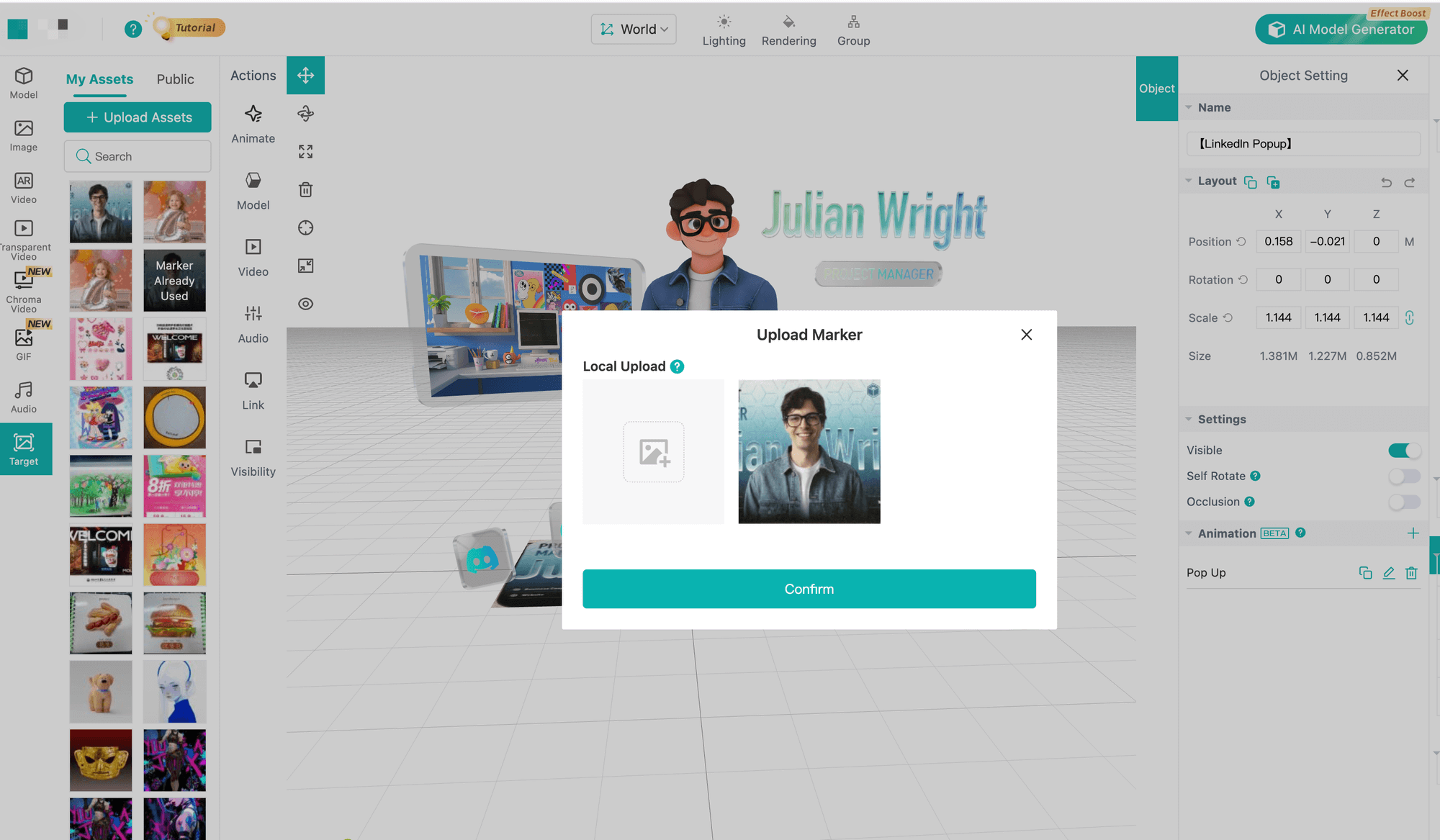
Choose a high-contrast image to serve as the AR target. Then, open the scene you just duplicated and upload your own image to the asset library.
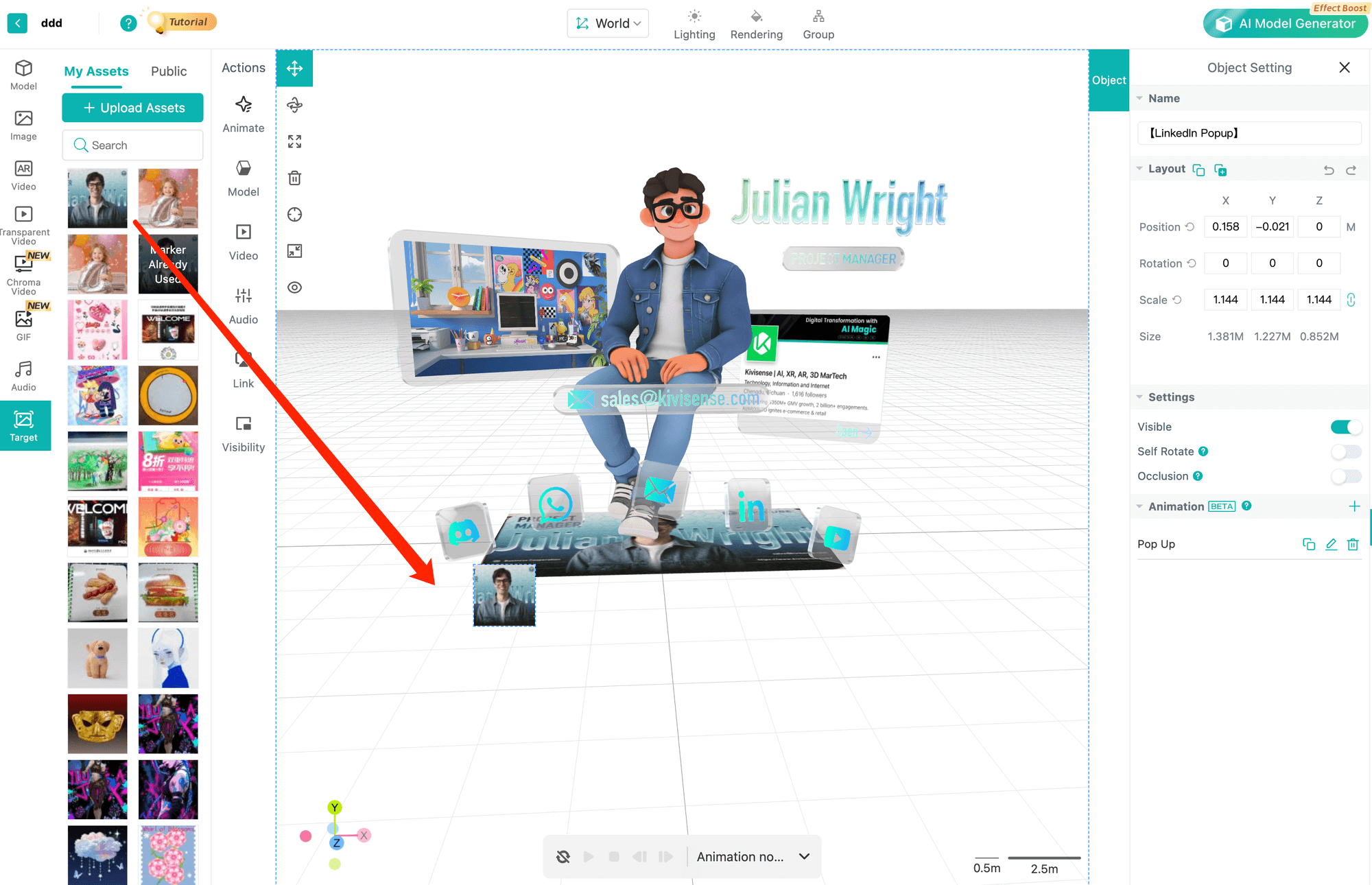
Drag your target image onto the grid editor to swap it out.
Step 3: Add Interactive Content
There are two ways to create AR interactions in Kivicube.
Option 1: Start from scratch.
Upload your assets to the asset library by type, then drag and drop them onto the grid editor. Use the transform tool in the top-left corner to position each asset, and then add interactions as needed. For detailed guidance on building interactions from scratch, check out Kivicube'stries.
Option 2: Use the object reference feature.
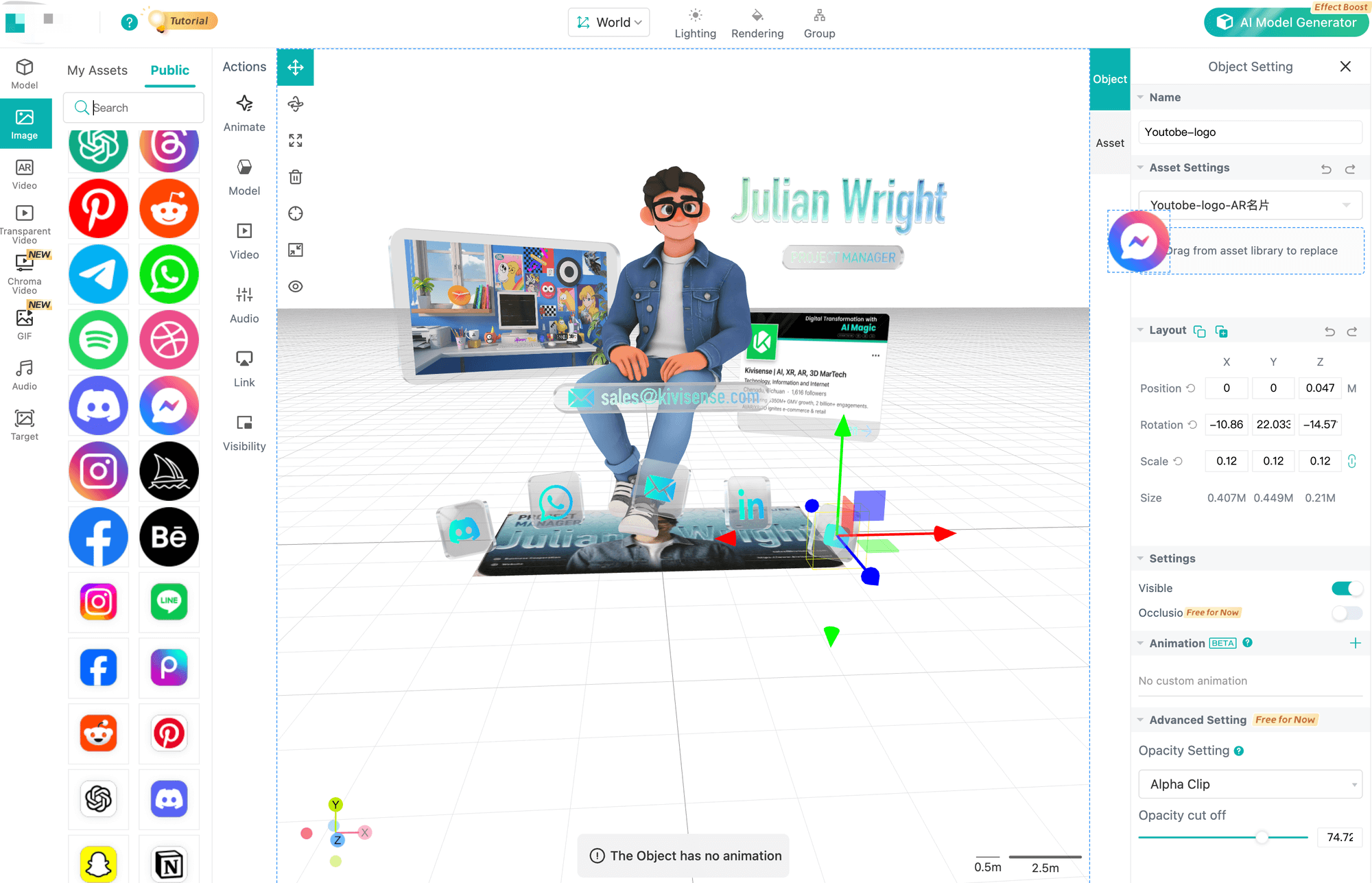
This is the most efficient method—your assets will inherit the interactions from an existing template. Simply select the asset you want to replace, then drag your new asset into the object reference area to swap it out.
Step 4: Preview in Browser
Open the preview link on your mobile device.Test in both Safari and Chrome.
Step 5: Publish and Share
Generate a QR code or shareable link.Embed on your website or print on marketing materials.Your augmented reality solution is now live — fully browser-based.
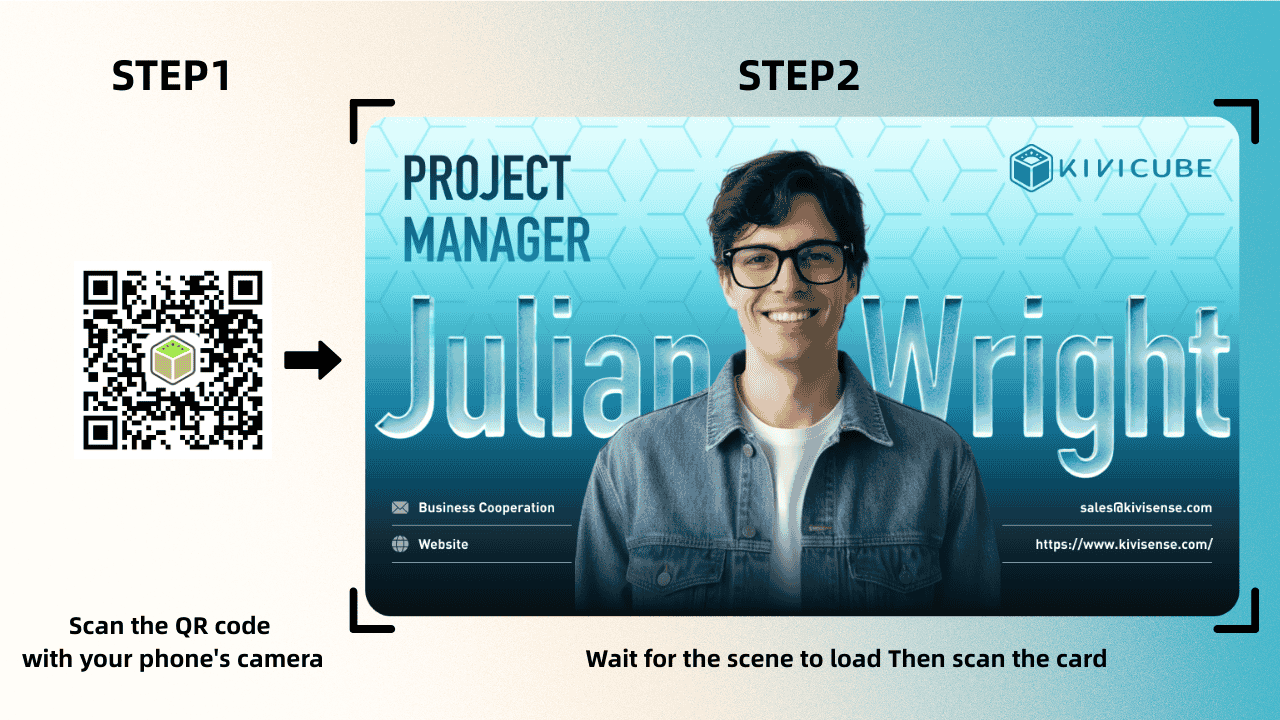
If you're interested in creating your own WebAR business card, check out the detailed tutorial here.
 summerqiu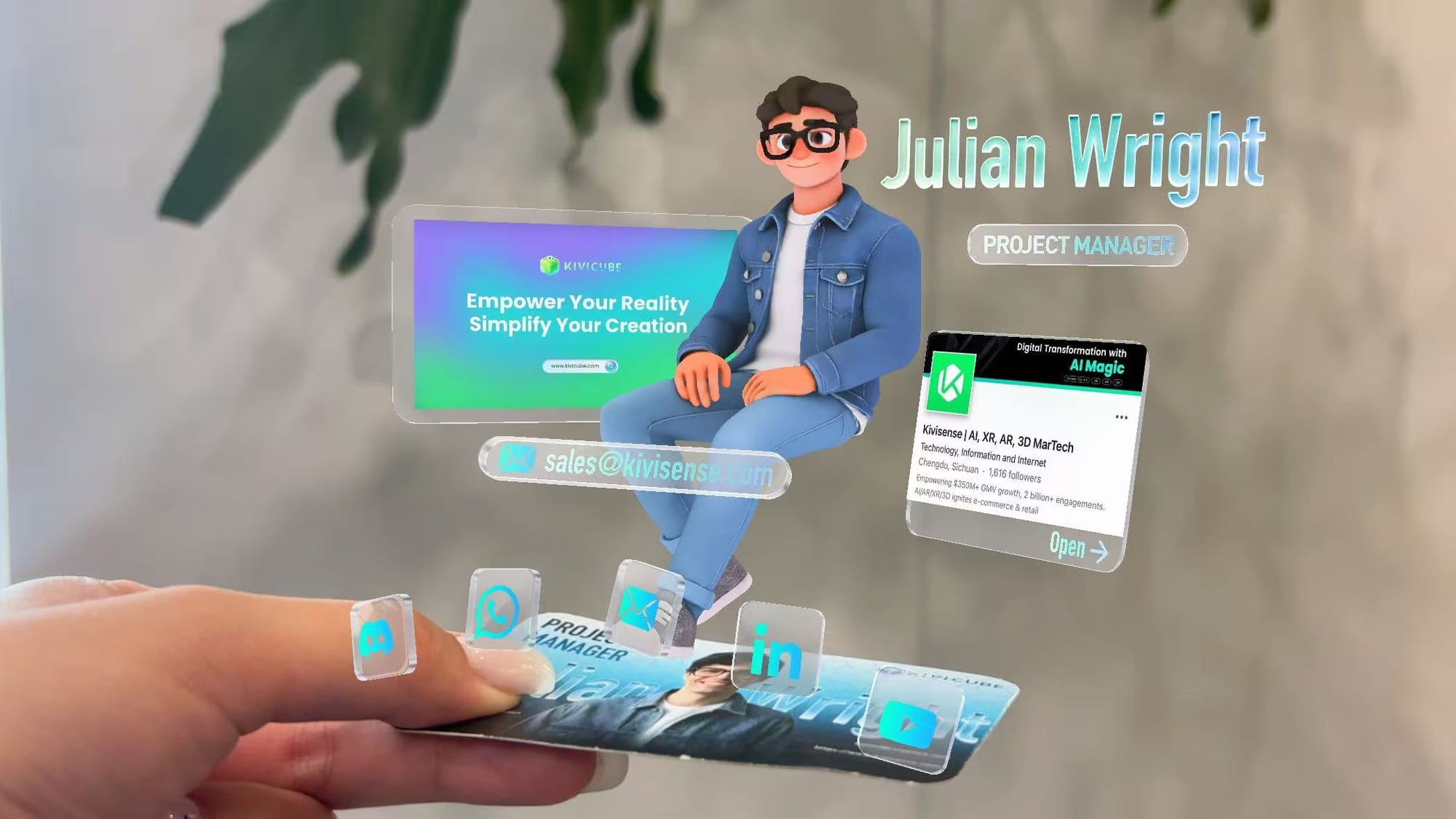
Augmented Reality Solution — Quick Summary
- WebAR enables augmented reality online without app downloads
- Modern AR software includes hosting, tracking, analytics
- Browser-based AR scales faster than app-based systems
- Kivicube provides a no-code AR studio built for web deployment
Frequently Asked Questions
Do users need to download an app?
No. A webAR-based augmented reality solution runs directly in the mobile browser.
Is augmented reality online stable?
Modern platforms use advanced tracking and WebXR standards to ensure smooth performance across devices.
Can small businesses use augmented reality?
Absolutely! Kivicube's visual editor lets you create webAR experiences with zero coding. Plus, with their flexible pricing—even a free account lets you build professional demos to show your clients. It’s the ideal solution for small businesses.
How long does it take to launch?
Kivicube delivers a comprehensive suite of webAR capabilities—from image and face tracking to plane and body tracking. Combined with a vast library of templates and assets, it streamlines AR creation so effectively that complex projects can go from concept to completion in just hours.
The Future of Augmented Reality Solutions
As browser technology improves and WebXR becomes more standardized, web-based augmented reality will continue replacing app-dependent systems for most marketing and business applications.Augmented reality online is no longer experimental.It is scalable, measurable, and accessible.For businesses looking to bridge physical and digital engagement, choosing the right augmented reality solution is no longer optional — it is strategic.If you're ready to build and publish interactive experiences without app friction, start creating with Kivicube today.