Augmented Reality Tools in 2026: How WebAR Platforms Like Kivicube Are Changing Content Creation
Discover the best augmented reality tools for creators. Learn how WebAR platforms like Kivicube make AR creation easy, fast, and no-code.

Why Augmented Reality Tools Matter Today?
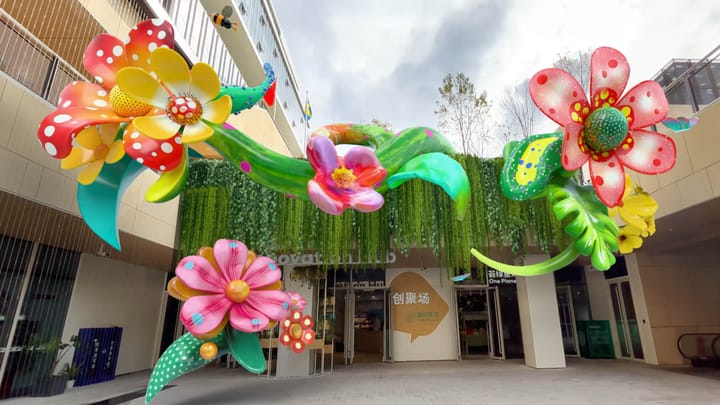
In today’s age of information overload, attention has become the most valuable currency. Traditional digital formats—long-form articles, static visuals, and even interactive web pages—once performed well, but they’re now easily lost in crowded feeds.
That’s why more brands and creators are turning to augmented reality tools as a breakthrough solution. AR isn’t just a technology—it’s a new way for brands to communicate, engage, and build emotional connections with audiences.
What makes AR so powerful?
- Immersive experiences: Unlike static images or videos, AR blends the virtual and physical worlds, making content more memorable.
- Active participation: Users are no longer passive viewers—they interact, explore, and engage.
- App-free access with WebAR: Thanks to WebAR, users can experience AR directly in their browser, dramatically increasing reach and shareability.
In the competition for attention, AR is redefining how brands create meaningful touchpoints—turning every interaction into something worth exploring.
What Are Augmented Reality Tools?
1. Definition of Augmented Reality Tools
Augmented reality tools are software platforms or applications that allow creators to build interactive AR experiences. These tools use AR algorithms to place virtual content into the real world, which users can view through smartphones, tablets, or AR glasses.
2. Common Types of AR Tools
AR tools can be categorized in two main ways:
By delivery method
- App-based AR tools: AR experiences are accessed through a dedicated mobile app.
- Web-based AR tools (WebAR): AR runs directly in a web browser—no app download required.
By creation method
- SDKs and developer frameworks: Designed for developers with coding experience.
- No-code AR creation tools: Visual, drag-and-drop platforms that require no programming skills.

The Shift from App-Based AR to WebAR
Traditional app-based AR often comes with high friction: users must download an app, and creators usually need development resources. As a result, more brands and creators are shifting toward WebAR.
So, what exactly is WebAR?
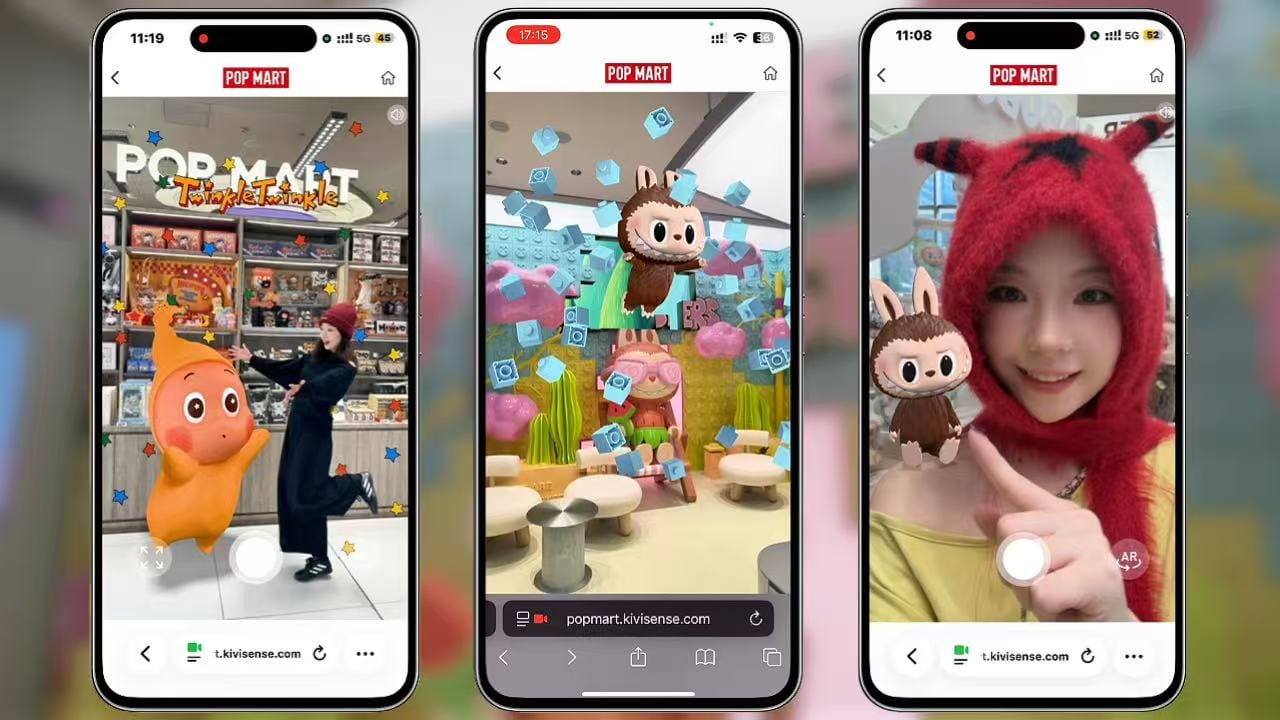
WebAR enables AR experiences directly in the browser. Users simply tap a link or scan a QR code to launch AR instantly. Even better, WebAR works across platforms—Android, iOS, and even AR glasses—using a single experience.
Why WebAR Is the Future of Augmented Reality Tools?
WebAR offers clear advantages that make it one of the most practical augmented reality tools available today:
- Instant access – No app download means a lower barrier to entry.
- Higher conversion rates – Easier access leads to better engagement and completion.
- Effortless sharing – AR experiences can be shared freely across social media and messaging platforms.
WebAR is especially well-suited for industries like art, digital marketing, education, publishing, exhibitions, cultural IPs, fandom communities, and experiential campaigns.
No-Code AR Creation: Making AR Accessible
The Rise of No-Code Augmented Reality Tools
Many creators want to explore AR but hesitate due to technical barriers like coding or 3D modeling. This is where no-code augmented reality tools come in.
Platforms like Kivicube make it possible for anyone—regardless of technical background—to create polished AR experiences in minutes.These tools are especially popular among:
- Artists and designers
- Educators and publishers
- Marketers and content creators
- Small teams and startups
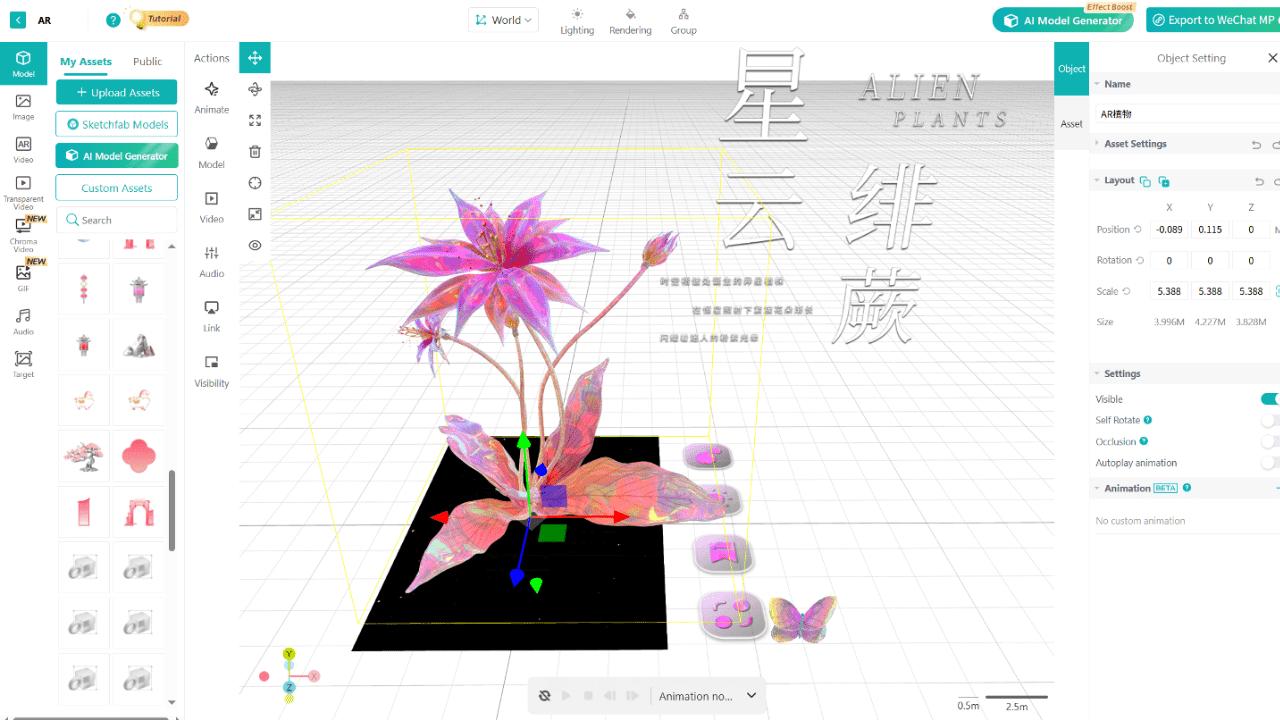
Introducing Kivicube: A No-Code WebAR Platform
Kivicube is a no-code WebAR platform built entirely on web-based technology. It’s designed to be beginner-friendly while still powerful enough for advanced projects.
A No-Code WebAR Platform
Key advantages include:
1.Visual editor
Create AR scenes with simple drag-and-drop—no coding required.
2.Extensive asset library
Access over 100,000 built-in models, animations, and transparent video assets.
3.Ready-to-use templates
Hundreds of templates across publishing, tourism, packaging, marketing, art, and more—just replace assets and publish.
4.Cross-platform support
Experiences work instantly in browsers and can be shared on Instagram, Facebook, LINE, and other social platforms.
5.Advanced APIs
For developers, scalable APIs are available for deeper customization and complex projects.
Real-World Use Cases Built with Kivicube
What can you actually create with WebAR?
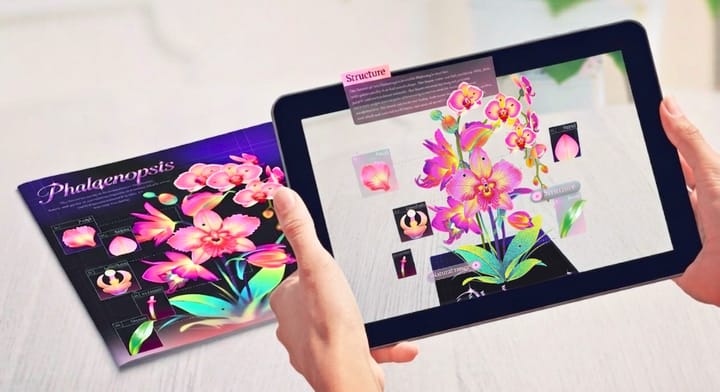
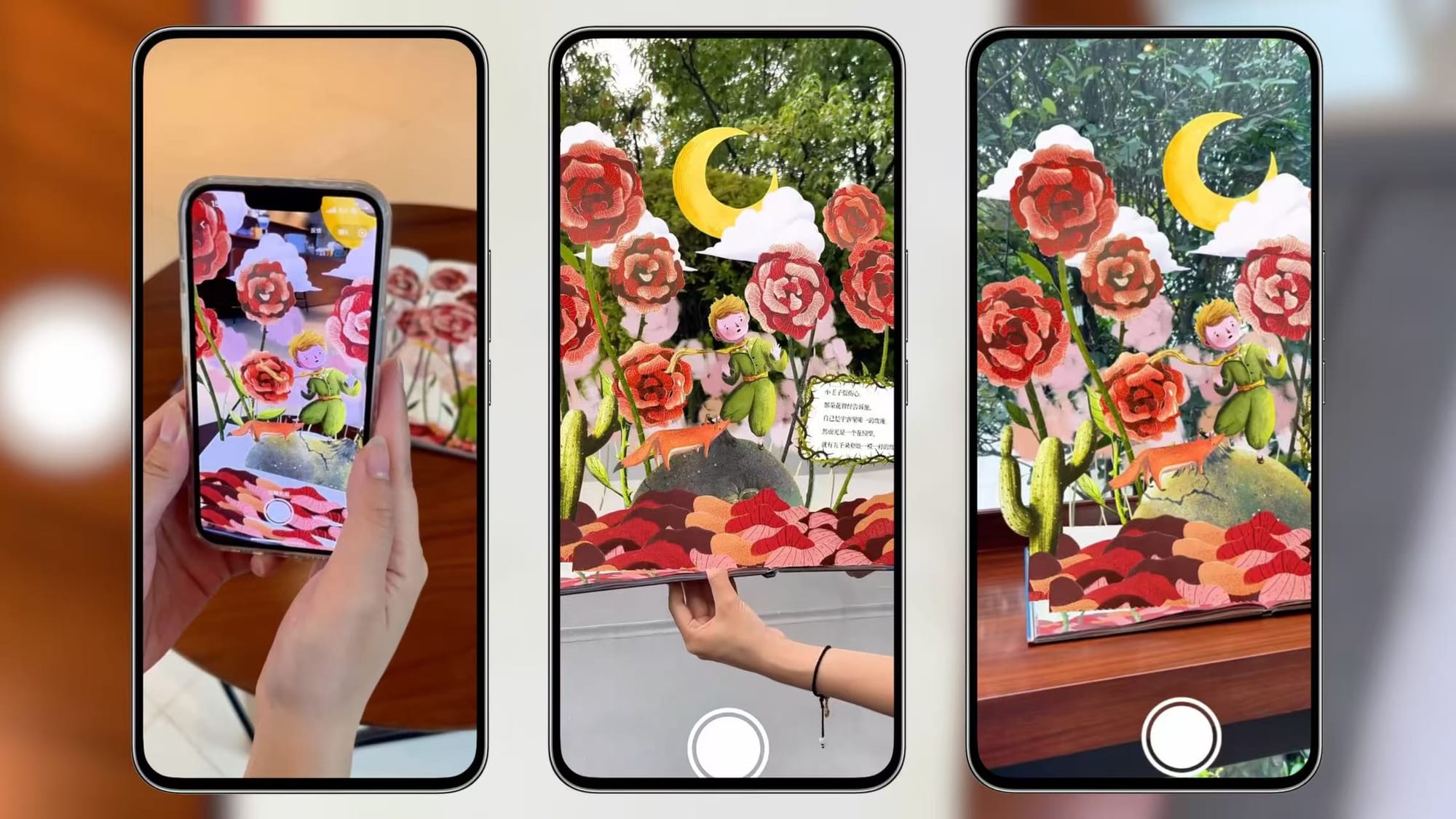
Creators use Kivicube to create AR books that turn printed pages into interactive storytelling experiences.
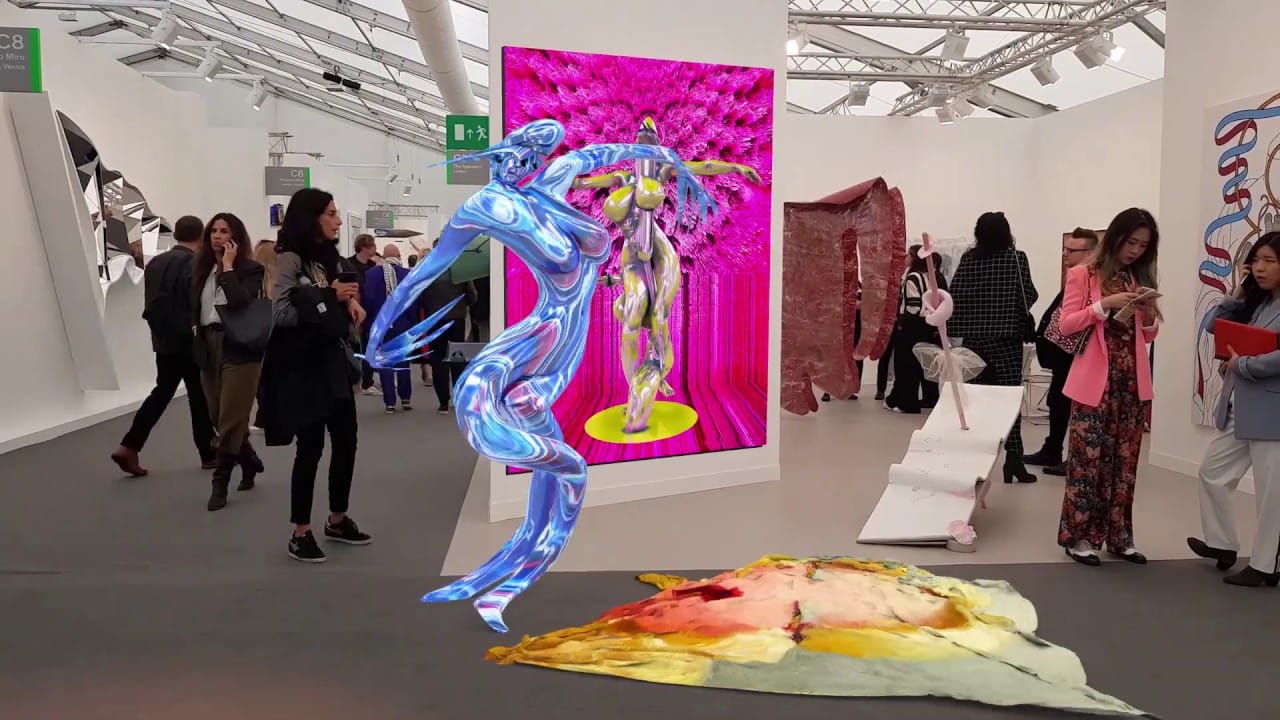
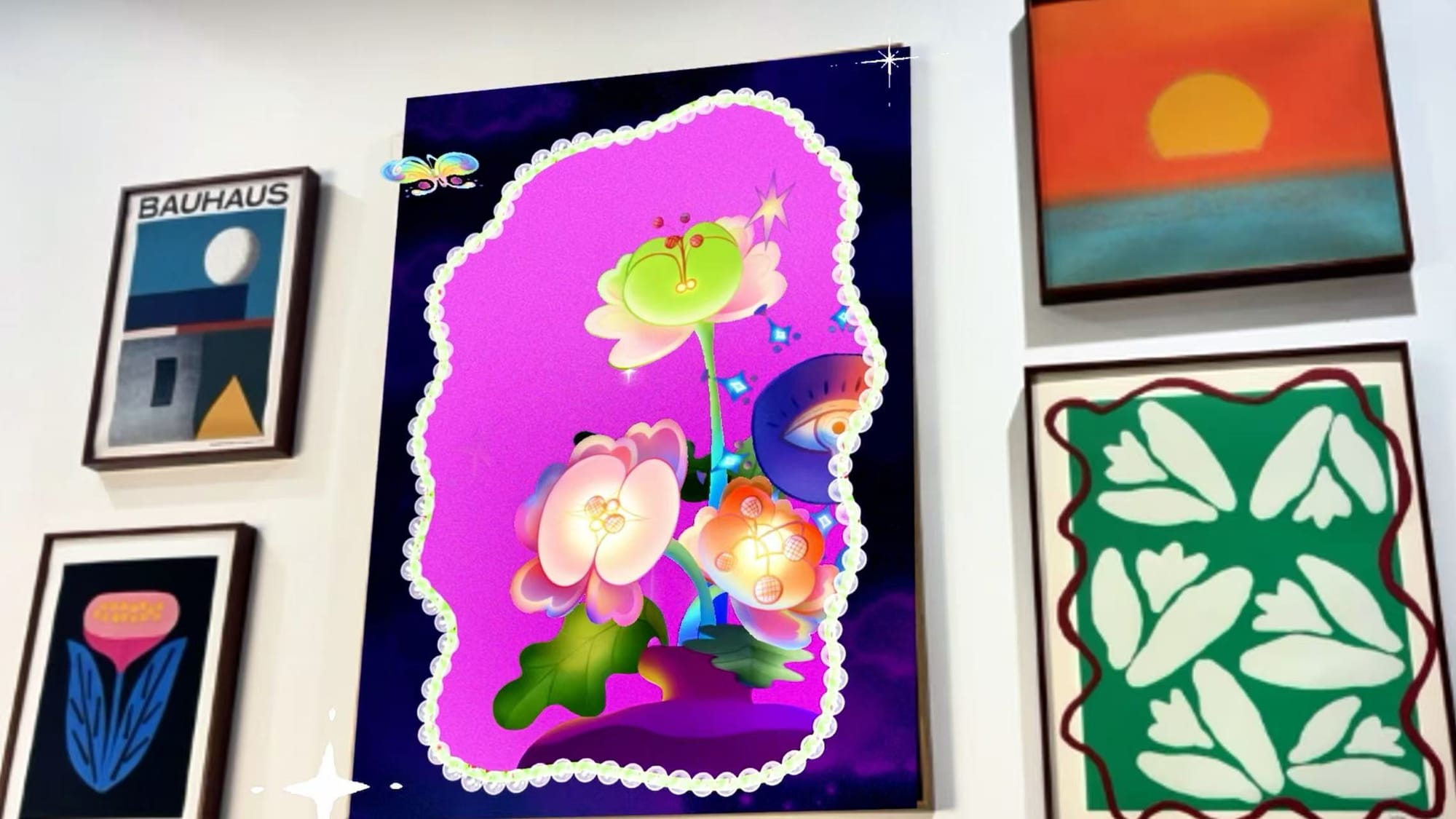
With Kivicube, The artist can create an interactive art exhibitions that bring artwork into the physical space.
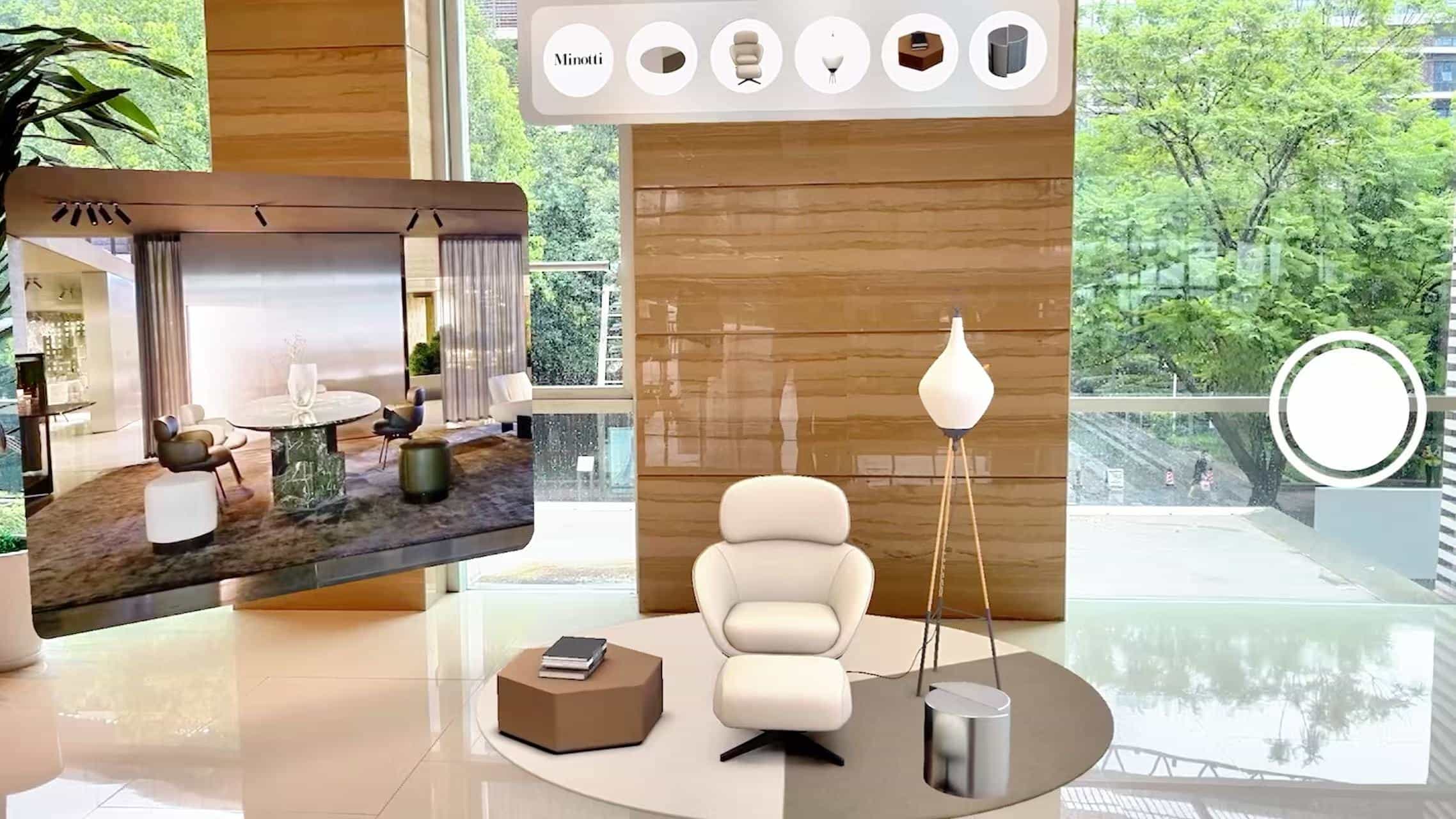
Virtual furniture previews for instant “try-before-you-buy” shopping.
Real estate AR brochures, allowing users to scan and explore properties.
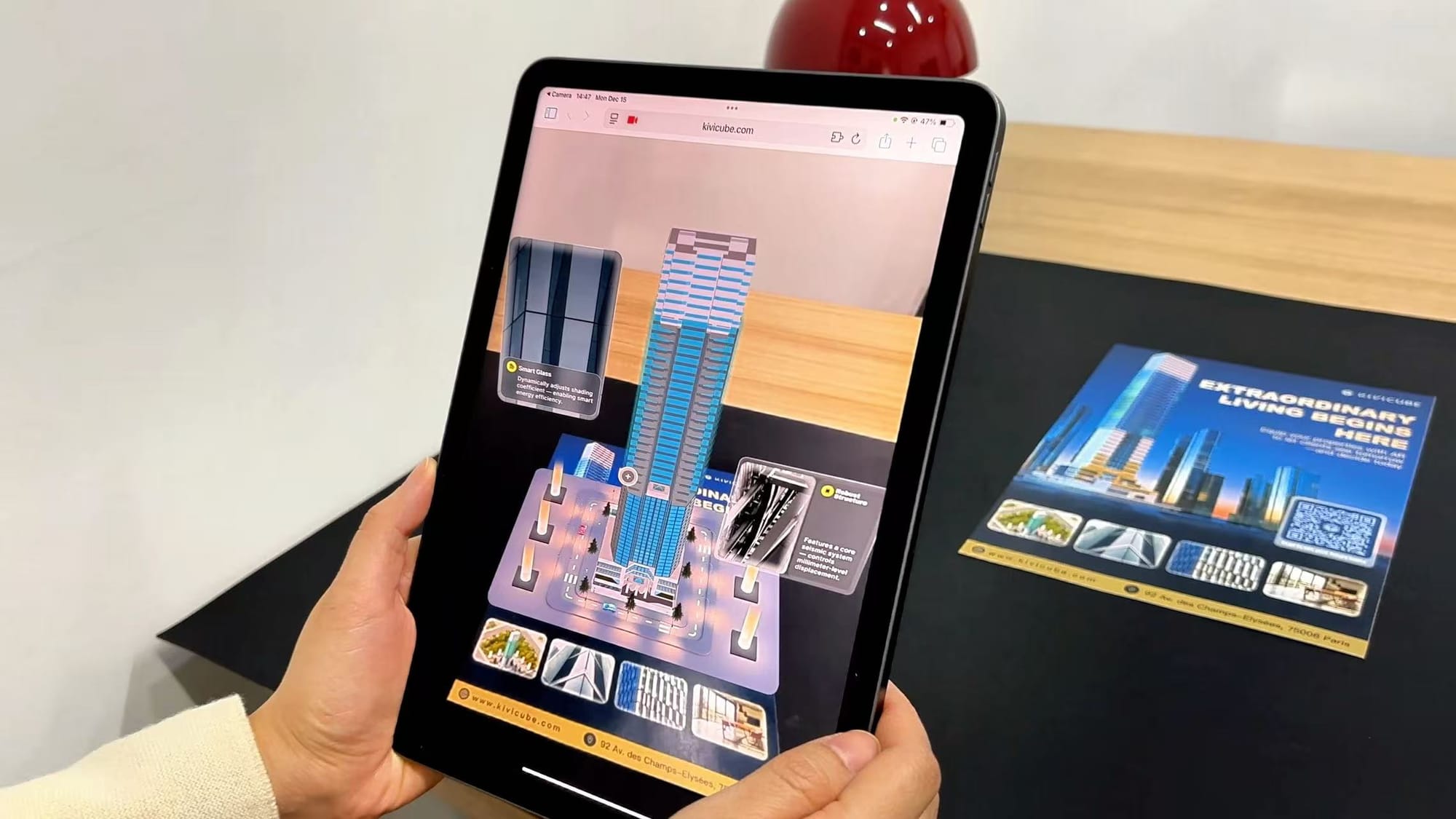
With Kivicube, you can build an AR greeting cards for holidays and special occasions without any code.

These use cases show how flexible and impactful WebAR can be across industries.
How to Get Started with Kivicube (Quick Overview)
Creating your first WebAR experience takes just five steps:
Step 1 — Sign up for free
Register on the Kivicube website and access your dashboard.
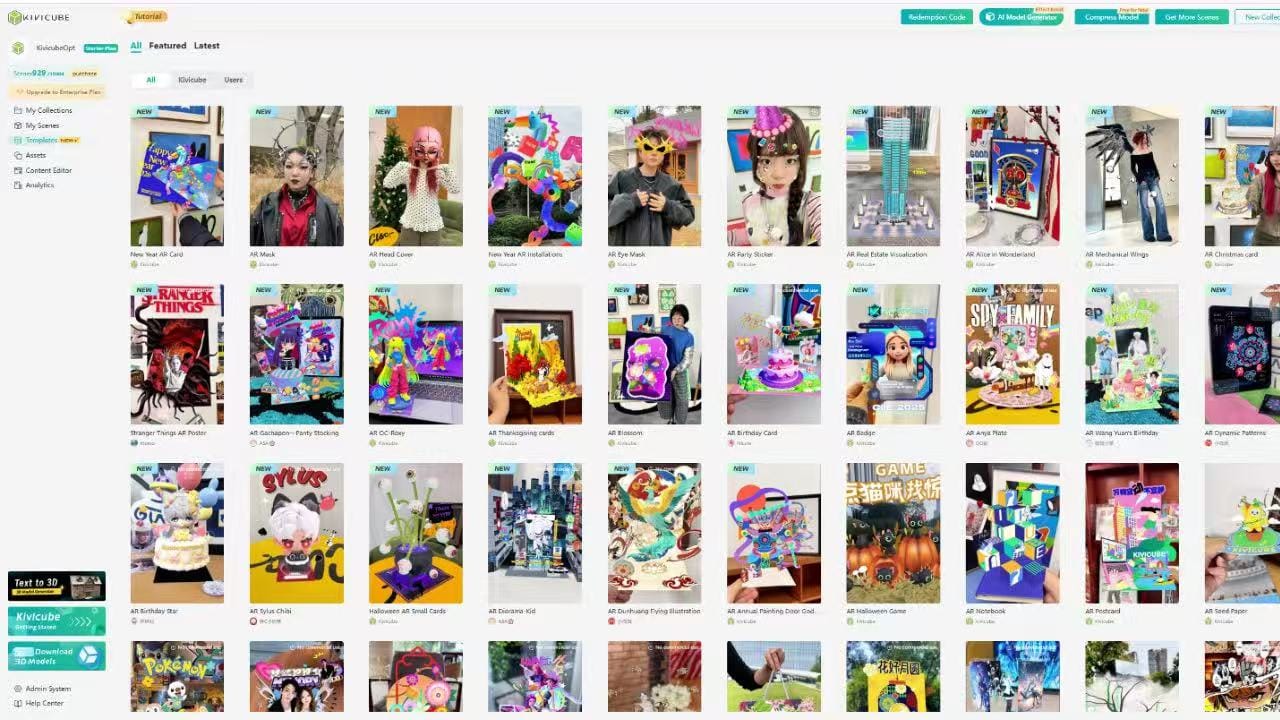
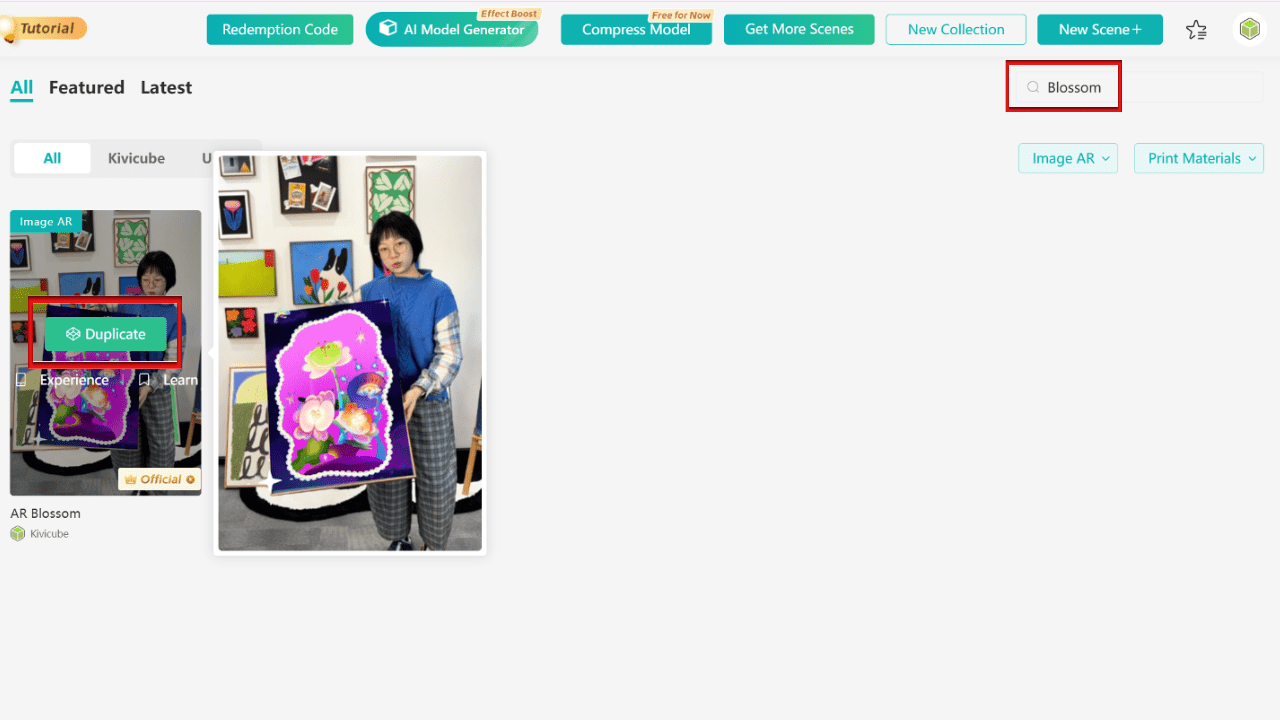
Step 2 — Choose a template
Use tags or keywords to find a template, then duplicate it.
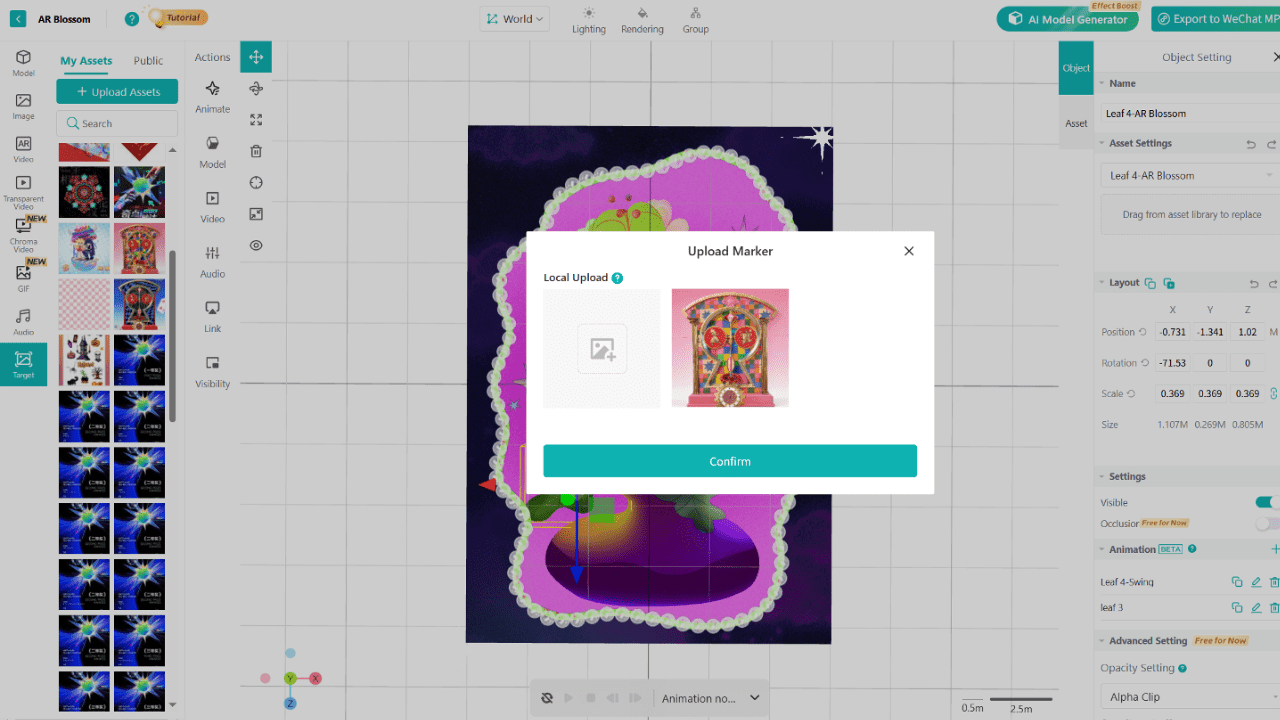
Step 3 — Upload a target image
Add the image that will trigger your AR content.
Step 4 — Customize assets
Upload your own assets and replace elements via drag-and-drop.
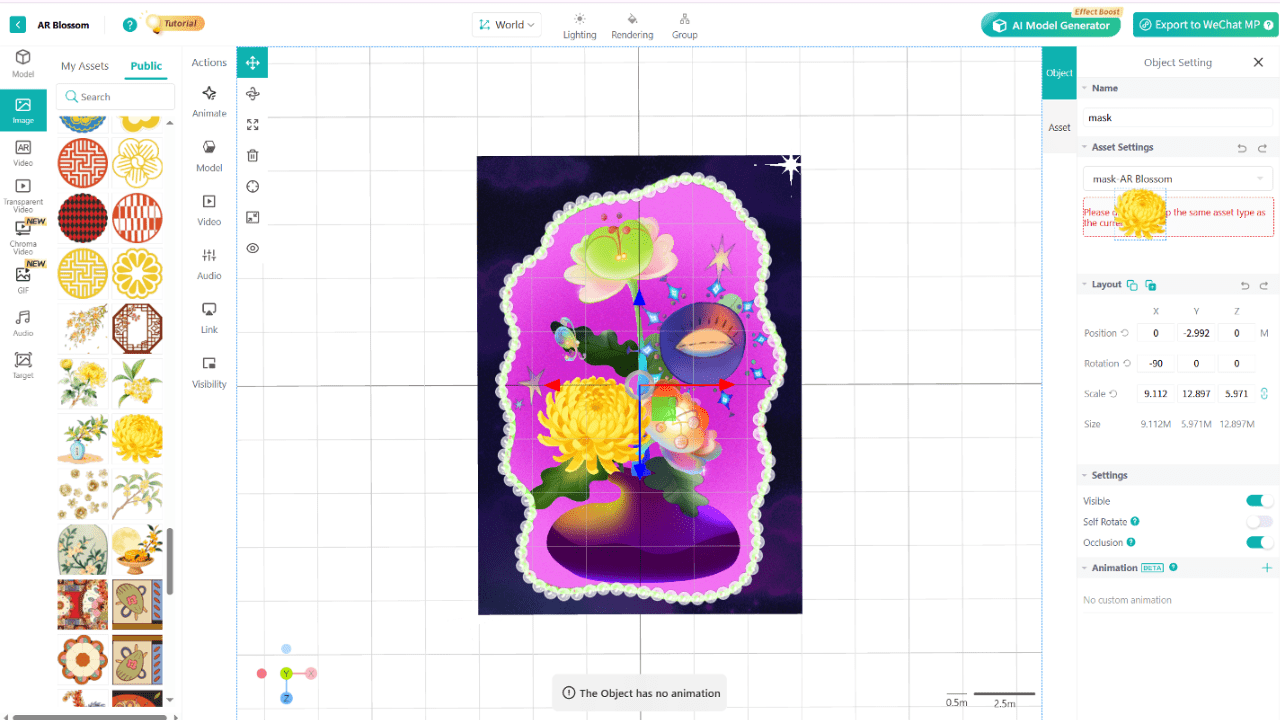
Step 5 — Publish and share
Click Save & Share, scan the QR code, and experience your AR instantly.
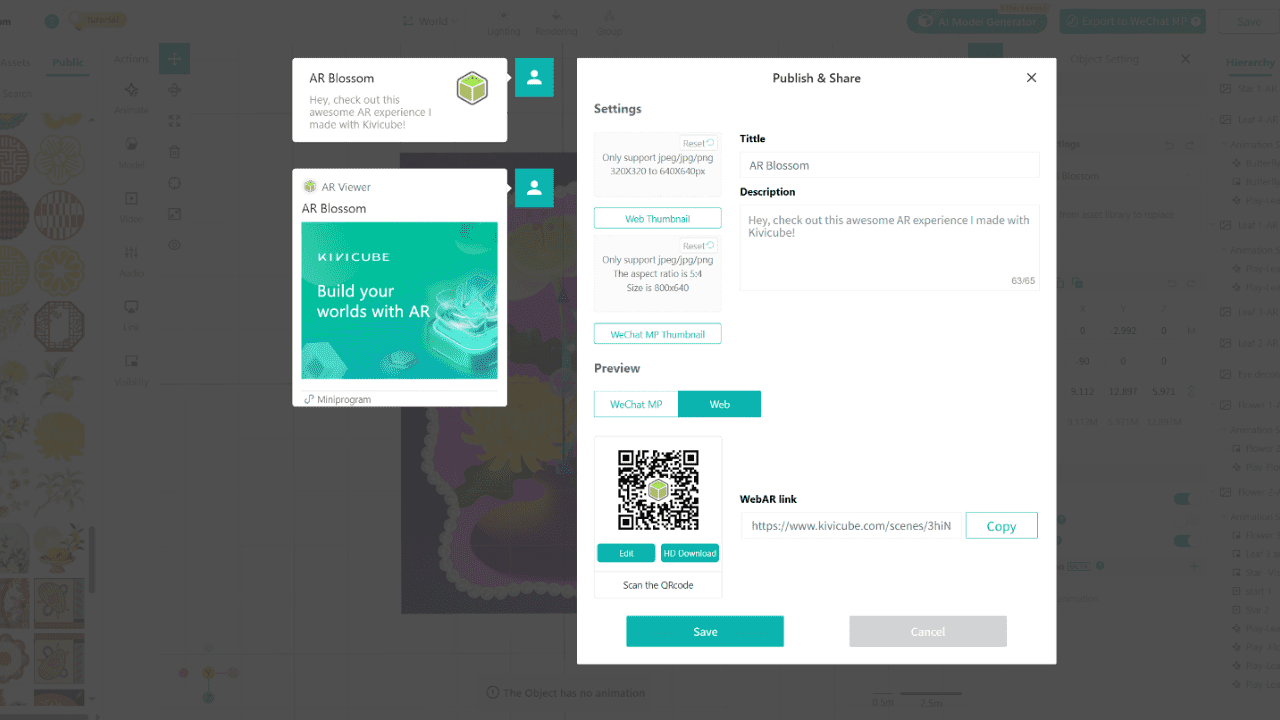
The entire process takes less than 10 minutes. Even if you have no experience with AR at all, you can handle it with ease!
Conclusion: Choosing the Right Augmented Reality Tools
Augmented reality helps brands capture attention, encourage exploration, and build stronger emotional connections with users. Among all AR solutions, WebAR stands out for its accessibility and efficiency—especially for offline marketing, exhibitions, and pop-up events.
As a beginner-friendly yet powerful augmented reality tool, Kivicube enables creators to build WebAR experiences quickly and without any code.
If you’re looking for an easy way to start creating WebAR, Kivicube is a great place to begin.
👉 Sign up for free and start building today.