Create Your Own Viral AR Filter in 3 Minutes: The Ultimate WebAR Guide
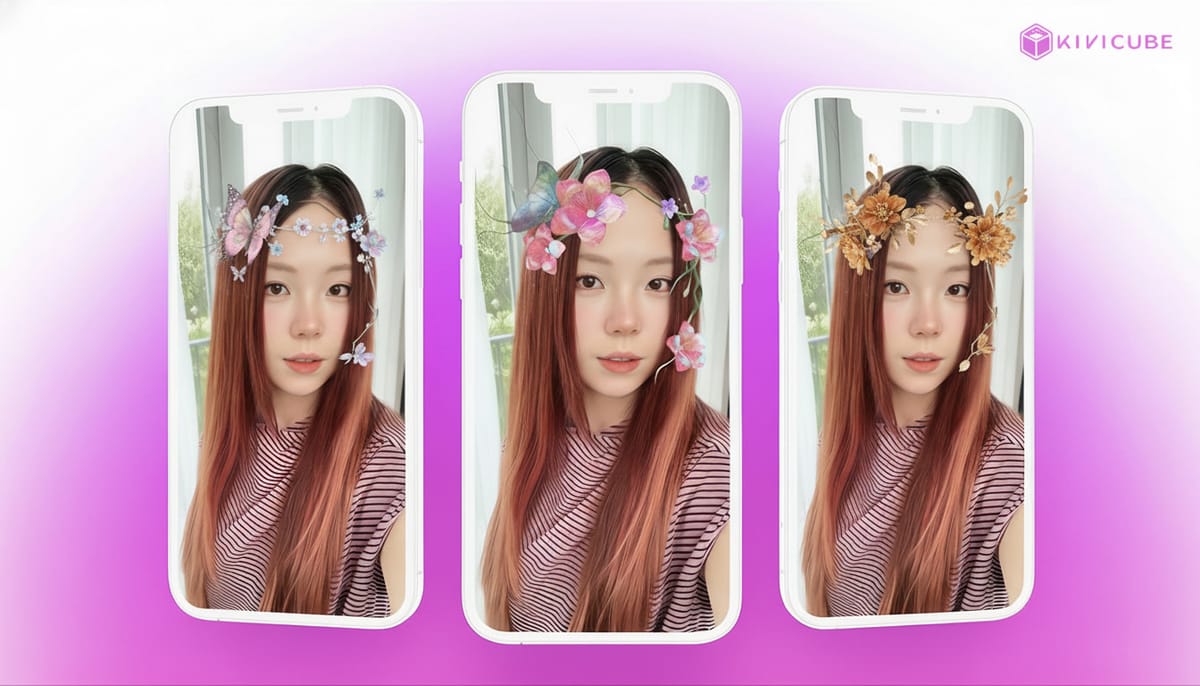
Augmented Reality is no longer just a fleeting trend—it’s transforming how we tell digital stories. Whether it’s polished digital fashion initiatives or playful, shareable interactive marketing, the AR filter has become the go-to tool for brands and creators aiming to boost engagement. Best of all, you don’t need a big budget or a team of developers to get started.
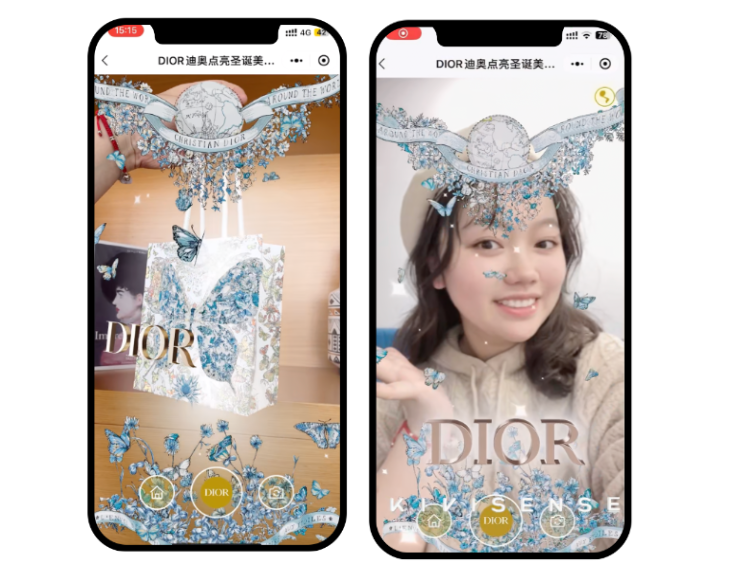
Why Web Augmented Reality Is Taking Over
The shift to WebAR (Web Augmented Reality) all comes down to one simple thing: friction. In a world where people scroll past content in seconds, asking someone to download an app just to experience your AR filter is a surefire way to lose them.
Browser-based AR cuts out that extra step, which is why creators are seeing way higher click-through rates and social shares—Gartner predicts global IT spending on AI-related tech (including WebAR) will grow steadily in 2026.
Kivicube’s AR studio takes the hassle out of the process, handling all the technical backend work so you can focus on what matters—your creativity and AR art vision.
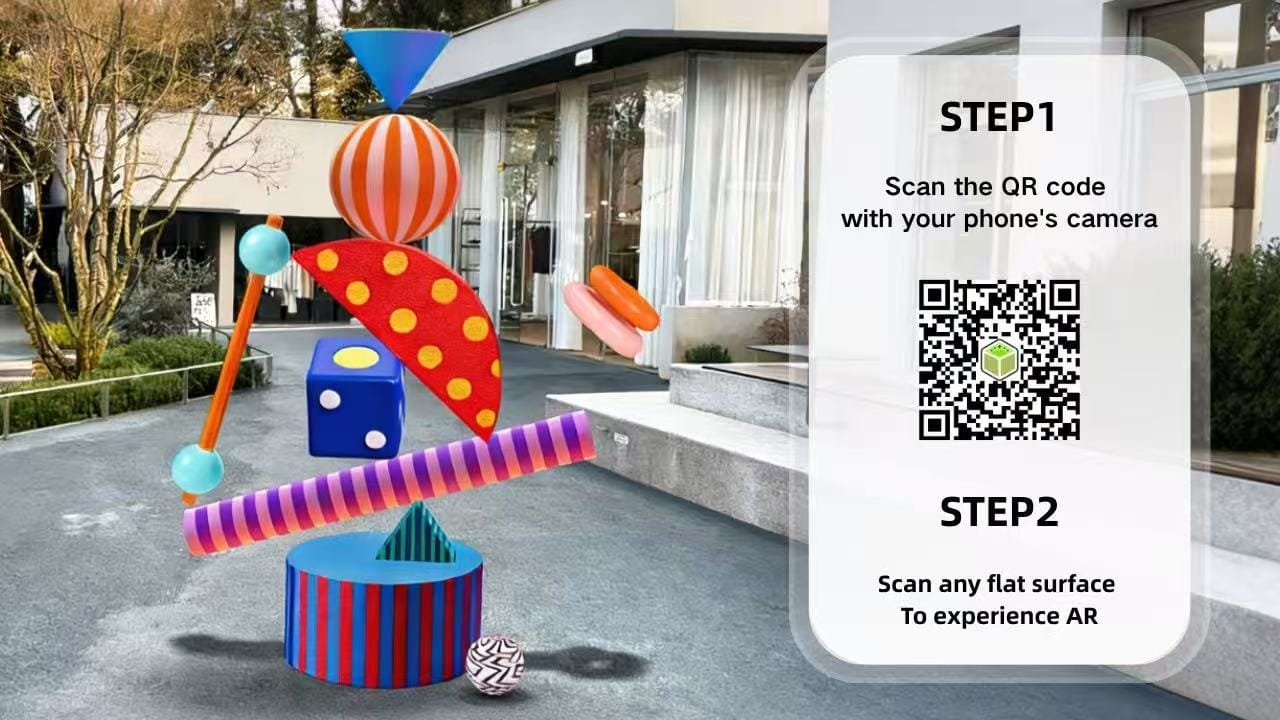
Ready to dive in? We’re breaking down exactly how to use Kivicube AR studio for creators to craft a polished, shareable filter in just 3 minutes. This step-by-step guide is based on our YouTube tutorial.
You can watch the video below for a visual walkthrough, or keep reading for the detailed written steps. Either way, you’ll be able to make something amazing, even if you’re new to AR art.
Video Tutorial: How to Create an AR Face Filter Using Kivicube
Step-by-Step: Make Your “Spring Blossom” Face Filter
We’re using the “Spring Blossom” face filter from our YouTube tutorial as an example—think delicate flowers and fluttering butterflies that react to your movements. Here’s how to make one just like it (or put your own AR art spin on it):
1. Set Up Your AR Scene
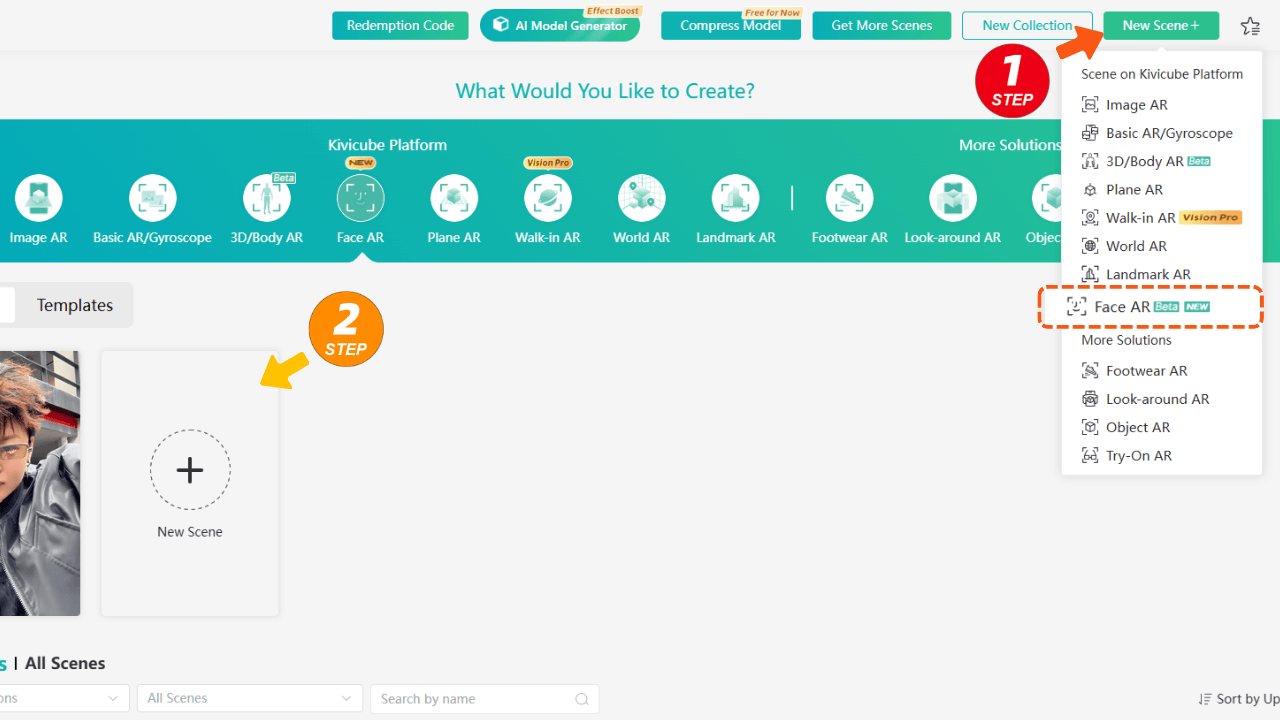
First, log into your Kivicube dashboard. Head to the top right corner, click New Scene, and select Face AR. This opens up the AR studio editor, complete with a preview face model—this is your canvas for building your AR filter and bringing your AR art ideas to life.
2. Import Your AR Art Assets
Next, upload your 3D models—we used butterflies and flowers for our Spring Blossom filter. but you can use any assets that fit your AR art vision.
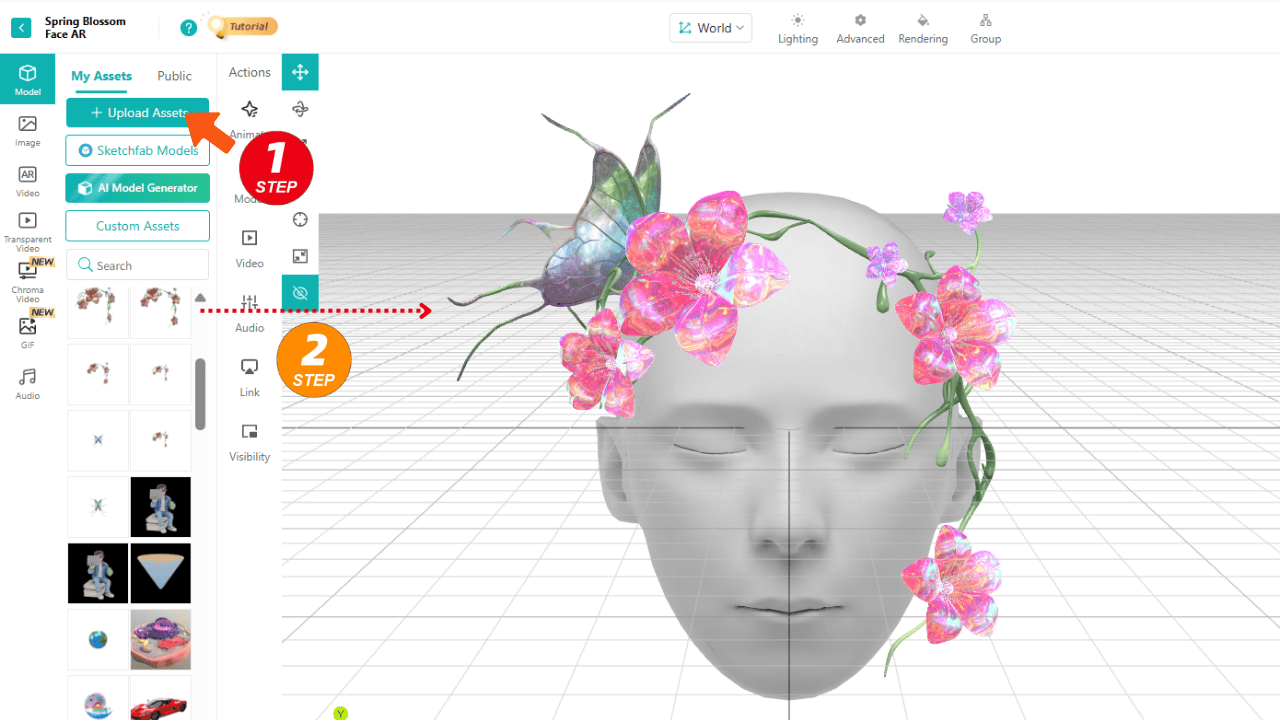
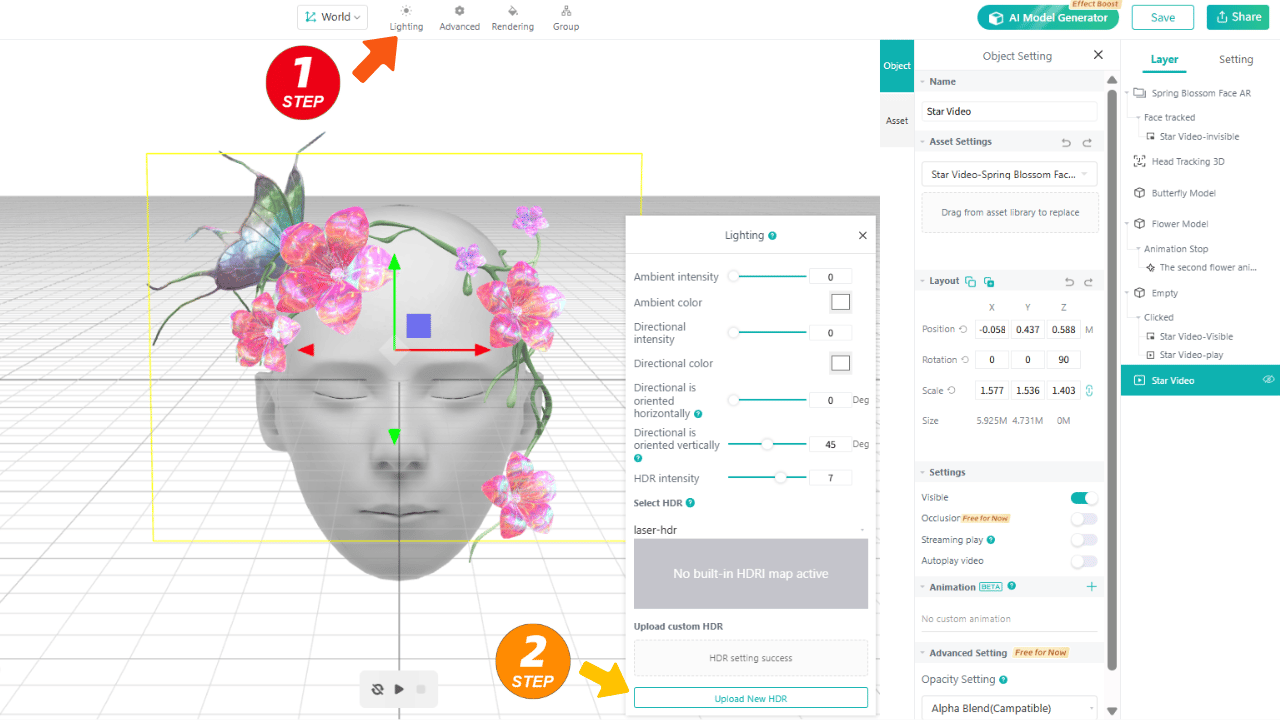
Pro Tip: Want your filter to look professional? Don’t skip the lighting! Go to the Lighting tab and upload a custom HDR map. This small step makes your 3D assets look way more realistic, like they’re actually sitting on someone’s face instead of floating on screen.
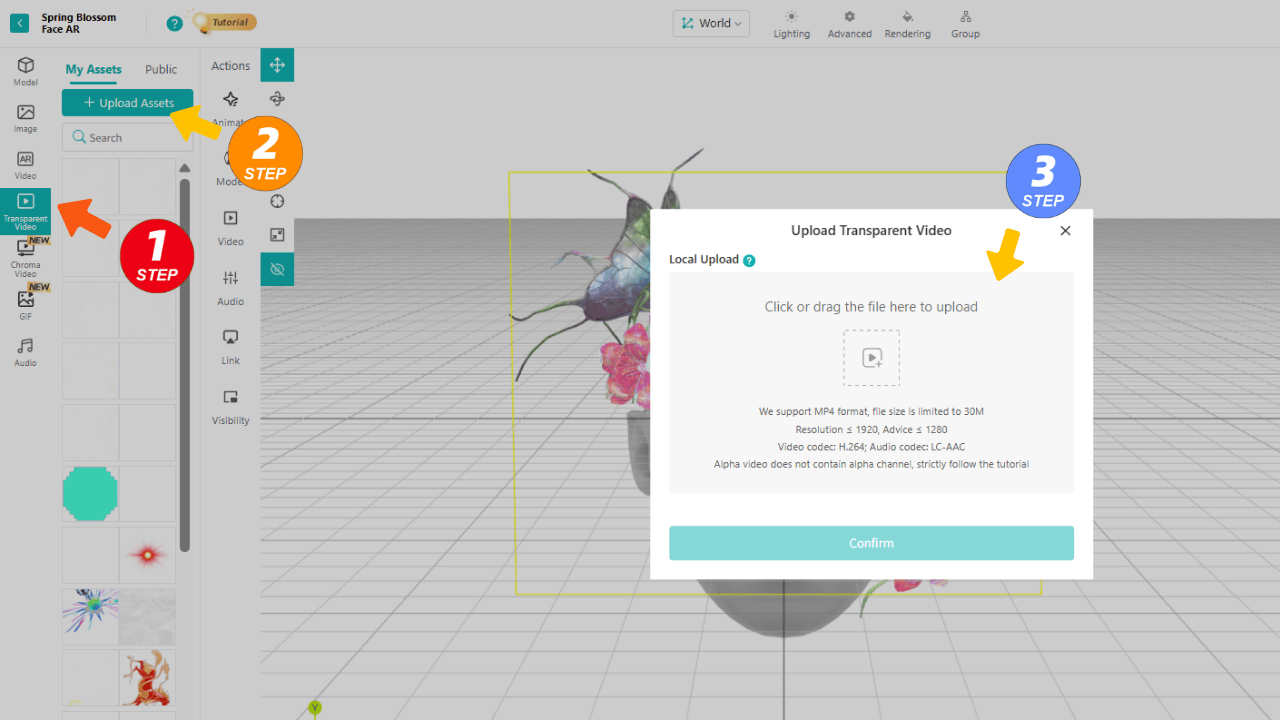
For extra atmosphere: Add a transparent video (we used twinkling stars) to give your filter that dreamy, ethereal feel—perfect for making your AR art stand out.
3. Add Interactions
A great AR filter doesn’t just sit there—it feels alive. Here’s how to add that magic:
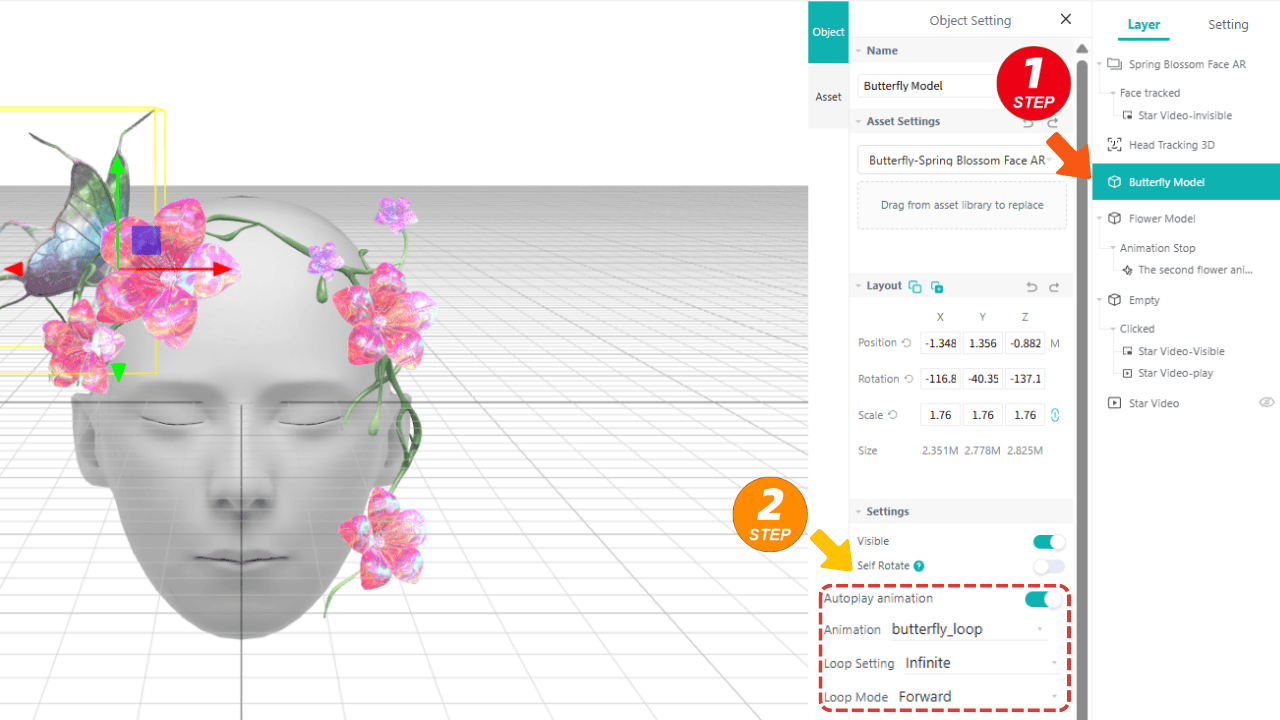
Animations: Select your butterfly model, turn on autoplay, and set it to loop infinitely. Now, whenever someone uses your filter, the butterfly will flutter naturally as soon as their face is detected.
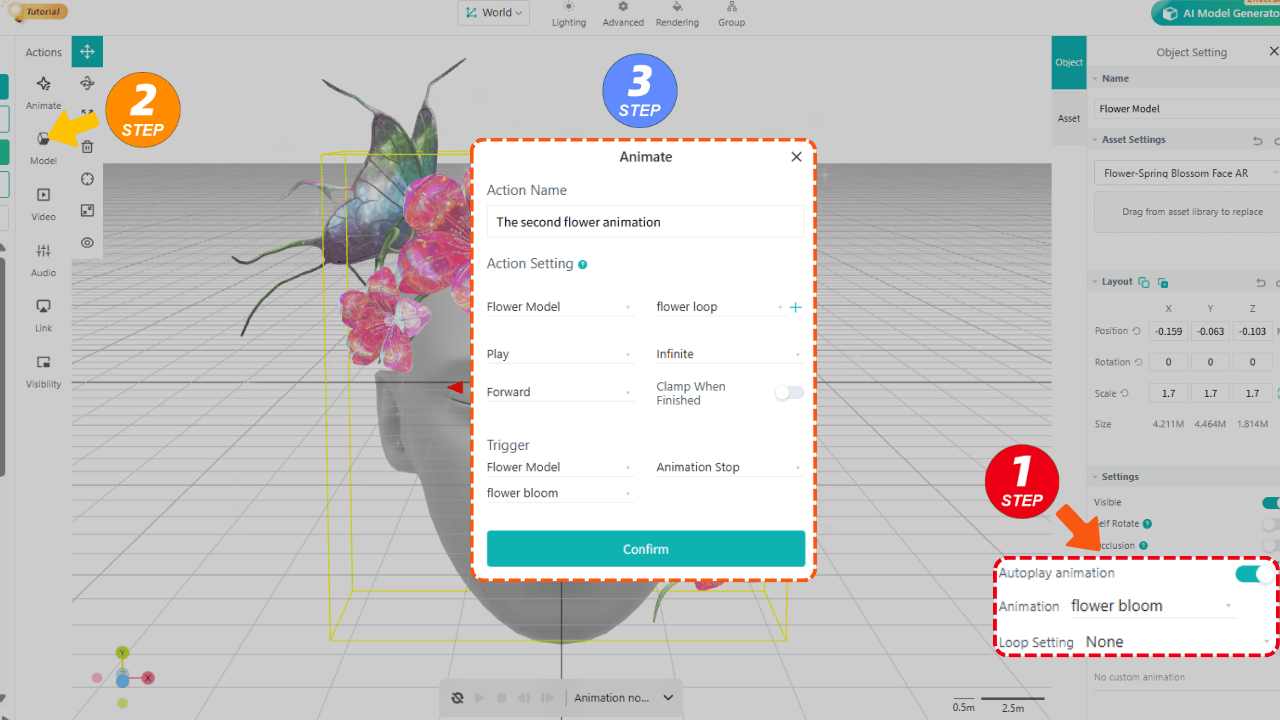
Sequential Triggers: For the flowers, set up two animations: first a bloom, then a looping open-and-close motion. You can set it so the bloom plays first, and once it’s done, the looping animation kicks in—adding that extra layer of AR art detail.
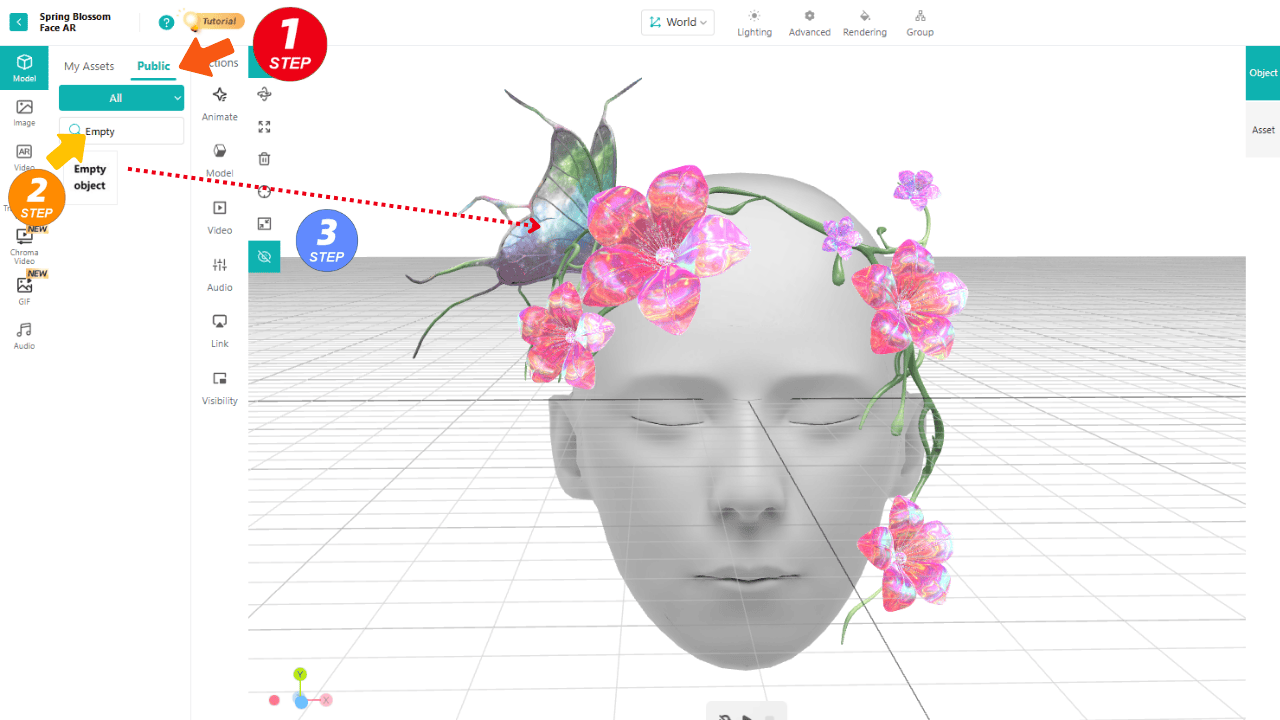
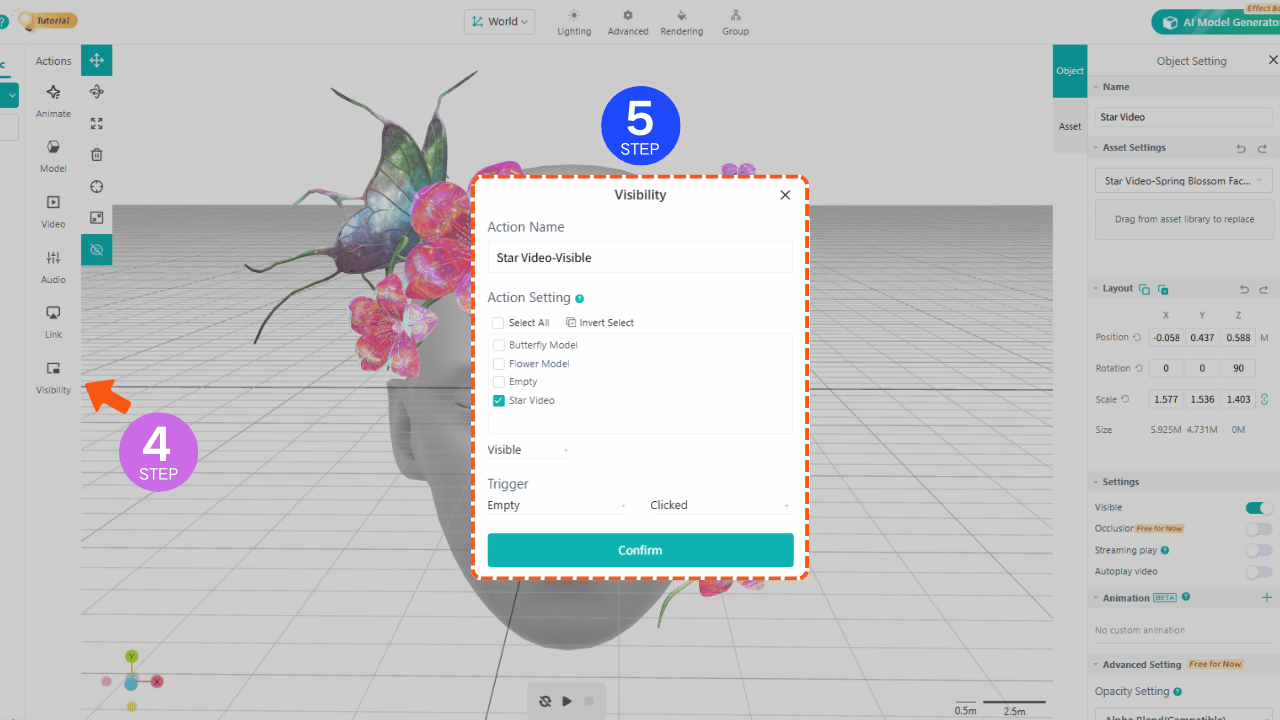
Add Clickable AR Art Interactions: Want a fun surprise? Use an “Empty Object” as a hidden clickable area (since flowers are small and hard to tap). When someone clicks the flower, you can trigger a hidden star video to pop up—making your filter interactive and shareable.
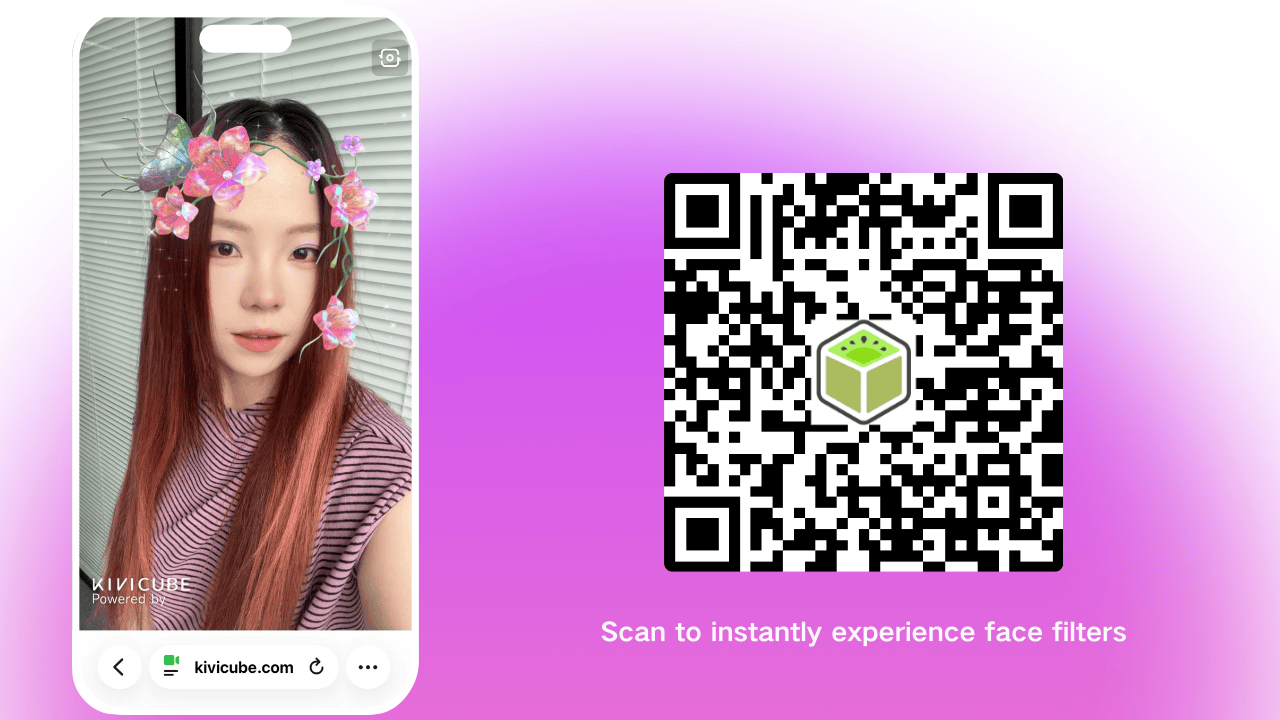
Save & Share: Tap Save in the top right, then share. Scan the QR code or open the link to experience your finished AR face filter. It’s truly impressive!
The Future of AR Is Interactive
From digital fashion to holiday campaigns, AR is moving past static images and into fully immersive experiences. Web Augmented Reality lets you create that immersion without asking your audience to jump through hoops—and AR art is only getting more creative.
You don’t have to be a pro to make a viral AR filter. Kivicube’s AR studio simplifies the process, so whether you’re a beginner playing with AR art for the first time or a seasoned creator, you can make something people will want to share. Stop watching from the sidelines—your next viral AR filter is just 3 minutes away.