
How to Create a Real Estate AR Brochure: Step-by-Step Tutorial
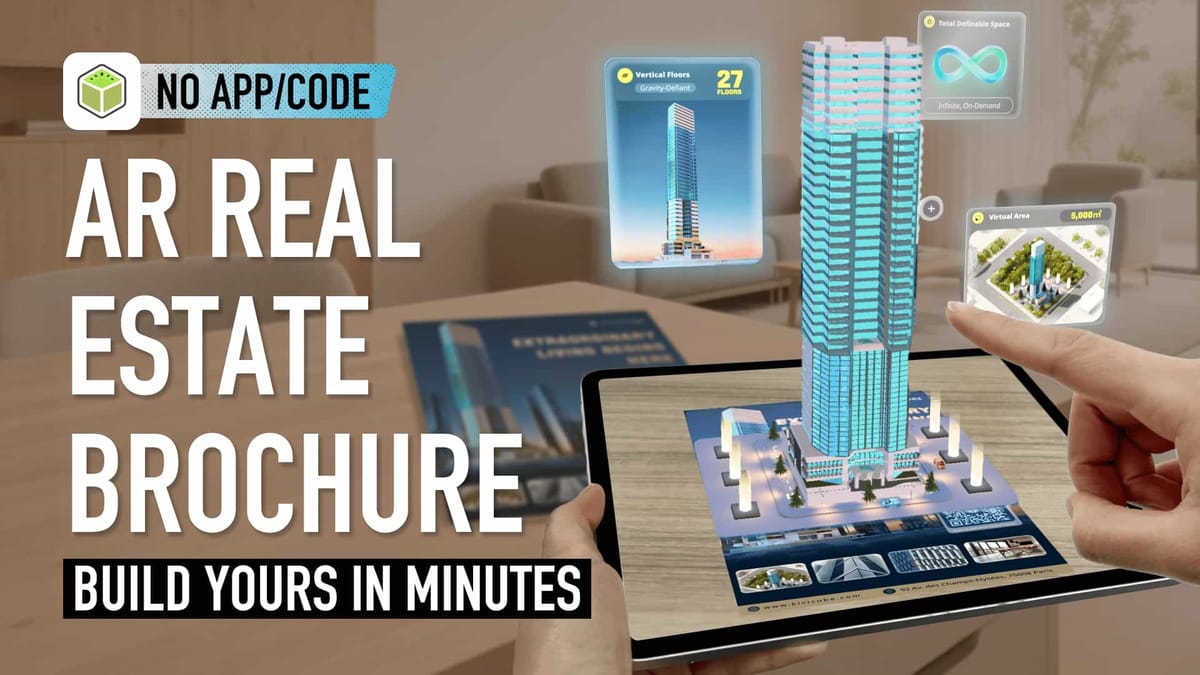
The Value of AR Brochures for Real Estate
Traditional real estate brochures offer only static text and images. Prospective buyers struggle to gain a true sense of a property, making it hard to visualize floor plans, community layouts or spatial details.
This lack of immersion often leads to hesitation and longer decision-making cycles. More and more developers are now turning to AR brochures to provide buyers with a more intuitive experience. These tools help streamline decision-making and boost conversion rates.
The global real estate immersive marketing market (which includes AR brochures) is projected to reach USD 2.8494 billion by 2030, as reported by Grand View Research, Inc.
AR brochures have grown in popularity in recent years, but adoption remains relatively low for two key reasons:
First, the experience barrier is high. Users typically need to download an app or use a specific tablet to access the AR content.
Second, development costs are steep. Creating an AR brochure requires expertise in 3D modeling and AR development, driving up production expenses.
How Augmented Reality on Web Solves AR Brochure Pain Points
Fortunately, augmented reality on web technology has solved the experience barrier issue. Users can now access AR brochures directly through a website without downloading any apps, making the experience much more convenient.
If you’re new to WebAR, you can check out this article to learn about the definition and industry applications of augmented reality on web.
 summerqiu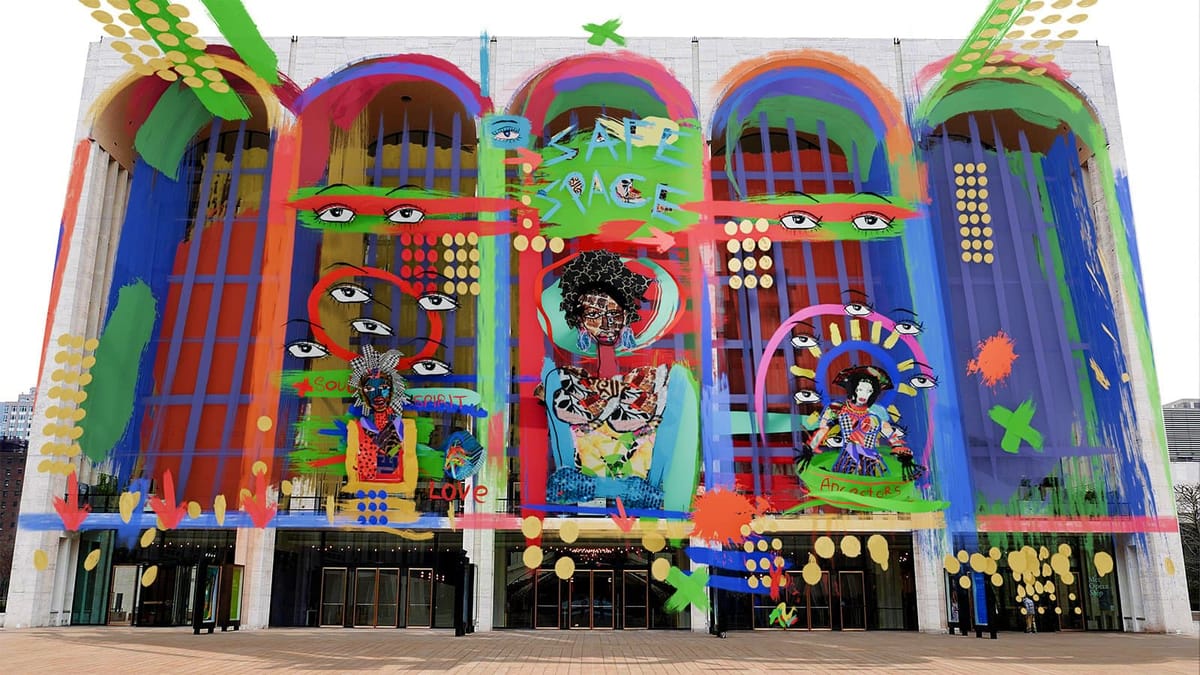
The cost problem has also been addressed with platforms like Kivicube, a WebAR tool designed for non-developers with no technical background.Kivicube allows anyone to create AR brochures at an affordable price, eliminating the need for professional skills or high budgets.
Key Advantages of Kivicube for Real Estate AR Brochures
Augmented Reality on Website: Kivicube Capabilities Overview
Kivicube stands out as a WebAR platform with distinct advantages for the real estate industry, perfectly aligned with augmented reality on web needs. Its key selling points include:
- Rich real estate-specific AR templates
It offers a library of templates tailored to real estate, including AR brochures, AR floor plans, and AR business cards for agents. You only need to replace the template assets with your own to complete an AR scene, and the entire workflow takes just one hour.
Our AR business card tutorials are rich and exciting. If you're interested in it, feel free to check out the beginner's guide.
 summerqiu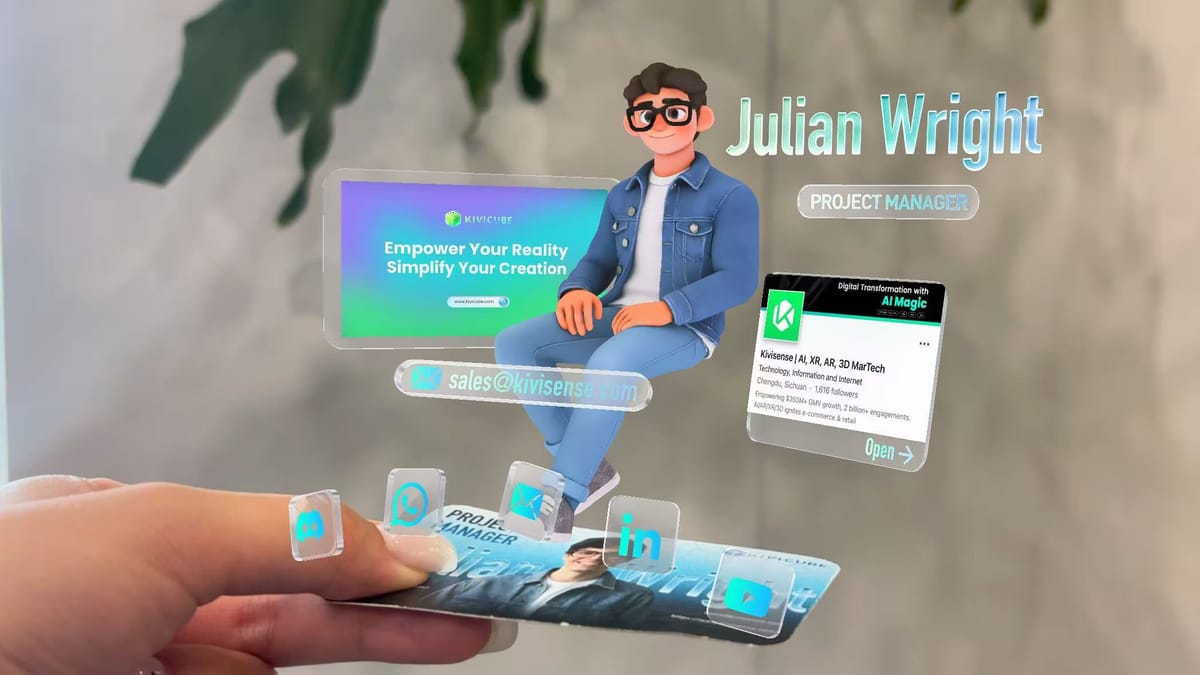
- Multiple conversion components
It supports features like property viewing appointments, agent contact information, and social media links, helping to increase conversion opportunities for potential buyers.
- Powerful AI model generation
Its AI tool simplifies the process further—import your 3D floor plan renderings, and the AI will automatically generate an AR 3D model that matches the rendering, is compatible with AR workflows, and loads quickly. If you’re interested in AI-generated models, you can watch our detailed video tutorial to learn more.
Kivicube AI Model Generator: Turn any text or image into an AR-ready 3D model
- Free to register and use
A free account supports the creation of 2 scenes and up to 500 experiences, which is more than enough for initial trials.
Step-by-Step Guide to Creating a Real Estate AR Brochure with Kivicube
Now, let’s walk through the step-by-step process to create a web-accessible AR real estate brochure with zero technical skills. If you prefer video tutorials, you can check out this beginner-friendly video guide.
How to Create a Real Estate AR Brochure with Augmented Reality on Website
For those who prefer written instructions, follow these steps:
- Register a free Kivicube account. Once logged in, search for Estate" in the template library, find the AR brochure template and click "duplicate."
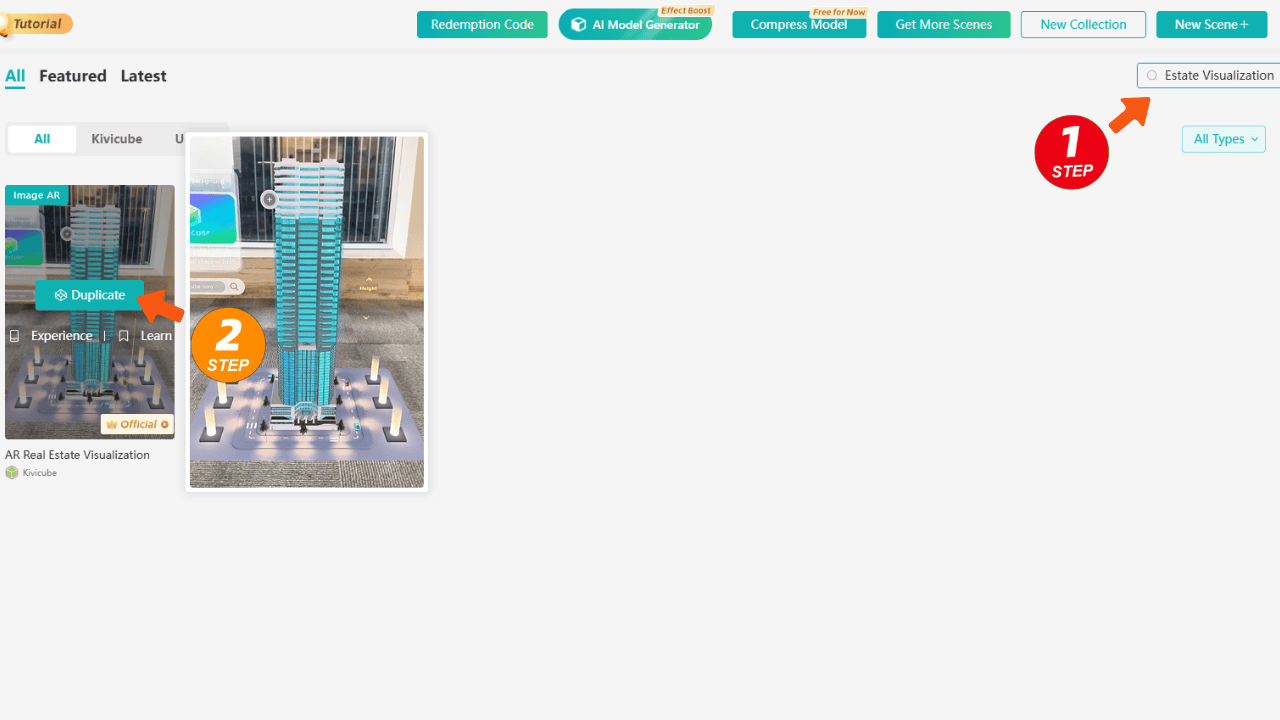
- Upload your brochure image as the target image—this is where the AR content will appear.
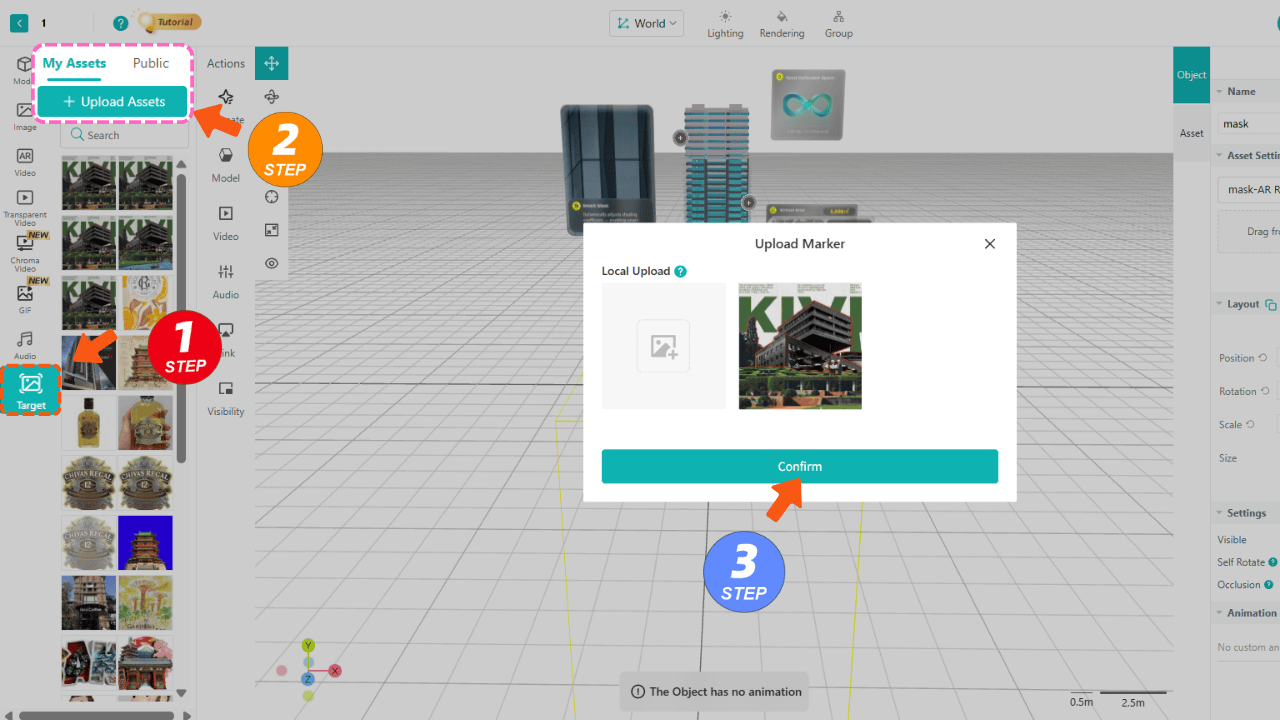
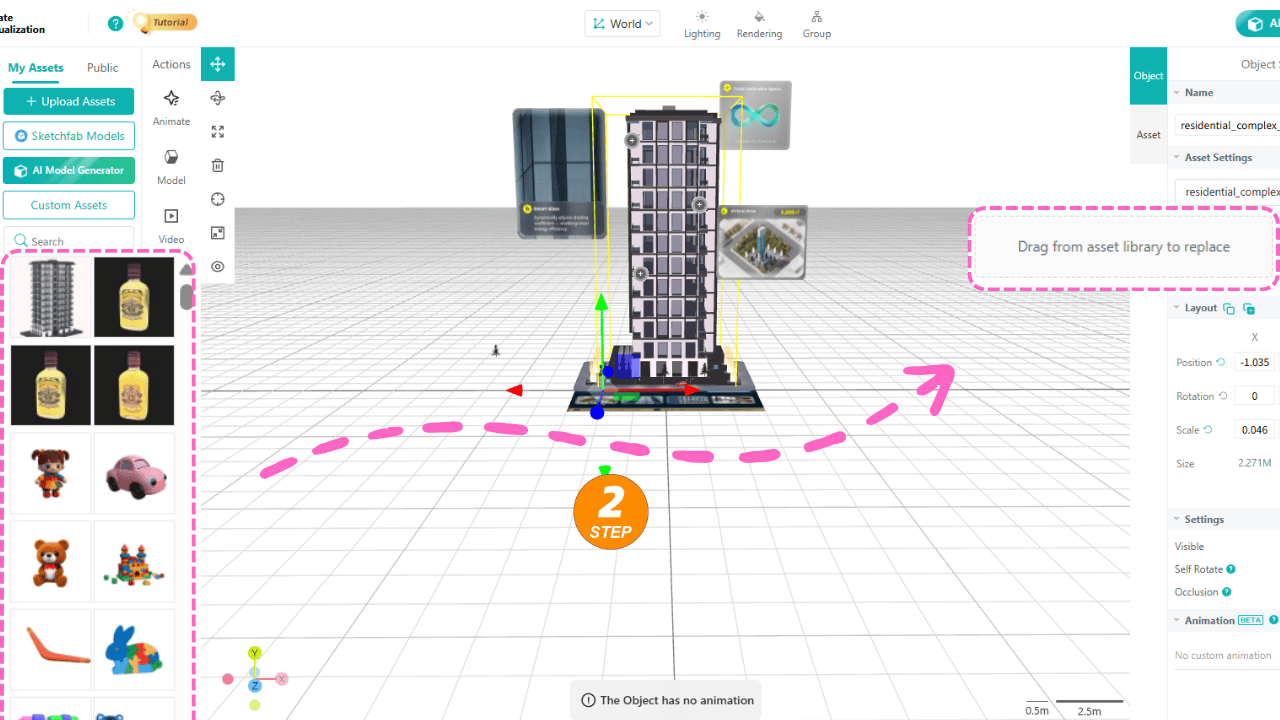
- Upload your assets into the left-side asset library.
- Select the content you want to replace in the template and drag your own assets into the corresponding area on the right to complete the replacement.
- After replacing all assets, click "save and share" in the top right corner. You will receive a QR code and an AR experience link.
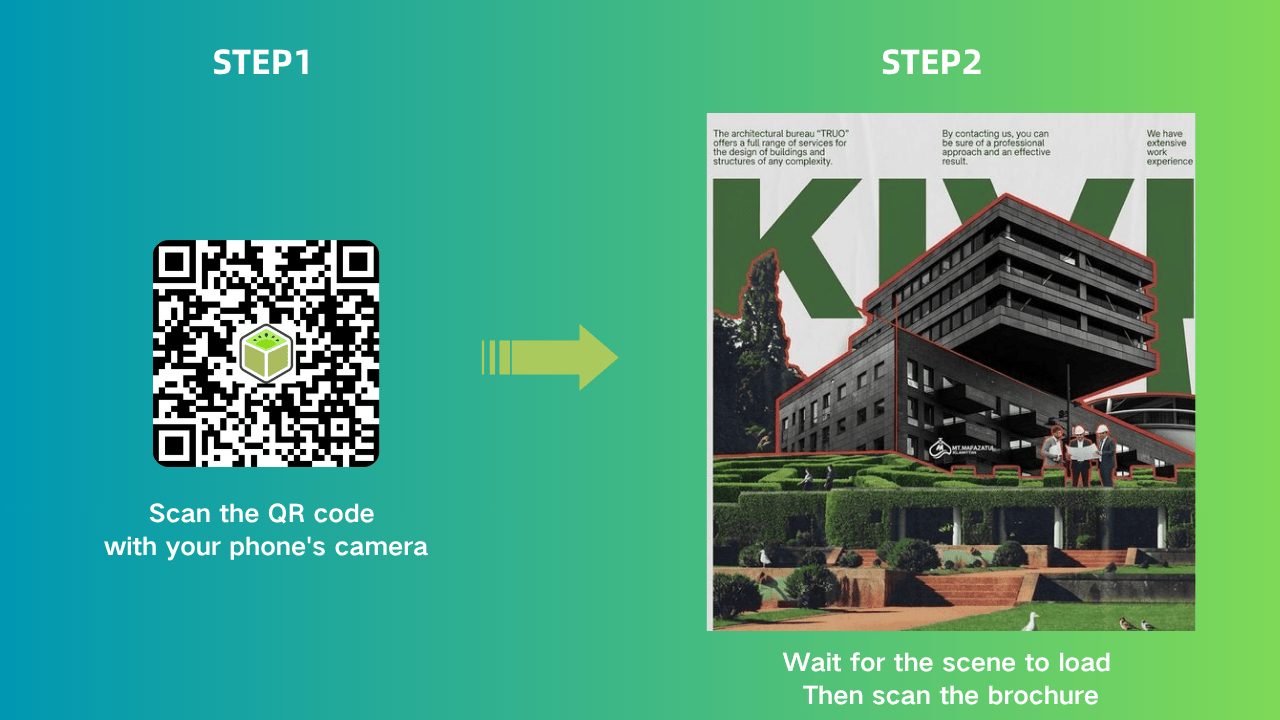
- You can print the QR code on your physical brochures so buyers can scan it to access the AR experience, or embed the link into your real estate website or social media accounts—allowing buyers to view the AR content with a single click, perfect for integrating augmented reality on website.
If you encounter any issues while using Kivicube, feel free to join our Discord community where our friendly team will be happy to assist you.
Frequently Asked Questions
1. Can I create AR content without knowing how to code?
Absolutely. Kivicube offers online visual editing, making AR creation as simple and smooth as making a PowerPoint. No coding skills are required, even for beginners looking to build AR content compatible with augmented reality on web.
2. Do I need to download an app to create or use the AR brochure?
No. Kivicube is a web-based AR creation platform built for augmented reality on web. Both creation and experience can be done directly in a browser, with no app downloads needed.
3. Can the AR brochure be embedded into any real estate website?
Yes. The AR experience link generated by Kivicube is compatible with most mainstream real estate websites. It can be embedded directly without additional development, perfectly fitting the needs of augmented reality on website integration.
4. Will a free Kivicube account be enough to test an AR brochure?
Yes. The free account supports 2 AR scenes and 500 experiences, which is completely sufficient for testing the effect of an AR brochure. You can upgrade your account later if you need to use it for commercial purposes or access more features.
5. How does an AR brochure compare to traditional static brochures in terms of user experience?
Built on augmented reality on web technology, AR brochures offer an immersive experience that lets buyers visualize properties, floor plans and community environments more intuitively. They are more interactive and realistic than traditional brochures, helping buyers make decisions faster and increasing inquiry and viewing rates.
Conclusion
AR brochures accessible via the web are transforming real estate marketing. They help the industry reach more consumers while providing buyers with intuitive decision-making references and professional support, making them a promising future for property brochures. Kivicube lowers the barrier to creating AR content for real estate professionals, enabling anyone to produce high-quality AR brochures at low cost. Register a free Kivicube account now, follow this tutorial step by step, and start your real estate AR marketing journey today.