
The New Canvas: Why Augmented Reality Art is the Future of Creativity
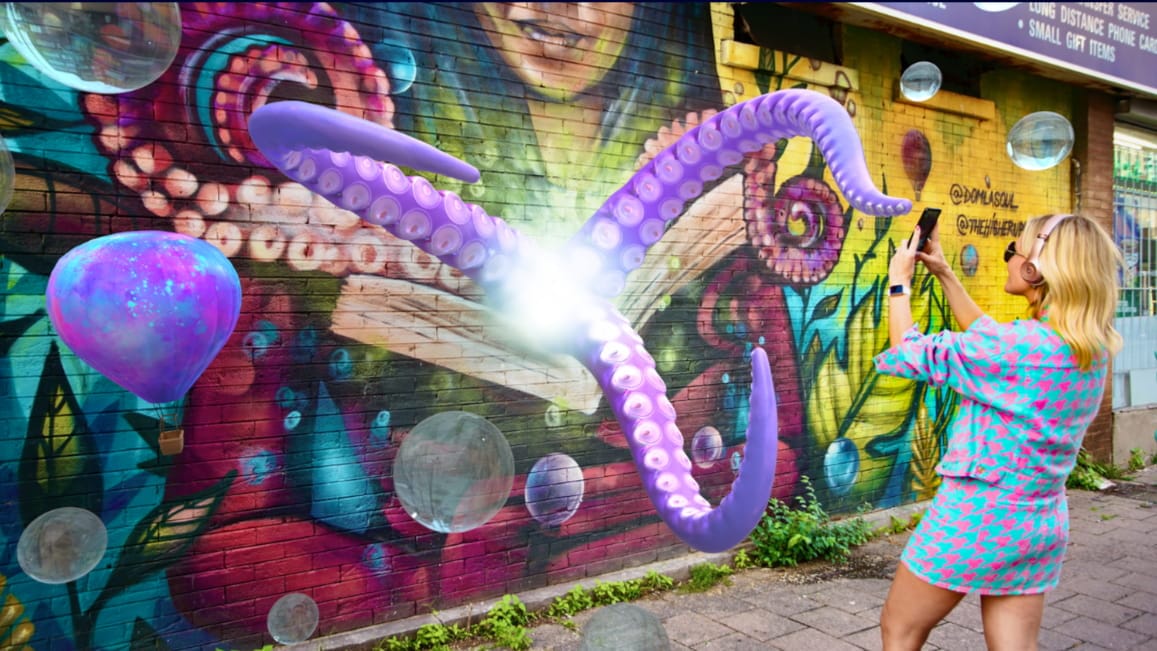
Art has always evolved right alongside technology—and these days, Augmented Reality Art is leading that charge. According to recent research from the Korean Institute of Humanities and Social Sciences (KIHSS), AR art isn’t just a cool visual trick—it actually boosts audience engagement, satisfaction, and even “revisit willingness” in a way traditional art often can’t.
What Is Augmented Reality Art (AR Art)?
By overlaying vivid digital elements onto the physical world, AR blends the virtual and the real seamlessly. It turns what used to be a static, one-sided viewing experience into something immersive—something you can interact with, not just look at.
In this guide, I’ll share real AR art examples that actually work. I’ll also show you how to create your own AR art using a simple no-code tool like Kivicube. You don’t need any technical skills.We’ll also answer common questions and talk about where AR art is heading. By the end, you’ll be ready to create your first AR art and know what trends to watch in the future.
Real-World AR Art Examples & Inspiration
1. Augmented Reality Drawing & Sketches
The most straightforward form of AR art is augmented reality drawing. It cuts through the limits of paper and canvas, letting you create 3D sketches and floating illustrations that move and respond when the viewer gets close. For traditional artists looking to add a digital twist to their work? This is the perfect bridge—no fancy software needed.
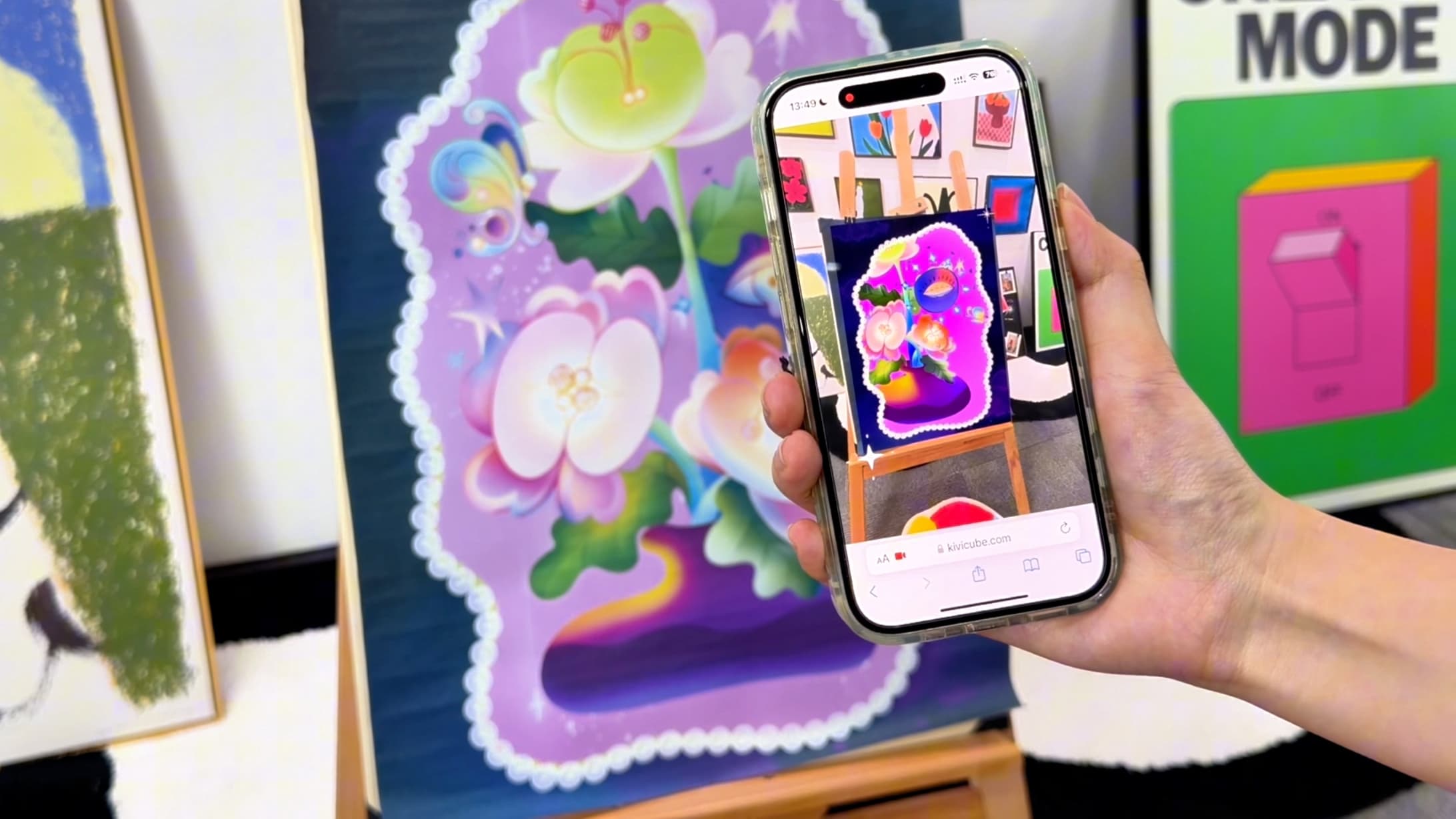
Watch this step-by-step tutorial on creating AR drawings without code: How to Create Your First Augmented Reality Drawing
2. Interactive AR Installations
An AR installation smashes the spatial limits of a typical gallery. Instead of standing back and staring at art from a distance, the audience steps right into it. Digital overlays turn plain physical rooms into multi-dimensional scenes—where the viewer’s movement triggers new visual layers, making every experience unique.
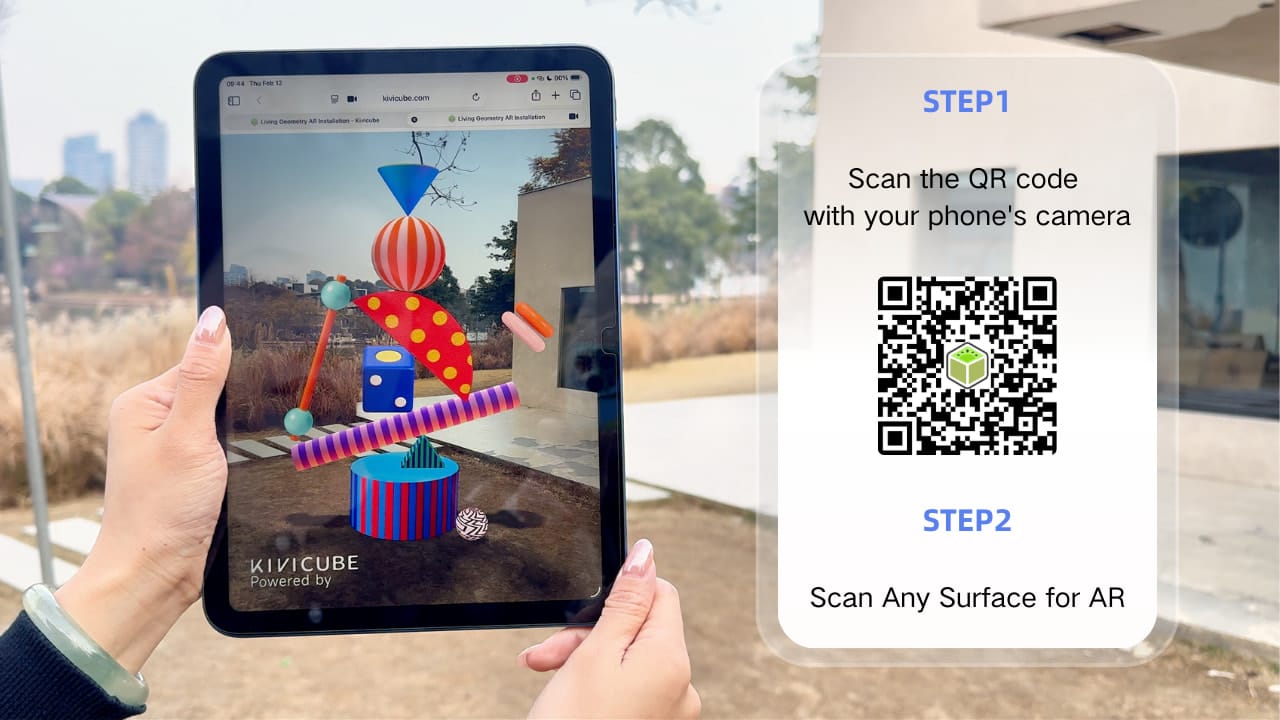
If you are also interested in how to create an AR art installation, you can check out this beginner-friendly tutorial:Create AR Art Installation in Minutes
3. Augmented Reality Postcards & Prints
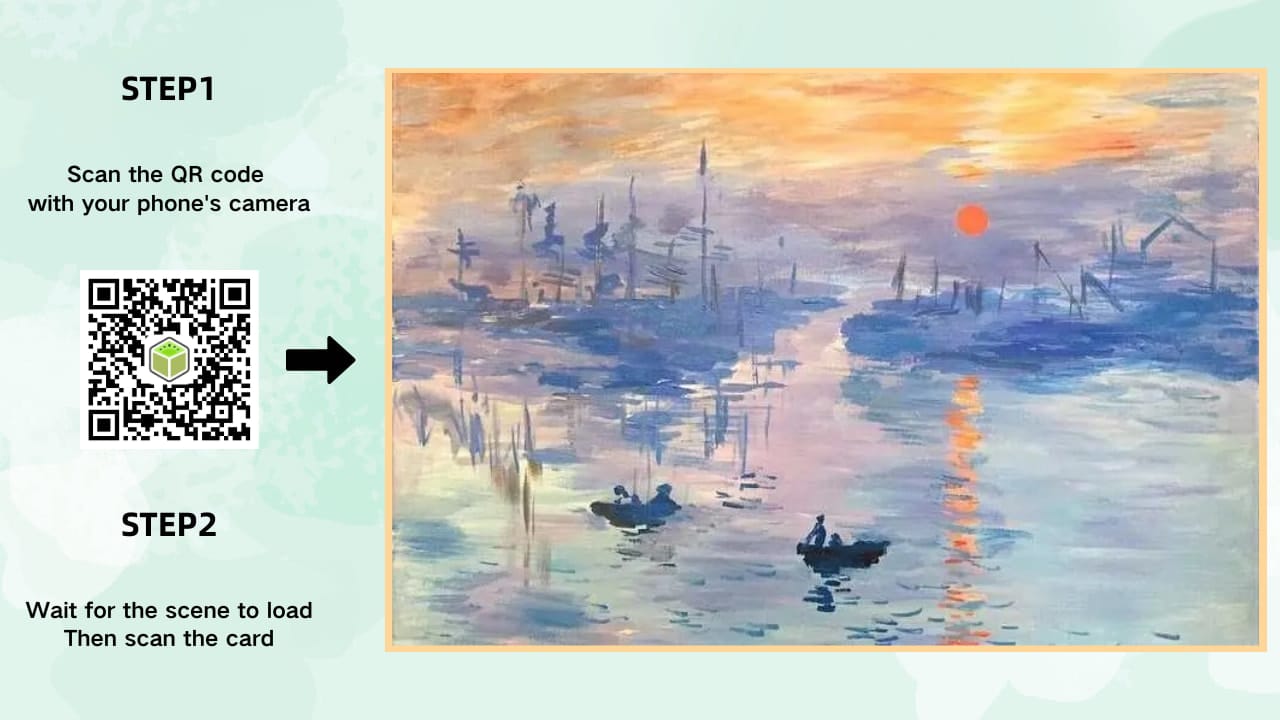
For independent artists, the AR postcard is a total game-changer. Take a standard printed card, add a dash of digital interactivity, and suddenly you’re not just selling a souvenir—you’re giving people a portable art gallery.
Scan the card, and it unlocks floating animations, personalized audio, or even hidden details about your work.
4. AR Filters & Digital Fashion
AR filters are a fun, unique branch of AR art—they use the human body as your canvas. Think virtual face art that pops, 3D couture that moves with the wearer, or even subtle overlays that turn a simple photo into a piece of art.
The best part? Your audience gets to “wear” your work and share it with their network—free exposure for you.
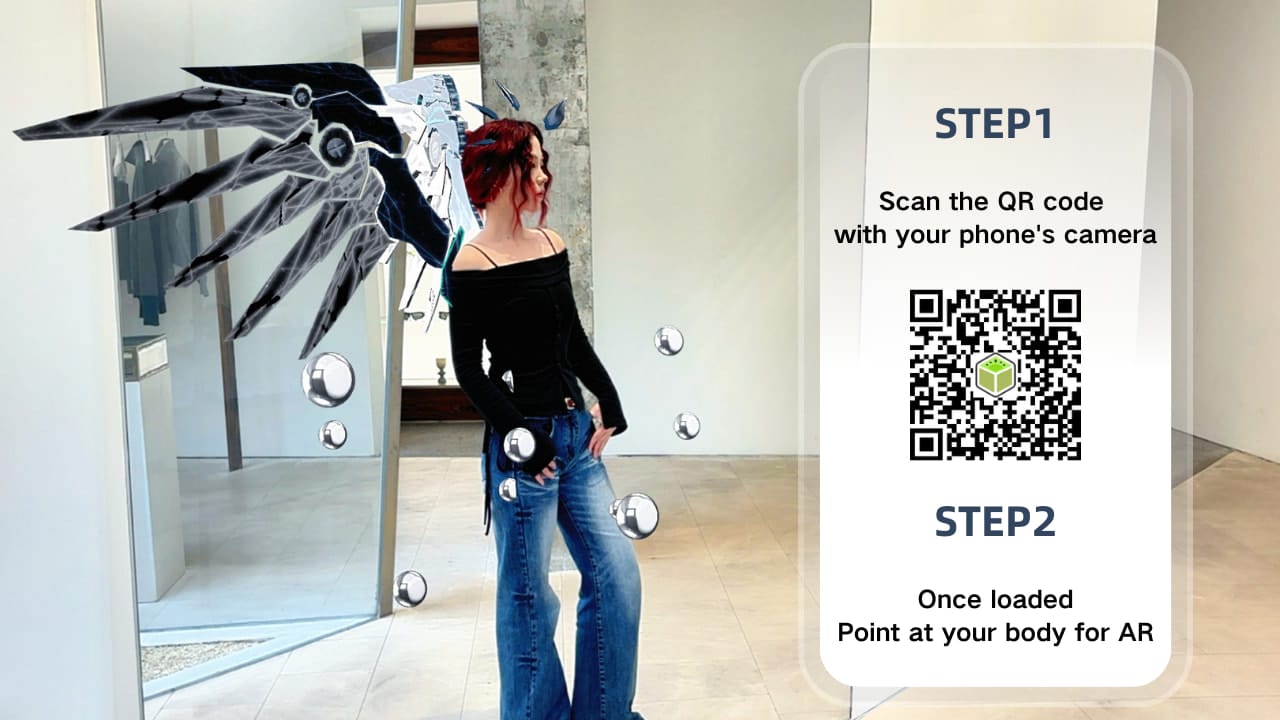
If you’re new to AR and want to make your own AR body tracking filter from scratch, check out our detailed, no-code tutorial to get started effortlessly: AR Body Tracking Tutorial: Build Body AR with Kivicube
The Future of AR Art: Trends to Watch (2026+)
AR art is no longer a niche experiment—it’s evolving into a mainstream creative medium, and these four trends will shape how artists create, share, and monetize their work in 2026 and beyond.
AI Empowers AR Art, Unlocking New Possibilities
Advancements in AI are breaking down barriers for AR art creation—from automatic 3D model and audio/video generation to full AR experience scene creation.
These capabilities remove the need for advanced modeling or coding skills, letting artists focus on their creativity rather than technical work. Best of all, you can access all these AI-powered tools in Kivicube, a one-stop AR Art creation platform.
Whether you’re a complete beginner or a seasoned artist, you can easily bring your artwork to life in the real world with AR.
WebAR Will Become the Mainstream Experience Medium
WebAR eliminates the biggest barrier to AR adoption: no app downloads required. Viewers can experience AR art directly in their browser—just scan a QR code or click a link.
For artists, this means your work becomes accessible to a much larger audience, with easier sharing across social media, websites, and exhibitions. This seamless experience encourages secondary sharing (viewers posting their AR interactions online), expanding your reach even further.
As WebAR becomes more intuitive and widely supported, it will undoubtedly become the go-to way to experience AR art.
New Monetization Models for AR Artists
In the past, most artists dabbled in AR but didn’t pursue it further due to high creation barriers. Now, with efficient AR creation platforms like Kivicube, artists have more ways to monetize their work beyond just exhibitions.
For example, you can add AR elements to exhibition merchandise—think postcards, canvas bags, or fridge magnets. When customers scan the AR code on these products, they unlock exclusive digital content (like behind-the-scenes footage, animated versions of your art, or interactive experiences), making the merchandise more valuable and boosting sales.
Tighter Integration Between Physical and Digital Worlds
AR art is moving beyond simple digital overlays to fully blend with physical spaces. Artists can pair AR with real-world installations, giant murals, or even entire galleries—surrounding viewers with immersive digital elements that feel like they belong in the physical space.
Imagine a wall mural that comes to life with AR animations when viewers approach, or a sculpture that reveals hidden digital layers when scanned. This tight integration creates a more immersive, memorable experience that blurs the line between physical and digital art.
Choosing the Right Augmented Reality Tool
If you’re ready to dive into AR art but don’t have any coding skills, you need a tool that’s powerful but simple. That’s why I recommend Kivicube as your go-to augmented reality tool.
Explore Kivicube’s Augmented Reality Art Creation Tool
Here’s why it’s perfect for artists like you:
- No-Code Editor: It’s all visual, drag-and-drop—so creating AR is as easy as putting together a slide deck. No coding, no stress.
- WebAR Native: No app downloads for your audience. They just scan a QR code or click a link in their browser, and boom—they see your art come to life.
- Massive Template Library: Skip the blank canvas struggle. Use professional, art-focused templates (perfect for fashion too) and just swap in your own assets.
- All-in-One AI Studio: Kivicube has built-in AI model generation and video processing, so you can go from a rough idea to a 3D AR piece in one place—no jumping between tools.
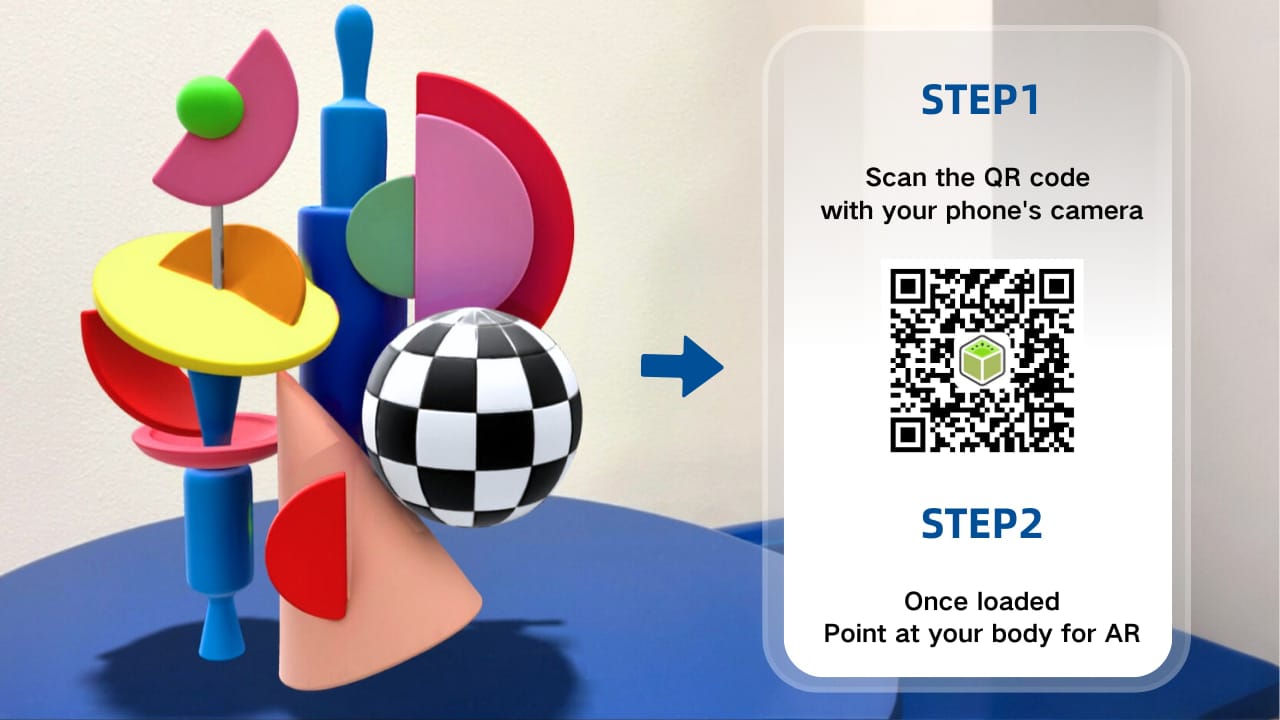
How to Create No-Code AR Art with Kivicube (Step-by-Step)
Ready to stop overthinking and start creating? This beginner-friendly workflow will have your first WebAR experience live in minutes:
- Sign up for Kivicube free account: Create your free account on Kivicube.
- Create a new AR scene: Pick either Image AR (for prints, postcards, ) or Plane AR (for installations)—super straightforward.
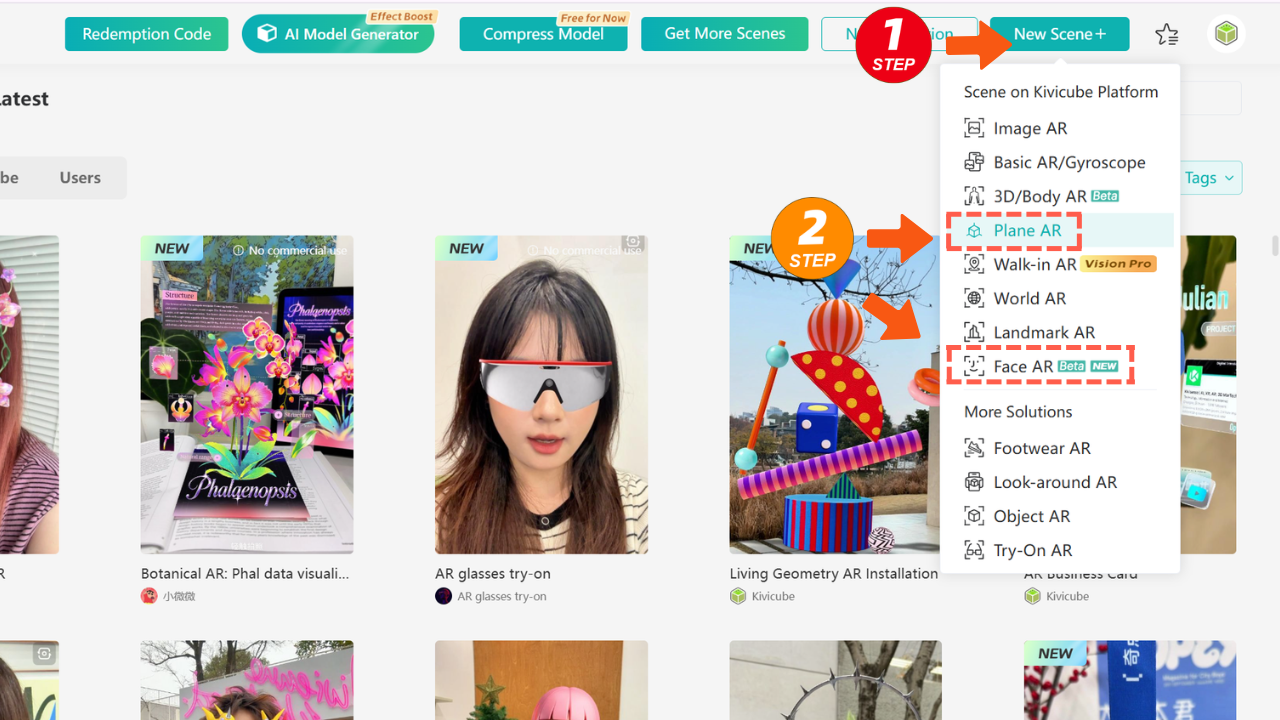
- Upload Your Assets: Drag and drop your drawings, videos, or 3D models—whatever you want to turn into AR.
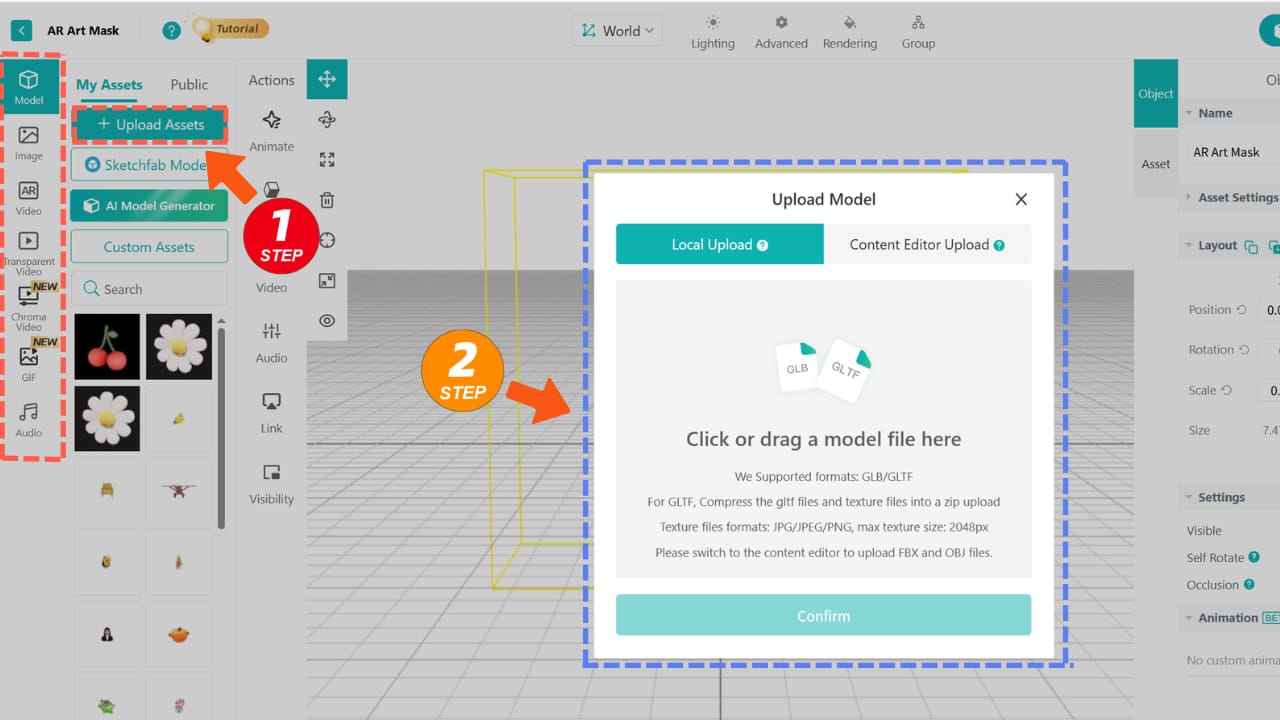
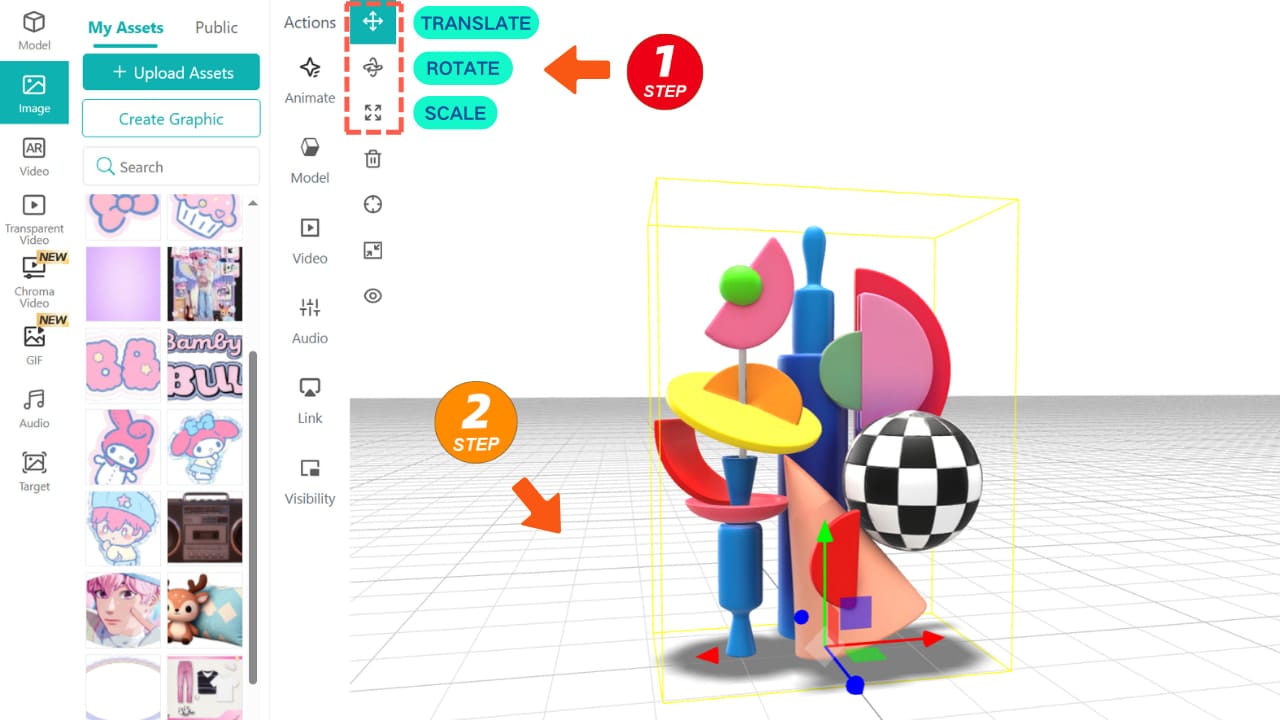
- Add AR effects & interactions in the canvas: Use the simple transform tools to scale, position, and tweak your art in 3D space. You can also add custom animations and interactivity to your work.
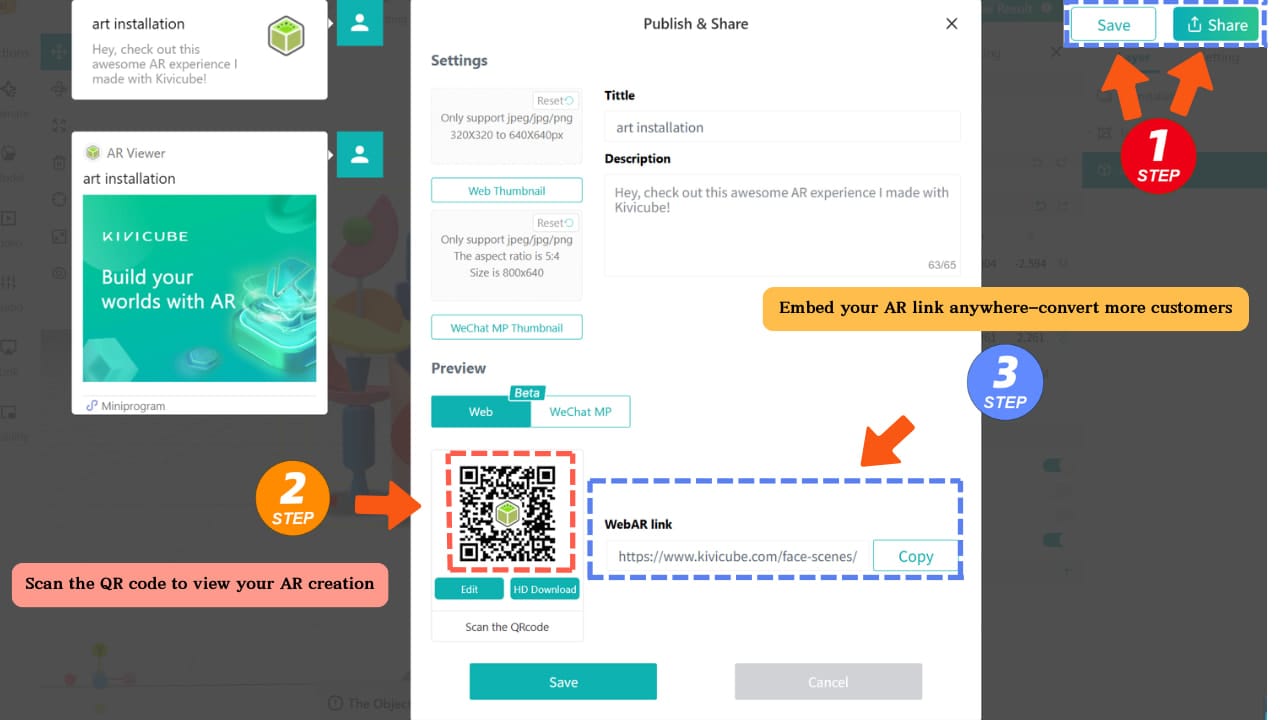
- Publish & Share: Hit save, generate your WebAR link or QR code, and share it with your audience.
Frequently Asked Questions
Q: How to avoid lag when creating AR art?
A: Focus on keeping your model file sizes small and limiting the number of video assets you add. You can compress both models and videos with the built in tools inside Kivicube to keep your AR experience smooth on all devices.
Q: How to make AR art compatible with different devices?
A: WebAR works with extremely broad device support. It runs well on more than 90 percent of devices available on the market today.
Q: How to use AR art for exhibitions?
A: The standard method is to place a scannable QR code on the introduction card next to your artwork. Visitors simply scan the code and start interacting with your AR piece right away.
Conclusion
Don’t let technical barriers hold back your vision. Whether you’re messing around with an AR poster or building a full-scale digital installation, Kivicube takes the tech stress out of the equation—so you can focus on what matters: your art.
Start creating your first Augmented Reality art today!