
WebAR Platforms Explained: How Browser-Based AR Is Changing How We Create and Share Experiences
Discover how no-code WebAR platforms are transforming augmented reality. Learn what WebAR is, when to use it, and how creators build browser-based AR experiences without apps or coding.
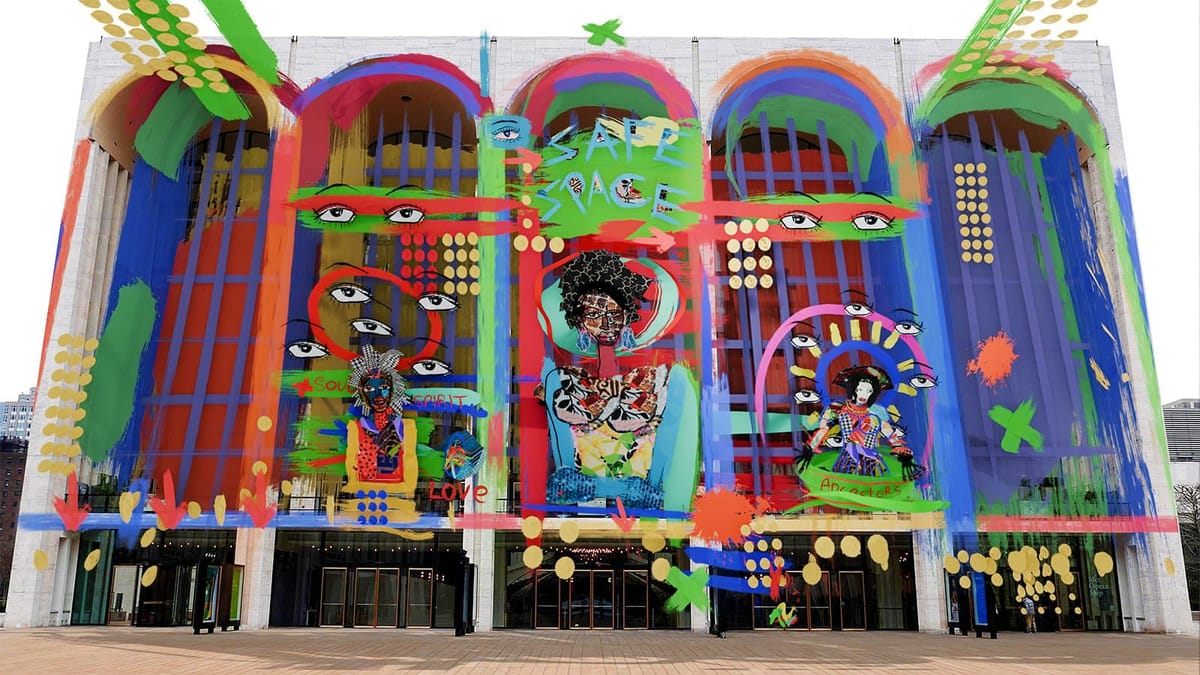
WebAR platforms are reshaping augmented reality—no app downloads, no coding, instant browser access. This 2026 guide breaks down everything you need to build, share and scale browser-based AR experiences for your brand, art or education.
What Is a WebAR Platform?
A WebAR platform is a tool that lets you create and publish augmented reality experiences that run entirely inside a web browser.
Instead of building a native mobile app, WebAR relies on modern web technologies to deliver AR through:
- Mobile browsers
- QR codes
- Direct links
- Embedded web pages
From the audience’s point of view, it feels instant. From the creator’s side, it removes much of the technical complexity that used to come with AR production.
Most WebAR platforms support experiences such as:
- Image-based AR (posters, books, business cards)
- Face AR (filters, masks, virtual try-ons)
- Landmark AR (using real-world buildings as AR triggers)
- SLAM AR (placing virtual content on real-world surfaces)
- Object tracking (recognizing physical objects)
- Body tracking (interactive body-based effects)
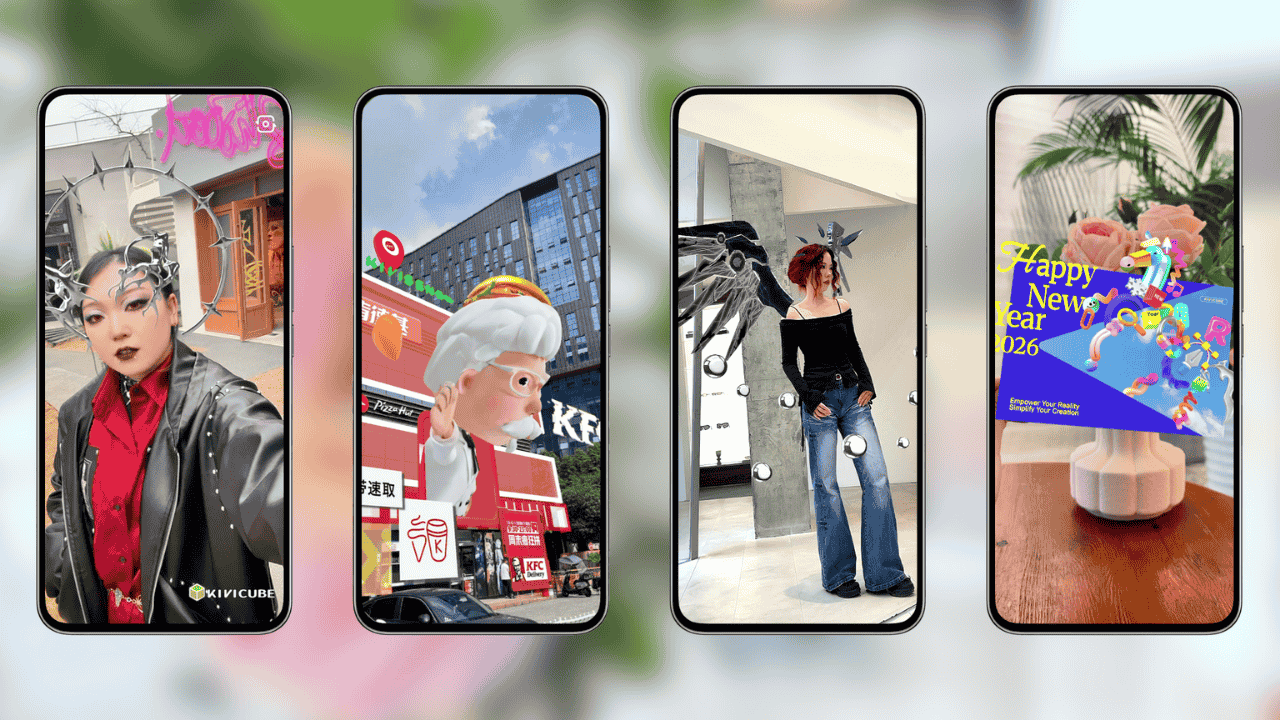
Why WebAR Platforms Are Replacing App-Based AR
Is WebAR better than app-based AR?
Not always—but for public-facing projects like exhibitions, campaigns, education, and short-term experiences, WebAR is usually faster to launch, easier to access, and far more likely to be used.
Traditional app-based AR still makes sense for games or large-scale enterprise products. Outside of that, the friction of app downloads often becomes a dealbreaker.
Creators choose WebAR platforms because they offer:
- No app downloads — instant access through a browser
- Faster deployment — no app store approval delays
- Easy sharing — links work like any other URL
- Broader reach — compatible with most modern smartphones
When access is simple, people actually try the experience.
The Rise of No-Code WebAR Platforms
One of the biggest changes in AR isn’t just technological—it’s who gets to create.
In the past, building AR meant coding skills, 3D modeling experience, and often a full development team. That kept AR out of reach for many artists, educators, and small studios.
No-code WebAR platforms are changing that.
These tools rely on visual editors, drag-and-drop workflows, and prebuilt templates. Instead of writing code, creators focus on ideas, storytelling, and interaction. You design AR much like you would design a webpage or a slide layout.
For creators who want to experiment, publish quickly, and share widely, no-code WebAR is often the most practical place to start.
Where WebAR Is Being Used Today
WebAR platforms are already used across many fields:
- Marketing & branding — interactive packaging, product demos, QR campaigns
- Education — AR textbooks, 3D learning models, browser-based lessons
- Art & culture — AR artworks, exhibitions, digital storytelling
- Retail — virtual try-ons, product visualization
- Events & publishing — posters, brochures, and printed media brought to life
What all these use cases share is the need for speed and accessibility. WebAR works best in physical spaces where asking someone to download an app would interrupt the moment.
A Real-World Example: Martell’s WebAR Campaign
For a Lunar New Year campaign, cognac brand Martell collaborated with artist Jacky Tsai on a special-edition bottle.
Instead of building an app, Martell used WebAR. Users scanned the bottle with their phone’s browser, and Tsai’s illustrated “flying swallow” motif appeared in AR, circling the physical bottle. People could interact with the animation, take photos, and share them instantly on social media.
By using a WebAR platform, Martell extended the life of its packaging and increased engagement—without forcing users to download anything.
Scan Martell cognac to reveal a flying swallow AR animation
Kivicube: A Practical WebAR Platform for Creators
Among the growing number of WebAR platforms, Kivicube stands out for a simple reason: it’s designed for creators, not developers.
Kivicube is a no-code WebAR platform that lets users build interactive AR experiences directly in the browser—without apps, without coding, and without technical barriers. It treats AR as a creative medium rather than a technical challenge.
What Makes Kivicube Different?
- Visual, no-code editor
Build AR scenes using familiar drag-and-drop tools. Adjust models, images, videos, and interactions visually. - Web-first AR experiences
Every project runs in the browser. Users enter AR via links or QR codes. - Rich asset library
Access built-in 3D models, animations, effects, and media assets, plus AI-assisted 3D generation tools. - Ready-made templates
Templates for education, publishing, marketing, and art help creators start fast and customize freely. - Easy sharing
Publish experiences that work across websites, social platforms, print, and messaging apps.
Watch the video to discover the AR scenes Kivicube can create
How Creators Use Kivicube in Practice
Creators are already using Kivicube to:
- Turn printed books into interactive AR experiences
- Animate illustrations and paintings in physical spaces
- Create face filters without 3D modeling skills
- Build browser-based AR product catalogs
- Design AR learning materials for classrooms and museums
In each case, the goal is the same: reduce friction while increasing engagement.
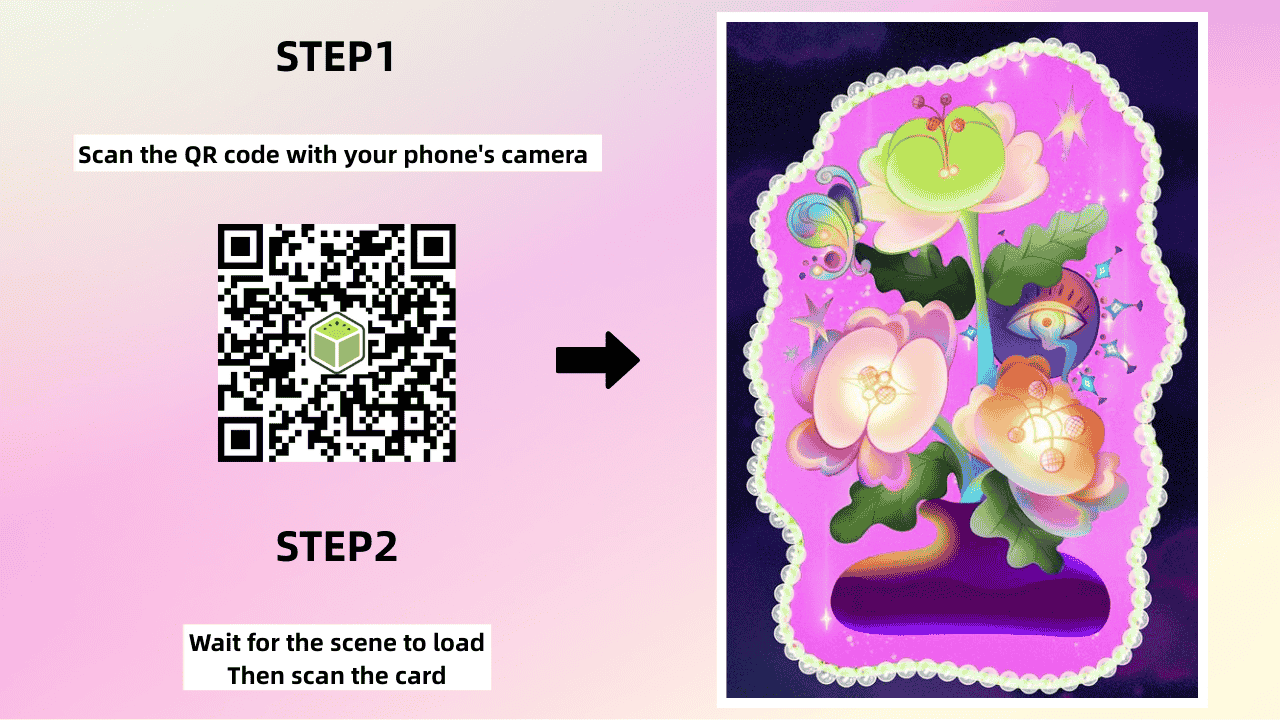
Getting Started with a WebAR Platform
If you’re new to WebAR, the process is simpler than you might expect.
With a platform like Kivicube, the workflow usually looks like this:
- Create a free account
- Choose a template or start a new scene
- Upload assets or select from the built-in library
- Adjust layout and interactions visually
- Add animations if needed
- Publish and share via link or QR code
For many creators, their first WebAR experience goes live in minutes.
Make your own AR artwork: follow the tutorial
Why WebAR Is Just Getting Started
As browsers become more powerful and mobile devices more capable, WebAR is likely to become the default way people experience augmented reality.
When AR doesn’t require downloads or instructions, it stops feeling like a technical novelty and starts feeling natural. That’s where WebAR platforms—and tools like Kivicube—fit in. They don’t just make AR possible; they make it usable.
Final Thoughts
WebAR platforms are changing how augmented reality is created, shared, and experienced. By removing technical and access barriers, they allow more people to experiment, publish, and innovate with AR.
If you’re exploring WebAR for the first time—or looking for a more flexible way to build AR experiences—a no-code WebAR platform like Kivicube is a practical place to begin.
The tools are ready. The audience is already scanning. WebAR turns augmented reality from a technical project into an everyday, shareable experience.