AR Art: A Beginner’s Guide to Creating Interactive Experiences
For artists today, getting attention isn’t just about style—it’s about experience. That’s where AR art comes in. According to Statista, augmented reality is one of the fastest-growing technologies, with adoption expanding across creative industries like art, design, and retail.In simple terms, augmented reality art lets you turn static work into something interactive—something people can explore, not just look at. Whether you’re creating illustrations, murals, or installations, AR art adds a new layer between your work and your audience—without requiring advanced technical skills or expensive tools.In this guide, we’ll walk through real-world use cases and show you how to create your own AR art using an easy, beginner-friendly AR platform. If you want to explore why AR art is becoming the future of creative expression, you can read more in our article.
 Leonie
7 Practical AR Art Ideas You Can Try Today
AR art isn’t limited to one format—it works across different styles and spaces. Here are some of the most popular ways artists are using it right now.
1. AR Street Art: Bring Murals to Life
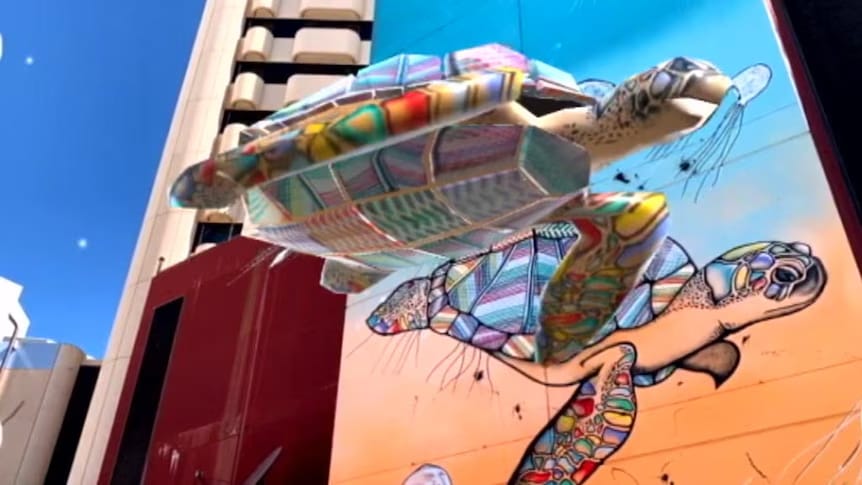
Street art has always been about bold expression, but AR art takes it to a whole new level—turning static murals into dynamic, immersive experiences that captivate passersby. Many street artists now use AR to enhance their mural works, as large-scale street art paired with AR creates a more striking visual effect that lingers in viewers’ minds. A perfect example is a Ukrainian artist’s " The Sun" mural: using Kivicube’s image tracking feature, the sunbirds surrounding the goddess "fly" out of the wall, hovering and spreading their wings in real space. This combination of static mural and dynamic AR breaks the flat limitations of street art, allowing passersby to feel the vitality of the artwork up close—something traditional street art can’t achieve.
2. AR Digital Art: Turn 2D Drawings into Interactive Works
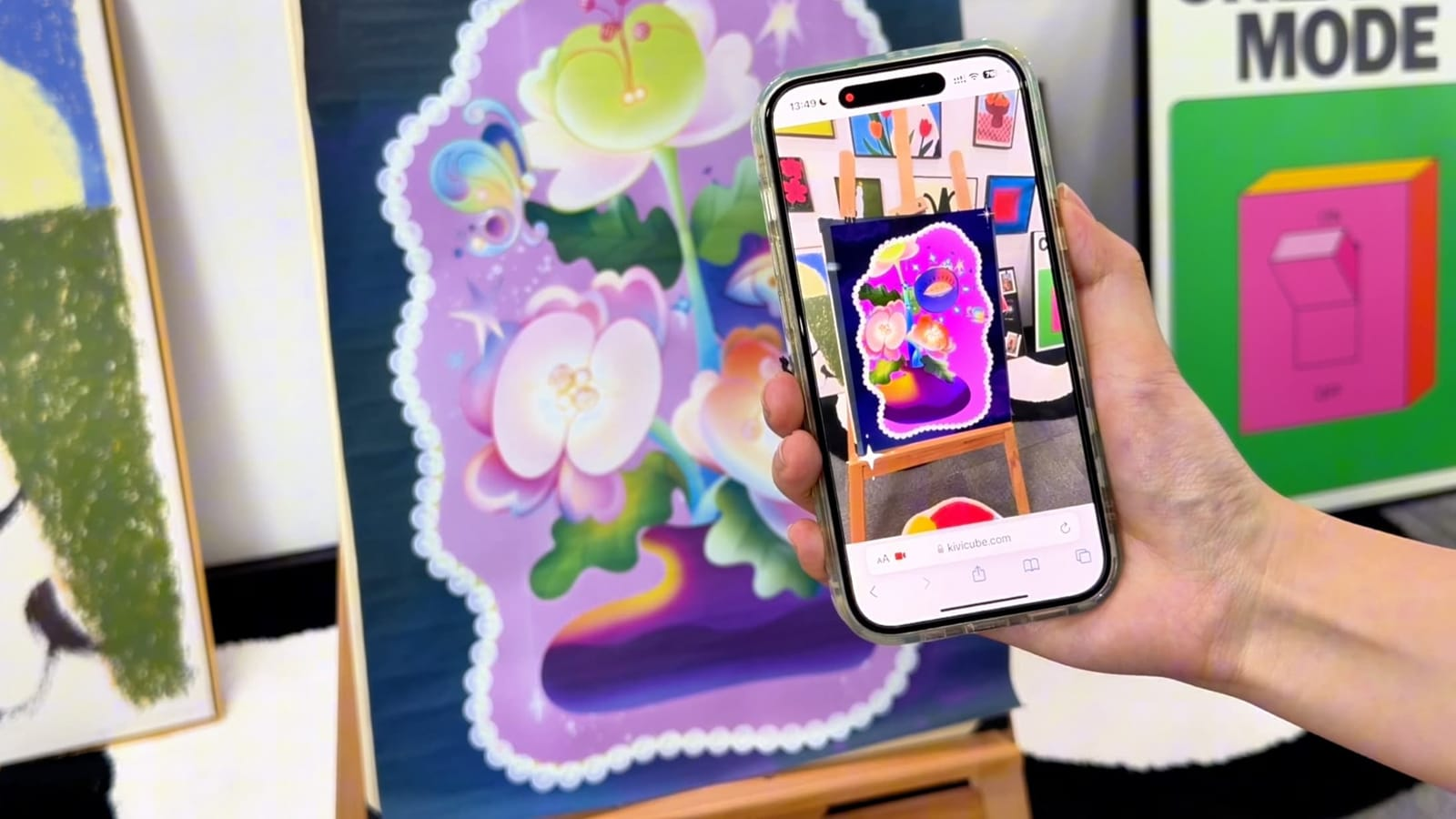
Digital art created with software like Procreate is naturally primed for AR transformation—its layered structure makes it easy to animate and bring to life in the real world. The best part? You don’t need any coding or 3D modeling skills. Simply import your Procreate layers into AR platform Kivicube, then drag and drop to adjust layer positions and set simple animations. In just a few minutes, your 2D digital painting will "come alive," letting viewers interact with each layer and experience your creation in a whole new dimension.Watch this step-by-step tutorial on creating AR paintings without code: How to Make Your First AR Painting.
3. AR Public Art: Transform Public Spaces into Art Galleries
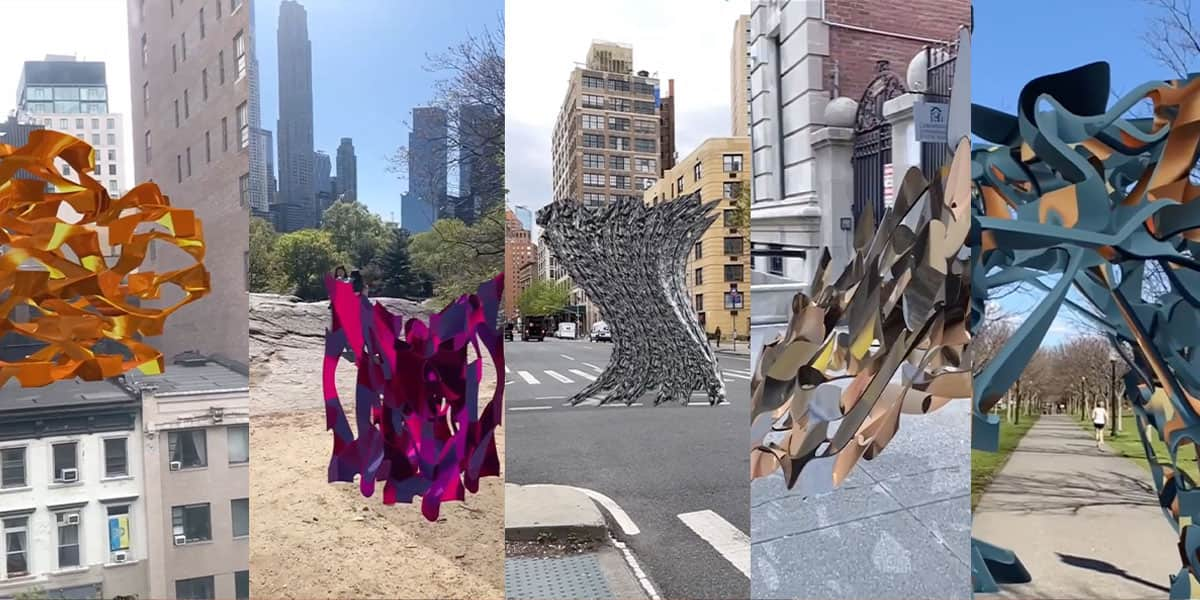
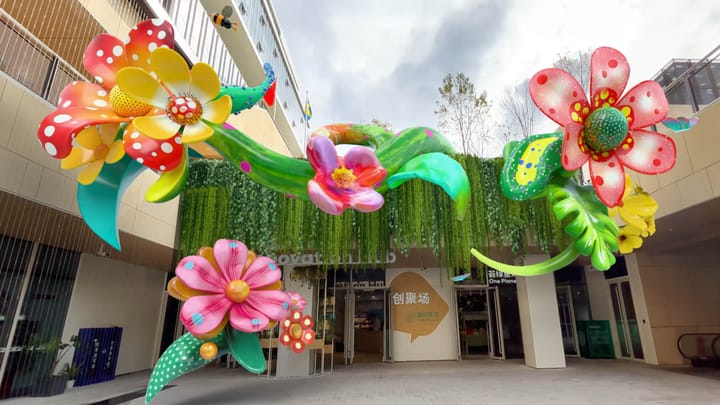
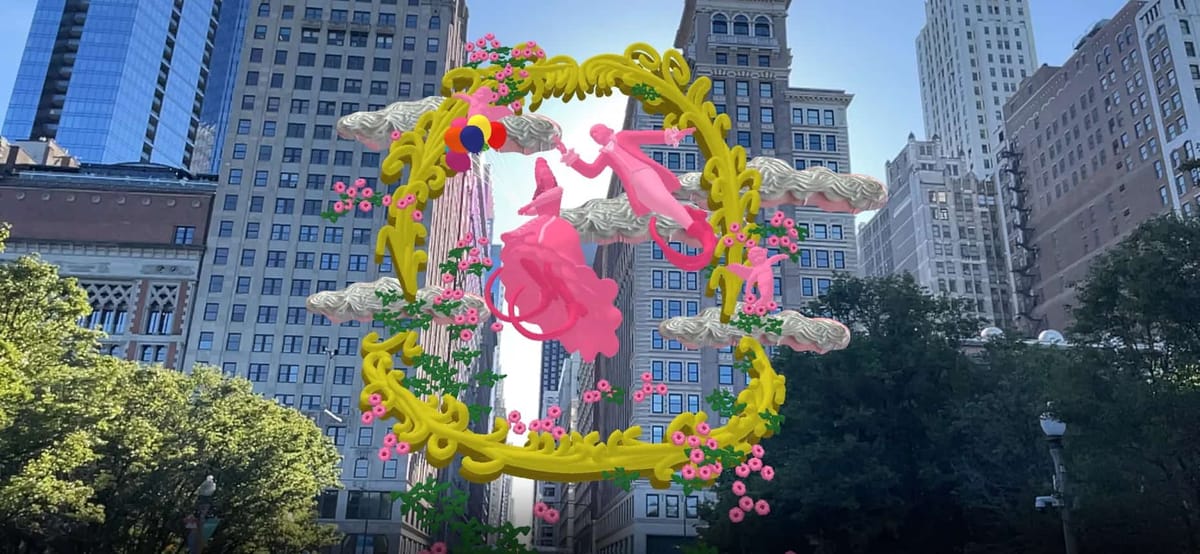
AR installations have emerged as a modern form of public art, beloved by artists for their ability to turn ordinary public spaces like parks, squares, even city streets into immersive art venues. Artists use the real world as their canvas. Imagine a square where viewers can scan the ground to see a virtual fountain of light, or a park where trees are adorned with AR fireflies that glow when approached. These installations make art accessible to everyone, not just those who visit galleries, and Kivicube makes it easy to create them—no technical expertise required. If you’re curious about this art form, check out our guide on Creating AR art installations from scratch with Kivicube.
4. AR Gallery Exhibitions: Enhance Viewer Engagement
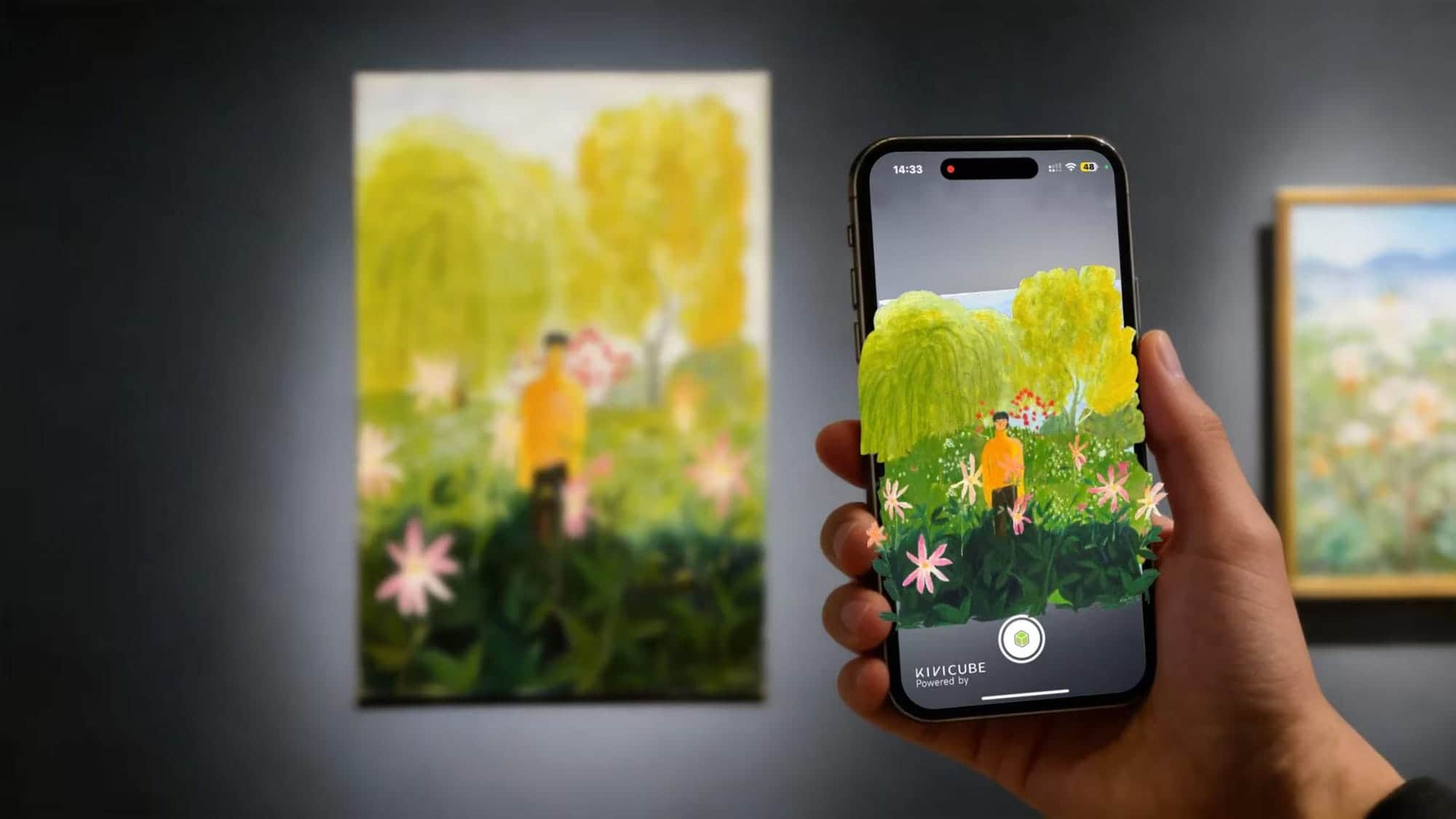
In recent years, AR has become a staple in art exhibitions, helping curators and artists tell richer stories behind their works. Unlike traditional audio guides or brochures, AR delivers a multi-sensory experience that leaves a deeper impression on viewers. A notable example is the solo exhibition of artist Lu Mao at A4 Art Museum, where AR technology was used to let his healing paintings "tell their own stories"—viewers simply scan the artworks, and the gentle scenes of nature and everyday moments in Lu Mao’s paintings come to life, accompanied by soft narration from the artist himself, sharing the inspiration and emotions behind each creation. This not only enhances the viewer experience but also makes your exhibition stand out in a crowded art scene. If you want to learn how to add AR effects to your art exhibition, check out this detailed tutorial:How to Create Multi-Target AR Posters.
5. AR Interactive Art: Connect with Gen Z Audiences
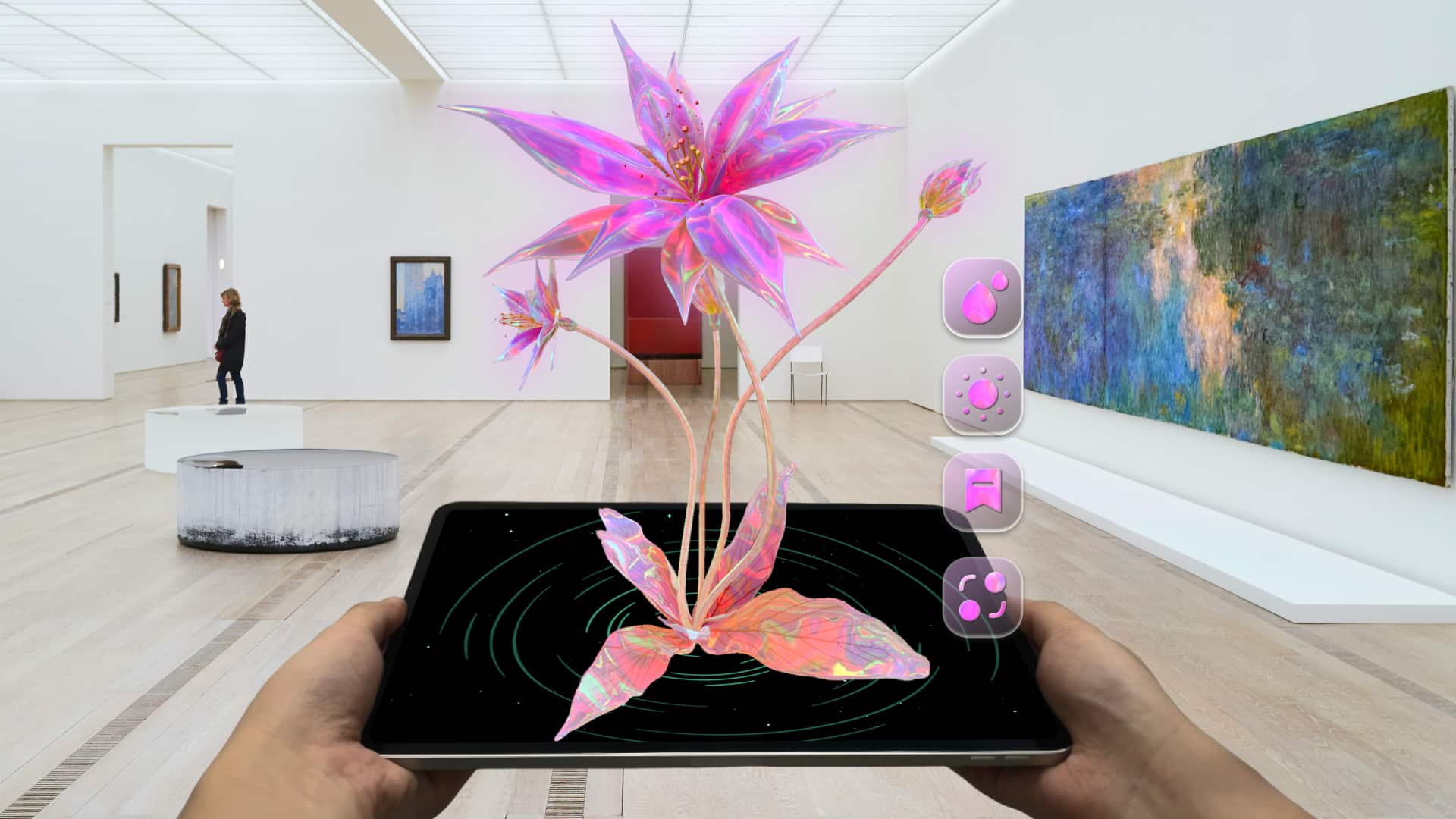
Gen Z audiences grew up in the digital age, and they crave active engagement over passive viewing—and AR interactive art delivers exactly that. Artists are now creating works that invite viewers to participate, rather than just observe. Take artist Simone’s interactive AR alien plants: using Kivicube, she created virtual plants that viewers can water and fertilize with a tap on their phones, watching them bloom and change in real time. This interactive element encourages viewers to explore the work deeply, unlock hidden surprises, and engage with the art on a personal level—boosting engagement and making your work more memorable.
6. AR Character Art: Bring Your Creations to Life
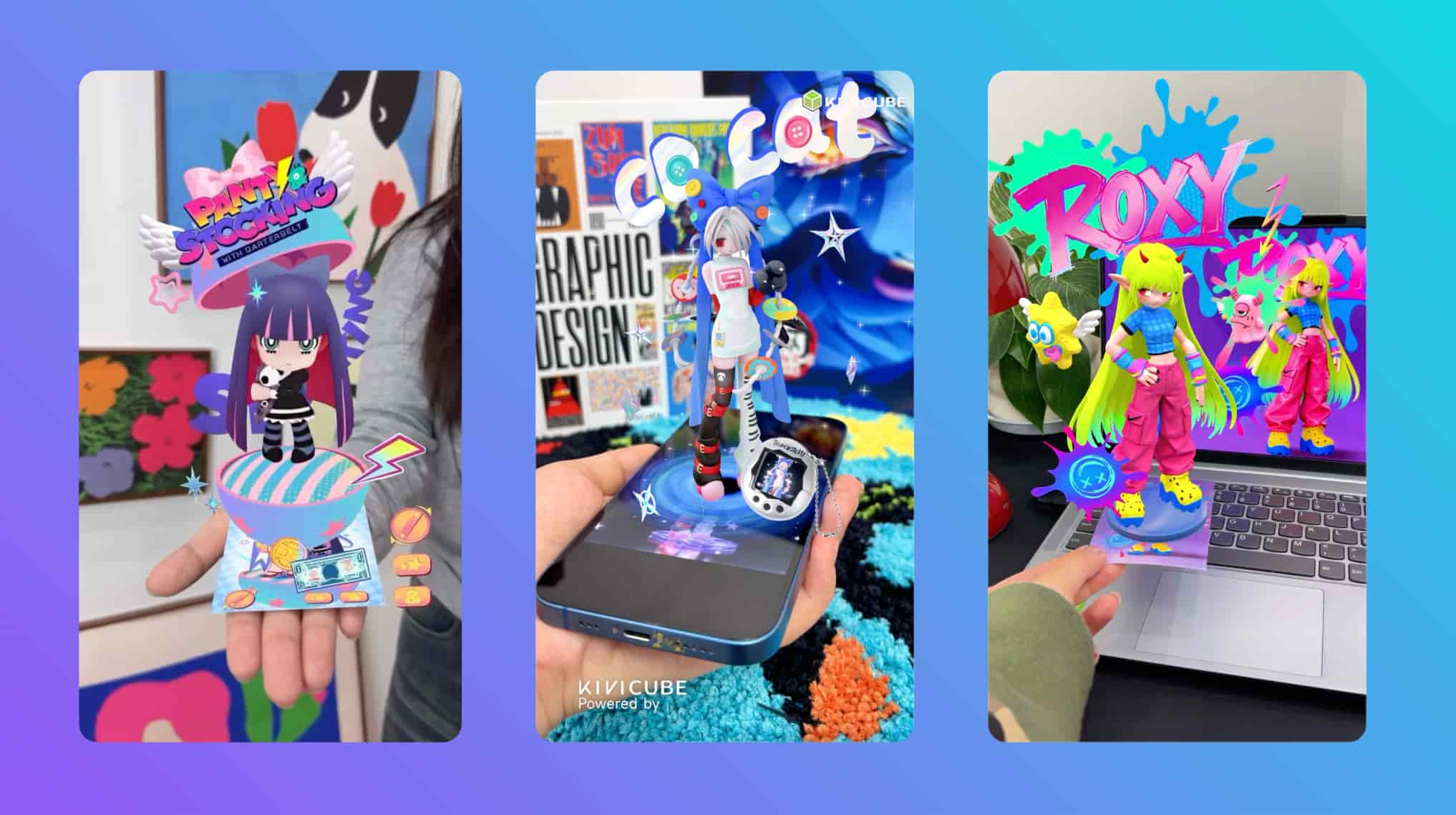
Character creation is a timeless topic in art, but AR art lets you take it a step further: you can place your created characters in the real world and interact with them directly. Whether you’re a character designer, illustrator, or comic artist, Kivicube lets you turn your 2D characters into AR figures no 3D modeling or coding needed. It’s a game-changer for character artists, letting you showcase your work in a more dynamic and engaging way.
If you want to learn how to bring your characters to life, check out our tutorial on creating AR character art without modeling or code using Kivicube.
How to bring your character to life| Kivicube AR tutorial
7. AR Art Products: Make Your Work Stand Out
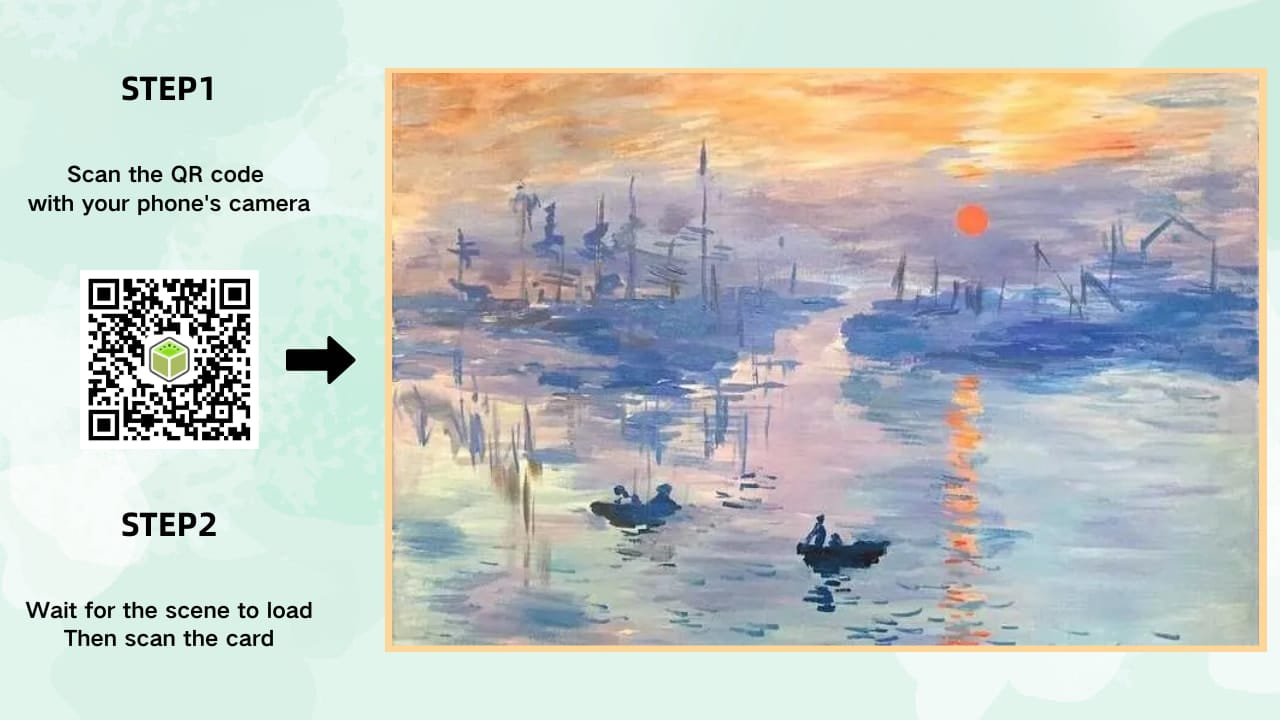
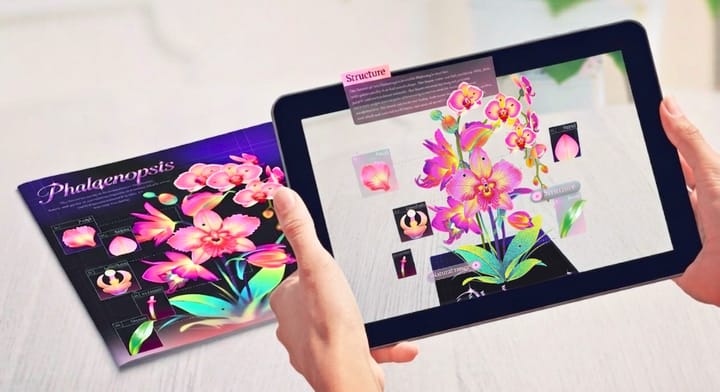
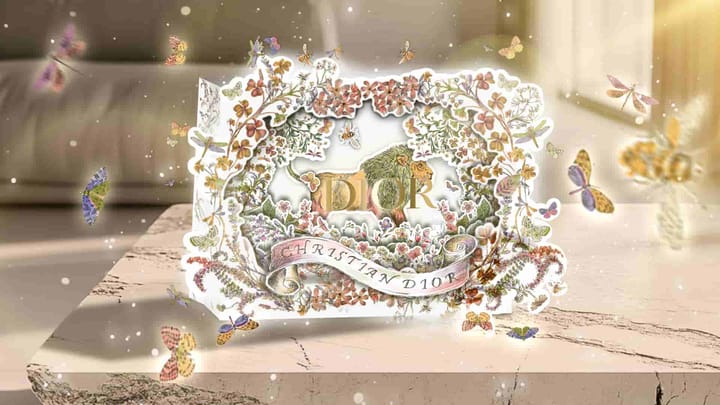
Art doesn’t stop at the original piece—prints and merchandise matter too. Adding AR to products like postcards, posters, or packaging gives them an extra layer of value. When scanned, they can reveal hidden animations, bonus content, and interactive elements.This not only makes your work more engaging but also more memorable for buyers.
How to Create Your First AR Art Project
Getting started with AR art is easier than most people expect—especially with a beginner-friendly AR platform like Kivicube.
Why Kivicube Is the Best AR Platform for Artists
Kivicube stands out from other AR platforms because it’s built for creators, not tech experts.
Kivicube: AR Platform for Artists
Here’s why it’s the perfect choice for artists looking to explore AR art:
- Web-Based Experience: No app download required. Audience can experience your AR art directly through a web browser by scanning a QR code—whether they’re at your exhibition, on the street, or using your derivatives. This maximizes your work’s reach and makes it easy for anyone to engage with.
- Rich AR Capabilities: Kivicube supports all the AR features artists need, including image tracking (for paintings and derivatives), plane tracking (for public spaces), face tracking (for interactive art), and its exclusive body tracking—letting you create AR works that interact with the human body. No more limiting your creativity because of technical constraints.
- No-Code Editor: You don’t need to write a single line of code. Kivicube’s drag-and-drop editor lets you create AR art, add animations, and design interactions in minutes—so you can focus on your creativity, not technical skills.
- Time-Saving Tools: From automatic video background removal to image-to-3D model conversion and AI video generation, Kivicube’s built-in tools help you speed up the creation process, so you can spend less time on technical tasks and more time creating.
- Free to Use: Kivicube’s free plan supports permanent use of 2 scenes—perfect for beginners testing the waters.
Step-by-Step Guide to Creating AR Art with Kivicube
Ready to create your first AR artwork? Follow this simple 6-step tutorial no experience required:
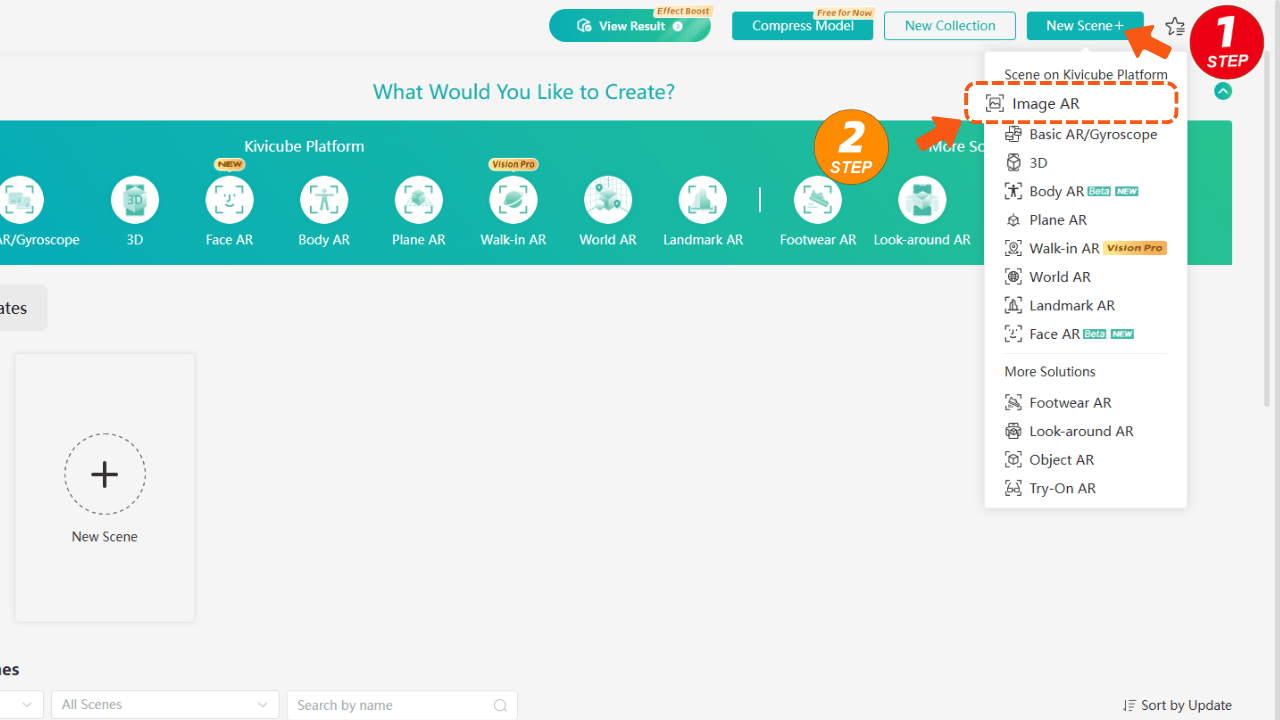
- Sign up for a free Kivicube account. Once logged in, go to your dashboard and click "Create Image AR Scene" in the top right corner, then name your scene (e.g., "My First AR Painting").
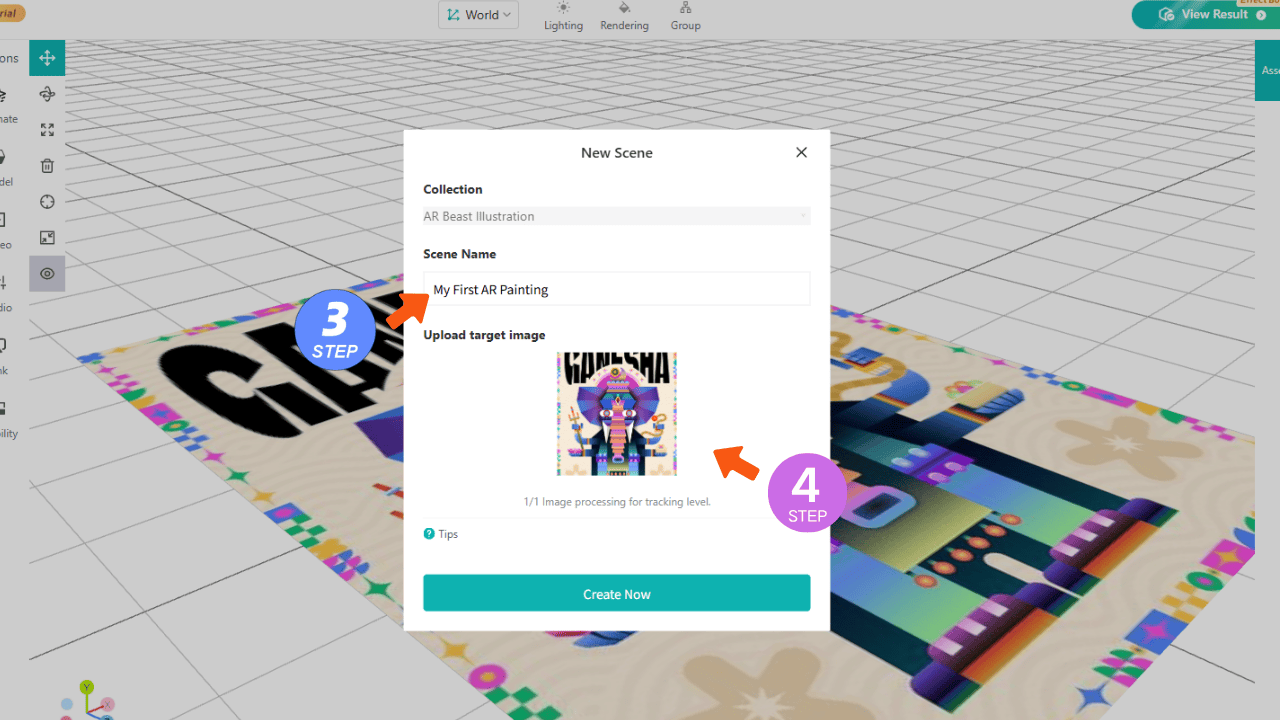
- The scene editor will open automatically. Upload your artwork as the "target image"—this is the image viewers will scan to see your AR content.
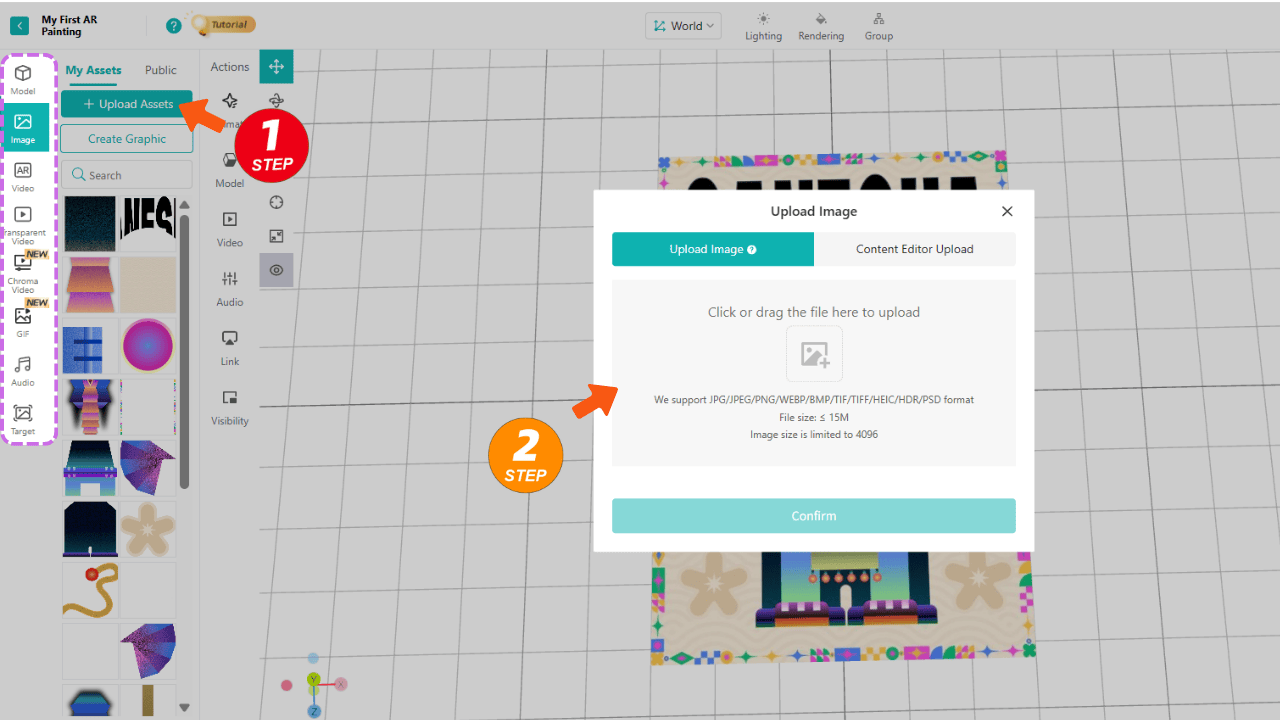
- Upload your creative materials. Kivicube supports all common art file formats, so no need to convert files beforehand.
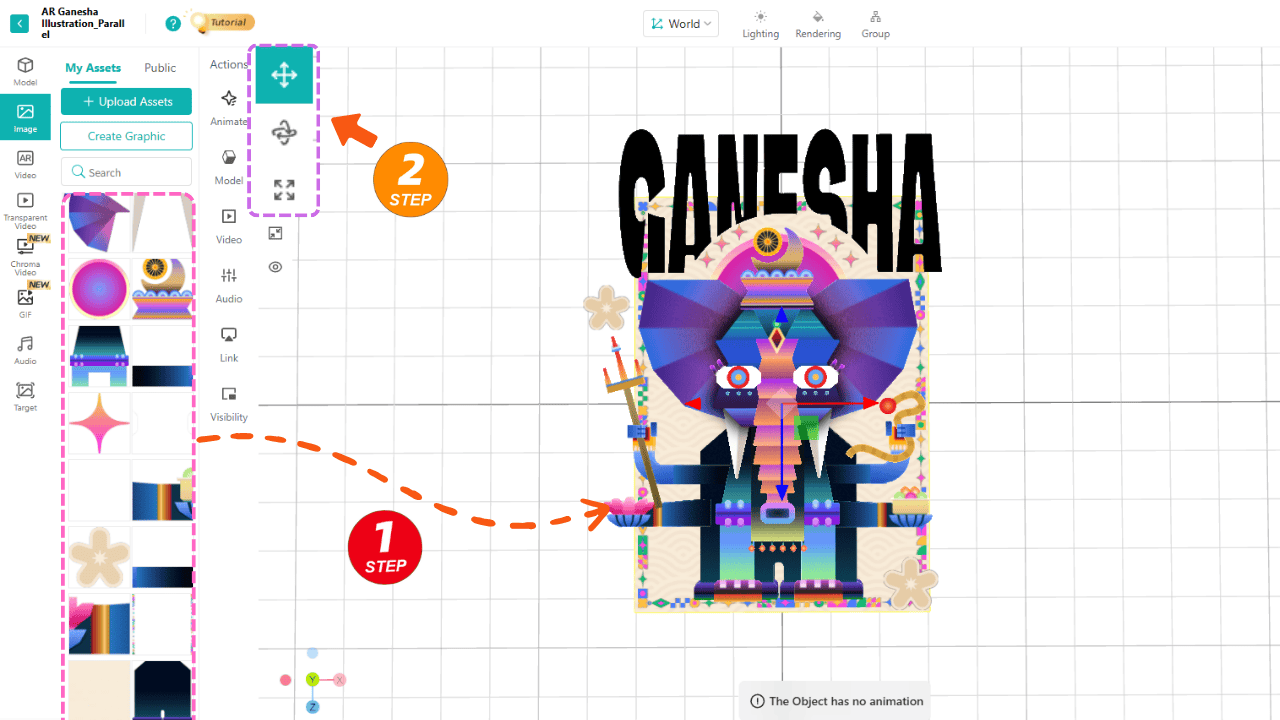
- Drag and drop your materials onto the grid editor, then use the transform tool in the top left to adjust their position, size, and rotation until you’re satisfied with the result.
- Select all your materials and group them. Click the "Animation" button to add a pop-up animation no keyframes needed, just choose a preset and adjust the duration.
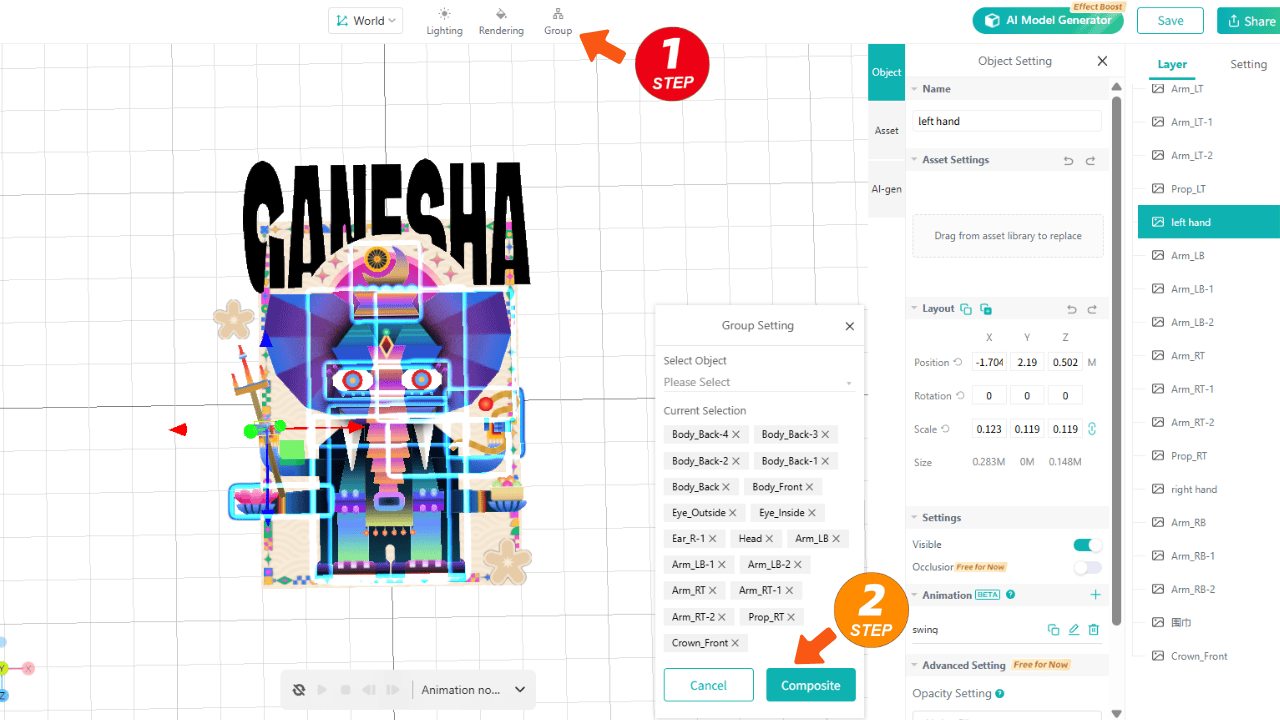
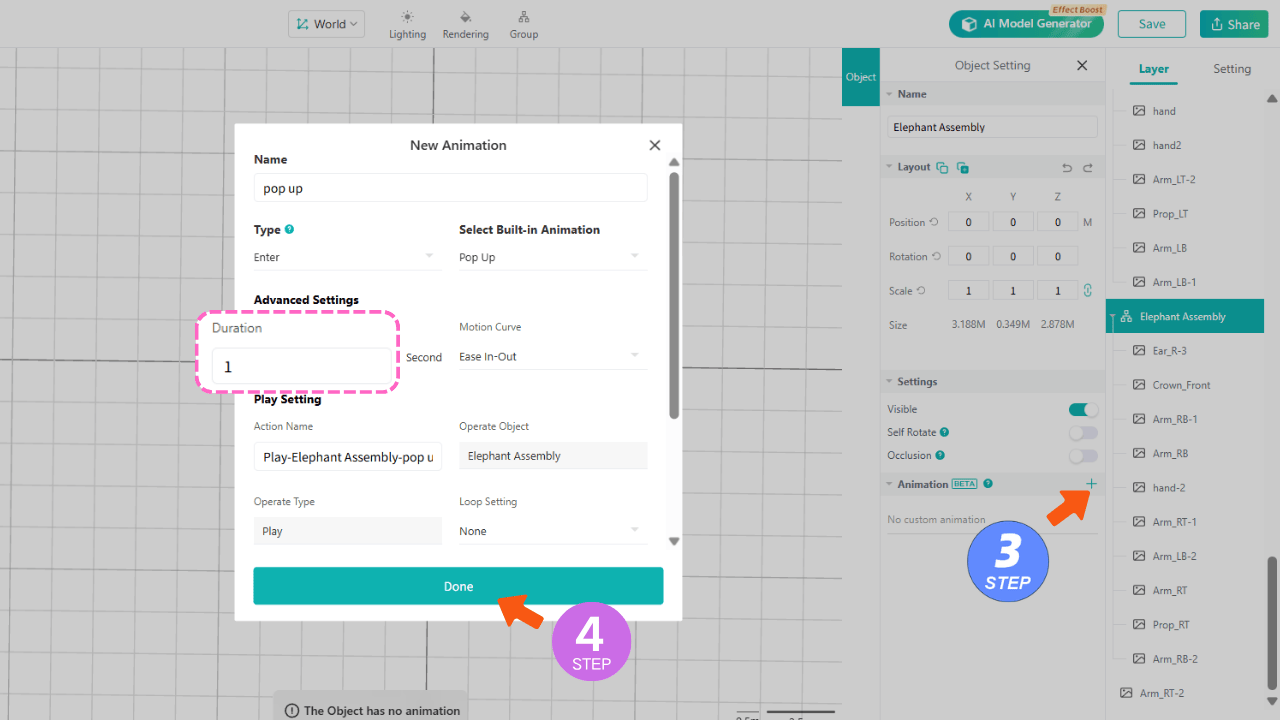
- Click "Save & Share" in the top right corner. A QR code will appear scan it with your phone, then point your phone at your target image, and watch your AR art come to life!
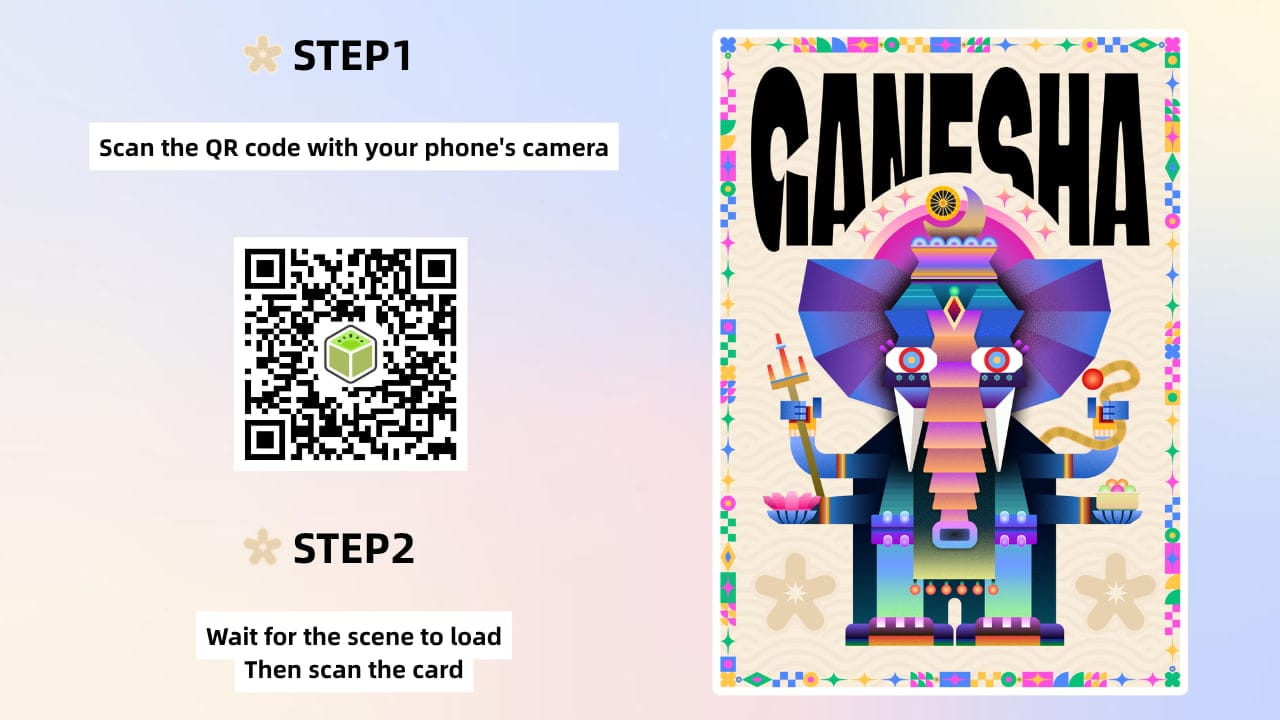
This is just a basic demo for more complex AR effects, head to our YouTube channel for detailed tutorials tailored to artists.
Final Thoughts: Start Small, Experiment Freely
AR art is changing how artists present their work. It removes the limits of flat surfaces and turns viewing into an experience. The best part? You don’t need a technical background to get started. Start with a single piece. Add a small interaction. Test how people respond.From there, you can build more complex projects and develop your own style within augmented reality art. If you’ve been looking for a way to make your work more engaging, this is a good place to start—and with tools like Kivicube, it’s more accessible than ever.
🚀 Ready to Try It?
Create your first AR art project today and see how your work feels when it steps into the real world.