Augmented Reality Magazine: How Print Is Coming to Life (No App Required)
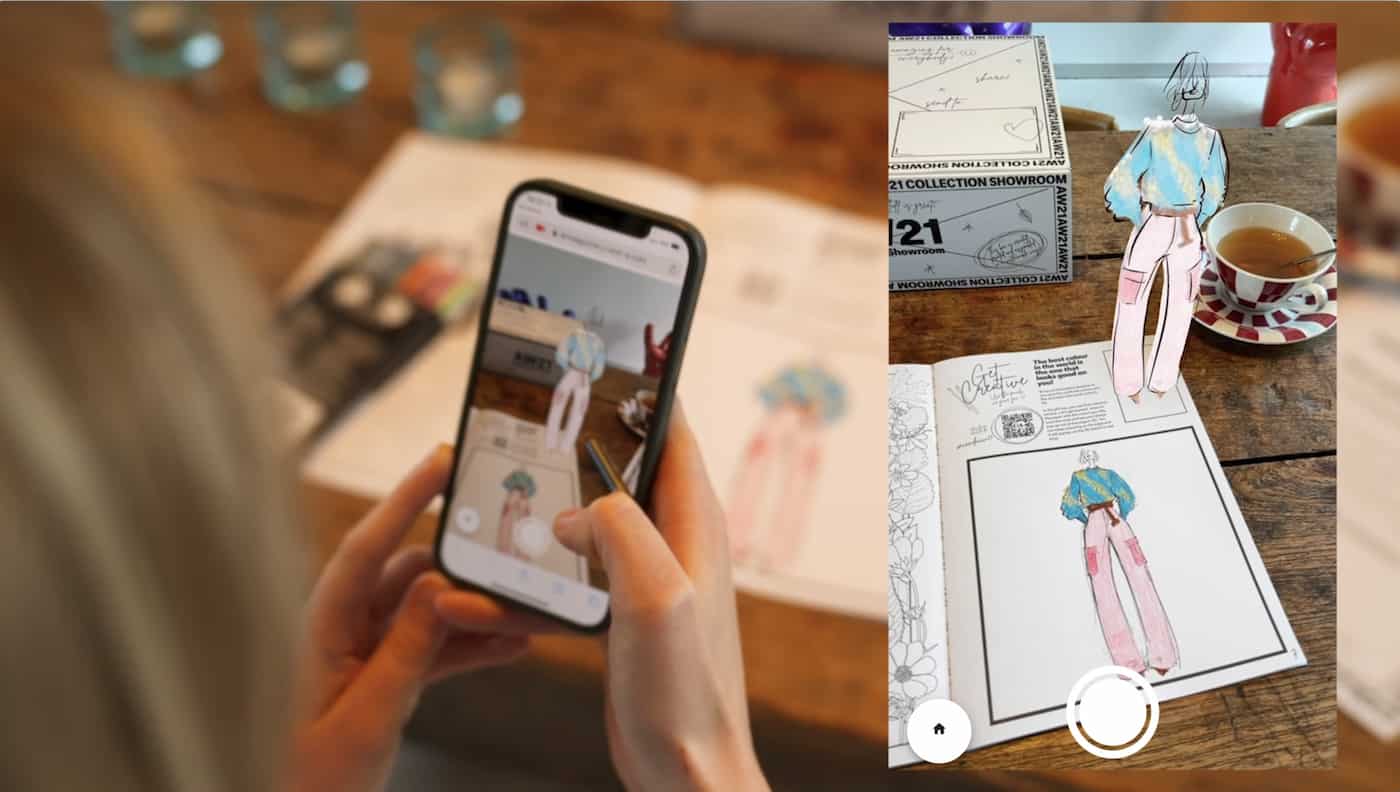
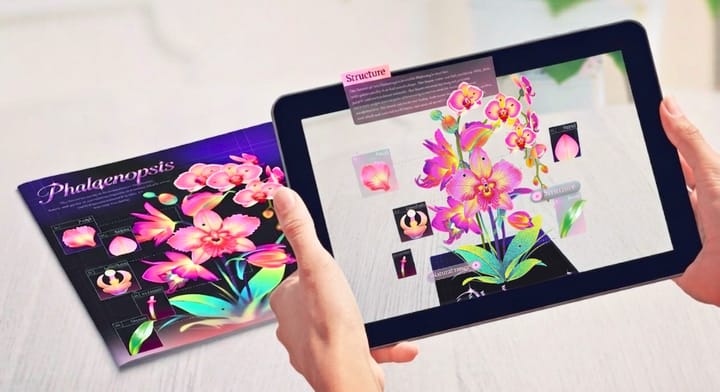
Print media faces a critical challenge today: fewer people are reading physical magazines and zines, as digital content hogs attention. Publishers are eager to boost reader engagement—and augmented reality (AR) magazines are the solution. They bridge physical print’s tactile charm and digital interactivity, no heavy one-off app downloads needed. Just scan a page with a phone browser to unlock a dynamic digital experience—no friction, just a simple way to bring print back to life.
Why AR Magazines Are Here to Stay?
AR in print isn’t a passing trend—it’s backed by industry research that proves its staying power. According to Statista, the global AR market is projected to grow significantly by 2025, with publishing emerging as a key adopter. This is why AR magazines are here to stay: they fix print’s biggest issue, declining reader engagement, by combining physical pages’ tactile appeal with digital interactivity, adding lasting value for modern readers.
How Does Augmented Reality Work in a Magazine?
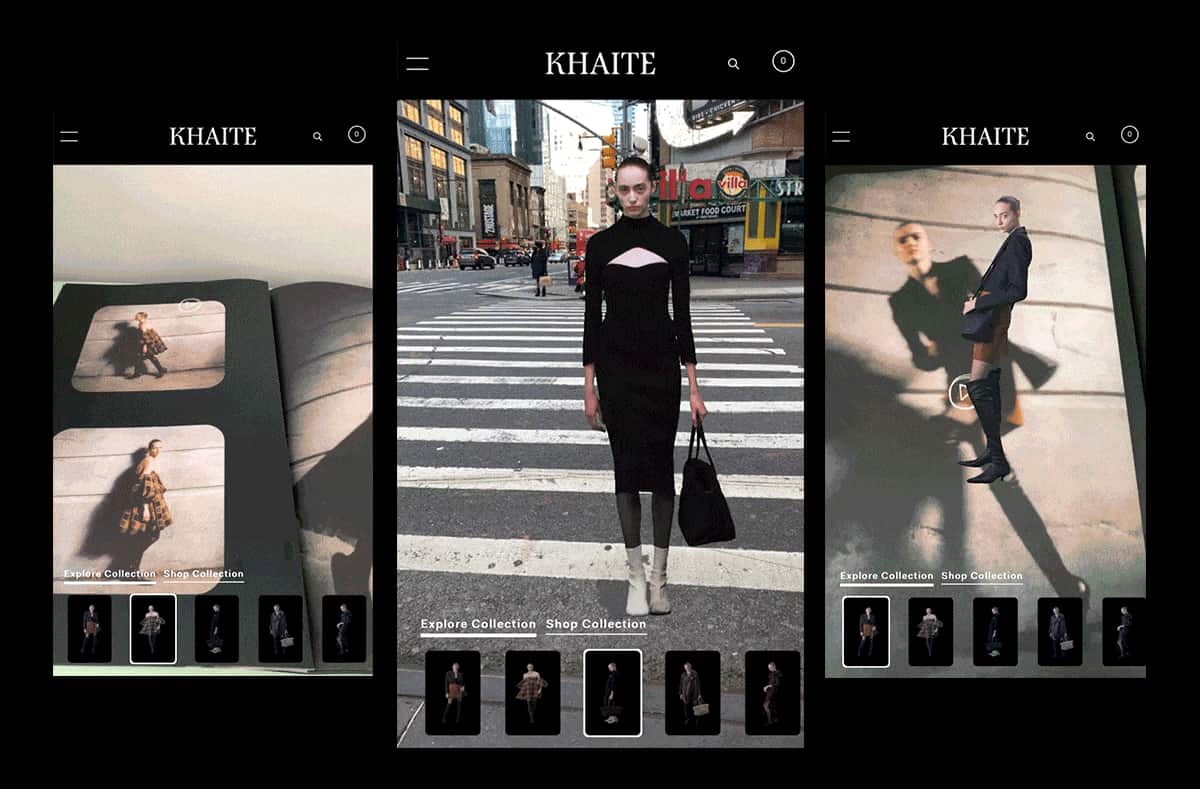
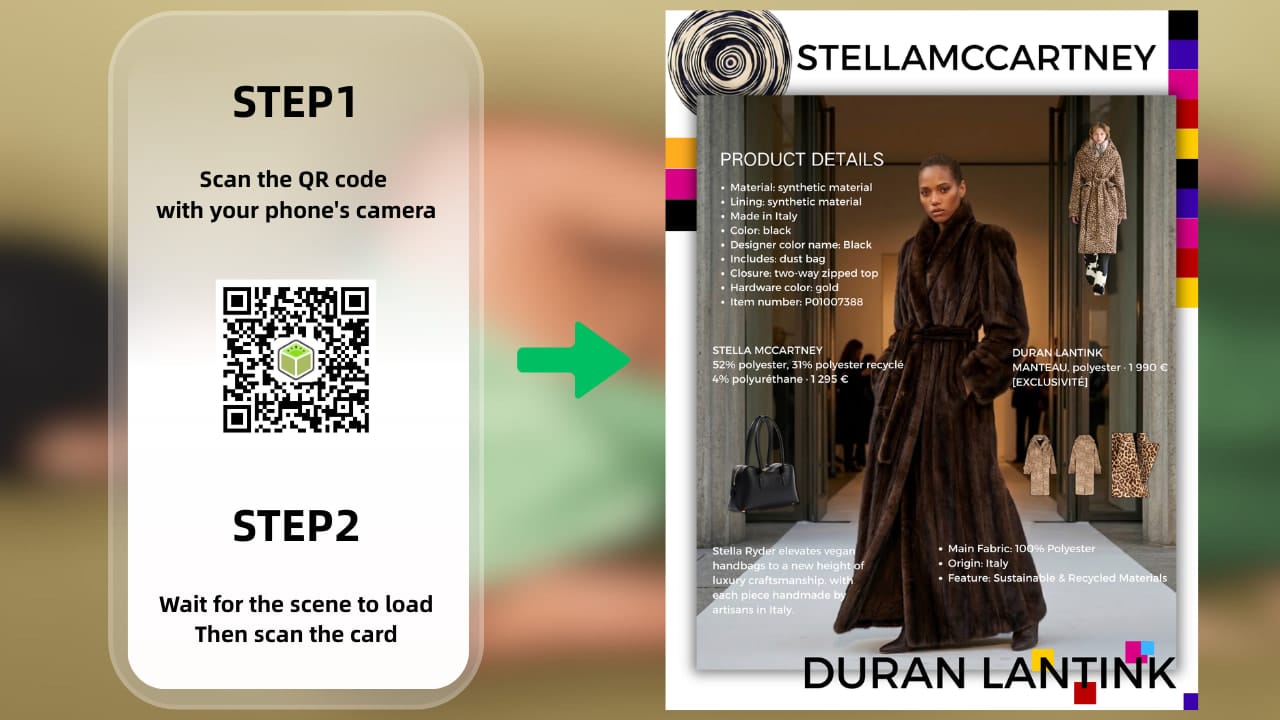
The “magic” behind AR magazines is simpler than you might think—most run on WebAR, or web-based augmented reality. Unlike early AR, which required a dedicated app, today’s WebAR works right in Safari, Chrome, or any mobile browser. Point your phone’s camera at a trigger image on the page, and you can play brand mini-games, claim exclusive coupons, watch new collection trailers, or access extra context to better understand the article—all instantly, with no friction or extra steps.
Curious how WebAR is transforming more than just publishing? Discover how it boosts conversion rates across industries with our deep dive:How WebAR Empowers Industries to Boost Business Conversion Rates
Real-World Augmented Reality Magazine Examples
Brands and creators are already using this technology to stand out—here are the most impactful use cases:
The “Living” Cover
Independent artists and small publishers rely on Kivicube to turn basic magazine covers into interactive 3D experiences. Scan the cover, and a character, animation, or personal note from the creator pops up right on the page. It turns a simple cover into something readers remember—and share. You can even create a vivid AR magazine table of contents to guide readers through all the highlights of the issue.

Virtual Try-Ons
Major fashion and beauty brands (think Sephora, Rolex) have leaned into AR magazines for virtual try-ons. Readers can “test” watches, sunglasses, or makeup shades straight from a printed ad—and unlock exclusive coupons just for engaging with the AR feature. It’s a win-win: readers get a fun experience, brands drive sales.

Want to master AR try-ons for your brand’s printed ads? Learn how to build a seamless eyewear try-on experience with our step-by-step guide: Virtual Glasses Try On: How WebAR Simplifies Online Eyewear Shopping
Interactive Storybooks
Children’s book publishers and literary magazines use AR to make reading an adventure. With tools like Kivicube, characters walk across pages, scenes animate, and stories feel like they’re happening right in front of you. It turns passive reading into an active, immersive activity—parents and kids love it.
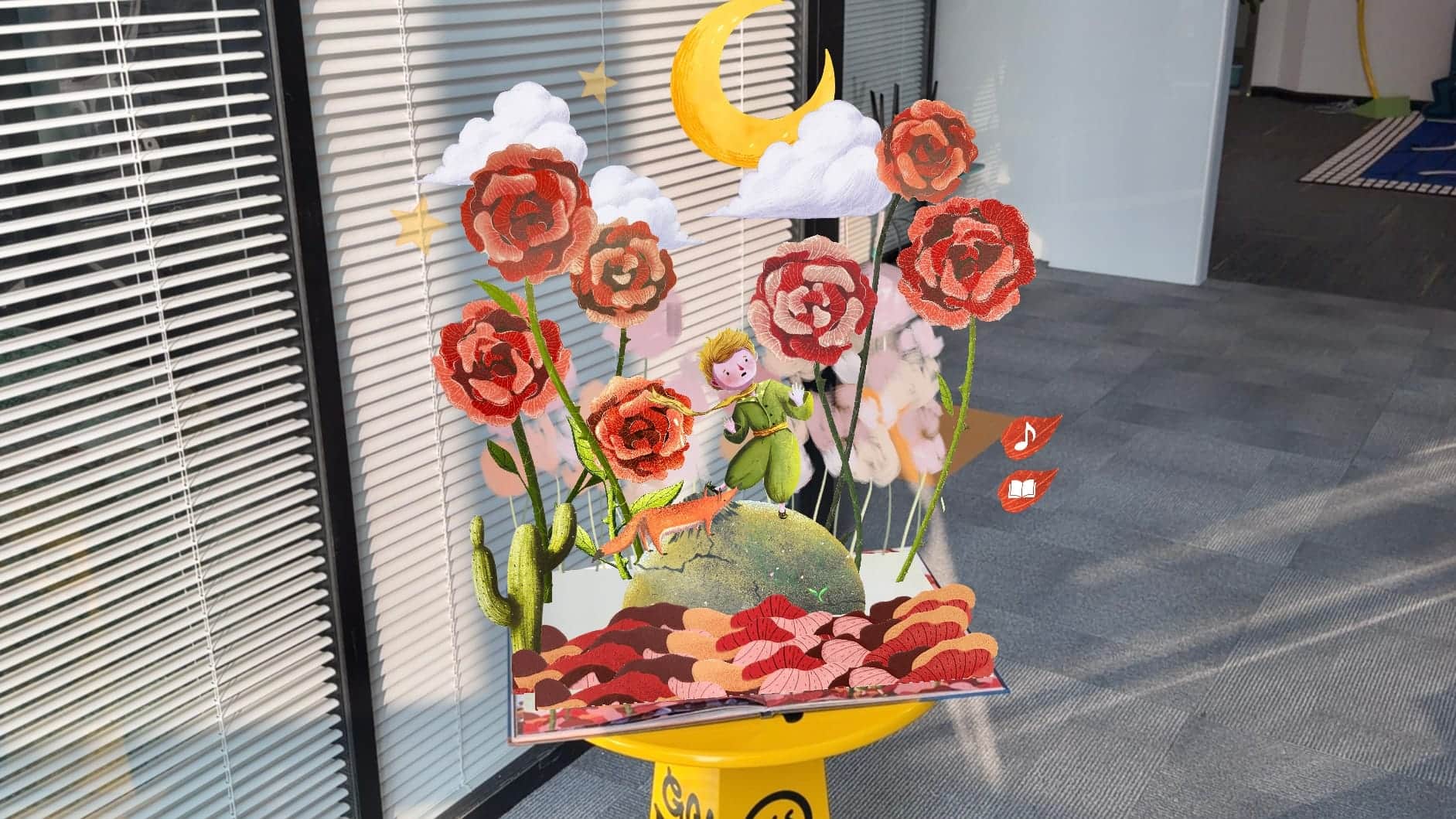
Turn your own children’s publications into interactive AR experiences—follow our easy tutorial: Bring Your Storybooks to Life: A Step-by-Step AR Interactive Book Tutorial
Educational Magazines
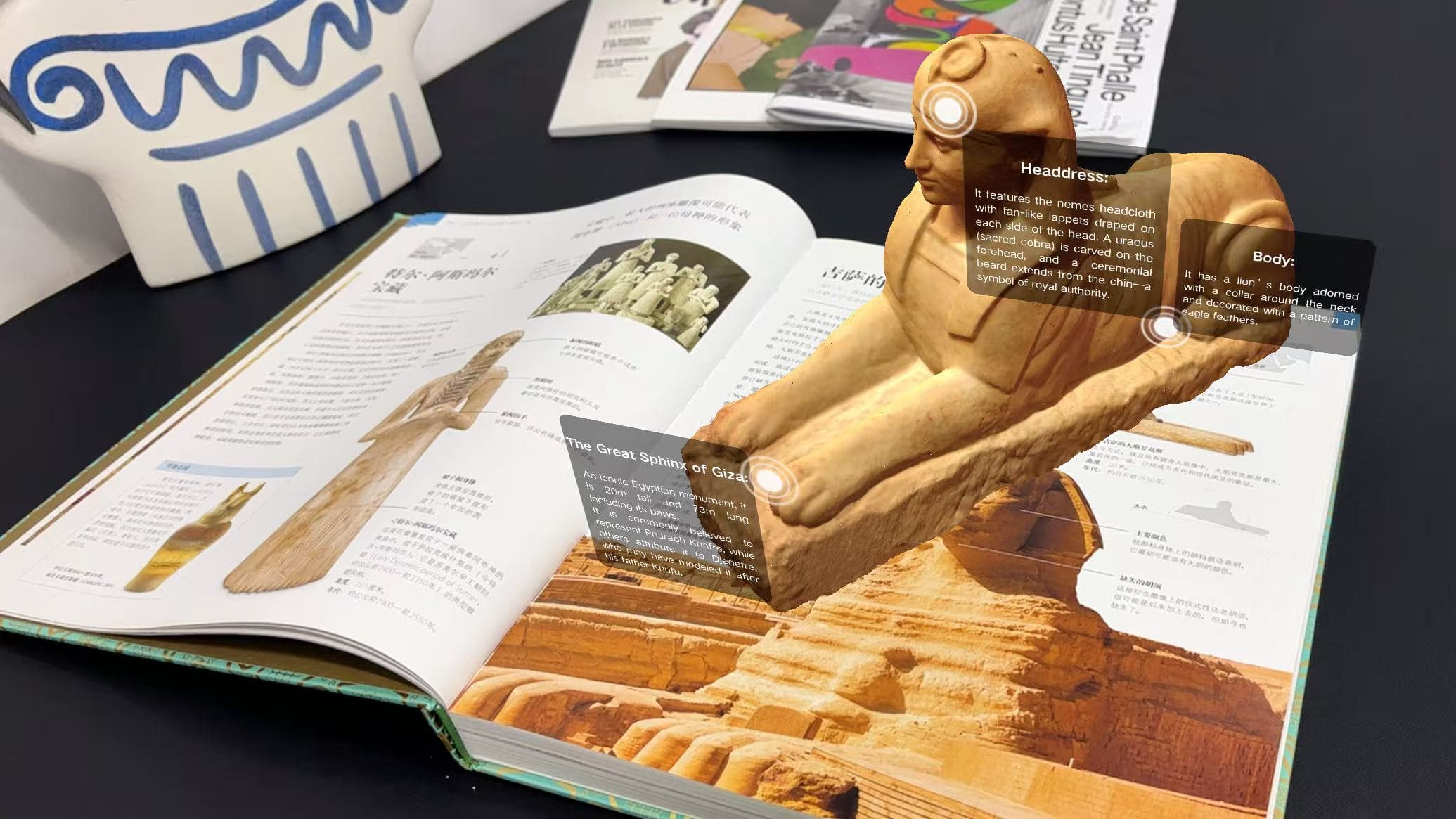
Popular science magazines use Kivicube to make learning engaging. For example, in an Ancient Egypt-themed AR magazine, scanning an illustration of the Great Sphinx triggers a 3D model and professional narration—covering its construction, craftsmanship, and myths—turning dry facts into an interactive experience.
Marketing experts at McKinsey & Company sum it up best: “AR in print isn’t a gimmick—it’s a strategic tool to capture attention in an oversaturated digital world, driving real engagement and brand loyalty.”
How to Build Your First Augmented Reality Magazine Page (No Code Required)
You don’t need to be a developer to make an AR magazine page. If you’ve used Procreate, Photoshop, or any layered design tool, you have all the skills you need. Here’s a no-nonsense workflow to get started today:
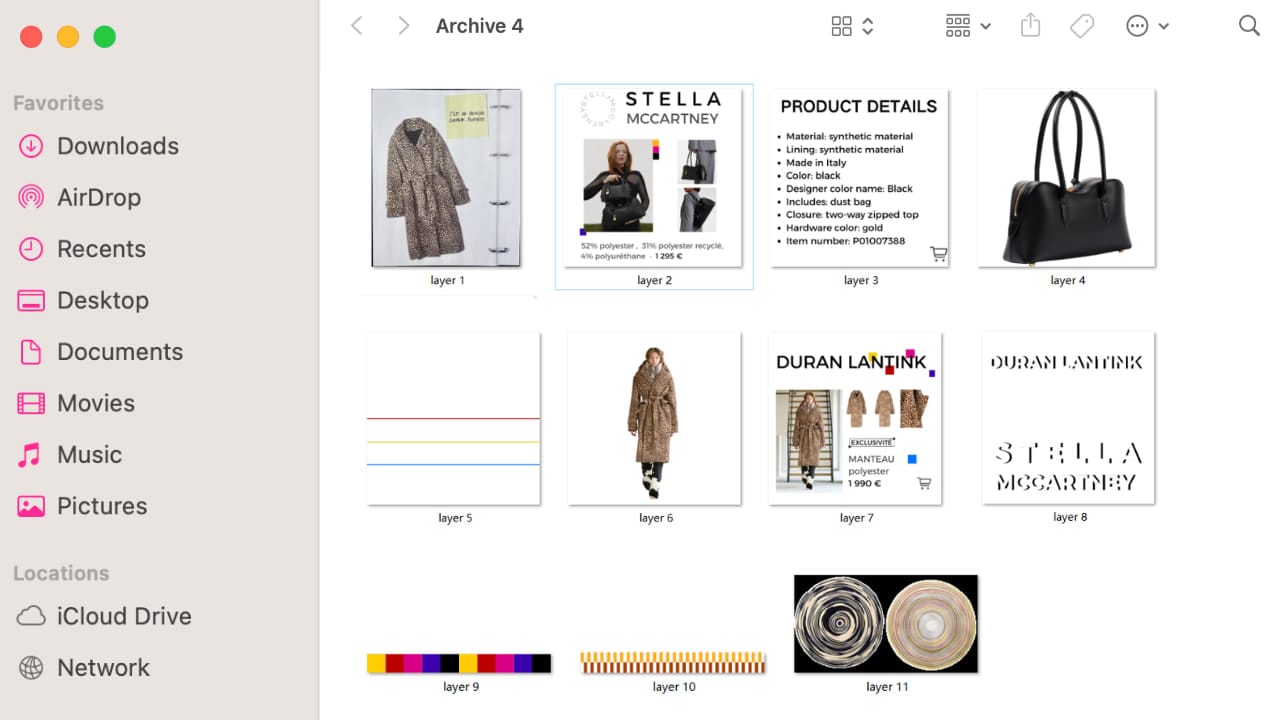
Step 1: Prepare Your Artwork in Layers
If you’re creating 2D content, split your design into clear layers and export each as a transparent PNG. For 3D content, simply import your model assets instead. You’ll also need one full, flat version of your artwork—this is the “target image” the camera scans to activate the AR.
Step 2: Set Up Your AR Scene in Kivicube
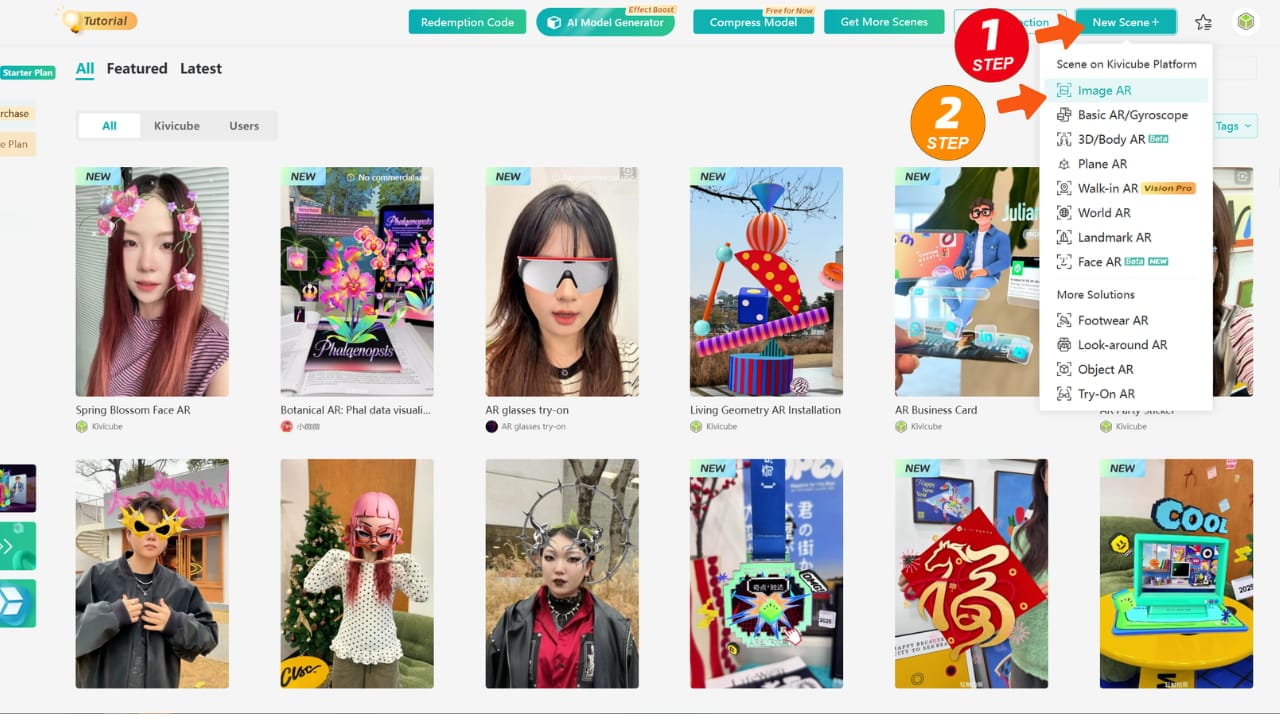
Log into your Kivicube dashboard, create a new Image AR project, and upload your flat artwork as the target image. This image is the anchor that holds your entire AR scene together.
Step 3: Add Depth with Layered Assets
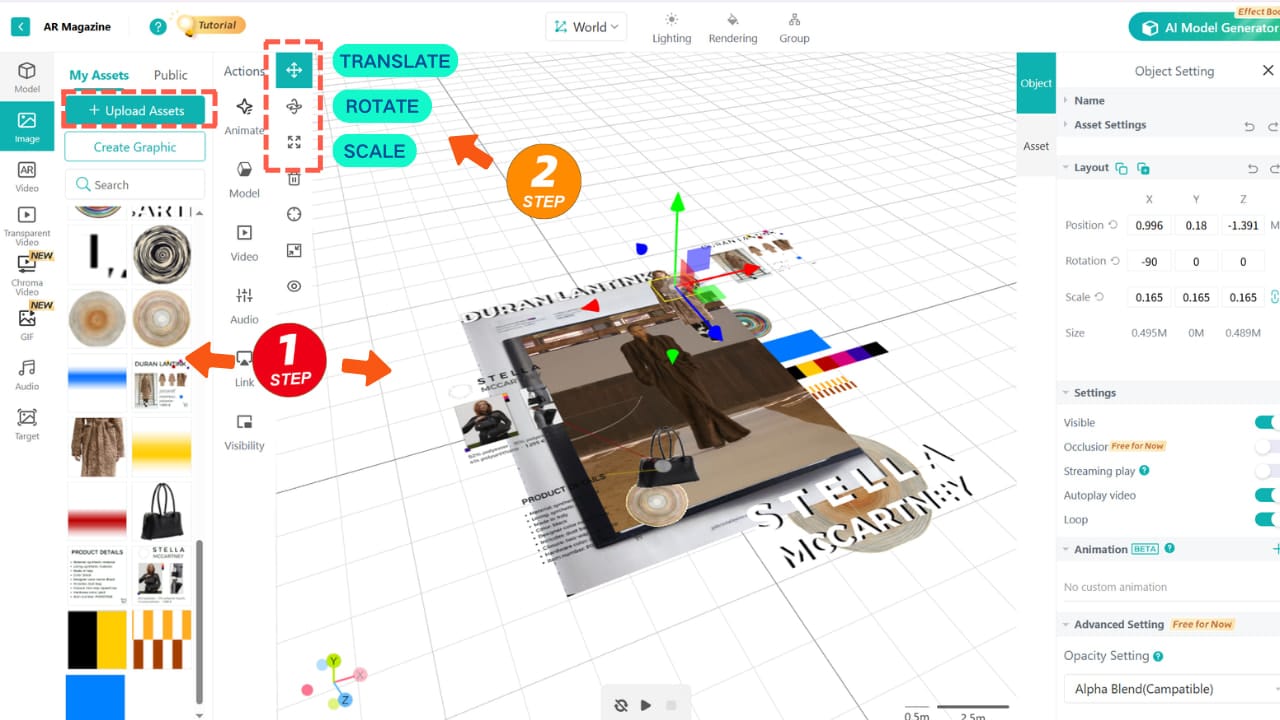
Drag your assets into the editor. Use the Transform Tool to adjust their position. This simple adjustment creates realistic depth, making elements look like they’re floating right above the paper.
Step 4: Bring It to Life With Animations
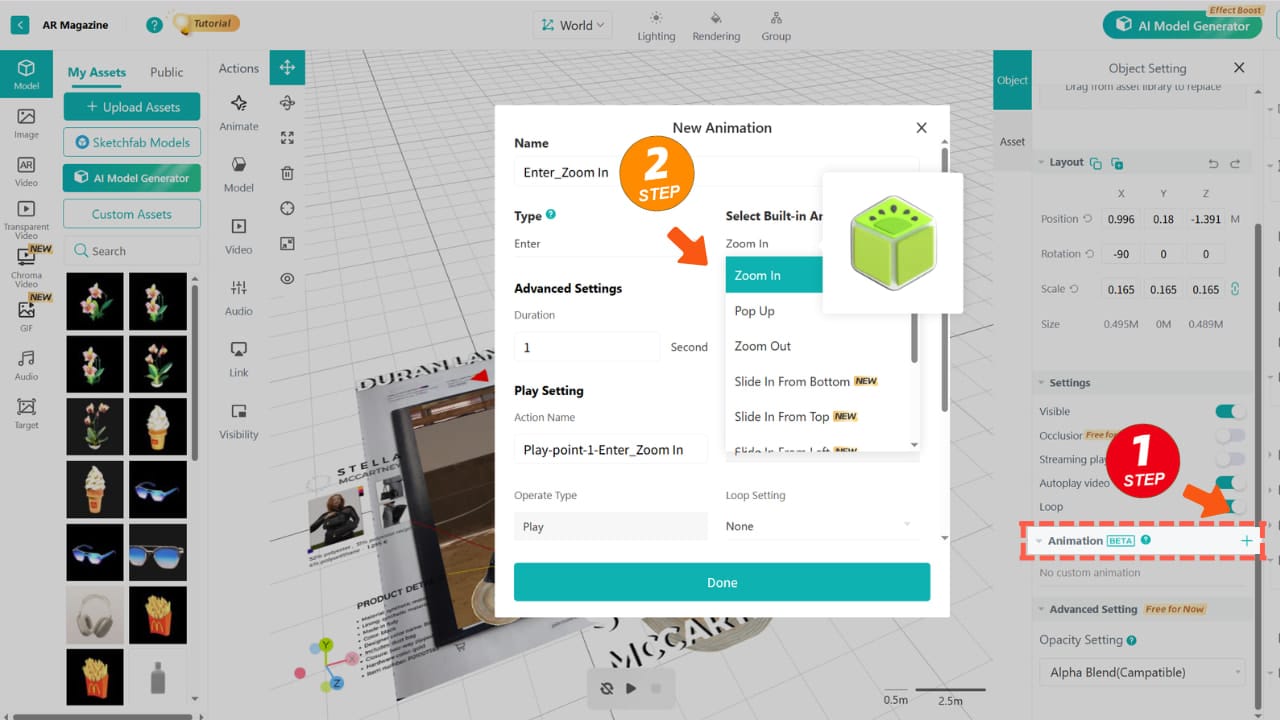
Kivicube offers a variety of custom animations for you to choose from—you can preview the effect in the pop-up window here. I use Pop Up as the entrance animation. Remember to select the animation trigger condition to ensure it plays exactly when you need it.
Step 5: Publish, Test, and Share
Once you’re happy with your scene, save and publish. Kivicube generates a QR code you can print right next to your artwork. Readers scan it, and the experience opens instantly in their browser—no app, no delay, no hassle.
FAQ About Augmented Reality Magazines
Do I need to finish all AR content before printing my magazine?
No. Once you create a scene, the generated experience code won’t change—you can print your magazine in advance.
Do readers need to download an app to view the AR?
No. With WebAR platforms like Kivicube, readers just scan a QR code. The experience loads directly in their phone’s browser—no app stores, no updates.
Does glossy or slightly bent paper affect tracking?
Not at all. If you’re worried about physical magazine curls impacting the AR effect, you can simply use a Plane AR scene. This anchors your AR content directly in the real world, independent of the magazine’s shape—so curls won’t stand in the way.
Do I need coding skills to create an AR magazine?
Absolutely not. Tools like Kivicube are made for creators, not just developers. If you can use basic design software, you can make an AR page.
Ready to Build Your First Augmented Reality Magazine?
The future of publishing isn’t just digital—it’s augmented. If you’re an artist, designer, publisher, or brand looking to connect print and digital in a meaningful way, AR magazines are your best bet—start with Kivicube.
Start small: test one page with Kivicube and see how readers react. Once you witness the engagement, you’ll see how they light up when the page comes alive, and you’ll never look at a flat magazine the same way again.