How WebAR Empowers Industries to Boost Business Conversion Rates
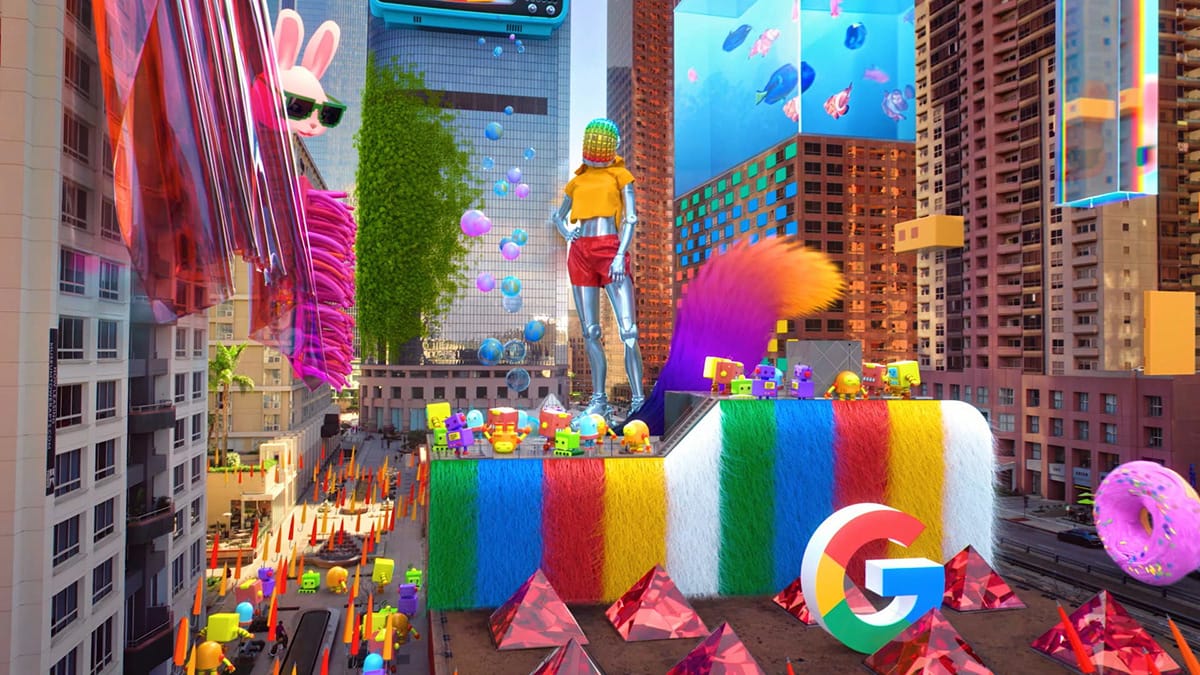
Improving sales conversion is an evergreen challenge across every industry.
Most brands still treat augmented reality as a nice-to-have novelty. But the truth is: WebAR is not just a tech gimmick—it’s a conversion layer. It turns every customer touchpoint into a low-friction path from curiosity to purchase.
In this post, we break down practical, real-world use cases of WebAR to show how this technology builds stronger connections with customers, showcases products intuitively, and directly increases conversion rates.
Best of all, you don’t need coding skills or a large budget—thanks to a no-code WebAR platform like Kivicube, which makes WebAR accessible to every business, regardless of technical expertise.
For a deeper dive into WebAR and browser-based AR, check out our full article:
 summerqiu
What Is WebAR and How Does AR Code Work?
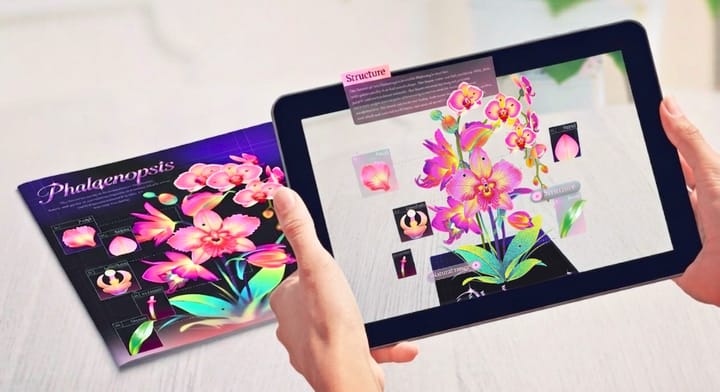
Augmented Reality (AR) overlays digital content—including images, 3D models, animations, and audio—onto the physical world. Users can access AR experiences directly on smartphones, tablets, or AR glasses, without expensive hardware.
WebAR refers to AR experiences that run instantly in a mobile browser, with no app download.
AR code (often called an augmented reality code) is a scannable shortcut that launches a WebAR experience in one tap—eliminating friction and making it easy for customers to engage with your brand.
Together, they create the simplest, most engaging way for brands to connect with audiences—widely used in e-commerce, FMCG, retail, education, events, and more.
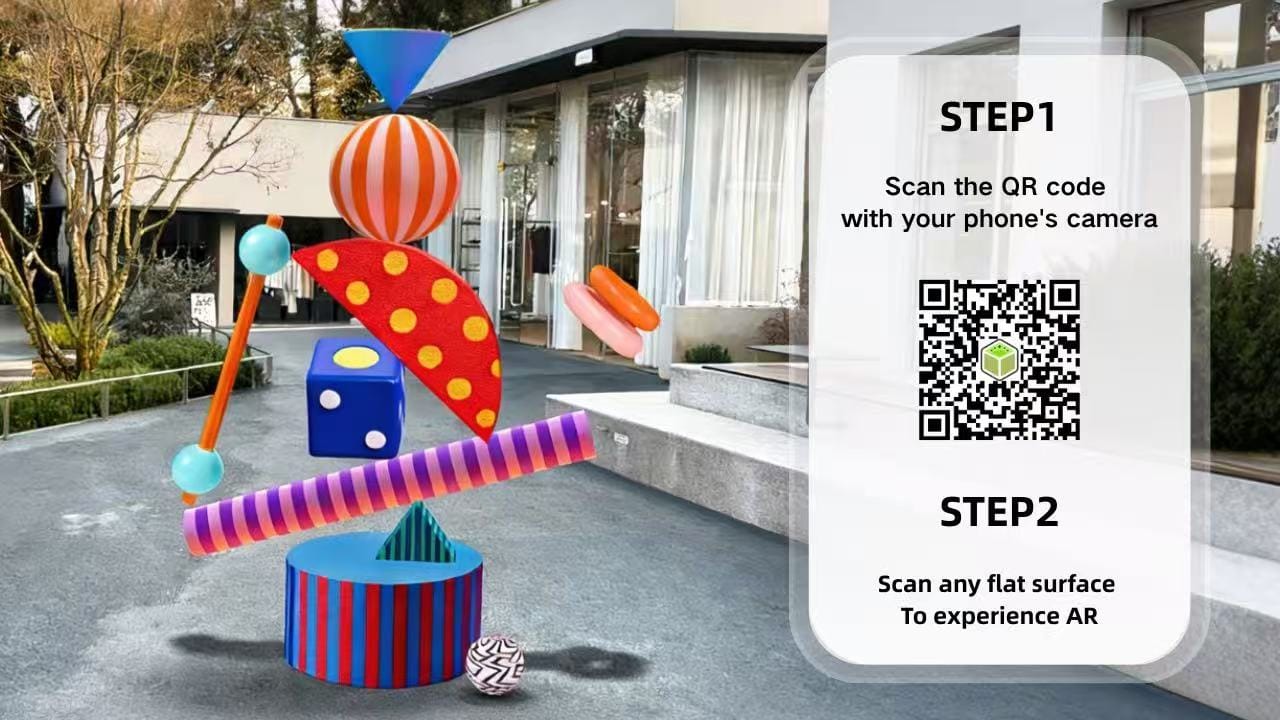
How WebAR Increases Conversion Rates Across Industries
- Reduce Decision Friction: WebAR enables try-before-you-buy and AR product visualization, removing uncertainty and increasing purchase willingness.
- Boost Customer Engagement: Interactive WebAR experiences keep users engaged longer, improving brand recall and conversion—critical for standing out in crowded markets.
- Build Brand Trust & Innovation: Using WebAR shows your brand is modern, customer-centric, and forward-thinking, fostering long-term loyalty.
- Zero Experience Barrier: Users scan an AR code and access WebAR instantly—no app, no hassle. This widens your conversion funnel and drives more sales.
Real-World WebAR Use Cases That Drive Measurable Business Growth
WebAR Business Cards: Turn Offline Networking into Digital Conversion
A business card is often the first impression between your sales team and potential clients. Standing out from dozens of generic cards can be extremely difficult.
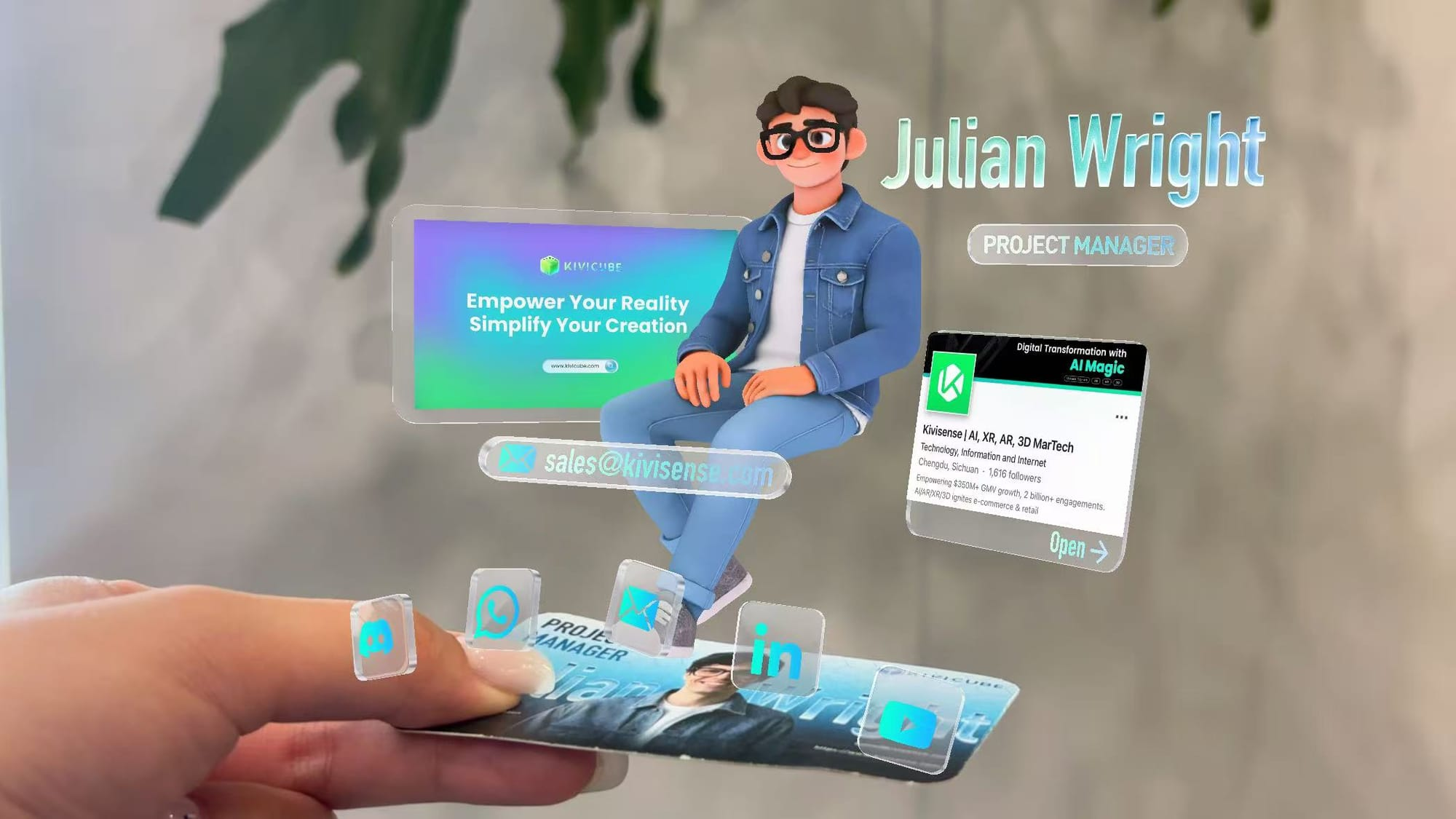
A WebAR business card turns a static card into an interactive brand experience. It showcases your company, products, or services in a futuristic way, and can even link to your social media, website, or enable one-touch calling.
With Kivicube, you can build a professional AR business card without any coding. Simply use ready-made templates, replace your logo and information, and generate your AR code in minutes—no technical skills required.
Learn how:How to Make an AR Business Card with No Coding | Complete WebAR Guide
Interactive WebAR Brochures for Trade Shows and Sales Teams
Brochures remain essential for trade shows, client visits, and offline marketing. However, traditional brochures are limited to static text and images, failing to fully showcase your product’s value.WebAR brochures break those limitations.
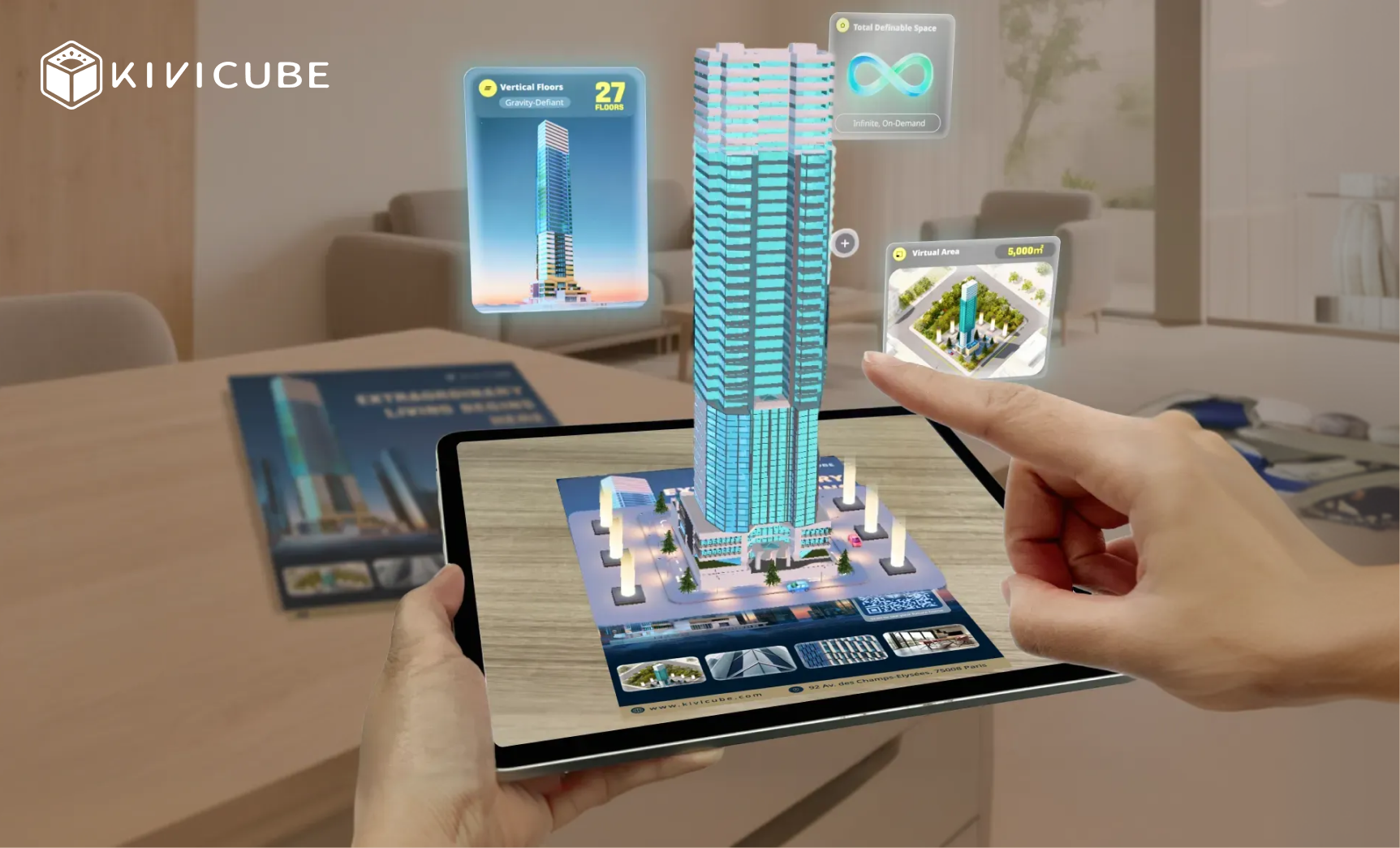
Customers scan the AR code on the brochure, and instantly view 3D product models in their real environment. They can rotate, zoom, and explore details that printed materials cannot show—delivering the AR product visualization that drives confident purchasing decisions.
Ecommerce WebAR & Virtual Try-On for Higher Online Sales
One of the biggest pain points in ecommerce is the “can’t try before you buy” problem, which leads to high return rates and low conversions. Studies show that interactive product visualization can increase conversion rates by 30% or more compared to static images. Removing app downloads alone can improve engagement rates by 3–5x.
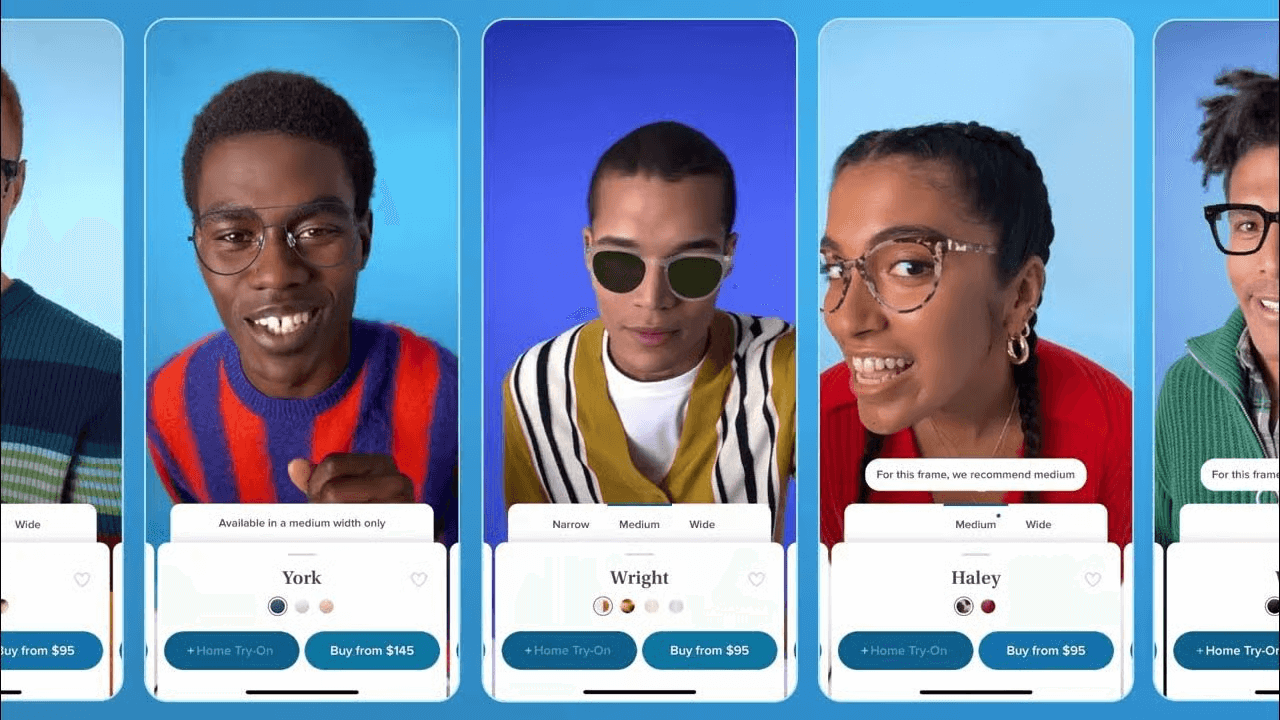
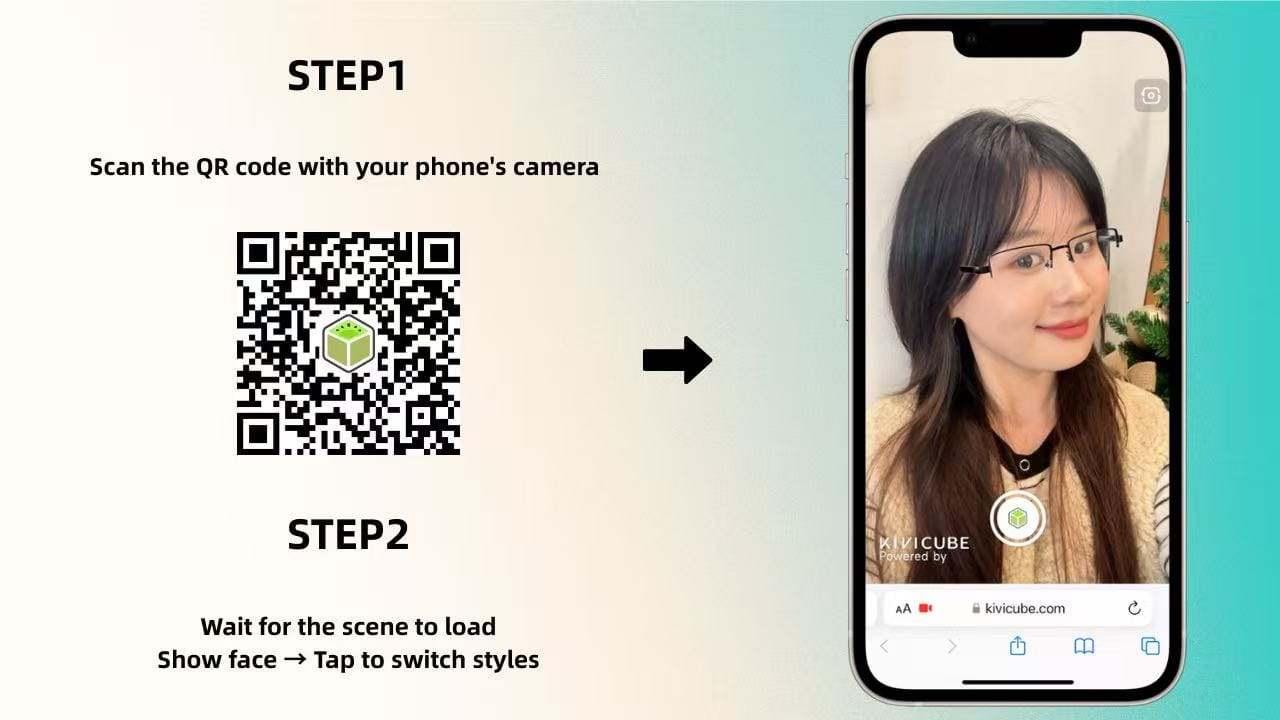
WebAR-powered virtual try-on solves this issue perfectly. Customers scan the AR code on your product page, try on items such as contact lenses, glasses, jewelry, or furniture directly in their browser, and purchase with confidence.
On no-code WebAR platform Kivicube, you can simply upload your product assets, customize the try-on interaction, and embed it directly into your website or online store with one click.
If you want to create your own AR try‑on experience, check out this tutorial.
 Leonie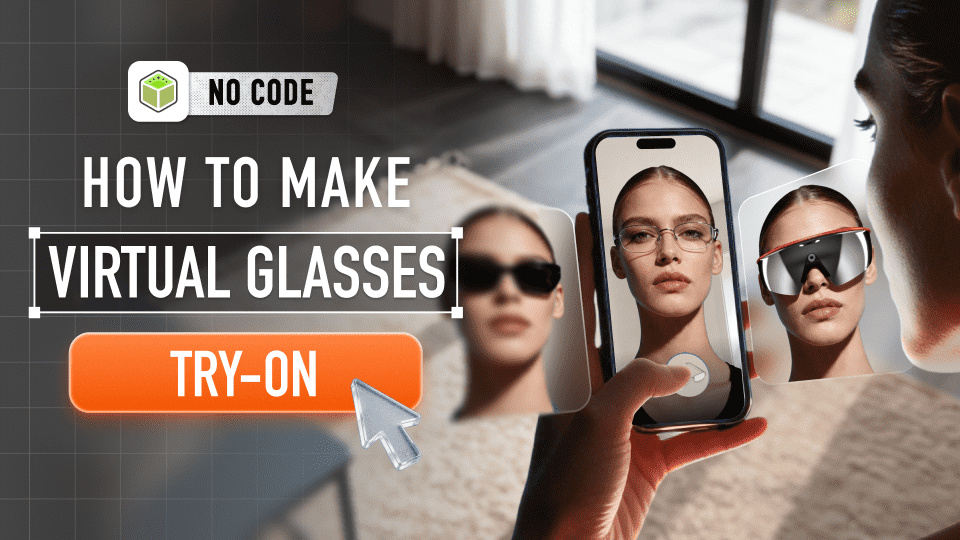
AR Product Packaging for Brand Engagement
Packaging is more than just protection—it’s a direct touchpoint with consumers.
With WebAR, packaging becomes an interactive brand channel that turns one-time buyers into engaged fans.
Budweiser used AR on limited-edition World Cup cans, bringing characters to life and enabling AI-powered voice interaction.
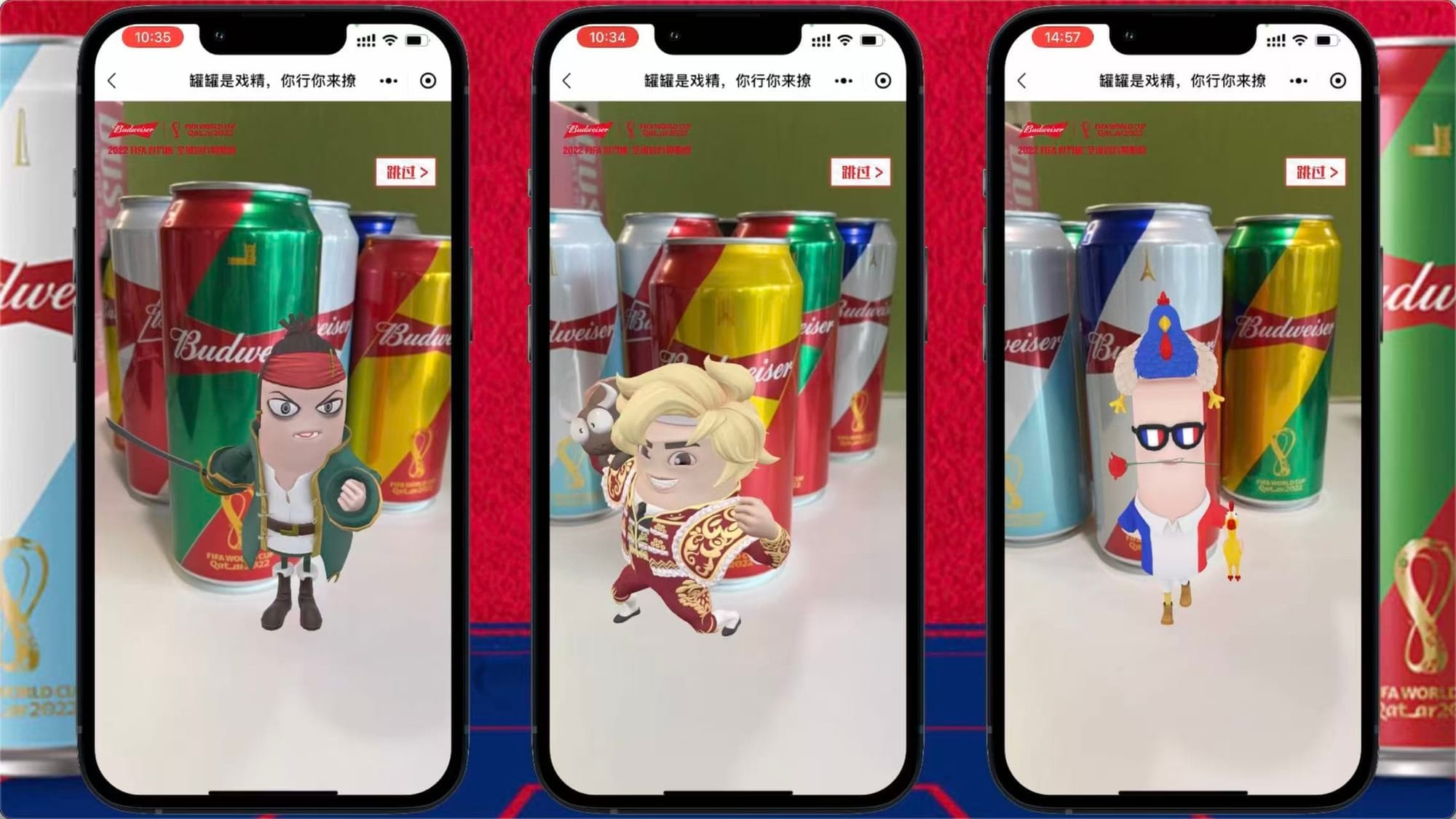
Dior used AR on holiday packaging, with beautiful 3D butterflies appearing when users scan the package.

These campaigns deepen brand storytelling, increase AR customer engagement, and strengthen brand image—all while using a touchpoint you already have.
WebAR in Education: Transforming AR Learning Experiences
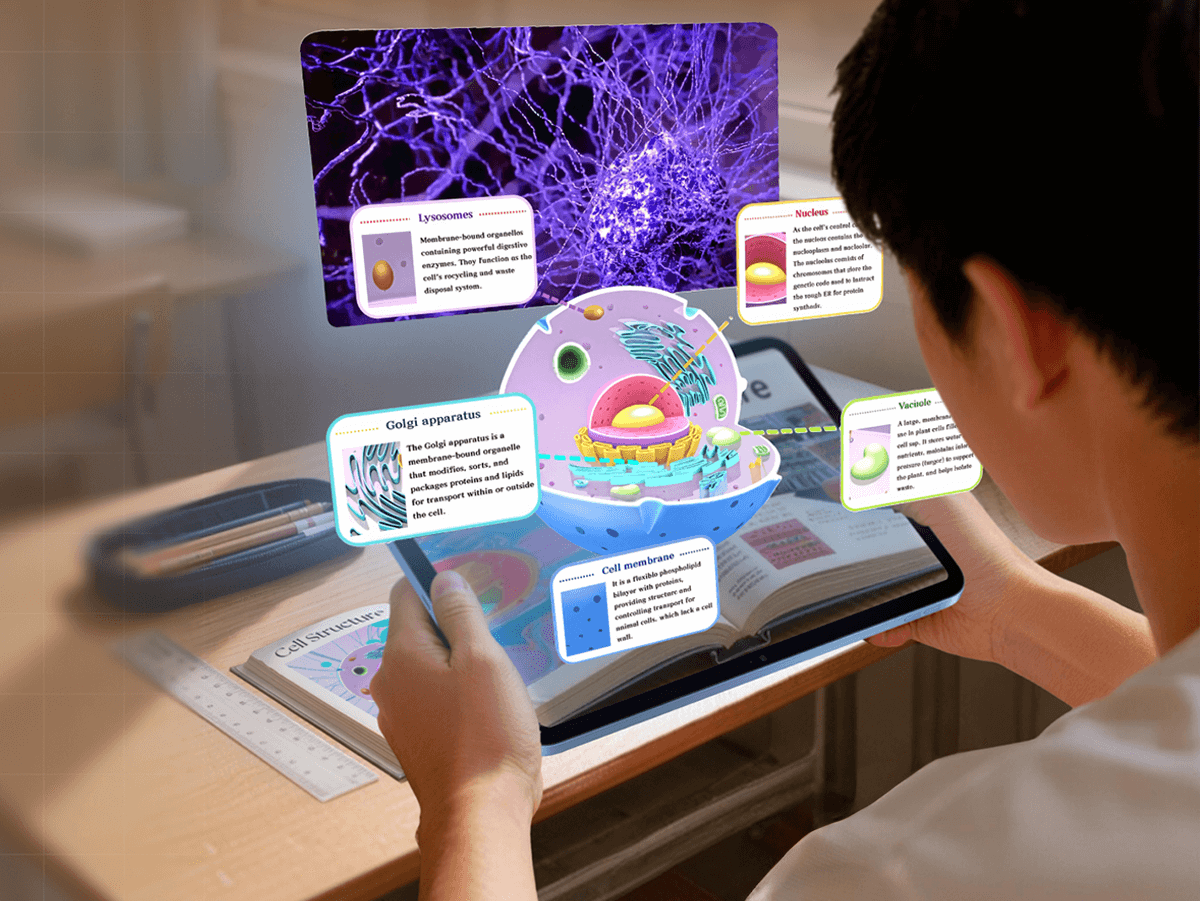
AR transforms education by turning abstract knowledge into visual, interactive and engaging content. Students move from passive listening to active exploration, helping them retain information more effectively and enjoy the learning process.
For example, AR learning cards can display 3D models of animal cells or human anatomy, letting students interact with and explore complex structures in real time.
AR enhanced storybooks such as The Little Prince can also build immersive scenes, making storytelling far more engaging for both children and educators.
Follow this tutorial to create your own AR storybook from scratch.
 summerqiu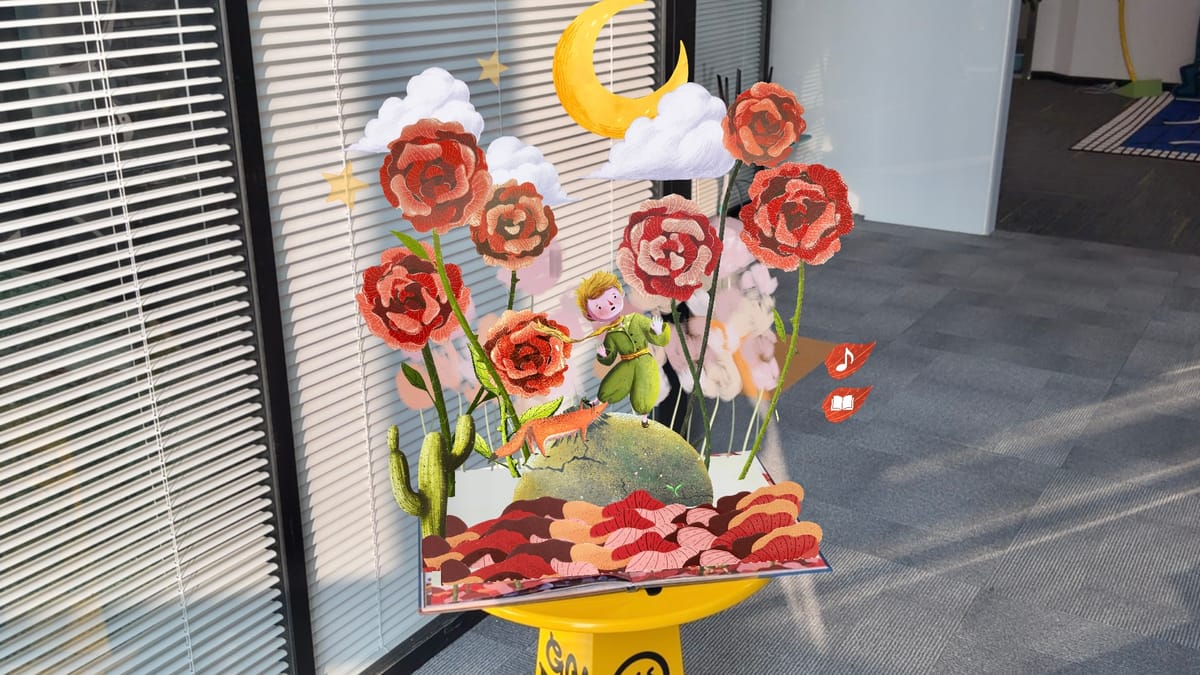
These tools make teaching more dynamic and help students grasp difficult concepts quickly and intuitively.
How to Build a WebAR Experience Without Coding (In 4 Simple Steps)
Building a WebAR experience with Kivicube is straightforward—no technical background needed. Here’s how to get started:
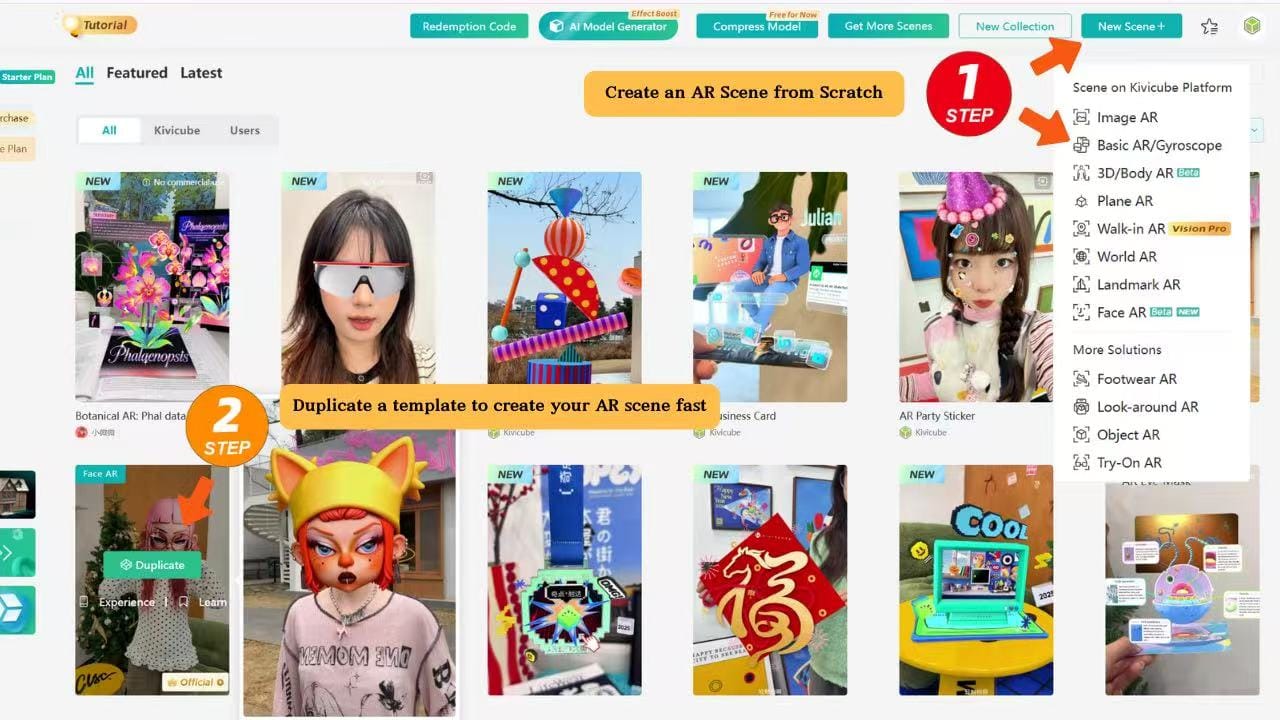
- Create Your AR Scene in Kivicube: Sign up for free, navigate to the drag-and-drop editor, and choose from our library of industry-specific templates (or start from scratch).
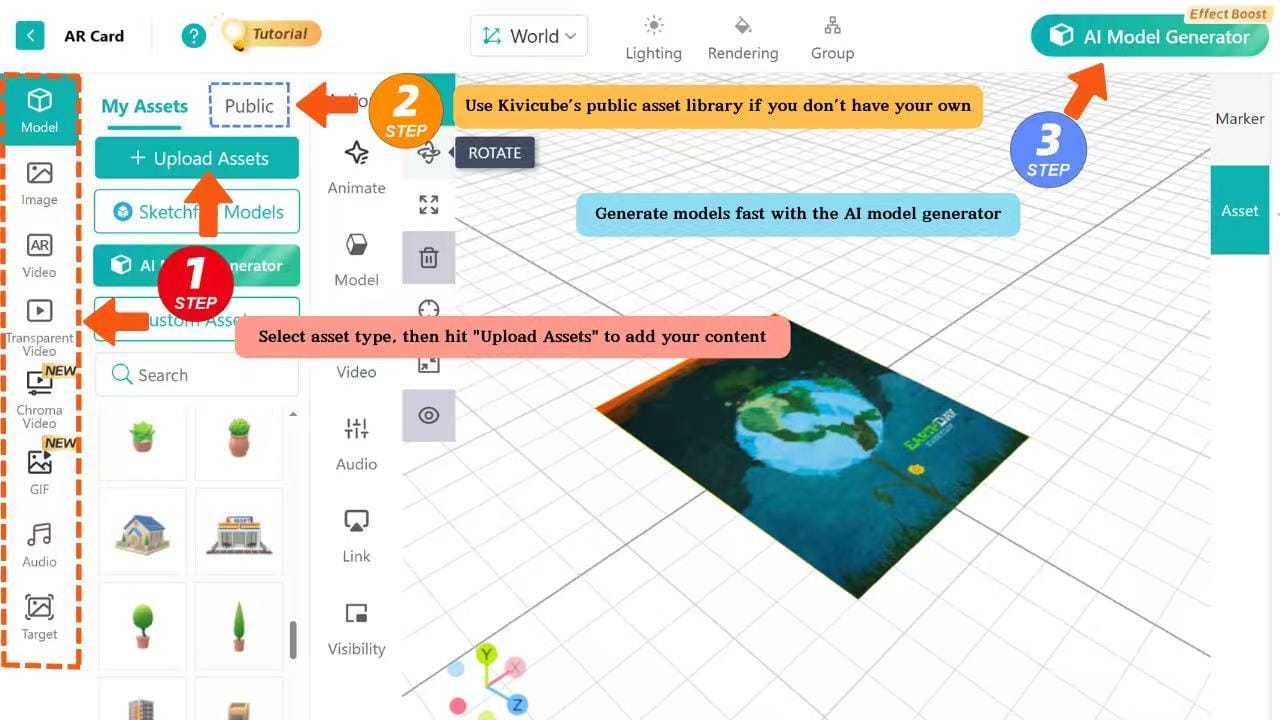
- Upload 2D or 3D Assets: Use your own images, videos, or 3D models, or pick from Kivicube’s built-in library of free commercial assets. If you don’t have 3D models, use our AI 3D generator to turn text prompts or reference images into high-quality models.
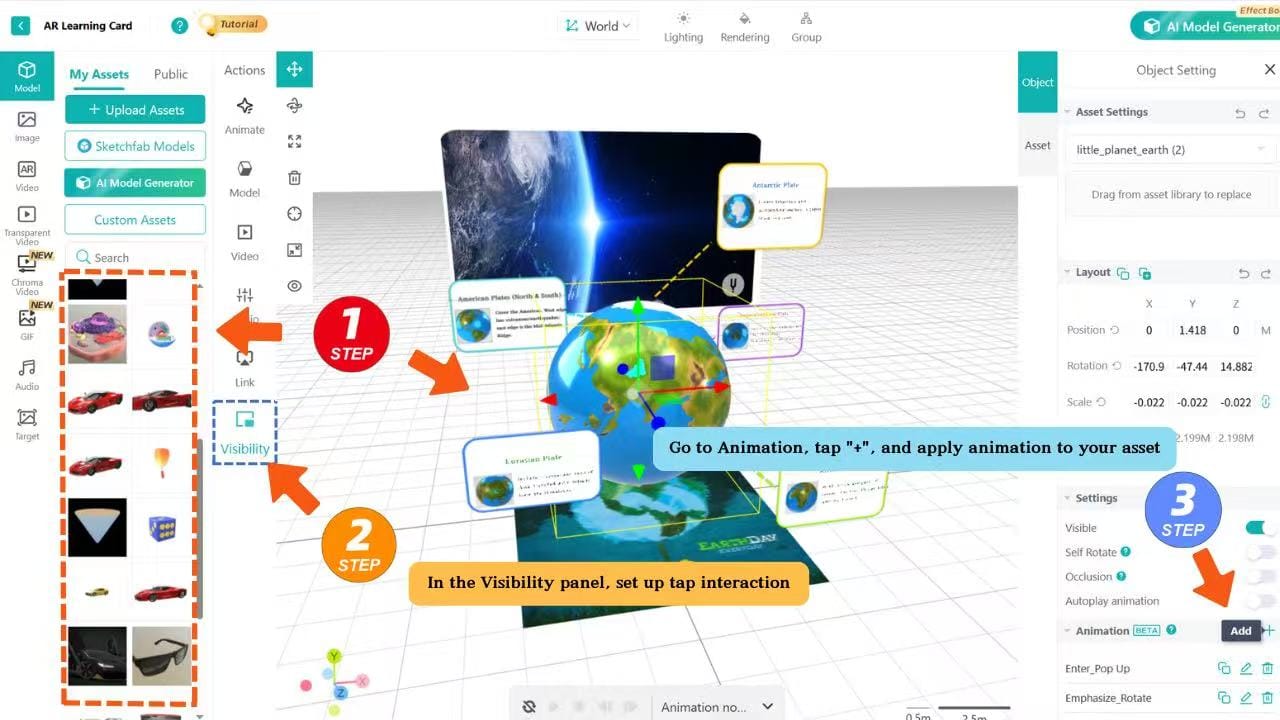
- Add Interactions and Animations: Drag and drop assets on the gird editor to create engaging experiences.
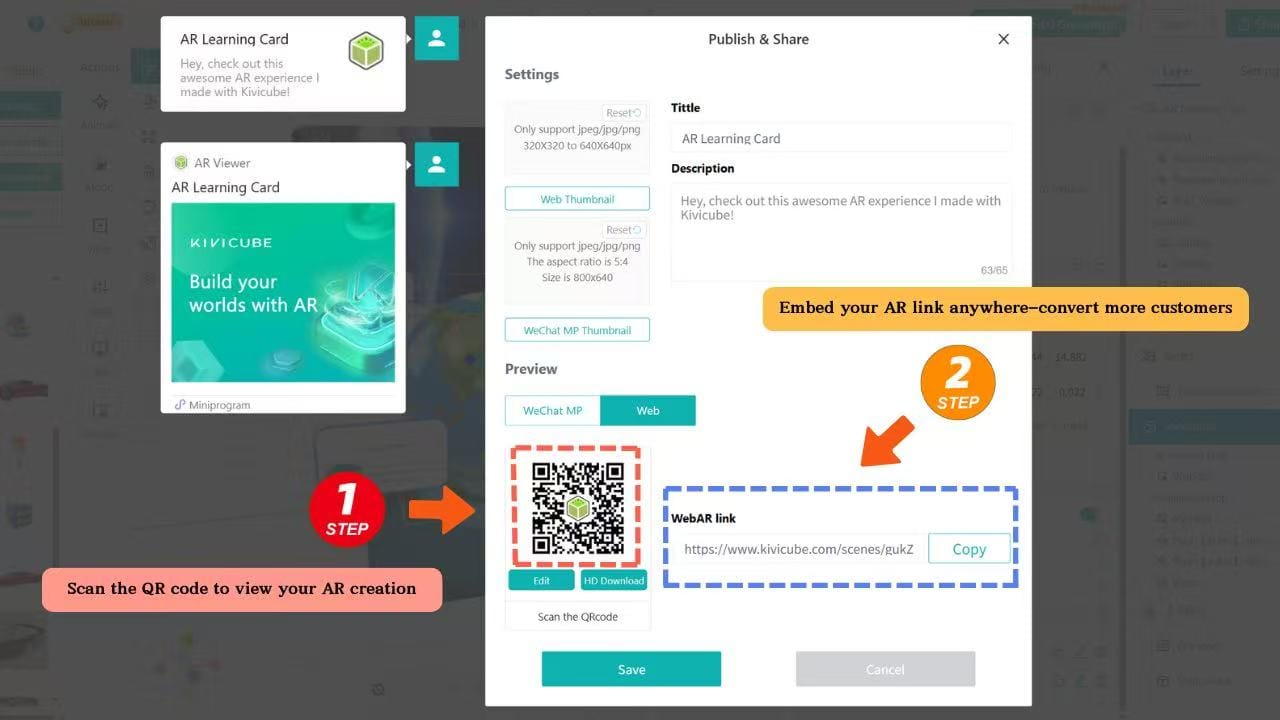
- Publish, Embed, and Track Performance: Publish your WebAR experience with one click, generate an AR code or embed code for your website/social media, and use Kivicube’s analytics tools to track views, engagement, and conversion metrics.
Why Kivicube Is a Scalable No-Code WebAR Platform (For Every Business)
Unlike other WebAR tools that require technical expertise or expensive design teams, Kivicube is built for business users, marketers, educators, and small teams—making WebAR accessible to everyone.
Kivicube WebAR Platform: Capabilities Overview
Here’s what sets us apart:
- Drag-and-Drop AR Scene Editor: No coding, no complex workflows. Our visual editor lets you build interactive WebAR experiences in minutes, even if you’ve never worked with AR before.
- Rich AR Capabilities: Kivicube supports image tracking, body tracking, plane tracking, face tracking, object tracking, and more.These versatile WebAR capabilities make it suitable for a wide range of commercial and industrial use cases.
- High efficiency AR Templates: Skip the setup and start with ready-made templates for business cards, brochures, ecommerce virtual try-on, packaging, and education. Each template is optimized for AR product visualization and conversion.
- Built-In Asset Library and AI 3D Generation: Never worry about missing 3D models or design resources again. Kivicube’s free asset library has thousands of 2D/3D assets, and our AI 3D generator turns text prompts into usable models.
- Seamless Embedding and Integration: Generate a link, AR code, or embed code with one click to add your WebAR experience to your website, ecommerce store, social media, or marketing materials.
- Analytics and Performance Tracking: Measure the impact of your WebAR campaigns with built-in analytics. Track views, engagement time, click-through rates, and conversion metrics.
FAQ
Q: Do I need coding experience to use Kivicube?
A: No coding is required at all. Kivicube is a visual, drag-and-drop WebAR platform built for business users and marketers. We also provide industry-specific templates—just duplicate, replace assets, and publish your AR code or WebAR experience in minutes.
Q: Is Kivicube free to use?
A: Yes! Kivicube offers free registration. The free plan supports 2 AR scenes and up to 5,000 AR views—more than enough for testing your first WebAR campaign.
Q: How do I embed my WebAR experience into my website or online store?
A: With one click. Kivicube generates a link, AR code, or embed code that you can add to your website, landing page, social media, or ecommerce store instantly.
Q: Where can I get help if I run into issues?
A: You can join our official Discord community. Our team and active creators will help you solve problems, answer questions, and share tips to maximize AR customer engagement and conversion.
Conclusion
WebAR is no longer futuristic technology—it’s a practical, high-conversion tool for every industry.
From business cards and brochures to ecommerce, packaging, and education, WebAR helps you engage customers, reduce purchase friction, and turn every touchpoint into a conversion opportunity.
And with Kivicube—a full-featured, no-code WebAR platform—you can launch your first AR experience in minutes, no technical team required.
Start building your first WebAR scene today!