
The New Canvas: Why Augmented Reality Art is the Future of Creativity
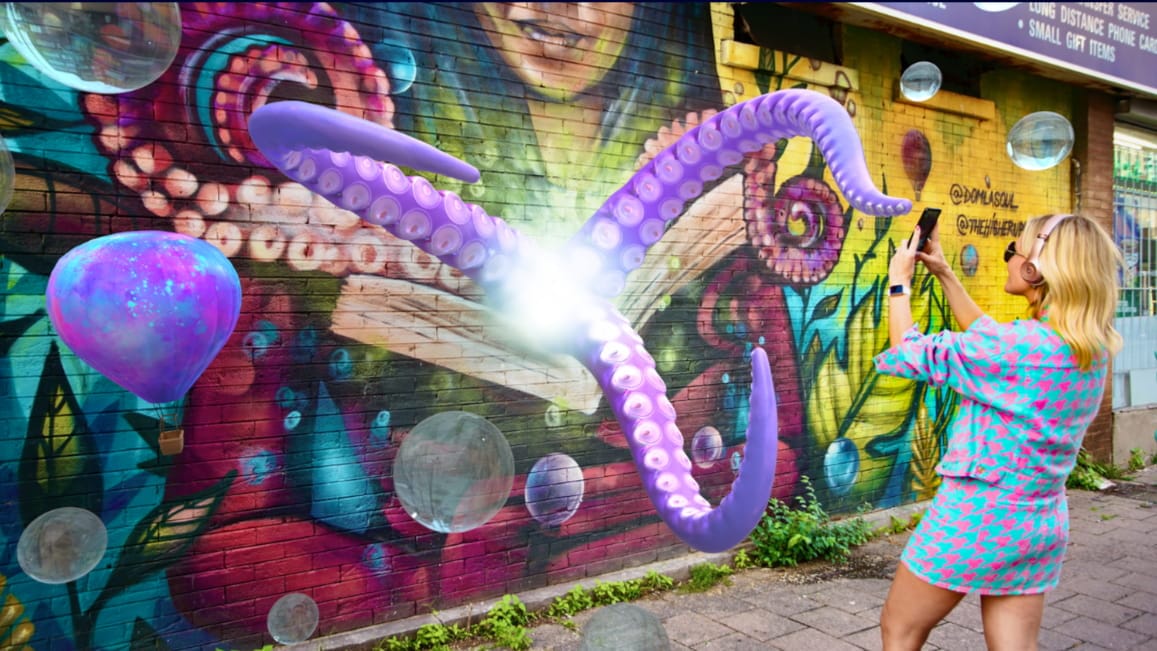
Art has always evolved right alongside technology—and these days, Augmented Reality Art is leading that charge. According to recent research from the Korean Institute of Humanities and Social Sciences (KIHSS), AR art isn’t just a cool visual trick—it actually boosts audience engagement, satisfaction, and even “revisit willingness” in a way traditional art often can’t.
By overlaying vivid digital elements onto the physical world, AR blends the virtual and the real seamlessly. It turns what used to be a static, one-sided viewing experience into something immersive—something you can interact with, not just look at.
In this guide, I’m breaking down real-world AR art use cases that actually work, plus showing you how to bring your own art to life using a no-code augmented reality tool like Kivicube (no tech skills required, I promise).
Popular Use Cases for Augmented Reality Art
1. Augmented Reality Drawing & Sketches
The most straightforward form of AR art is augmented reality drawing. It cuts through the limits of paper and canvas, letting you create 3D sketches and floating illustrations that move and respond when the viewer gets close. For traditional artists looking to add a digital twist to their work? This is the perfect bridge—no fancy software needed.
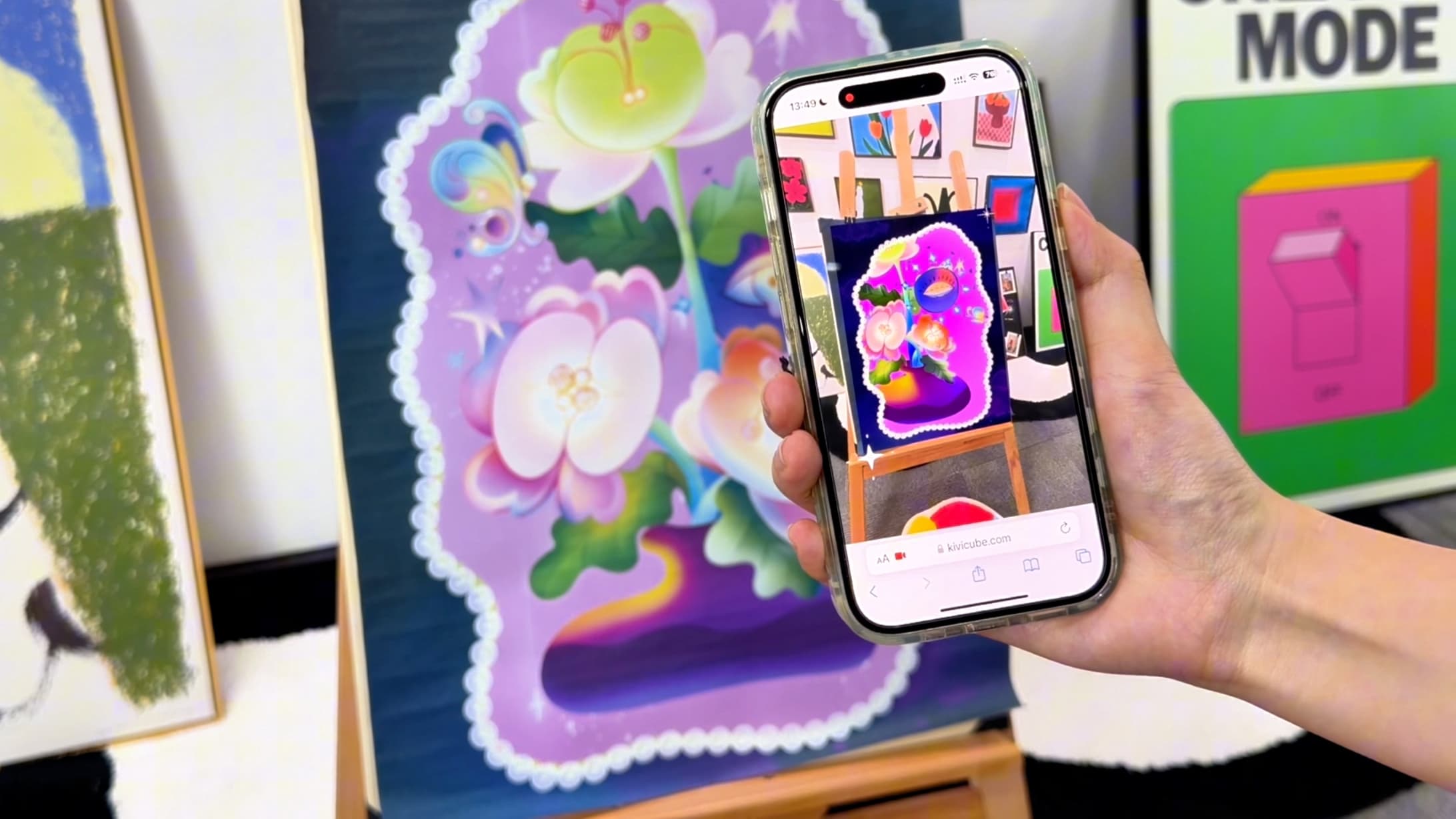
Watch this step-by-step tutorial on creating AR drawings without code:
 summerqiu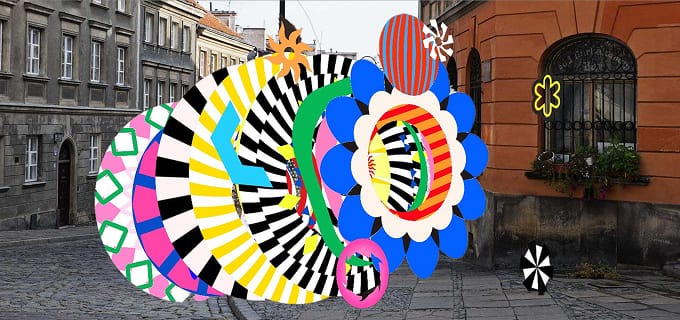
2. Interactive AR Installations
An AR installation smashes the spatial limits of a typical gallery. Instead of standing back and staring at art from a distance, the audience steps right into it. Digital overlays turn plain physical rooms into multi-dimensional scenes—where the viewer’s movement triggers new visual layers, making every experience unique.
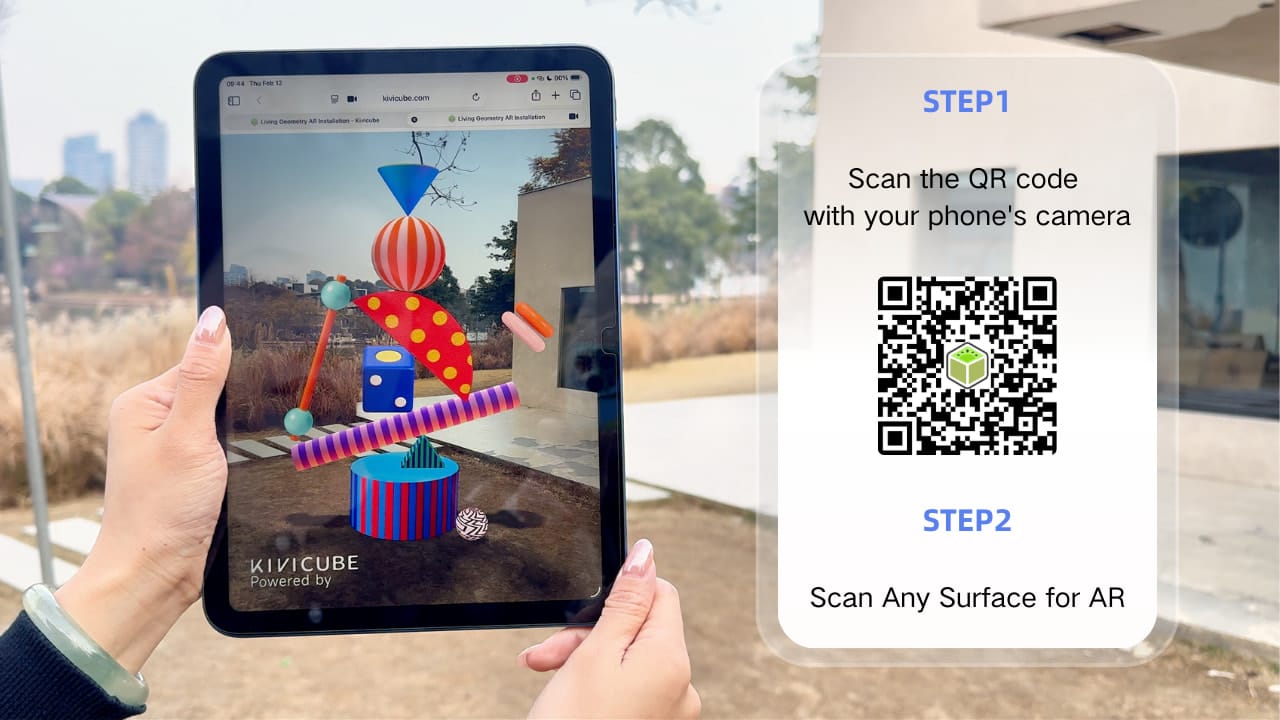
Learn how to build your own immersive AR installation here:
 Leonie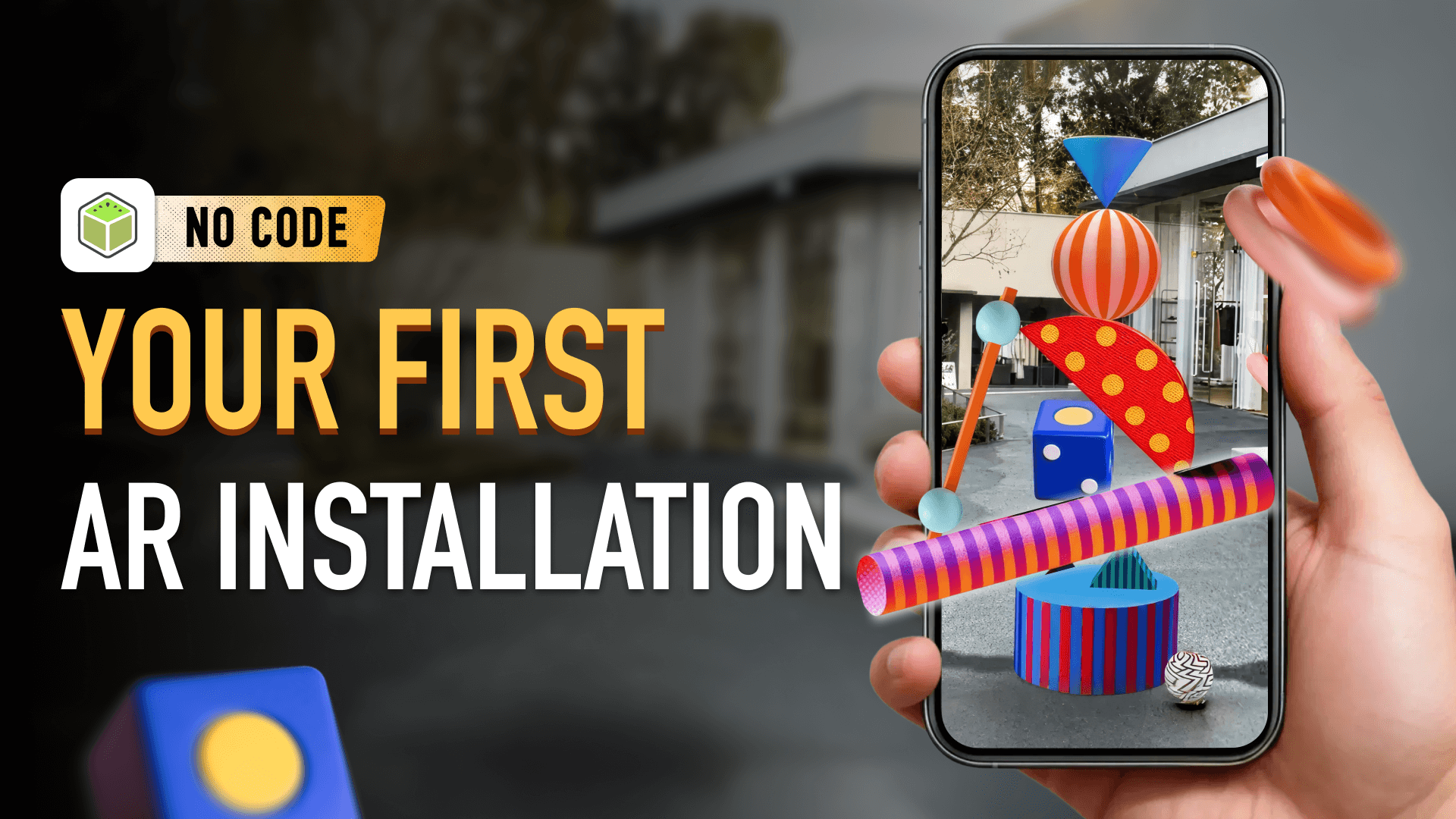
3. Augmented Reality Postcards & Prints
For independent artists, the AR postcard is a total game-changer. Take a standard printed card, add a dash of digital interactivity, and suddenly you’re not just selling a souvenir—you’re giving people a portable art gallery.
Scan the card, and it unlocks floating animations, personalized audio, or even hidden details about your work.
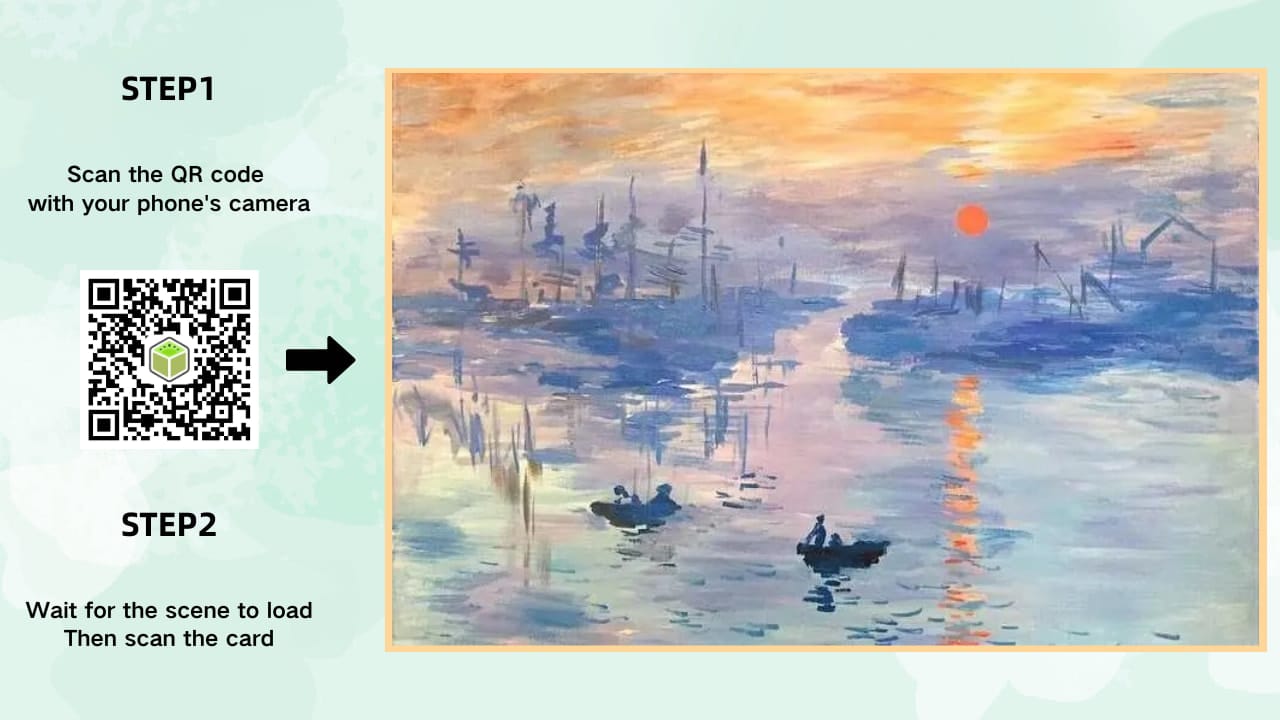
If you want to learn how to create AR postcards, you can find a detailed guide here:
 Leonie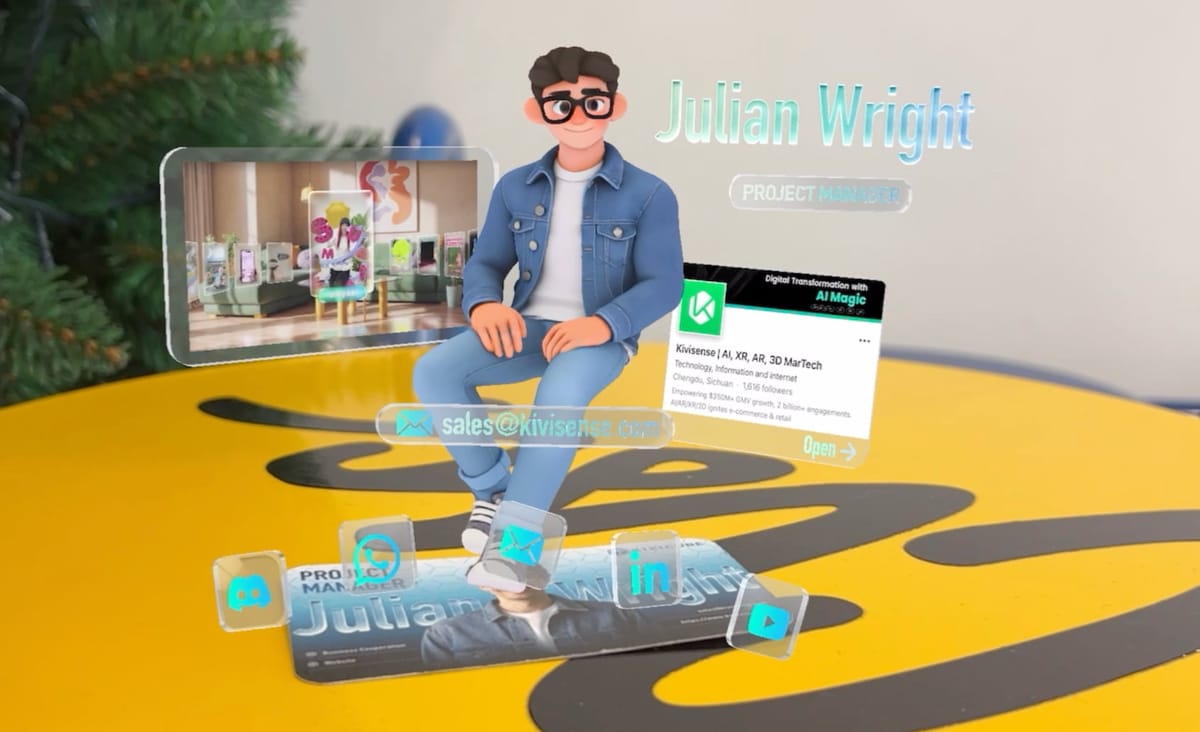
4. AR Filters & Digital Fashion
AR filters are a fun, unique branch of AR art—they use the human body as your canvas. Think virtual face art that pops, 3D couture that moves with the wearer, or even subtle overlays that turn a simple photo into a piece of art.
The best part? Your audience gets to “wear” your work and share it with their network—free exposure for you.
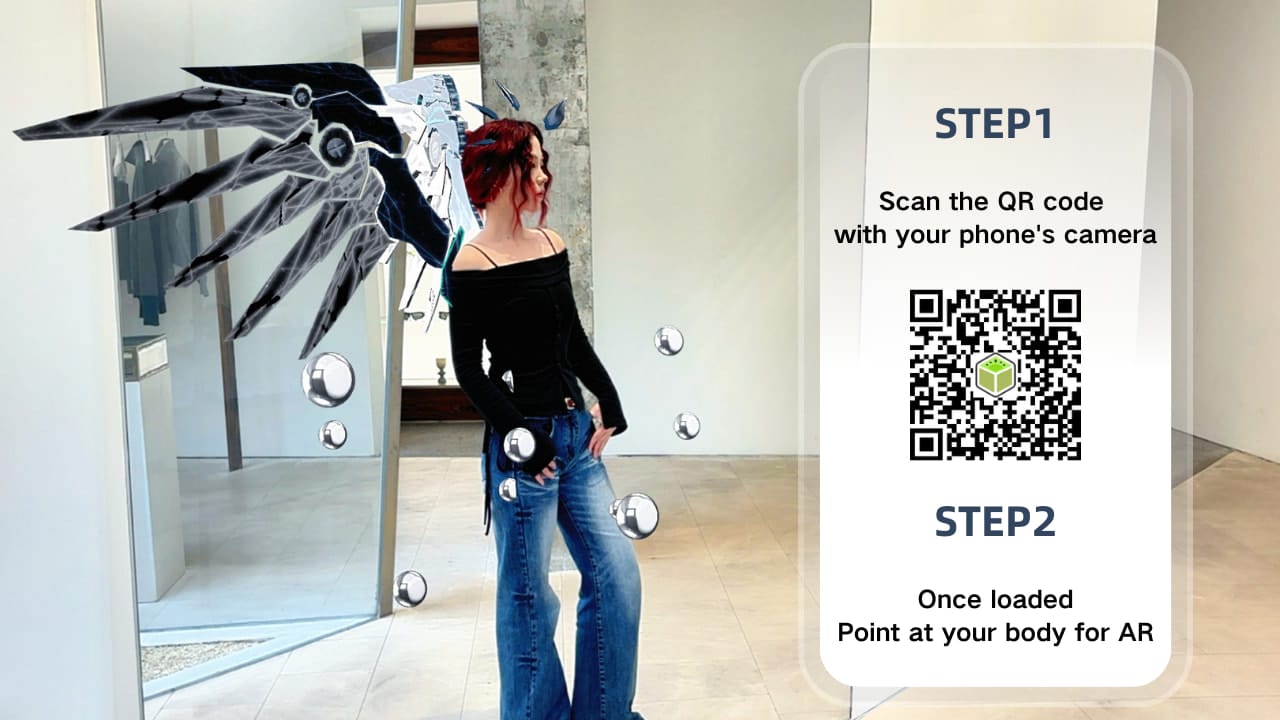
If you’re new to AR and want to make your own AR filter from scratch, check out our detailed, no-code tutorial to get started effortlessly.
 Leonie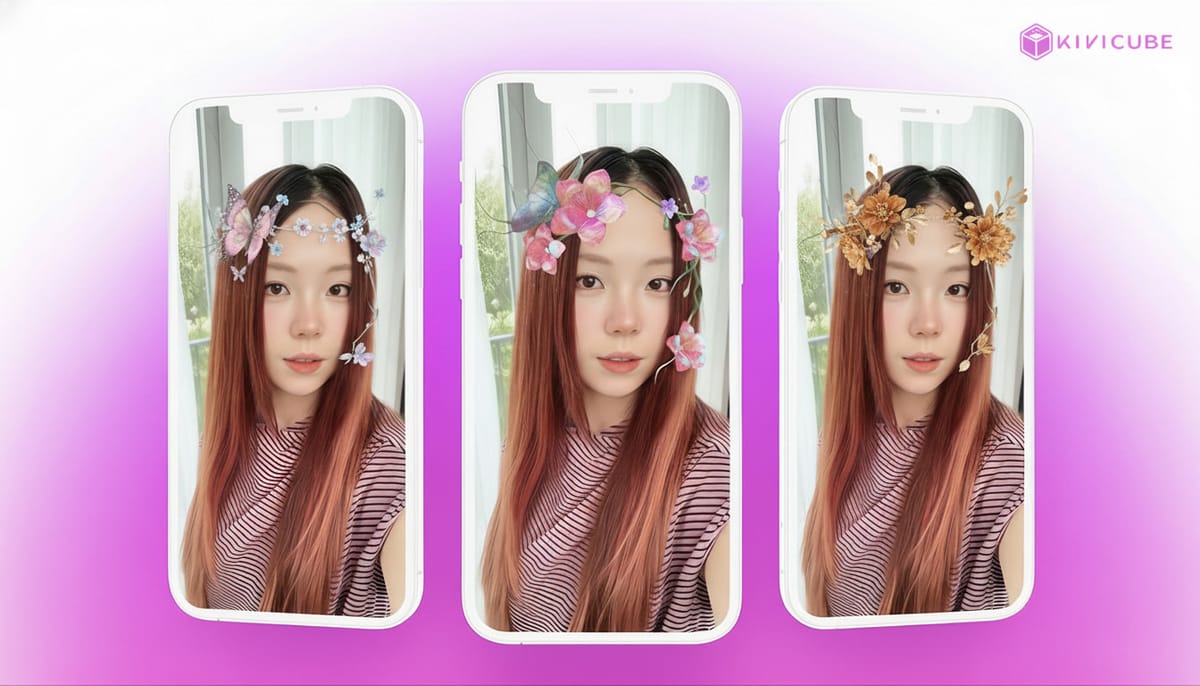
Choosing the Right Augmented Reality Tool
If you’re ready to dive into AR art but don’t have any coding skills, you need a tool that’s powerful but simple. That’s why I recommend Kivicube as your go-to augmented reality tool.
A Video to Explore Kivicube’s Augmented Reality Tool Features
Here’s why it’s perfect for artists like you:
- No-Code Editor: It’s all visual, drag-and-drop—so creating AR is as easy as putting together a slide deck. No coding, no stress.
- WebAR Native: No app downloads for your audience. They just scan a QR code or click a link in their browser, and boom—they see your art come to life.
- Massive Template Library: Skip the blank canvas struggle. Use professional, art-focused templates (perfect for fashion too) and just swap in your own assets.
- All-in-One AI Studio: Kivicube has built-in AI model generation and video processing, so you can go from a rough idea to a 3D AR piece in one place—no jumping between tools.
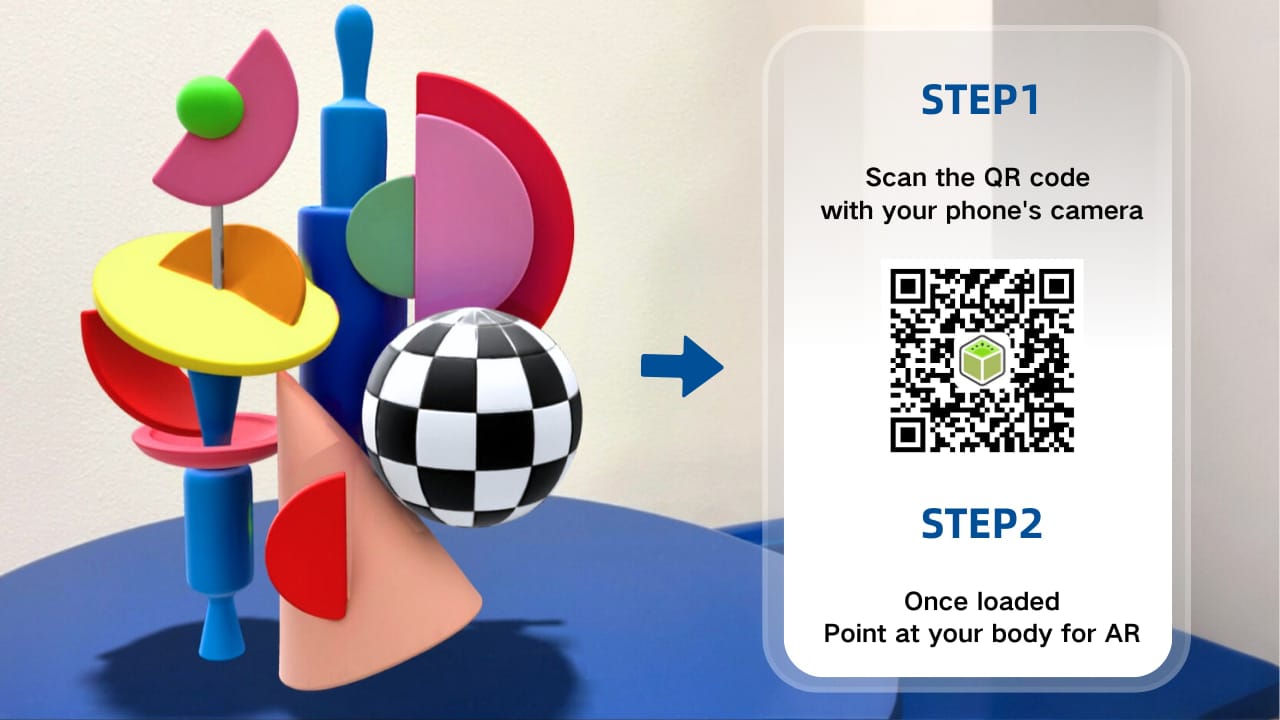
Quick Start: Create Your First AR Artwork in 5 Steps
Ready to stop overthinking and start creating? This beginner-friendly workflow will have your first WebAR experience live in minutes:
- Sign in to Kivicube: Create your free account—takes 2 seconds, no credit card needed.
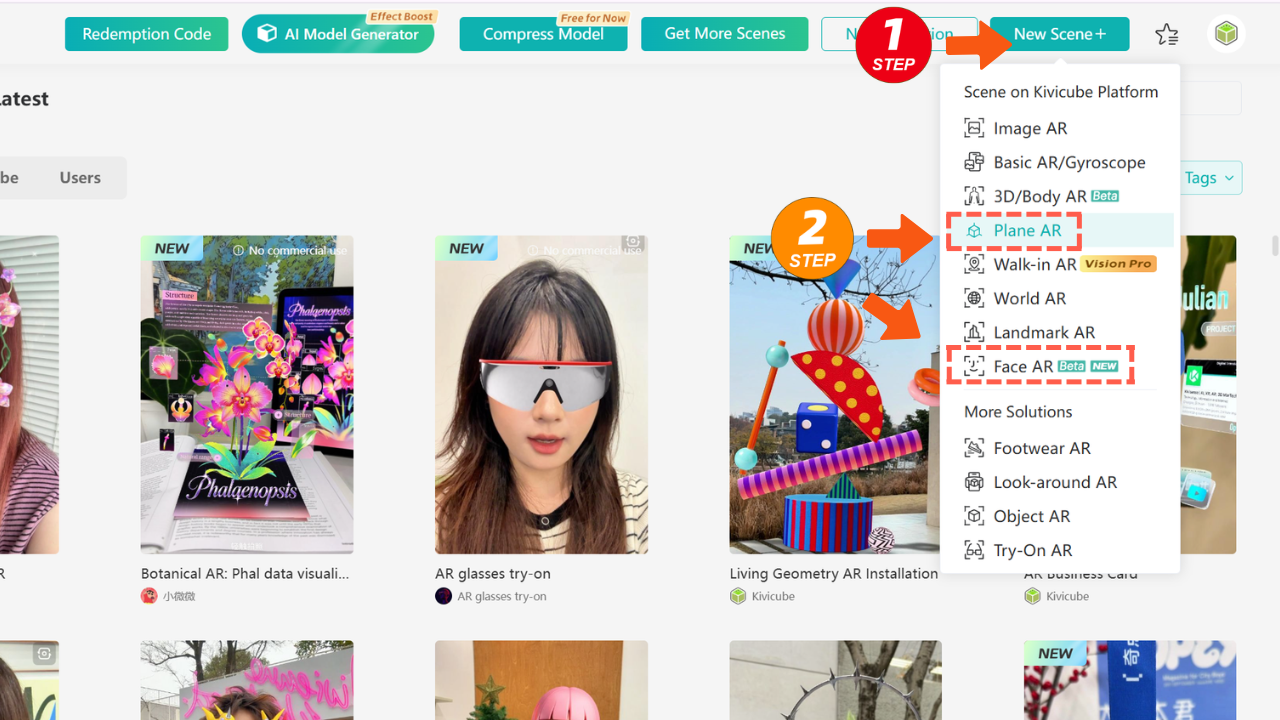
- Start a New Scene: Pick either Plane AR (for prints, postcards, installations) or Face AR (for filters)—super straightforward.
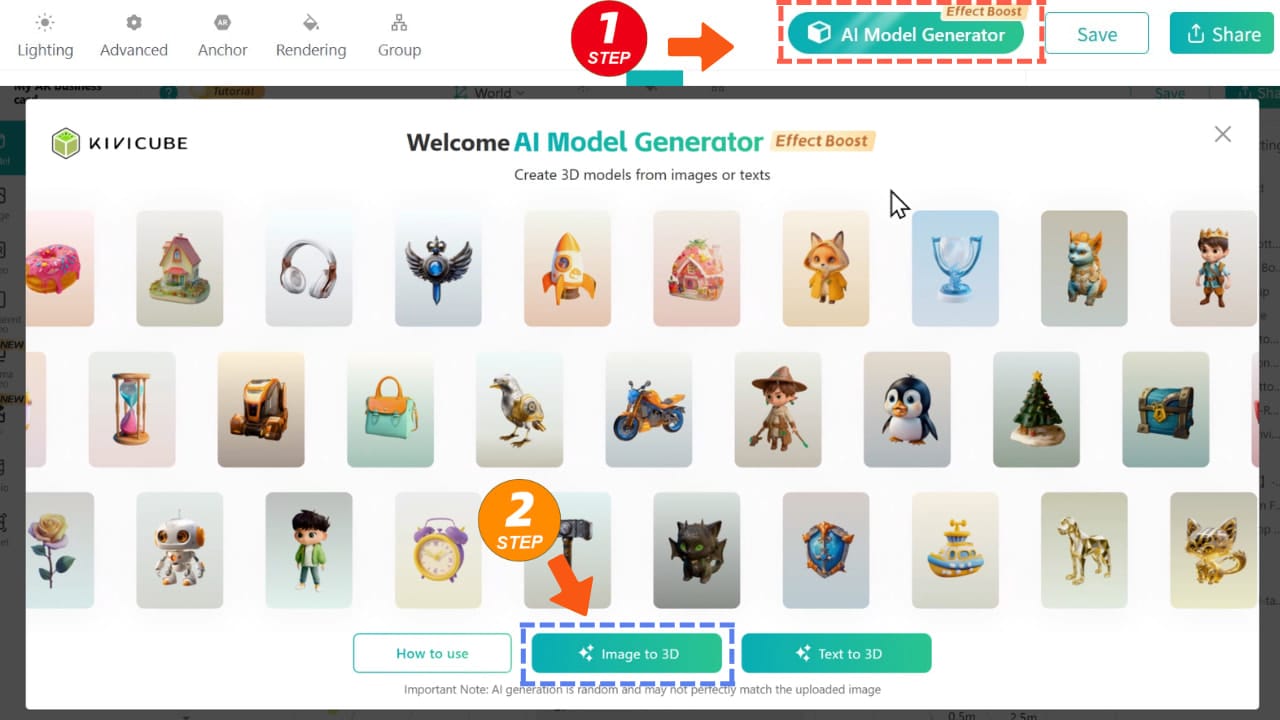
- Image/Text to 3D: Simply enter the AI Model Generator, upload your product images or enter text prompts, and wait for the model to generate.
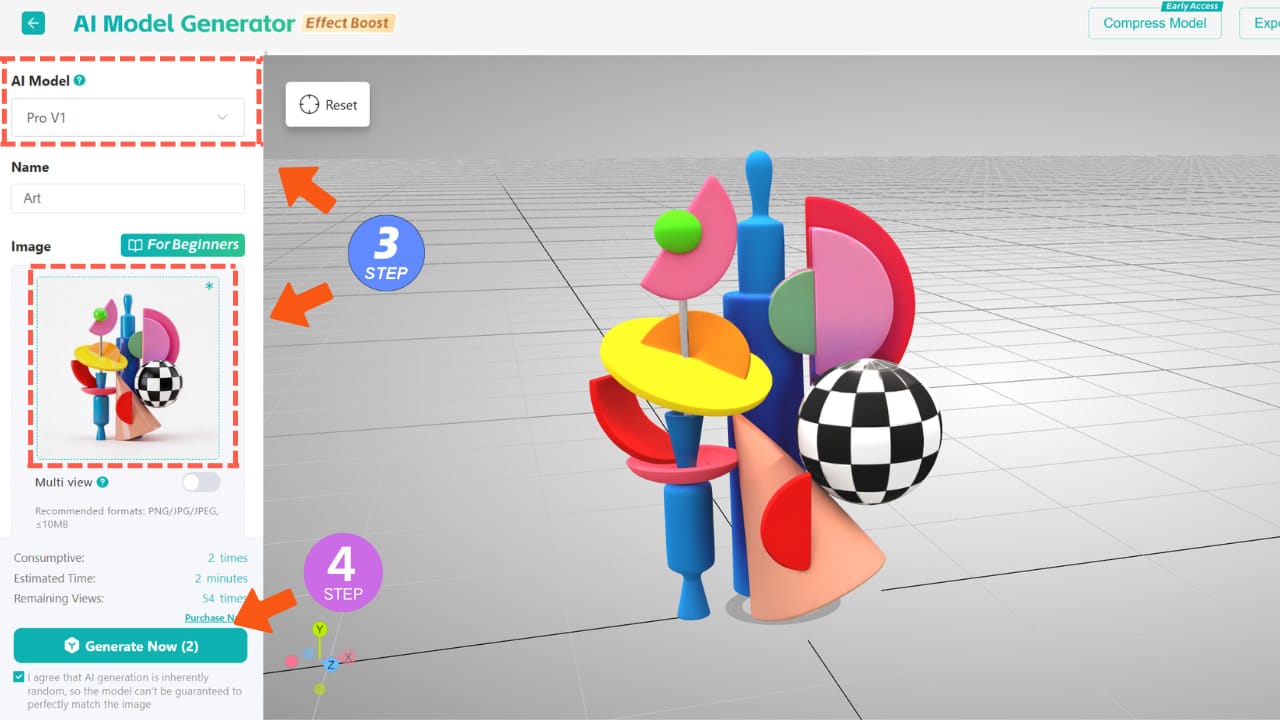
- Upload Your Assets: Drag and drop your drawings, videos, or 3D models—whatever you want to turn into AR.
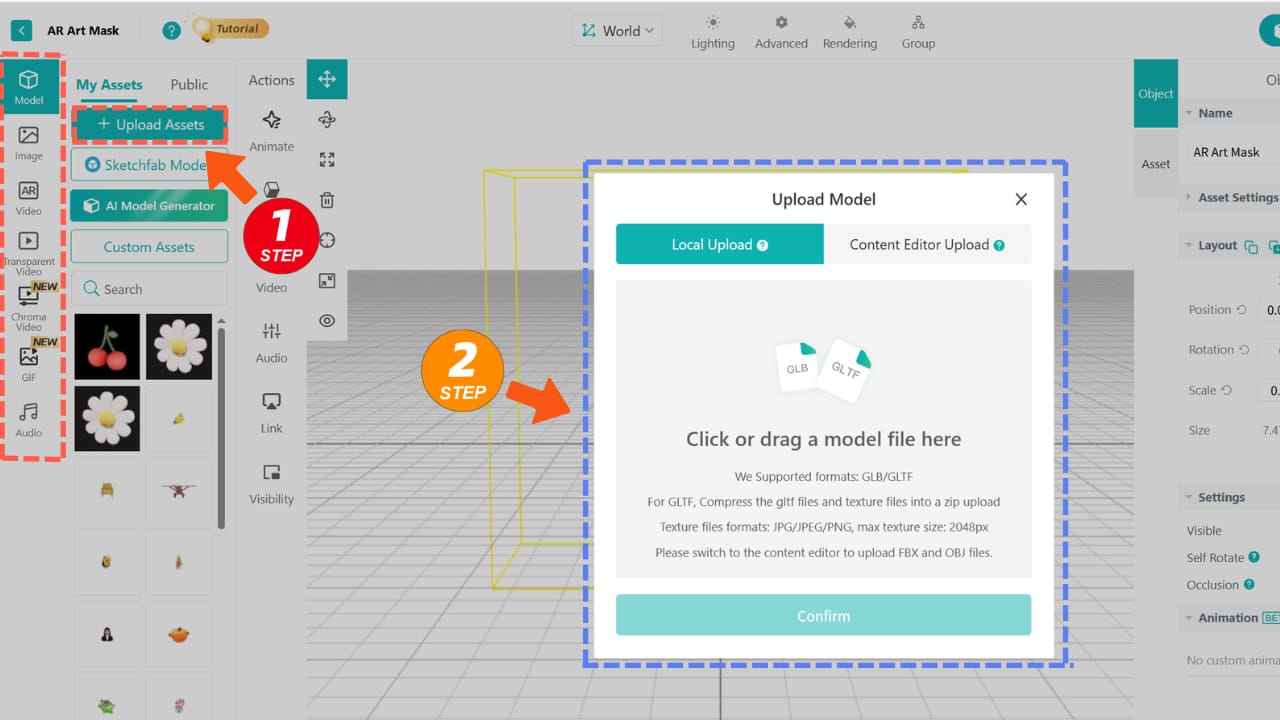
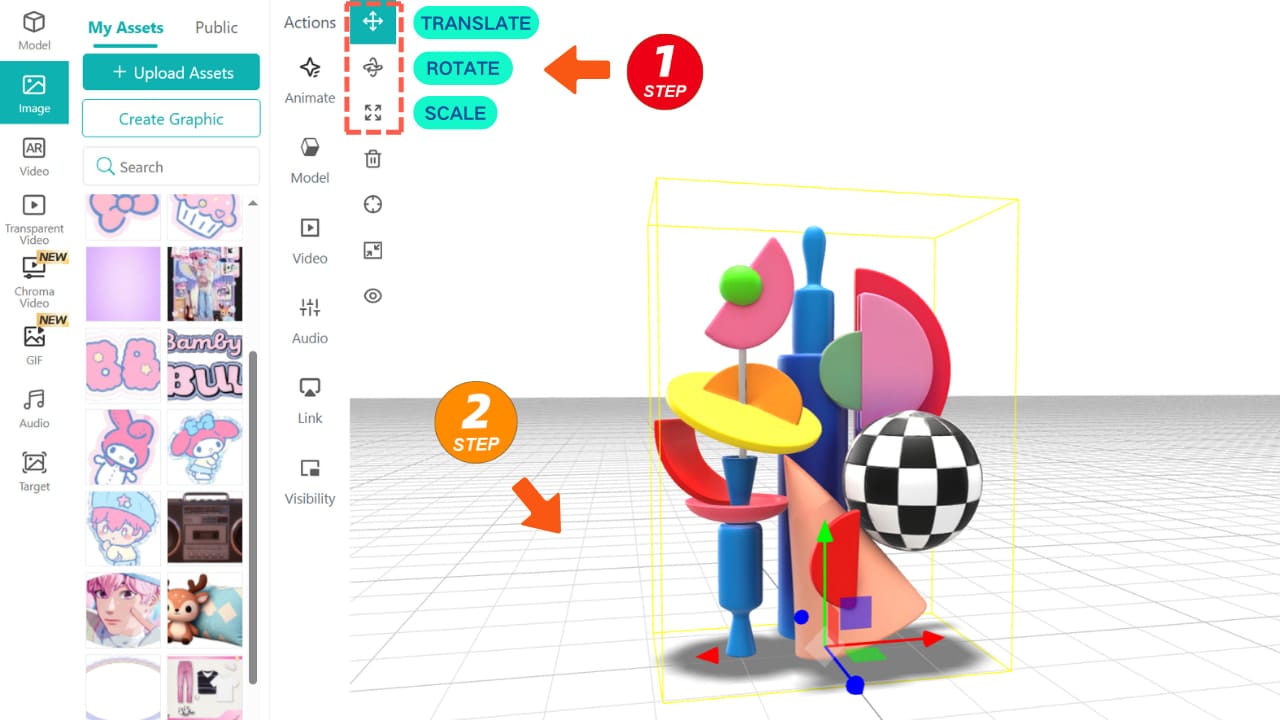
- Refine the Layout: Use the simple transform tools to scale, position, and tweak your art in 3D space—no guesswork.
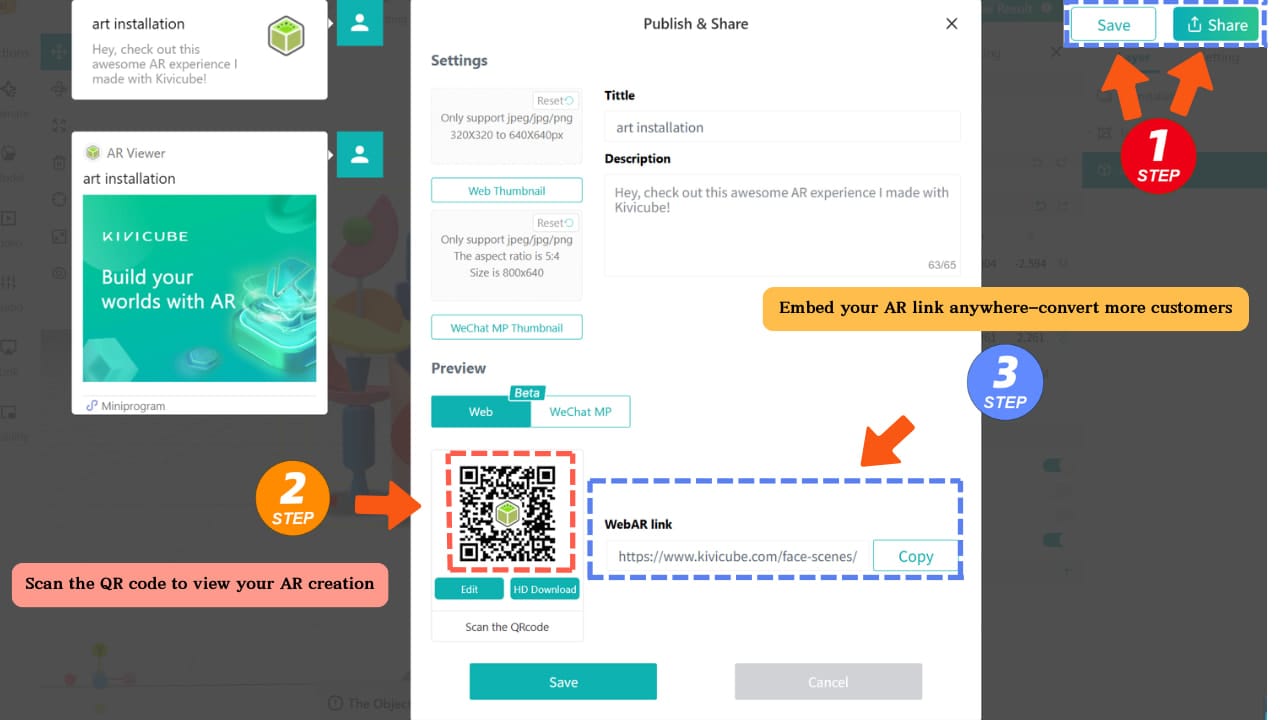
- Publish & Share: Hit save, generate your WebAR link or QR code, and share it with your audience.
Don’t let technical barriers hold back your vision. Whether you’re messing around with an AR poster or building a full-scale digital installation, Kivicube takes the tech stress out of the equation—so you can focus on what matters: your art.
Start creating your first Augmented Reality art today!