The Ultimate Guide to Augmented Reality Cards: Use Cases & How to Make Them
Static cards are a thing of the past—today, Augmented Reality Cards (AR cards) are transforming how we interact with physical print, blending the real world with digital content to create engaging, memorable experiences.
Whether for business, entertainment, education, or art, AR cards are becoming increasingly accessible, and their popularity is skyrocketing as brands and individuals alike discover their potential.
What Are Augmented Reality Cards?
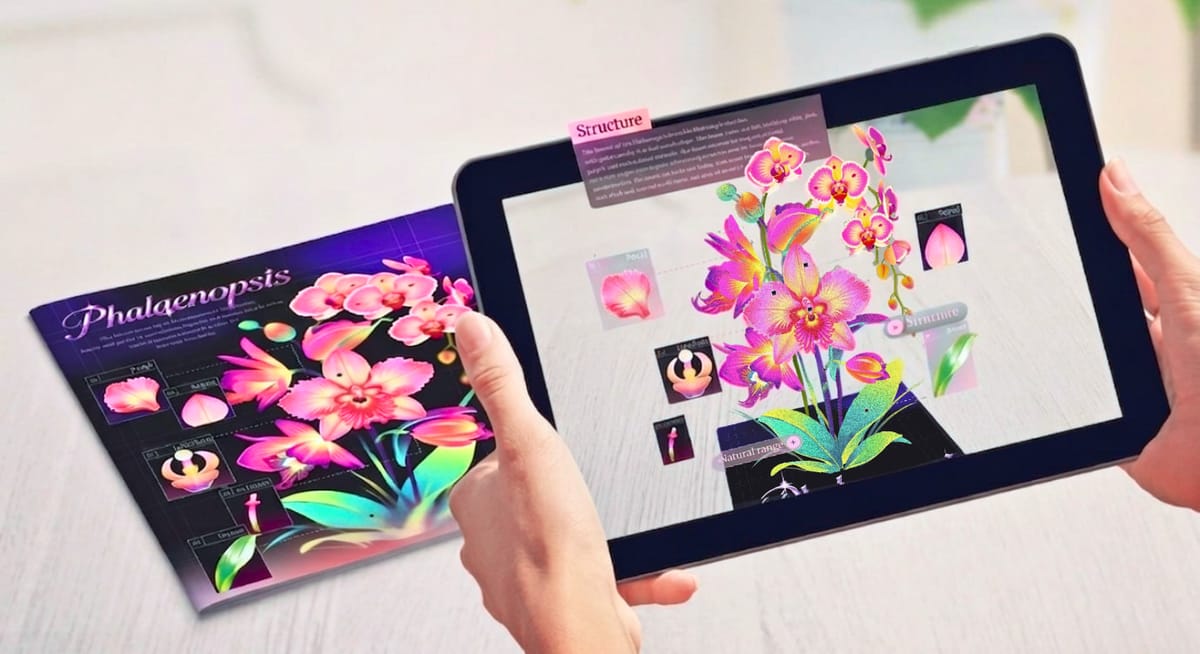
Augmented reality cards are physical cards powered by AR technology. When scanned with a phone or tablet, they overlay digital content onto the physical card, turning flat, static designs into interactive experiences.
This blend of physical and digital makes them far more engaging than traditional print.This growing popularity is reflected in the booming AR market, which includes AR cards: Global Growth Insights reports the market is projected to reach USD 115.82 billion in 2026 and surge to nearly USD 2125.79 billion by 2035.
New to AR? Learn more about how it works with this guide.
 Leonie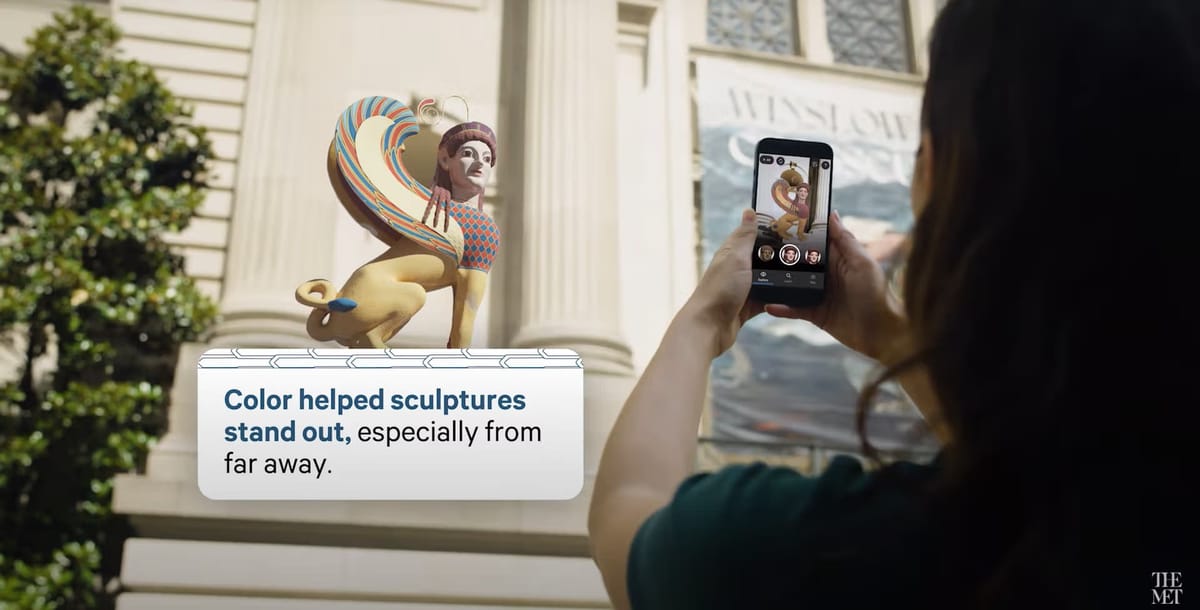
8 Common & Innovative Use Cases for Augmented Reality Cards
Augmented Reality Cards are incredibly versatile—they’re not just for business cards or postcards.
Below, we’ve rounded up 8 of the most popular and cutting-edge use cases currently available, spanning industries and personal use, to show you just how flexible AR cards can be.
1. AR Business Cards
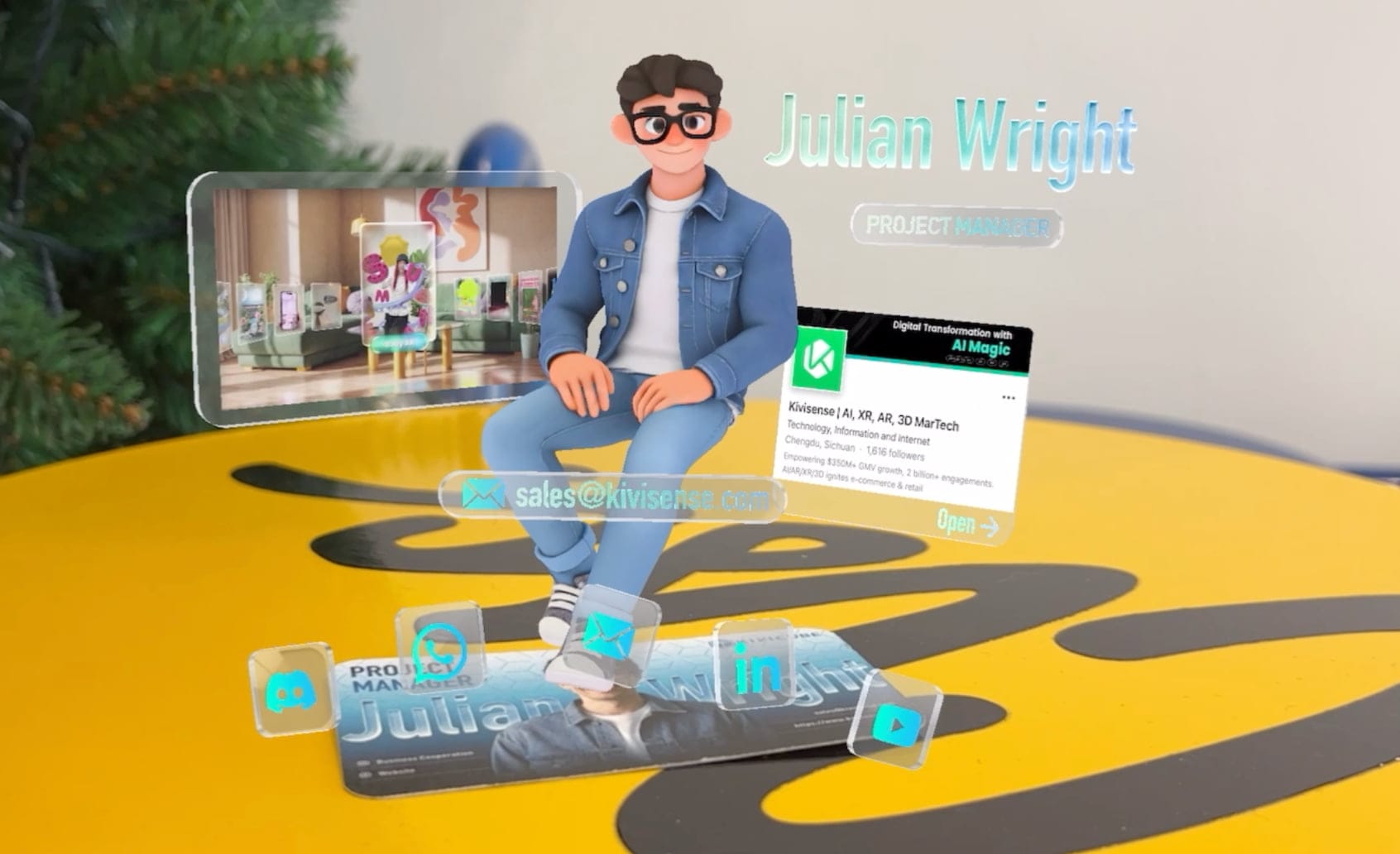
In a world where first impressions matter, AR business cards are a game-changer for professionals and brands. Unlike traditional business cards that only display static contact info, AR business cards let you showcase your brand story, services, and personality in a dynamic way.
When a client scans your card, they can instantly view a short company intro video, explore your portfolio, connect directly to your social media accounts, or even add your contact to WhatsApp with one tap.
This not only makes your card unforgettable but also fosters closer, more meaningful connections with potential clients or partners.You don’t need any technical skills to create one, either.
If you’re curious about how to make an AR business card from scratch without coding, check out this beginner-friendly tutorial.
 summerqiu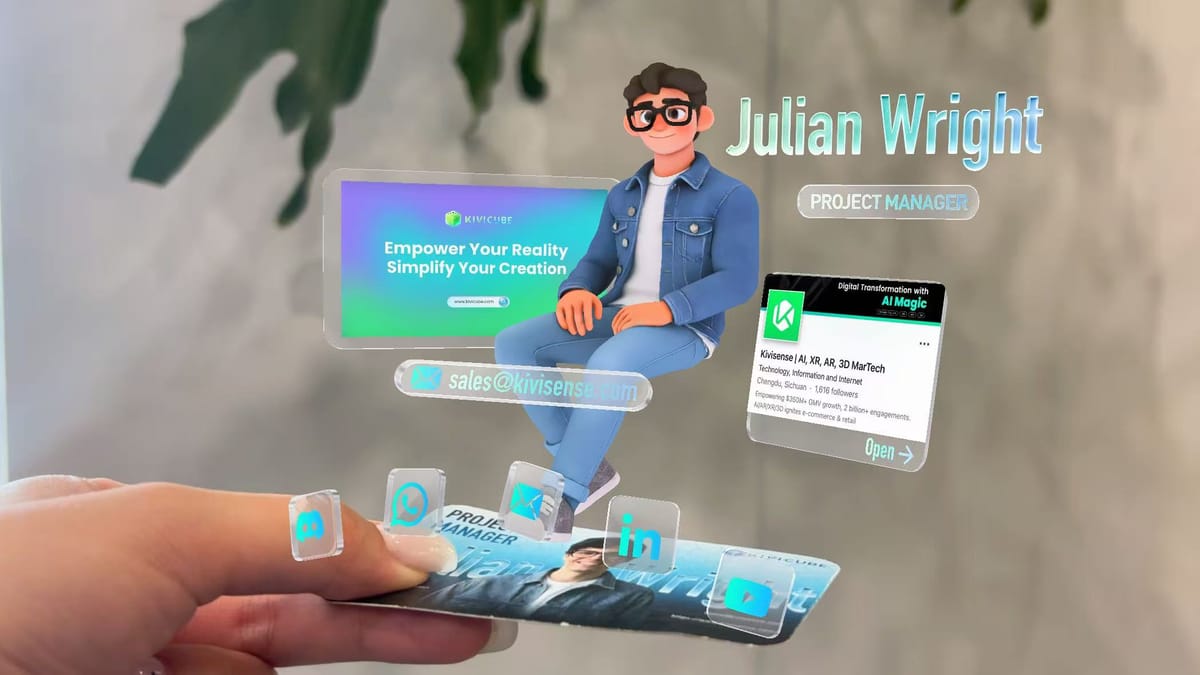
2. Augmented Reality Photo Cards
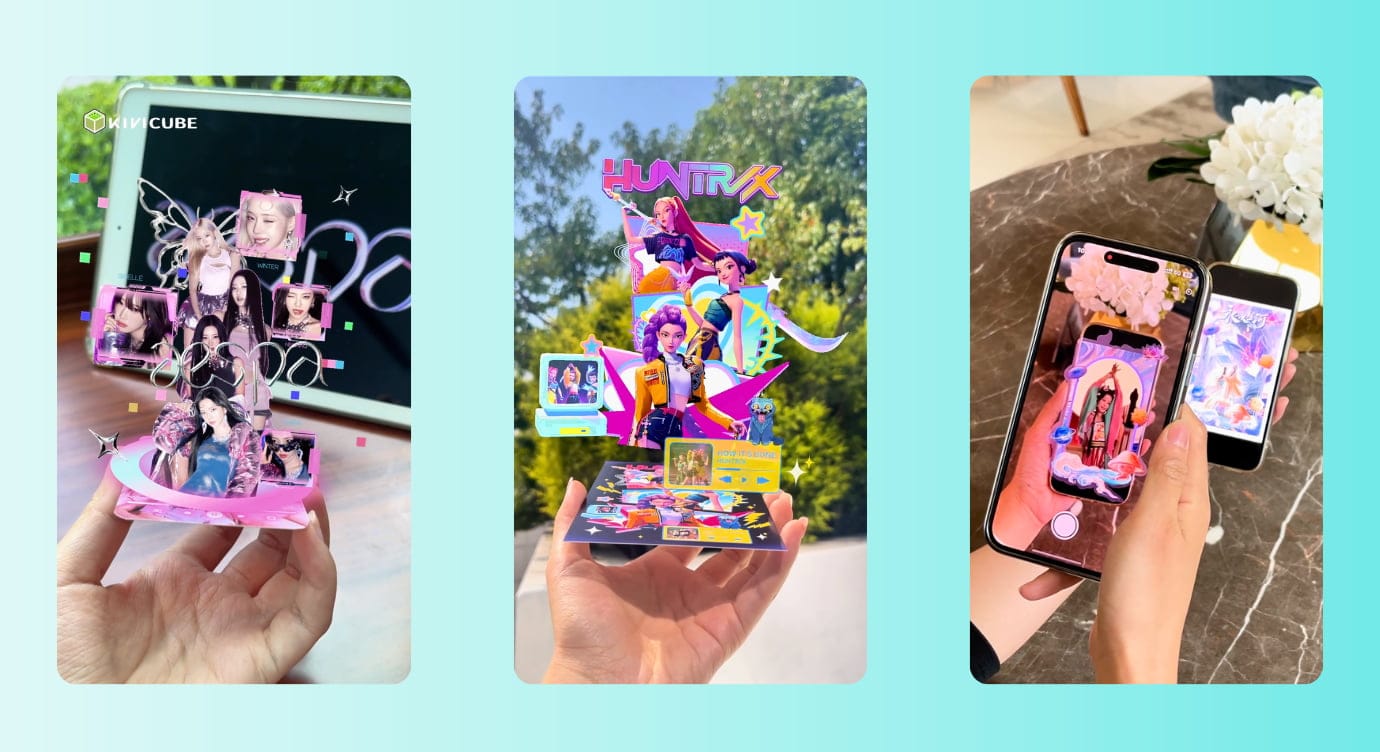
The fan culture, especially in K-pop and anime communities, has fully embraced Augmented Reality Cards as a way to deepen fan engagement.
AR photo cards take traditional collectible cards to the next level: when scanned, fans can see their favorite characters “come to life”, play character-specific audio clips, or even unlock exclusive behind-the-scenes content.
This bridges the gap between fans and their favorite IPs, turning a simple collectible into an interactive experience that drives excitement and loyalty.
3. AR Invitation Cards
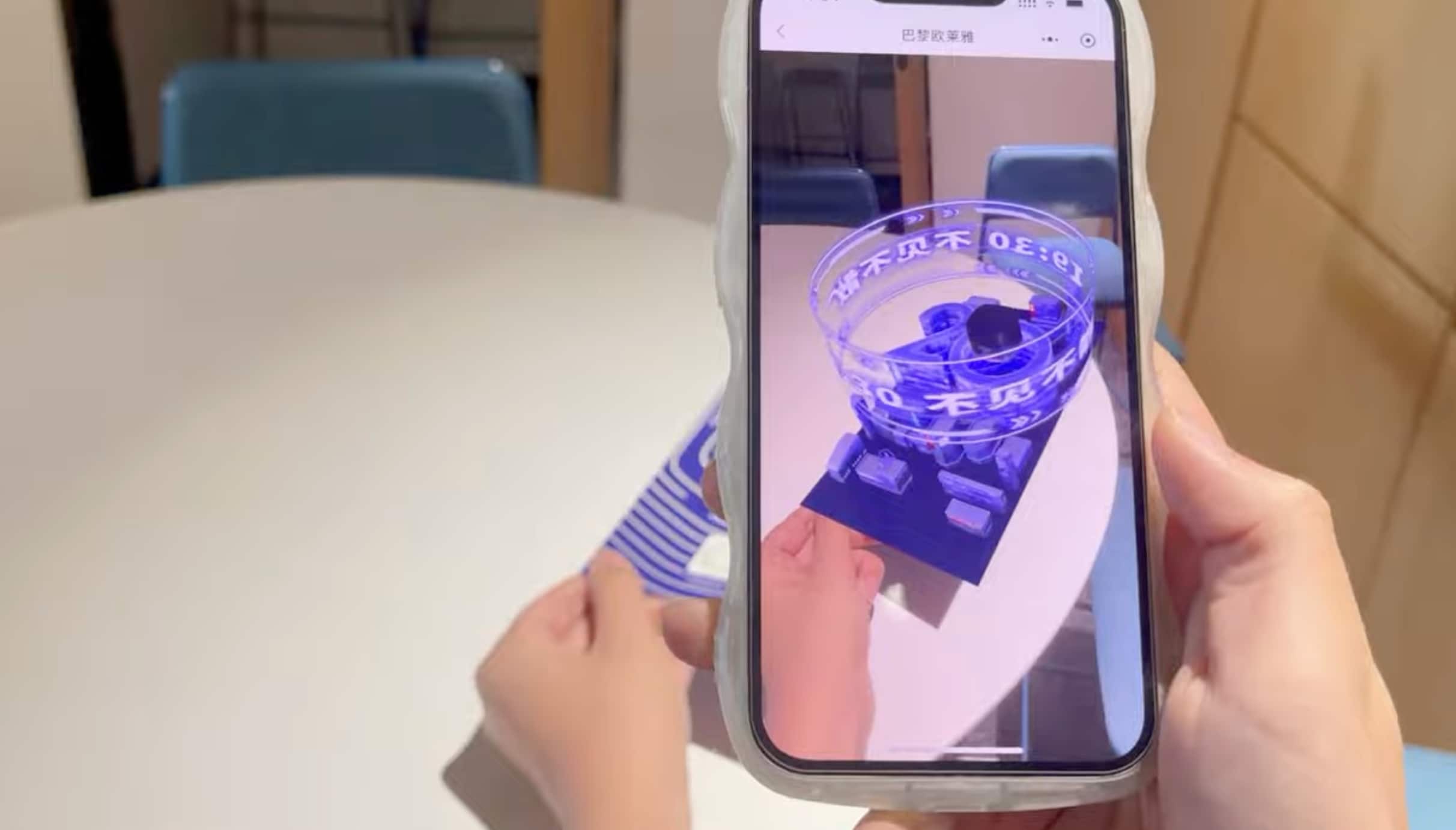
Brands and event organizers are ditching generic paper invitations in favor of AR invitation cards to make their events stand out. These cards add a wow factor by transforming static designs into immersive previews of what’s to come.
A great example is L’Oréal, which distributed AR invitation cards to VIP clients for a new product launch. When scanned, the cards used AR to visualize the brand’s new “black technology” concepts, allowing clients to “interact” with the product before it even hit the market.
This not only generated buzz but also created a unique, memorable connection between the brand and its audience.
4. AR Education Cards
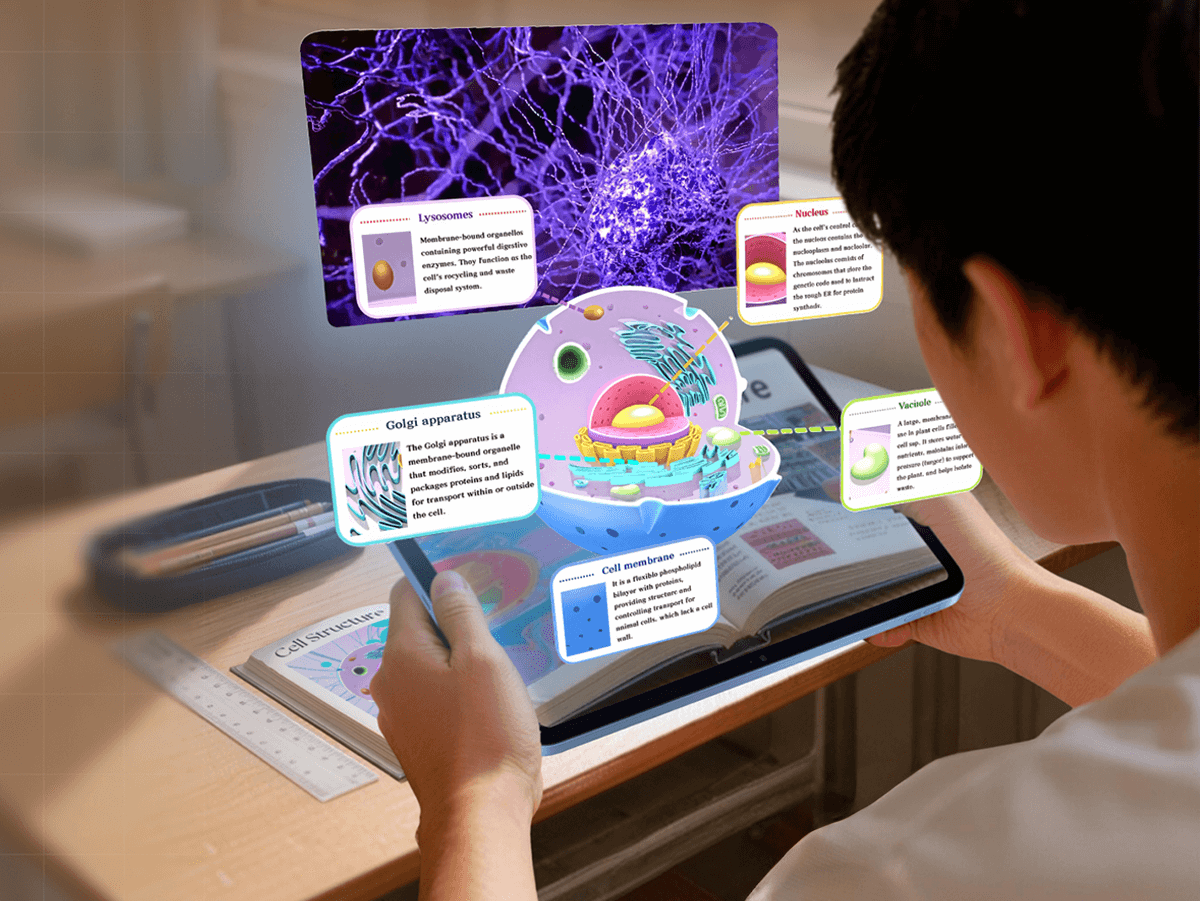
Augmented Reality Cards are revolutionizing education by making complex concepts fun and easy to understand. Unlike traditional textbooks or flashcards, AR education cards let students interact with knowledge.
For example, a student studying biology can scan an AR card to see an animal cell appear, students can choose different parts to view the cell structure and watch the corresponding video introduction.
This hands-on, immersive learning experience boosts engagement and helps retain information better than passive reading.
If you’re an educator interested in making your own interactive AR education cards, this step-by-step tutorial is perfect for you.
 Leonie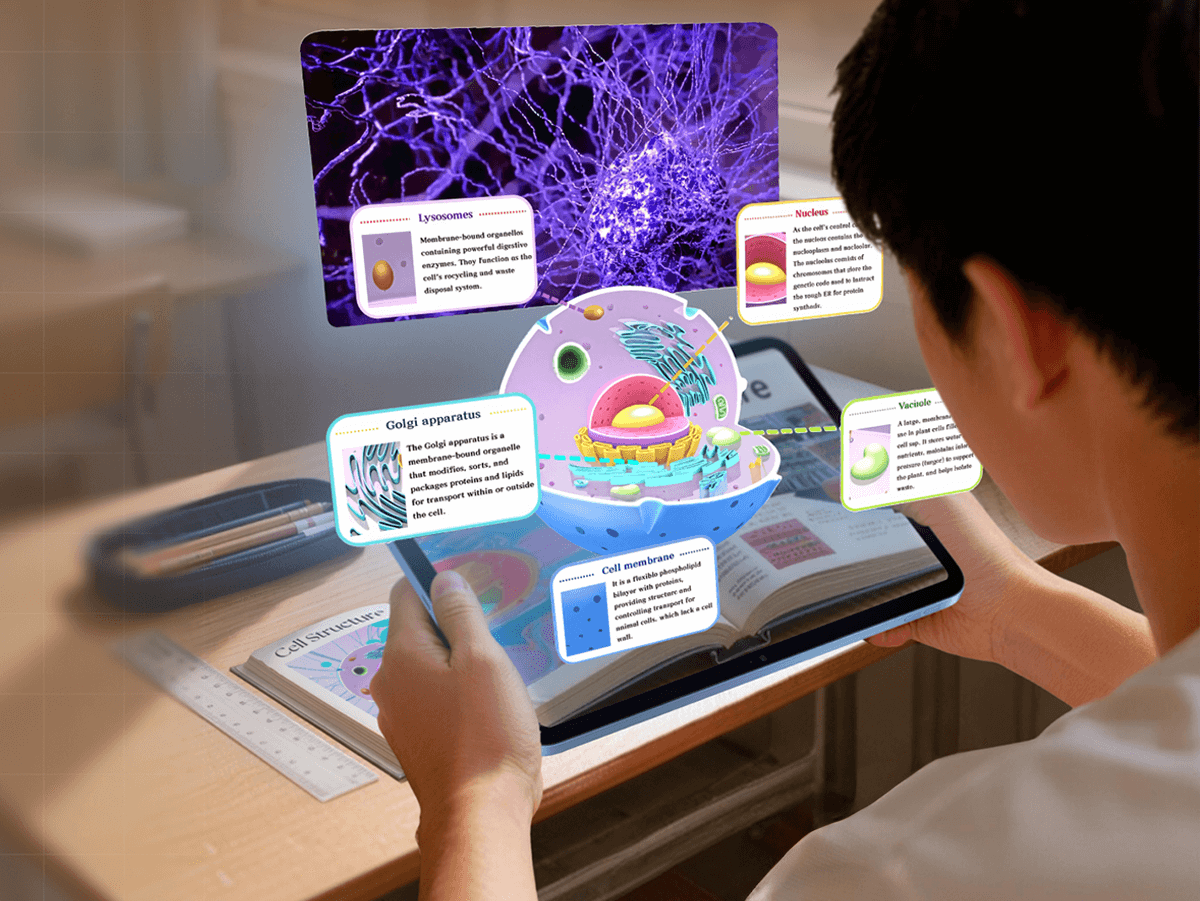
5. Augmented Reality Postcards
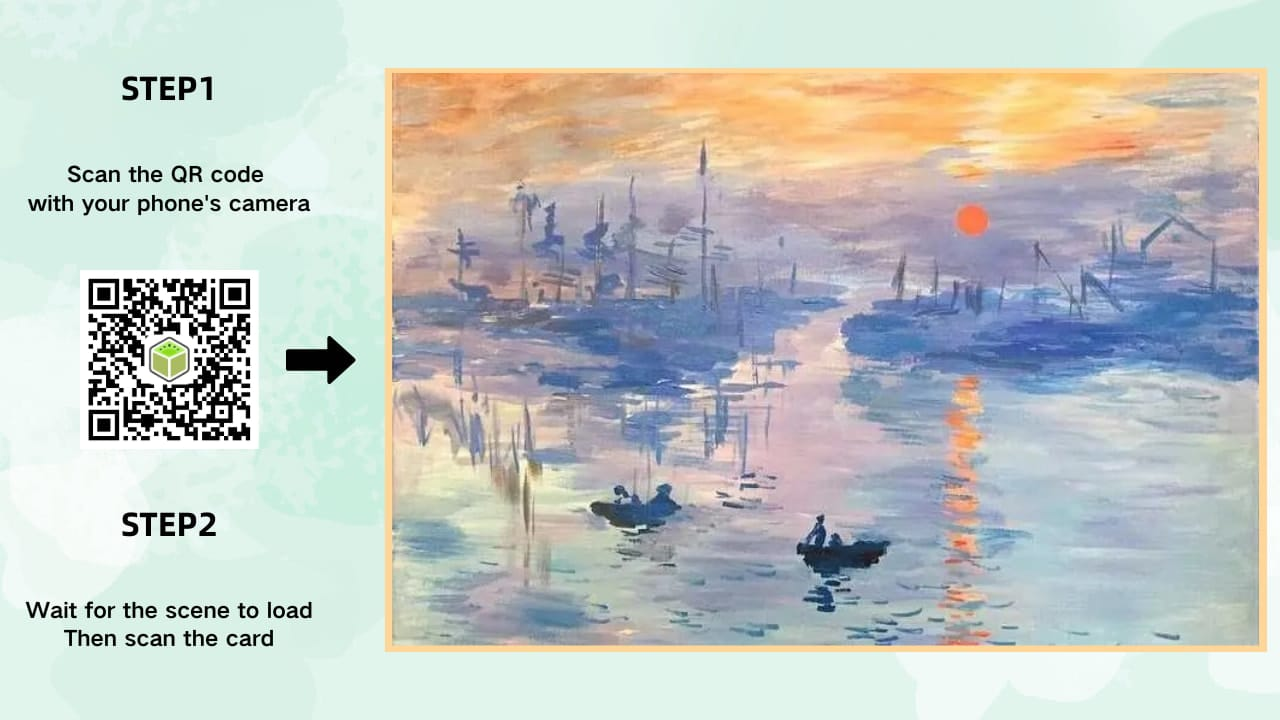
Postcards have long been a staple of travel souvenirs, but they often feel a little bit forgettable. Augmented Reality Cards are solving this problem by adding interactivity to postcards.
When the audience scanned, AR postcards can display the video the scenic spot, play audio guides about the location’s history, or even show a 3D model of the scenic spots.
This technology makes postcards more appealing to buyers and more meaningful to recipients.
6. AR Holiday Cards
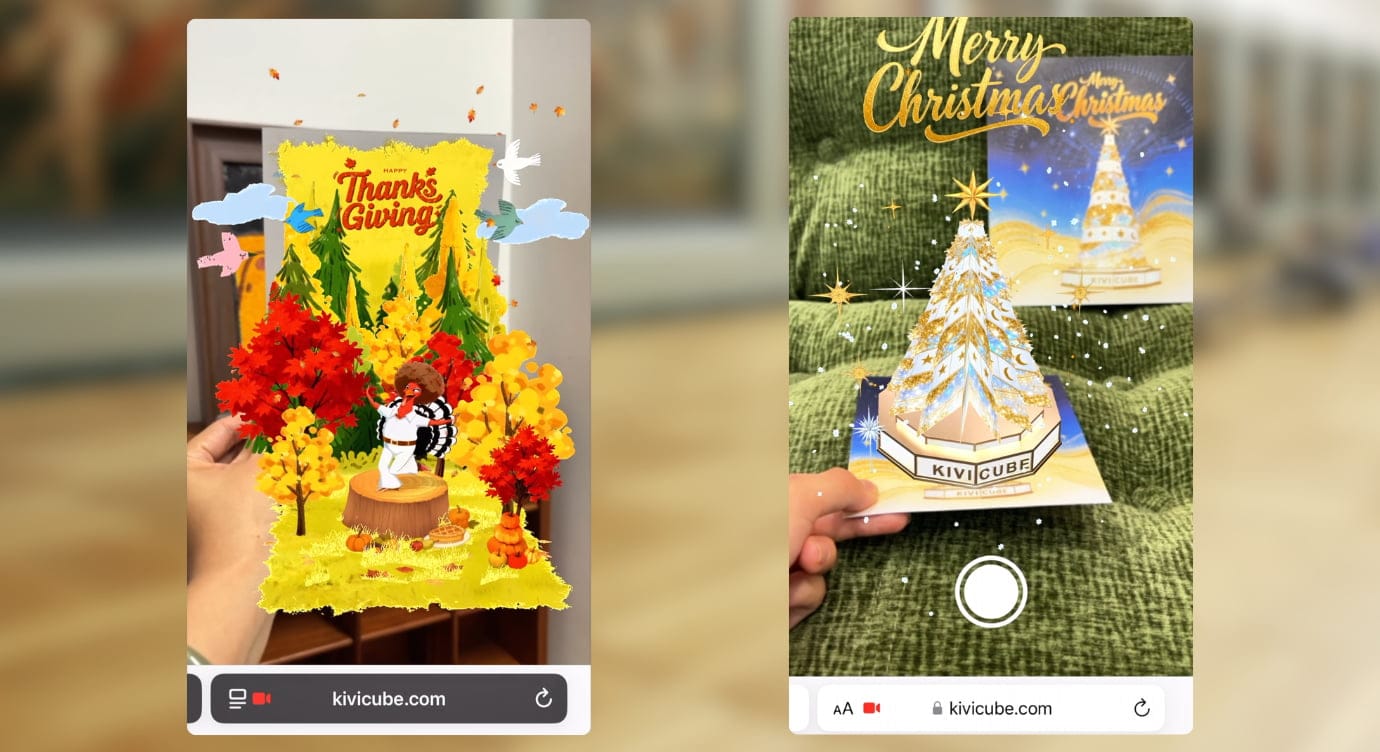
Traditional holiday cards are limited to text and static images, but AR holiday cards let you send joy in a more immersive way.
Imagine scanning a Christmas card and watching a 3D Christmas tree pop up from the card, or scanning a Thanksgiving card to see a playful animation of a turkey dancing with other animals.
You can even record a personal voice message that plays when the card is scanned, adding a personal touch that traditional cards can’t match.
The best part? Making an AR holiday card is easier than you think. We’ve put together a 4-minute quick video tutorial to help you create your own AR holiday card in no time.
How to Make an AR Holiday Card with Kivicube
7. AR Art Cards
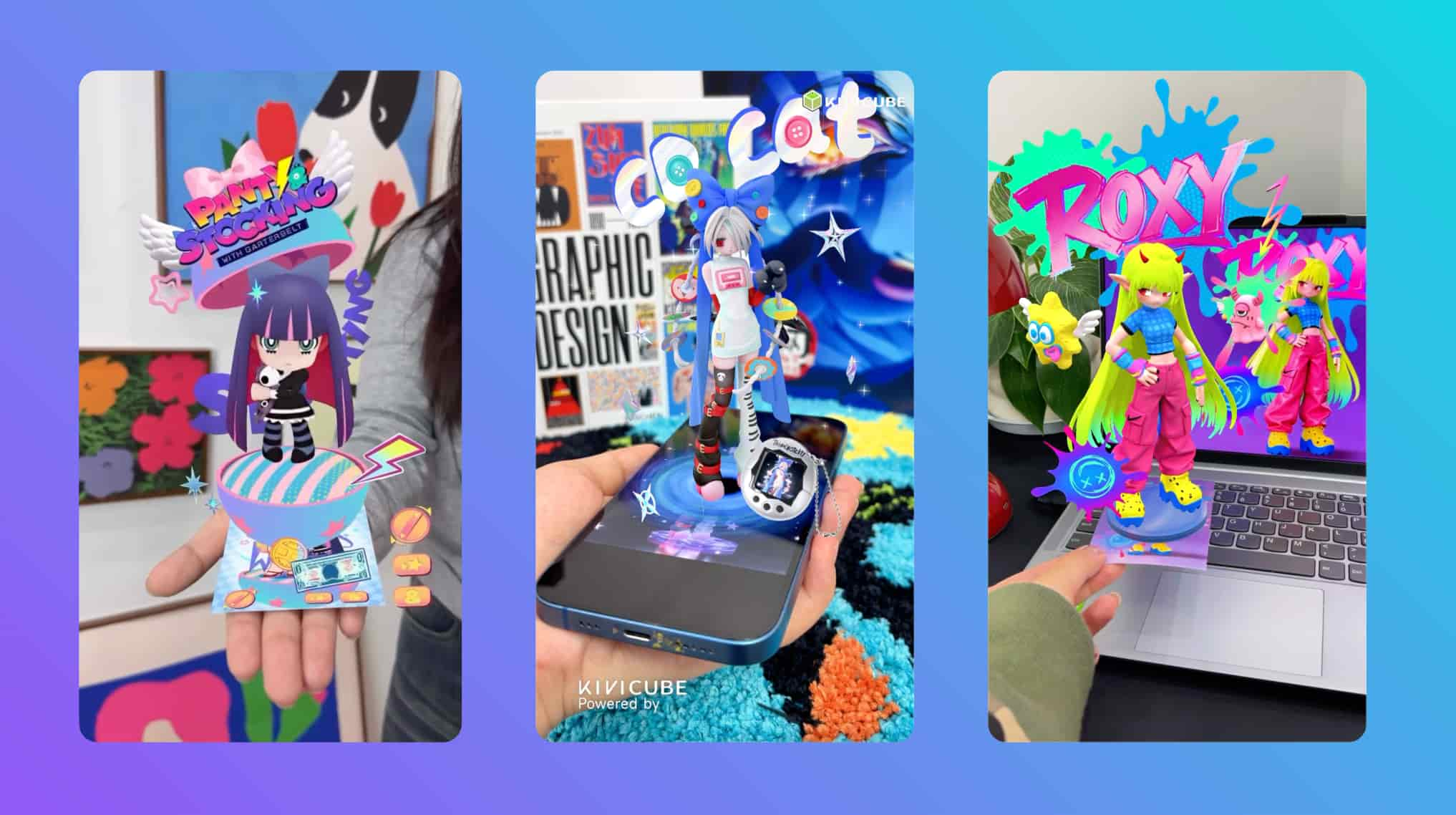
Artists, especially digital artists, are using Augmented Reality Cards to bring their work beyond the screen and into the physical world. AR art cards let artists showcase their artwork in a dynamic, interactive way: when scanned, a static illustration can transform into a 3D model and let viewers “interact” with the art. For example, digital artist Soda Liu used Kivicube to create AR cards featuring her original character Roxy, allowing fans to see Roxy as a 3D figure in their own space.AR is opening up new possibilities for artists, and if you want to learn more about how AR and art intersect, you can read this in-depth article.
 Leonie
8. Product AR Display Cards

Augmented Reality Cards are also making it easier for consumers to use and understand products, especially electronics and furniture. When you buy a new electronic device, the product AR display card included in the packaging can be scanned to show step-by-step installation tutorials and troubleshooting videos. This helps users use the product faster, reduces customer support inquiries, and improves user satisfaction.
Best AR Platform for AR Cards: How to Create Augmented Reality Cards Easily
After exploring all these use cases, it’s clear that Augmented Reality Cards have endless potential. The key to making great AR cards is choosing the right platform: one that’s easy to use, requires no coding, and delivers a smooth experience for both creators and users. That’s why we recommend Kivicube—the best AR platform for AR cards, designed for beginners and professionals alike.
Quick Overview of Kivicube AR Platform
Kivicube stands out as the top choice for creating Augmented Reality Cards for four key reasons:
- No-Code AR Creation Tool: Kivicube offers a drag-and-drop interface that lets you design interactive AR cards in minutes! Just upload your card design, add virtual content (videos, 3D models, audio), and you’re ready to go.
- Rich AR Card Templates: Whether you’re making an AR postcard, AR education card, AR business card, or any other type of AR card, Kivicube has pre-designed templates for every use case. You can simply duplicate a template, replace the default assets with your own, and have a professional-looking AR card ready in seconds.
- WebAR Support: Kivicube’s WebAR lets your audience scan a QR code or tap a link to view the AR content directly in their browser. This makes AR more accessible, and ensures a stable experience across all devices. Check out this article to learn more about the benefits of WebAR.
- AI-Powered Creation: If you don’t have access to high-quality assets (like 3D models or images), Kivicube has you covered. The platform includes a built-in asset library and an AI generation tool that can create custom assets for your AR cards—just type in what you need, and AI will generate it for you, saving you time and effort.
FAQ: Everything You Need to Know About Creating Augmented Reality Cards with Kivicube
We know you might have questions about getting started with Kivicube and creating your own AR cards—here are answers to the most common ones:
1. Can I make AR cards for free?
Yes! Kivicube offers a free plan that supports up to 2 AR scenes and 5,000 views. This is perfect for anyone who wants to test out AR card creation or create simple AR cards for personal use.
2. I’m a developer—what if Kivicube’s default interactions don’t meet my needs?
No problem! Kivicube supports secondary development, so you can customize the AR experience to fit your specific needs. You can access Kivicube’s API documentation to add custom interactions, integrate with other tools, or modify the AR functionality to match your vision.
3. What if I need help while creating my AR card?
Kivicube has a supportive community to help you out. You can join their Discord community, where you’ll find Kivicube’s enthusiastic staff ready to answer your questions about creating AR cards.
4. How do I use Kivicube’s templates to make AR cards quickly?
We’ve created a beginner-friendly video tutorial that walks you through the entire process—from selecting a template to replacing assets and publishing your AR card. It’s designed for anyone with no technical experience, so you’ll be making AR cards in no time.
Ready to Create Your Own Augmented Reality Cards?
Augmented Reality Cards are changing the way we interact with physical print, and with Kivicube, creating them is easier than ever. Whether you’re a professional looking to boost your brand, an educator wanting to make learning fun, a fan looking to connect with your favorite IP, or an artist wanting to showcase your work, AR cards offer endless possibilities.Sign up for Kivicube today and start creating your own interactive Augmented Reality Cards.