
What is Augmented Reality? A Complete Guide with Real-World Cases
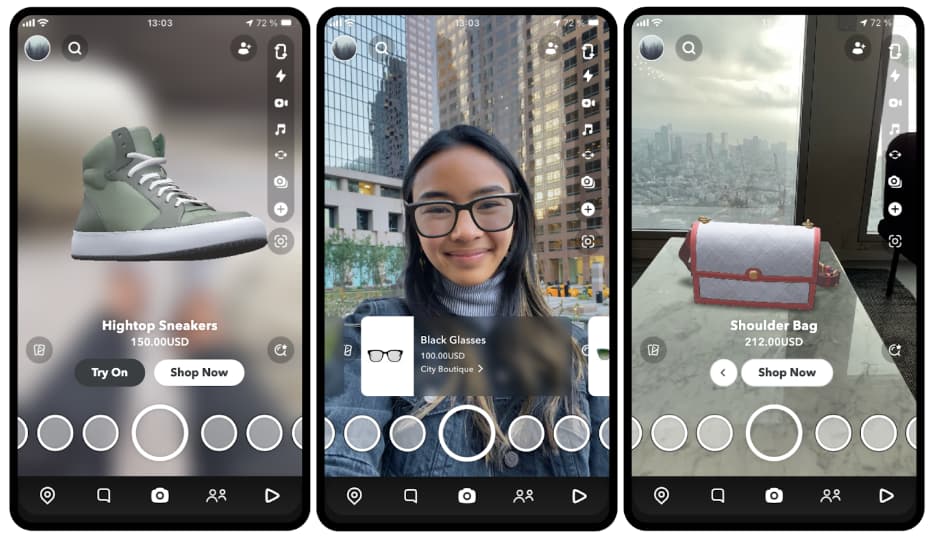
Augmented reality (AR) is growing increasingly prevalent in our daily lives, yet many people still find themselves asking: what is augmented reality? Simply put, the meaning of augmented reality refers to a technology that overlays digital content—such as images, sounds, or animations—onto the real world, delivering an interactive and immersive experience. Unlike virtual reality (VR), which creates a fully virtual environment, AR enhances the real world rather than replacing it.
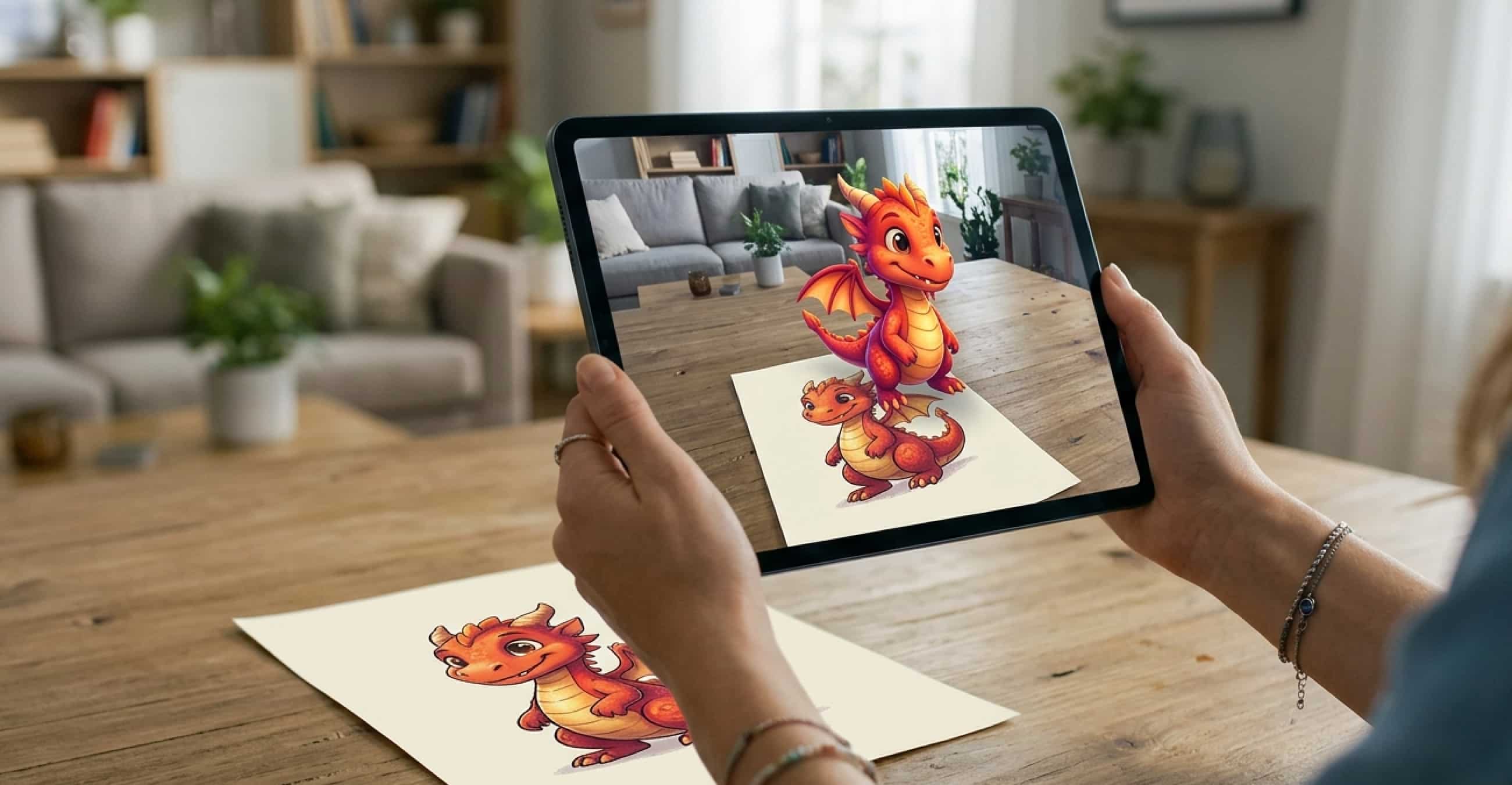
This guide will break down AR's core concepts, mainstream access methods, real-world industry applications, and recommend a user-friendly AR platform to help you better understand and utilize this technology.
Common Ways to Access Augmented Reality
There are two primary ways to experience augmented reality: app-based AR and web-based AR(WebAR). The key differences between the two methods are summarized in the table below:
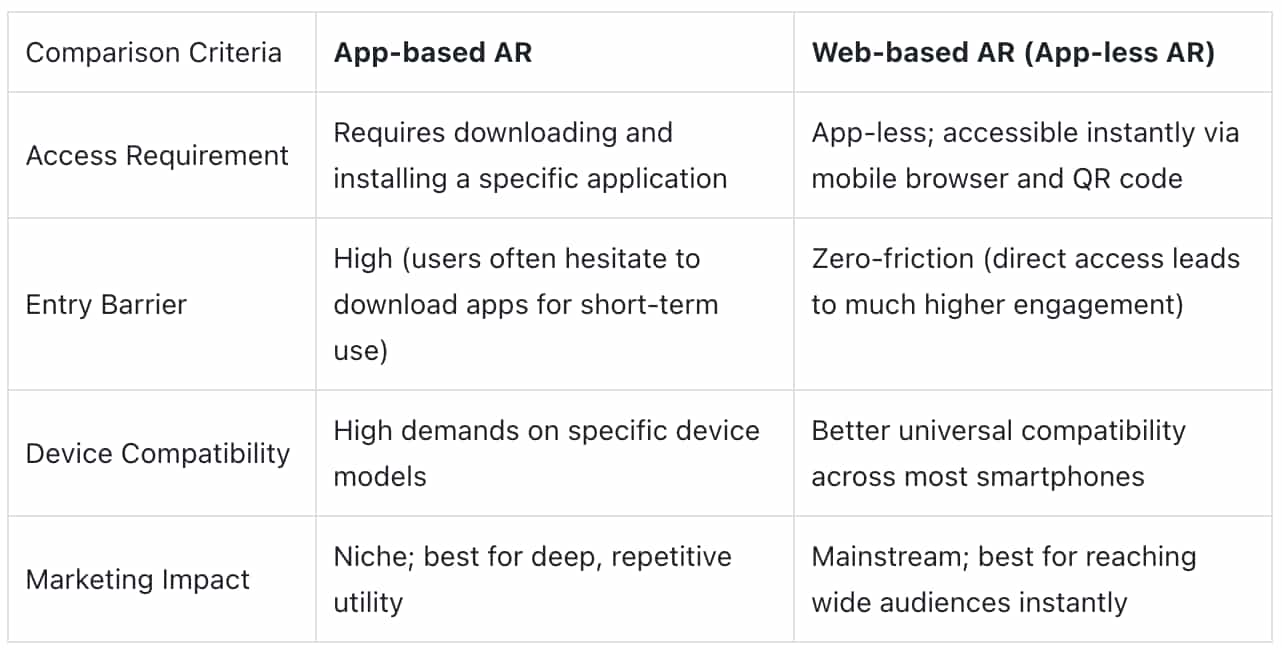
Overall, web-based AR has become the preferred choice for most users, thanks to its convenience, low entry barrier, and wide compatibility, while app-based AR is more suitable for scenarios requiring complex AR functions.
Web-Based AR: The Mainstream Choice with Low Threshold
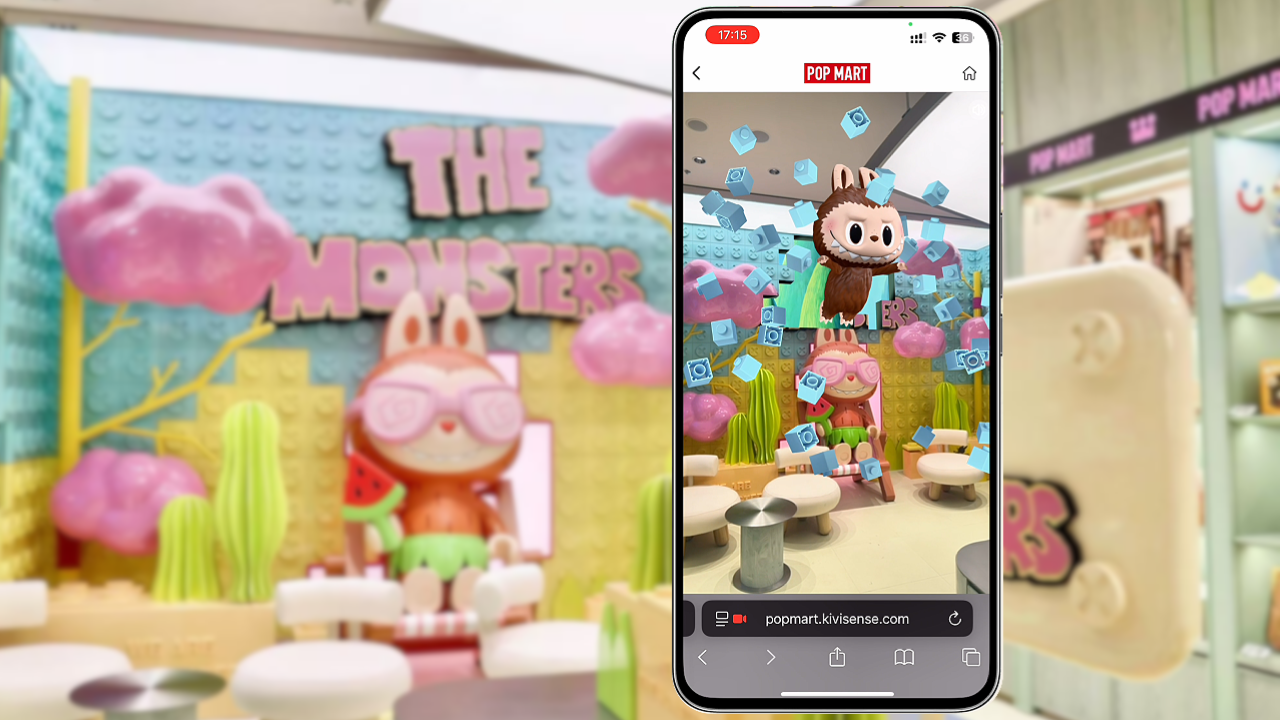
As noted earlier, web-based AR is currently the most popular form of AR, thanks to its convenience and low barrier to entry. By providing an app-less AR experience, you remove the 'download barrier' that often stops users in their tracks. This zero-friction approach ensures that your audience moves from discovery to interaction in seconds, which is critical for high-conversion marketing. What’s more, platforms like Kivicube have made it simpler than ever for anyone to create webAR content, even those without professional technical skills can develop high quality webAR scenes, addressing the high barriers and costs associated with traditional AR production.
Augmented Reality in Various Industries (Real-World Cases)
Augmented reality is more than just a novelty technology, it has been widely adopted across various industries, unlocking new possibilities for growth. Below are detailed breakdowns of typical application scenarios, complete with real-world cases:
1. Augmented Reality Drawings
Traditional drawings are static and lack interactivity, making it challenging to fully convey creative ideas. With augmented reality, artists can bridge the gap between the real and virtual worlds, connecting with their audience and sharing the stories behind their works—helping viewers understand the inspiration and narratives driving the art.
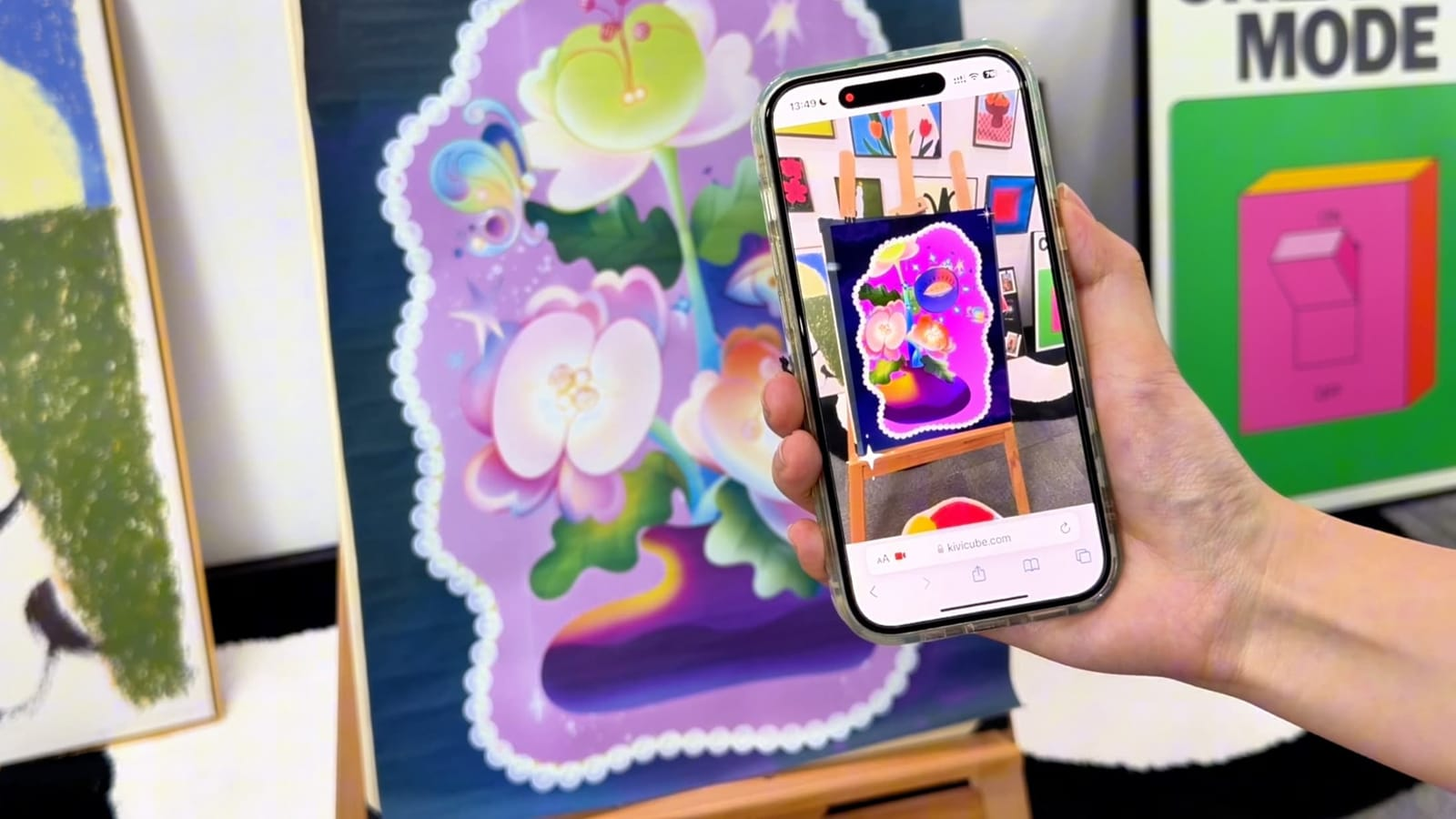
For a deeper dive into how AR is reshaping the future of creativity and art, explore this in-depth guide: The New Canvas: Why Augmented Reality Art Is the Future of Creativity.
2. Augmented Reality in Retail
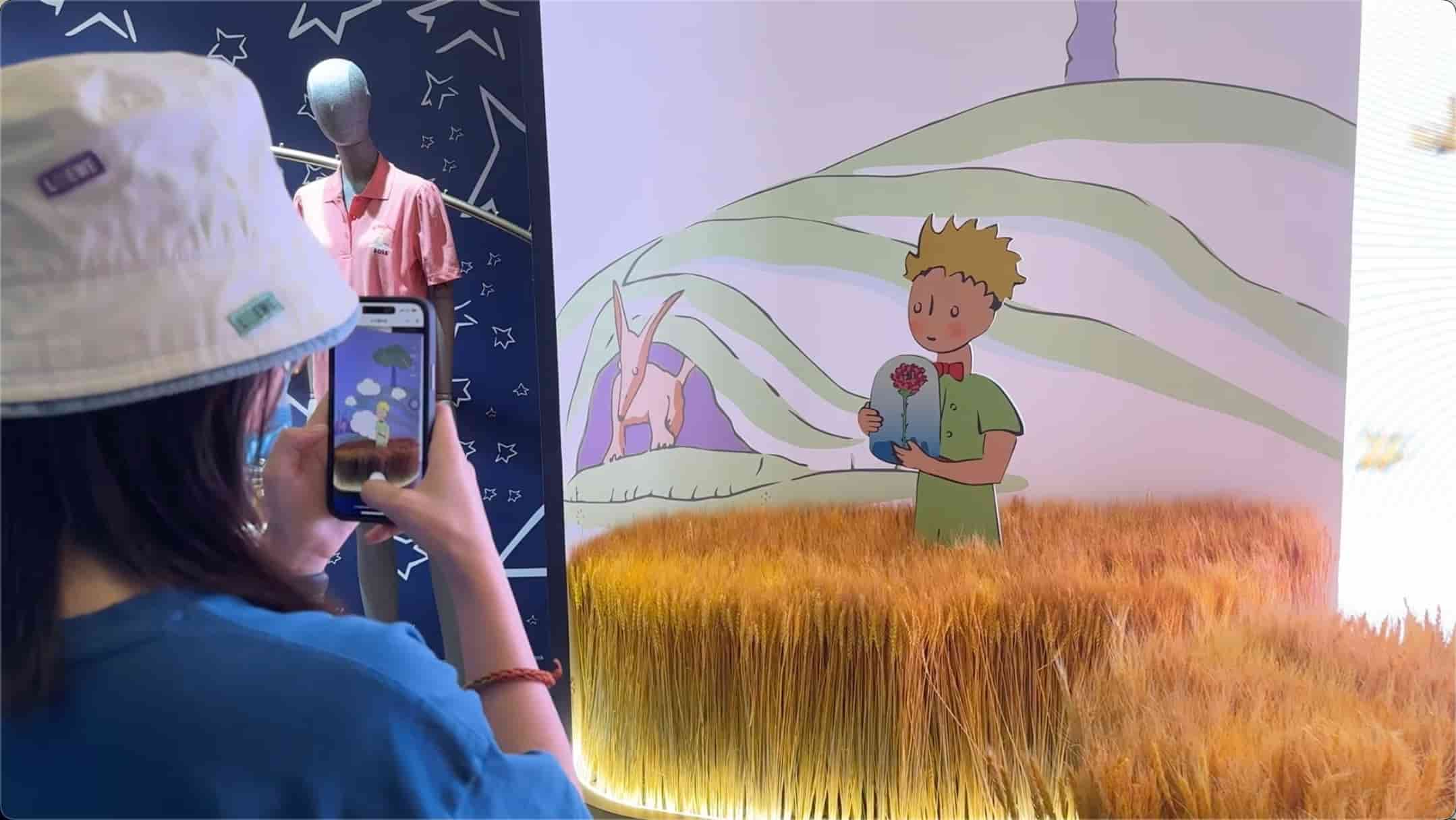
In the retail industry, augmented reality serves as an effective tool for boosting consumer engagement and driving conversions. A prime example is the pop-up store hosted by Boss for its The Little Prince collaboration collection, which incorporated webAR interactive check-in and face filter features. On-site consumers could scan a QR code to trigger AR effects, take photos with virtual elements from The Little Prince, and share them on social media. This interactive approach not only made the shopping experience more enjoyable but also deepened consumers' impression of the limited-edition collection, effectively increasing foot traffic and sales conversions.
3. Augmented Reality Games
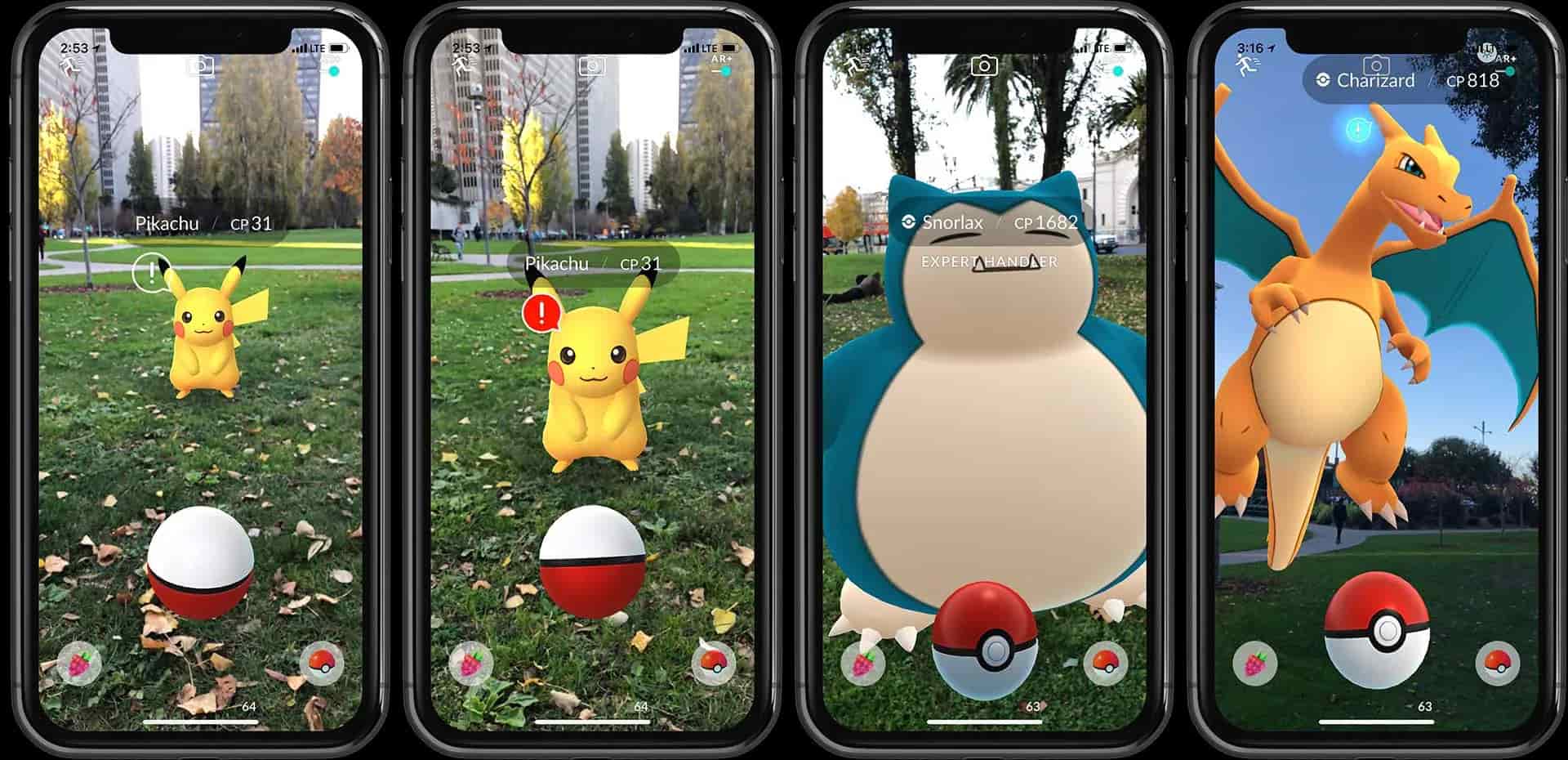
Augmented reality games have become a sensation in the gaming industry, with Niantic’s Pokémon Go standing out as the most iconic example. The game uses AR technology to overlay virtual Pokémon in the real world. Players move around in the physical world to manipulate Poké Balls and catch Pokémon, creating a unique "real-world gaming" experience. Pokémon Go's most striking data points include reaching 500 million global downloads within its first year of launch and once boasting over 45 million daily active users. This is a testament to the immense appeal of AR games.
4. Augmented Reality Reading
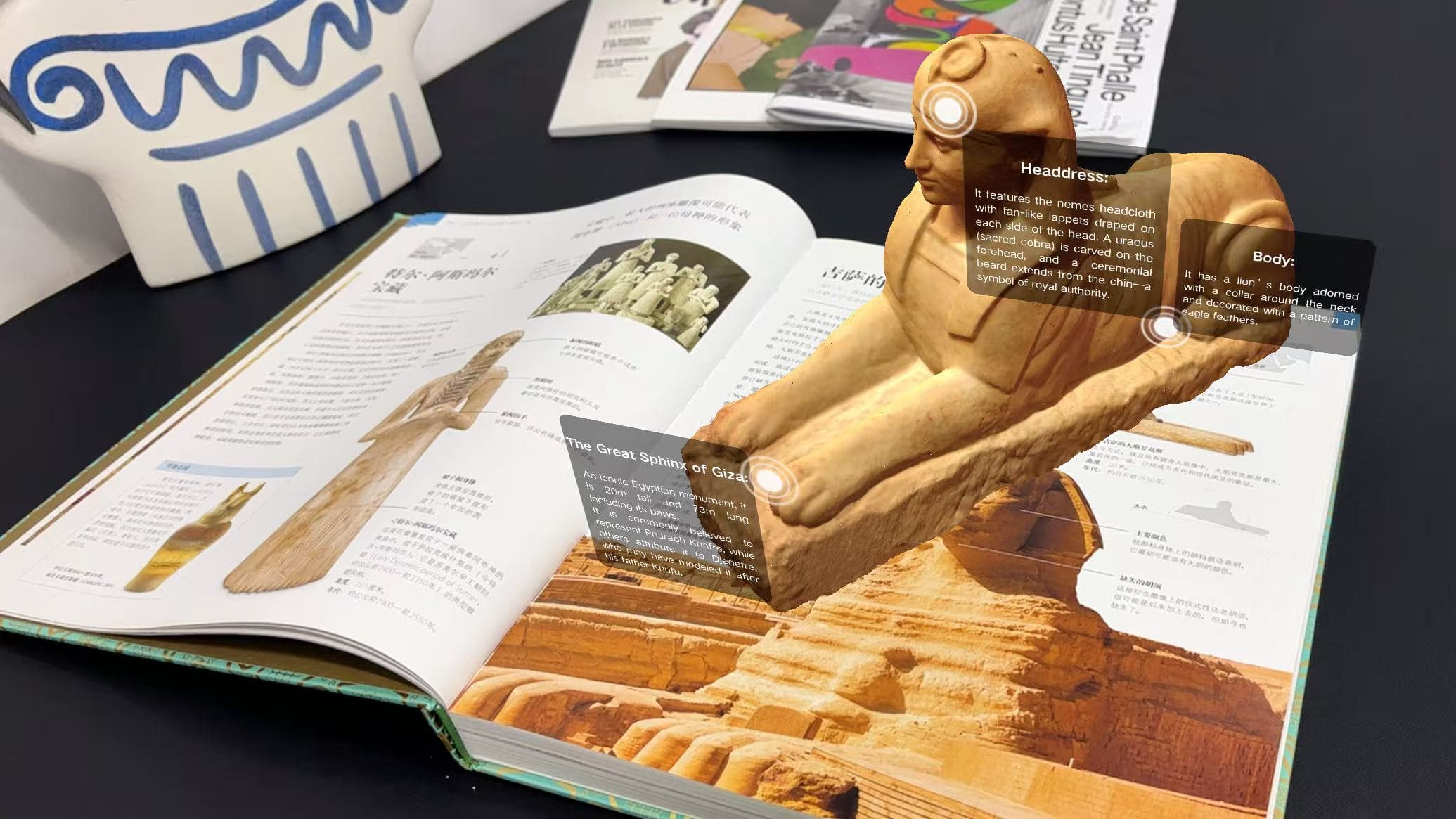
Traditional reading is a passive way of acquiring knowledge, where readers can only absorb information from static text and images. Augmented reality reading changes this by creating an active, immersive interactive experience based on the real world, helping readers take the initiative to learn knowledge and deepen their understanding. According to authoritative data, books with AR features can increase readers’ attention spans by 40% and improve knowledge retention by 35%.
For a step-by-step tutorial on creating your own AR storybook from scratch, you can refer to this guide: How to Bring Your Storybooks to Life.
5. Augmented Reality Cards
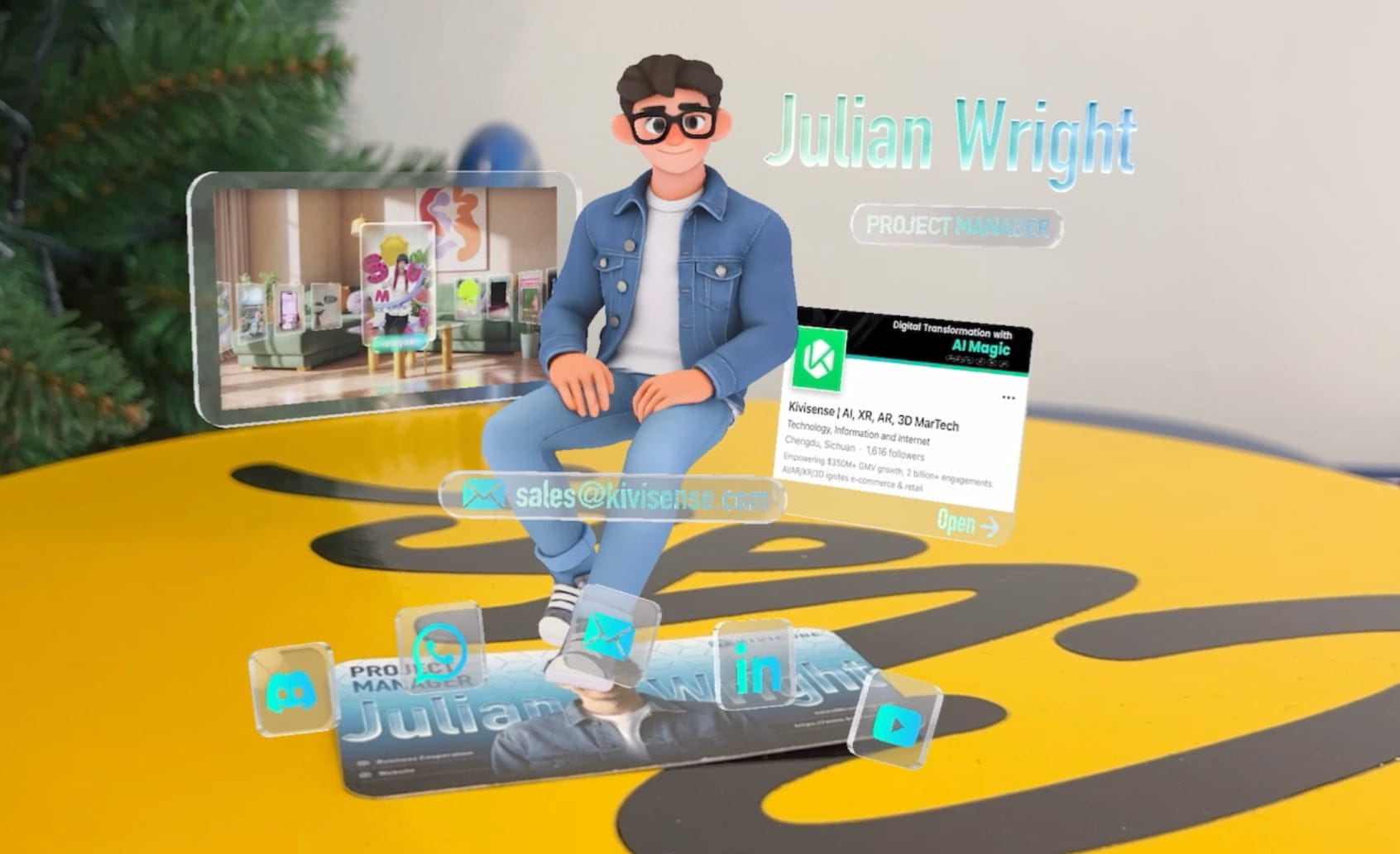
Augmented reality can enhance traditional cards, such as business cards and various game cards, making them more engaging and memorable. For instance, when scanned, AR business cards can display the holder's personal information, work experience, and even 3D introductions of products or scenes, leaving a more lasting impression on clients compared to traditional paper business cards. This not only elevates the professionalism of the business card but also provides valuable support for customer acquisition and conversion.
For a detailed tutorial on creating AR business cards, you can refer to our previous guide: How to Make an AR Business Card Without Coding .
6. Augmented Reality Packaging

Augmented reality packaging is an innovative marketing approach in the consumer goods industry. By integrating AR features into product packaging, brands can offer consumers additional value and a superior post-purchase experience. A standout example is Dior's Christmas limited-edition AR packaging. When consumers scan the packaging with a mobile phone, the exquisite Christmas patterns come to life as dynamic animations. This approach strengthens the emotional bond between consumers and the brand and boosts brand loyalty.
7. Augmented Reality in E-Commerce
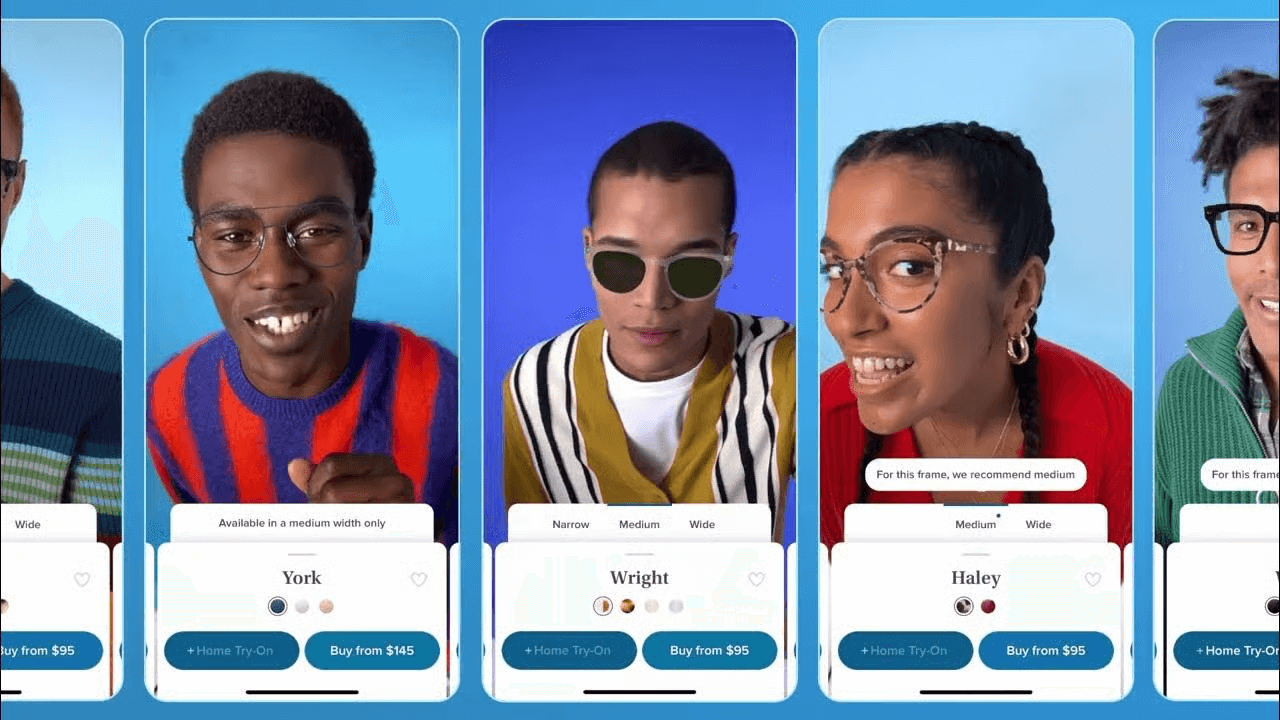
A major pain point for online shoppers is the inability to try products before purchasing—photos alone don't convey how items look or fit. This hesitation leads to high return rates and lost sales for e-commerce brands. AR try-on solves this by letting shoppers virtually "try on"products via mobile devices, helping them shop with confidence and boosting brand conversions.Industry data shows AR try-on can boost e-commerce conversion rates by up to 30% and cut return rates by 25%. For more on how AR empowers e-commerce, refer to this article: Augmented Reality Ecommerce: Redefine Shopping Experience
How to Choose an Augmented Reality Platform?
After exploring these exciting applications of augmented reality, you may be eager to create your own AR project. At this point, choosing the right augmented reality platform is crucial to launching your AR creation journey. Here, we recommend Kivicube. It is a user-friendly AR platform that caters to both beginners and professional developers alike.
Kivicube AR Creation Tool Overview
Why I Recommend Kivicube for Modern Creators
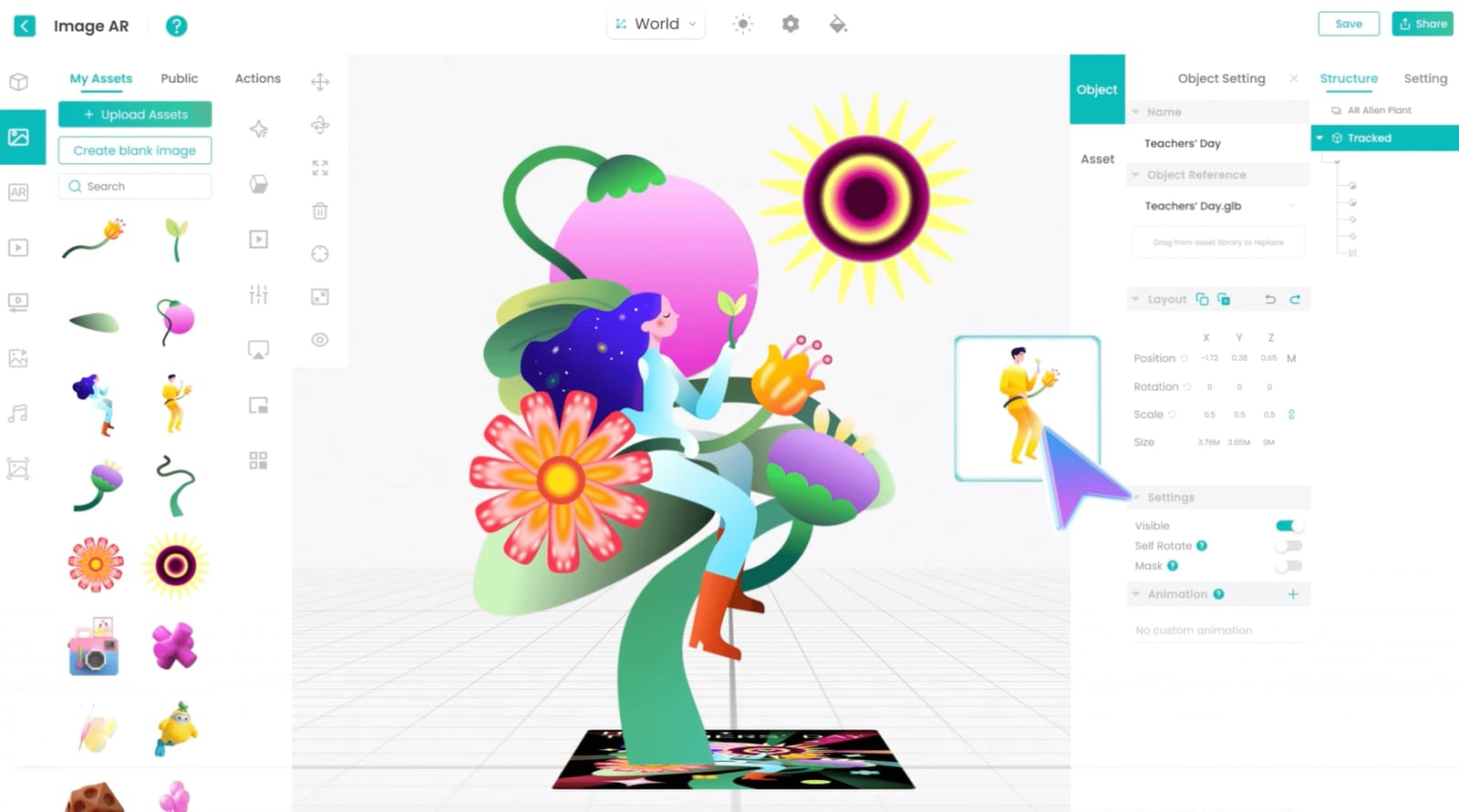
Low-Code Platform: It supports visual editing through simple drag-and-drop operations, as well as API-based development. Whether you're a beginner with no technical background or a professional developer, you can use it with ease.
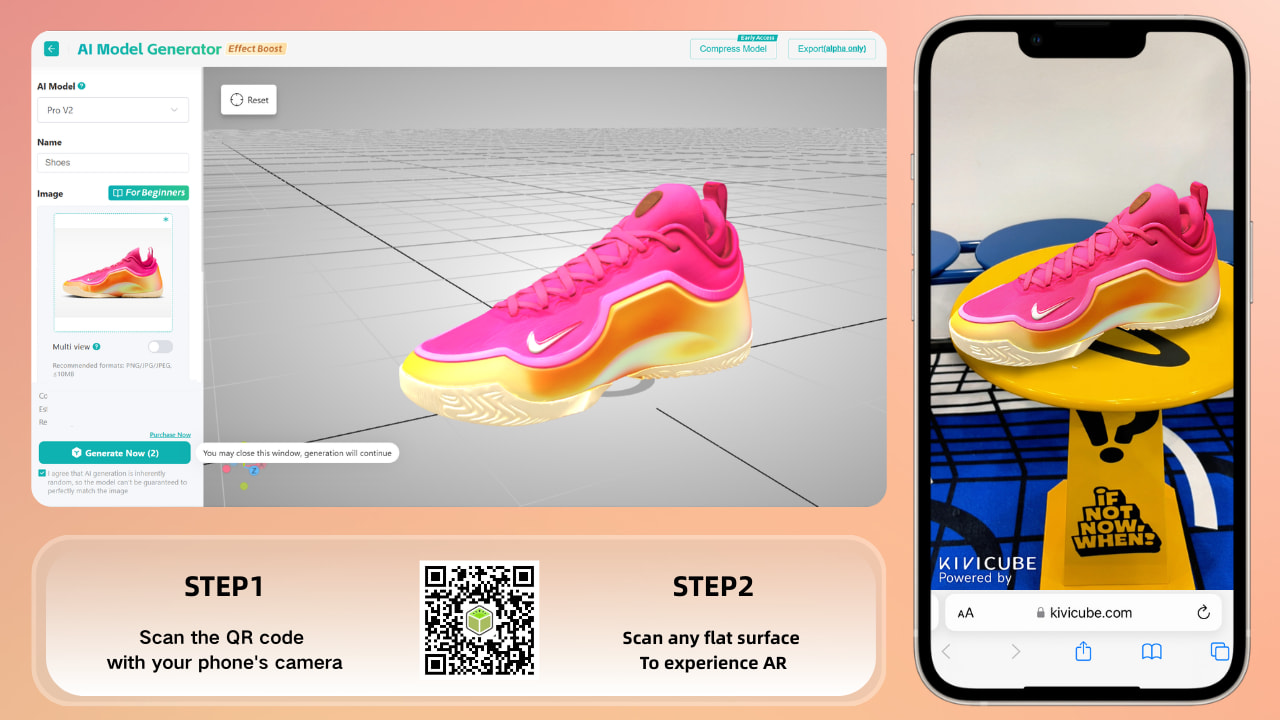
Rich AI Tools to Boost Production Efficiency: It offers features like intelligent video background removal and AI model generation, which significantly reduce content production time and costs, helping you complete AR scenes more efficiently.
Powerful WebAR Capabilities: Kivicube is not only easy to use but also packed with robust features. Its web-based experience supports image tracking, face tracking, body tracking, architecture tracking, object tracking, plane tracking, and more—meeting the needs of most users across different industries.
Extensive Template Library: It boasts a large collection of templates covering eight industries, including alcohol, FMCG, and art. Users only need to replace the materials in the templates to complete their own AR scenes—no difficulty required.
Rich Material Library: Even if you’re a teacher or marketer without design experience, you don't have to worry. The platform provides hundreds of thousands of free materials for direct use, saving you the hassle of sourcing or creating your own.
How to Create AR from Scratch with Kivicube (3 Simple Steps)
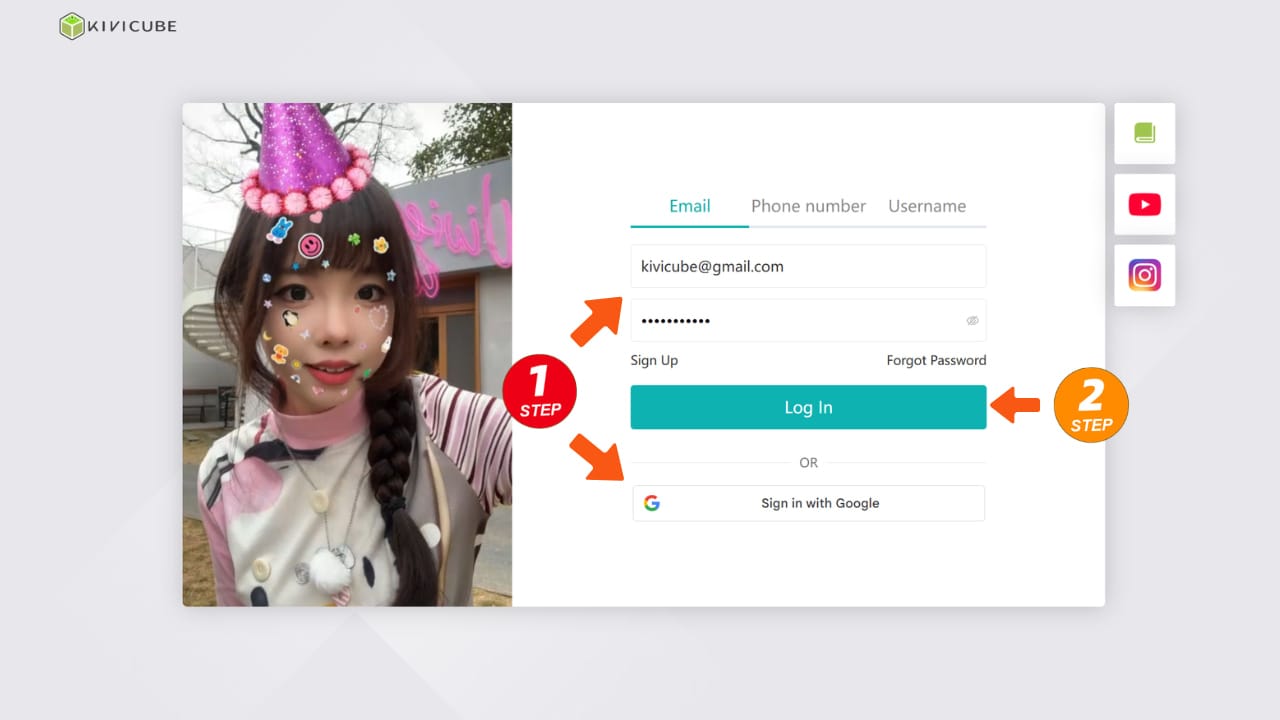
- Sign up Kivicube for free: Visit Kivicube's official website and complete registration with your email.
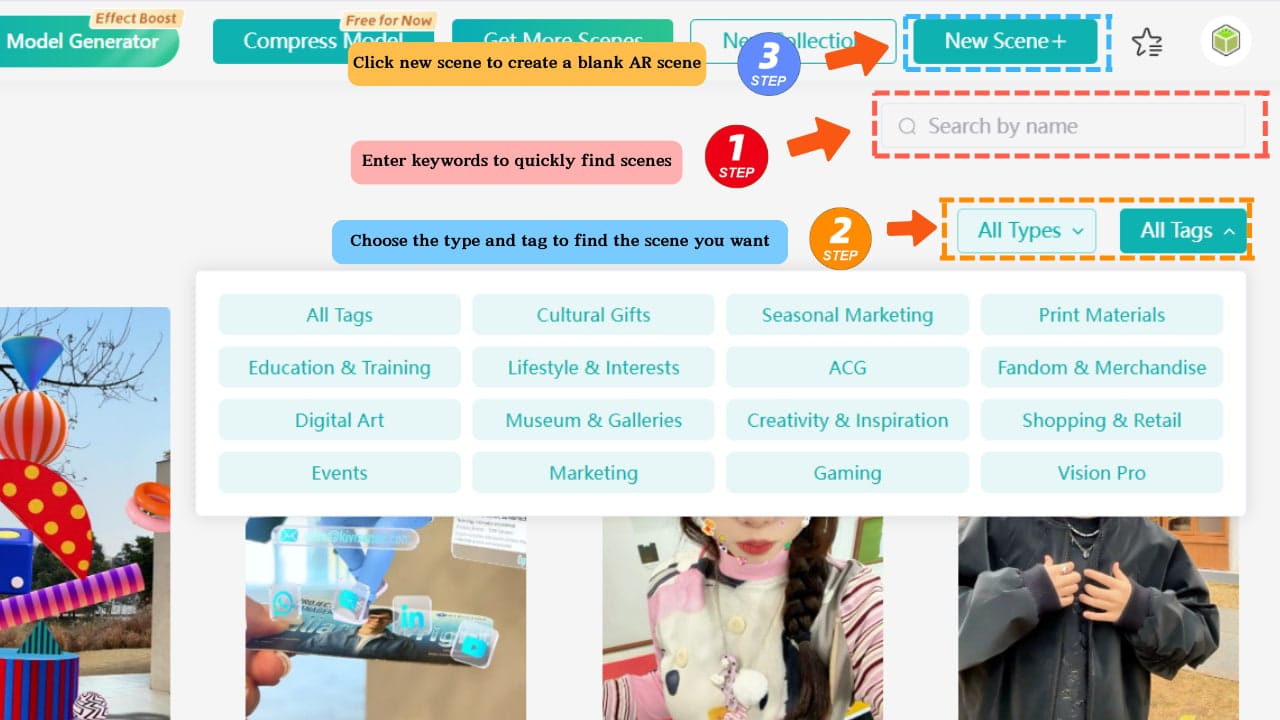
- Choose a template or create a AR scene: Select an industry-specific template from the template library or start with a blank scene if you have your own ideas.
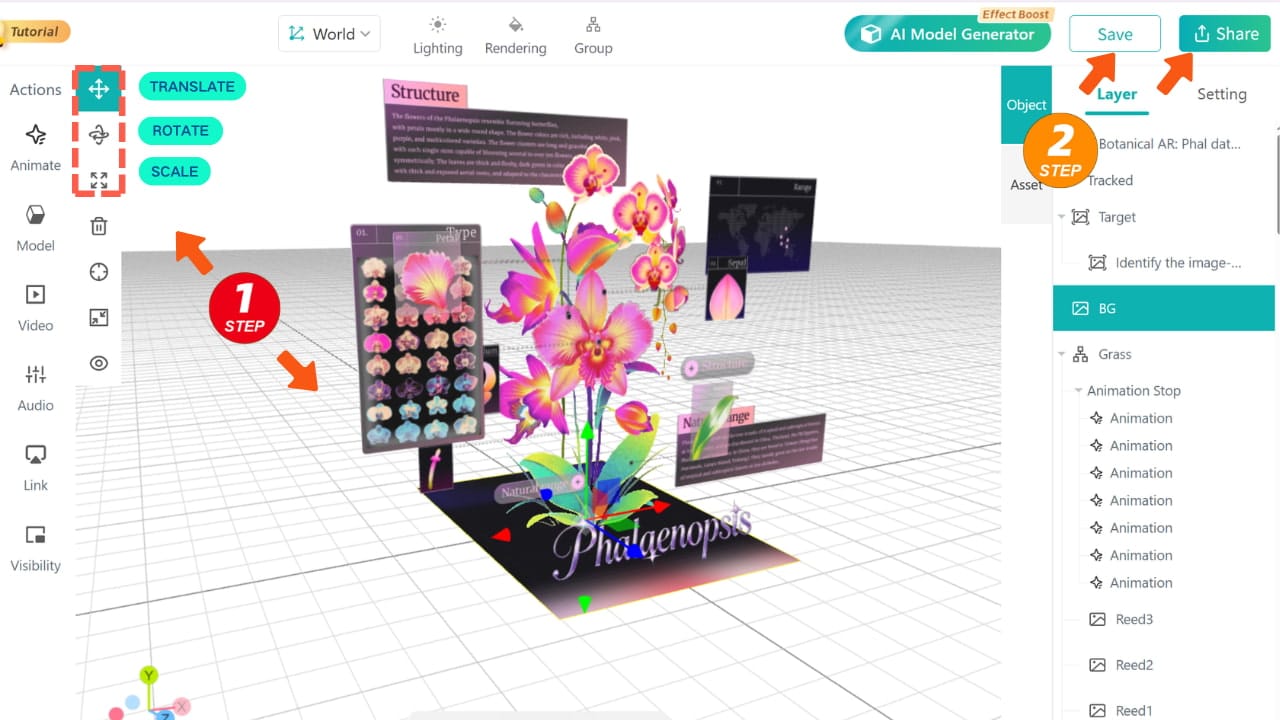
- Edit and publish: Use the transform tool to swap out template assets or adjust their position in the grid editor, then publish to generate a QR code and let users experience your AR content by scanning this QR code with a mobile browser.
Additionally, Kivicube offers basic tutorials and technical support to help beginners get started quickly. For more tips, guidance and community support, join our Discord community where you can access Kivicube's latest tutorials, get help from top creators, and grow into an augmented reality specialist together.
Frequently Asked Questions (FAQ)
Do I need a specific app to experience Augmented Reality?
While some complex experiences (like high-end gaming) require a dedicated app, WebAR allows you to access AR directly through your mobile browser. This app-less AR approach is the industry standard for marketing and retail because it offers a zero-friction user journey—just scan a QR code and you're in.
Is it expensive to create Augmented Reality content?
Not anymore. Traditionally, AR required a team of specialized developers and high costs. However, with low-code platforms like Kivicube, small businesses and independent illustrators can create high-quality AR scenes using pre-made templates and Quick layout tools at a fraction of the cost.
What is the main difference between AR and VR?
The simplest way to remember it is: VR (Virtual Reality) replaces your world with a digital one, usually requiring a headset. AR (Augmented Reality) adds to your world by overlaying digital elements onto your real environment, usually via a smartphone or tablet.
What file types do I need for my AR 3D models?
For the best balance of quality and loading speed in WebAR, .GLB is the recommended 3D file format. Kivicube also supports various image and video formats for creating interactive 2D-to-3D drawing experiences.
Conclusion
In summary, augmented reality—overlaying digital content onto the real world—has transformed various industries, with webAR as its low-threshold, mainstream access method. For easy AR creation, Kivicube is the top choice, lowering production barriers and supporting beginners, marketers, and aspiring AR specialists alike. Ready to explore the power of AR? Learn more about Kivicube today and sign up for free to start your AR creation journey.