AR Face Tracking: Real Use Cases & How to Create No-Code Face AR Filters
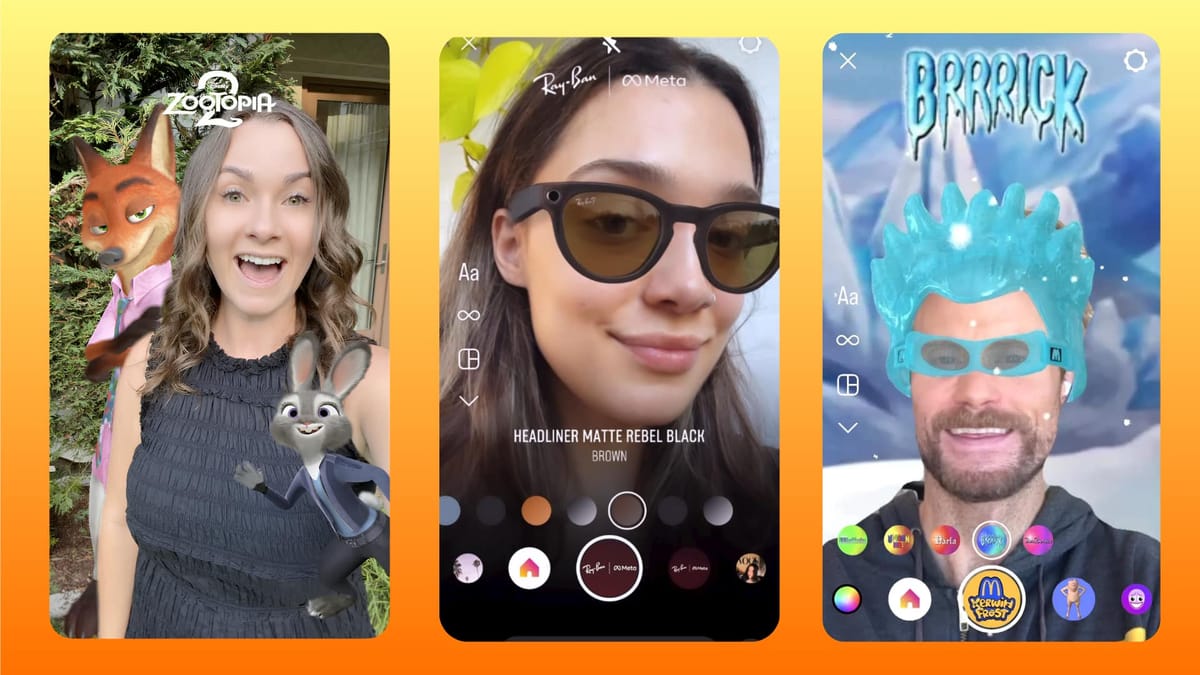
Augmented reality (AR) is transforming how brands and creators deliver interactive digital experiences. From virtual makeup and accessory try-ons to branded social filters, AR face tracking can accurately detect facial features and seamlessly overlay digital content in real time.
According to a Deloitte report, L’Oréal’s AR makeup experiences doubled users’ time spent on site and tripled conversion rates, demonstrating the growing value of AR face tracking in e-commerce.
With the Kivicube WebAR platform, users can create face tracking AR experiences without coding or app downloads. In this guide, you’ll learn how to build face AR tracking projects using both pre-designed templates and a fully customizable workflow.
What Is AR Face Tracking?
AR face tracking is a technology that uses a device’s camera to detect and track facial features in real time, allowing digital content to be accurately overlaid onto the users’ face for interactive experiences.
So, how is AR face tracking used in real-world applications, and who benefits from it?
● For online shoppers: It enables realistic virtual try-ons for glasses, makeup, etc., so users can preview products before making a purchase.
● For brands and marketers: AR face tracking powers interactive AR filters, branded effects, and social media campaigns that encourage user participation, increase engagement, and boost brand visibility.
● For developers: It lowers the technical barrier to entry, unlocking lucrative opportunities to take on face-tracking and AR-related projects. Instead of turning down complex client requests, developers can immediately pitch and deliver high-value AR experiences with confidence.
● For the gaming and entertainment industry: Players can trigger gameplay actions or character reactions through facial expressions, delivering more engaging and immersive experiences.
Real Use Cases of AR Face Tracking
1. AR Glasses Try On
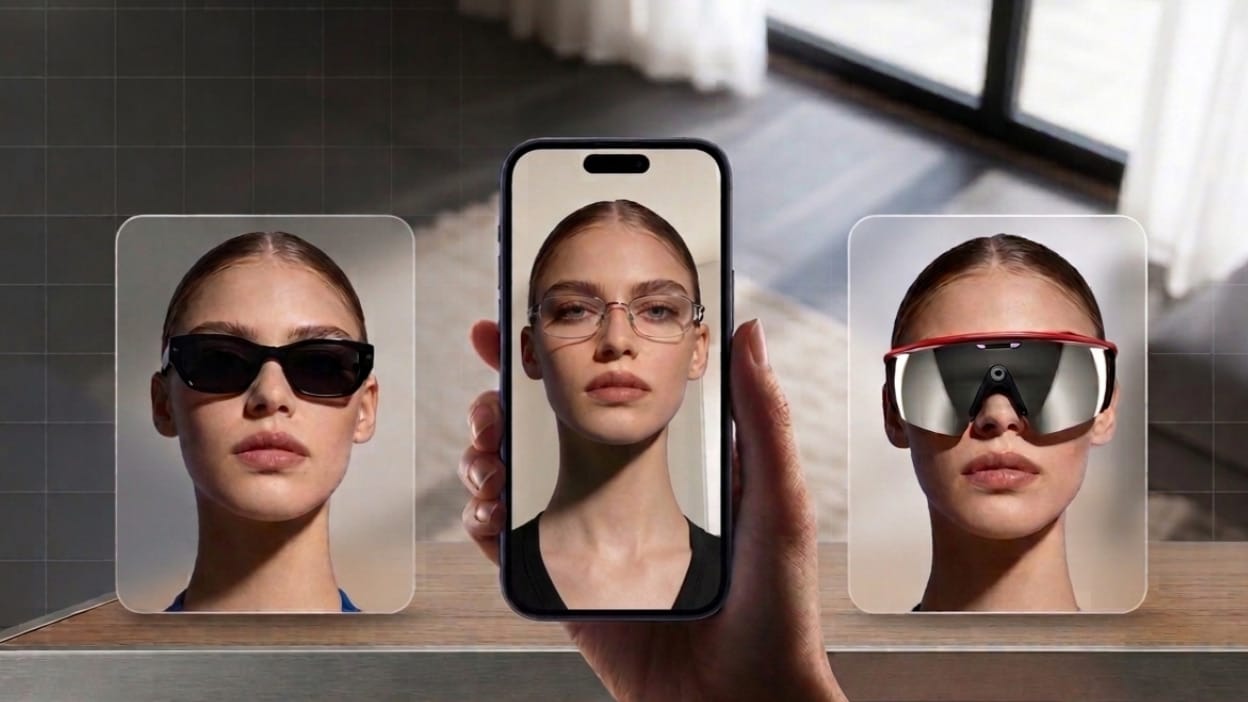
According to a report by Market Intelo, the global virtual glasses try-on market was valued at $1.2 billion in 2024 and is expected to grow to $7.8 billion by 2033, with a projected CAGR (Compound Annual Growth Rate) of 23.1%. Influenced by rapid development of AR face tracking and changing customer purchasing expectations, many eyewear brands, such as GlassesUSA and Warby Parker, are transforming the traditional shopping experience with the AR glasses try-ons.
About this case, we already prepared an easy-to-follow tutorial to help you for an AR scene to try on glasses.
 Leonie
2. Trendy AR Face Filters and Lenses
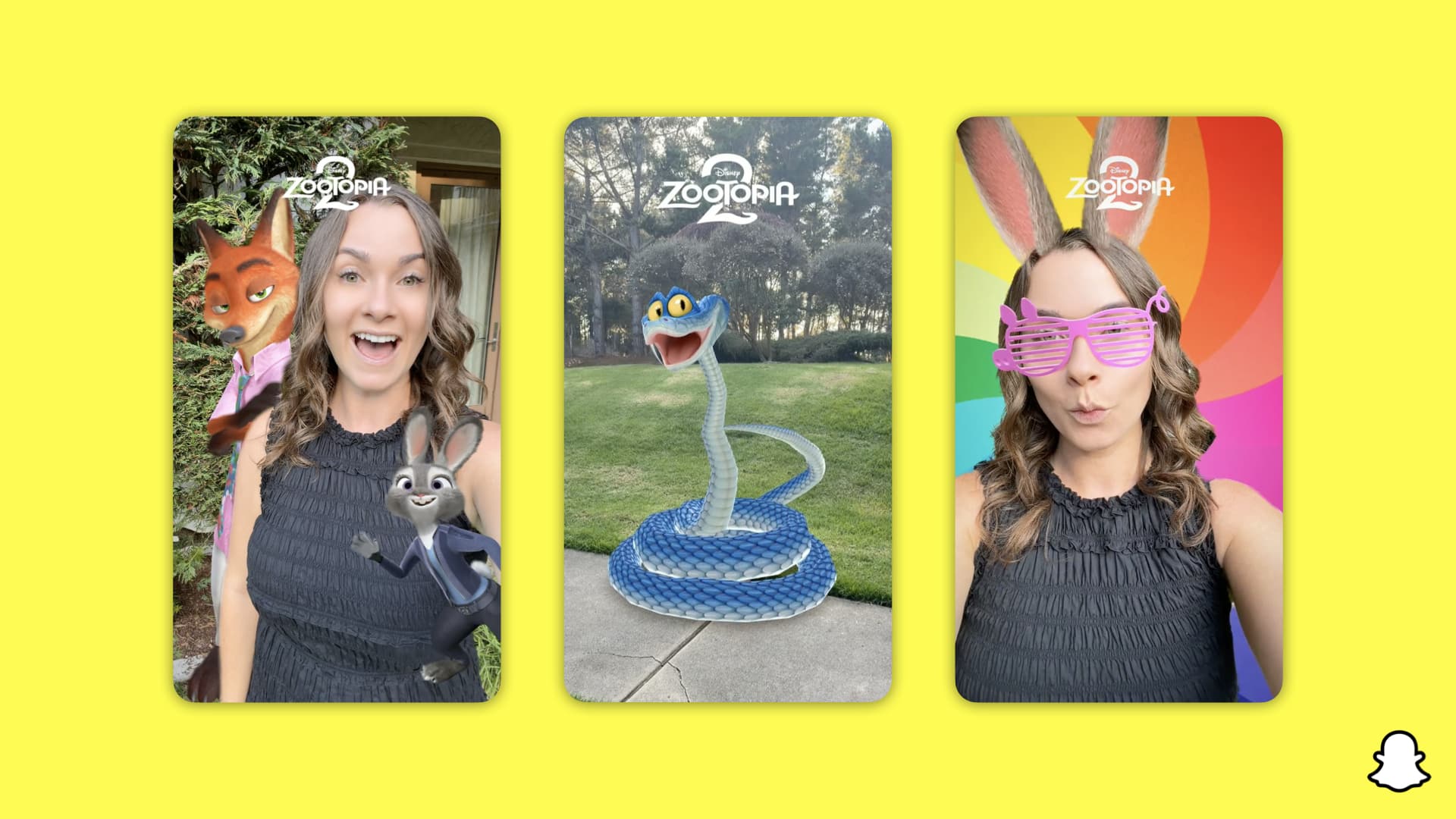
AR face tracking technology is widely used across social media platforms to power interactive filters and AR lenses, enabling users to directly change their appearance by overlaying digital content on them for a memorable experience. The CEO of Snap Inc. pointed out that over 200 million users interact with AR filters in the app per day, showing the increasing influence of AR face filters on social media.
3. Virtual MakeUp
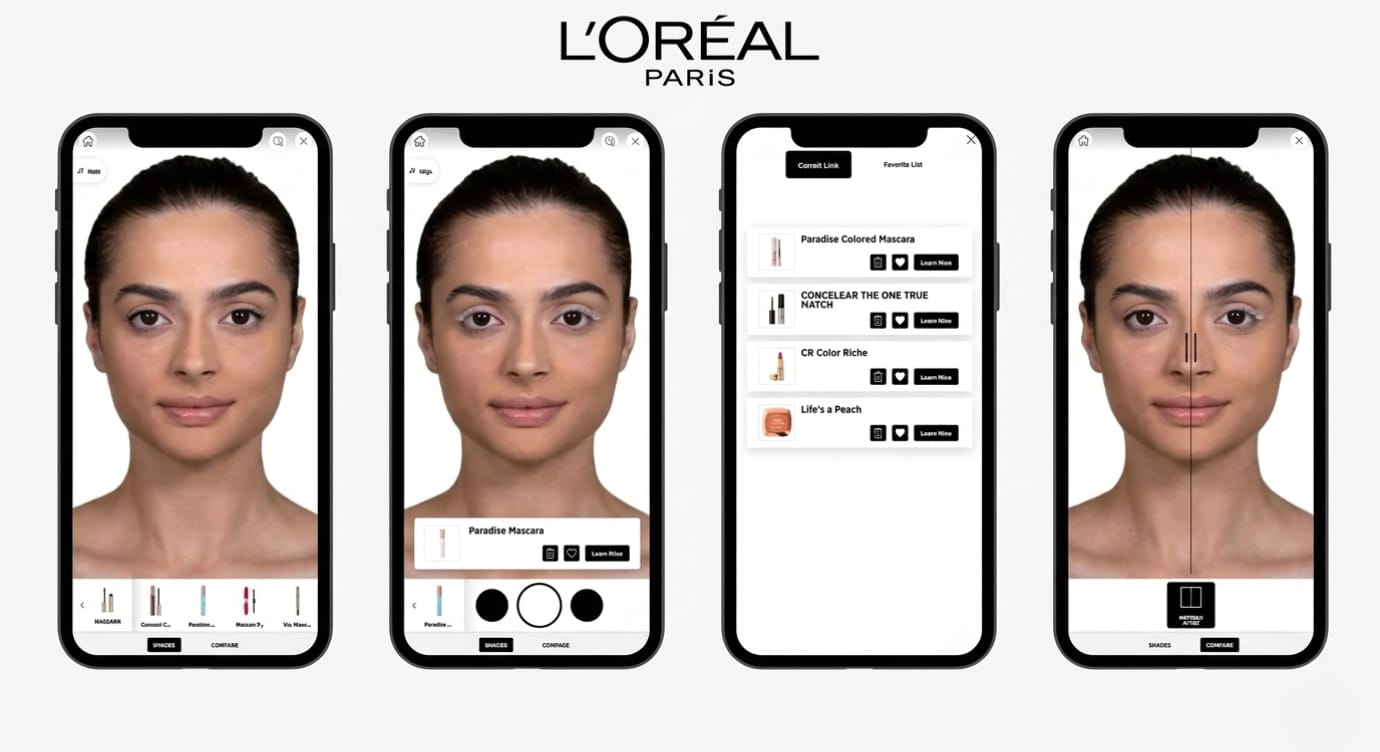
AR face tracking is also transforming the cosmetics industry. Virtual makeup try-ons allow users to preview cosmetic products online in real time, helping reduce purchase uncertainty and improve the online shopping experience. Beauty brands like L'Oréal and Sephora now have integrated AR makeup try on experience into their digital marketing strategies to encourage repeat purchases.
Step-by-Step Guide to Building an AR Face Tracking Experience
Kivicube Video Introduction
In the past, creating AR face tracking experiences often required complex coding skills and time-consuming development processes. So, is there an easier way to create face AR experiences without coding?
That’s where Kivicube helps simplify the process by allowing users to create face AR experiences through a visual editor. Its rendering engine supports advanced visual effects and 3D materials, helping users create realistic virtual try-on experiences. Since the platform is WebAR-based, users can easily embed their AR experiences across websites, apps, and social media platforms without requiring an app download.
Follow the tutorial below to create your own AR face tracking experience with Kivicube. In this example, we’ll build an AR glasses try-on experience:
Step 1. Sign Up and Create a New AR Face Scene
Log in to Kivicube with your account, click “New Scene+” on the top right corner of the page and select “Face AR”.
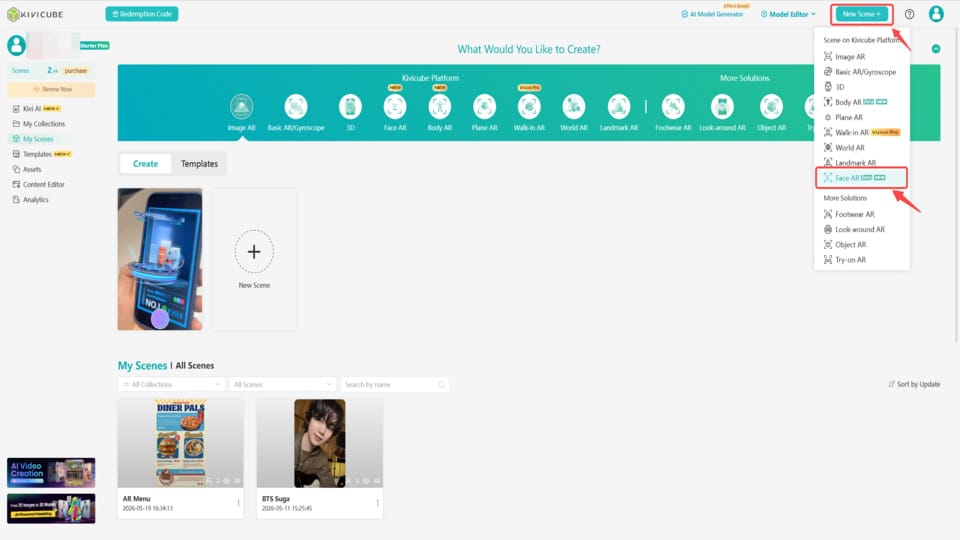
In the pop-up window, name your AR face scene, then click “Create Now” to get into your grid editor.
Step 2. Upload Glasses Assets
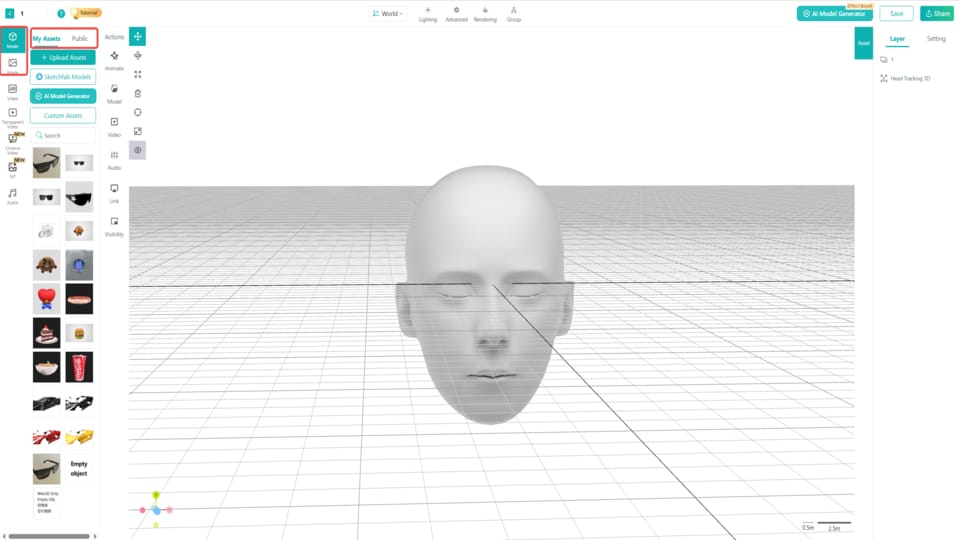
Upload the target 2D and 3D assets from your devices. You can also find the assets directly from the Kivicube public asset library, search models from the built-in Sketchfab asset library and create one with the AI model generator.
Then simply drag and drop the assets to the grid editor, then you can position the assets with the transform tools.
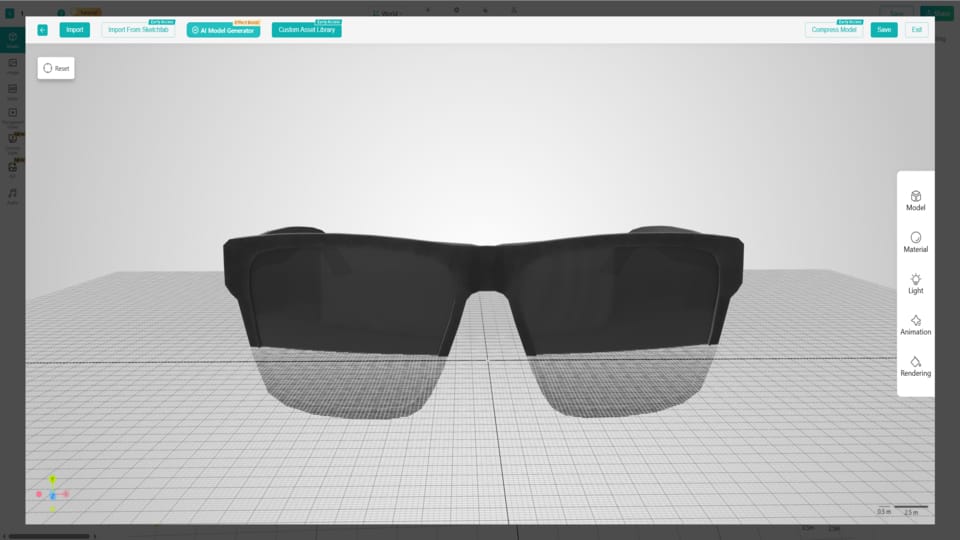
Note: If you open the 3D model assets on the content editor, you can edit the models in detail, such as material, light, animation and rendering.
Step 3. Set Interactions of the AR Glasses Try On Scene
Add and adjust the interaction settings to better promote your brands. Select the target asset and click “Visibility” in the events panel, then name the action and select the 1st glasses you want to show when face tracked, choose "visibility" and set “Tracked” as the trigger. Then you can set the action of the rest assets just like this.
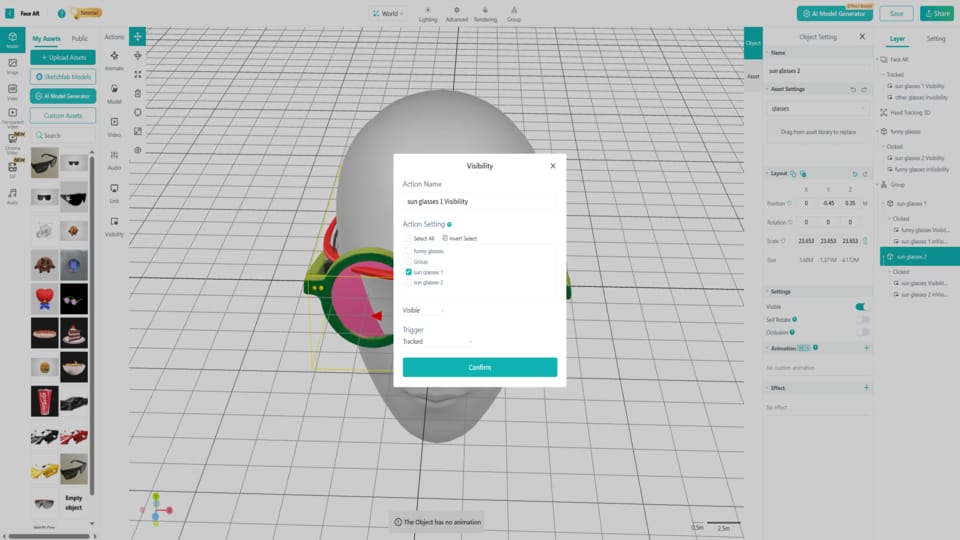
Note: Please pay attention to the consistency of the visibility and invisibility of the various assets.
Step 4. Save, Share and Experience
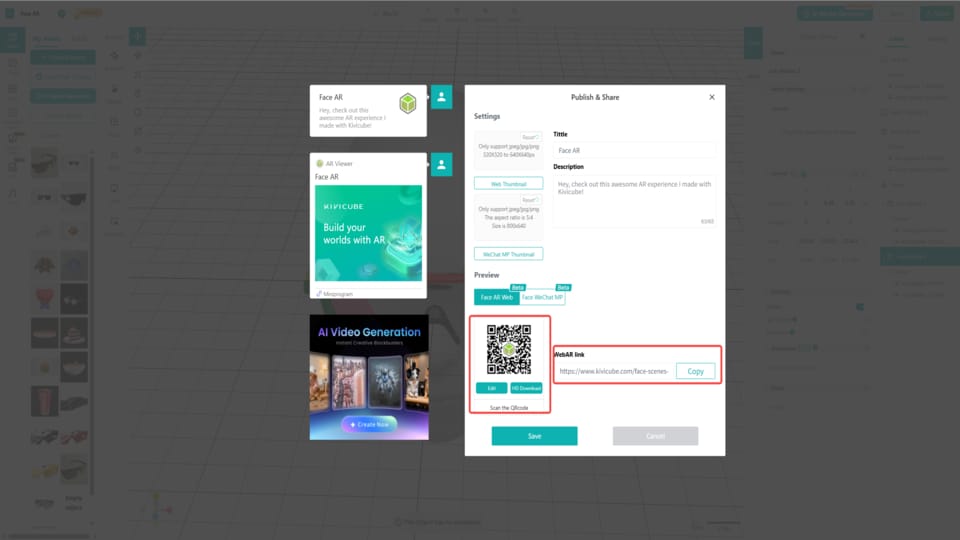
When everything is done, click “Save” and “Share” to get the AR code and link to the generated face tracking AR scene. You can then embed the link to any site, app and social media you want for sharing.
FAQs about AR Face Tracking
Q: What is the difference between VR and AR face tracking?
VR face tracking captures facial movements to enable immersive experiences in a fully virtual environment, while AR face tracking overlays digital content, such as virtual glasses and makeup, onto a user’s real face through mobile devices, allowing users to see both the physical and digital worlds simultaneously.
Q: What if I have no idea on AR face scene creation?
Don’t worry. Kivicube provides multiple pre-designed AR face tracking templates that can be duplicated for quick creation.
Q: Do I need to download an App to make an AR face tracking experience?
No, there are webAR platforms like Kivicube that enable users to create, edit and share AR experiences directly online, with no app downloaded.
Q: How much does it cost to make a face tracking scene?
Many face tracking AR platforms offer free trials or entry-level plans for new users who are just getting started.
Q: Can developers integrate AR face tracking into their sites or apps?
Yes. Kivicube provides seamless integration with online tools, platforms, and CRM systems.
Start Your Creation with Kivicube
AR face tracking is becoming increasingly important across e-commerce, social media, entertainment, and digital marketing. With Kivicube, you can create interactive WebAR face tracking experiences without coding or app downloads. Whether you want to build virtual try-ons, branded filters, or immersive campaigns, Kivicube makes AR creation accessible to everyone through a visual editor. Start building today for your first AR experience!