AR Product Visualization: Ultimate Guide & Real-World Examples in 2026
In this post, we’ll show you how to create AR product visualization scenes with Kivicube and discuss the trendy examples in action.
Augmented reality is no longer an experimental technology, it has become practical for modern e-commerce performance. Today, AR product visualization for e-commerce is reshaping how B2B and B2C customers evaluate products online, shattering purchase hesitation and building immediate consumer confidence.
According to Shopify, products that include AR or 3D content can achieve up to a 94% increase in conversion rates compared to those relying on static product imagery, reporting that AR directly drives new e-commerce.
This guide breaks down how augmented reality product visualization works, explores real-world industry applications, and discovers how no-code platforms like Kivicube enable brands to create AR product experiences without technical complexity.
What Is AR Product Visualization?
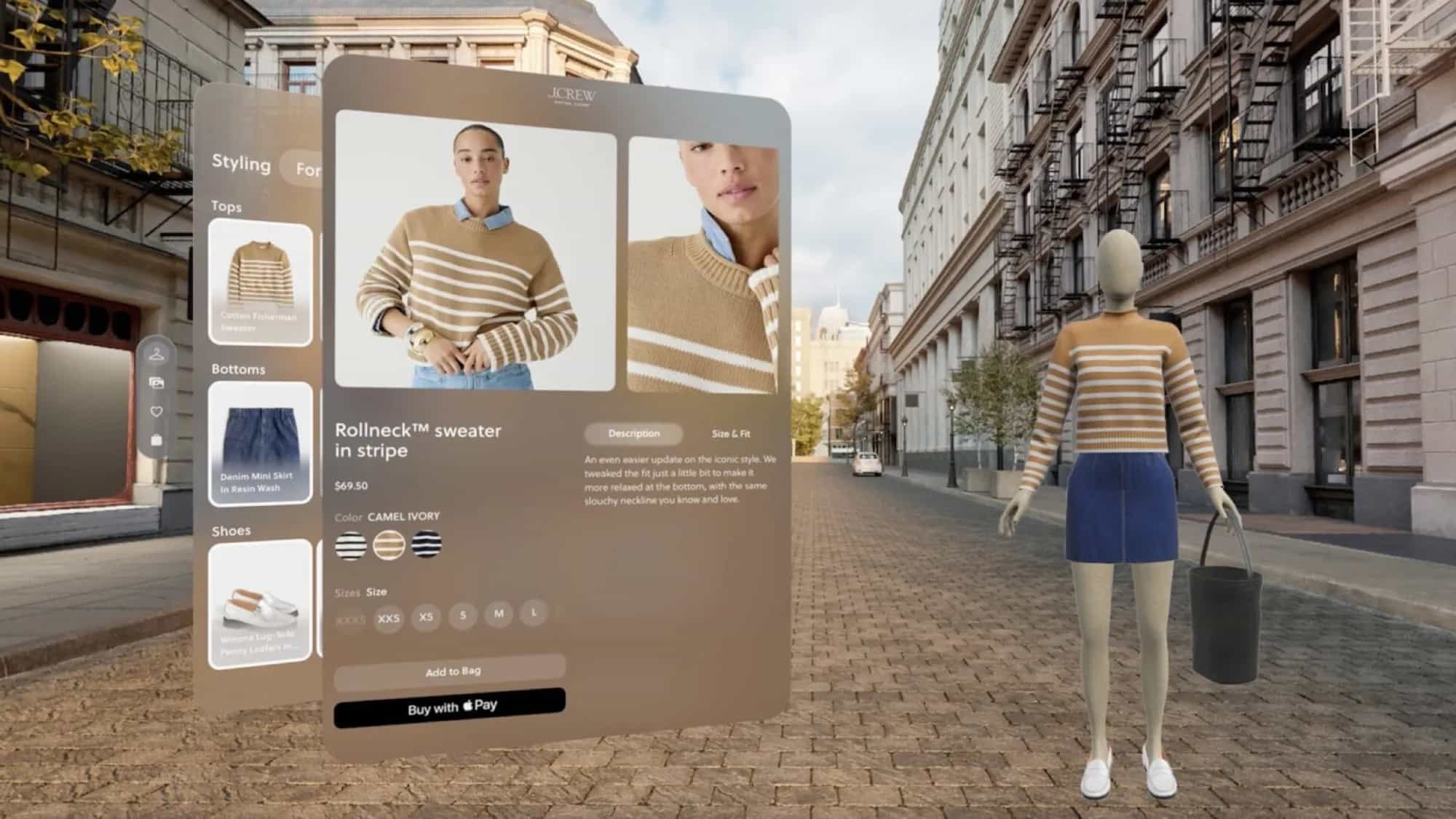
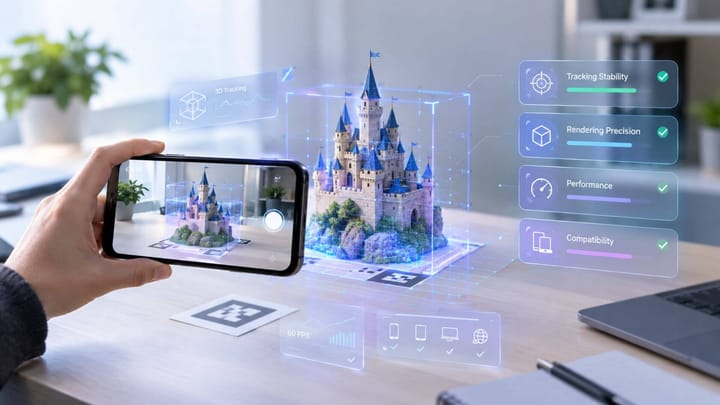
AR product visualization is a technology that leverages smartphone or tablet cameras to overlay high-fidelity, 3D digital models into a user's physical environment at a precise 1:1 scale.
To bridge the gap between a physical product and a consumer's screen, the workflow of AR product visualization follows 4 distinct optimization stages:
- Create 3D AR assets: Teams convert raw CAD production files into clean polygon meshes, utilize photogrammetry to compile spatial photos from all angles, or sculpt assets directly in tools like Blender and Maya.
- Optimize the models: Creators reduce polygon counts, run texture baking to compress complex lighting and shadows into efficient 2D texture maps, and export files into web-friendly formats (like .gltf or .usdz) for instantaneous runtime loading.
- Deploy to brand digital ecosystem: The optimized assets are integrated via an app-based ecosystem (like native iOS AR Quick Look or proprietary apps like IKEA Place) or distributed seamlessly across a web browser layout via a WebAR platform.
- Interactive product viewing: The user enters the AR space via a link or QR code, points their device at a surface, and interacts with the virtual product in real time.
Core Benefits of AR Product Visualization for E-Commerce
Implementing augmented reality for product visualization provides measurable strategic advantages for both the enterprise and the consumer:
Dramatically Lower Return Rates: By allowing shoppers to verify exact sizing, spatial volume, and material colors in their own homes, brands eliminate the guesswork that drives high return shipping costs.
Elimination of Purchase Hesitation: Interactive scaling gives the buyer a clear context, shortening the decision cycle and driving rapid checkout velocities.
Extended On-Page Dwell Times: Immersive experiences naturally invite deep engagement. Longer average session duration signals high consumer intent, which boosts search visibility and organic Google rankings.
Best AR Visualization Tool for Products Online
Looking to enhance your business with AR 3D product visualization? Many brands believe that building AR experiences requires complex development, long production cycles, and dedicated app downloads. In fact, modern WebAR platforms now make it possible to create immersive product experiences without coding or technical expertise.
Kivicube is an all-in-one WebAR platform designed to simplify asset creation, asset management, and cross-platform deployment within a single dashboard. No coding and no app installation required. In addition, it offers 2 free scenes, along with advanced editing features to help users create interactive AR product experiences more efficiently.
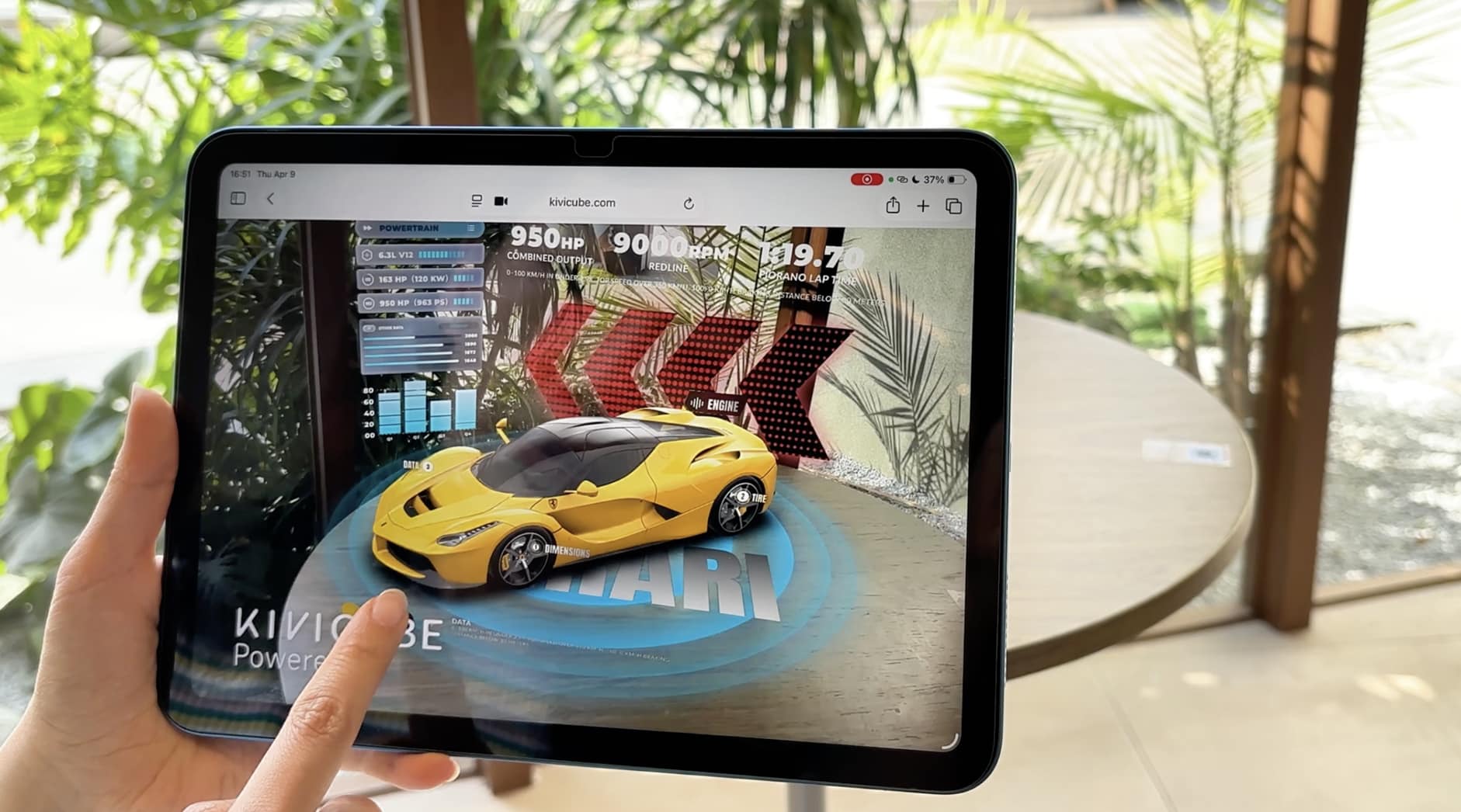
AI-Powered Workflow for Realistic 3D Model
Equipped with an intelligent 3D generation engine, Kivicube allows brands to digitalize physical products instantly. By simply uploading standard flat product photography, the AI automatically constructs optimized, high-fidelity 3D models, dramatically reducing asset creation costs for growing brands.
High-Precision Rendering Engine
Kivicube’s enterprise rendering engine ensures that fine details, such as fabric weaves, jewelry luster, vehicle reflections, and fine metallic sheen, are reproduced with up to 90%+ visual fidelity.
Wide Range of AR Capabilities, Ready-to-Use Templates and Assets Library
A large collection of pre-designed templates is available for different types of AR product visualization, including image AR, face AR, and plane tracking AR. Whether you are creating an AR real estate brochure, glasses try-on experience, or spatial furniture placement, you can easily build it using these templates. In addition, numerous assets are available to fine-tune your AR scene with a single click.
Simple Drag and Drop Editor with No Code
No coding knowledge or 3D modeling skills are required for AR scene creation. In the visual editor, users can simply drag and drop assets onto the canvas, set animations and interactions, and instantly preview the AR product visualization experience in real time.
WebAR-Based AR Product Visualization for Convenient Deployment
All creations on Kivicube are built on WebAR technology, so the AR product experiences can be seamlessly deployed across Amazon, Shopify, brand websites, mobile applications, and social media platforms.
Introducing Video of Kivicube
Step-by-Step Guide for an AR Product Visualization
Kivicube simplifies the process of creating product visualization AR scenes into easy-to-follow steps. Here, we take AR shoe product visualization scene as an example:
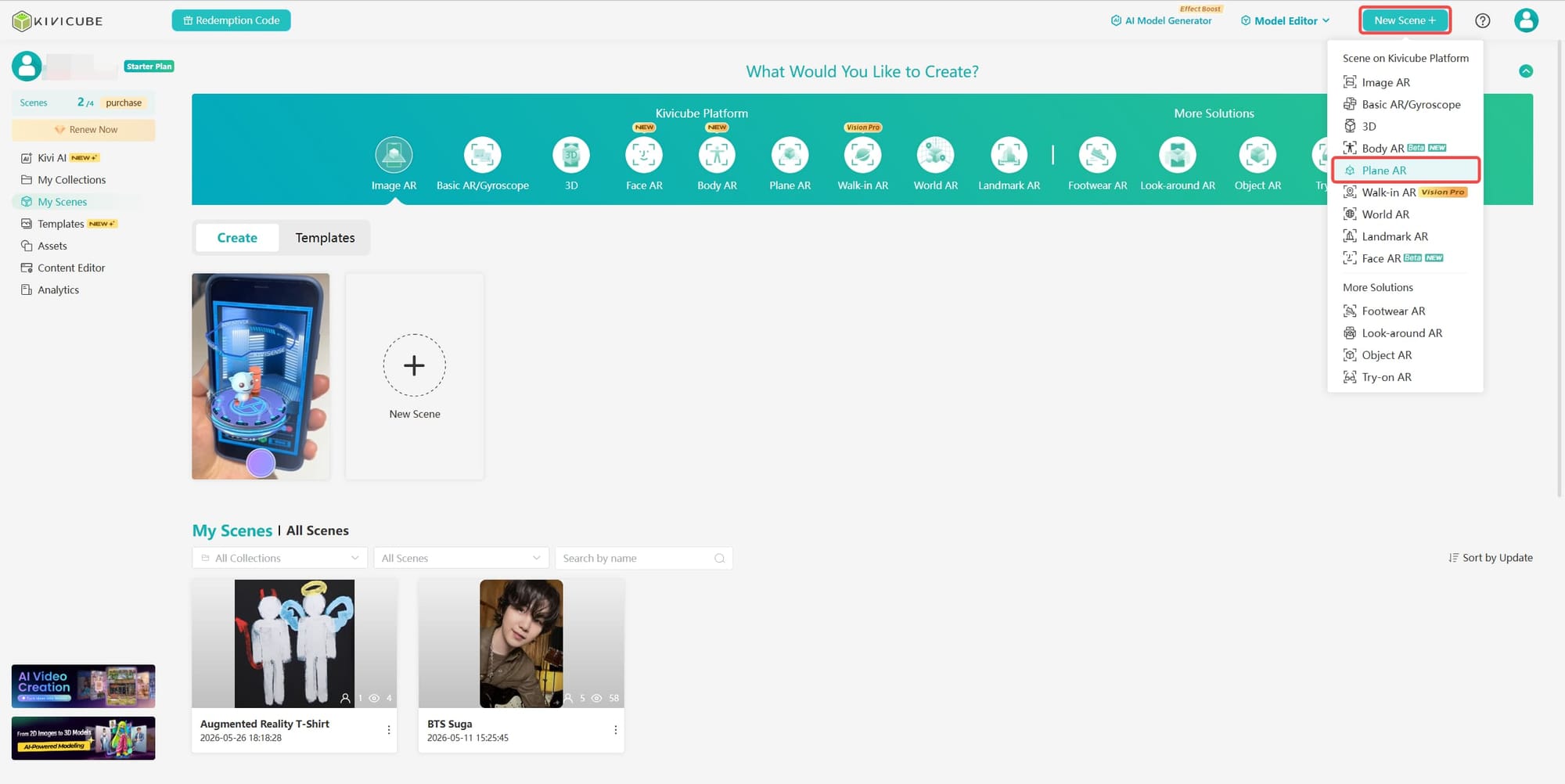
Step 1. Log into Kivicube and Create an AR Plane Scene
Log in to Kivicube, hit “New Scene+” on the top right corner of the page and select “Plane AR”. Then name the new scene.
Step 2. Upload and Place Product Assets
Upload your 3D shoe product assets from your devices. Alternatively, you can leverage the AI 3D model generator to turn the detailed shoe product image to 3D model in real time.
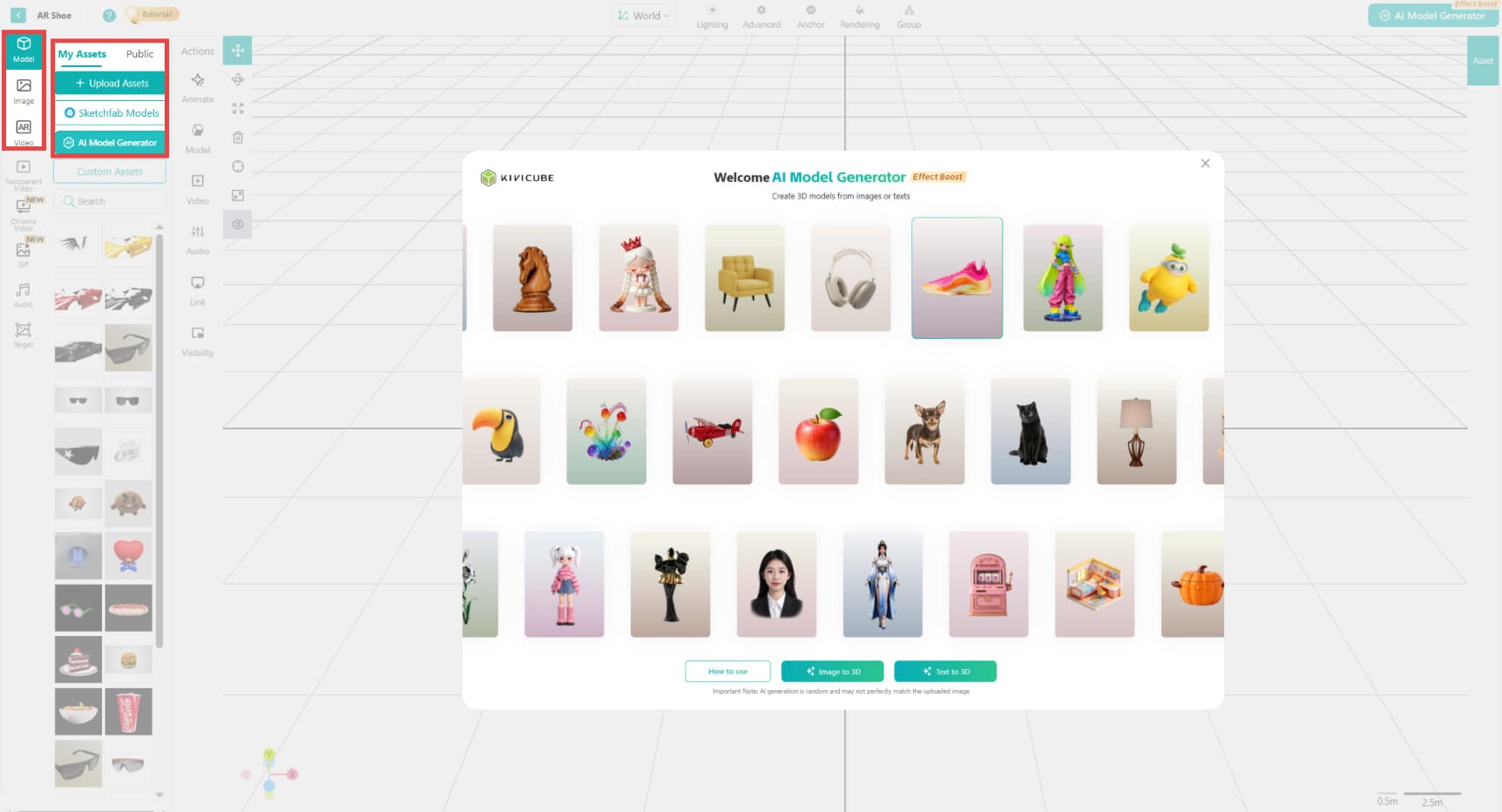
Once uploaded, drag and drop the asset into the grid editor. Use transform tools to adjust size and position as required.
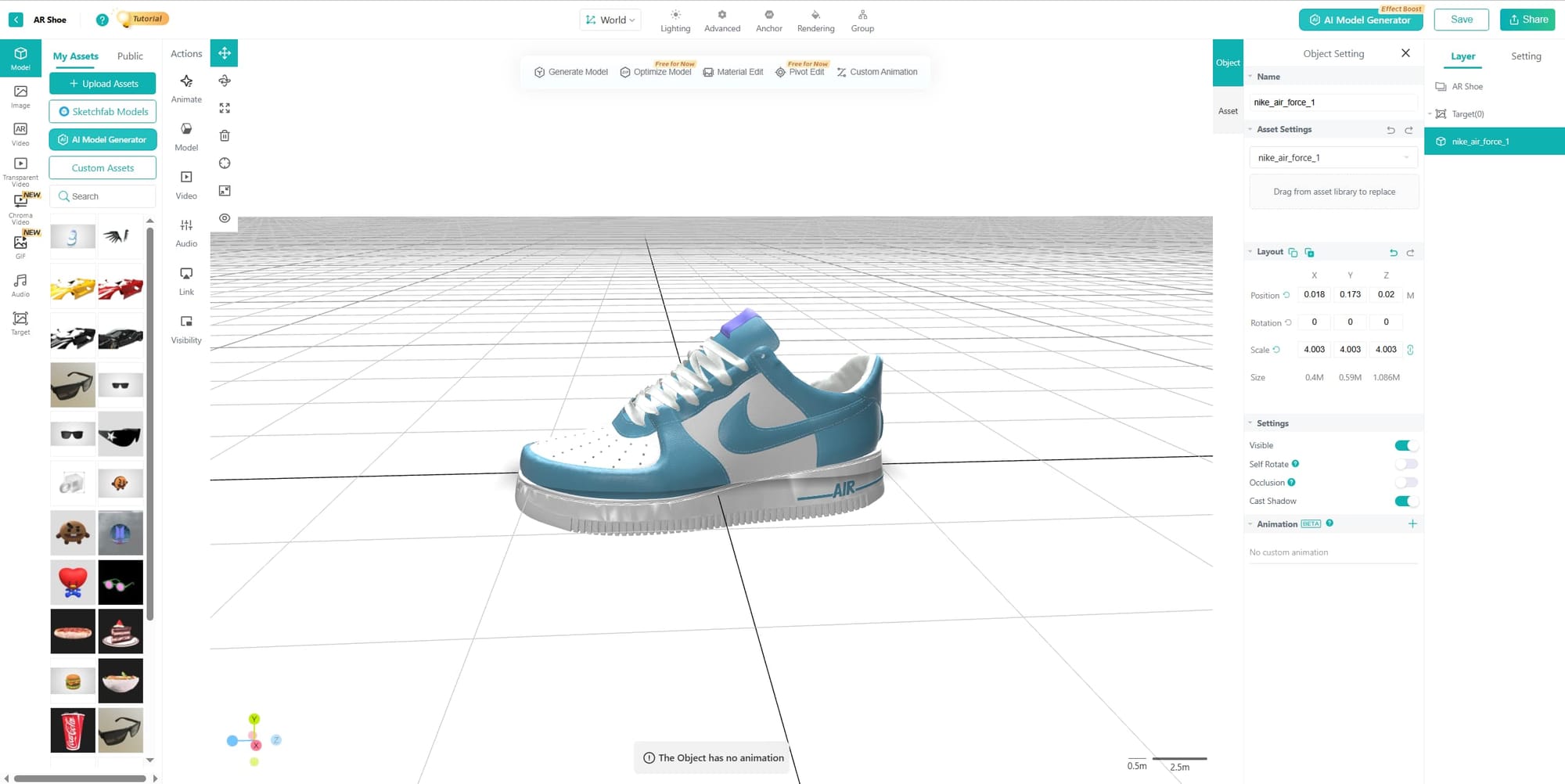
Step 3. Save and Share the AR Glasses Product Try on Experience
Once completed, click “Save” and “Share” to generate an AR link and QR code for your scene. You can then embed or distribute this link across websites, apps, and social media platforms for instant access.
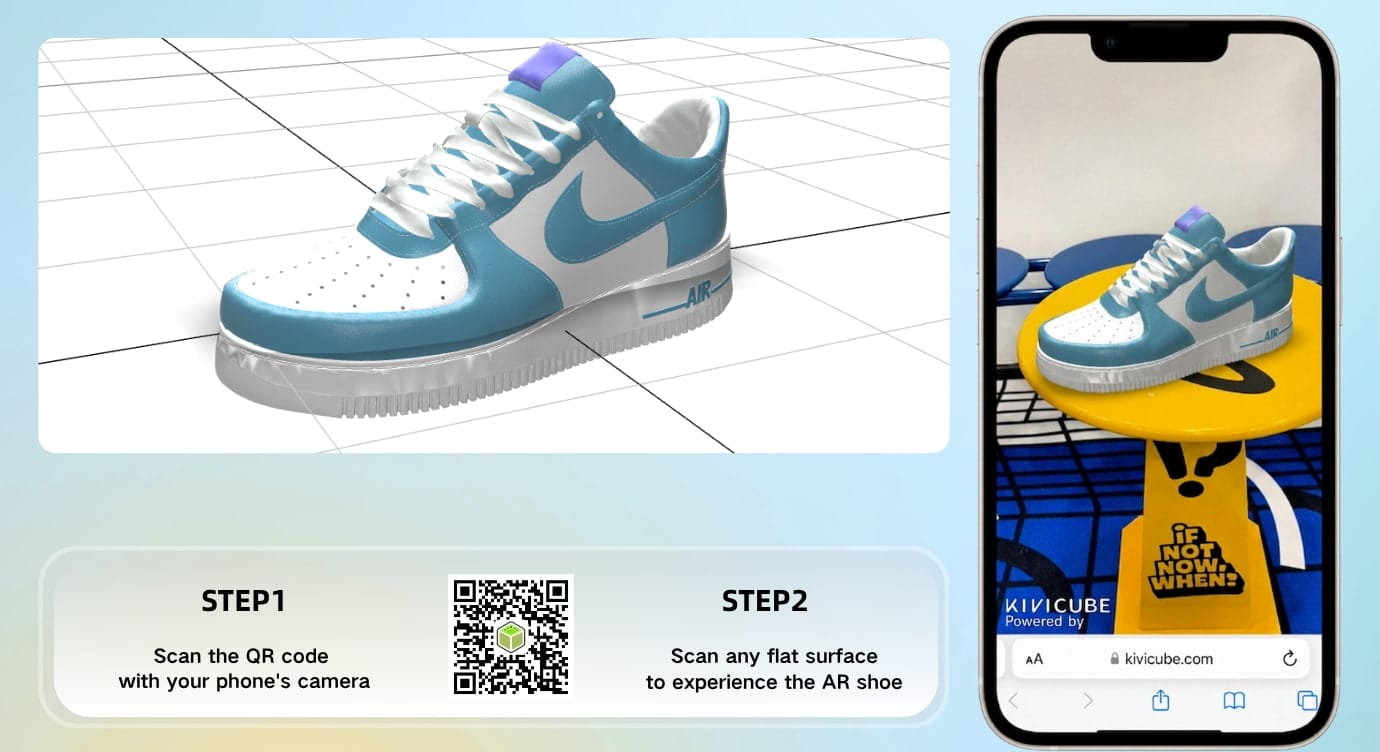
Tip: You can manually zoom in on and rotate the AR shoe product on your mobile screen to explore more details.
7 Inspiring AR Product Visualization Examples in Action
Product visualization via AR technology is very common in all sorts of industries and has enabled brands to become more visible and sell their products better.
Spatial, Automotive & Industrial Applications
- In-Home Furniture Placement: IKEA Place
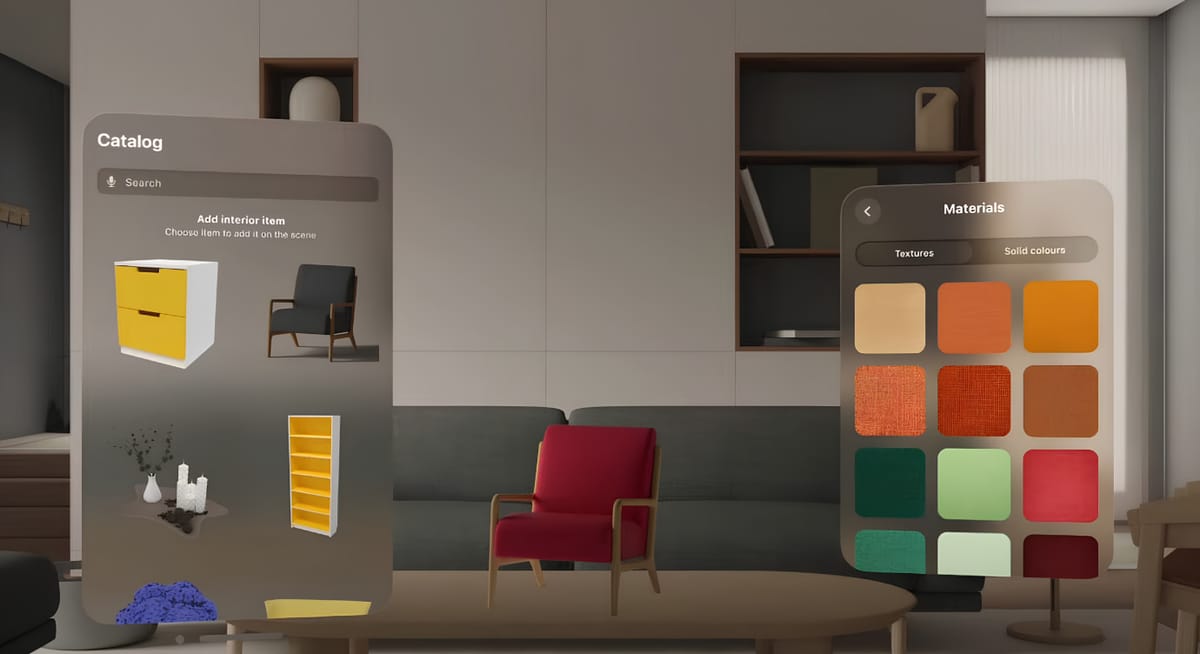
One of the most popular applications of AR product visualization is real-time furniture placement. Customers can place virtual furniture in their homes using AR technology before making a purchase, which helps reduce uncertainty and improves confidence in buying decisions.
IKEA, for example, launched the IKEA Place app for consumers to virtually try many different products, styles and colors in real-life settings using phones, enabling them to make buying decisions directly within their own space.
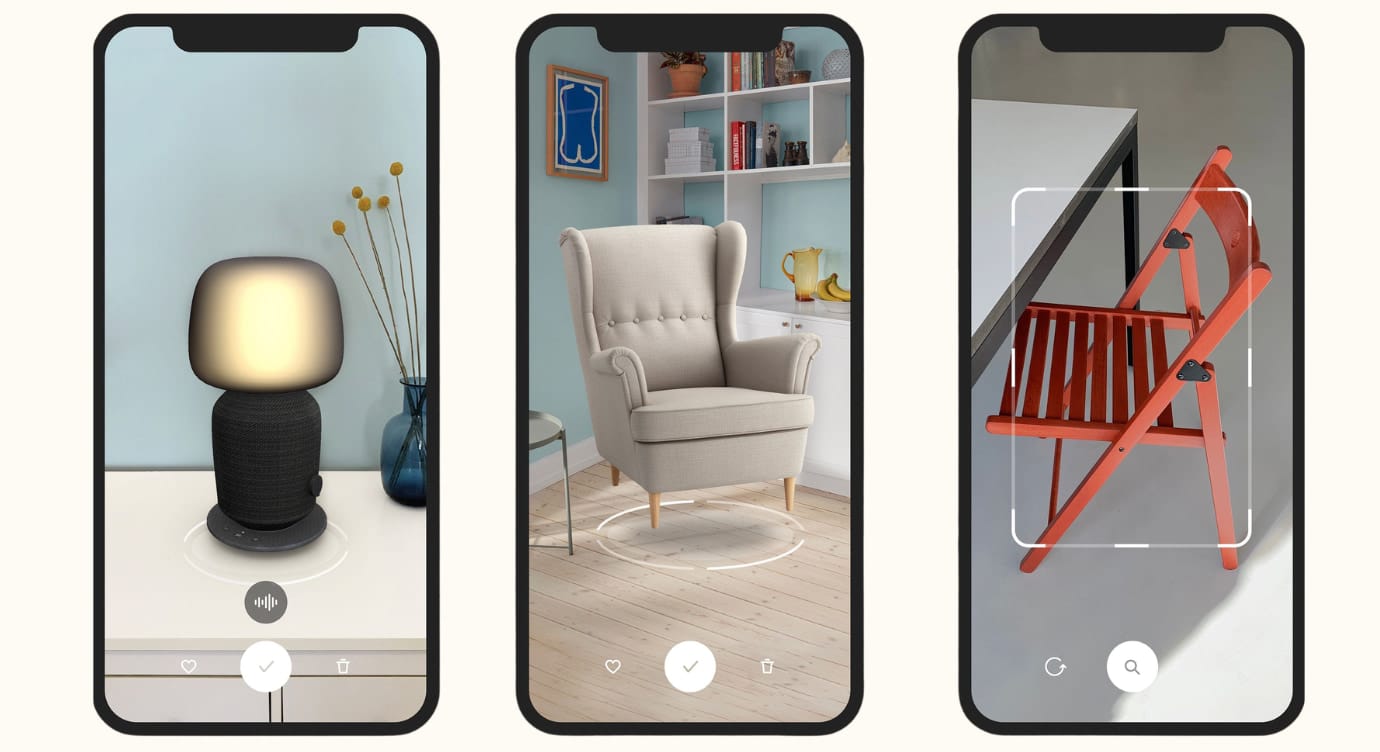
With 98% accuracy of real-life representations of texture, fabric, lighting, and shadows, digital IKEA furniture app was favorably reviewed. It generated massive industry buzz and spiked Google searches for IKEA AR, largely improving conversion and reducing return rates.
- Large-Scale Assets: BMW i AR Vehicle Visualizer
Targeting the pain point that customers want to view all car models, configurations, and premium options (e.g., night mode, custom trims) from home, the AR car product visualization scene is created, which delivers an immersive online shopping experience that the traditional car retailing cannot provide.
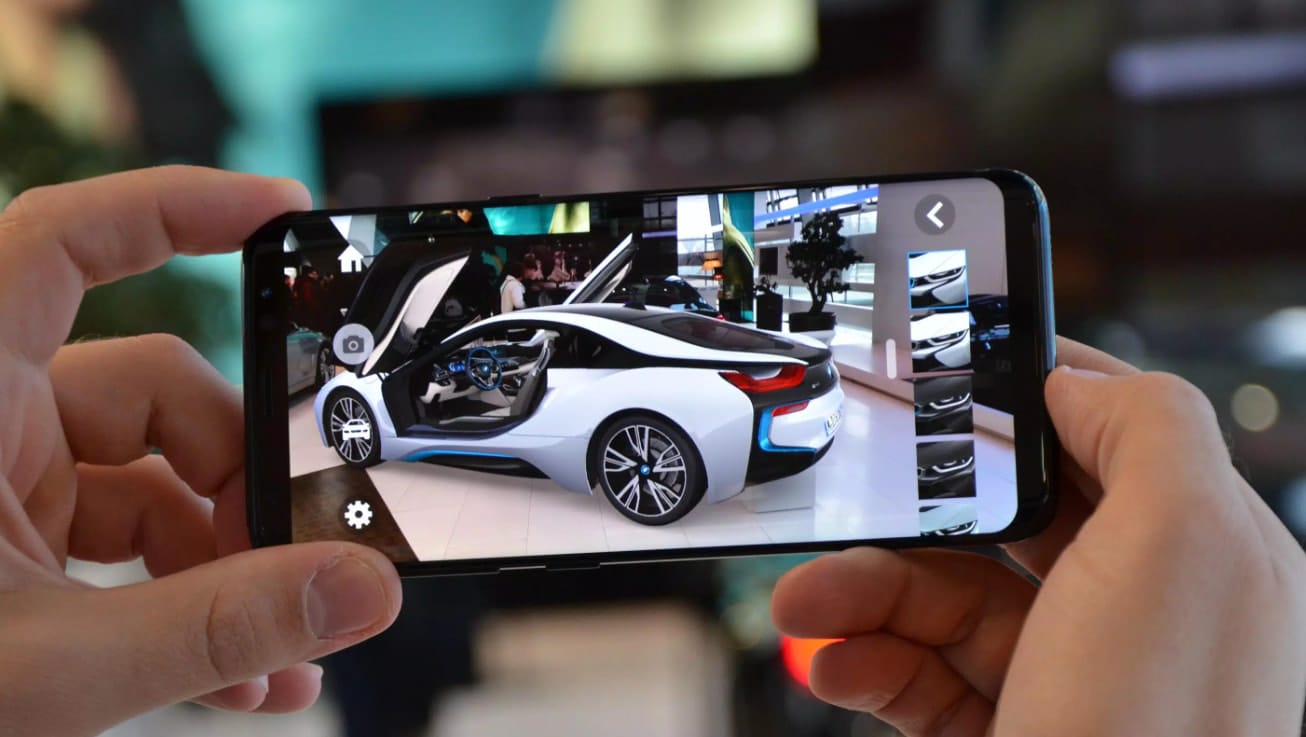
BMW was the first automotive pioneer to offer high-fidelity, life-sized digital car models directly to consumer devices. Dealerships utilized the interactive tool to walk buyers through luxury trim options and custom configurations even when physical floor inventory was completely unavailable. BMW reported that the experience significantly enhanced customer engagement, with test users interacting with virtual vehicles as if they were physically present.
- Real Estate AR Brochures
3D property visualization dramatically increases buyer engagement by allowing prospects to explore listings remotely. Redfin reported a more than 600% increase in monthly virtual walkthroughs after expanding 3D tour availability.
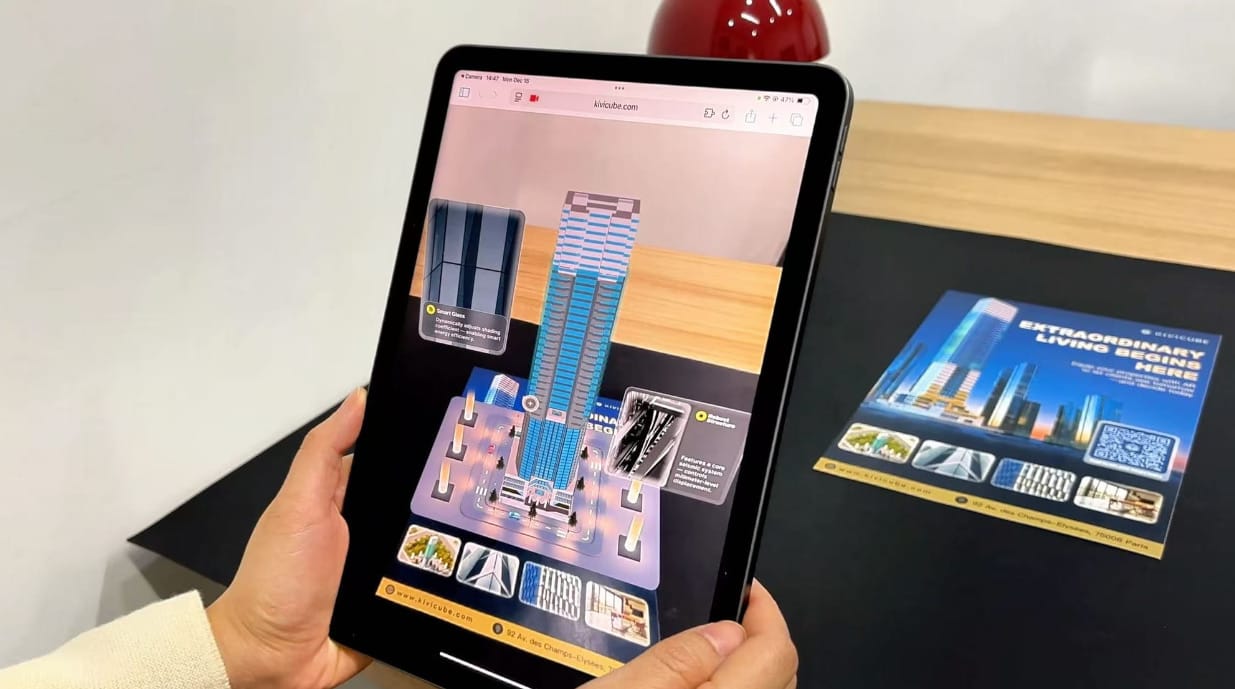
With the technical support of Kivicube, people can create real estate AR brochures from the given images, solving the failures of 2D blueprints to convey spatial volumes of properties.
Virtual Try-On, Fashion & Beauty
- Virtual Gucci Glasses Try-On
According to a Snap–Alter Agents survey, 80% of shoppers feel more confident in their purchases when using AR, while two-thirds are less likely to return products after an AR experience.
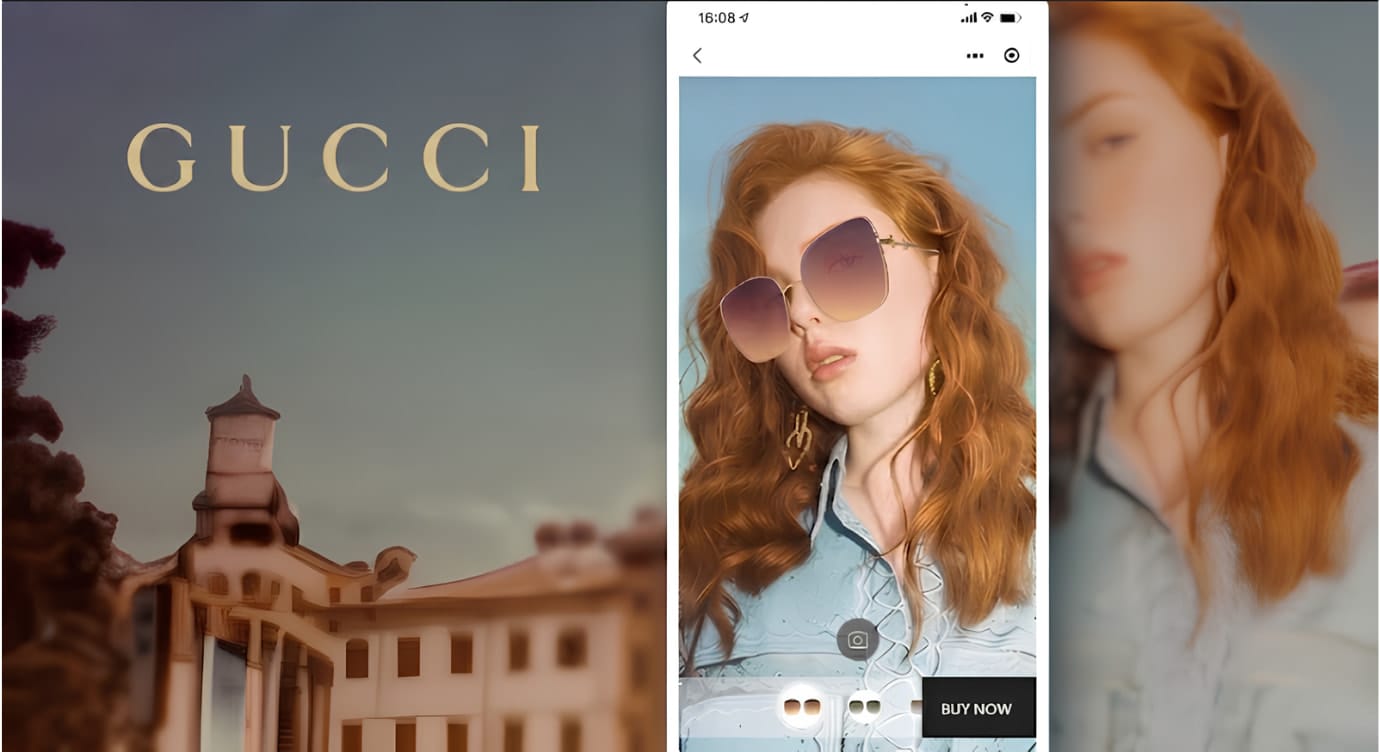
The classic case of AR in glasses products visualization is the Gucci x Snapchat collaboration, users can virtually try on Gucci glasses through their own devices and intuitively check whether the glasses fit themselves online.
- Makeup AR Try-On: L'Oréal ModiFace
Combining AR makeup try-on technology with beauty retail platforms, users can virtually try products such as lipstick and foundation in real time. L'Oréal’s ModiFace system, a successful case, creates a highly personalized and immersive shopping experience that enhances product exploration and encourages social sharing across platforms.
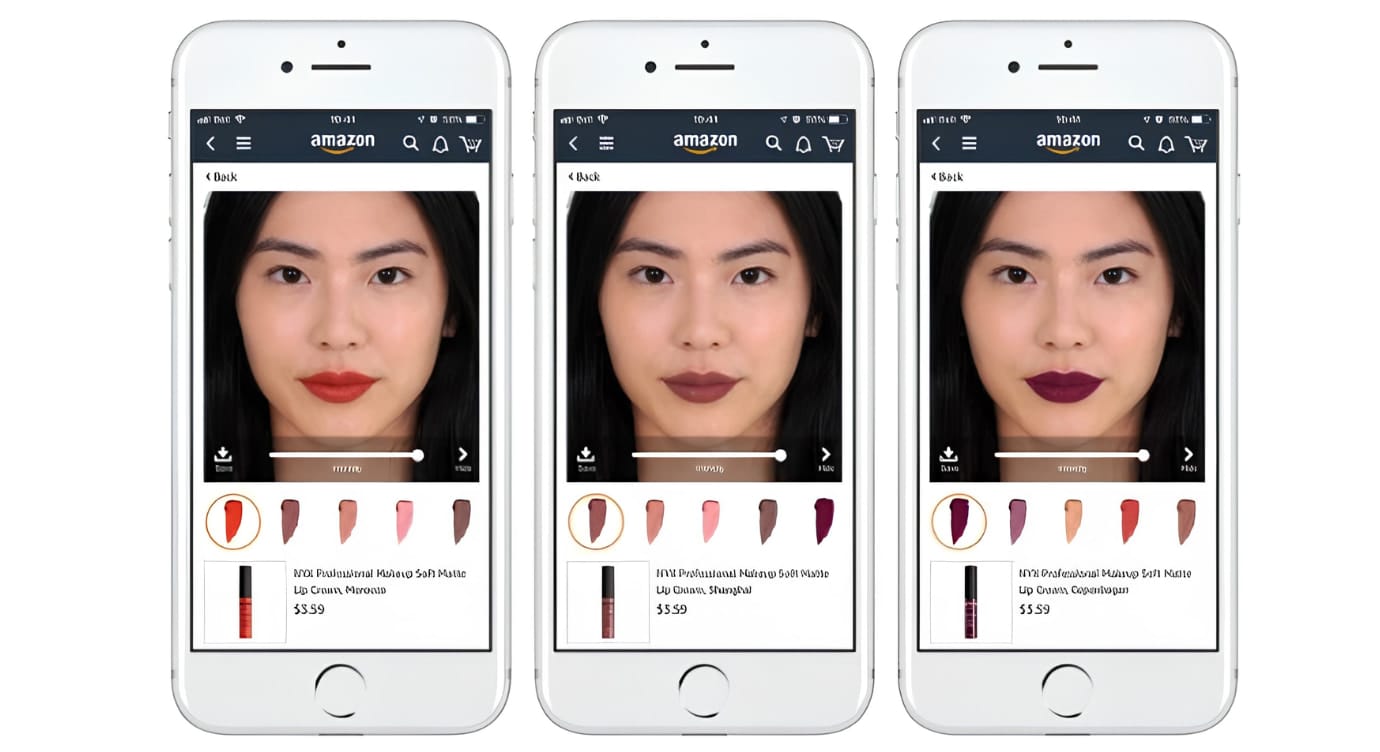
According to L'Oréal’s chief digital officer Lubomira Rochet, AR try-on experiences have been shown to double engagement time and increase conversion rates by up to 3×, significantly improving both user interaction and purchase intent.
- Hyper-Accurate Footwear Sizing: Nike Fit
Nike launched Nike Fit, an accurate footwear sizing app that uses AR scanning to map the user’s foot shape and recommend the most precise shoe size across different models, turning traditional guess-based sizing into data-driven personalization.
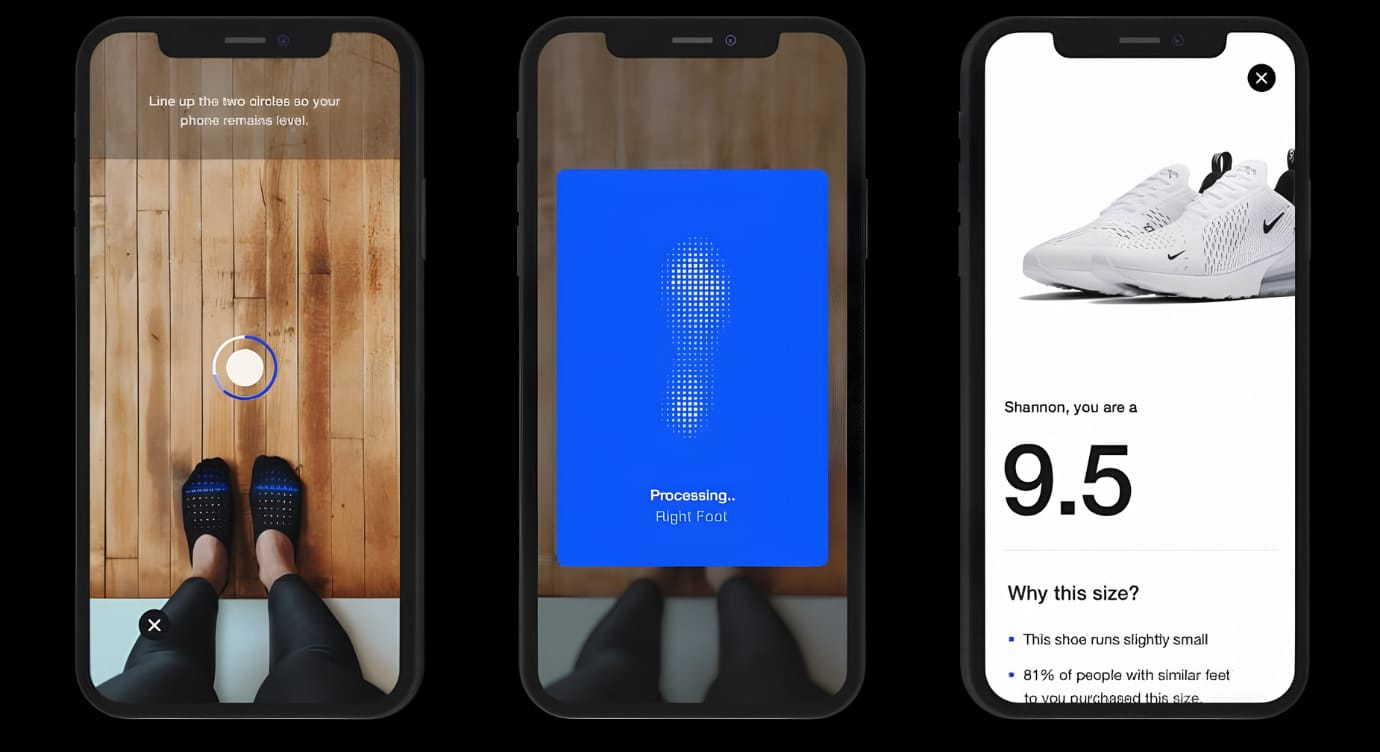
This WebAR fitting approach directly addresses a key e-commerce pain point: sizing variance that leads to high return rates and increased return shipping costs. By shifting the consumer experience from simply browsing products to actively finding the right product for oneself, the app improves purchase confidence and reduces costly post-purchase exchanges.
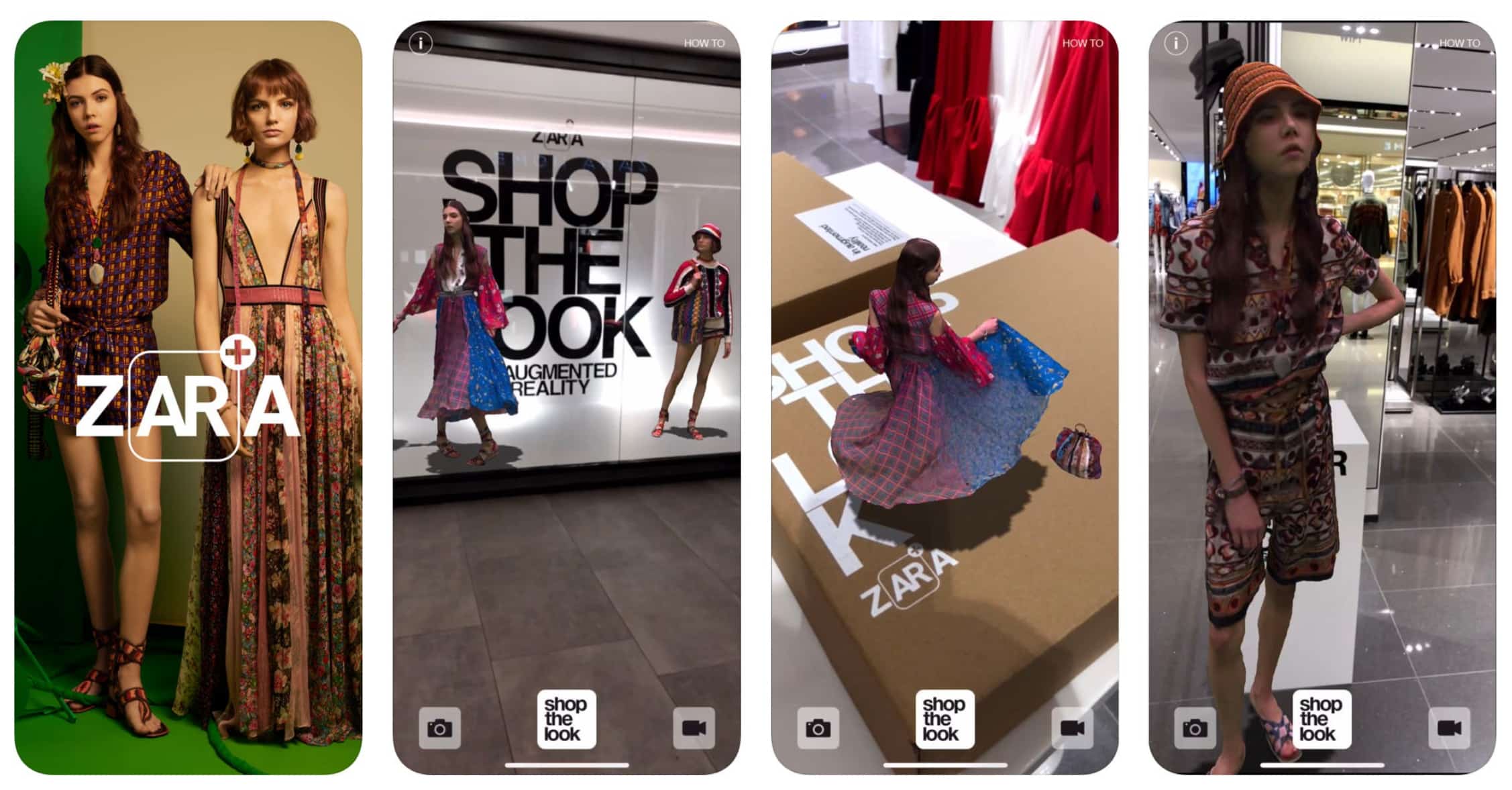
- Complete Outfitting & Fashion: Zara Virtual Runways
Zara’s Virtual Runways experience brings runway-style product visualization into online shopping, allowing users to see complete outfits in motion rather than static product images. Going a step beyond traditional try-ons, it presents the full outfit effect, showing how garments interact together in real-world movement.
Conclusion
Today, AR product visualization is widely used across brand marketing and e-commerce, transforming how products are presented and experienced online. From real estate to industrial design, modern platforms now make it possible to turn static product concepts into interactive AR experiences within minutes.
As a leading WebAR platform, Kivicube enables users to create immersive AR product experiences through code-free editing, high-precision rendering, a rich template library, AI-powered 3D model generation, and fast AR deployment.
Start creating your own AR product experiences today with ease.
FAQs about AR Product Visualization
Q: What are the 5 types of AR?
The 5 types of AR include marker-based AR, markerless AR, projection-based AR, superimposition-based AR, and location-based AR.
Q: SaaS vs. Custom Dev: Which is Best for an AR Product Visualization?
It ultimately depends on your project scope, budget, and development capabilities. Being faster, less expensive, and without the need for any technical configurations, the SaaS approach helps create an AR product visualization in an easy and quick way. Custom development would be suitable in case you require certain specific features that SaaS cannot provide.
Q: Is there a free platform for product visualization AR scene?
Yes, there are quite a few platforms out there that offer a free trial of the product AR scene. Kivicube, for example, offers 2 free scenes with different AR templates and advanced AR editing capabilities.