Augmented Reality Halloween: 10 AR Ideas for Brands, Events, and Creators
Explore 10 augmented reality Halloween ideas, 7 real-world campaigns, and a no-code WebAR tool to create interactive Halloween experiences.
Attention all businesses, marketers, and creators who want to make eye-catching Halloween campaigns with AR! It’s time to make your Halloween projects stand out online with ease.
Whether you want to attract more consumers, build brand awareness, or simply celebrate Halloween with friends, you can find a solution here. We’ll share 10 Halloween tricks (and treats), 7 real-world examples, and step-by-step guidance to help you create augmented reality Halloween experiences.
How to celebrate Halloween with AR? Read on to explore the AR Halloween experiences in depth.
Why Use AR for Halloween?
Augmented reality offers brands and creators new ways to make Halloween campaigns more interactive. Research published in the Journal of Business Research found that immersive AR advertising experiences can positively influence consumer responses, including social sharing and purchase intentions. Here are 4 ways AR can add value to Halloween campaigns.
- Turn Halloween content into interactive experiences
AR technology converts static Halloween content into interactive experiences online. With digital content overlaid on the real world, users can enjoy Halloween-themed activities on their phones.
- Make seasonal campaigns easier to share
AR Halloween experiences, such as AR face filters and virtual photo booths, can be easily shared and enjoyed online. Users can post their creations on social media and introduce the campaign to a wider audience.
- Extend physical Halloween marketing into digital experiences
Halloween posters, product packaging, and printed promotions can do more than attract attention. By adding AR content to these materials, people can scan them for various animations, games, or other digital experiences.
- Create memorable brand experiences
Brands can create Halloween campaigns that are playful and unexpected for their customers. With engaging games and virtual characters, brands can leave a lasting impression on consumers.
10 Augmented Reality Halloween Ideas
Looking for a fun way to celebrate the spooky season with your family, friends, and even consumers? Here are a few ways to celebrate Halloween with AR.
1. Social & Personal AR Halloween
Curious about what to do on Halloween with no friends? The simple camera-based effects help individuals celebrate Halloween using their phones. Whether you're creating a virtual costume, posting Halloween content, or sharing a laugh with friends, these ideas offer simple ways to make the holiday more fun.
Idea 1. Halloween AR Filters
Halloween AR filters overlay spooky effects on users' faces or bodies in selfies and videos. They can try filters with different AR effects, like virtual vampire fangs, creepy makeup, glowing eyes, animated ghosts, etc.
You can customize some AR filters that match the Halloween campaign. Consumers can then capture and share eye-catching images on social media, helping the campaign reach a wider audience.
Idea 2. AR Halloween Photo Booths
With an augmented reality horror photo booth, people can pose with digital Halloween-related effects, like animated bats and flying pumpkins.
2. AR Halloween Games & Interactive Activities
Halloween is the ideal time to turn traditional games into AR games by adding virtual objects and clues to real-world surroundings.
Idea 3. Halloween AR Scavenger Hunt
A Halloween AR scavenger hunt game is a versatile activity for family gatherings, community events, and brand campaigns. During such an AR game, players need to find hidden objects, such as pumpkins and ghosts, in the area where the game is taking place, using their phones.
Curious about how to create your own Halloween AR game? Then this post can be helpful:
 Bella
Bella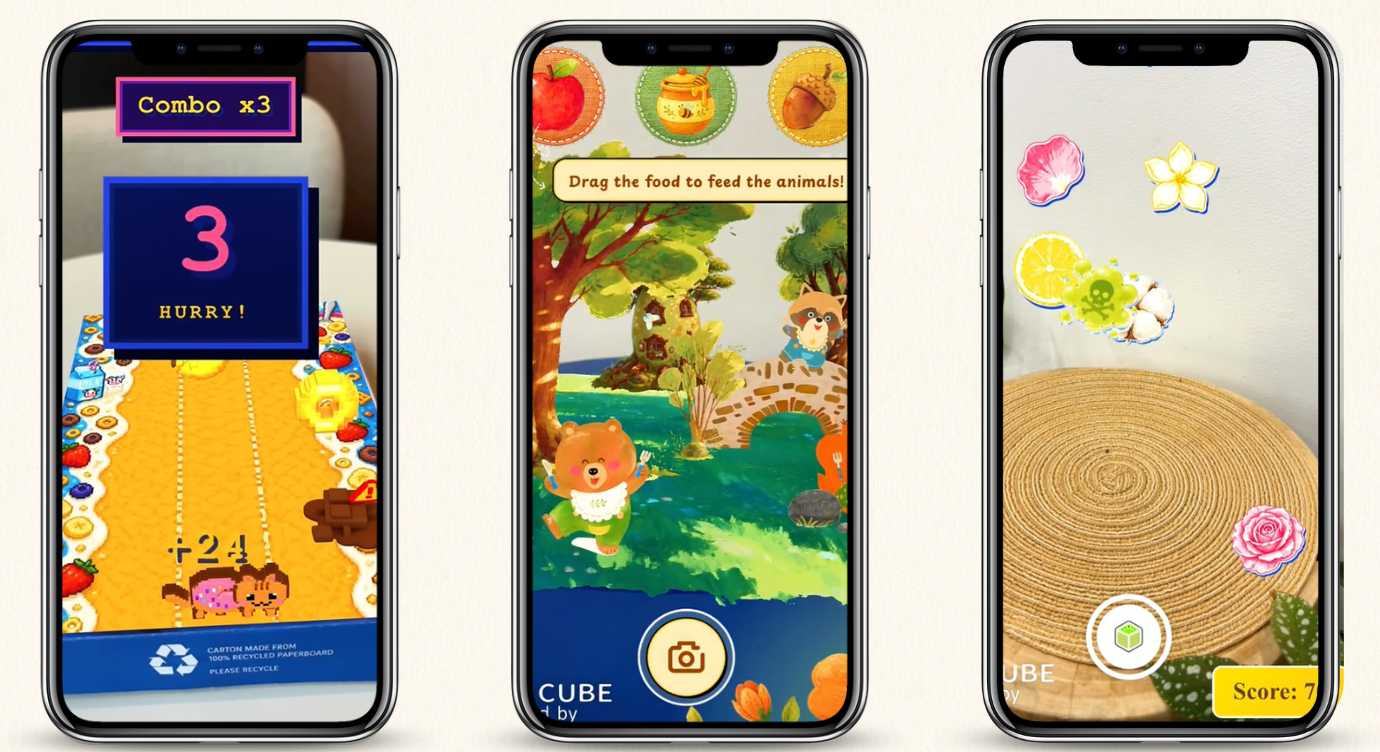
Idea 4. Interactive Halloween AR Quiz
Whether you are at Halloween parties or school celebrations, AR quizzes can make them more entertaining. After scanning the materials, such as a small card, users can answer and interact with quizzes related to Halloween.
3. Product & Shopping AR Halloween
Halloween allows retailers to promote seasonal products and engage shoppers. With AR product visualization and virtual try-on features, customers can preview certain products before deciding whether to buy them.
Idea 5. Halloween AR Try-On
AR try-on experiences let shoppers preview virtual makeup on their faces and see how selected costumes or accessories might look through their mobile camera.
Idea 6. AR Halloween Packaging
You can also combine Halloween packaging with AR. When shoppers scan a product label or package, they can reveal animated monsters, spooky stories, or other interactive content.
4. Halloween AR Marketing
To make Halloween AR marketing more engaging, you need to give viewers something to do rather than simply showing them digital content.
Idea 7. Interactive Halloween AR Ads
Unlike static ads, Halloween AR ads can be more immersive and interactive by inviting viewers to take part in the experience. By scanning a QR code or a supported image target, users can explore digital effects, play a mini-game, or discover hidden content.
Idea 8. Halloween AR Poster
An AR poster is another idea to turn one-way advertising into two-way interaction. People can scan the Halloween poster placed in public spaces to explore a Halloween experience, like a 3D monster and spooky animation.
5. Creative AR Experiences for Halloween Parties and Events
Augmented Reality also adds digital effects and interactive activities to Halloween parties and events.
Idea 9. AR Halloween Decorations
Without adding more physical props, you can place digital effects to decorate a room with floating ghosts, crawling spiders, or animated pumpkins.
Idea 10. Halloween AR Invitation
Want to make your augmented reality Halloween party more memorable? Send guests an AR invitation. When they scan the printed card, a digital invitation can appear with animated ghosts, pumpkins, or other spooky effects.
7 Real-World Augmented Reality Halloween Examples
Here are 7 real-world examples of brands and organizers using AR for Halloween campaigns and events.
- General Mills Halloween AR Game
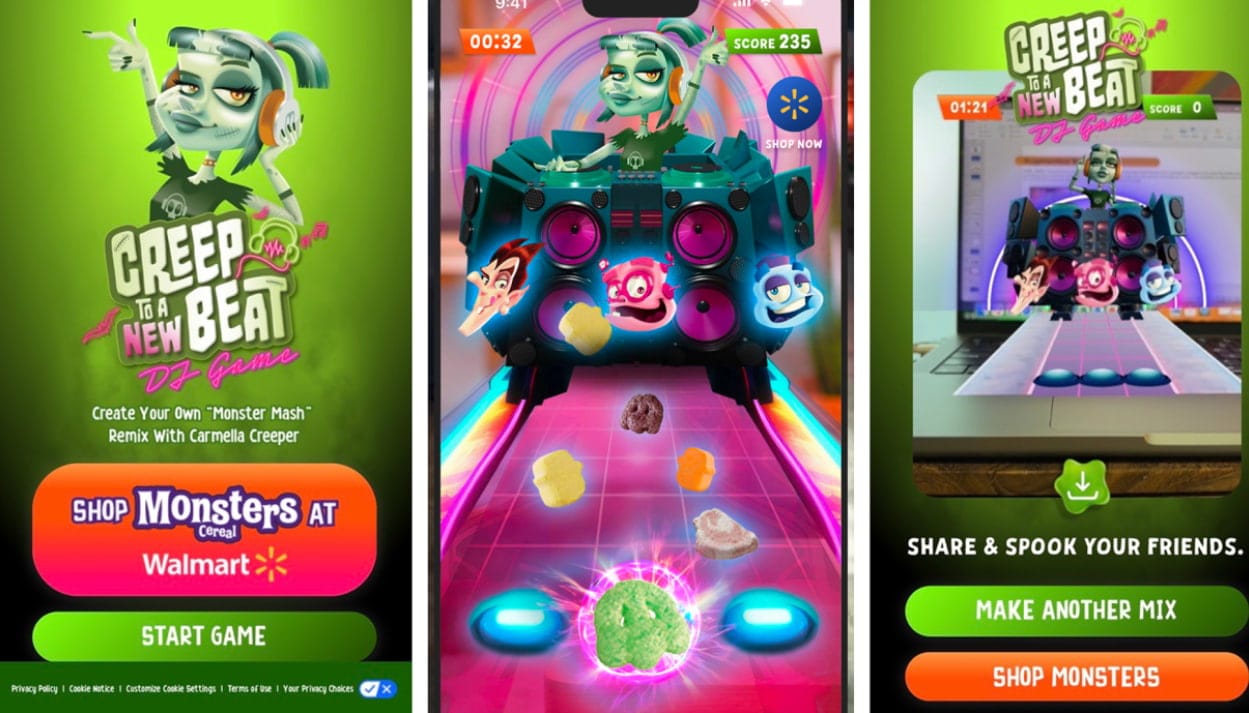
General Mills teamed up with VMLY&R Commerce and Walmart to launch Creep to a New Beat, an AR promotion featuring Carmella Creeper, the first female character in the Monster Cereals lineup. Shoppers could scan a QR code and use AR to place Carmella’s DJ booth in their surroundings. Inspired by Carmella Creeper's remix of the Halloween classic “Monster Mash”, the experience turned a cereal promotion into an interactive AR game.
- Nille × Snapchat Halloween AR Try-On
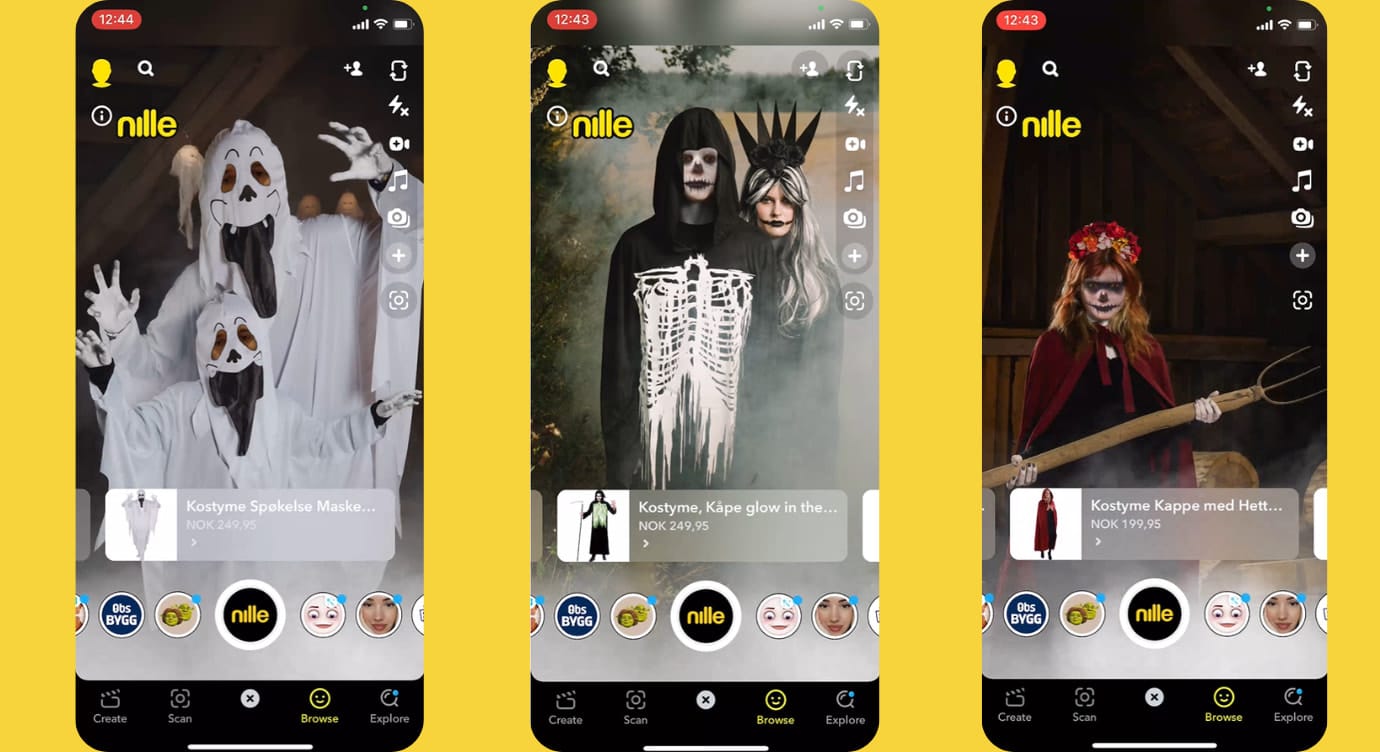
Norwegian variety retailer Nille partnered with Snapchat to make Halloween costume shopping more interactive. The AR campaign featured custom try-on experiences and face filters that let Snapchat users preview spooky looks through their phone cameras. Instead of imagining how a costume or makeup style might look, users could experiment with virtual effects before choosing their Halloween look.
- Fanta Halloween AR Scavenger Hunt
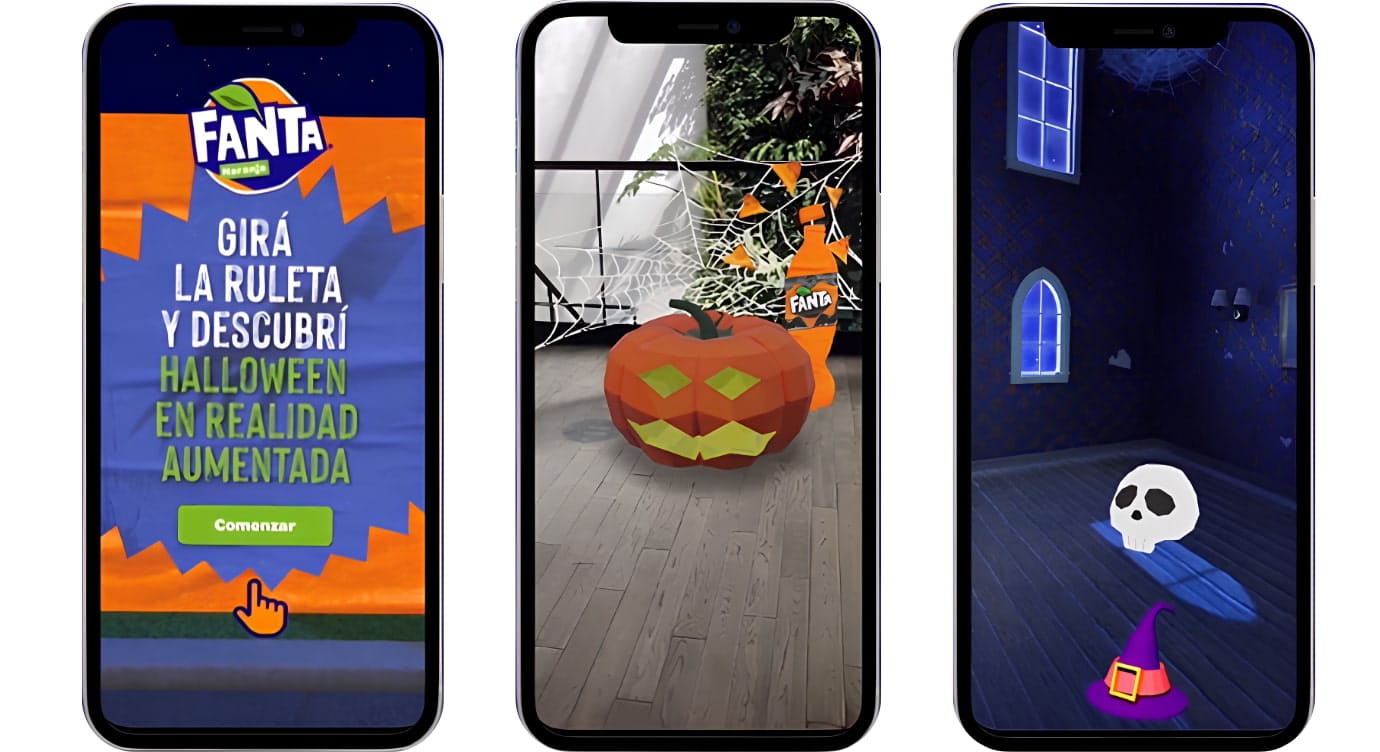
Fanta launched a Halloween campaign that combined a browser-based 360° environment with AR features. Participants could explore a virtual haunted mansion, search for hidden pumpkins, and unlock a promotional discount by completing the challenge.
- Ardell × YouCam Halloween AR Makeup
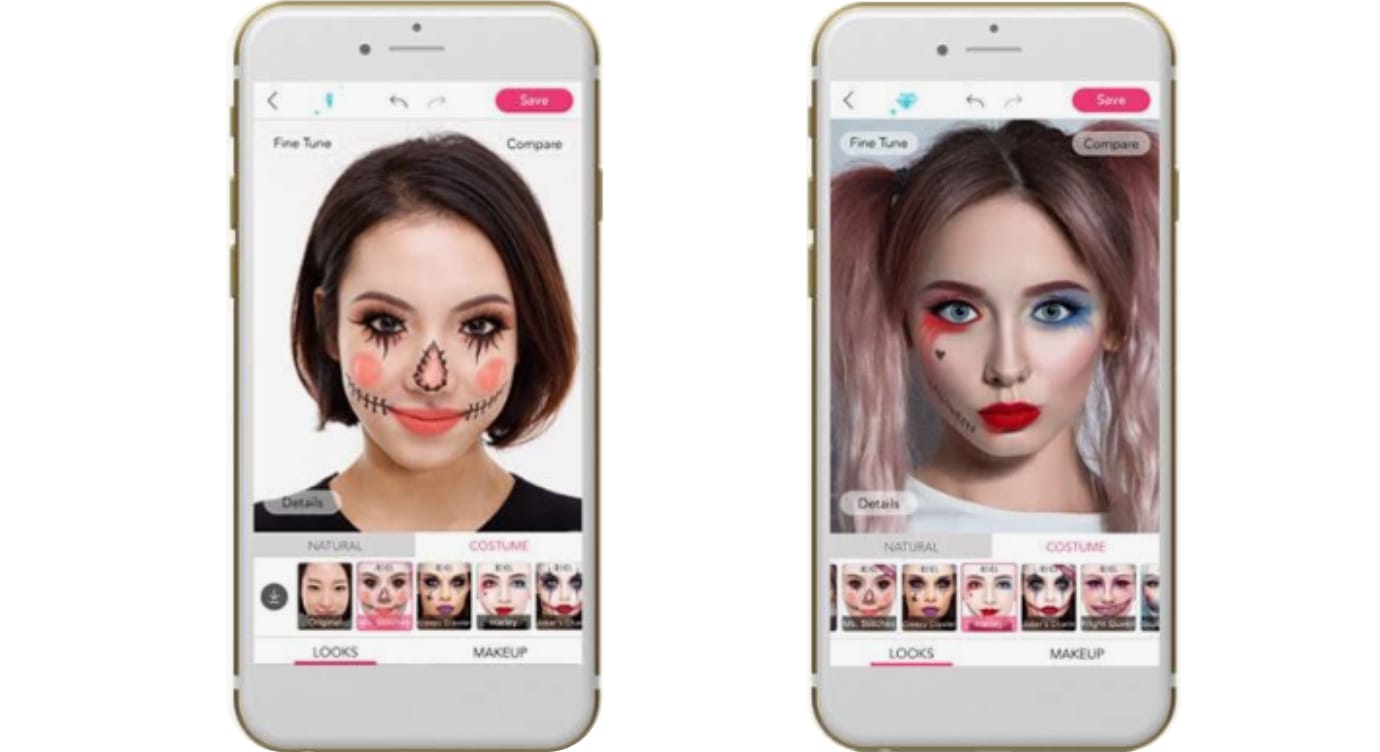
Ardell partnered with YouCam Makeup to let users try Halloween makeup looks through augmented reality. Using the app, people could preview different styles on their faces without applying makeup first. The experience featured Ardell lashes, giving users a chance to see how different lash styles fit their Halloween looks.
- Swipe to Collect AR Game
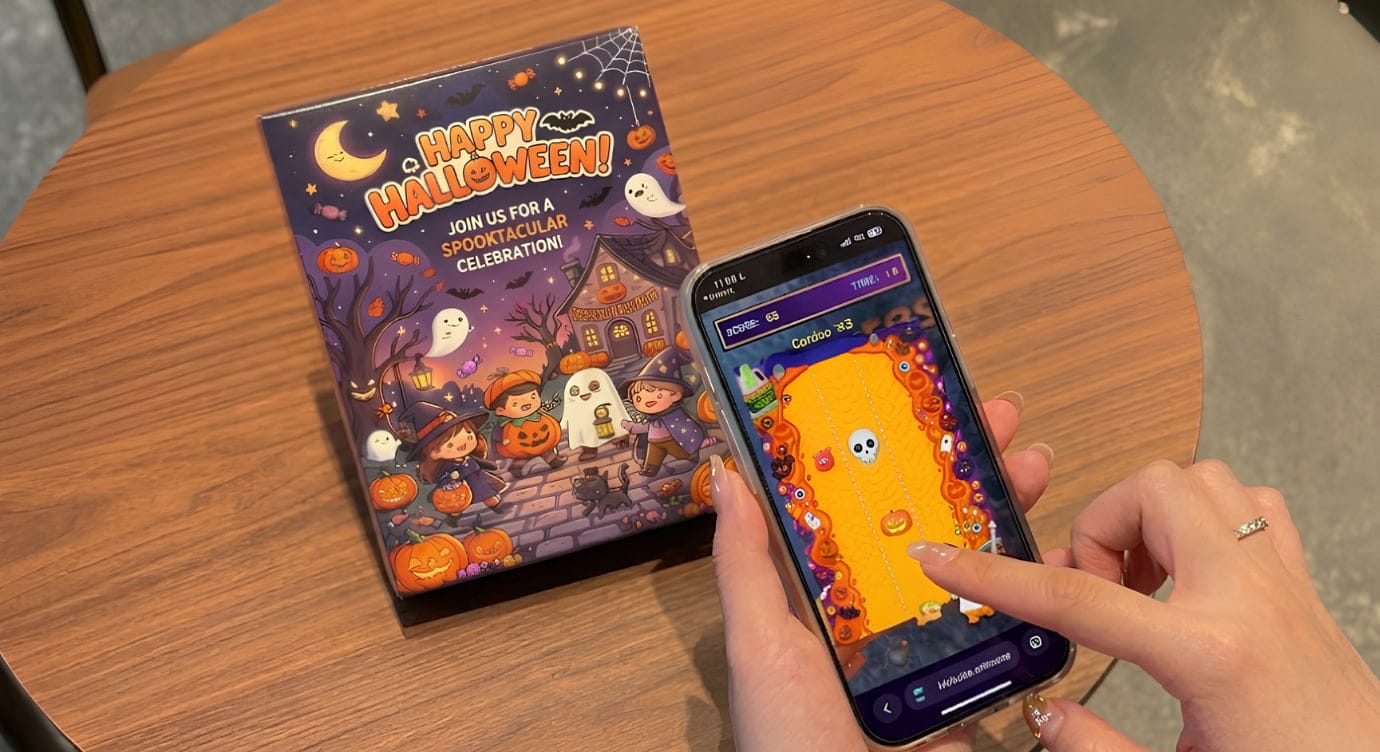
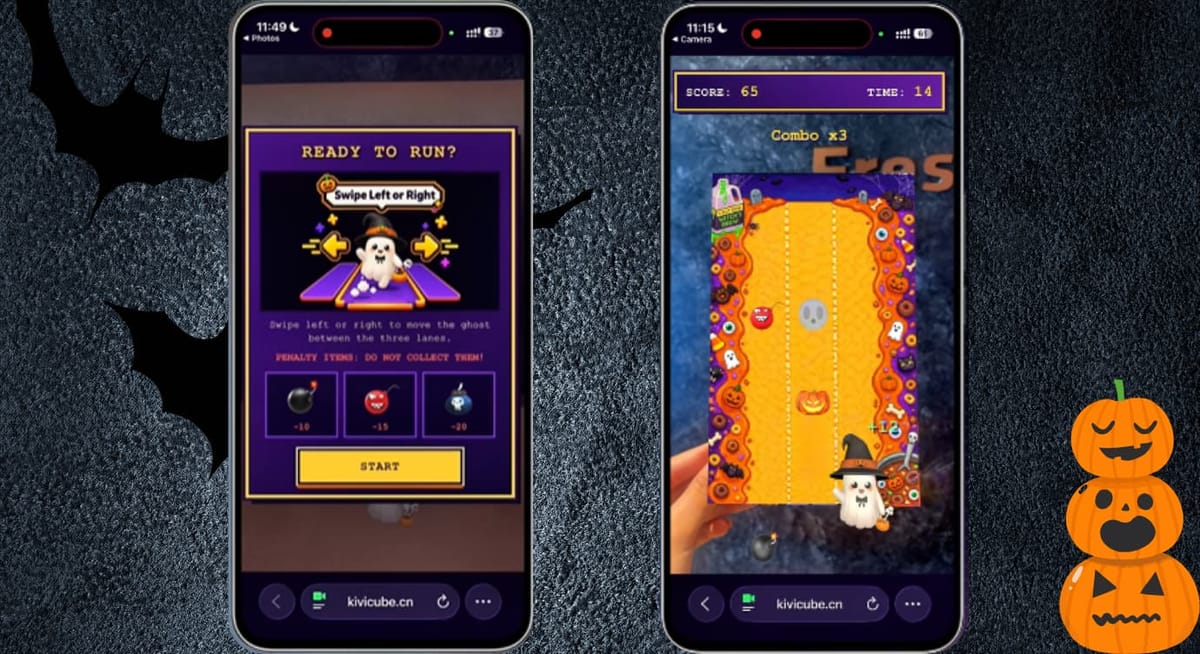
Created with Kivicube, this Halloween AR game turns product packaging into an interactive gaming experience. Simply scan the QR code and the image on the packaging to launch the game in your browser, with no app download required. You can then guide a ghost along an endless track by swiping left or right, collecting candy and dodging obstacles such as bombs and skulls.
- H(AR)LOWEEN AR Photo Booth
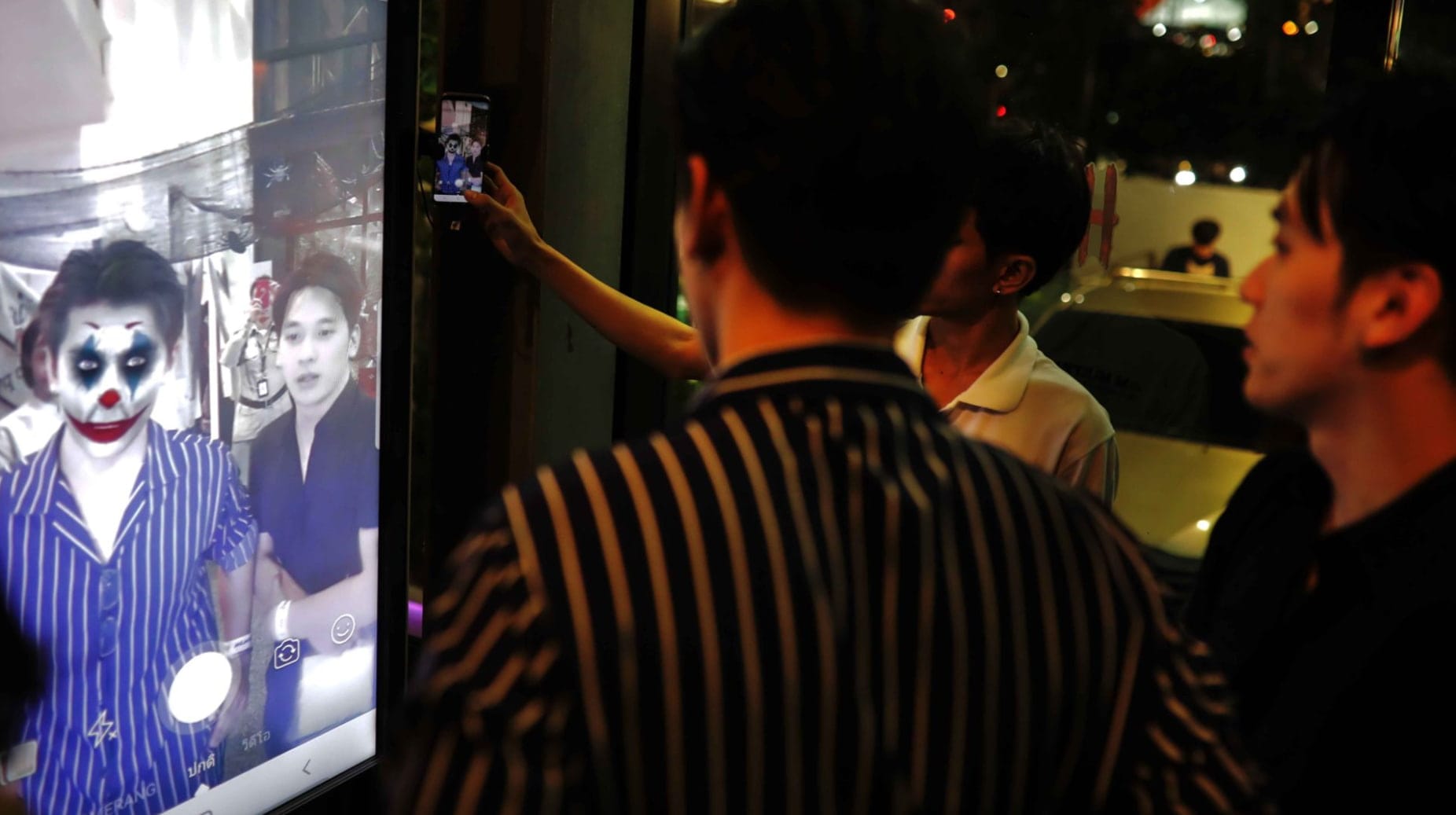
Keen Collective hosted its H(AR)LOWEEN AR Showcase at WeWork Suthi Building in Bangkok on November 1, 2019. Inspired by 1980s thrillers and Thai ghost stories, the event featured an AR photo booth and more than 20 ghost filters. Visitors could try spooky effects featuring Thai ghosts, the Joker, and other characters, then capture and share their photos on social media.
- Michael Jackson Scream AR Poster
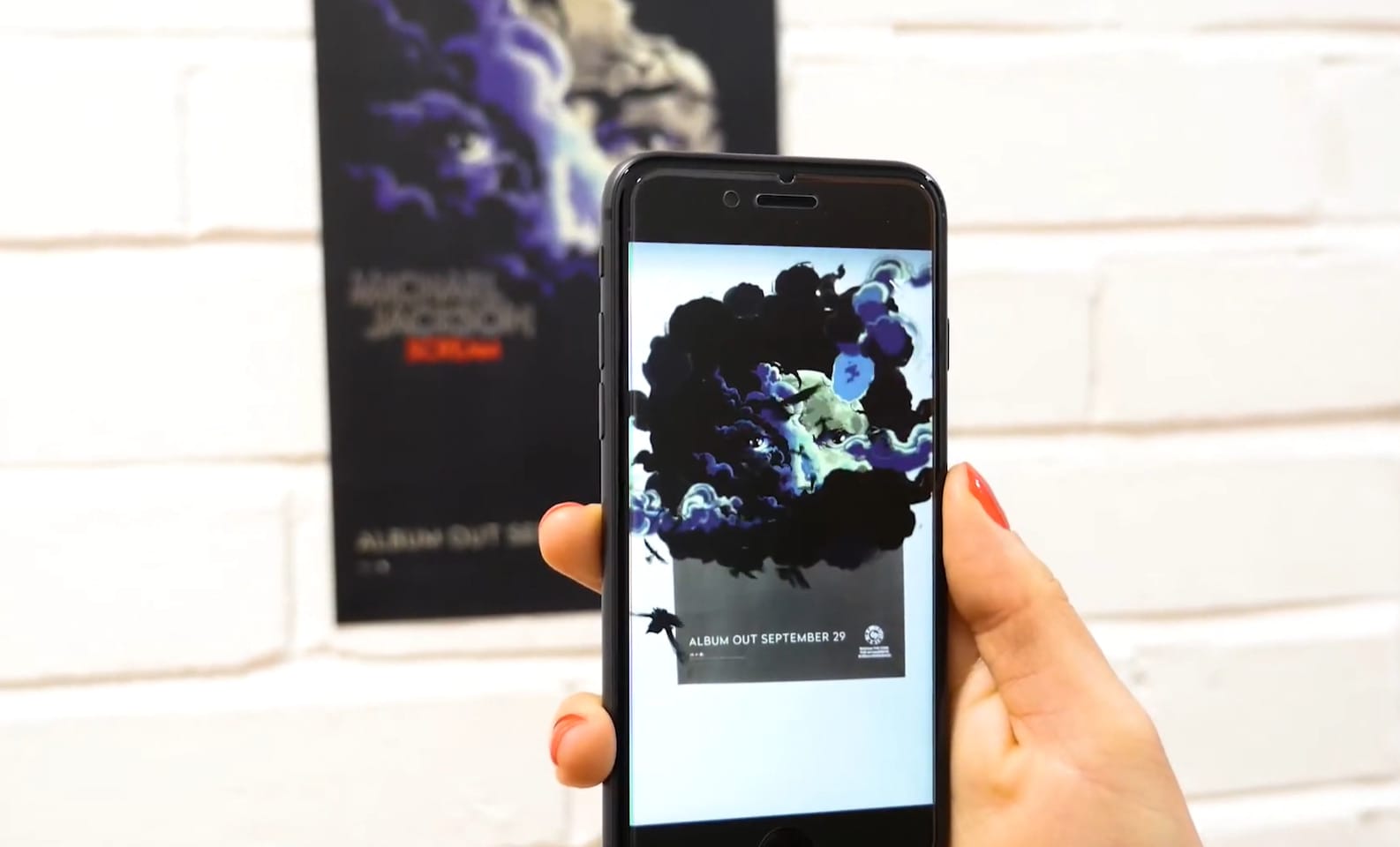
In 2017, Sony Music and the Michael Jackson Estate promoted the Scream album with a Halloween-themed poster experience. Fans could use the Shazam app to scan the code on the poster and access an interactive version of the album artwork.
How to Create a Halloween Augmented Reality Experience Without Coding
Inspired by these examples? You can create your own Halloween AR experience without writing code. Whether you're designing a spooky game for an event or a seasonal campaign for your brand, Kivicube offers a no-code WebAR editor to help you get started.
It’s a no-code WebAR platform that makes it easy to create Halloween AR games, interactive posters, digital invitations, and other browser-based experiences. You can start with two free AR scenes and access the available templates and assets while building your Halloween experience.
Main Features:
No-Code AR Creation: The editor is intuitive and easy to follow. Even if you're new to AR creation, you can build a Halloween experience without coding.
Ready-to-Use AR Halloween Templates and Assets: You can start with multiple AR Halloween templates and assets, replacing the template assets with your own to customize your AR Halloween scene.
AI-Powered AR Scene Generation: You can create new AR assets, including images, videos, and 3D models, with the Kivi AI generator. The AI AR Agent also lets you refine scene elements and interactions through text prompts.
Web-Based AR Experience Sharing: The generated WebAR Halloween scenes can be shared online with QR codes and links. Users can scan to open the experience without installing a dedicated app.
Professional AR Halloween Project Customization: If you need a more personalized WebAR experience, the Kivicube team can help you plan and develop your brand’s Halloween campaign.
Data Analysis Dashboard: It provides analytics features, making it easy to track user engagement with your published Halloween AR scene and export data reports in real time.
Step-by-Step Guide to Create an AR Halloween Scene
Taking an augmented reality Halloween game as an example, we’ll show you how to create an AR experience with Kivicube.
Step 1. Open Kivicube and log in to your account. Choose a Halloween template and hit “Duplicate”.
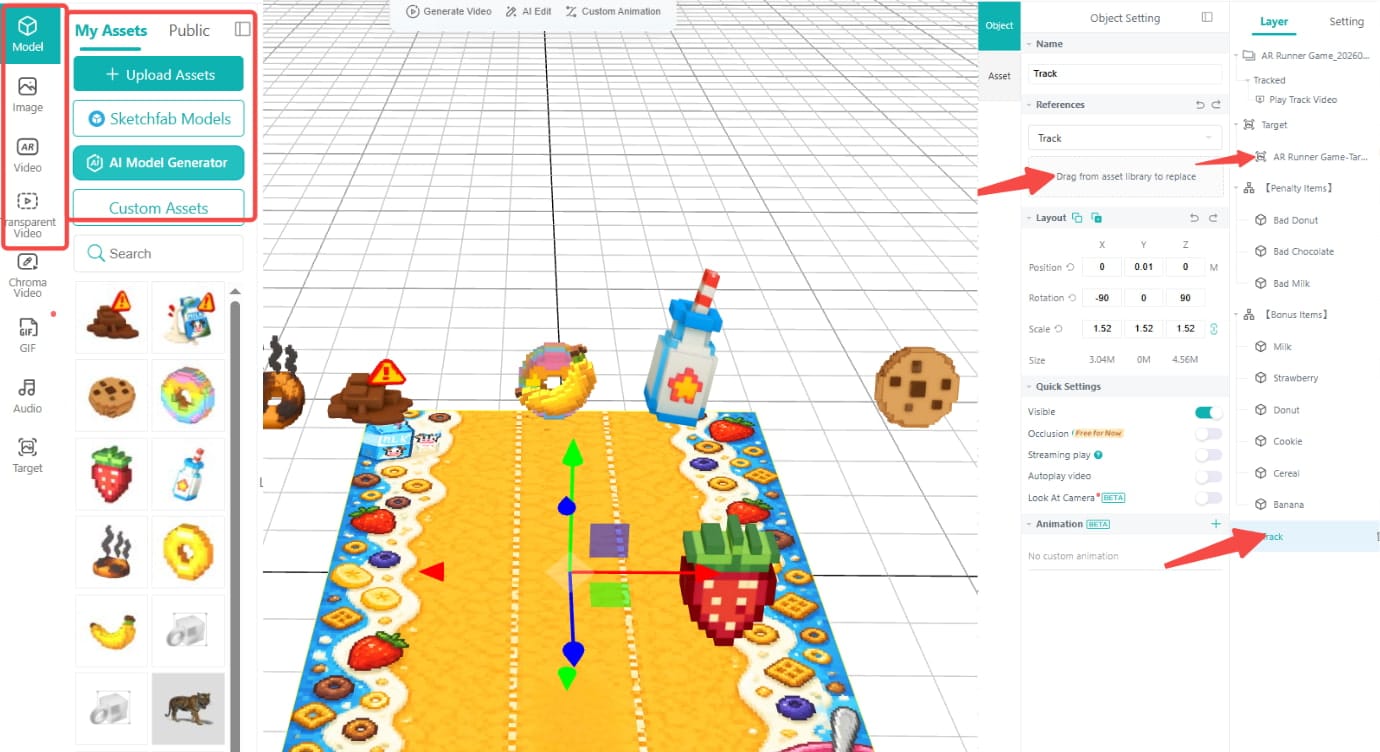
Step 2. Upload your own assets, then drag and drop them to replace the ones in the original template.
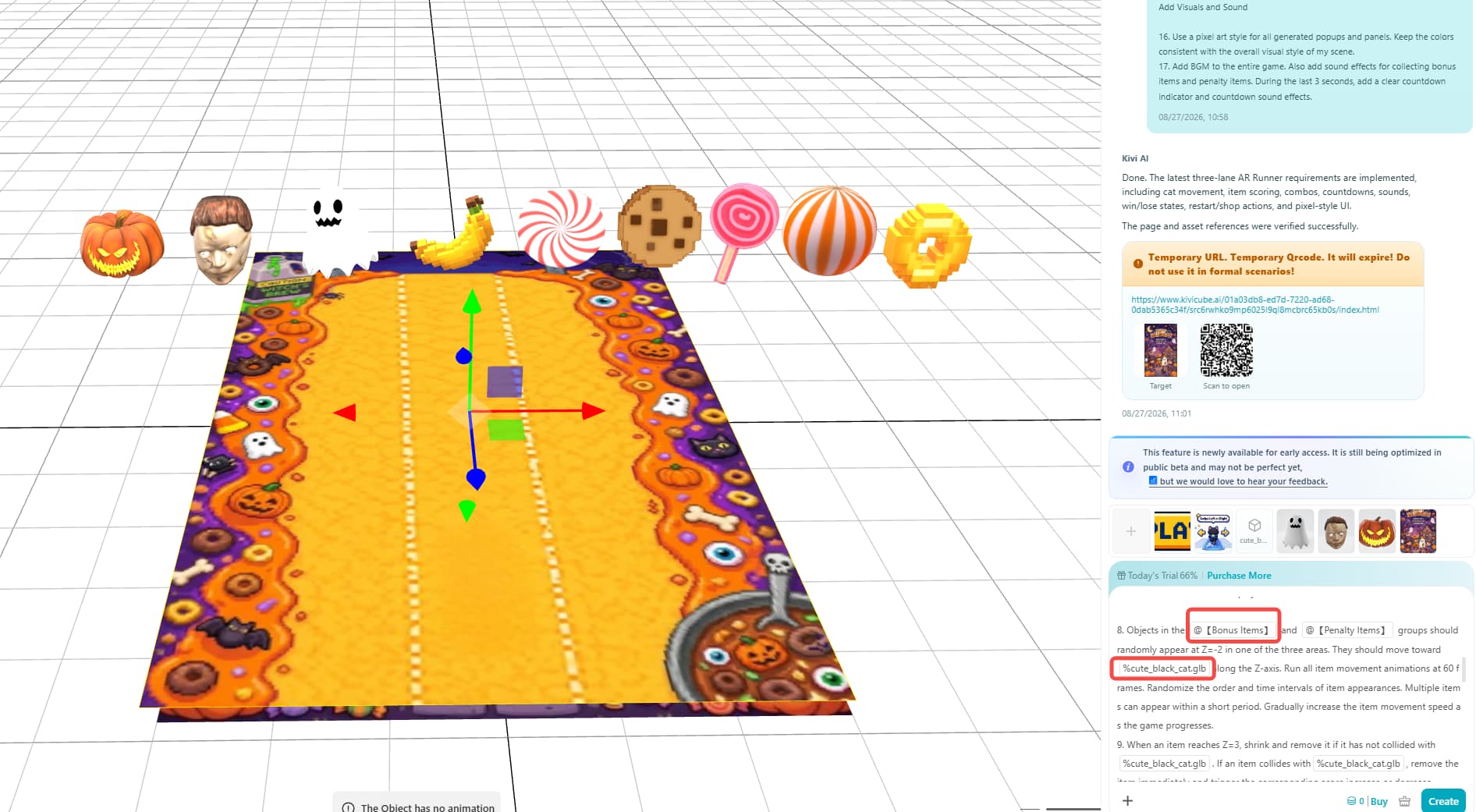
Step 3. Click “AR Agent” in the upper-right corner, then add and adjust the prompts to set the animations and interactions of the Halloween AR game.
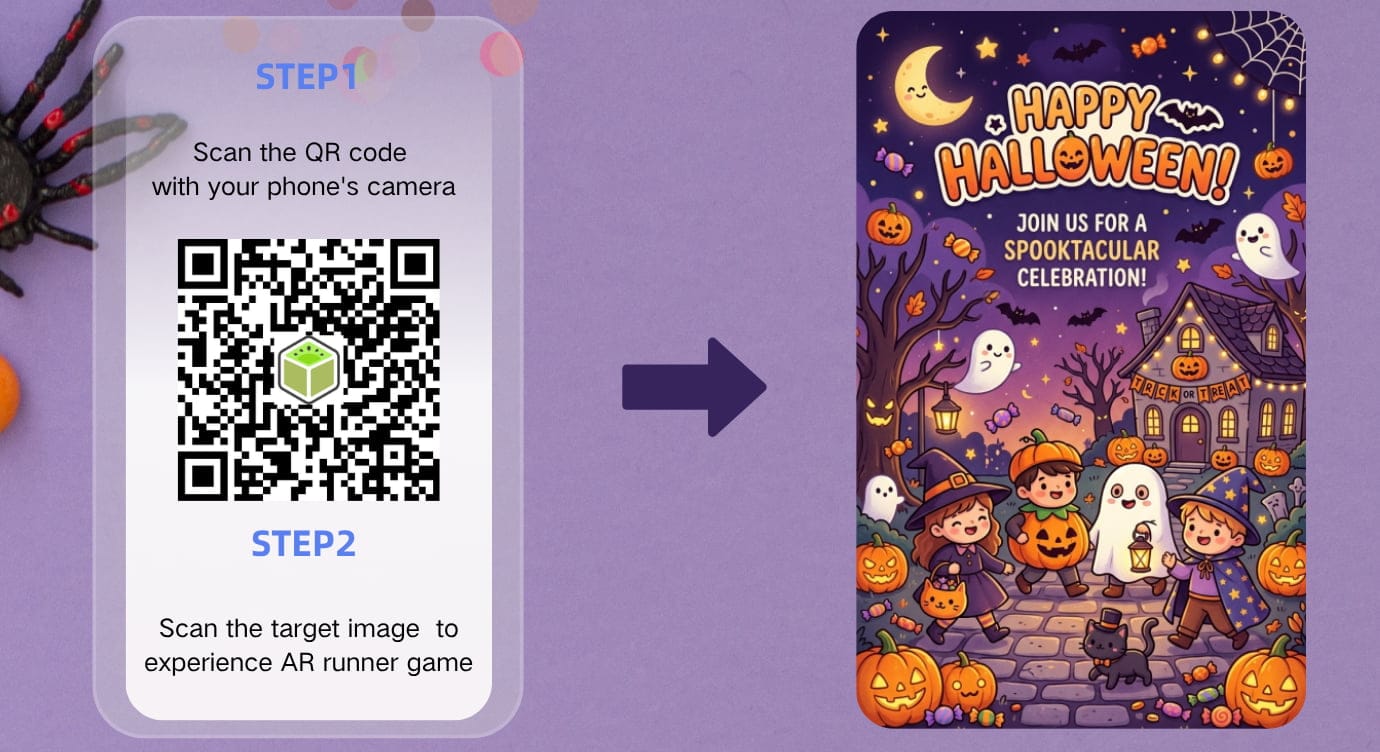
Step 4. When everything is done, click “Save” and “Share” to get the QR code for the AR scene. You can then share the QR code across platforms.
Final Words
Halloween augmented reality offers new ways for individuals, creators, and brands to celebrate Halloween. Interactive AR experiences can capture attention when viewers scan a QR code. In this post, we’ve introduced 10 augmented reality Halloween ideas worth trying, 7 real-world examples, and a WebAR solution to create your own experience. Ready to get started? Explore Kivicube’s templates and assets to build an AR Halloween experience for personal use, an event, or a marketing campaign. If you need a more customized experience for your brand, you can also contact the Kivicube team.