How to Make an AR Game Based on Browsers
How to make an AR game? In this tutorial, you can learn to create AR games with a WebAR platform.
What is one of the most popular augmented reality applications? It must be AR games. If you just search for the keywords “AR game” online, you can see multiple interactive games.
According to a report from IMARC Group, the global AR gaming market was valued at $17.9 billion in 2025 and is projected to reach $147 billion by 2034, growing at a CAGR of 25.60% from 2026 to 2034.
So, how to make an AR game? Today, AR creation platforms make it easier to build interactive AR experiences, including games, without extensive development expertise. In this AR game tutorial, we'll show you how to create an interactive AR game in a few simple steps.
What Is an Augmented Reality Game?
Before learning how to make an AR game, let's first clarify what it is. Considered one of the most common augmented reality applications, AR games combine digital elements with the real world, allowing players to interact with virtual characters, objects, and environments through their physical surroundings. Unlike playing totally in a virtual space, AR games allow players to see the characters, elements, and other digital objects right in the physical world, using only a mobile device.
Common types of AR games include:
➤ Location exploration AR games: Use GPS and real-world locations to encourage players to explore their surroundings, discover virtual content, and complete location-based missions.
➤ AR fighting games: Bring virtual battles into the physical environment for a more immersive combat experience.
➤ Racing AR games: Overlay virtual vehicles and racetracks onto real-world spaces.
➤ AR collecting AR games: Let players find, collect, and interact with virtual characters and items placed in the real world.
➤ Puzzle narrative AR games: Combine puzzles with storytelling, requiring players to interact with virtual clues and objects in their surroundings to progress through the narrative.
➤ Tabletop strategy AR games: Enhance physical boards, cards, or game pieces with digital characters, animations, and effects to create an interactive strategy experience.
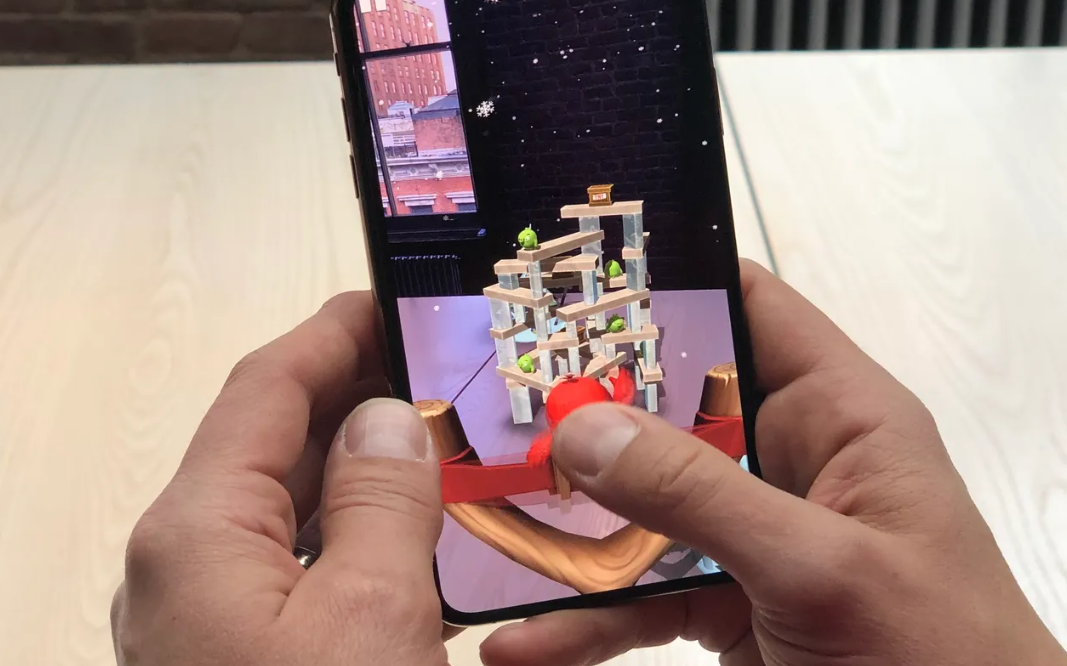
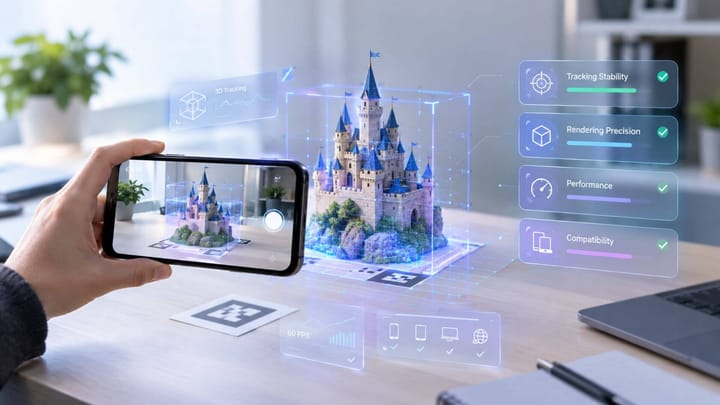
How does an AR game work? With technologies such as cameras, sensors, GPS, and computer vision, AR games can detect and track the player's environment and overlay digital content in the appropriate position.
Whether you want to catch virtual creatures like Pokémon in your neighborhood, battle enemies right in your living room, or take part in an interactive treasure hunt outdoors, AR games can bring these experiences to life by blending digital content with the physical world.
How to Create an AR Game Online with Ease
How to make an augmented reality game? With a few simple steps, you can turn your AR game idea into an interactive experience. Follow the tutorial below to create your own AR runner game.
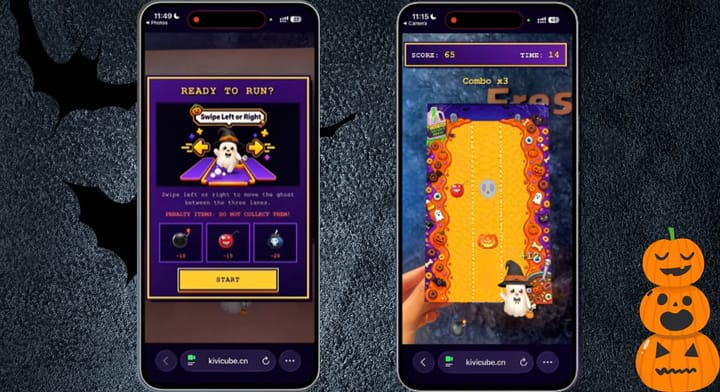
Step 1. Open and log in to Kivicube. Click “Templates”, select an AR game template you want to start with. For example, choose the "AR Runner Game" template and then click “Duplicate” for a new AR scene.
Step 2. In the editor, upload the AR assets from your own device. You can also try the Gen AI generator to create new assets (images, videos, and 3D models).
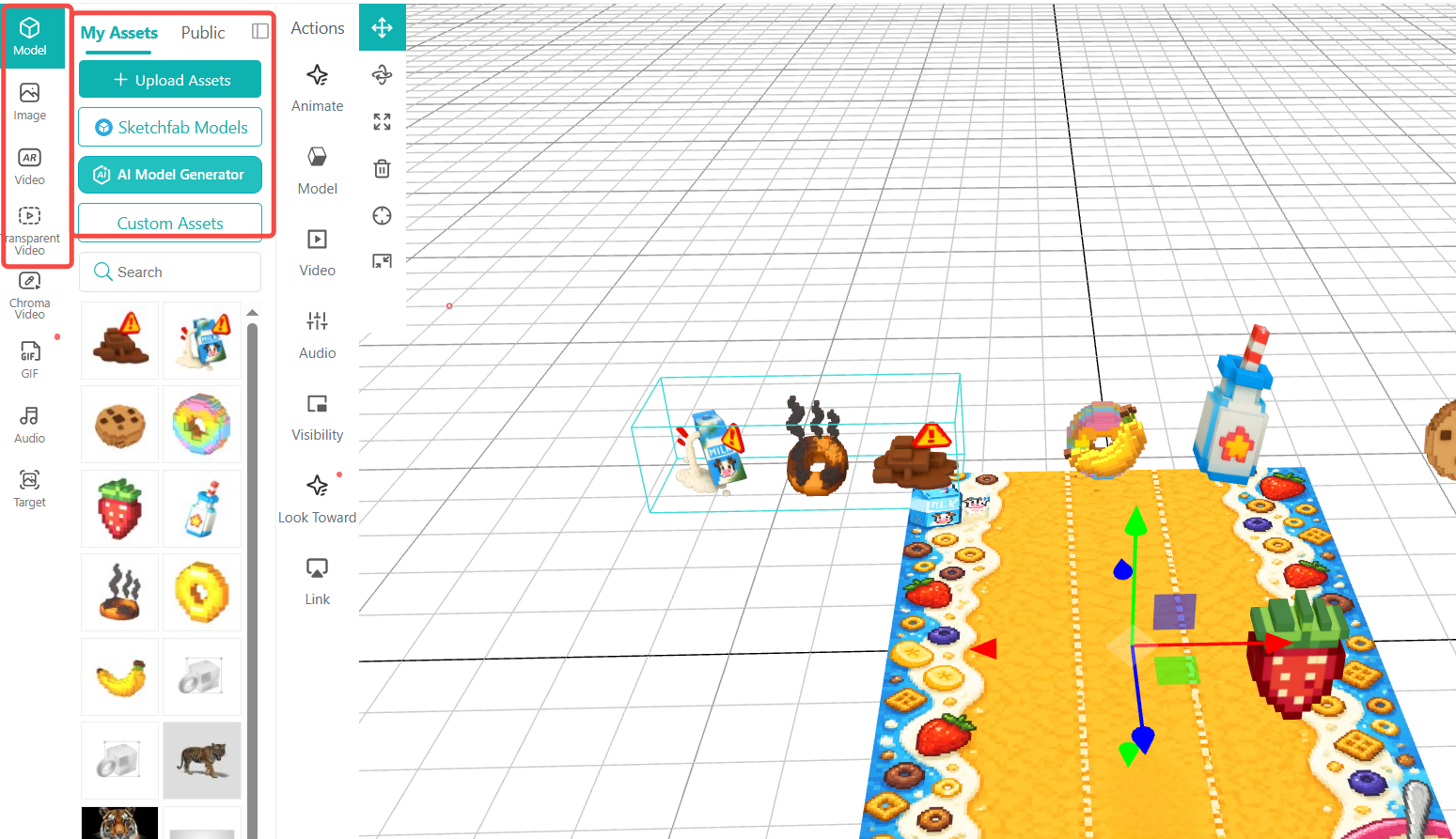
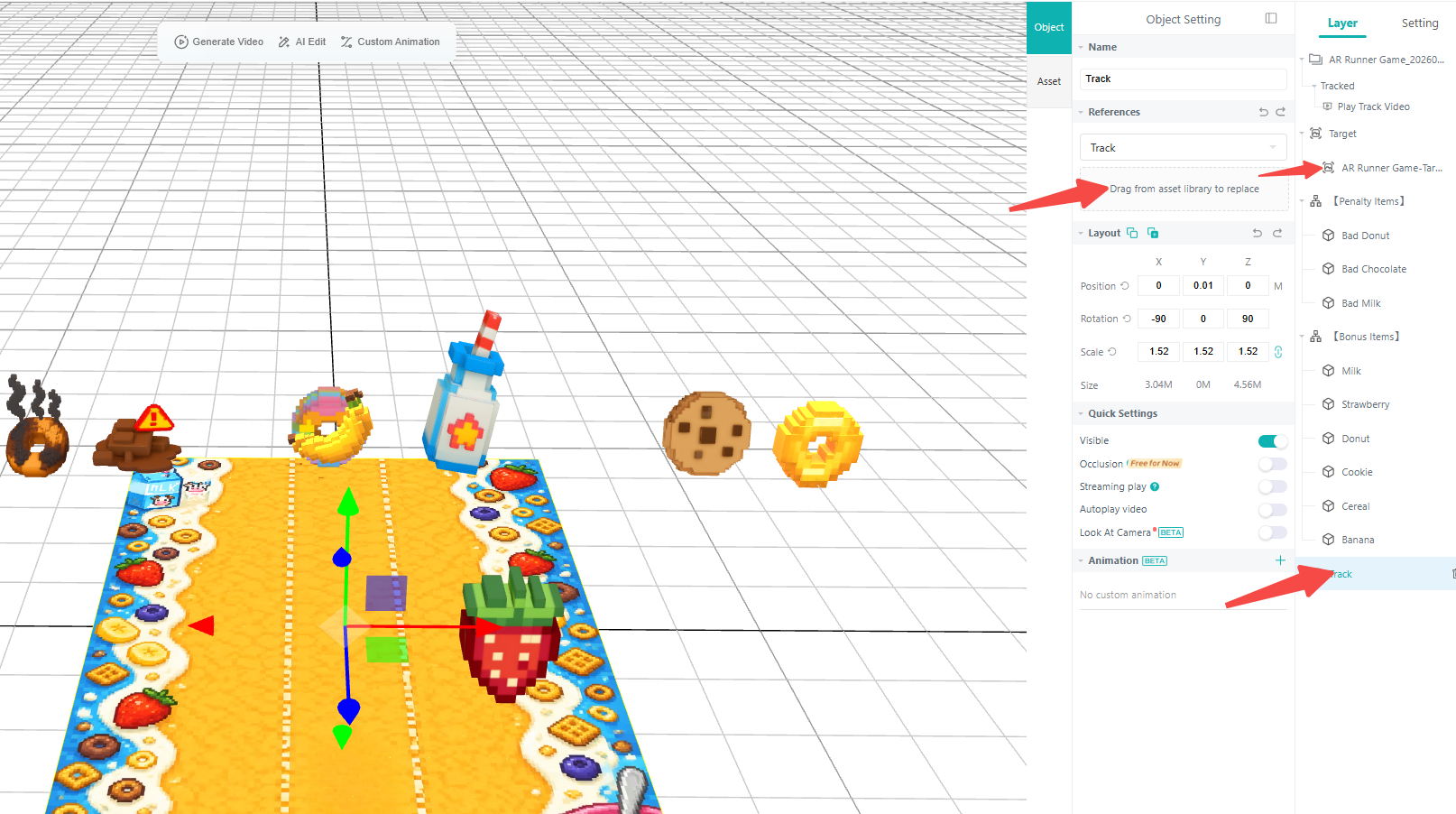
Step 3. Hit the target image and track image, then you can drag your own images to the specific area for replacement.
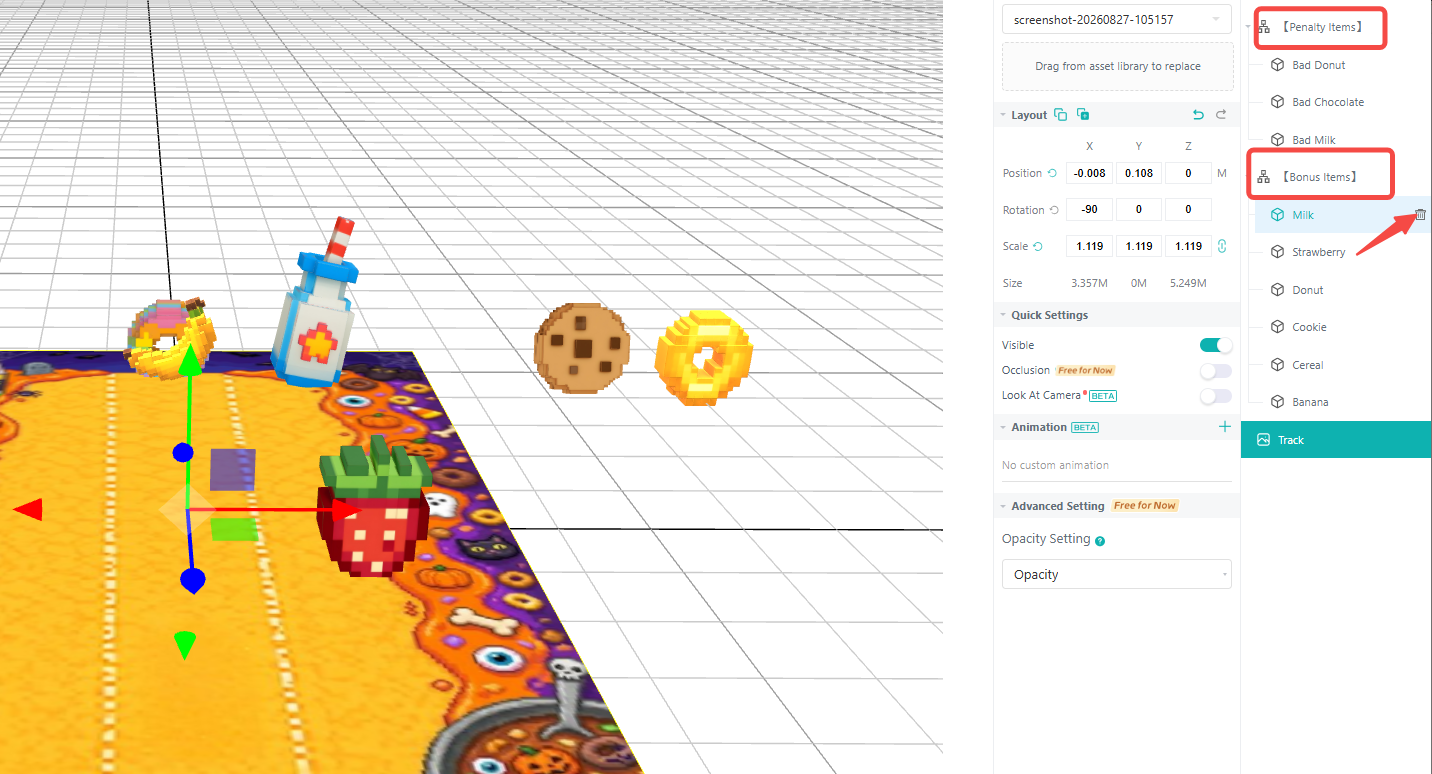
Step 4. Remove all the assets under the groups "Penalty Items" and "Bonus Items". Then drag and drop the uploaded assets to the editor and drag them to the target groups.
Step 5. Click "AR Agent" in the top-right corner of the editor to open the AI AR agent.
Step 6. Upload the required assets to the AI AR agent, including the start button, background image, main character model, etc. Remove the unrequired in the original list.

Step 7. Modify the object names referenced in the prompt and adjust detailed settings, such as the game boundaries, the number of tracks, item movement trajectories, scoring rules, and others.
Note: You can directly click to use the uploaded assets in the AR agent. If you want to set the details of assets uploaded previously to the editor, such as candy and pumpkin, you need to hit "@" and then select the target assets from the list.
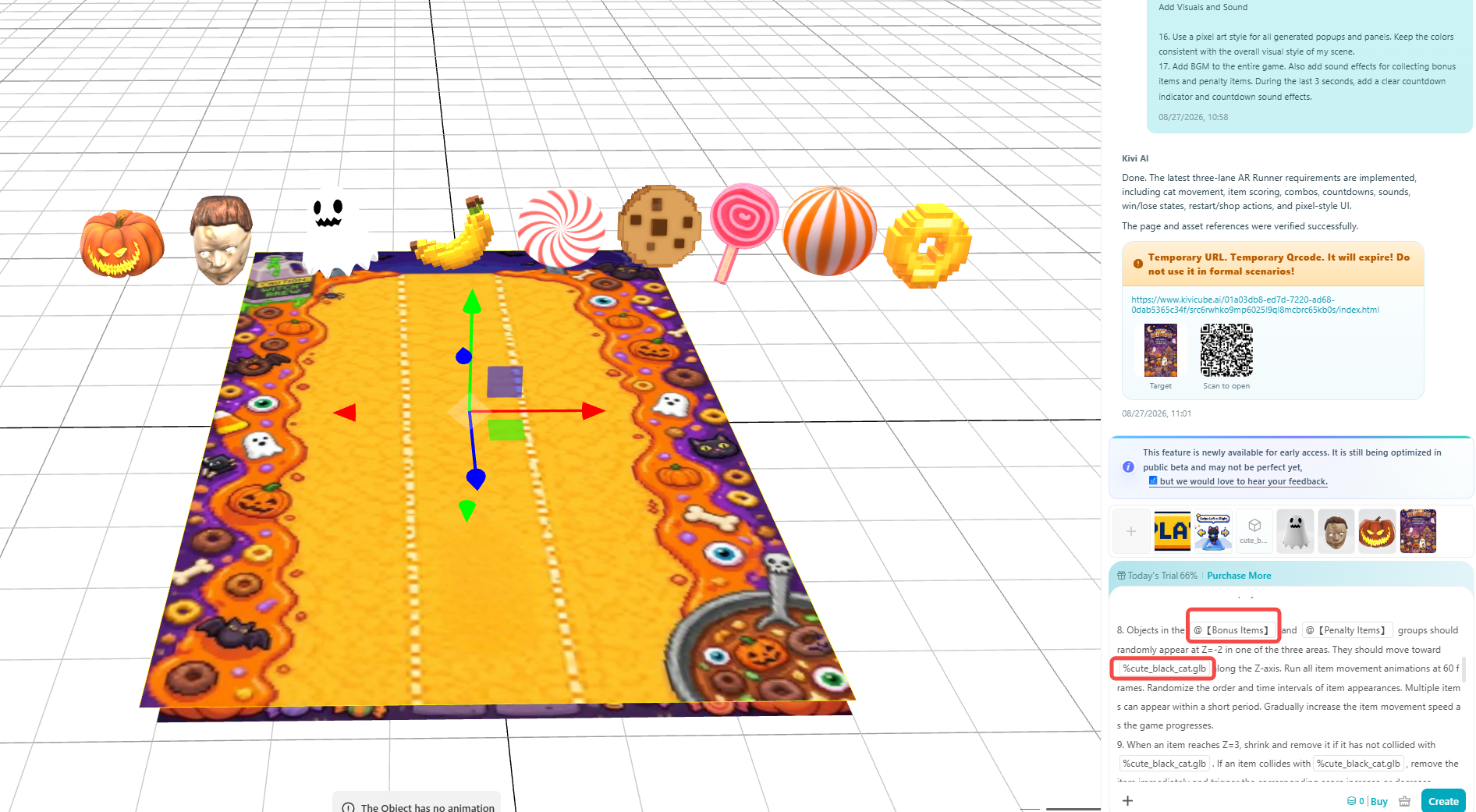
Step 8. Click “Create” to modify the AR game with AI prompts.
Step 9. When everything is done, click “Save” and “Share” to save your AR project and get its QR code. You can then share the QR code across different platforms and websites.
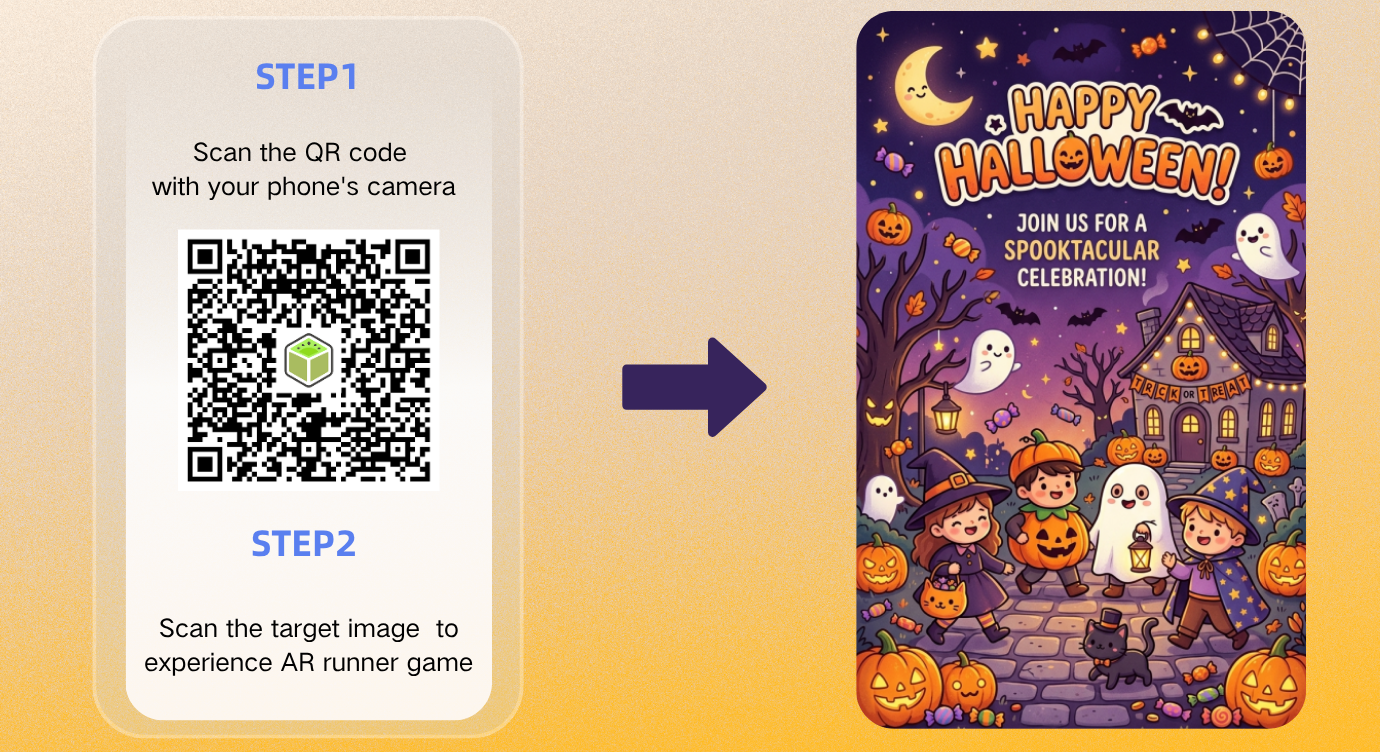
Why Choose Kivicube for AR Game Creation
Not limited to parkour games like those shown in the tutorial above, Kivicube is helpful for all kinds of AR games. The WebAR platform lets users turn their AR game ideas into interactive experiences with a simple drag-and-drop editor and a range of built-in features. It can generate new assets with AI, add basic effects such as rotation and pop-out animations, and use keyframe animations to create more dynamic and customized game experiences.
Ready-to-Use AR Game Templates
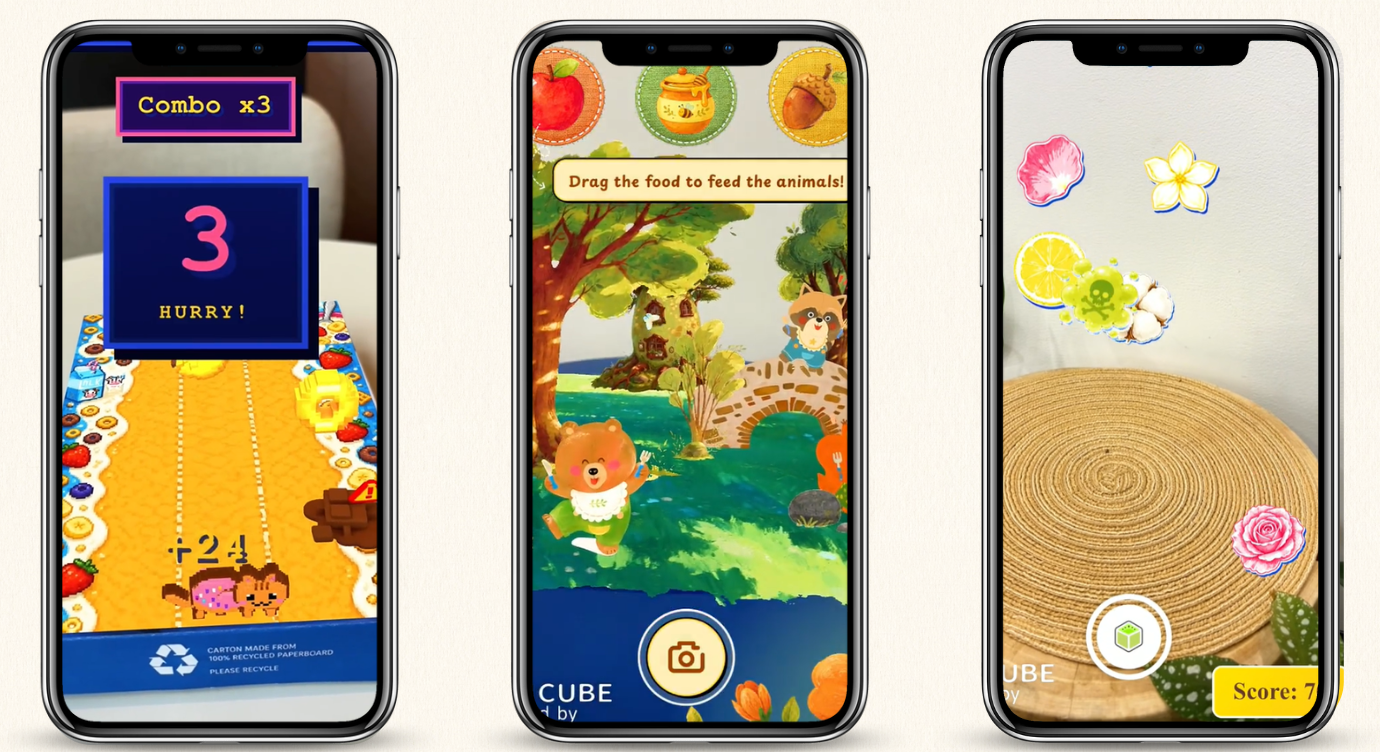
A variety of pre-designed AR game templates are available, allowing users to start creating without building a game from scratch. For example, there is an AR drop game that users can duplicate directly for fast creation and publishing.
AI-Fueled AR Generation
You can use Gen AI tools to generate AR assets, such as images, 3D models, and videos, and modify existing AR games using prompts. The AI AR Agent is designed to effectively interpret users' prompts and generate AR content based on their instructions.
Advanced Keyframe Animation
In addition to basic animations, including rotate, twinkle, and swing, there’s a powerful keyframe animation function that enables game characters and elements to move along complicated paths, ensuring much smoother animation effects.
Real-World Augmented Reality Game Examples
Let’s look at some real and successful examples of augmented reality game.
1. Pokémon GO
Pokémon GO is one of the most successful examples of augmented reality gaming. Launched in 2016, the interactive game combines GPS, maps, and AR to let players find and catch Pokémon in real-world locations. Its location-based gameplay encourages players to explore their neighborhoods, walk outdoors, and interact with other players. Niantic reports that Pokémon GO has surpassed 1 billion downloads worldwide since launch.

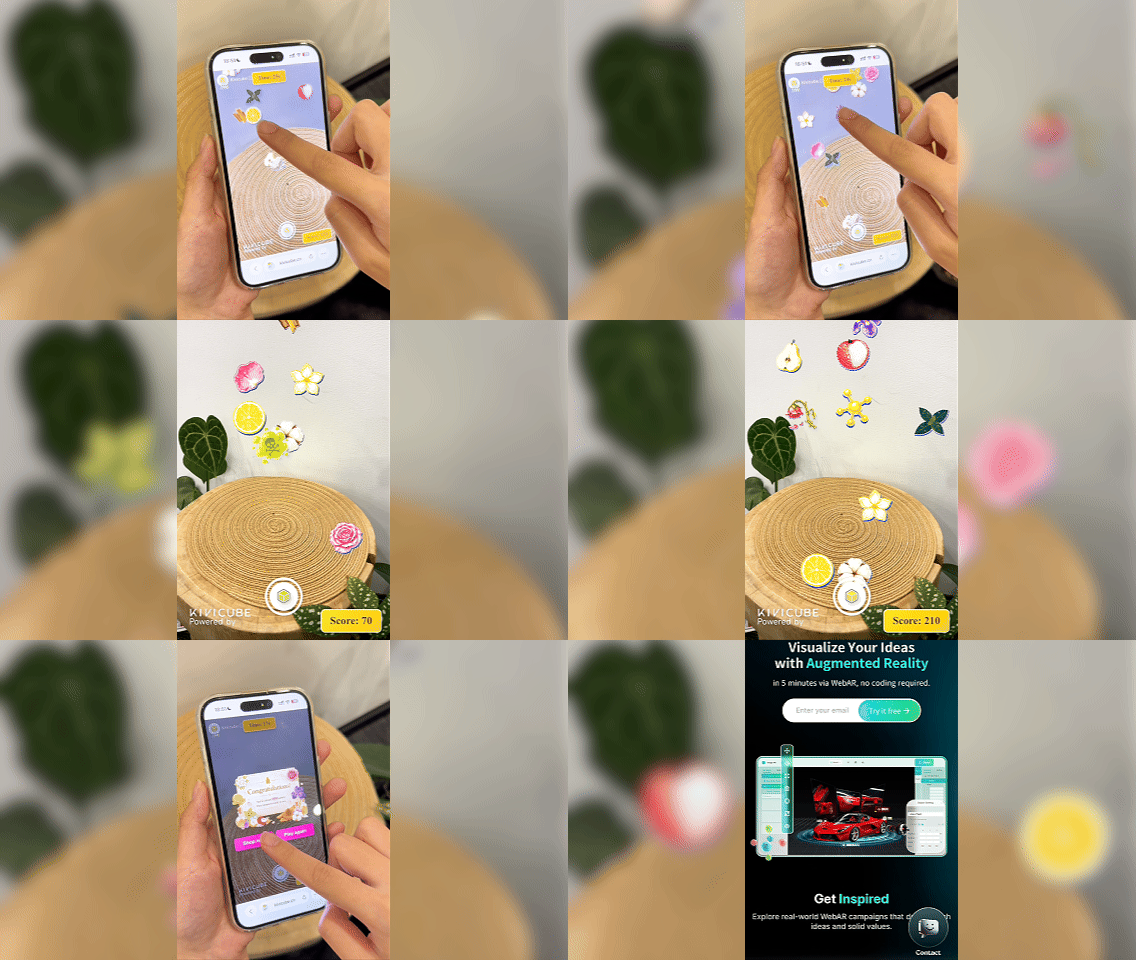
2. AR Drop Collection Game
The AR drop-collection game created by Kivicube transforms perfume marketing into an interactive and engaging challenge. Users simply scan the QR code on the package with their smartphone cameras and collect virtual perfume ingredients as they fall to earn points. If they collect 500 points within 30 seconds, they have a chance to win a special coupon for the product.
3. Monster Hunter Now AR Hunting Game
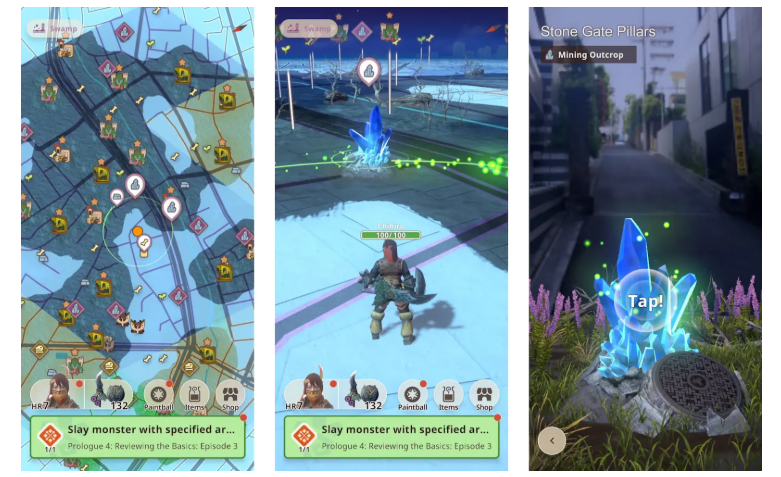
In Monster Hunter Now, the Monster Hunter universe comes to life in the real world, allowing players to hunt monsters, gather materials, and battle large monsters. The game's AR Camera also lets players view monsters overlaid onto their real-world surroundings.
4. Pikmin Bloom AR Game
Pikmin Bloom is an augmented reality game that encourages players to explore their surroundings while growing and collecting Pikmin. It lets users collect items, plant flowers, and find Pikmin as they explore the real world. The game presents how AR can blend a fictional universe with the physical world while encouraging players to walk, explore, and collect Pikmin.

To Sum Up
How to make an AR game? This AR game tutorial introduced Kivicube and showed you how to create an interactive AR game using templates, AI tools, and animation features. With its visual drag-and-drop editor, you can build and customize AR game experiences without starting from scratch. Ready to create your own AR game? Try Kivicube to get started.