Augmented Reality Test: How to Conduct & What to Measure
Augmented reality test measures performance, stability, and accuracy of a service. Follow this guide to know what should be tested and how to conduct it.
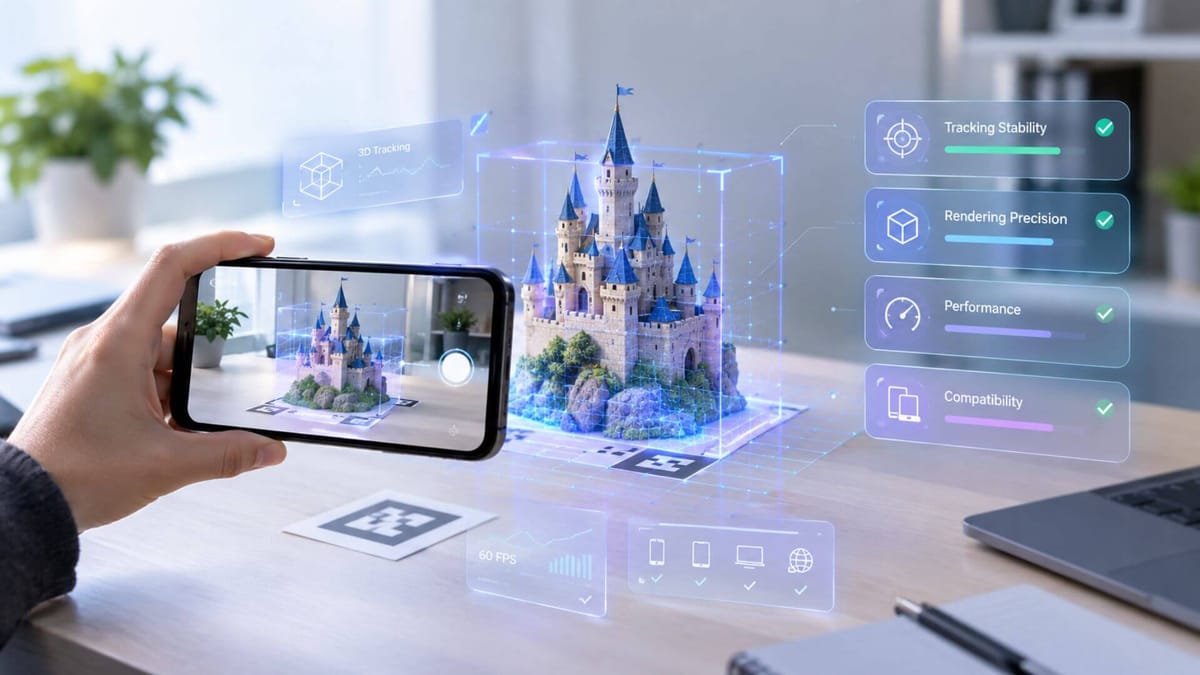
Augmented reality is now broadly adopted, from everyday retail and gaming to high-precision manufacturing and engineering. This widespread use has raised quality standards for AR providers and their services, placing greater emphasis on performance, stability, and accuracy. This guide explains how to evaluate an AR provider as well as its services. Covering what to measure, how to conduct an augmented reality test, and also a proven WebAR service that has been tested against these requirements.
What Is an Augmented Reality Test
An augmented reality test is the process of evaluating an AR provider as well as its service. It checks whether the provider correctly places, anchors, and renders virtual content in the real world. Testing these capabilities helps you find the best AR service that meets diverse use cases.
What to Measure in an Augmented Reality Test
Then how can you evaluate an AR service provider as well as its AR output quality? The metrics below cover the core areas to measure.
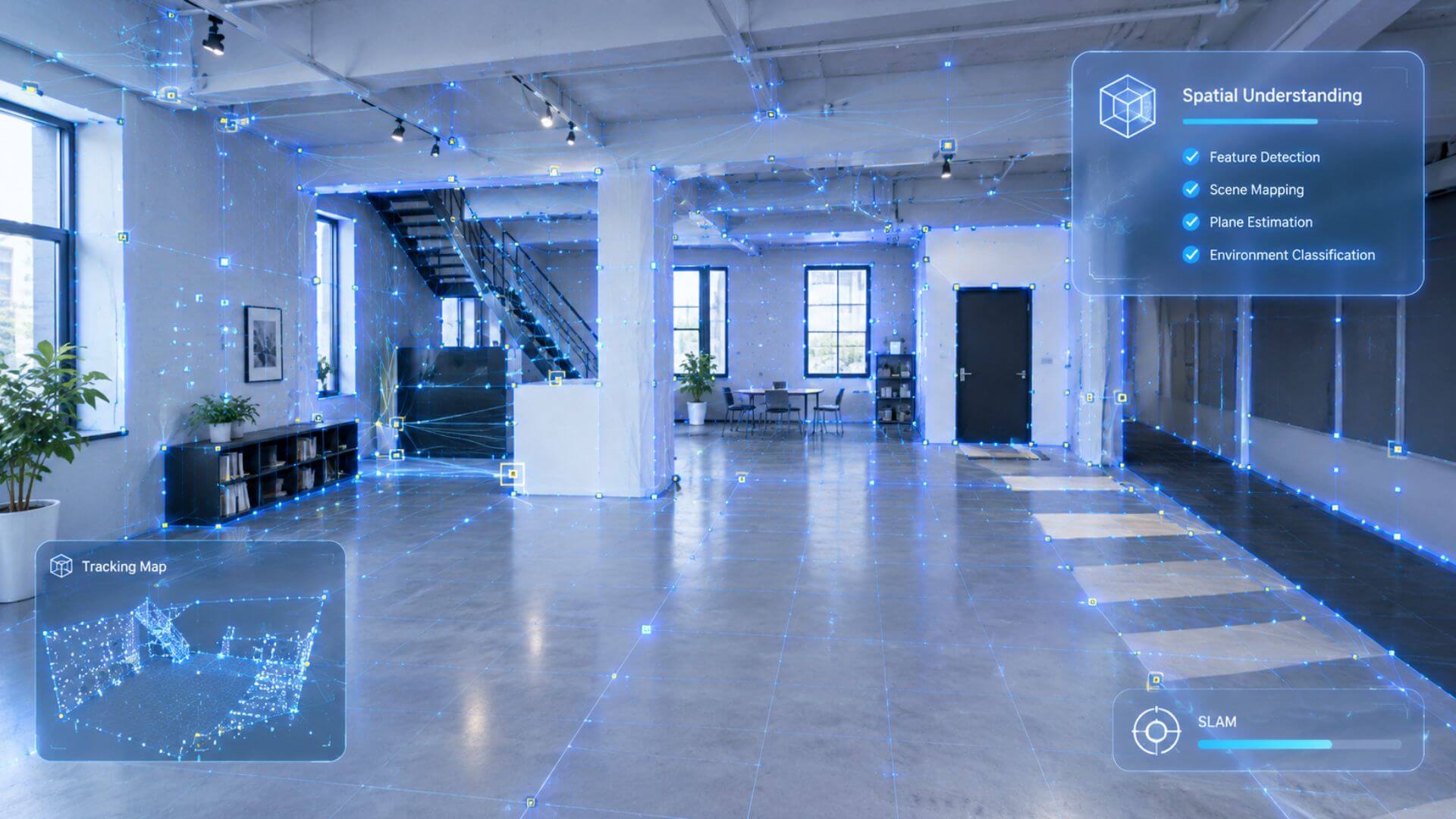
- Spatial Understanding
Spatial understanding is how well an AR service reads the physical environment, such as where the floor is, before placing anything in it. It involves a full pipeline from detection and estimation to classification. This capability is most visible in world tracking, where SLAM maps the scene and anchors virtual objects. Without it, virtual objects may land in the wrong place or float in mid-air.
- Tracking Stability
When a user moves, does the virtual object stay put? That is what tracking stability measures. It covers start time, drop rate, drift, and recovery speed. Weak textures, strong light, low light, and fast motion all put pressure on the tracking engine. A provider that recovers fast and keeps objects from jumping is far more reliable in real use.
- Rendering Precision
Rendering precision decides how realistic virtual content looks in the AR scene. Material, color, size, and texture all fall here. For example, a metal object should look like metal, not plastic. Besides, scene integration matters too, including occlusion, shadows, and lighting match. Testing augmented reality rendering precision shows how well the provider blends digital content with the physical world.

- Runtime Performance and Latency
Testing AR runtime performance reveals whether the platform can sustain a session, not just start one. Frame rate, end-to-end latency, CPU and GPU usage, memory, battery drain, and heat all belong here. A provider may track well and render beautifully, but if the experience stutters or overheats after five minutes, users experience drops.
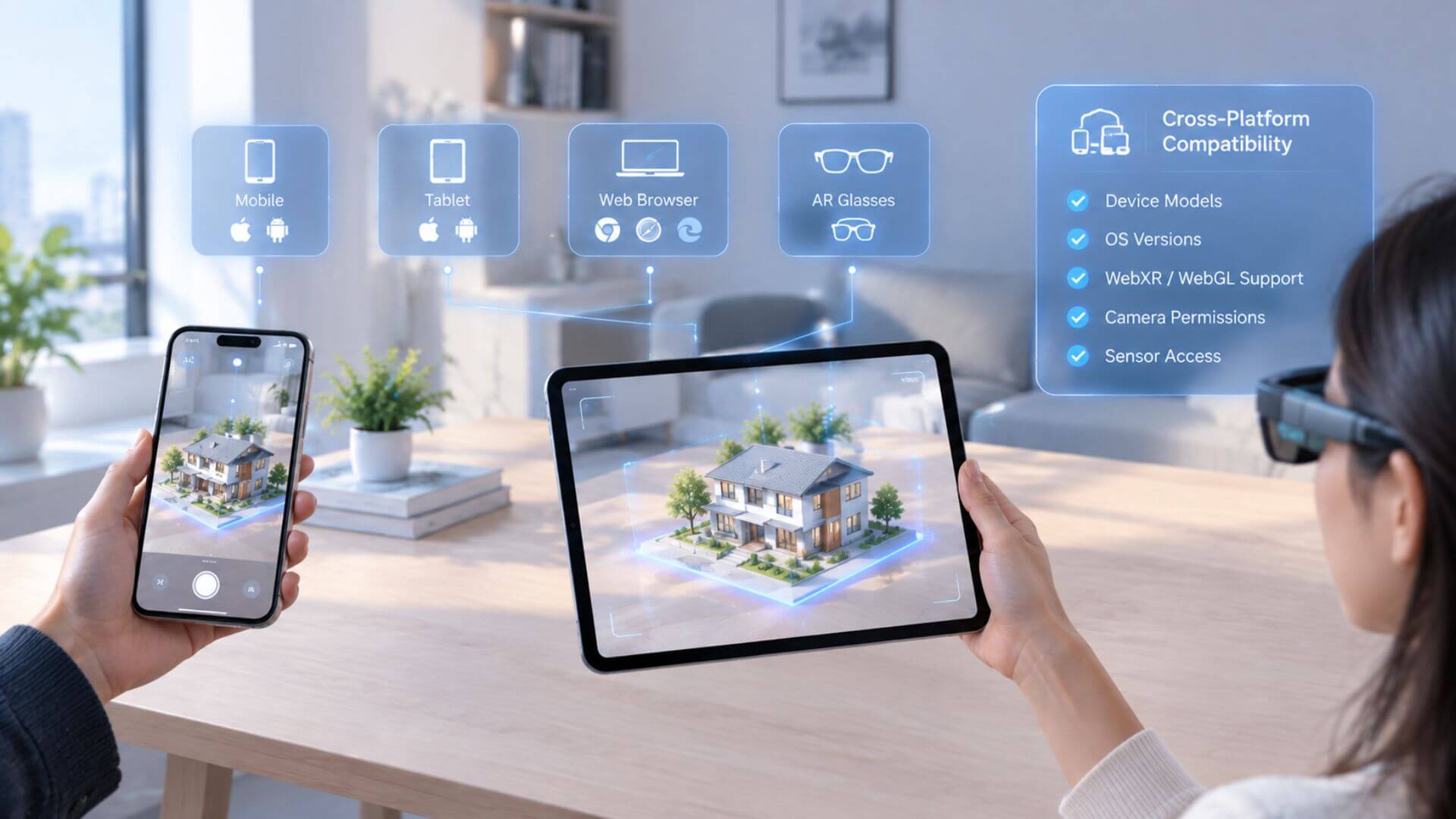
- Cross-Platform Compatibility and Consistency
An augmented reality experience that runs on a flagship phone but fails on a budget device is not ready for real deployment. This metric covers browsers, device models, OS versions, WebXR/WebGL support, camera permissions, and sensor access. WebAR and App AR differ in cross-platform reach, with WebAR offering broader reach as it runs in the browser without installation. Besides, consistency across devices matters as much as compatibility.
- AR Feature Set and Depth
What can an AR provider actually do? In addition to full AR tracking type support, like image tracking and face tracking, a professional AR service also integrates features like AI-assisted asset generation, 3D modeling tools, animation support, etc.
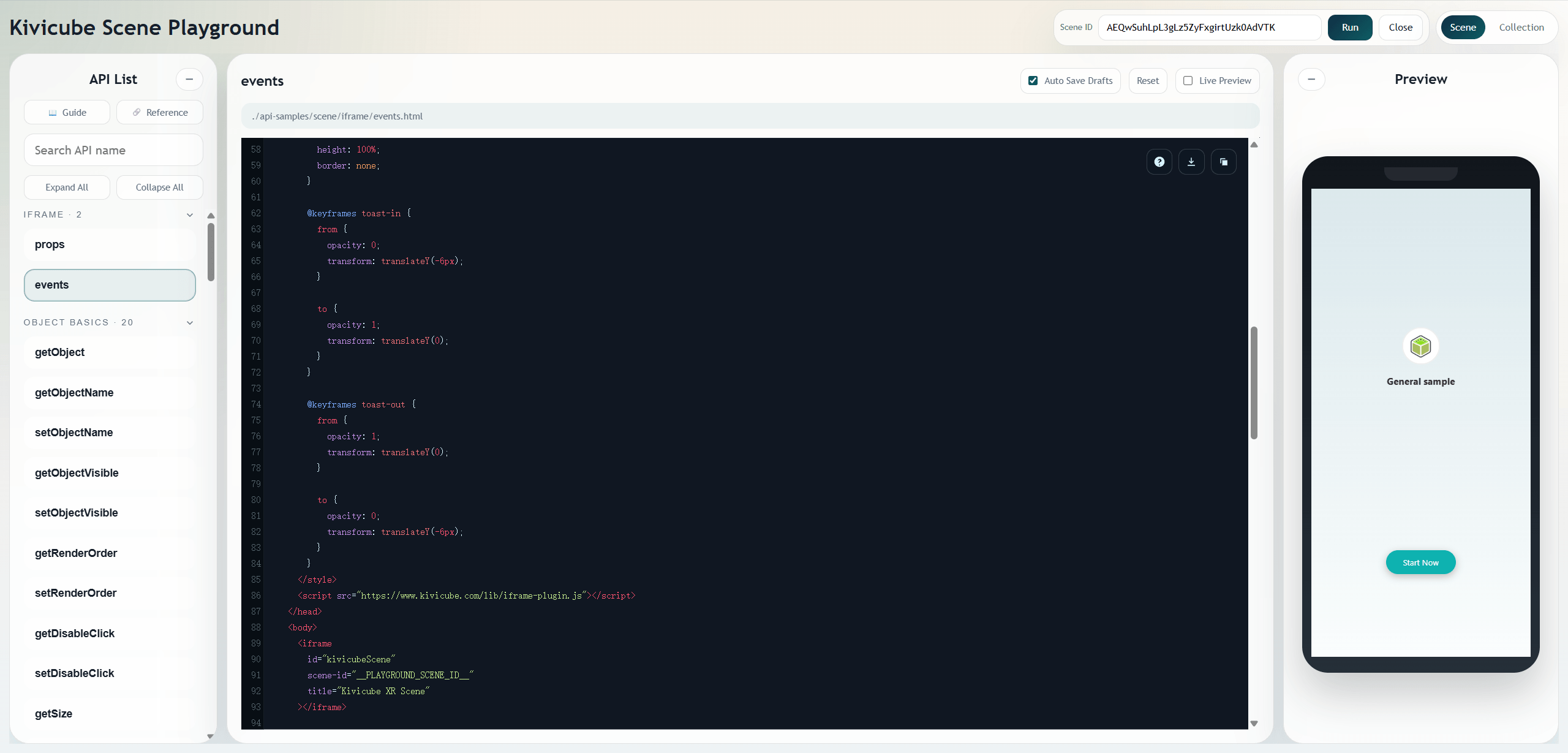
- SDK and API Integration Capabilities
SDK and Integration capabilities matter most for developers and commercial integration partners. Check whether the provider offers well-documented and easy-to-integrate SDKs for mainstream development environments. A provider without proper SDK coverage forces your team to build workarounds.
- Pricing and Commercial Value
Cost and terms matter as well. This aspect of augmented reality testing covers AR service pricing, commercial licensing, add-on costs for things like 3D model generation, and whether custom development is available. It determines whether a provider is viable long-term.
Beyond the metrics above, the right evaluation also depends on your specific AR use case and goals, and past partnerships with major brands for AR marketing campaigns also serve as proof that the provider can deliver at scale.
How to Conduct an Augmented Reality Test?
To make this practical, we conducted a complete augmented reality test on Kivicube, a widely used WebAR platform. Below are the steps we followed and what we observed at each stage.
Step 1: Define the Use Case and Tracking Type
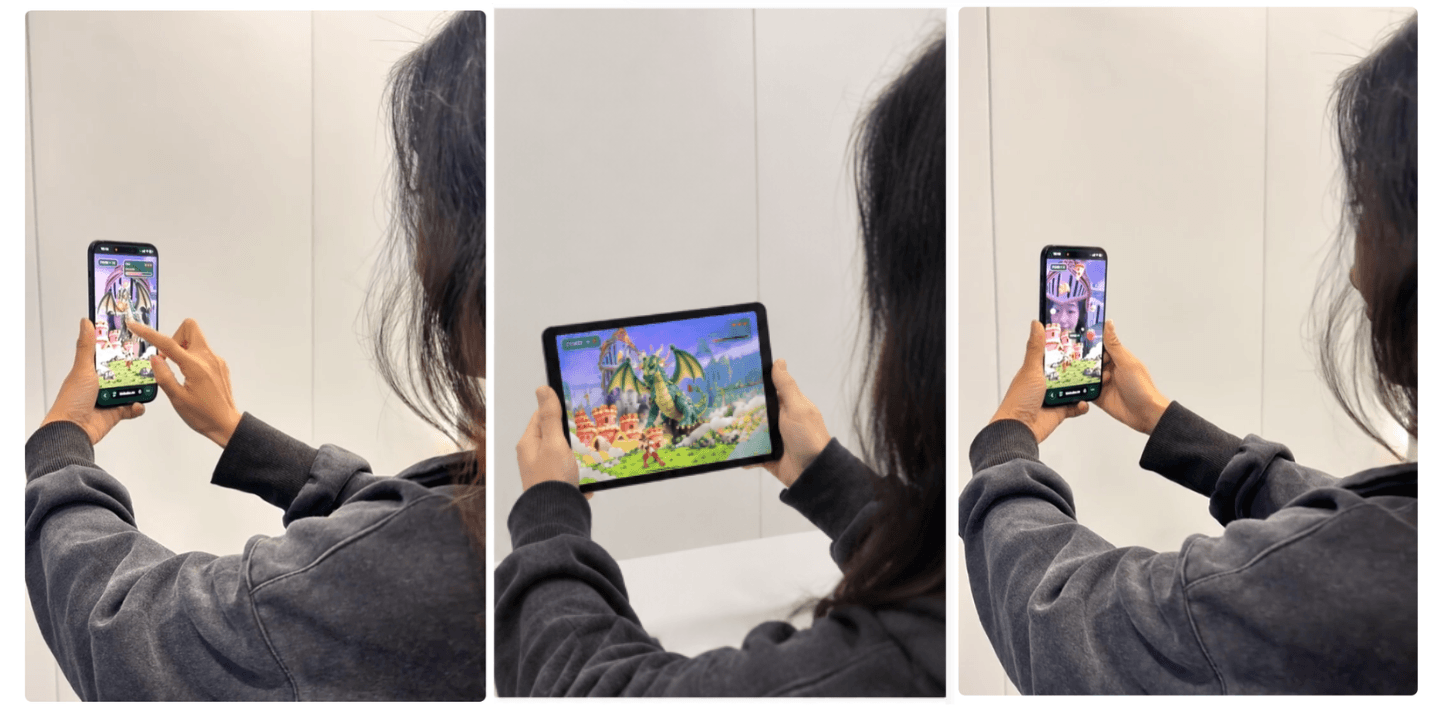
Different AR use cases demand different tracking types and quality standards. For this test, we focused on augmented reality game testing with a face-tracked treasure hunt game on Kivicube. It requires fast face recognition, low-latency food catch, and accurate hit controls.
Step 2: Build an AR Scene
After logging into Kivicube, we found and duplicated the face AR game template. Then we replaced the default assets with our own images and models. Also, we can directly generate them through Kivicube, making the whole process from asset generation to scene creation and publishing fast and convenient.
Step 3: Prepare the Test Environment and Devices
We prepared 3 environments: a bright office, a dim room, and an outdoor area with mixed shadows. For devices, we used an iPhone 18 Pro, an iPhone 16, an iPhone 7, and a Samsung Galaxy S21. Each device ran the same game scene under the same conditions.
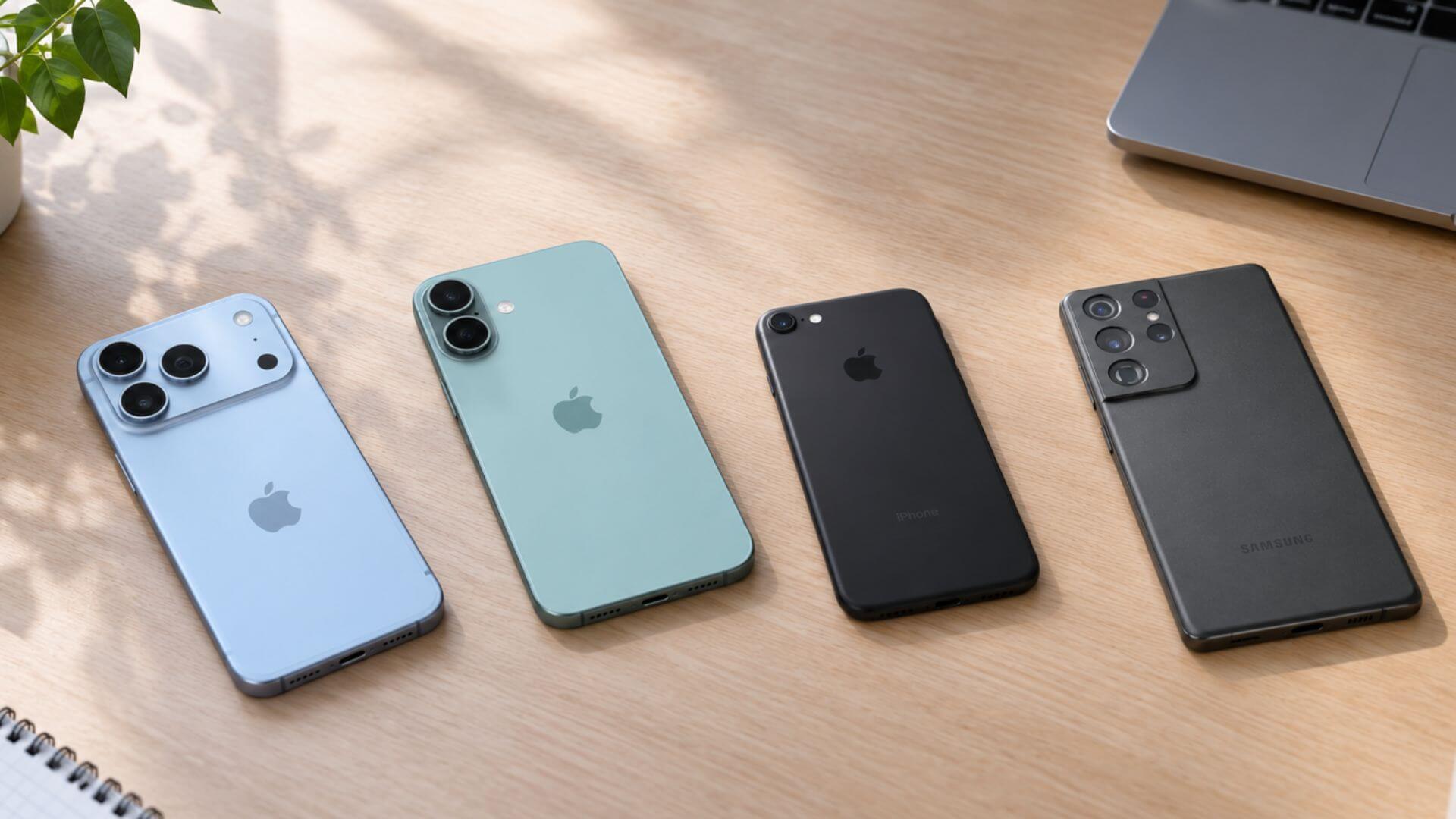
Step 4: Test AR Tracking and Spatial
All four phones detected the face quickly. When we moved our heads left and right, tracking followed smoothly, and the game successfully caught the falling food without stuttering. Results stayed consistent across the bright office, dim room, and outdoor area. Kivicube's tracking and spatial understanding held up well across devices and environments.

Step 5: Test Rendering and Performance
We checked whether the castle and food models rendered correctly on the face in different environments. Rendering stayed clear and accurate in all three lighting conditions. We also tested tap interactions to make sure hit detection worked when the dinosaur appeared. The Samsung S21 and iPhone 16 stayed smooth under normal play. The iPhone 7 warmed up after ten minutes but did not throttle badly. Overall, Kivicube delivered solid rendering quality and stable performance for this AR game test.

Step 6: Test Cross-Platform Consistency
We repeated the game on all four devices and across Safari, Chrome, and the Edge browser. Face tracking and tap controls behaved consistently. Load time varied: the iPhone 7 took a few seconds longer, but no device failed to load. This confirmed that Kivicube delivers a consistent WebAR experience across devices and browsers.
Kivicube: A Tested & Proven Augmented Reality Service
That said, Kivicube passed all six test steps, proving to be a reliable WebAR service. Not limited to games, Kivicube is a professional WebAR platform that offers solid solutions for marketing, education, art, manufacturing, and more. Tested across these diverse use cases, it proves to be a reliable and versatile WebAR service with standout capabilities.
- Impressive Spatial Understanding & AR Tracking Ability: Kivicube accurately detects images, surfaces, faces, and spatial elements. It keeps virtual objects anchored even in changing light or fast motion.
- High-Precision Rendering Engine: Materials, shadows, and lighting match the real world closely, making AR content look real and immersive.
- AI-Powered AR Creation Tools: Users can generate images, videos, 3D models, and even AR interactions conveniently with AI, speeding up content creation without coding skills.
- Hundreds of AR Templates Across Industries: Ready-made templates cover marketing, education, retail, and more, helping teams launch quickly.
- Low Latency & Efficient Performance: Kivicube maintains smooth frame rates and low delay even on mid-range devices, with efficient CPU and battery usage.
- Cross-Platform and Consistent WebAR Service: Runs in browsers on iOS, Android, and desktop, delivering a consistent experience without separate builds.
- Comprehensive SDK and API Integration: Developers get well-documented SDKs and APIs for easy integration into existing apps and workflows.
Troubleshooting Common AR Testing Challenges
When testing augmented reality service providers, certain common issues frequently arise. Below are the most common problems and how to address them.
📍Trouble: Virtual objects shift position or disappear when the camera fails to capture enough visual features.
⚒️Fix: Test on glass, solid-colored walls, and in low-light environments. If tracking fails on these surfaces, the provider needs better sensor fusion or fallback behavior.
📍Trouble: Virtual objects float, clip through real surfaces, or fail to cast shadows.
⚒️Fix: Check occlusion, depth alignment, and lighting match across different surface types. If rendering does not blend naturally with the scene, the provider's spatial understanding or rendering engine needs improvement.
📍Trouble: The AR experience runs smoothly on flagship models but stutters or fails on mid-range devices.
⚒️Fix: Build a device matrix and run the same test cases across different configurations. Inconsistent performance usually points to poor cross-platform optimization or browser fragmentation.
📍Trouble: Performance degrades or tracking quality drops after 10 minutes of use.
⚒️Fix: Monitor frame rate, device temperature, and battery consumption during extended sessions. If throttling or tracking loss occurs over time, the service does not meet real-world usage requirements.
Conclusion
Augmented reality testing goes beyond surface-level demos. Tracking, rendering, compatibility, and performance all matter, and they need to hold up in real conditions. We tested Kivicube with a face-tracked AR game across multiple devices and environments, and the results demonstrated excellent performance throughout.
FAQs
How to Test Augmented Reality?
Define your use case and build a test AR scene, then run each performance test across platforms and environments.
What Should I Test for Augmented Reality?
The specific test metrics vary by your purpose and the AR scenes you create. Generally, you should run augmented reality basic skills tests including spatial understanding, tracking stability, rendering precision, compatibility, and other performance metrics.
Are There Augmented Reality App Testing Services?
Yes. Tools like Xcode Instruments, Android Studio Profiler, Unity Test Framework, and Android GPU Inspector can test performance, rendering, and object placement. But they cannot automate camera input or real-world conditions, so manual testing remains essential.
What Are the Main Challenges in AR Testing?
Main challenges lie in real-world variability, device fragmentation, tracking instability, rendering alignment, and lack of automation.
Is WebAR Testing Different from App AR Testing?
Yes. WebAR adds browser and host-environment testing, while app AR is more platform-specific.