What Is SLAM in AR? How Spatial Tracking Powers Immersive WebAR Experiences
What is SLAM in AR? In this post, we’ll explain what SLAM is, how it works in an AR experience, and a WebAR solution for SLAM-based AR scene creation.

Augmented reality connects digital content with the physical world, and SLAM provides the spatial understanding required to accurately recognize environments and anchor virtual objects. So how does SLAM work for AR experiences? In this post, we’ll explore what SLAM is, different types of SLAM, and how it runs in an AR experience. We’ll also introduce an easy-to-follow WebAR solution with advanced SLAM to make web-based AR scenes that can be directly experienced without app downloading.
What Is SLAM?
SLAM, also called Simultaneous Localization and Mapping, is a technology that helps a device recognize its surroundings while tracking its own position in real time. Rather than relying on pre-made maps or GPS signals, it can create a virtual map of the environment by analyzing visual information from cameras and depth sensors, and motion data from the device.
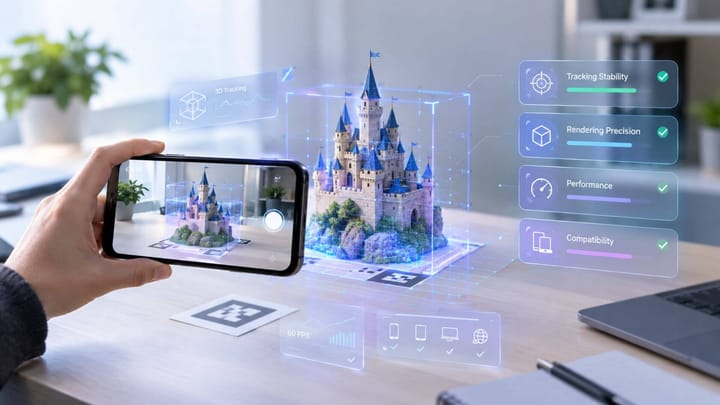
SLAM plays a critical role in spatial tracking when a person experiences AR scenes. Using devices like smartphones and AR glasses, SLAM enables systems to detect surfaces, track motion, and overlay digital content onto the physical environment.
With accurate spatial awareness, SLAM creates more realistic and stable AR experiences across different devices. If there were no such technology, the target AR content may appear to float, drift, or lose alignment with the real environment.
Different Types of SLAM Technologies
To learn more about SLAM in depth, you can explore the different types of SLAM methods, such as visual SLAM, LiDAR SLAM, multi-sensor SLAM, and others.
Visual SLAM
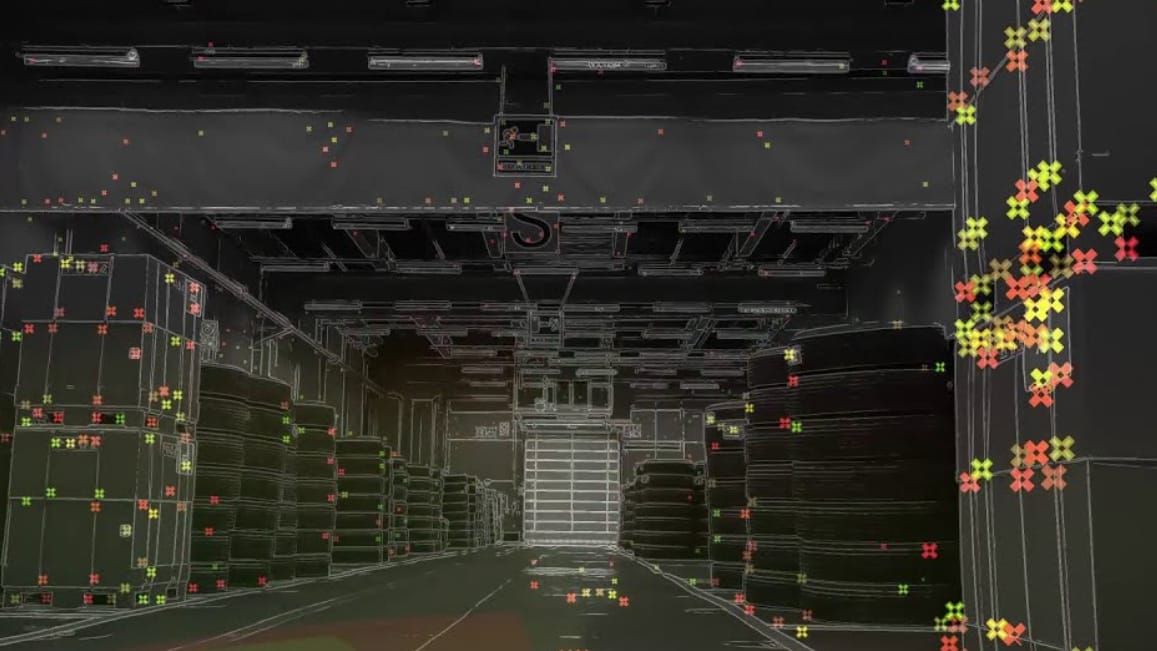
Using various types of cameras (such as wide-angle and spherical cameras), Visual SLAM estimates the device’s position while building a real-time understanding of the surrounding environment. It detects visual features in the environment, including edges, textures, and unique patterns, and then creates a map of the environment while continuously tracking the movement of the device.
Many devices, such as smartphones and AR glasses, are designed with built-in cameras, so they rely on camera-based SLAM for AR experiences. Through this technology, virtual objects placed in AR scenes are stable even when people are moving around.
Besides, there's a more advanced form, Visual-Inertial Odometry (VIO) SLAM, which plays an important role in AR experiences and combines camera data with motion information from sensors like gyroscopes and accelerometers. By combining visual and motion data, VIO improves tracking stability and accuracy, especially when users move quickly or operate AR experiences in dynamic environments.
LiDAR SLAM
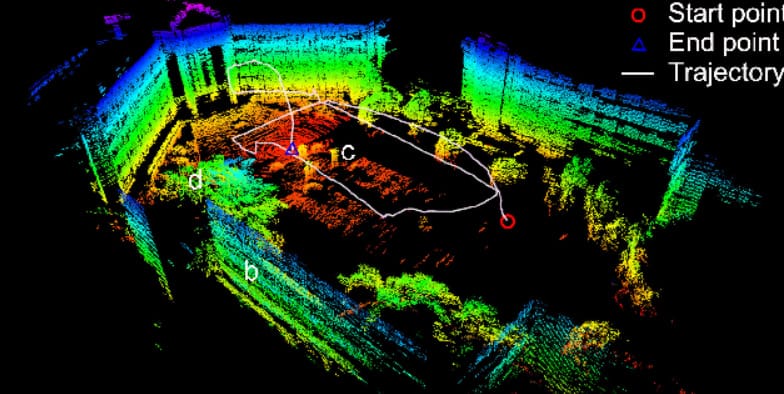
LiDAR SLAM is a depth-sensing technology that scans the surrounding environment with more accuracy. Unlike camera-based approaches, LiDAR SLAM uses laser measurements to capture depth information and create more accurate spatial maps, especially in environments where visual features are limited. It’s commonly used in advanced AR devices, robots, and high-end smartphones equipped with depth-sensing technology.
Multi-Sensor SLAM
Multi-Sensor SLAM uses information from multiple sensors, like cameras, IMU (Inertial Measurement Unit), and LiDAR (Light Detection and Ranging) sensors, for more accurate and reliable spatial tracking. With data on vision, motion, and depth, SLAM can better understand the location and environment of devices. It performs better than SLAM techniques that use a single sensor when working in challenging environments, like dim light and spaces with fewer visual landmarks.
How Does SLAM Work in an AR Experience
Now that we’ve learned the basics of SLAM, let’s see how it works in an AR experience.
Step 1: Environment Recognition
When users start an AR experience, the device's camera and sensors recognize surfaces and spatial information in the surrounding environment.
Step 2: Feature Detection
The SLAM system detects unique visual features for accurate position and movement tracking. Using camera data, it can recognize key points (like edges, corners, and texture patterns) that remain recognizable from different viewpoints.
Step 3: Localization
Then, SLAM estimates the device’s position and movement within the mapped space. By continuously comparing newly captured sensor data with previously identified reference points, the system calculates location changes.
Step 4: Mapping
With collected sensor data, SLAM builds a digital representation of the surrounding environment. It builds a spatial map that records surfaces, objects, and their positions relative to the device.
Step 5: AR Content Placement
Once SLAM recognizes the environment and tracks the device’s position, the AR system places digital content in the real world. Virtual objects can be anchored to specific locations within the spatial map, allowing them to stay stable as users move.
Explore how WebAR works in this post:
 Juli Cooper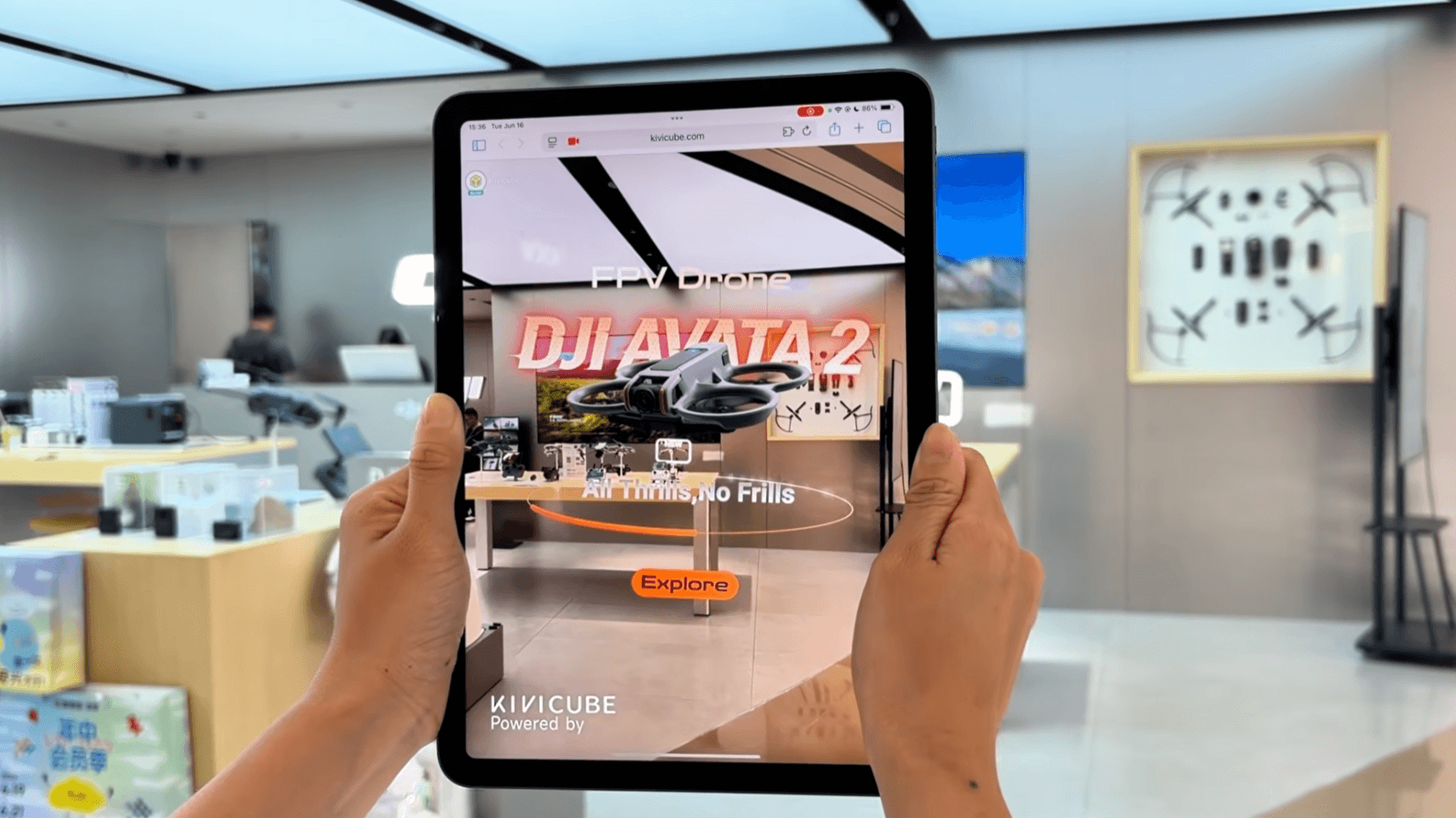
Create SLAM-Powered WebAR Experiences Without Coding
We’ve covered what SLAM is and how it works in an AR experience. If you are curious about how to build an immersive SLAM-based AR experience, now you can get the answer.
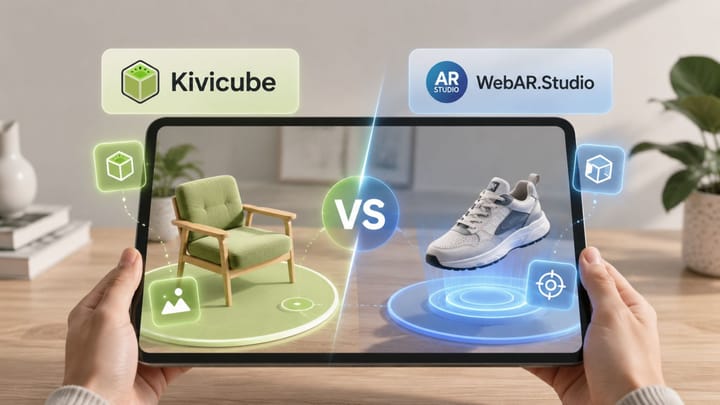
While SLAM technology is powerful, building a SLAM-based AR experience traditionally requires knowledge of computer vision, 3D development, and AR frameworks. Now, Kivicube handles the issues by providing a beginner-friendly WebAR generator. In an intuitive interface, everyone can drag and drop assets to make their own AR scenes. No coding, no app.
Main Features:
- Advanced SLAM-Based World AR Tracking: With advanced SLAM-powered AR tracking technology, it builds a stable connection between digital content and the real world. Creators can not only present the 3D models on the screen, but also design an AR experience that can be accurately placed in the physical space.
- Multiple AR Tracking Types: In addition to world AR (SLAM), it also supports other types of AR tracking, including image AR, face AR, landmark AR, body AR, and more, to meet different requirements.
- High-Precision Rendering: The 3D rendering engine provides PBR materials with multiple adjustable properties and diverse options of tone mapping for high-precision rendering. By balancing visual quality and real performance, it delivers a pro-level AR experience for users.
- AI-Assisted Workflow: With the built-in Gen AI tool, you can quickly generate AI images, videos, and 3D models for fast AR creation. If you’re unsatisfied with your AR experience, the newly launched AI AR agent can help you create a new version of your AR experience from simple prompts.
Other Applications of SLAM Technology
Beyond AR experiences, SLAM has proven to be an effective technology that allows machines to understand the physical environment, so it can also be suitable for use in autonomous systems, robots, and 3D modeling. In photogrammetry, SLAM sensors can capture physical objects and create 3D models of them, which makes SLAM technology valuable in the fields of mapping, manufacturing, etc.
Bonus: Explore Spatial Tracking in AR
While SLAM provides the foundation for spatial tracking in AR, a complete AR experience relies on several other technologies to achieve higher accuracy and realism:
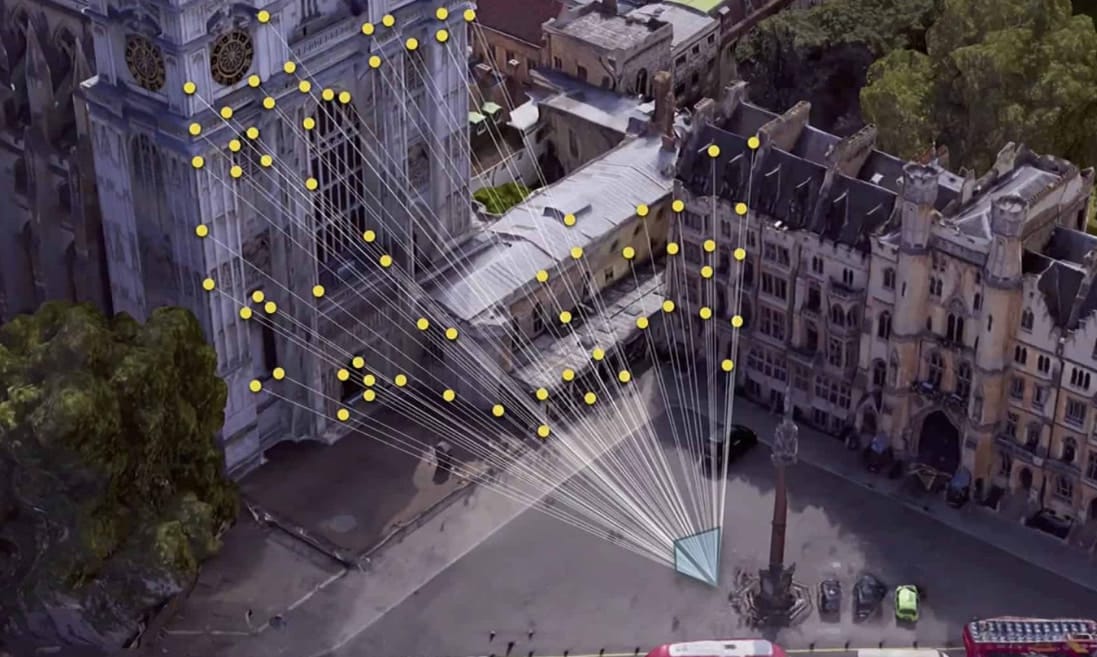
Visual Positioning Systems (VPS): With computer vision and location data, it determines a device’s precise position in a real-world environment, making it especially useful for large-scale AR experiences such as navigation and landmark-based AR.
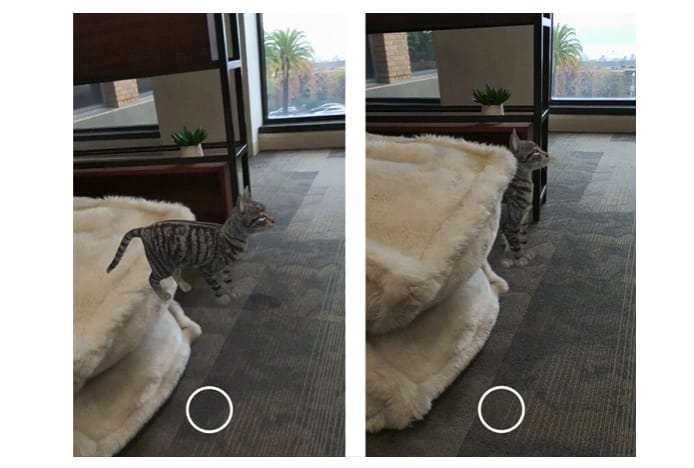
Real-Time Occlusion: It allows virtual objects to appear naturally behind real-world elements.
Light Estimation: This technology adjusts the brightness, shadows, and colors of 3D models to match the surrounding environment.
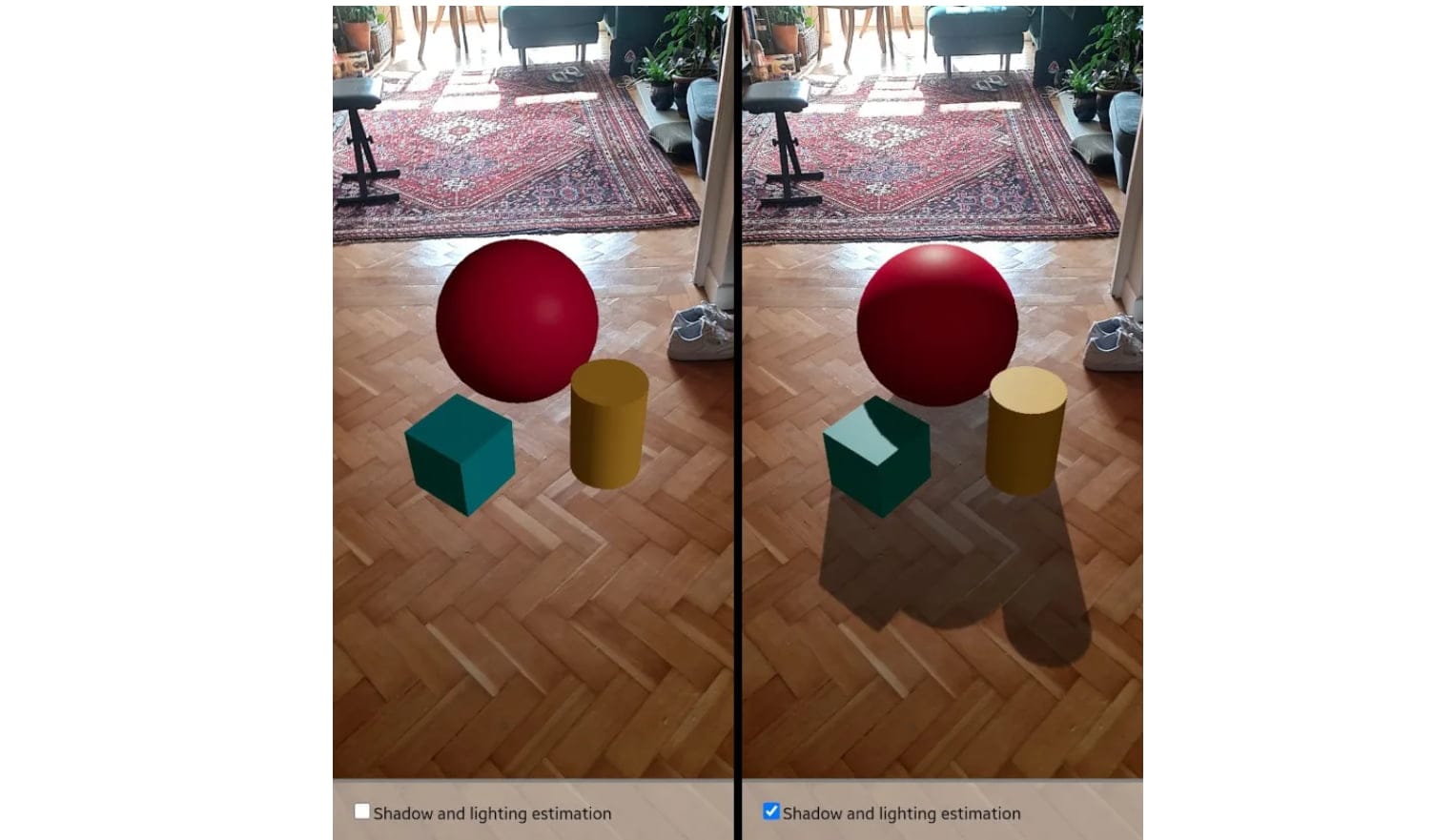
Together with SLAM, these technologies make AR experiences more immersive and visually convincing.
FAQs about SLAM
Q: What is the difference between Visual SLAM and LiDAR SLAM?
Visual SLAM uses cameras to detect visual features such as edges and texture to understand the environment. On the other hand, LiDAR SLAM uses laser measurements to capture depth information, allowing it to create more accurate spatial maps. Visual SLAM is mostly found in smartphones, while LiDAR SLAM creates highly accurate maps for devices equipped with depth sensors.
Q: Do all AR applications use SLAM?
SLAM is not always needed by AR applications, but there are many cases in which modern AR relies on SLAM for accurate AR tracking and placement. Simple AR effects such as face filters can use different tracking algorithms, while advanced AR experiences like WebAR product visualization usually rely on SLAM-based tracking.
Q: Can SLAM work without LiDAR sensors?
Yes. There are many AR applications that do not work with LiDAR sensors but use Visual SLAM. Thus, smartphones without LiDAR sensors are still capable of delivering a good AR experience through camera-based tracking.
Q: How does SLAM improve WebAR experiences?
In WebAR, SLAM helps browsers and devices deeply understand the user’s surroundings without downloading an AR app. It enables features such as surface detection, spatial tracking, and realistic placement of 3D models, making WebAR experiences more interactive directly through mobile browsers.
Conclusion
With the help of SLAM technology, augmented reality experiences can be more stable and accurate. In this post, we’ve explored what SLAM is, types of SLAM, and how it works in an AR experience. Additionally, a practical WebAR platform is introduced for fast and simple SLAM-powered AR creation, with no coding or app downloading. With the SLAM-powered WebAR solution, creators can now build stable and immersive AR experiences more easily than before.