WebAR Explained: How Does Augmented Reality Work in a Browser?
How does augmented reality work in a browser? Camera input, spatial tracking, and 3D rendering work together to power WebAR. See the full breakdown.
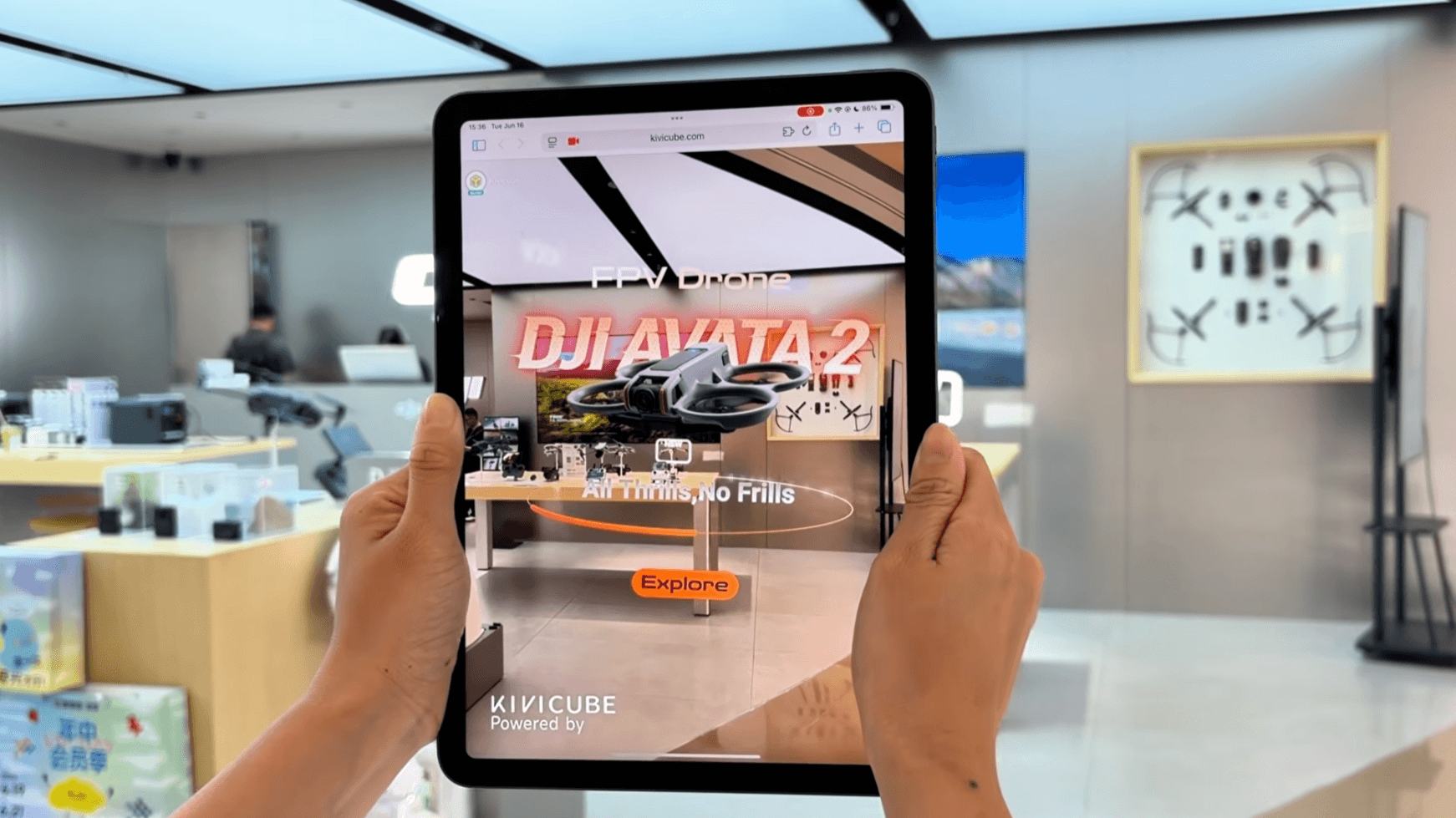
Augmented reality brings digital content into the real world, and WebAR does this right in your browser with no app required. So how does augmented reality work in a browser? This guide explains the 3 core layers supplying AR in a browser and the full WebAR workflow from camera input to 3D rendering. Bringing up different tracking methods, challenges, and a cross-platform stable WebAR solution.
Three Layers of WebAR Frameworks
A WebAR experience runs through 3 core layers from input to rendering, each relying on different browser APIs and underlying technologies to fulfill its role.
1. Input Layer
The input layer handles raw data acquisition for the entire WebAR experience, feeding the subsequent layers with the real-world information. It relies on 2 core browser APIs:
- WebRTC (Web Real-Time Communication)
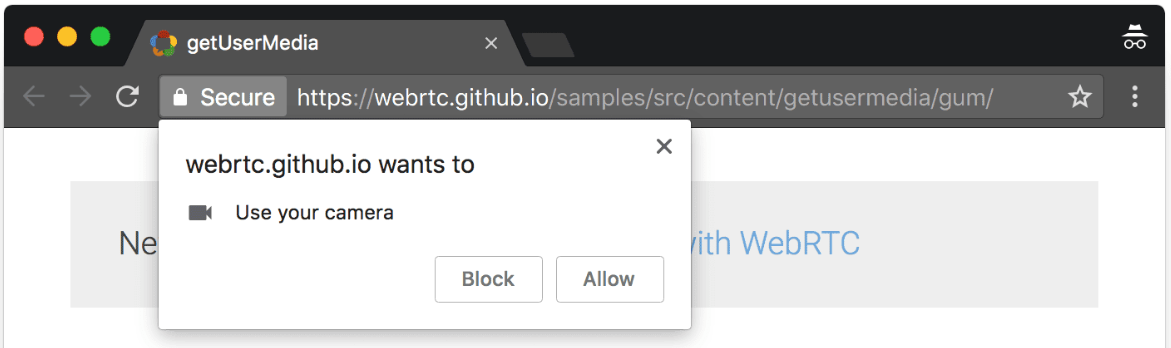
WebRTC is a set of JavaScript APIs for real-time audio, video, and data communication in browsers. It captures video from the device's camera using the getUserMedia method. The familiar "Allow this site to use your camera?" permission prompt is WebRTC in action.
- Device Orientation API
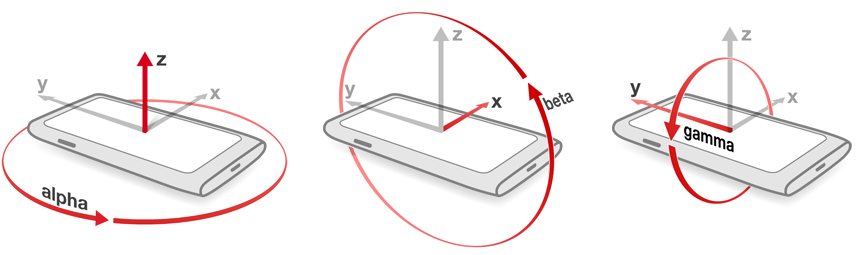
The Device Orientation API is a W3C specification that provides gyroscope and accelerometer data from your device to web pages. When you tilt your phone, this API enables the AR scene to rotate with your movement.
2. Compute & Tracking Layer
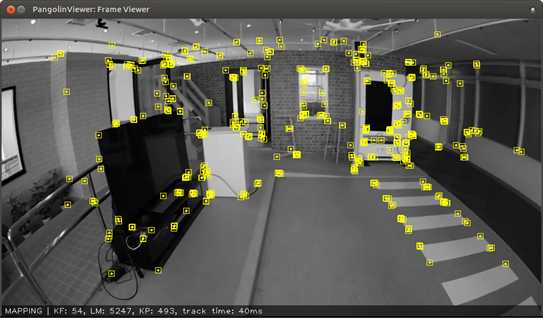
Once the camera feed and sensor data are available, the next layer turns raw pixels into spatial understanding. Computer vision algorithms extract visual features from each camera frame, while tracking algorithms continuously compute the device's position and orientation in the physical world.
In WebAR, this layer is implemented in two fundamentally different ways. The distinction lies in where the tracking computation happens: at the operating system level, or directly inside the browser.
- System-level tracking (ARCore/ARKit): Widely used by most WebAR platforms, this approach happens at the OS level, using WebXR to pass pre-computed pose data to the browser. However, it depends heavily on platform support. While Android Chrome offers an ideal implementation, iOS WebXR remains incomplete, making consistent AR experiences on iPhones difficult.
- Browser-based tracking (WebAssembly): A few professional WebAR platforms like Kivicube have figured out a browser-based AR tracking method. This approach processes camera frames directly and computes pose data through JavaScript and WebAssembly running in the browser. It delivers consistent cross-platform performance on both Android and iOS. Kivicube is one of the platforms that adopts this approach.
3. Rendering Layer
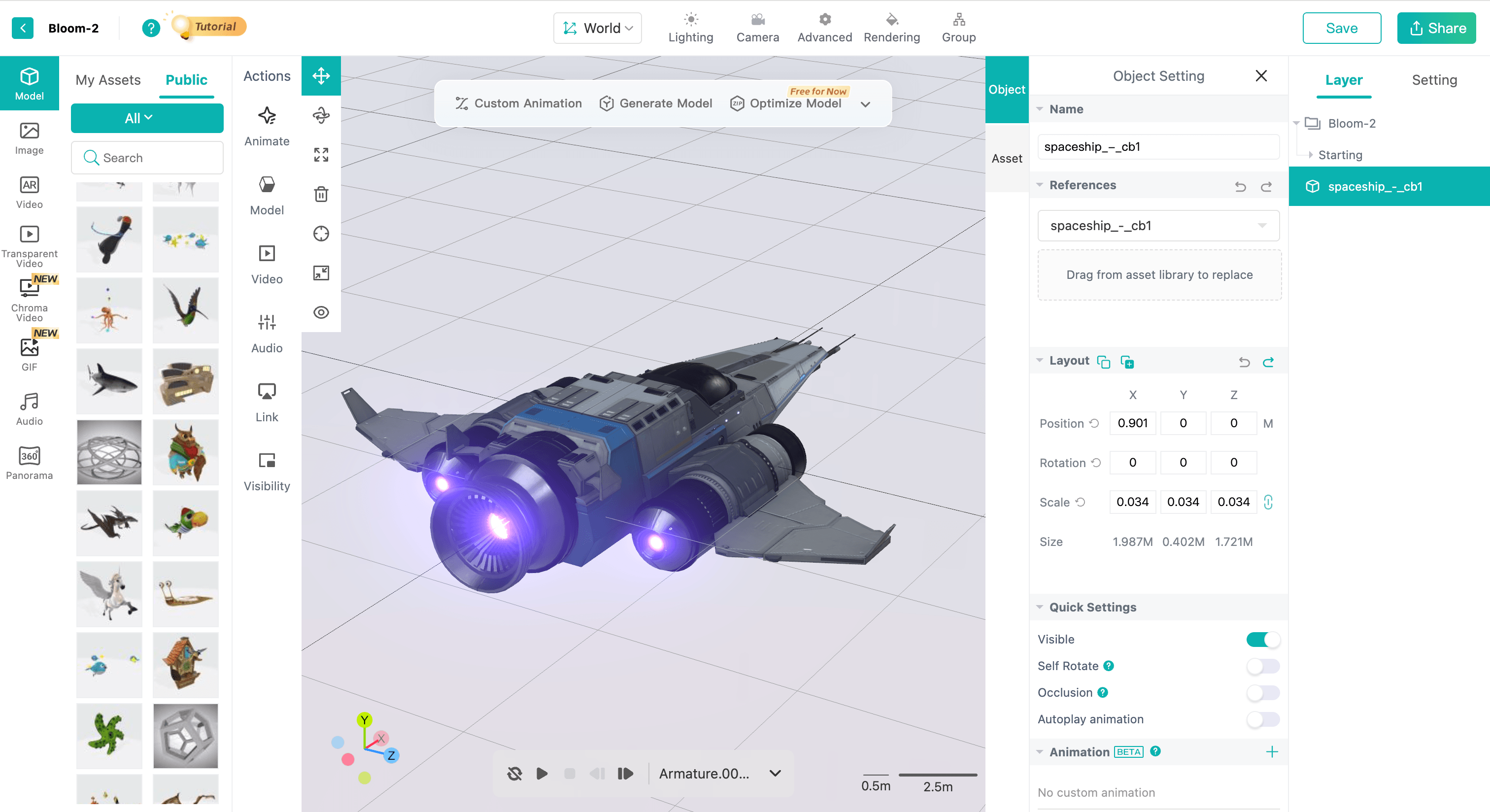
The rendering layer takes the spatial data from tracking and draws the 3D content onto the screen. This is handled by WebGL and WebGPU, the graphics rendering APIs that process vertex positions, textures, and lighting to render the final image.
WebGL has been the standard for 3D graphics on the web for years. WebGPU is the next-generation API, designed for better performance and more efficient memory management. Beyond the rendering APIs themselves, several other technologies play a role in WebAR rendering performance and development:
- WebAssembly: Accelerates compute-heavy rendering tasks like physics simulation and particle systems.
- Three.js/Babylon.js: JavaScript libraries that abstract WebGL/WebGPU, providing ready-to-use scenes, cameras, and loaders for faster development.
- PBR (Physically Based Rendering): A rendering workflow that simulates realistic material-light interactions to produce lifelike surfaces.
- Async Asset Loading: Loads models and textures in the background without blocking the main thread, preventing UI freezes.
Why These WebAR Architectures Enable No-App Experience
Native AR relies on platform-specific SDKs like ARCore and ARKit. These SDKs are bundled inside the app, along with the app's own tracking logic and rendering engine. The entire package must be downloaded and installed on the user's device before anything can happen.
WebAR takes a different path. The entire stack runs inside the browser. Camera access comes from WebRTC. Tracking runs through JavaScript and WebAssembly. Rendering uses WebGL or WebGPU. These are all browser-native technologies, built directly into Chrome, Safari, Firefox, and Edge. Nothing needs to be installed separately.
Native AR | WebAR | |
Container for AR capabilities | The app itself | The browser |
Camera access | Bundled in the app | Browser API (WebXR) |
Tracking | OS-level algorithms with direct hardware access | Browser-based JavaScript or WebAssembly algorithms |
3D rendering | Engine bundled in the app | Browser API (WebGL/WebGPU) |
Distribution | App store download | QR code, link, etc. |
Updates | Users must download the new version | Instant server-side update |
How Does WebAR Work? Full Pipeline Explained
Now that we've covered the core technologies, let's trace how they come together in an actual WebAR session.
1. Page loads
The user scans a QR code or taps a link. The browser loads the page from a web server, just like any other web page.
2. Camera stream begins
The browser requests camera permissions through WebRTC.
3. Tracking computes device pose from camera input
The tracking engine analyzes the camera feed to identify the target and computes the device's position and orientation in 3D space.
4. Rendering draws the scene
WebGL or WebGPU takes the spatial data and renders the 3D content onto the screen. JavaScript libraries handle user interactions like tapping or dragging on the AR content.
5. The loop repeats
This pipeline runs in real time, frame after frame, updating pose, tracking, and rendering to maintain the experience.
6. Sharing the experience
The experience is distributed through a URL or a QR code, no app needed.
Key Factors That Affect WebAR Performance
While modern browsers provide the core technologies, how these technologies are implemented and optimized by each WebAR platform makes a significant difference. Factors like tracking accuracy, rendering efficiency, and loading strategies vary across providers.
Rendering Performance
Rendering performance determines how smoothly 3D content appears on screen. It is measured by frame rate (FPS). A stable 30 FPS is the minimum for acceptable AR experiences, while 60 FPS is ideal for premium quality. Factors that affect rendering performance:
- 3D scenes with excessive polygons, meshes, and textures
- Large texture sizes that consume GPU memory
- Complex material effects and shaders
- Heavy visual effects like particle systems
- Physics simulations running in the scene
- Too many videos or animated GIFs
- Excessive post-processing effects that increase rendering overhead
Tracking Performance
Tracking performance determines how accurately and reliably virtual content stays anchored to the real world. Three main factors influence tracking performance:
- Tracking algorithm: The underlying computer vision and SLAM algorithms determine tracking accuracy and robustness.
- Hardware capability: Device sensors (camera quality, gyroscope, accelerometer) and processing power directly impact tracking stability.
- Environmental conditions: Lighting, surface texture, and visual feature richness affect how easily the system can detect and track targets.

Loading Performance
Loading performance determines how quickly an AR experience becomes usable after a user triggers it. Long load times lead to user drop-off. Loading performances are mainly affected by:
- Network conditions: Bandwidth and latency determine how fast assets travel from the server to the user's device.
- Server infrastructure: Server bandwidth and CDN (Content Delivery Network) services affect asset delivery speed and reliability.
- Scene complexity: The size and number of 3D models, textures, and assets that need to be downloaded and parsed before the experience starts.
- Device hardware: Lower-end devices take longer to download, decode, and render assets, increasing overall load time.
Compatibility
Compatibility determines how many users can actually access an AR experience across different devices, browsers, and system versions. Key considerations are:
- Device coverage: The range of smartphones and tablets that can run an AR experience. Professional WebAR platforms like Kivicube achieve close to 99% coverage on mid-to-high-end devices and maintain around 80% on low-end devices.
- Browser and app support: The types of browsers and application environments where an AR experience can run.
- OS version coverage: The range of operating system versions that can support an AR experience. Newer OS versions typically offer better AR performance.
Best Cross‑Platform WebAR Solution for Brands & Developers
Now that we've covered how WebAR works and what affects its performance, how can you actually build one? Kivicube is a WebAR platform built on Kivisense's proprietary AI+AR engine, delivering smooth and solid performance across devices. It offers both a code-free visual editor for creators and a suite of developer tools (Web AR Plugin, H5 Plugin, and App Plugin) for developers to further embed.
- Cross-Platform Consistency
Kivicube achieves close to 99% coverage on mid-to-high-end devices and maintains around 80% on low-end devices, and runs across major mobile browsers. This means your AR experience reaches the widest possible audience without compromising performance.
- Accurate & Versatile AR Tracking
With a self-developed and optimized computer vision algorithm, Kivicube delivers stable, high-precision tracking with minimal drift. It covers a wide range of use cases with versatile AR tracking types like image, face, world(SLAM), body, landmark, etc, maintaining robustness even under challenging lighting and motion conditions.
- High-Quality Rendering
Our next-gen 3D rendering engine supports PBR materials with seven adjustable properties, scene-level effects like bloom glow and stylized outlines, and multiple tone-mapping options, all while maintaining a rendering accuracy of up to 95%. Besides, the engine intelligently balances visual quality and performance, ensuring smooth experiences even on mid-range devices.
- AI-Powered Asset Generation
KiviAI further fuels your creation with a next-generation GenAI. It generates images, videos, and 3D models, and even builds complete AR scenes with interactions, animations, and activities through AI conversation. All processing runs in the cloud with no local GPU required, and the results flow directly into your AR projects.
Conclusion
Through the combination of technologies like WebXR, tracking algorithms, and WebGL/WebGPU rendering, augmented reality can work in your browser without app downloads. However, each WebAR platform implements and optimizes these technologies differently, bringing varying levels of AR performance. Kivicube stands out with its solid tech stack and proprietary AI+AR engine, making high-tech accessible to both creators and developers. Start creating today.