Kivicube vs. Web-AR.Studio: Which No-Code WebAR Platform Is Better?
We pit Kivicube against Web-AR.Studio across features, pricing, and real-world performance. Read our honest comparison and see which one fits you best.
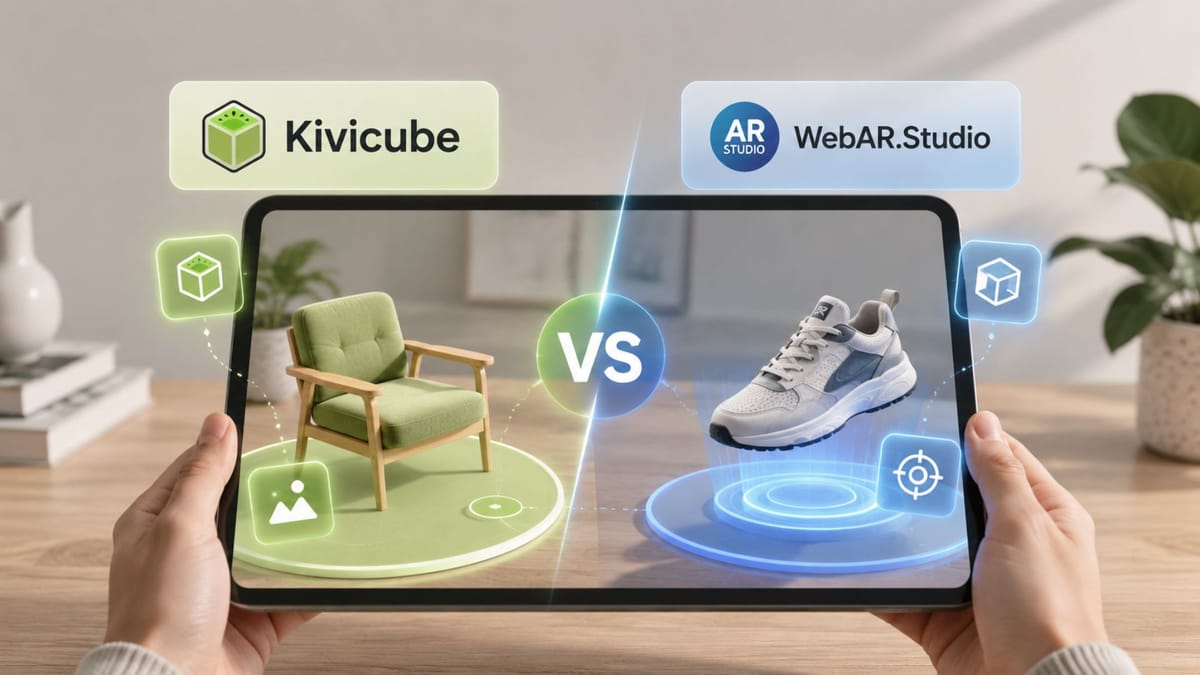
Over the past year, we have been closely following the evolution of augmented reality and workable WebAR solutions. Kivicube and Web-AR.Studio are both professional no-code WebAR platforms, yet each has distinct strengths. In this side-by-side comparison, we test their features, pricing, and user experience, and build the same project across both platforms to see how they differ. If you're considering a WebAR solution, see what we can bring.
Overview of Kivicube
Before we get to the comparison, here is a quick look at what we offer, how we price it, and what makes our platform stand out.
What Is Kivicube?
Kivicube is an all-in-one WebAR platform that enables users to build, share, and experience augmented reality without coding. Anyone can build augmented reality with the online no-code editor and share the creation through a link or QR code. Simply open the link or scan the code with a phone's camera to experience it. Everything runs in the browser, no app required.
Kivicube Pricing
There are 4 pricing tiers of Kivicube: Free, Starter, Pro, and Enterprise. Here is an overview of each.
Free | Starter | Pro | Enterprise | |
Projects | 2 | 4 | 10 | Unlimited |
Template library | Yes, 300+ templates | Yes, 300+ templates | Yes, 300+ templates | Yes, 300+ templates |
Asset library | √ | √ | √ | √ |
Asset Storage | Unlimited | Unlimited | Unlimited | |
Access to project editing | Forever | At the time of subscription | At the time of subscription | At the time of subscription |
Project duration | Forever | Forever | Forever | Forever |
Watermark removal | × | × | √ | √ |
Price/year | €0 | €47.9 | €1680 | Customize |
The first two tiers suit individual creators better, offering a rich template and asset library ideal for social media sharing. The latter two tiers meet diverse business goals from small companies to highly customizable enterprises.
Key Features of Kivicube
What really determines whether a platform fits your needs is what it can actually do. Here is a closer look at the core capabilities of Kivicube.
All-in-One AR Creation & Publishing Platform
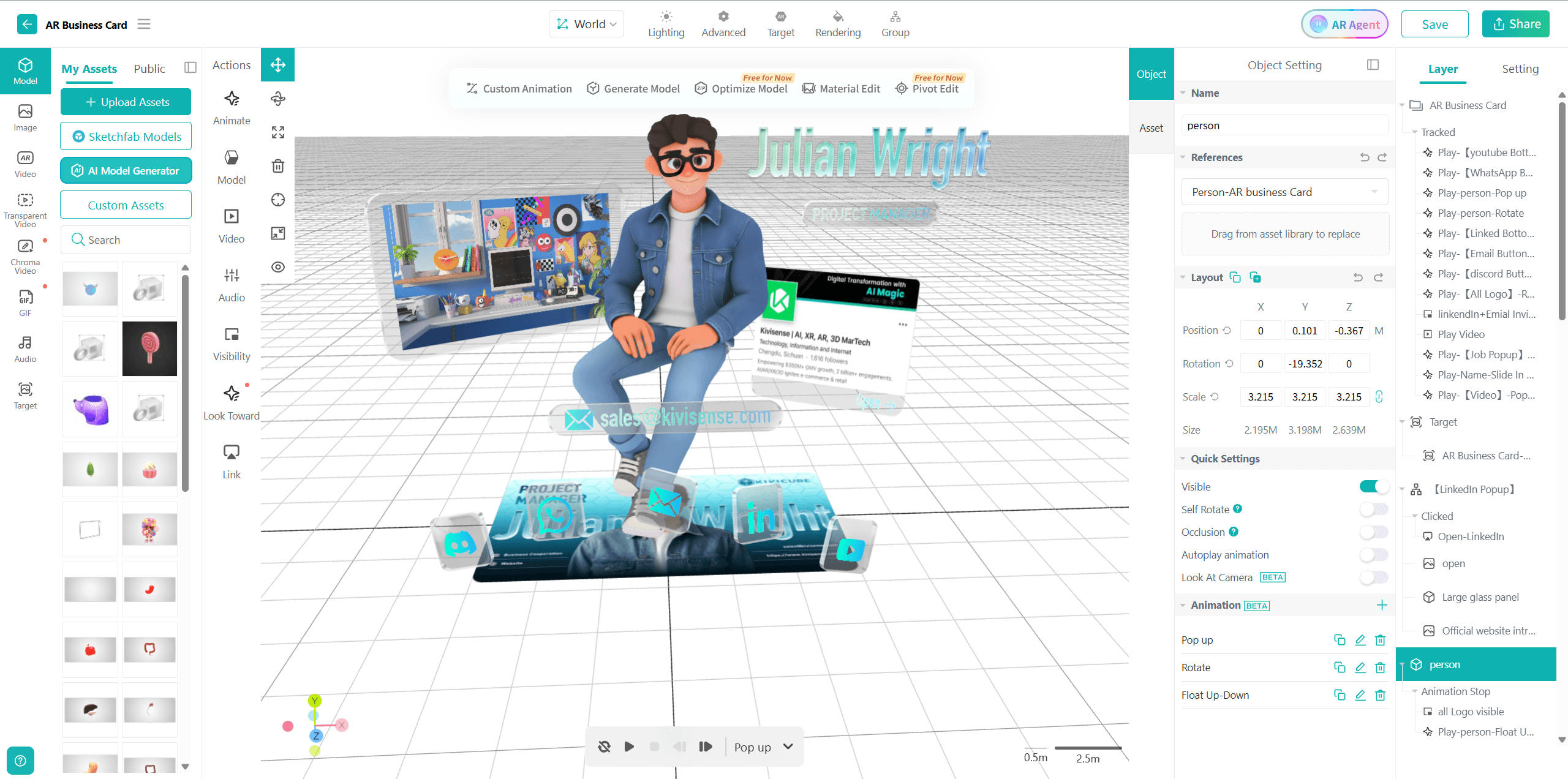
Kivicube offers an all-in-one AR platform that covers the entire AR workflow. Users can build AR projects through a drag-and-drop editor, publish them instantly via QR codes or links, and track performance through built-in analytics.
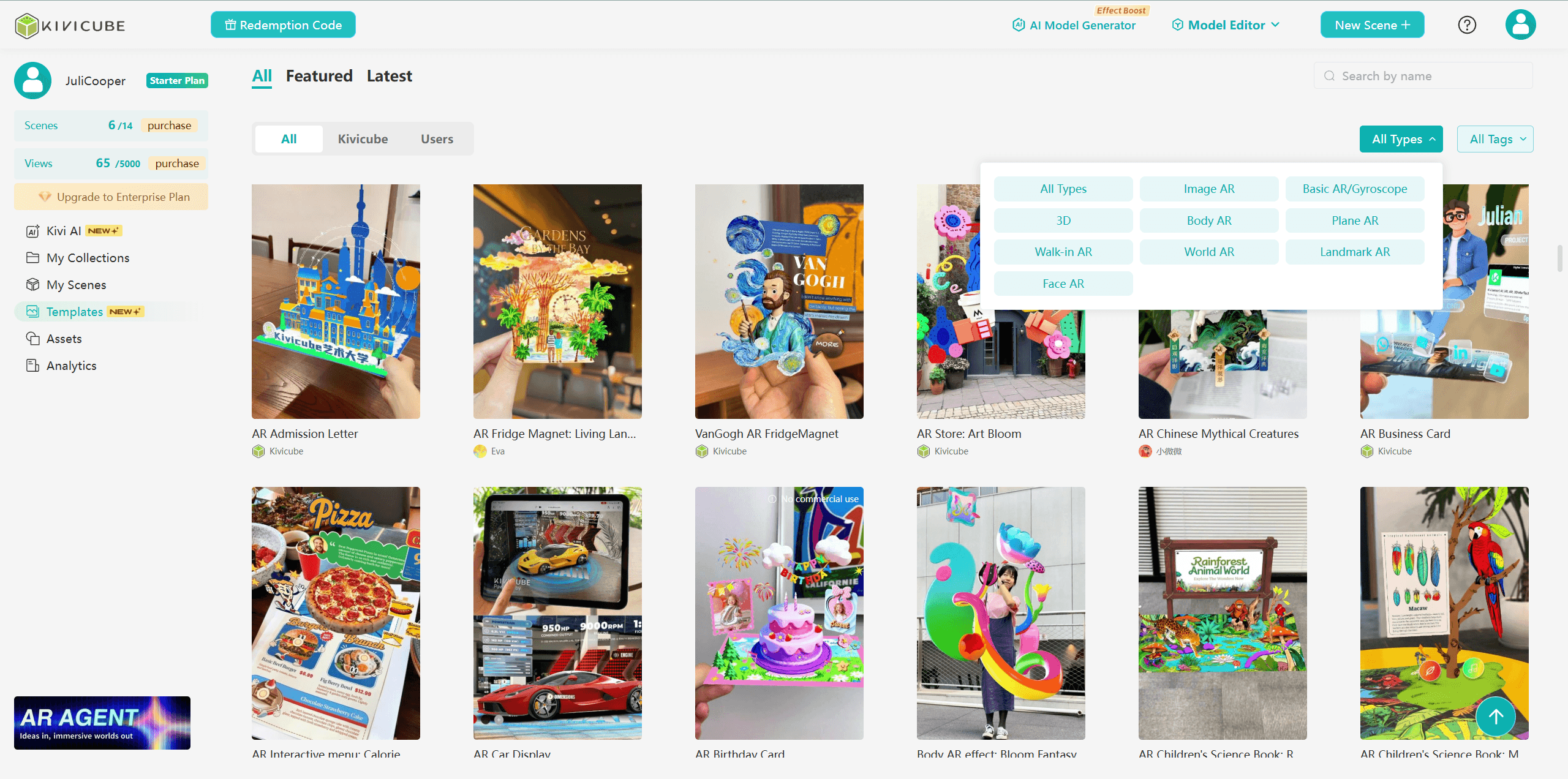
Templates & Asset Library
Users get access to a large number of beautifully designed templates across industries, as well as a rich asset library. Templates can be duplicated with one click, and 3D models can be imported directly via Sketchfab integration.
AI-Powered AR Creation
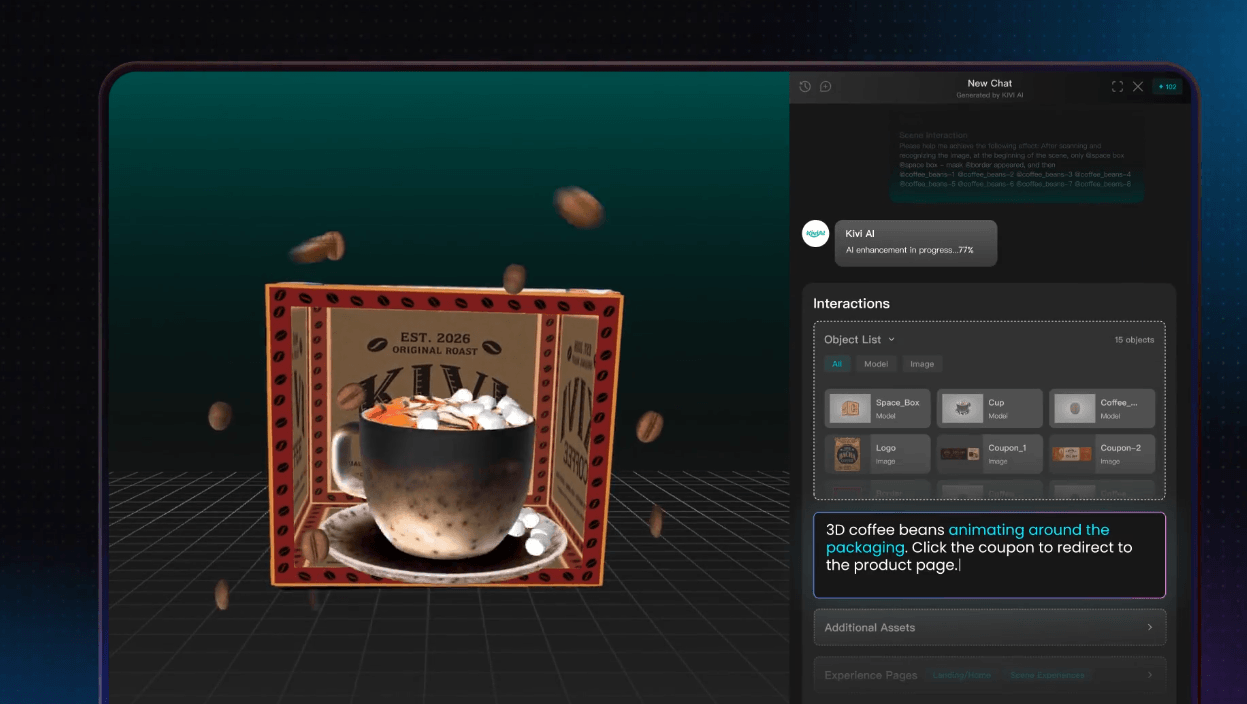
Generative AI simplifies AR creation like never before. In addition to images, videos, and models, Kivicube AI AR Agent can even generate interactions, animations, and UI designs for you, all from natural language descriptions.
9 AR Tracking Modes & More in Customization
Multiple tracking types are supported here. You can create image, world(SLAM), body, face, landmark, 3D object, rotation, spatial, and cloud recognition with Kivicube. Use cases span AR marketing, retail, education, events, and more.
High-Fidelity AR Rendering
Kivicube delivers stunning visual quality with lifelike rendering to make AR content feel truly present in the real world. The newly launched V2 rendering engine further enhances it by bringing enhanced material performance, richer lighting, more accurate shadows, and so on.
Developer APIs & Custom Integration
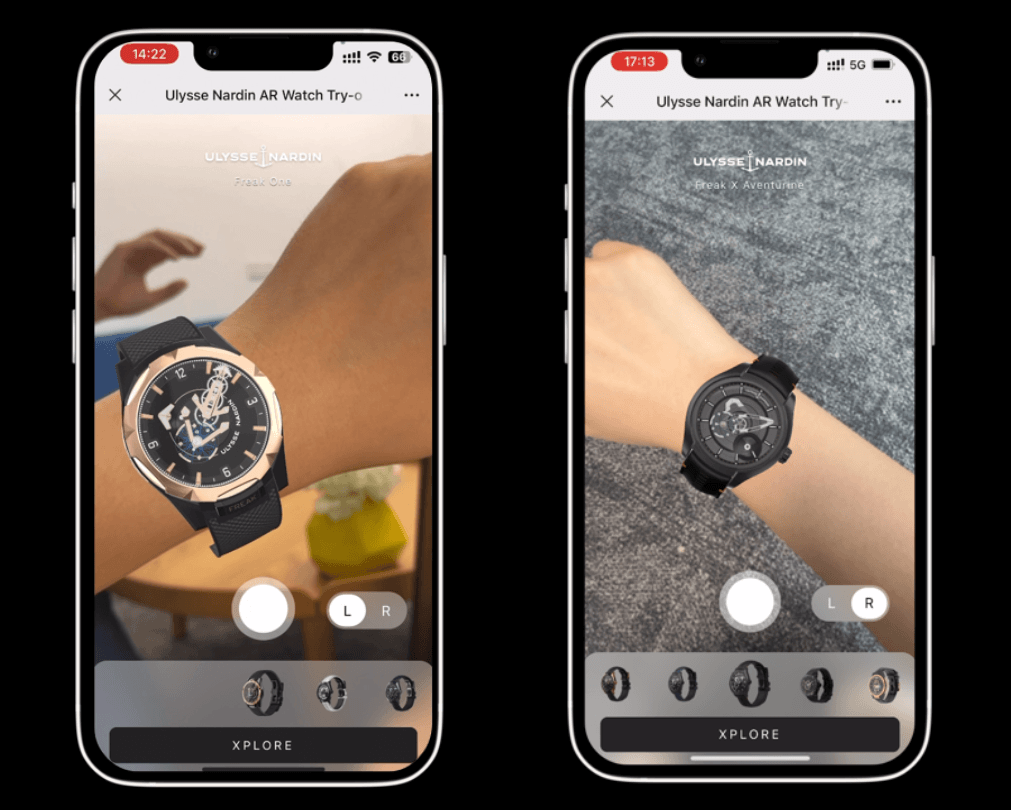
Developers can leverage open APIs and SDKs to integrate AR capabilities directly into their own applications, product pages, or e-commerce platforms. The WebAR SDK supports browser-based tracking and rendering, making it easy to embed interactive AR campaigns anywhere without building from scratch.
Overview of Web-AR.Studio
Another name in the WebAR space that has been gaining significant attention is Web-AR.Studio. Let us take a closer look at what it is, how it prices its services, and what features it offers.
What Is Web-AR.Studio?
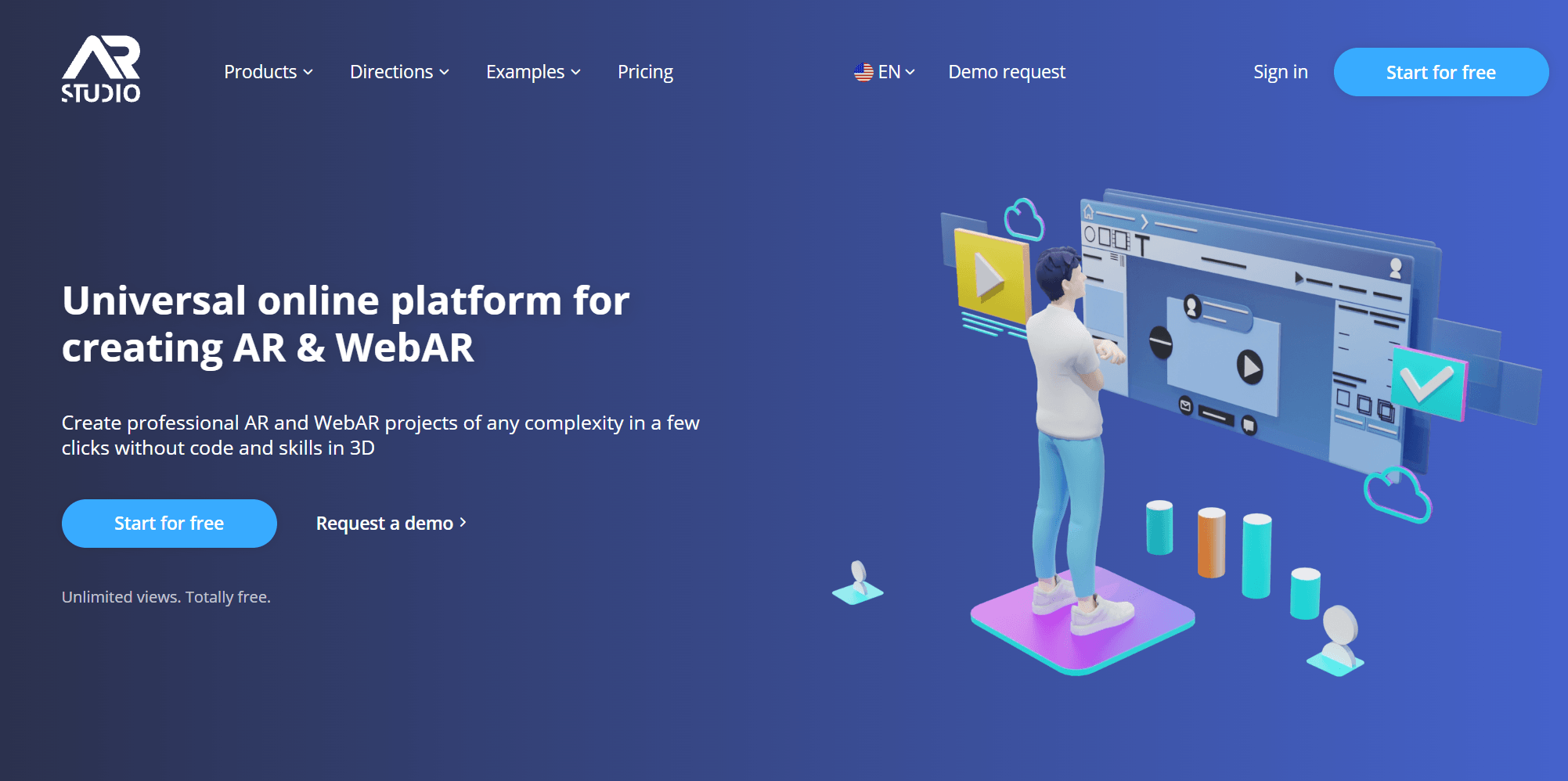
Web-AR.Studio is also an augmented reality platform that enables users to create and publish AR experiences. It offers 3 editing tools, 3 publication types, and 2 implementation methods. This flexibility makes it a good choice for both technical and non-technical users.
Web-AR.Studio Pricing
Price is often the first thing users look at when evaluating a tool. Here is how Web-AR.Studio structures its pricing across different tiers.
Free | Standard | Business | Unlimited | |
Projects | 10 | Unlimited | Unlimited | Unlimited |
Template library | Yes, about 10 templates. | Yes, about 10 templates. | Yes, about 10 templates. | Yes, about 10 templates. |
Asset library | √ | √ | √ | √ |
Asset Storage | 200 MB | 1 GB | 10 GB | 100 GB |
Access to project editing | 1 Month | At the time of subscription | At the time of subscription | At the time of subscription |
Project duration | 1 Month | At the time of subscription | At the time of subscription | At the time of subscription |
Watermark | √ | √ | × | × |
Price/year | €0 | €84 | €264 | €1,248 |
Similarly in 4 pricing tiers, Web-AR.Studio limits users more on storage and project edit permissions. Once your subscription expires, you lose editing access to your projects, and the projects themselves will stop working.
Key Features of Web-AR.Studio
Here is a breakdown of what Web-AR.Studio offers in terms of real capabilities.
Various Editing & Publication Methods
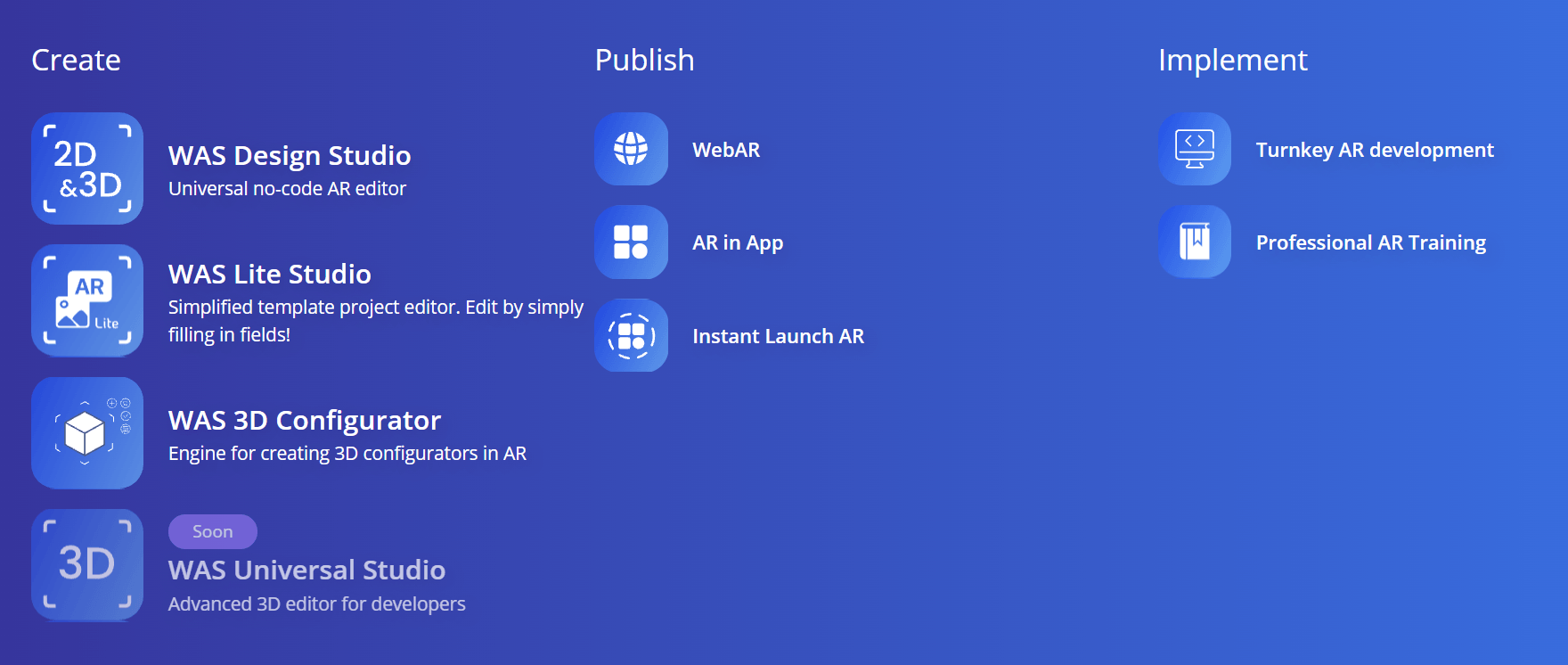
Web-AR.Studio currently lists three creation methods: WAS Design Studio, WAS Lite Studio, and WAS 3D Configurator. Three publication types: WebAR, AR in App, and Instant Launch AR. And two implementation methods: Turnkey AR development and Professional AR Training.
Templates & Asset Library
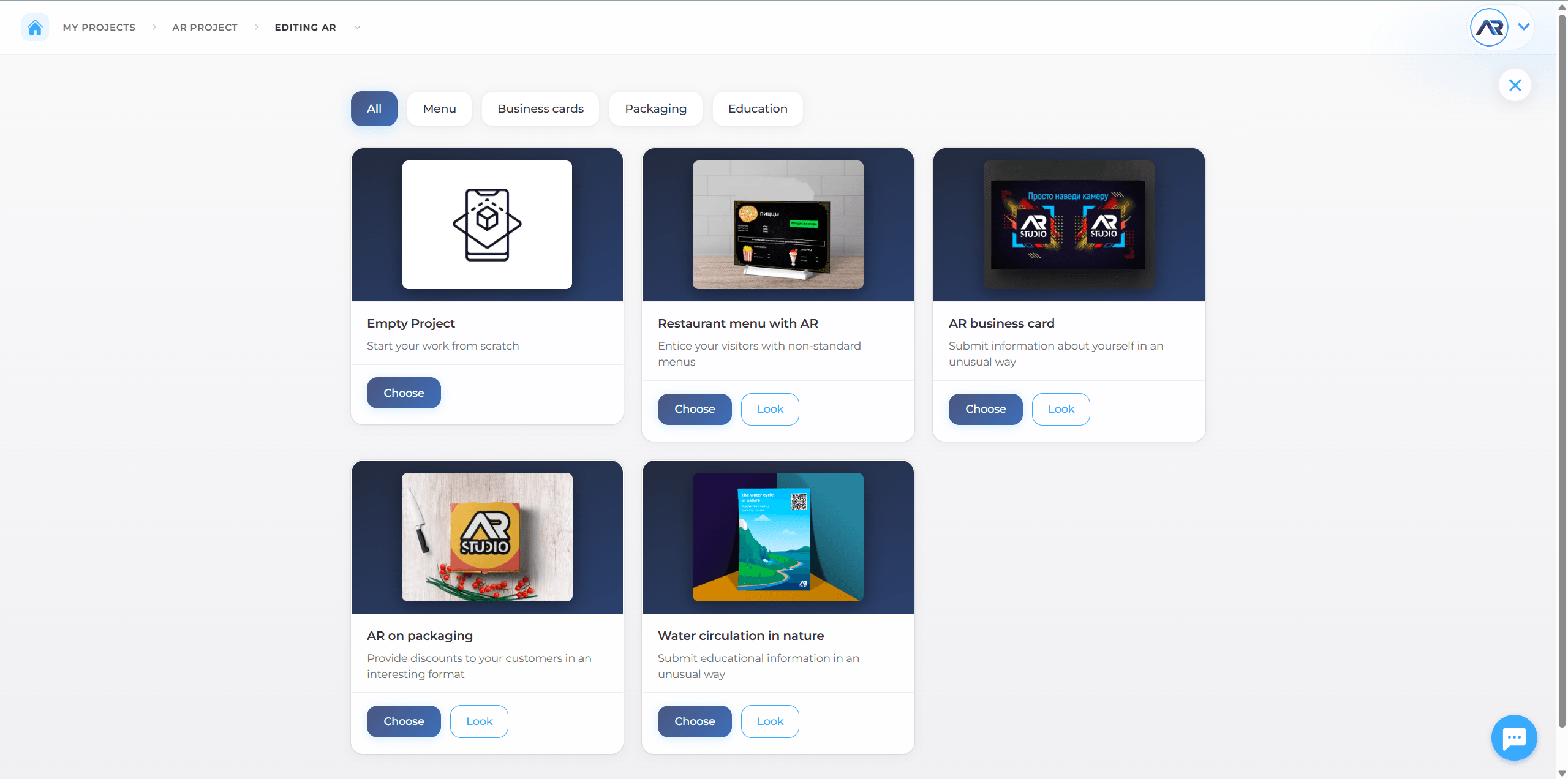
Unlike Kivicube, which provides hundreds of templates upfront upon login, only dozens of templates are accessible in Web-AR.Studio. After you complete the AR type setup and other configuration steps, you'll see 2 templates for Photo Recognition, 5 for QR Code Recognition, etc. As for assets, like Kivicube, Web-AR.Studio also supports Sketchfab integration for additional 3D model access.
AI-Powered AR Creation
There are also built-in generative AI tools that allow users to generate 3D models, images, and video content directly within the platform. The AI capabilities cover multiple modalities, enabling creators to produce AR assets without leaving the editor or relying on external 3D design tools.
See how Kivicube AI AR Agent uplevels your AR experience:
 Bella
Bella
8 AR Tracking Modes
Eight tracking modes are supported in total in Web-AR.Studio, but the availability varies by plan. The Free plan includes 6 modes: QR tracking, Image tracking, AR 360°, SLAM, Product Configurator, and Face tracking. The Business tier adds GEO AR (location-based tracking triggered by GPS coordinates). The Unlimited tier unlocks VPS (Visual Positioning System), which anchors persistent AR to real-world environments with centimetre accuracy for indoor navigation and permanent installations.
Developer APIs & Custom Integration
An open WebAR SDK called ARSY for browser-based AR tracking is provided by Web-AR.Studio. For integration, the platform offers two paths: pure WebAR by default, and a WebAR SDK that can embed AR experiences into your own native iOS or Android app when needed.
Kivicube vs. Web-AR.Studio in the Same Project
Now, let's compare building the same project using the 2 WebAR platforms. Take an AR Business Card as an example, since both the 2 platforms provide a template for that.
How to Create an AR Business Card with Kivicube?
Step 1. Sign up and log in to Kivicube.
Step 2. Find a ready-made AR Business Card template and click Duplicate.
Step 3. Drag your assets to the Object Settings area to replace them.
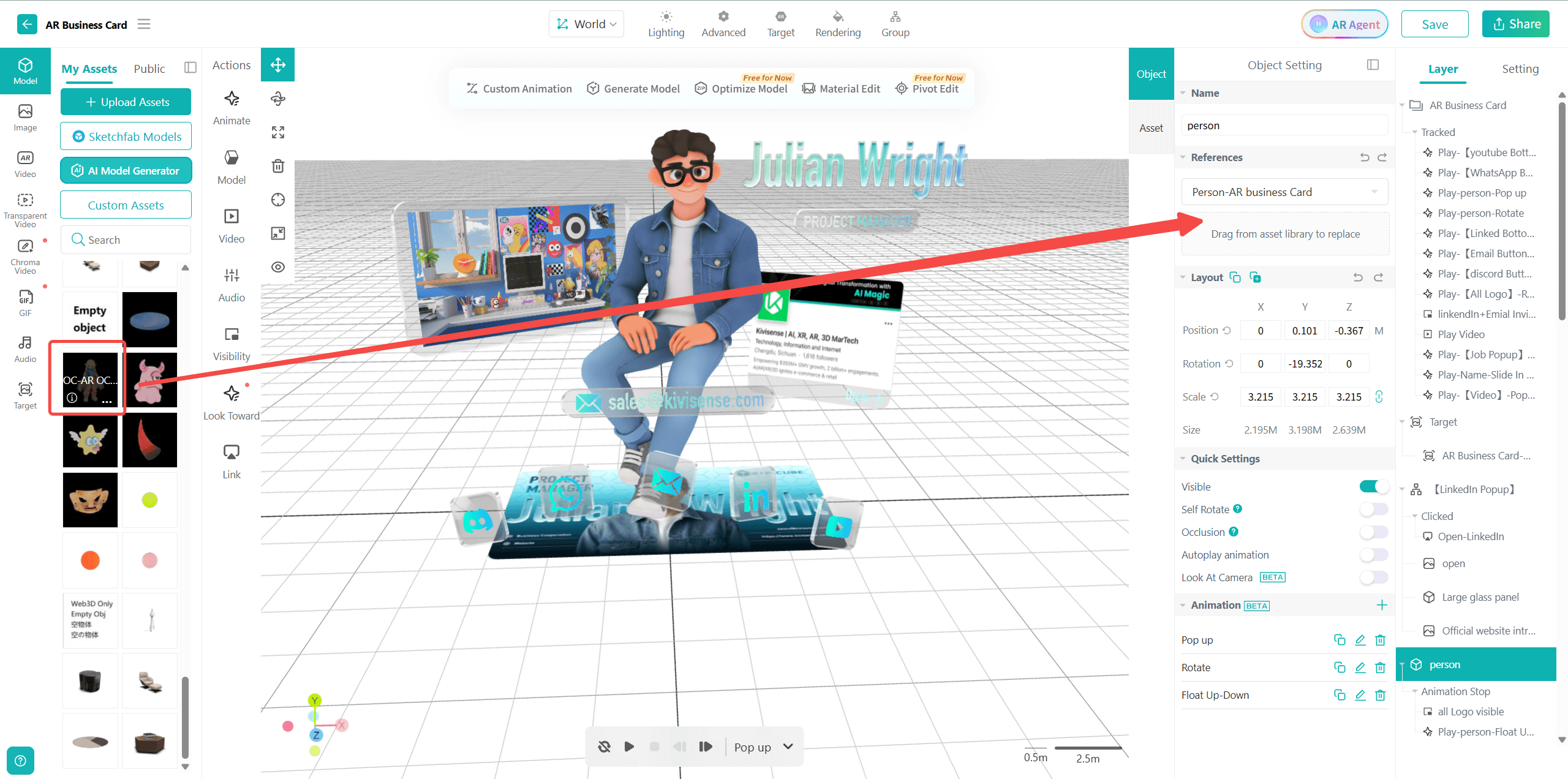
Alt: Replace Assets Through Drag and Drop
Step 4. Fine-tune each asset's postion, animation, or interactions freely.
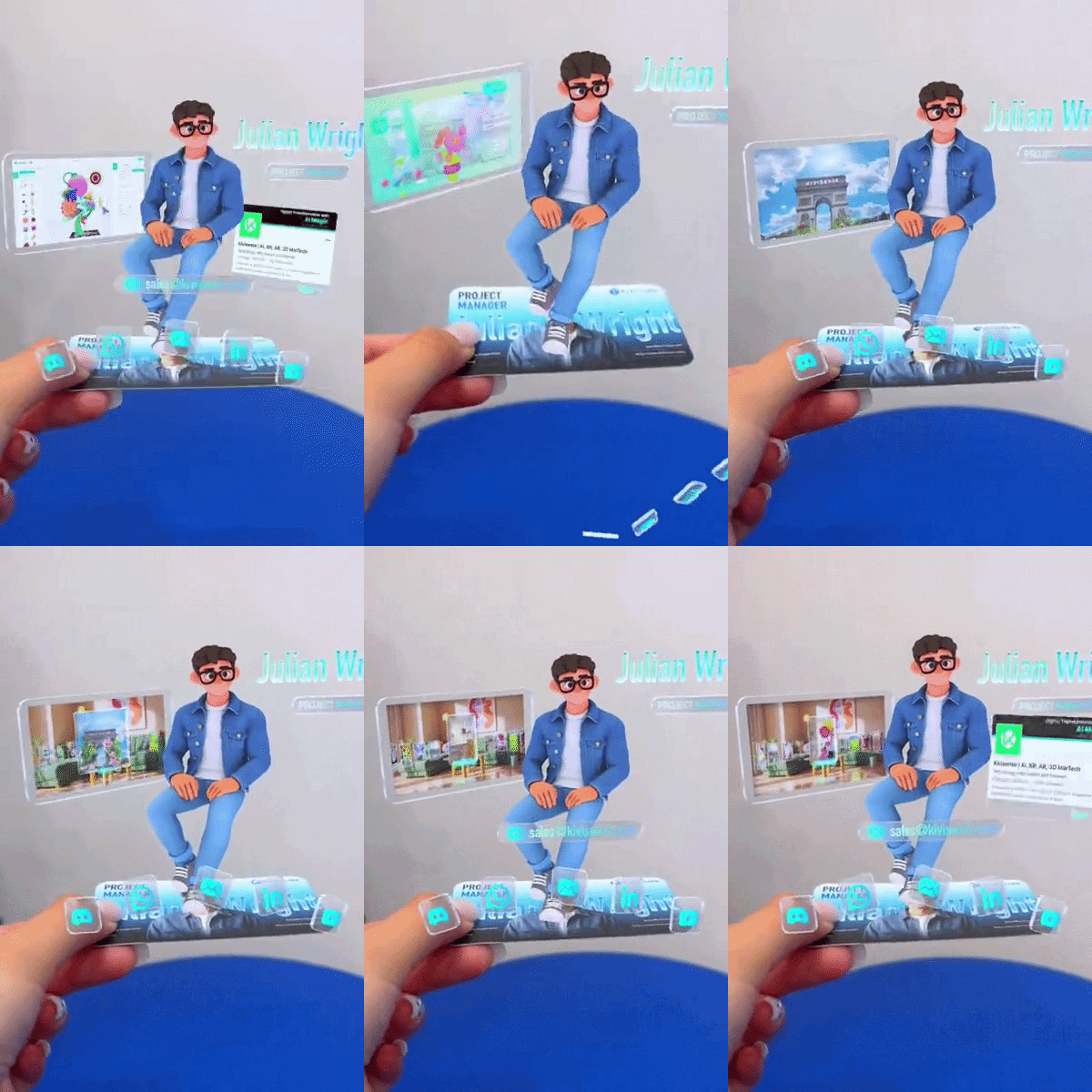
Step 5. Click Share and publish your creation. Now you can see a complete AR business card with video, images, and contact buttons.
How to Create an AR Business Card with Web-AR.Studio?
Step 1. Sign up and log in to Web-AR.Studio.
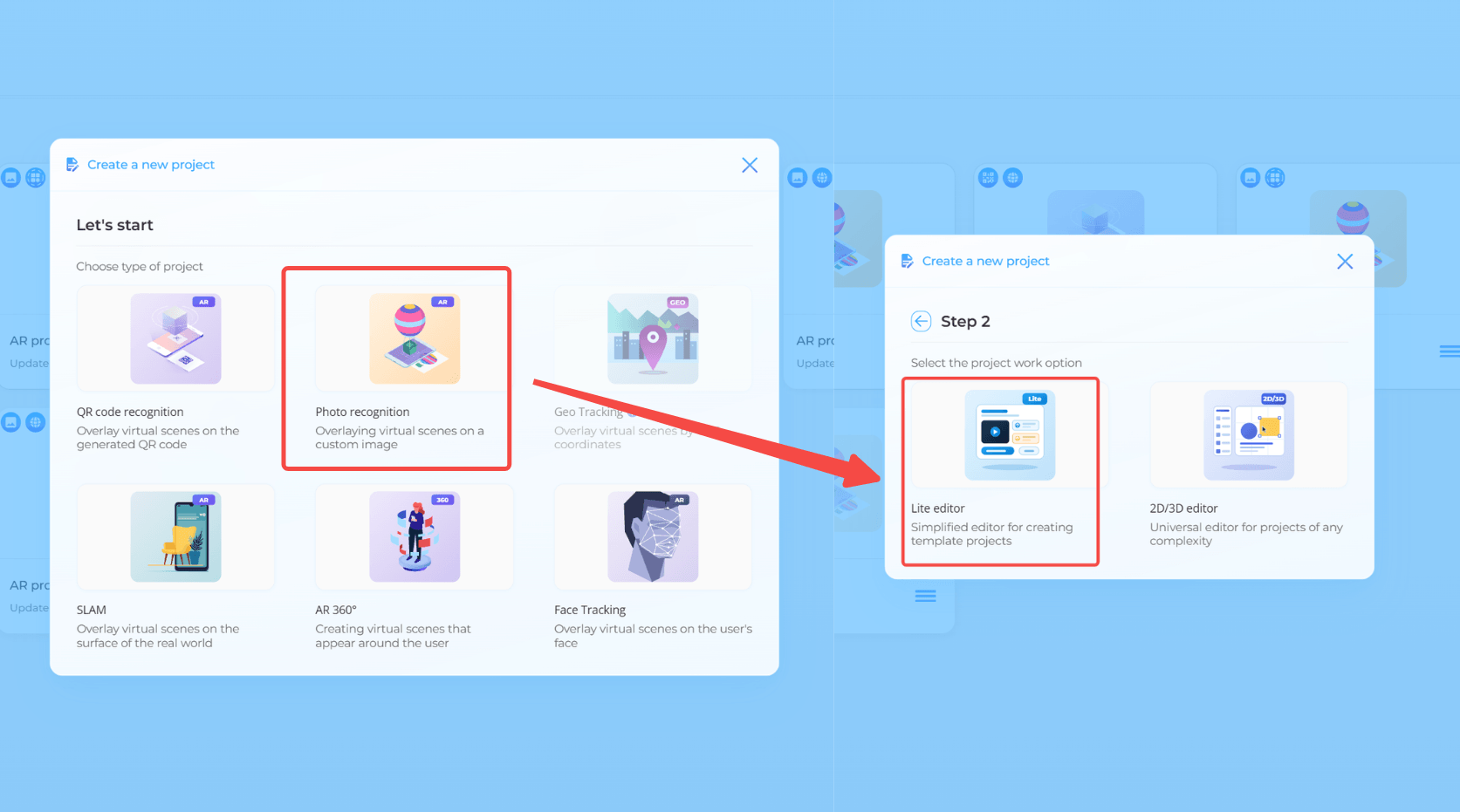
Step 2. Click "Add project", then select "Photo Recognition".
Step 3. Choose "Lite Editor", which is built for template editing.
Step 4. Then click "AR Viewer Lite", which means a WebAR experience without downloading an app.
Step 5. You can edit your AR project info here, or click on the "Create AR" button in the top right corner.
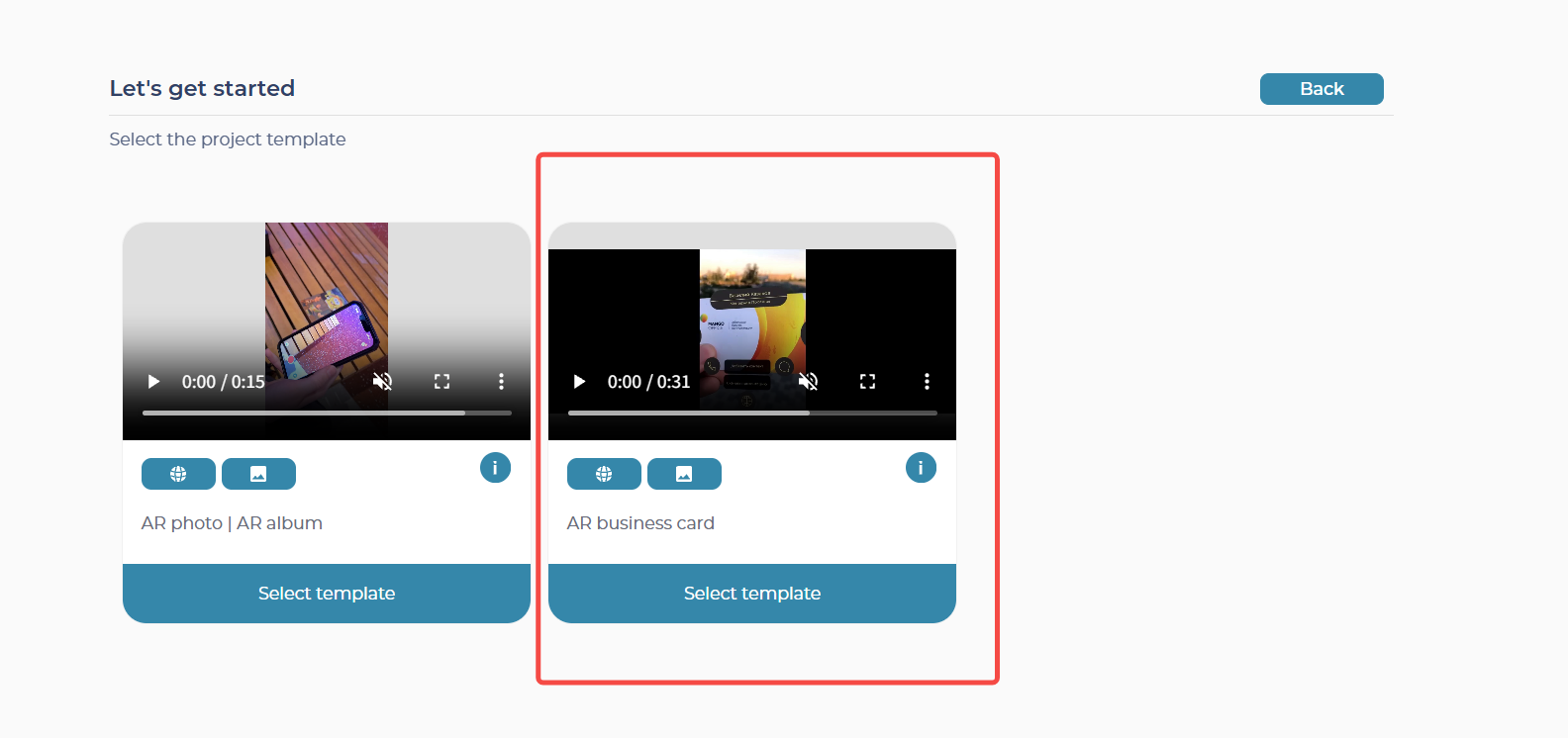
Step 6. Select the "AR business card" template from the 2 options here.
Step 7. Upload a picture, filling in all the information listed here. The email here needs to be valid.
Step 8. Scan the QR code and point your phone's camera at the image you uploaded before. Here's a preview of Web-AR.Studio AR Business Card.

You can see the template for Web-AR.Studio is quite basic. It simply places a few contact icons next to your photo, and clicking each icon redirects you to the corresponding platform. Obviously, in terms of template polish and workflow smoothness, Kivicube WebAR delivers a much better experience.
All-Around Comparison: Kivicube vs. Web-AR.Studio
Now that we have covered both platforms individually, let us put them side by side. The table below compares Kivicube and Web-AR.Studio across key dimensions, giving you a clear picture of where they differ.
Kivicube | Web-AR.Studio | |
Ease of Use | ★★★★★ | ★★★ |
Visual Quality | ★★★★★ | ★★ |
Templates | 300+ | About 10 |
Assets | In-house + Sketchfab | In-house + Sketchfab |
Tracking Modes | 9 | 8 |
Free Projects | 2 | 10 |
Forever Access to Your Projects | Yes | No |
AI Features | AI for image, video, 3D mode, and AR interactions | AI for image, video, and 3D mode |
Embedding Options | Yes | Yes |
Prices/year | €0 €47.9 €1680 Customize | €0 €84 €264 €1,248 |
Final Verdict
Both Kivicube and Web-AR.Studio are capable no-code WebAR platforms, but they each excel in different areas. The right choice ultimately depends on your specific needs and the type of AR experience you want to build.
Choose Kivicube when:
- You care about visual quality and want your AR experiences to look polished and professional;
- You want to get started quickly with hundreds of ready-to-use templates across industries;
- You want your projects to stay accessible and editable for as long as your plan is active, with no unexpected expiration;
- You value a smooth, intuitive editor experience that gets you from idea to published AR in minutes.
Choose Web-AR.Studio When:
- You want to experiment with native app-based AR;
- You prefer to create as many free projects as possible;
- You are willing to maintain an active subscription to ensure all your published projects remain functional over time.