How 3D Artist Bowski Created WebAR from a 3D Model in 5 Mins | Kivicube
What you’ll learn
In this case study, you’ll see how a professional 3D concept designer transformed a detailed environment model into an interactive WebAR experience using Kivicube. The entire workflow took only minutes, required no coding, and the final experience runs directly in any mobile browser—no app download required.
Project Overview
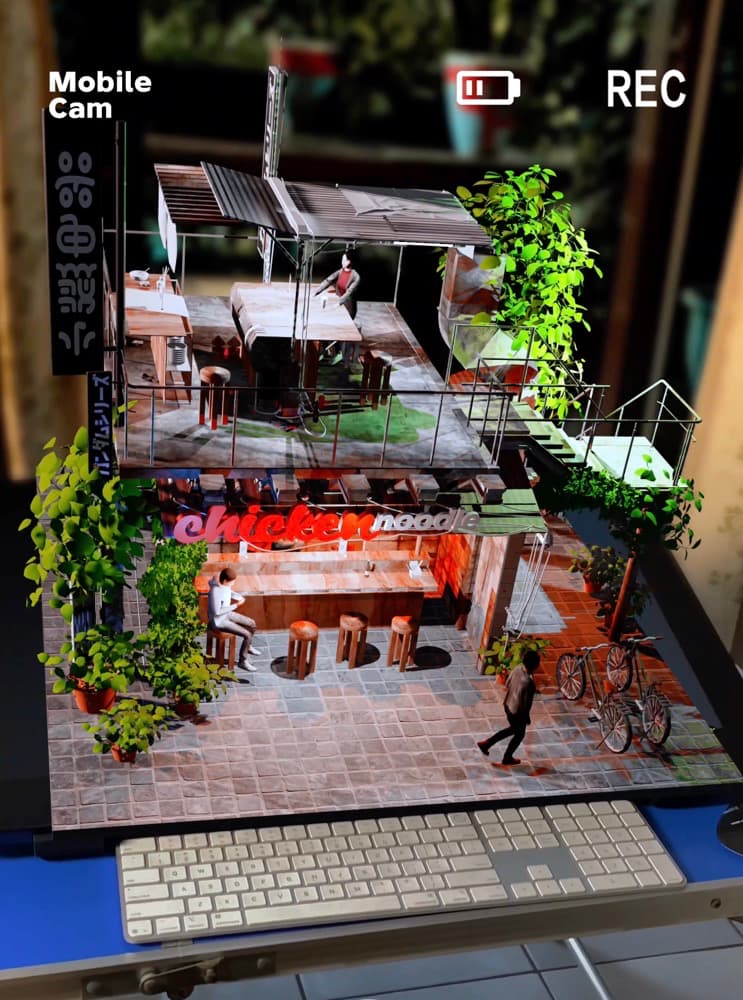
Instead of sharing work as static images or short videos, the creator turned his 3D scene into a fully interactive WebAR presentation:
- Place the 3D environment into real-world space at true scale
- Walk around, zoom, and explore details from any angle
- Trigger animations and interactive visual elements
- Share instantly via link or QR code
This upgrades traditional 3D showcase into immersive, engaging content.
Originally shared on social media, this project quickly drew attention for how naturally the 3D model integrates into the real world through AR.
For anyone new to this space, our beginner’s guide to AR art and interactive experiences breaks down everything you need to know to get started.
About the Creator
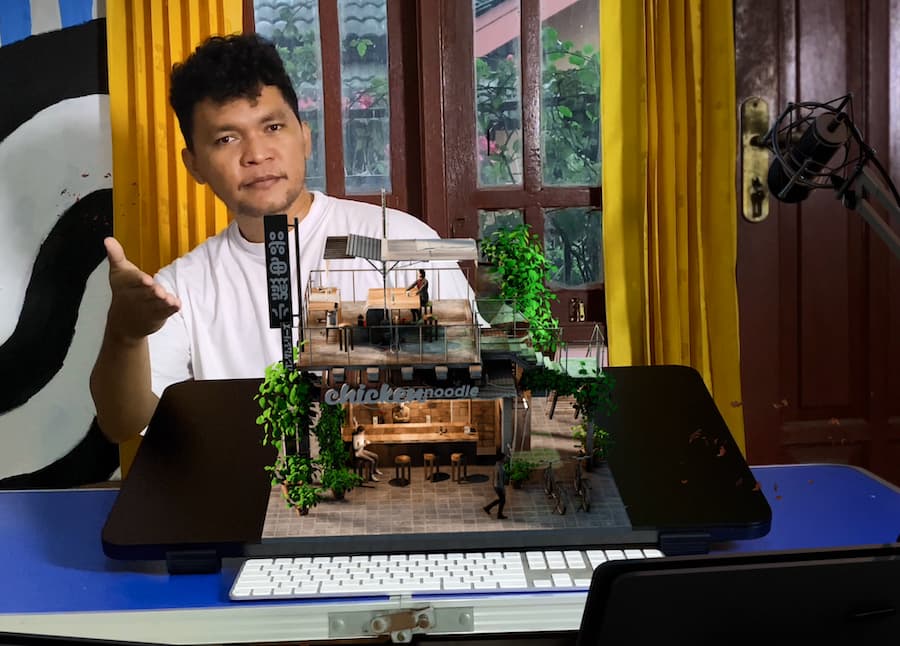
Bowski is a professional 3D concept designer and digital artist with 50,000+ followers across social media. He specializes in highly detailed environment design, stylized scenes, and visual storytelling.
“I wanted to let viewers walk inside my design, not just look at a picture.” — Bowski
He focuses on innovative presentation methods to stand out beyond static renders. His AR project went viral on social media for its realistic real-world integration.
Want to explore more of his work? You can check out Bowski’s latest 3D creations and experiments on his Instagram.
The Challenge
Even with high-quality 3D artwork, most creators still rely on static images or pre-rendered videos.
While visually impressive, these formats limit how audiences can engage with the work. Viewers can only watch — they can’t explore, interact, or experience the design in a meaningful way.
For environment-based models, another challenge is context. It’s difficult to communicate scale, spatial relationships, or how a design would feel in the real world.
At the same time, traditional AR workflows are often too complex for individual creators, requiring specialized tools, app development, and technical knowledge. Even when AR experiences are created, they are often difficult to share due to app download requirements.
The Solution
Frustrated by the limitations of static renders, Bowski started looking for a way to make his work more interactive, without getting into complex AR development.
That’s when he discovered Kivicube.
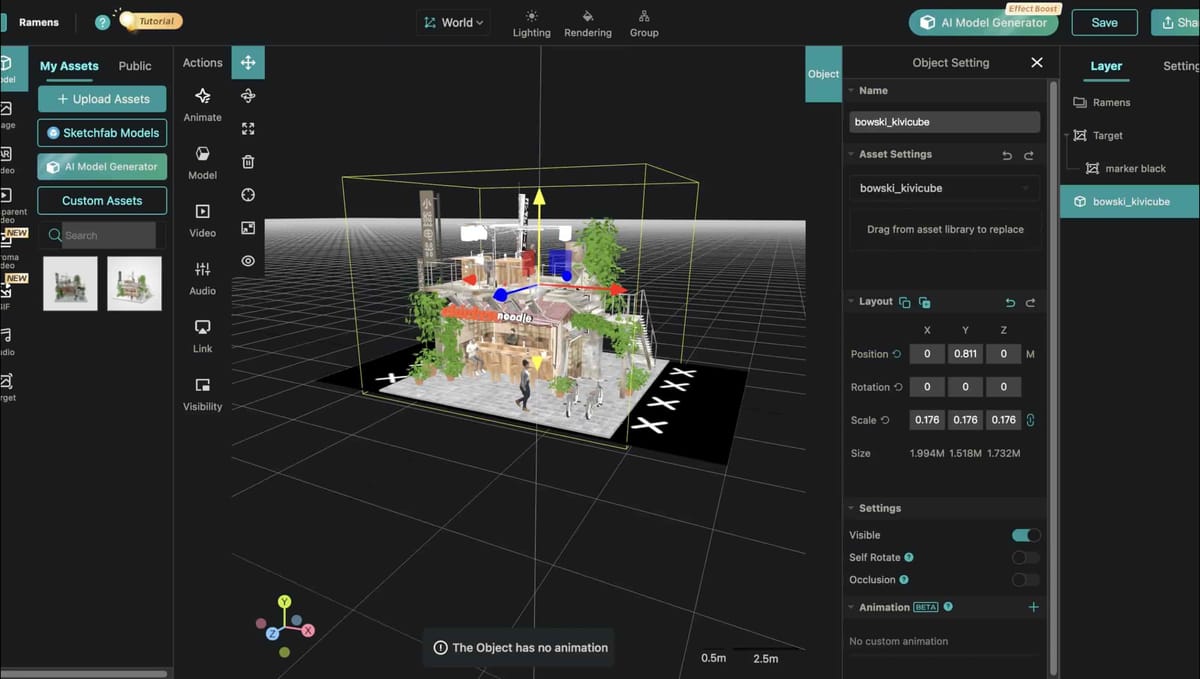
Using Kivicube, he was able to upload his existing 3D model, adjust real-world scale and lighting, and add simple interactive elements like animations and hotspots.
The entire experience was published directly to WebAR, making it accessible in any mobile browser no app required.
Curious how WebAR works? Read our breakdown of WebAR platforms and their impact.
From start to finish, the process took just a few minutes.
The Result
The WebAR experience transformed how audiences engage with 3D work:
- Explore the scene freely in augmented reality
- Experience the model at true scale in physical space
- Interact with animations in real time
- Open via any browser — no app, no install
Why This Matters for Creators
This case represents a major shift in 3D content presentation:
- Static visuals are no longer the standard
- WebAR removes barriers between creators and audiences
- No-code tools make professional AR accessible to all creators
For 3D artists, designers, brands, and educators, this enables:
- Stronger portfolio presentation
- Instant global sharing
- Higher engagement without technical work
Key Takeaways
- You can build professional Web AR without coding or apps
- Browser-based AR eliminates download friction and boosts reach
- Interactive presentation significantly improves perception of 3D work
- Fast, no-code workflows let creators focus on art, not development
FAQ
How to create AR from a 3D model without code?
Upload your 3D model to Kivicube, adjust settings, add interactions, and publish to Web AR — all without code.
Do users need an app to view AR content?
No. Kivicube uses WebAR, so experiences open directly in any mobile browser.
What 3D file formats work with Web AR?
GLB, GLTF, FBX, OBJ are fully supported and optimized for browser AR.
Is this suitable for professional work?
Yes. Creators use it for portfolios; brands use it for marketing, exhibitions, and client presentations.
Try it yourself
Turn your 3D models into interactive WebAR in minutes. Start free with Kivicube — no code, no app required.