Augmented Reality Furniture: Benefits, Real-World Examples & a WebAR Solution
Using augmented reality furniture technology helps better present products and increase conversion rates. Adopt AR to your furniture marketing with this guide.
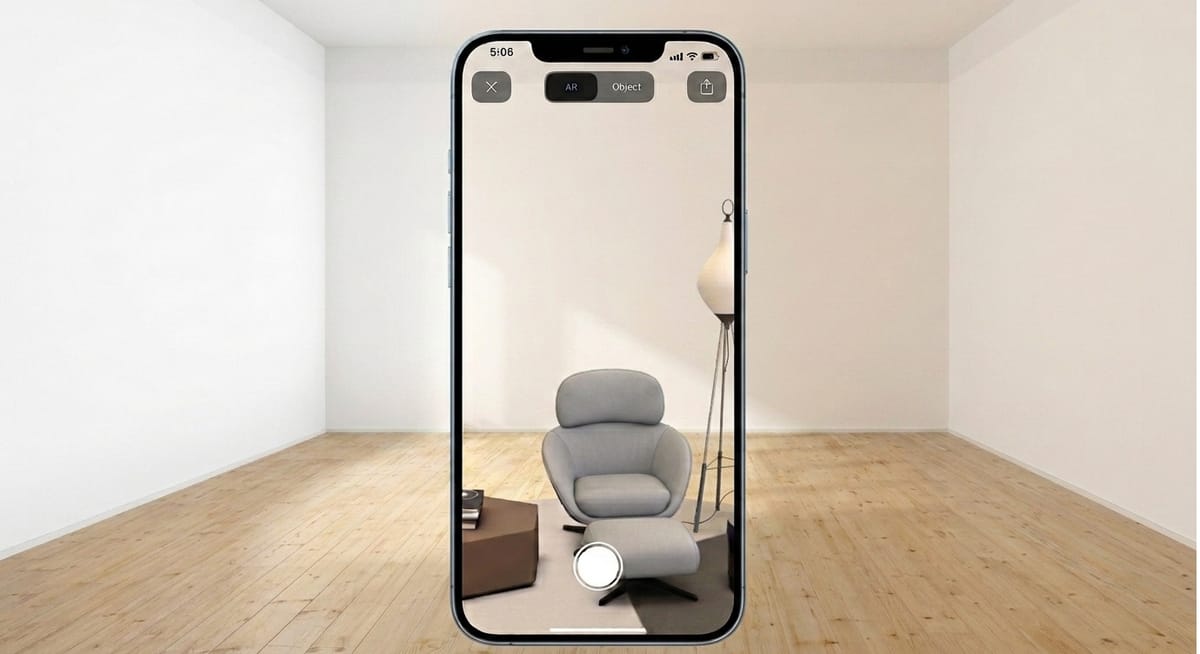
Augmented reality furniture should never be underestimated in retail and e-commerce. It helps users place furniture in their own homes before purchasing, without requiring a showroom visit. AR furniture visualization significantly improves conversion rates and reduces returns in furniture e-commerce. Cylindo's 2024 Furniture E-commerce Report found that products with AR placement converted at 200% the rate of products without it.So what is AR furniture, and how does it benefit e-commerce?
In this article, we'll explore the benefits of AR furniture, highlight several successful real-world examples and explain how to implement it in your marketing strategy. Just make sure to continue reading!
What is Augmented Reality Furniture?
Augmented reality for furniture is a technology that allows clients to use their smartphone or tablet to visualize furniture in a room virtually. Users simply open an app or scan a QR code to place true-to-scale 3D models of furniture products inside their actual home, checking whether the furniture is suitable for their home size and interior design style.
How Does AR Furniture Work?
Curious about how to bring your furniture products from an online store into consumers' rooms virtually? Here’s how AR furniture visualization works:
- Scan the surrounding space with the phone camera.
- The SLAM technology tracks the position in real time while building a spatial map. Meanwhile, the surface detection algorithms identify flat planes such as floors and tables.
- The AR system then places a 3D furniture model into the detected surface with correct scale, position, and orientation.
- Users can rotate the virtual furniture to view it from different angles and also adjust its position.
How AR Furniture Improves Online Shopping Experience
Purchasing furniture online can come with challenges, such as a high average order value and the inability to try products before purchasing. This is where augmented reality furniture apps come in. Here are some benefits of adopting AR technology in the furniture industry:
Increase Purchase Confidence: The AR technology enables people to see how the furniture product will look in their room with improved visualization, increasing their purchase confidence. According to a study from the Journal of Marketing, AR is particularly effective in reducing product uncertainty, which directly increases consumer confidence in purchase decisions.
Reduce User Returns: By placing the true-to-scale 3D furniture in their rooms, they can check whether the size and style of it is suitable, so there can be a lower return rate and higher customer satisfaction.
Improve User Engagement: The interactive and immersive AR experience can increase user engagement, leaving a lasting impression on consumers.
Reduce Store Inventory Risk: The traditional store inventory model takes up space and is costly. The AR furniture experience can better predict consumers’ requirements and help stores with precise store replenishment, largely reducing overstock and misaligned inventory.
Build Emotional Connection: By providing personalized and engaging AR experiences, brands can easily build an emotional connection between their consumers and furniture products.
Explore more information about AR for sales in this post:
 Juli Cooper
Real-World Examples of Furniture Augmented Reality
Here are some of the most successful augmented reality projects for furniture.
- IKEA Place AR Furniture App
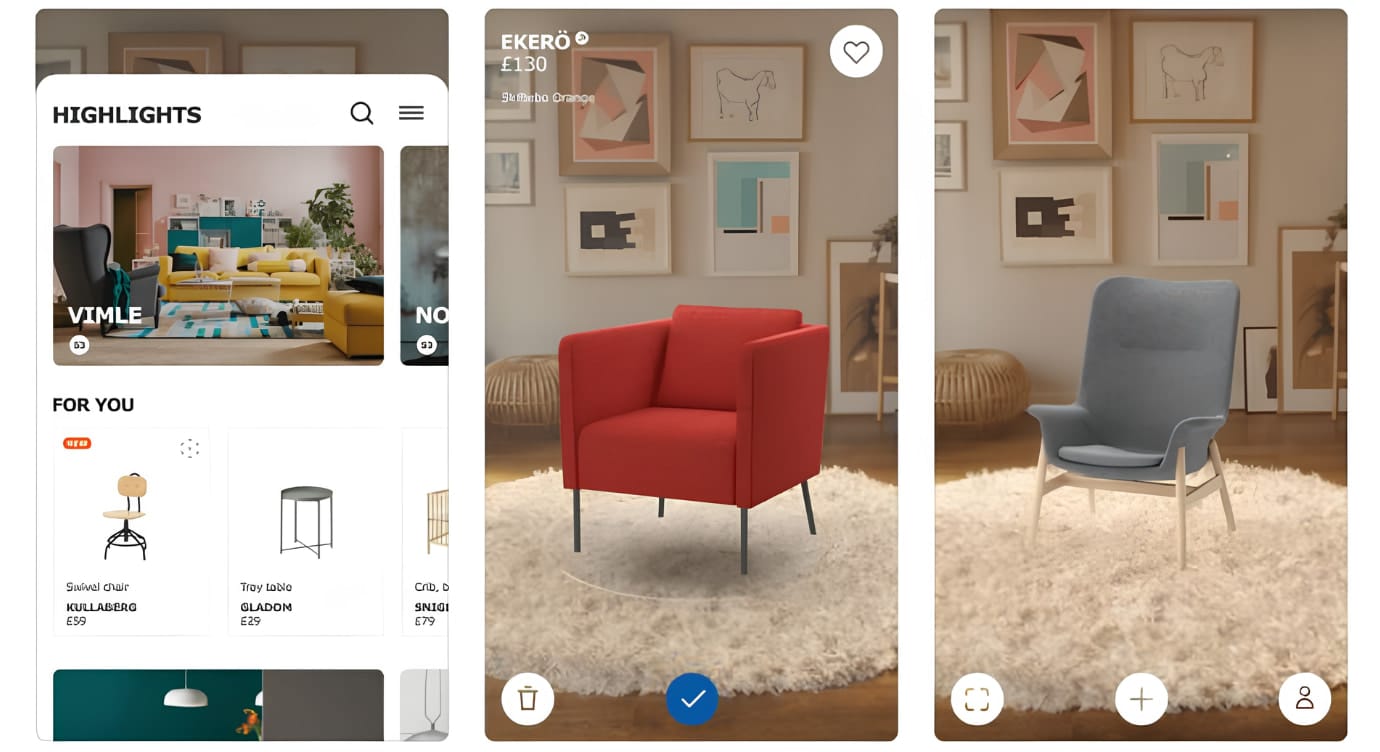
IKEA, a Swedish retail giant, has launched the IKEA augmented reality furniture app to let customers virtually place furniture, such as sofas, footstools, coffee tables, and others, in their own rooms before buying.
Consumers can point their phone camera at any space where they want to place furniture, then select the items they want for instant AR furniture visualization. Users can rotate the furniture on the screen and adjust its placement. Besides, they can walk around to view the items from different angles.
With over 2,000 furniture models and up to 98% scale accuracy, the furniture augmented reality app helps users visualize products in real environments, reducing spatial uncertainty and improving purchase confidence.
- Wayfair View in Room 3D App Feature
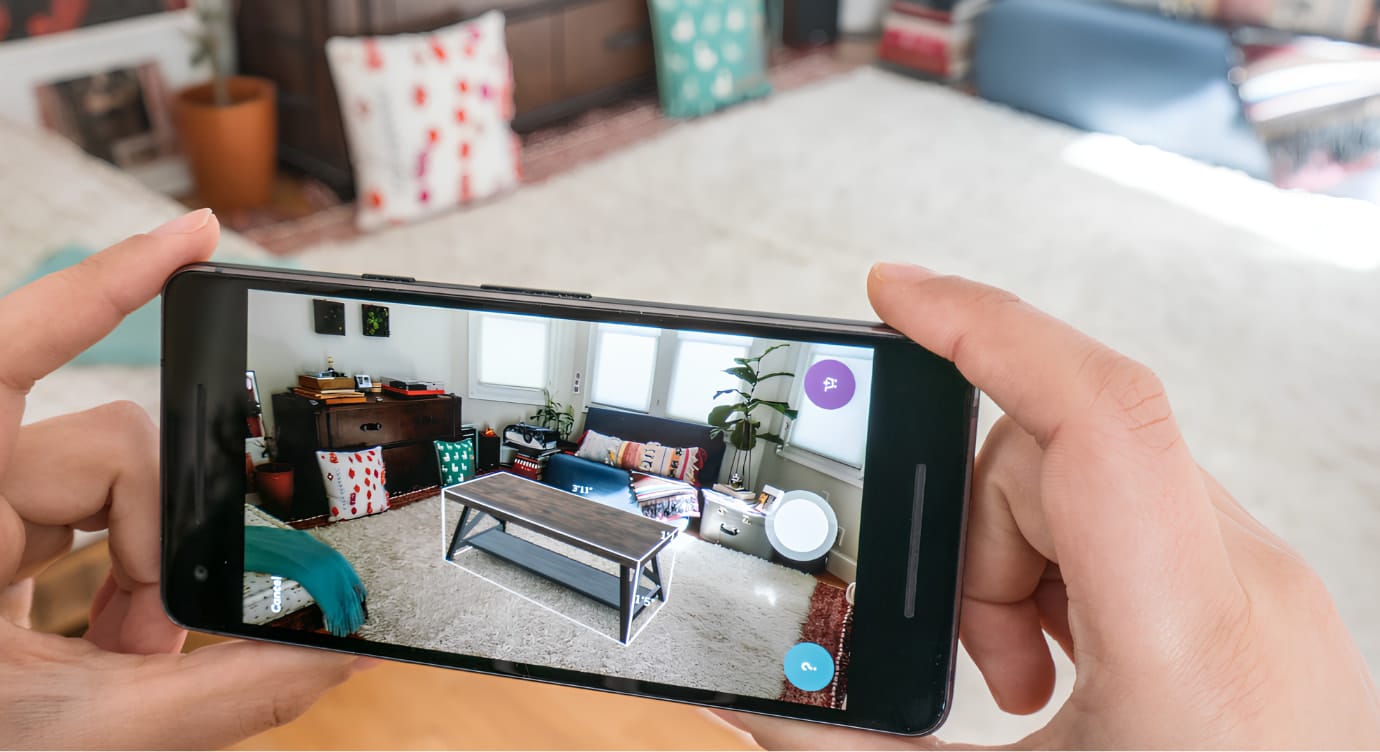
The global furniture e-commerce platform Wayfair seamlessly integrated AR technology into the shopping experience. Consumers can explore, visualize, and make a final purchase of furniture in the app without visiting a physical store or showroom. According to reported case studies, Wayfair’s AR ‘View in Room’ feature has been associated with conversion rate increases of up to 92% while significantly reducing product returns.
- WebAR Furniture Placement
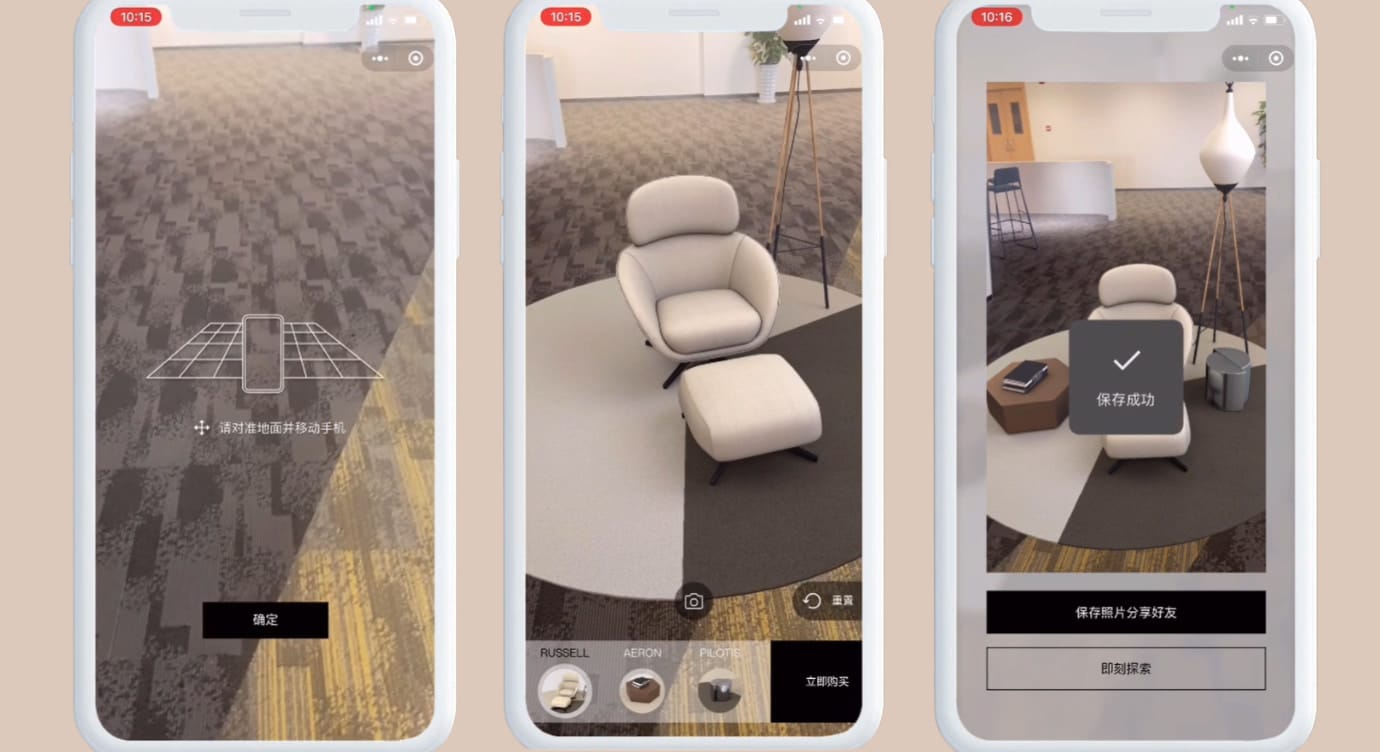
Kivicube created the SLAM AR furniture experience, allowing consumers to place furniture products in the real environment in real time. The AR mini program supports taking and sharing magic AR furniture effect photos to promote the brands and boost conversion.
- Houzz AR Home Design
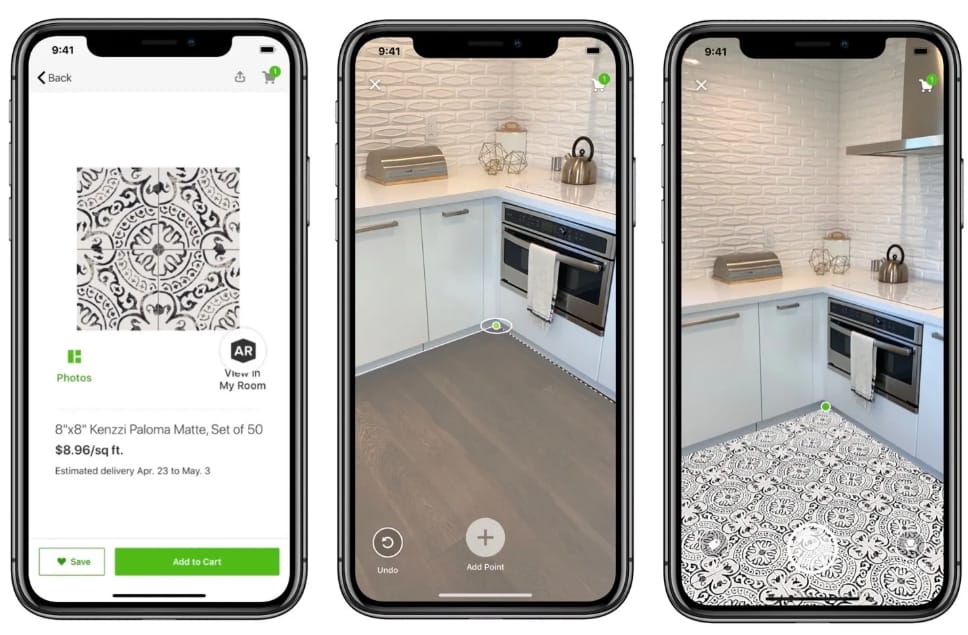
The leading home design platform, Houzz, released an AR tool - View in My Room 3D on the App Store. This furniture visualizer supports shoppers in placing things like furniture, decor, and even remodeling products in their surroundings with true-to-scale. Thanks to the ARKit experience, shoppers can walk up to the target furniture to explore more details, including realistic materials and textures.
This app also achieved great success. Research indicates that before the launch of the view furniture in room app, only 11% of users placed an order without hesitation. While the purchase rates increased by up to 3.4x, the average time spent on the site increased by 45 % with the AR furniture visualization.
A WebAR Solution to Fasten and Optimize AR Furniture Experience
With the augmented reality furniture app, virtually placing furniture is not just a daydream. However, most brands still rely on AR apps for furniture visualization, which require users to download and install an app. In addition, shoppers must leave the official website to experience the app. These friction points often lead to higher user drop-off rates. Is there a more convenient way to retain customers with a fast AR furniture experience?
That's where WebAR comes in. With web-based AR platforms such as Kivicube, you can ensure your consumers experience AR furniture directly in the browser without app downloading and complicated coding. This all-in-one WebAR platform is suitable for furniture brands of any size. No matter if you want to create the WebAR scene by yourself or want to make your brand stand out with a customized AR furniture project, this platform supports everything through an intuitive drag-and-drop editor.
Why Kivicube:
- Realistic 3D Furniture Product Visualization: The high-definition rendering engine ensures that the details of furniture products can be presented, allowing shoppers to explore more of the products. By replicating the actual size of the furniture, it helps shoppers check whether the real size fits their rooms, effectively reducing the return rate.
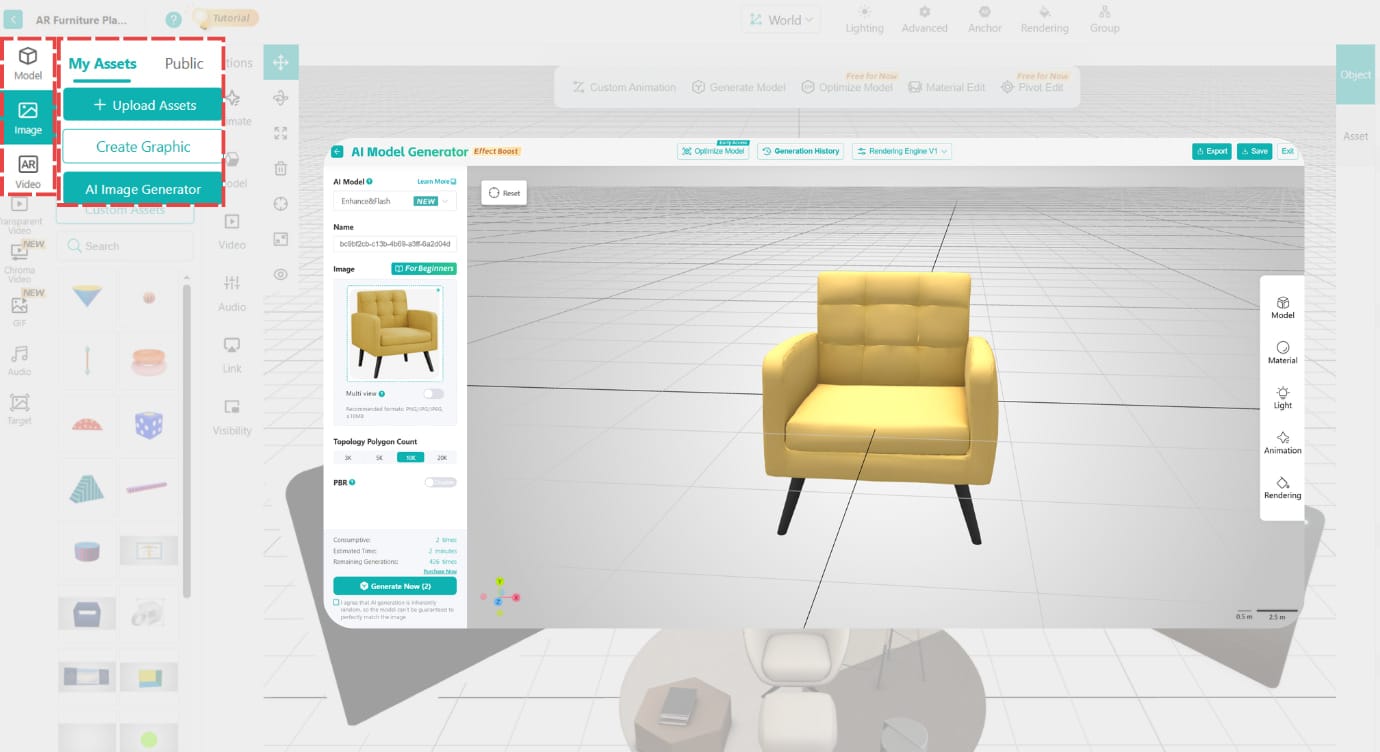
- AI-Powered Furniture Image to 3D Model: There’s a Gen AI tool to digitize your furniture products from image to 3D models. After generation, the models will be automatically stored in the local asset library for fast AR scene creation.
- Advanced and Stable AR Tracking Algorithm: The powerful AR tracking algorithm can quickly recognize the physical environment, then provide a stable AR furniture placement experience.
- Easy Embed Across Platforms: Your augmented reality creation can be shared simply via a link or QR code, which can be easily embedded on sites, social media platforms, etc. Allow people to better understand your furniture and boost sales.
- Efficient and Professional Project Customization Service: Our experienced team has worked with international brands such as Dior. Provide you with an end-to-end service from planning to the final delivery of a customizable AR project.
- Accurate Data Analytics Dashboard: The built-in data analytics dashboard enables you to clearly check click count, scan rate, and interaction duration. You can adjust the AR experience and optimize the marketing strategy according to the real-time data to promote conversion.
How to Make a Furniture Augmented Reality Scene in 4 Steps
Here’s a simple tutorial to create a furniture AR experience.
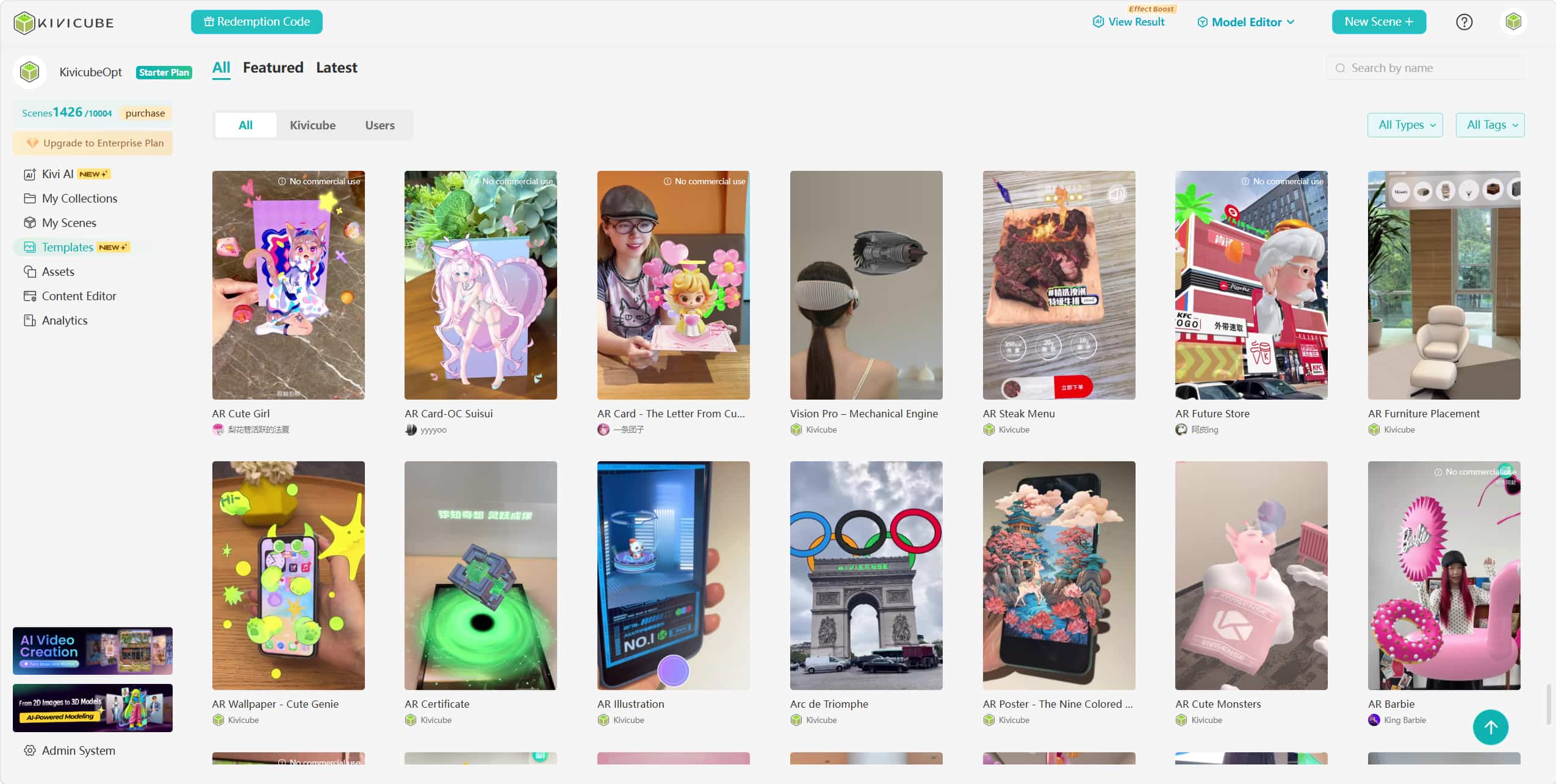
Step 1. Sign up on the main page, then turn to the Template page and search “furniture”. Choose one template and hit “Duplicate” for a new AR scene, name it in a small pop-up window.
Step 2. Upload the assets you want to replace for the AR furniture scene. You can also digitize your product into 3D models with the Kivi AI model generator.
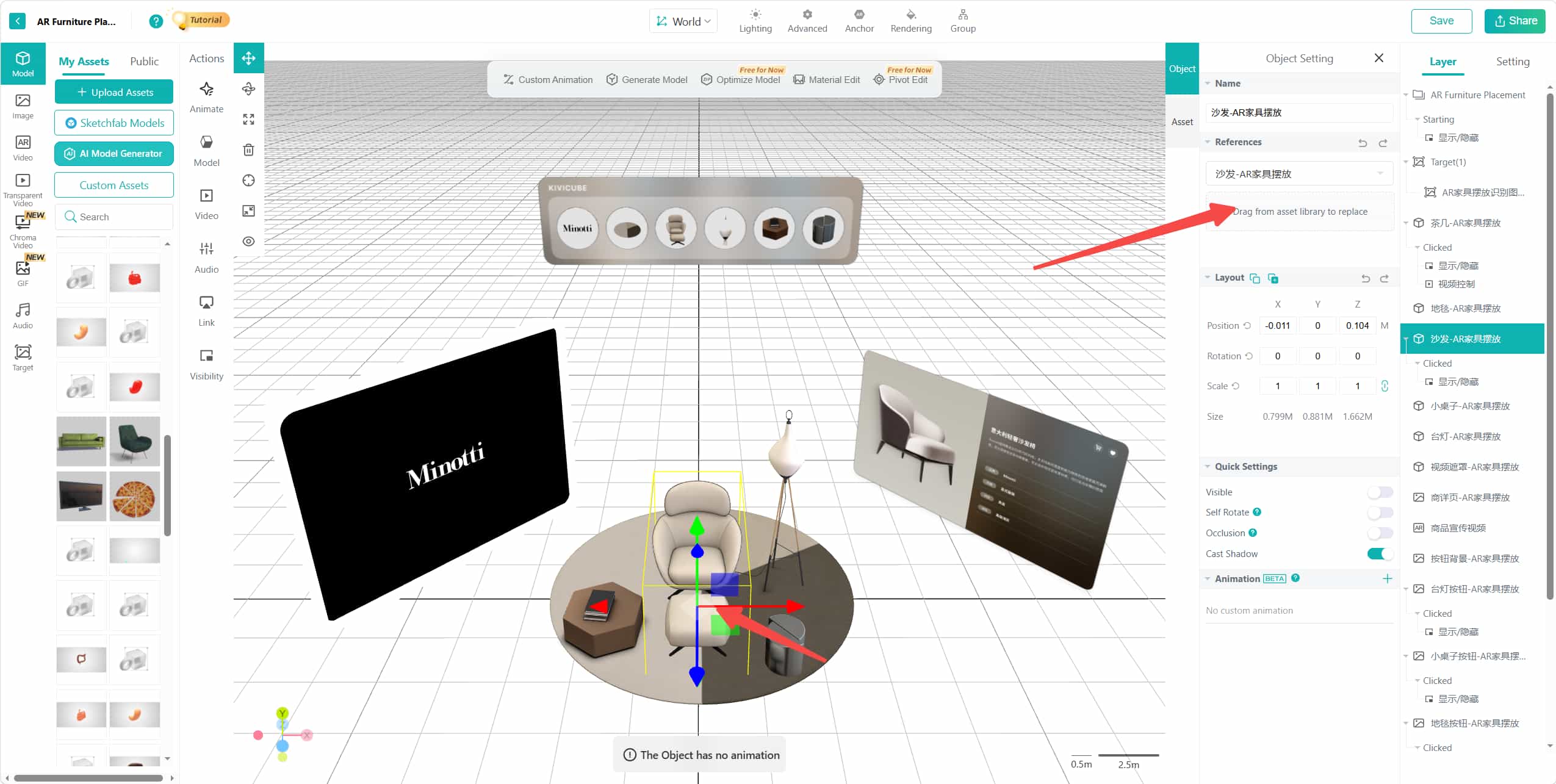
Step 3. Select the furniture you want to replace, then drag and drop the assets to the position on the right panel. Please pay attention to the consistency of the asset types when replacing.
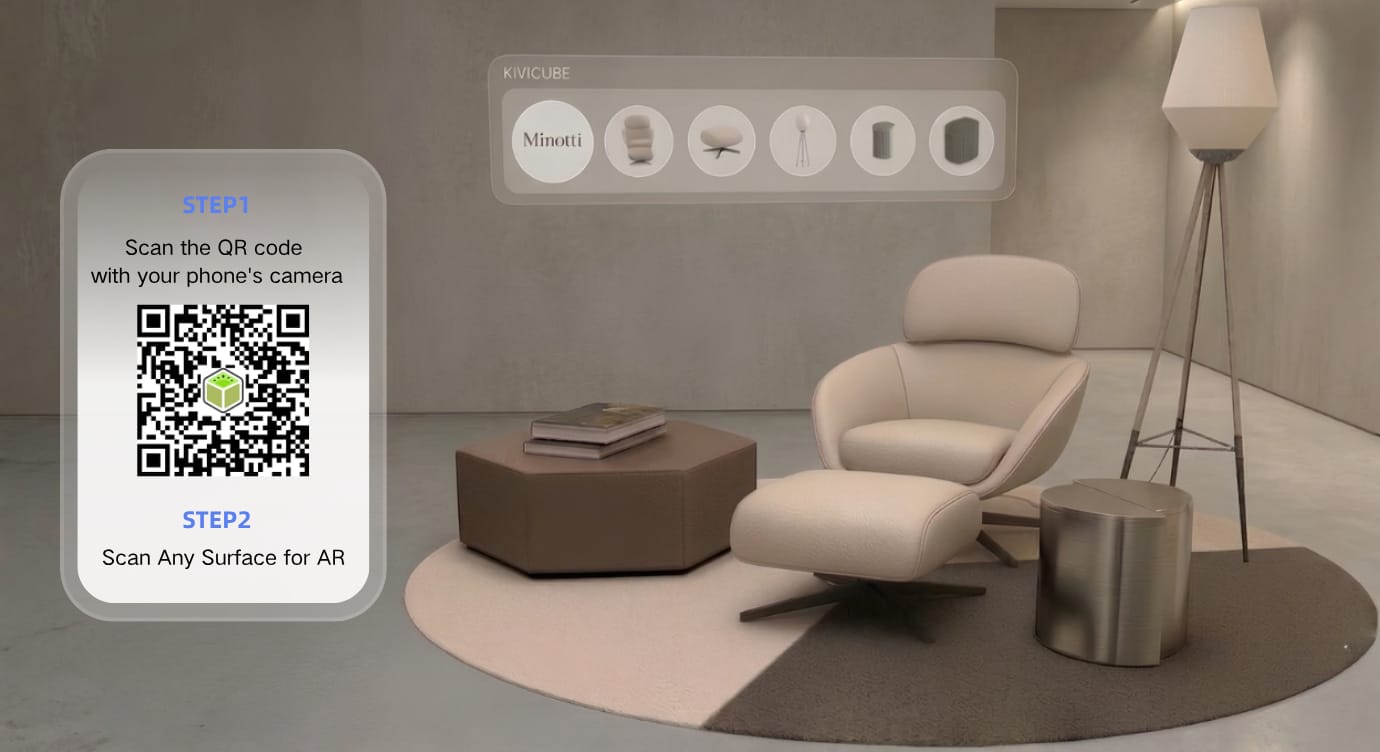
Step 4. When everything is done, click “Save” and “Share” to get the QR code and link of the augmented reality furniture scene. You can add them across sites, social media platforms, and more for instant access.
FAQs about AR for Furniture
Q: Do I need to download an app for the AR experience?
Not always. With WebAR tools like Kivicube, you can create, share, and experience the AR furniture without downloading any app.
Q: AR furniture app vs. WebAR furniture, which is better?
Since it requires no app download, the WebAR furniture experience is generally preferred with higher customer engagement. However, if you want advanced room-scale furniture customization or offline access, the dedicated AR furniture apps are more suitable.
Q: What are the common use cases of augmented reality furniture?
There are multiple AR furniture use cases, including room design, interactive furniture marketing materials, in-store product visualization, furniture customization, etc.
Final Words
It has been proven that adopting AR technology in the furniture industry is a win-win for both consumers and businesses. From increasing user engagement to reducing return rates, the benefits of augmented reality furniture are clear. To boost conversions for your furniture business, try the WebAR platforms such as Kivicube for an interactive 3D furniture visualization experience.