Augmented Reality for Sales: How to Boost Conversions with AR
Utilizing augmented reality for sales helps better showcase products and increase conversion rates. Integrate AR into your sales process with this guide.
A growing number of businesses are using augmented reality in their marketing and achieving higher conversions. Augmented reality for sales gives consumers a more immersive way to try products, helping them buy with confidence. For anyone interested in integrating AR into their e‑commerce, retail, or product pages, this guide will show you how to start.
What Is Augmented Reality for Sales?
Augmented reality for sales is a technology that lets customers experience your products online more immersively, boosting their purchase confidence and driving sales for you. Typical examples are virtual try-ons, spatial visualization, and product visualization.
Key Augmented Reality Sales Use Cases
Augmented reality is widely used across e-commerce, retail, and product pages. It brings your products to consumers in a more engaging way. Here are 3 key AR experiences that drive sales:
1. Virtual Try-Ons
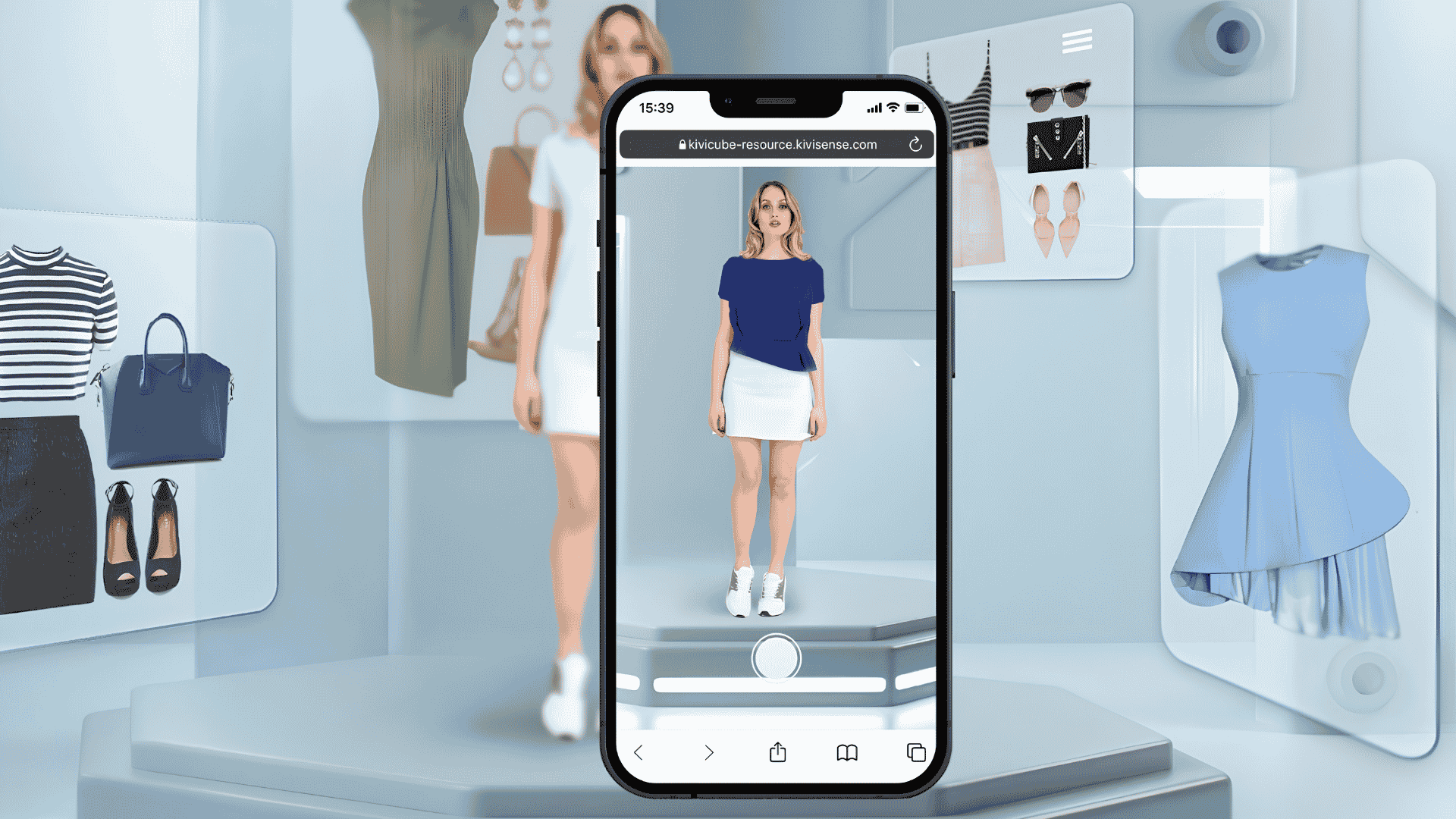
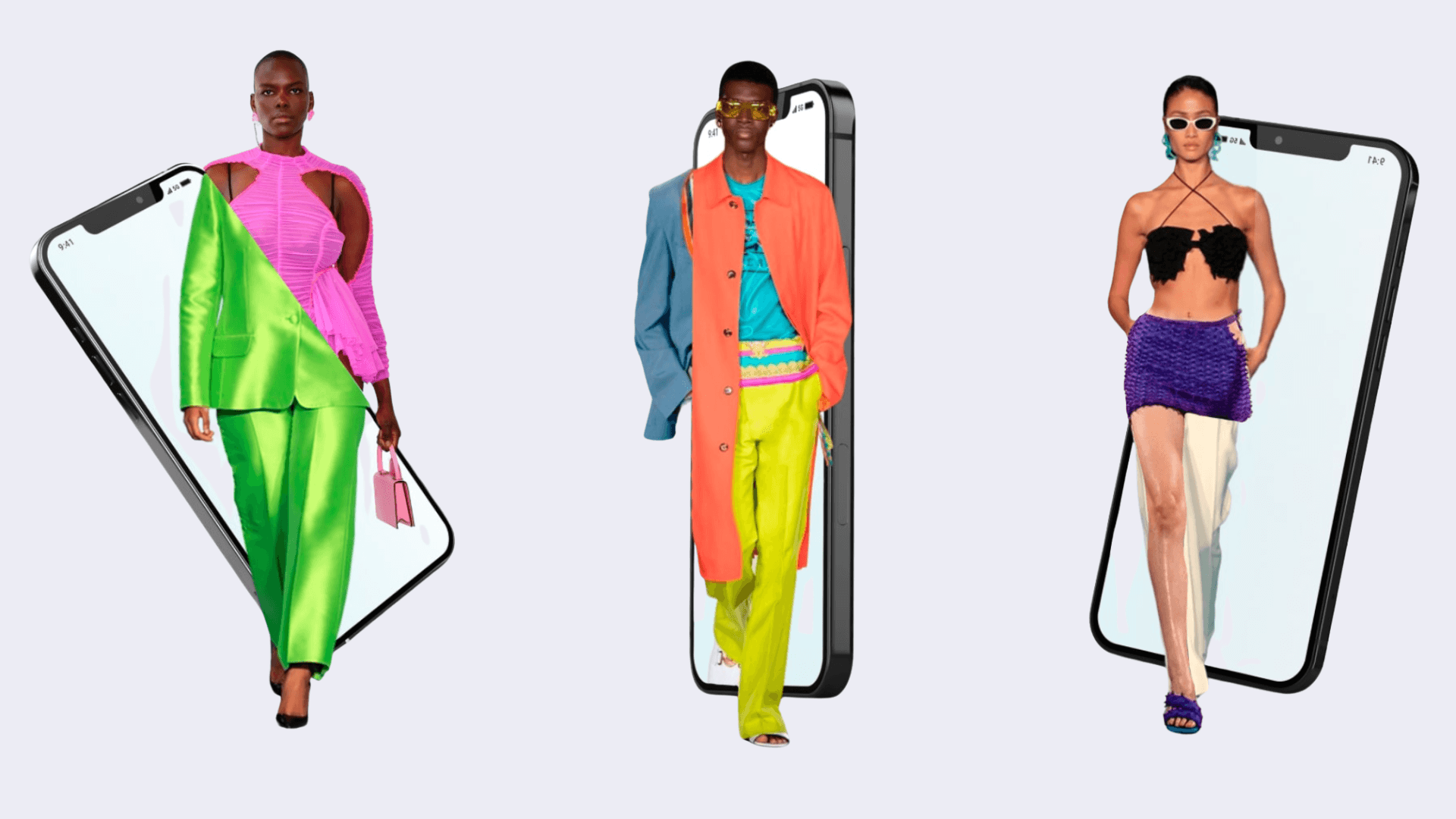
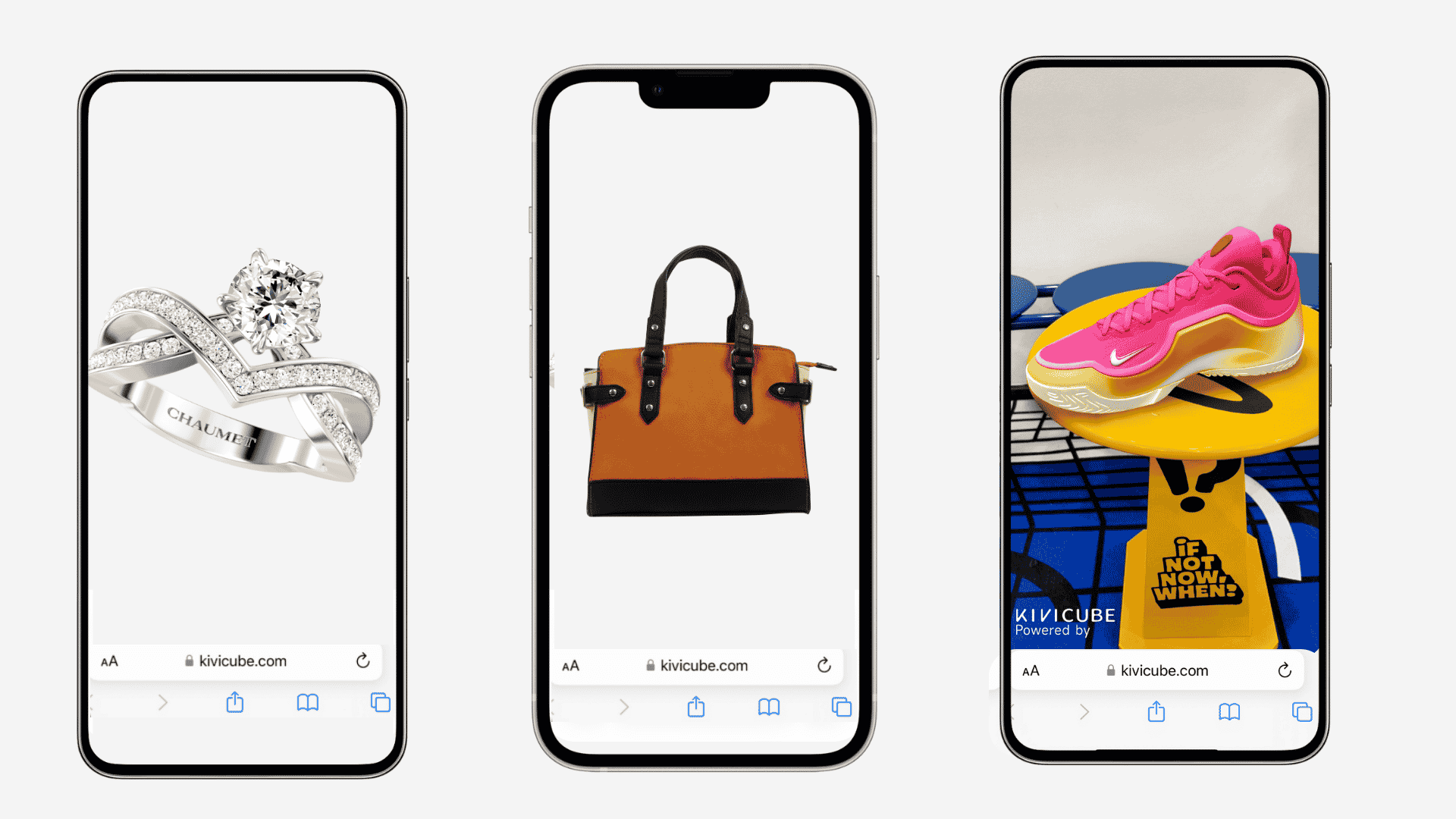
AR try-on for jewelry, glasses, clothes, shoes, makeup, and watches is widely adopted across e‑commerce and retail. This AR shopping experience lets customers see how products look on them before buying and drives more sales.
2. Spatial Visualization
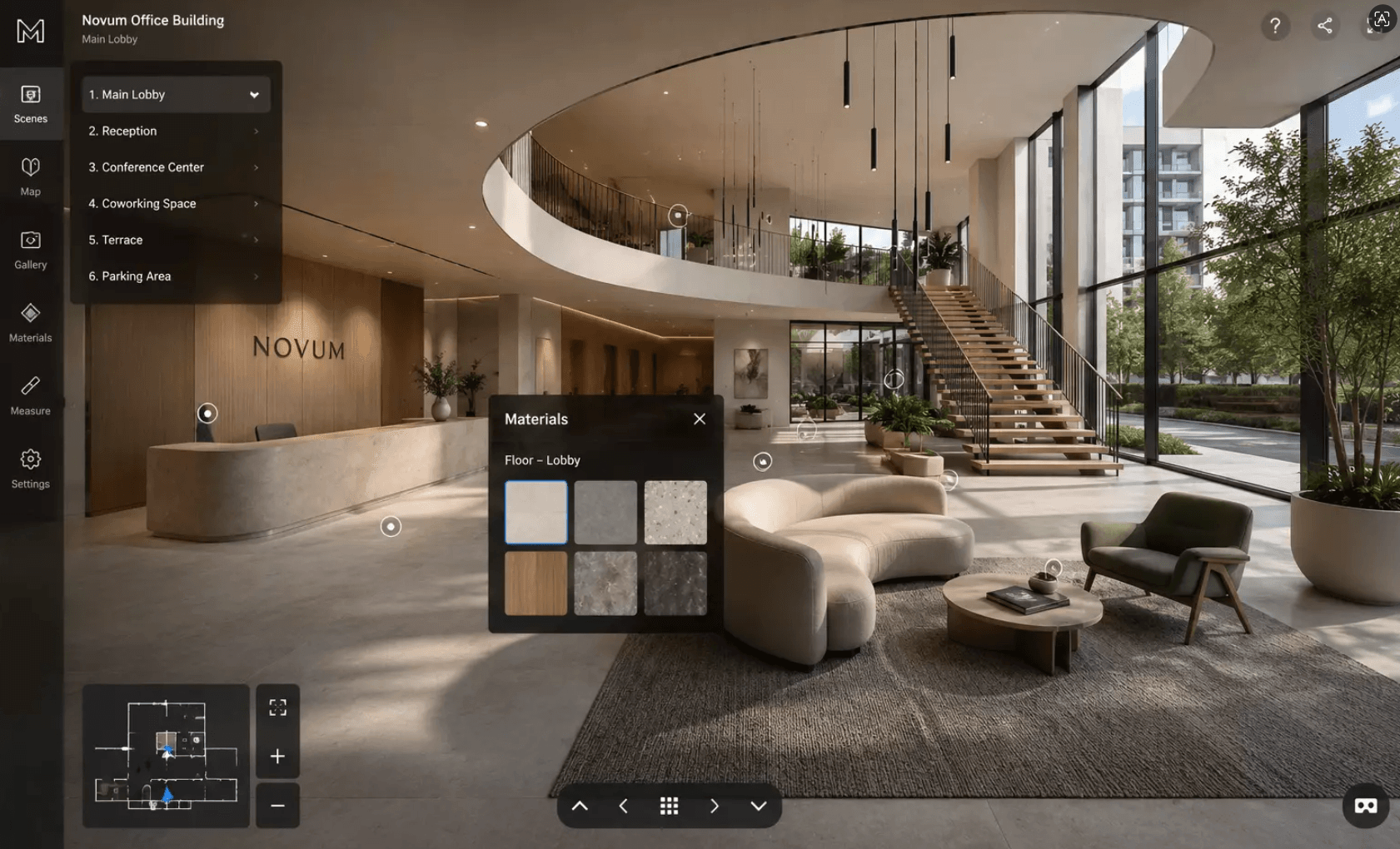
Furniture and home decor need real‑world context. That’s where AR room design comes in. Spatial AR technology lets customers place an actual-size sofa directly in their own house to see the fit and cut returns from wrong sizing.
3. Interactive Product Inspection
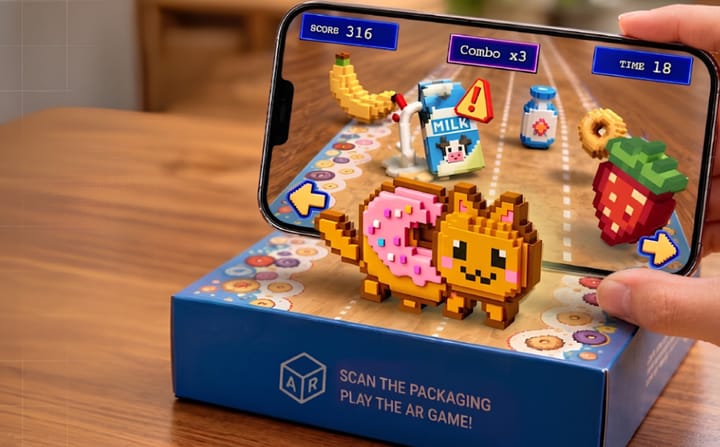
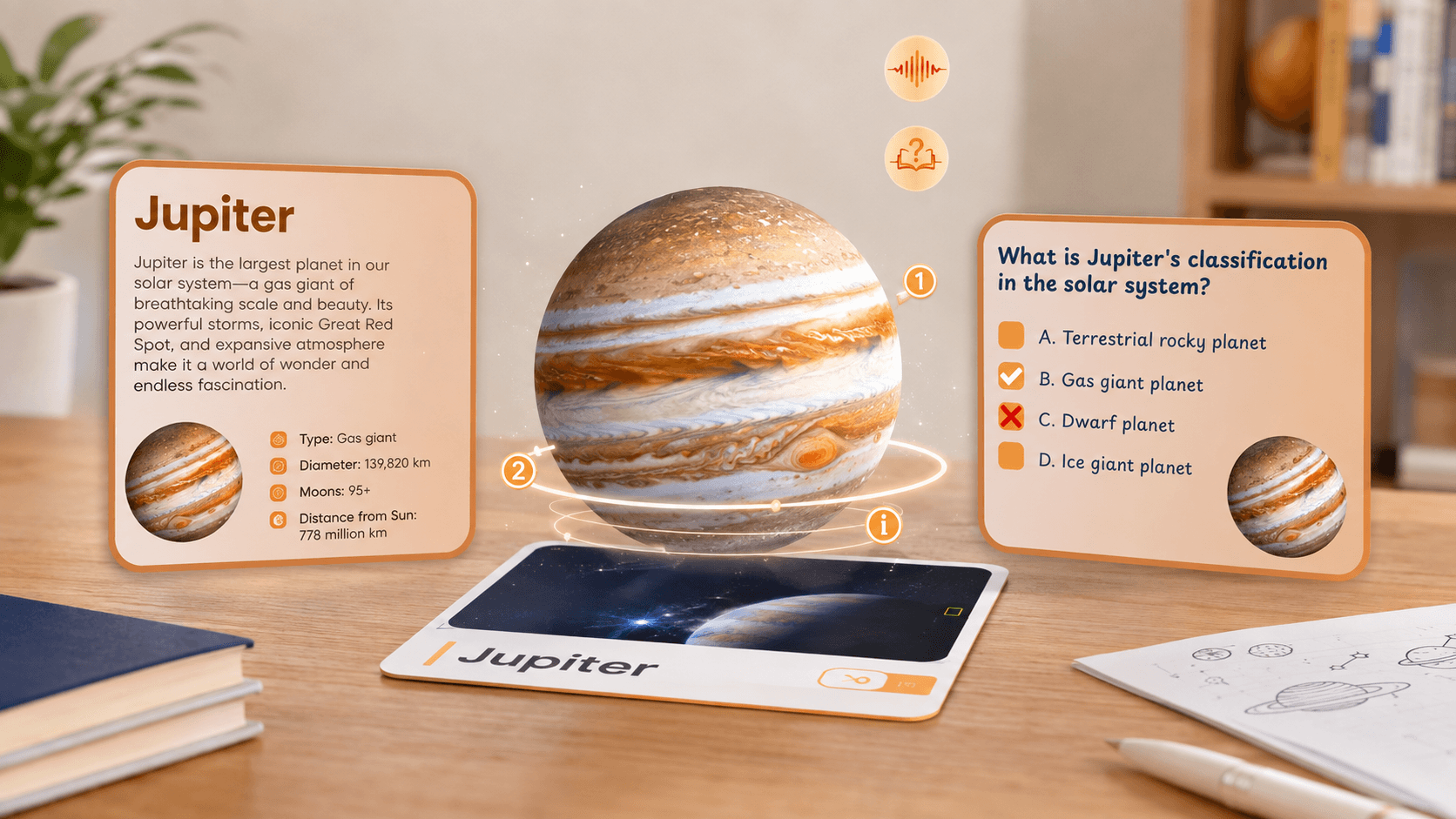
AR product visualization lets customers inspect items like electronics, tools, or jewelry from every angle. They can zoom in, rotate, and see fine details without opening a box, helping them feel confident about quality and craftsmanship.
Key Benefits of Using Augmented Reality in Sales
Today's online shoppers need more than static photos. They want to see how a product looks on them or in their space before deciding. Augmented reality delivers exactly that and benefits your sales.
Deeper Product Understanding: Through AR technology, customers can zoom in, rotate, and inspect every angle of your product. This turns unfamiliarity into conviction. They not only understand your product inside out, but also build a stronger overall brand impression and recall.
Higher Conversion Rates: After closely examining your product from all angles, trying it on virtually, or placing it in their own space, customers can easily find the item that best fits their needs. That confidence leads directly to high‑value conversions.
Fewer Returns: AR supports high‑precision rendering of product details and true‑to‑scale size, plus virtual try‑ons and spatial placement. This accurate view of your product can effectively drop return rates. For example, IKEA reported a 20% reduction in furniture returns after launching its AR app.
Stronger Marketing Competitiveness: While competitors rely on static images and videos, you offer an interactive 3D experience. That difference makes your brand stand out in crowded marketplaces and drives higher engagement across campaigns.
Kivicube: The Easiest Way to Add AR to Your Sales
Adding AR to your sales process no longer requires complex coding technology. With a WebAR tool like Kivicube, you can easily create AR for your products in your browser with simple drag-and-drop editing. Whether you need virtual try-ons, furniture placement, real estate walkthroughs, or product packaging previews, Kivicube has you covered. This all‑in‑one capability makes Kivicube one of the smartest choices for integrating AR into your sales. You can also contact us for a tailored solution.
⭐ Two Free Projects for Unlimited Customer Views
There are neither technical nor financial barriers to starting your AR sales. Every new user gets two free projects that can be shared and viewed unlimited times. Put your AR in front of every customer at no cost.
⭐ Dedicated Retail & Shopping Templates
From product packaging to furniture placement, Kivicube offers hundreds of ready-to-duplicate templates. Simply pick one and replace the items with your products. Create personalized AR for sales in just a few clicks.
⭐ AI‑Powered Product Image to 3D Model
There's also a 3D model generator to help turn your 2D product image into a 3D model. All models you create will be automatically saved to your asset library for drag and drop editing.
⭐ High‑Precision & True‑to‑Scale AR
AR objects appear at an accurate size with high‑precision rendering of textures and details. Customers can either zoom in for fine details or place the product at actual size in their own space. Help them better understand your products and reduce returns.
⭐ Easy Share & Embed Across Platforms
Your AR creation can be shared through a link, a QR code, and even a web embed. Put your AR for social media, Shopify, or website product pages. Win your marketing campaigns across platforms.
How to Add AR to Your Sales Process?
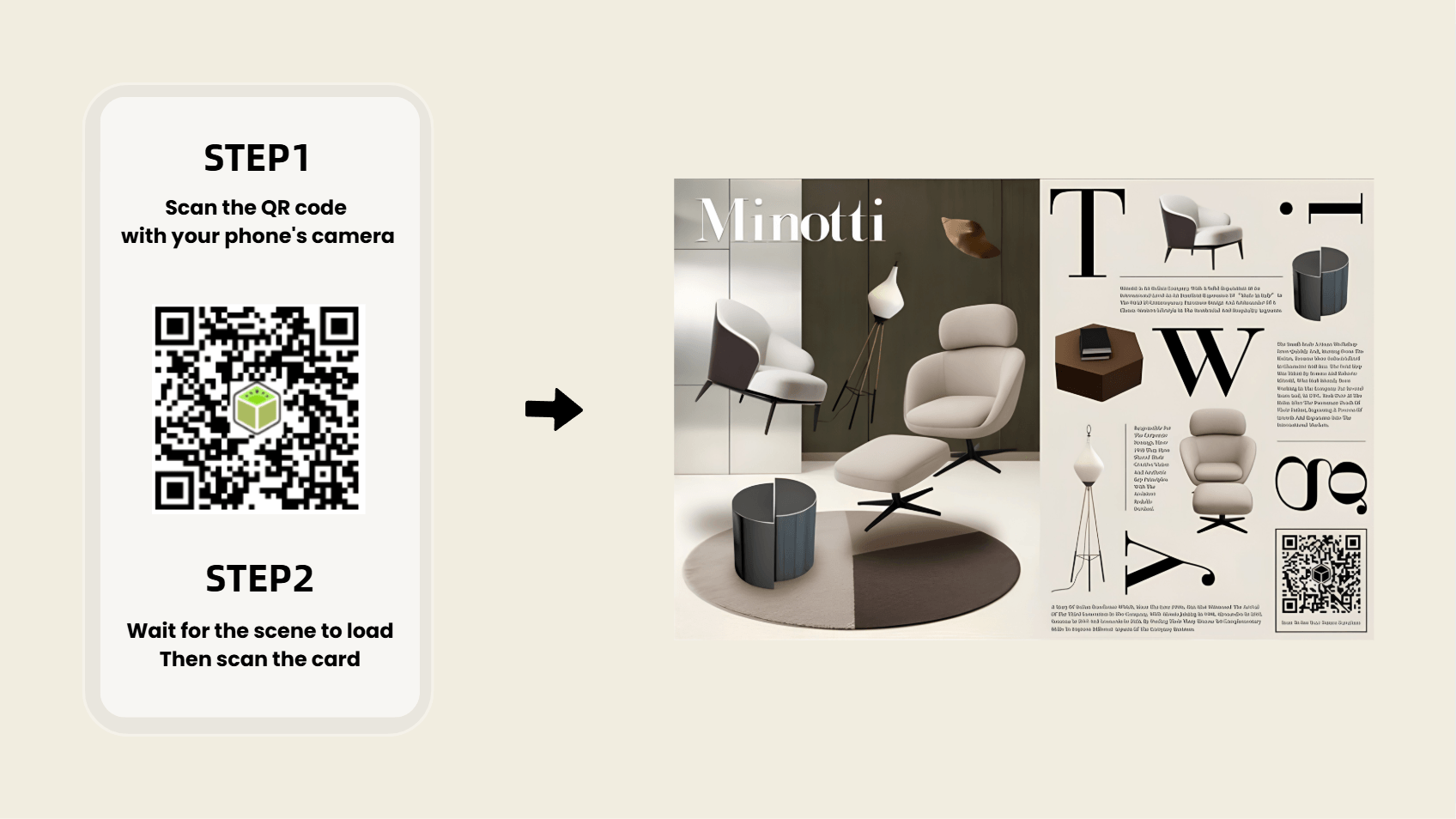
Using AR furniture placement as an example, here's a 3-step workflow to get your products into customers' spaces.
Step 1. Sign up and log in to the Kivicube editor right in your browser.
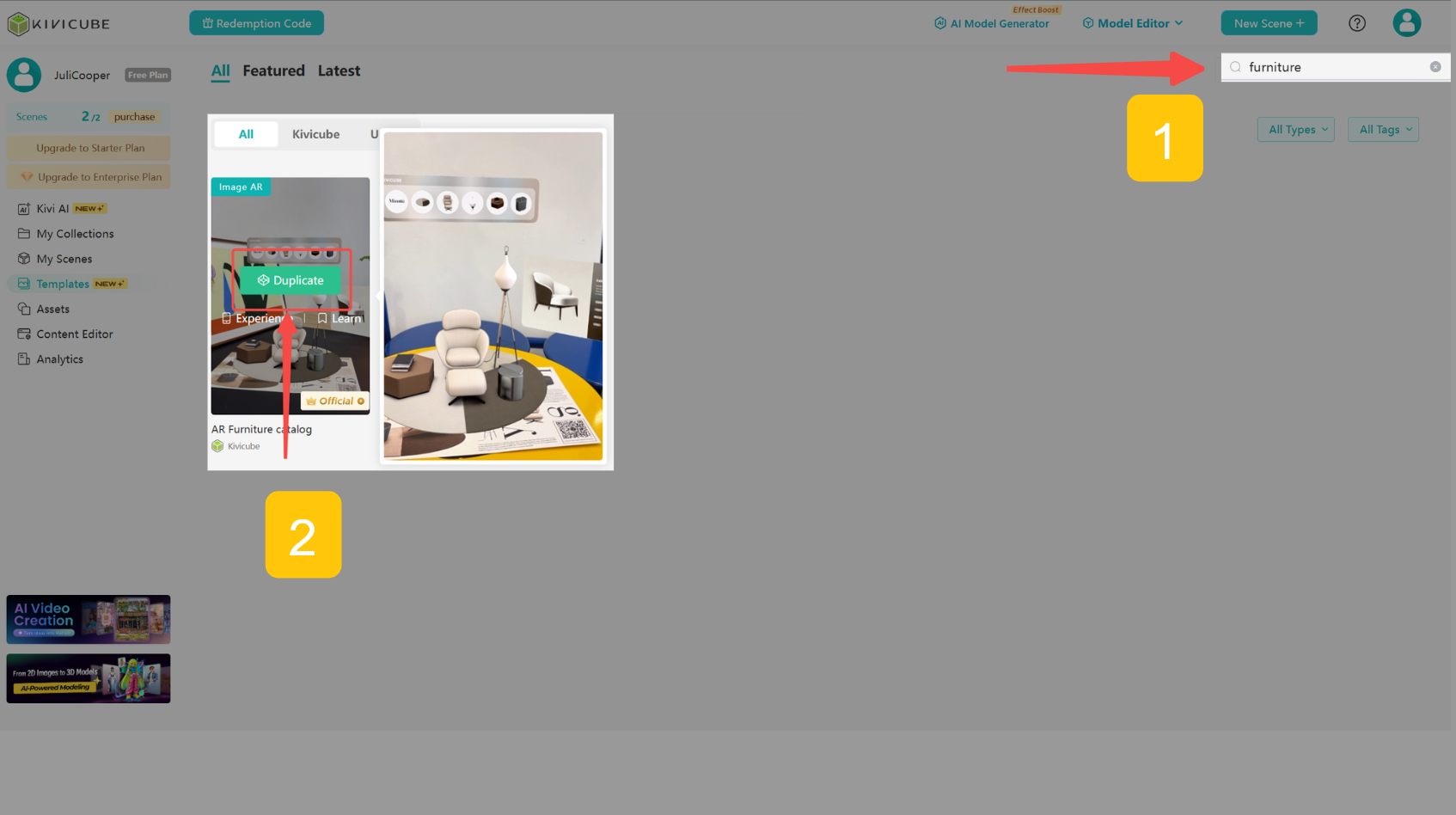
Step 2. Go to "Template", search for "furniture", and duplicate the "AR Furniture Catalog" template.
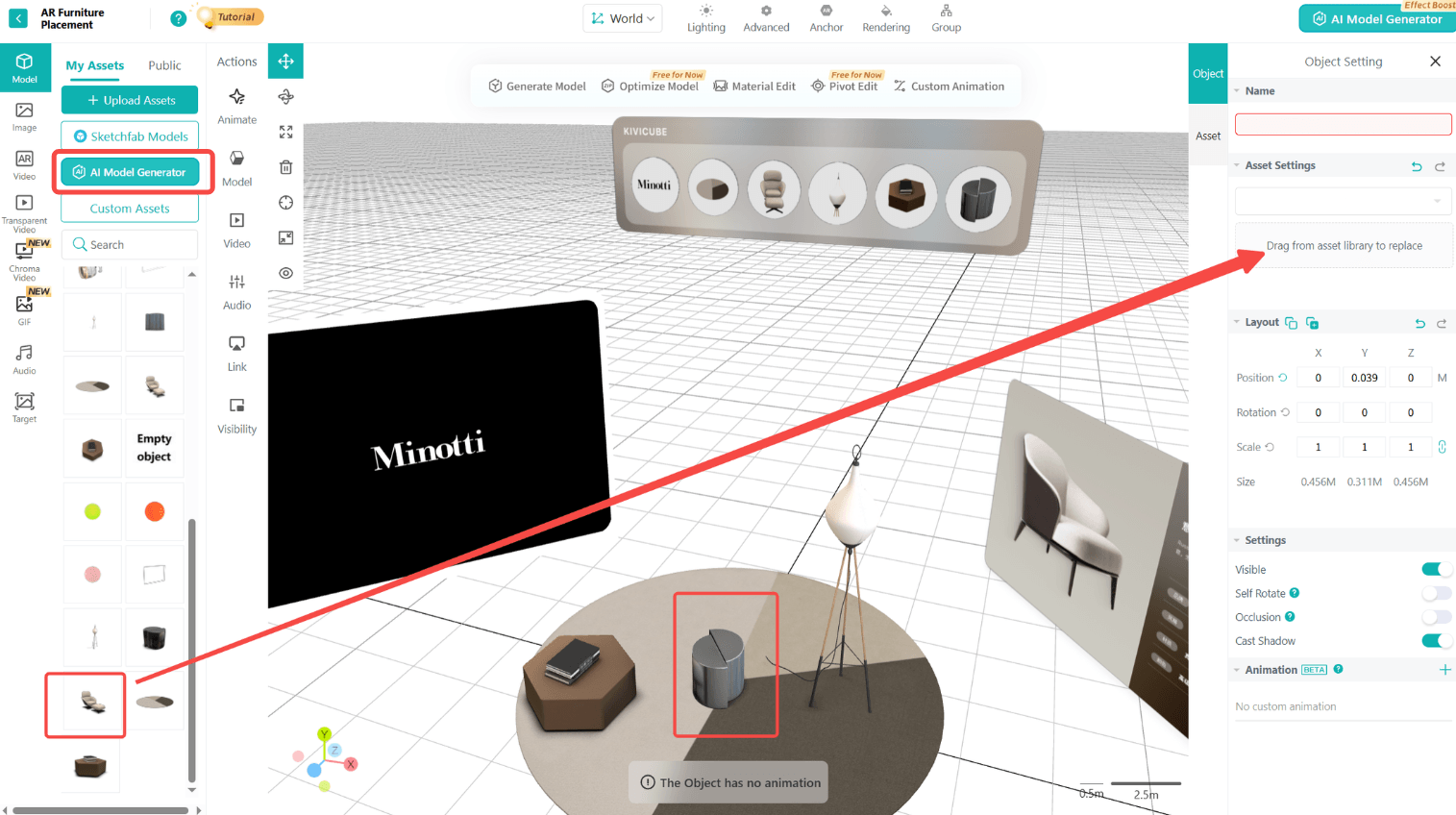
Step 3. Click "AI Model Generator" on the left sidebar, upload your product image to get a 3D model of it.
Step 4. Back to your creation, replace the item by dragging your 3D model to the “replace” area on the right.
Step 5. Fine-tune your AR scene, publish it, and share across platforms.
Real-World Examples of Brands Using AR to Increase Sales
Real‑world brands have proven that AR for sales works. Here are 5 popular cases, including two that our parent augmented reality sales company, Kivisense, helped bring to life.
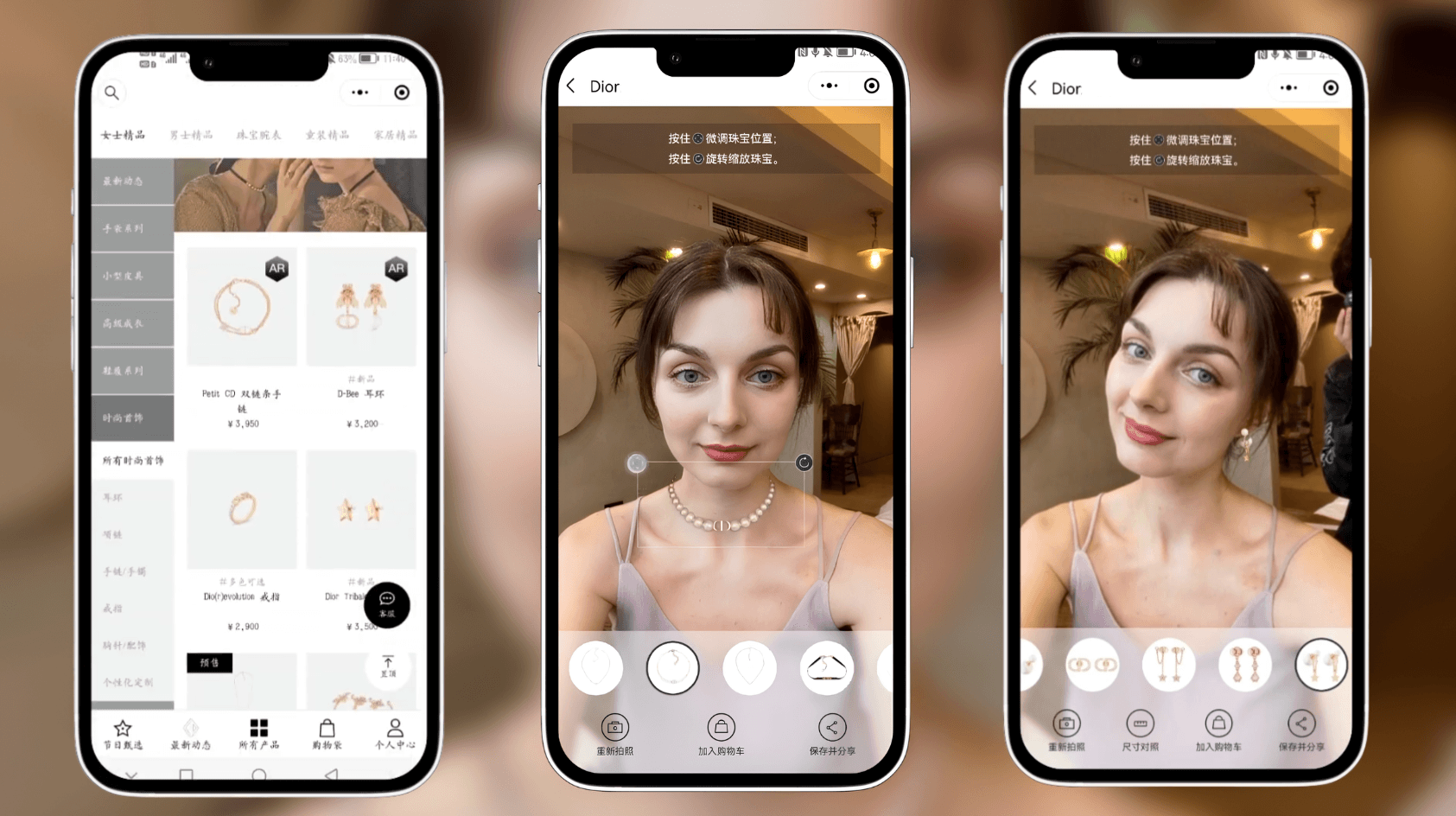
Dior AR Virtual Try-On Campaign
Dior has partnered with Kivisense to let customers virtually try on their sunglasses, jewelry, and sneakers with realistic 3D rendering. The AR experience has been widely loved by shoppers for its convenience. These co‑marketing AR campaigns offer a new way to engage shoppers online.
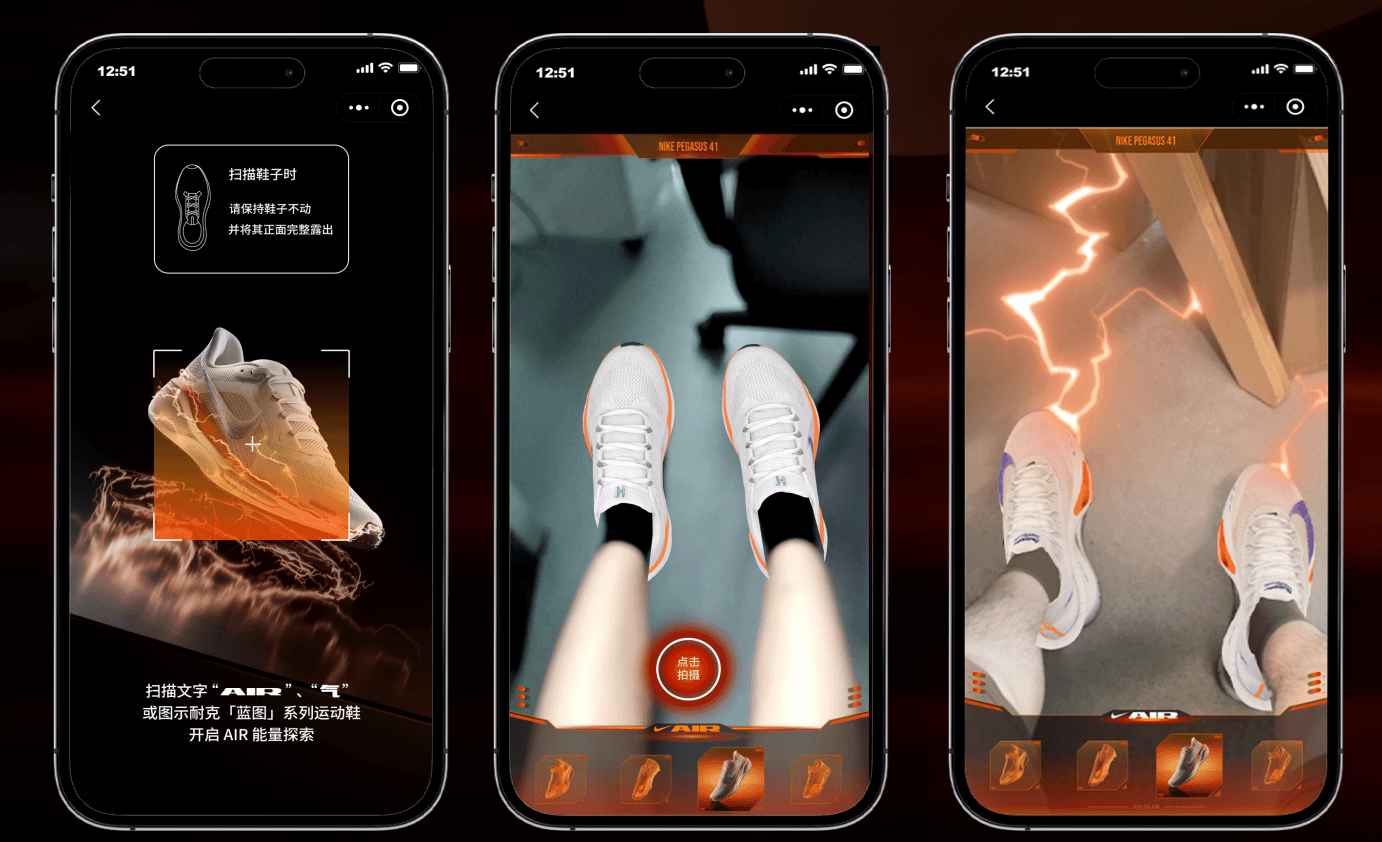
Nike AR Shoes Try‑On
Kivisense partnered with Nike to launch an AR shoes try-on experience in New York and Shanghai. Shoppers could scan a QR code and see how sneakers like the Waffle and Air Jordan looked on their feet in real time. The immersive try‑before‑you‑buy experience has been well-loved by Nike fans.
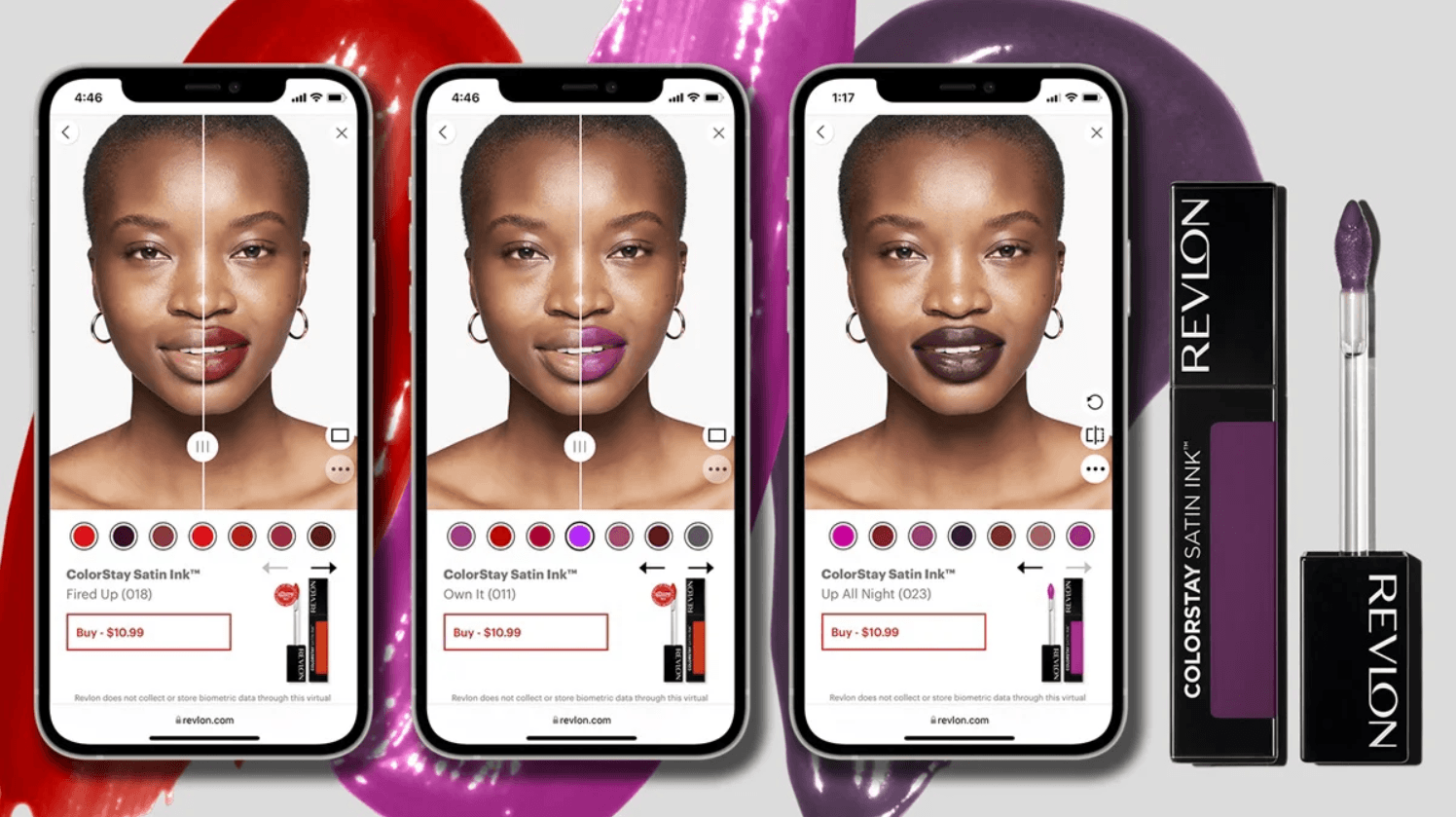
Avon AR Virtual Makeup Try-On
The global beauty brand Avon deploys AR technology to help shoppers virtual try-on makeups before buying. Avon reported a 320% boost in conversion rates and a 33% increase in average order value among users who engaged with the virtual try-on experience.
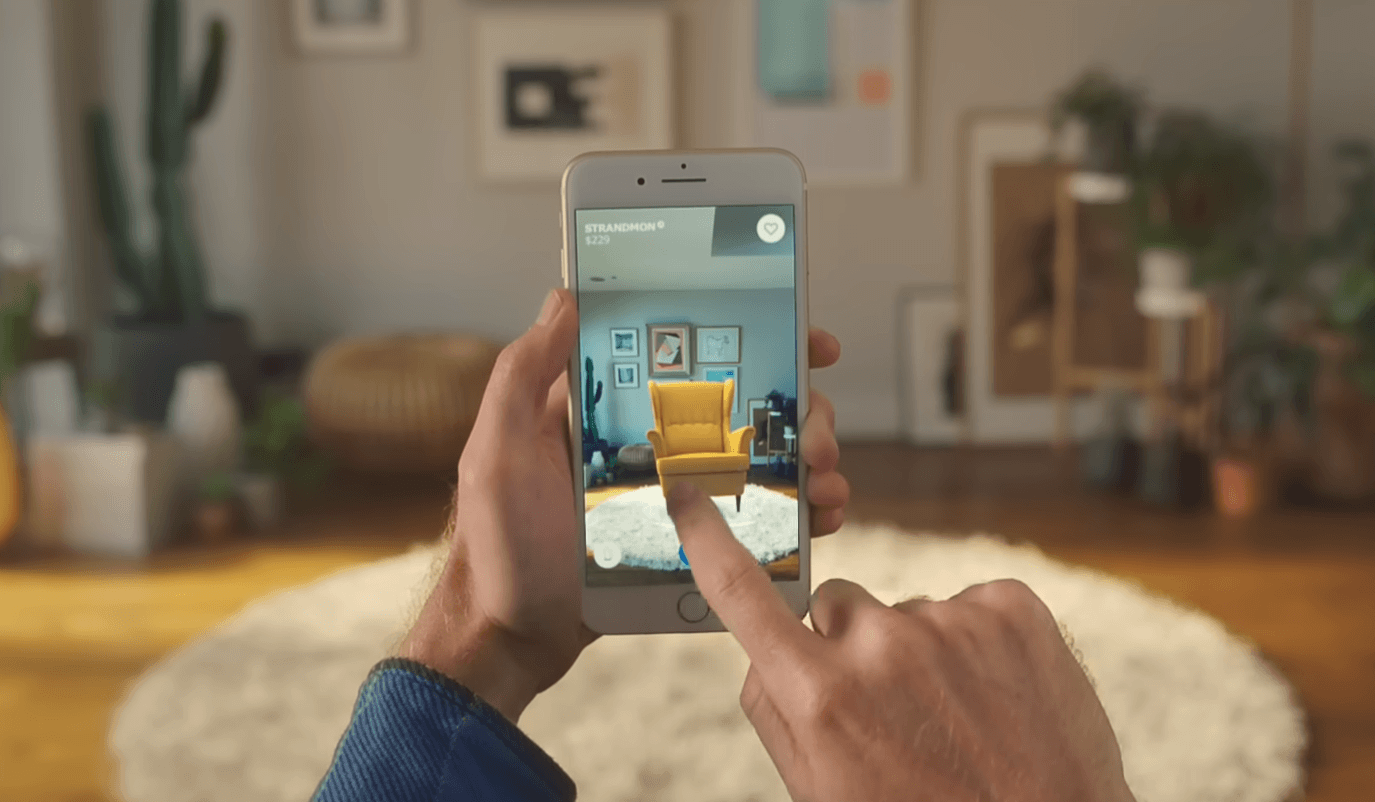
IKEA AR Furniture Visualization
IKEA’s AR app lets customers place true‑to‑scale 3D furniture in their own rooms before buying. Users can inspect size, color, and fit from every angle using their phone camera. It's worth mentioning that Kivicube offers the same furniture placement technology for your brand and customers.
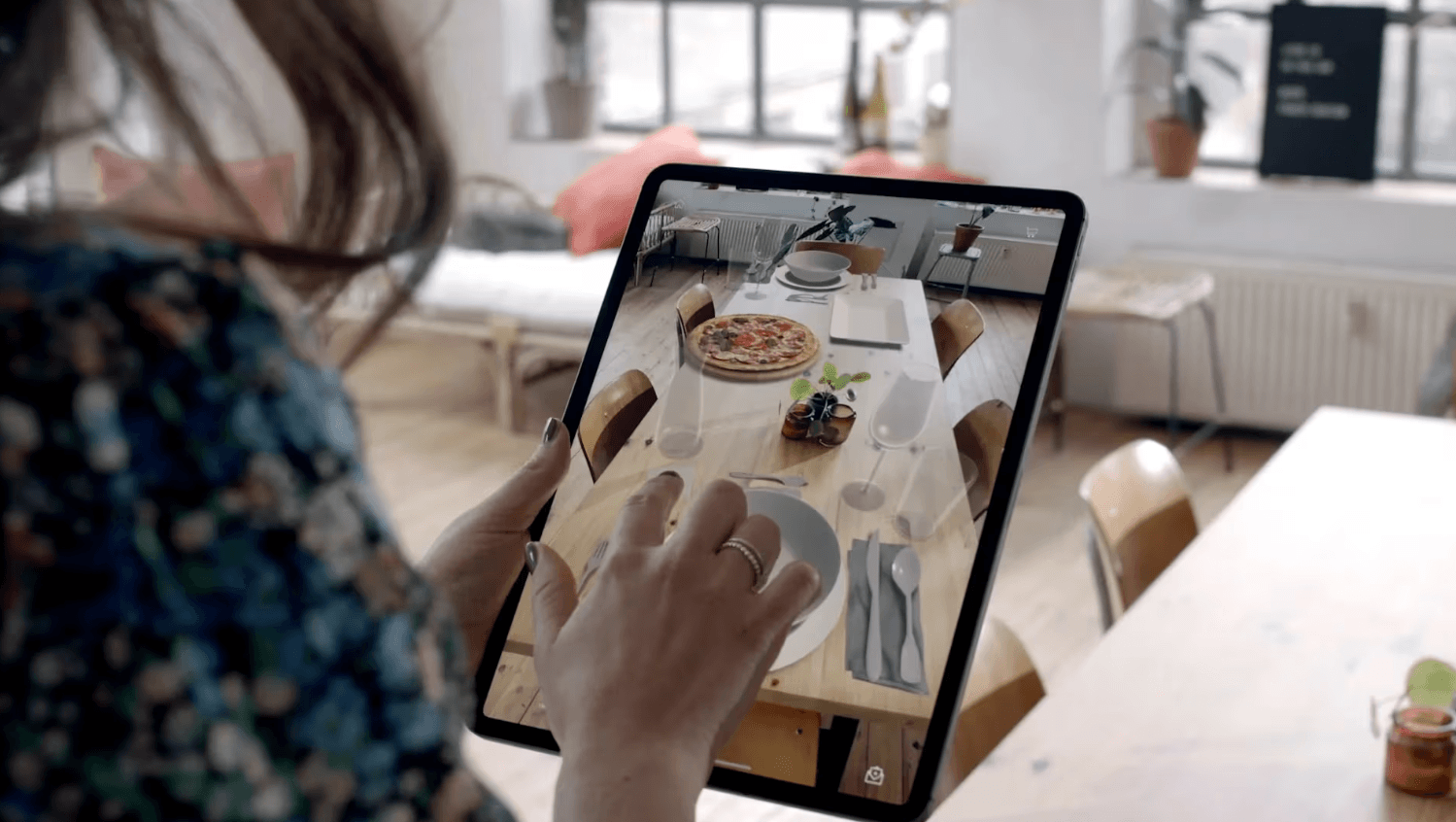
Demodern AR Table Planner Visualization
Demodern developed an AR Table Planner that lets users place and mix table decor items in their own space using their phone camera. This AR table deco visualization brings a 30% higher purchase conversion among users who utilized the AR features, plus a significantly lower return rate.
Conclusion
Using augmented reality for sales helps bridge the gap between online shopping and real-world confidence. With a user-friendly WebAR tool like Kivicube, adding AR to your e-commerce and online shopping process is easy, quick, and high-converting. Stop relying on static images and start selling with AR.
FAQs
What Types Of Products Can Be Sold Using AR?
Almost all types of products can be sold using AR, whether online or offline. A professional AR maker like Kivicube supports a wide range of scenarios, such as AR virtual try‑ons (jewelry, shoes, glasses, watches, etc.), true‑to‑scale furniture placement, 3D detail inspection (electronics, bags, jewelry, toys, handicrafts, etc.), and AR packaging for physical products. Feel free to contact us to consult and customize AR for your products.
How To Create AR That Is Compatible With Shopify?
You can easily create a Shopify-compatible AR experience with a WebAR tool like Kivicube. Simply create and publish your AR scene to get an embed code, then paste the embed code into your Shopify product page.
Where Can I Place My Product AR?
It depends on the tool you choose. With Kivicube, you can share your AR experience via a link, QR code, or web embed. These can be used for social media, your official website, product pages, or placed in emails. For offline use, you can print the QR code on any paper material such as packaging or posters.
How Do Customers View The AR Experience?
It depends on whether you use a WebAR tool like Kivicube or an app‑based AR tool. App‑based tools require a specific app, which adds an extra step for customers. However, with a WebAR tool like Kivicube, customers simply scan a QR code with their phone camera, and the AR experience opens directly in their browser. Simple, easy, and fast.
Can Customers See Products At True-To-Life Size In AR?
Yes. A professional AR maker like Kivicube can achieve true-to-life scale rendering. This is especially useful for products that require spatial context, such as furniture placement.
Do I Need To Create Separate AR For Each Product Variant?
Not necessarily. A professional WebAR tool like Kivicube supports adding dynamic switching effects. You can set up click-to-switch interactions for each product variant such as color and size, allowing customers to experience all types of the product within the same AR scene.
Can I Know How Many People Have Viewed My Product AR?
Yes. Kivicube provides a dedicated analytics dashboard where you can clearly see how many people have viewed your scenes, helping you better understand user behavior and optimize your marketing strategies