AR for Business: Benefits, 9 Use Cases, and How to Get Started
Explore the benefits of AR for business, discover 9 real-world use cases, and learn how to create your own WebAR experience.
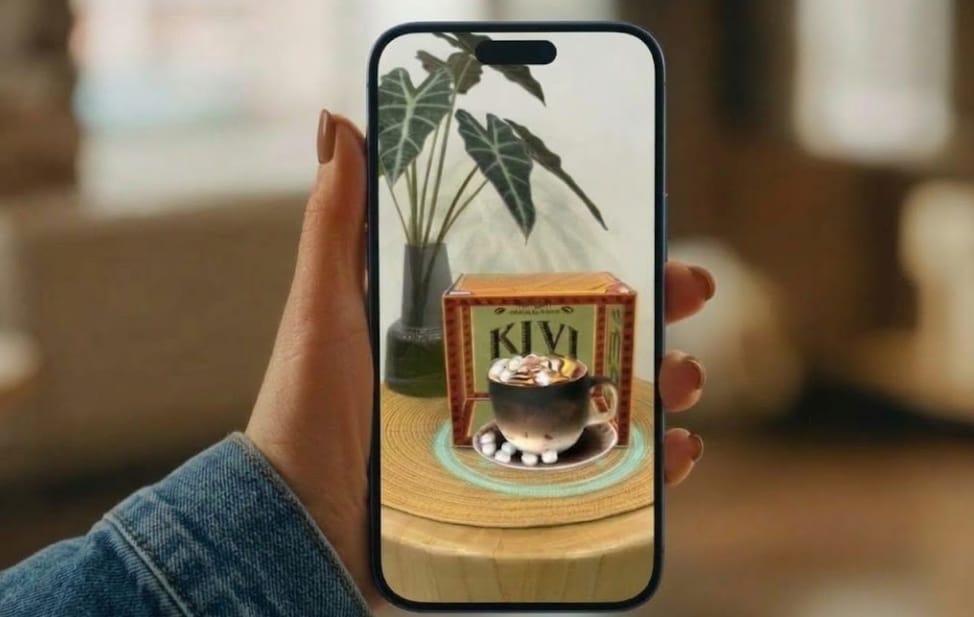
Just imagine bringing virtual products or other digital objects into the real world. Amazing, right? Augmented reality (AR) makes this possible through a smartphone camera. Across industries like education, marketing, healthcare, and manufacturing, AR has helped brands and businesses create interactive customer experiences, support employee training, and improve other operations.
In this post, we’ll learn what is augmented reality in business, explore the benefits of AR for business, discuss 9 use cases across customer-facing and internal operations, and explain how to create a WebAR experience with Kivicube.
What is AR in Business?
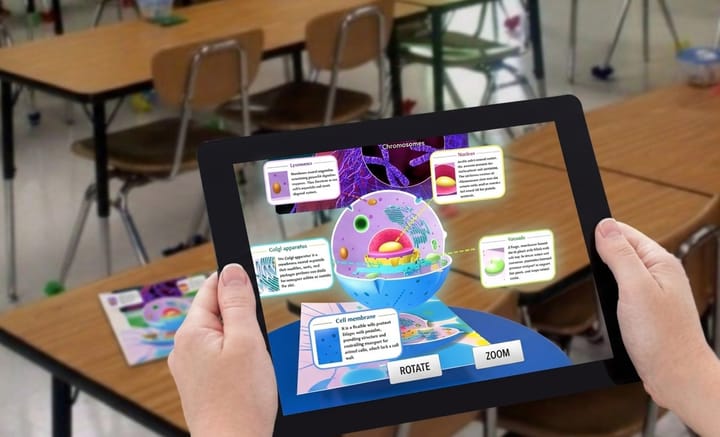
Augmented reality is a technology that overlays digital information, such as words, images, 3D models, and videos, onto a real-world environment. Unlike VR, AR allows users to see digital content and the physical world at the same time.
What does AR stand for in business? Today, AR is widely used across industries. Businesses and brands use it not only to create more engaging customer experiences, such as product visualization and virtual try-on, but also to improve internal workflows through applications like employee training and AR video conferencing.
A review published in Frontiers analyzed 56 empirical studies on AR shopping experiences and found that AR can make online and in-store shopping more interactive by allowing consumers to visualize products in their surroundings or virtually try them on.
Benefits of Using Augmented Reality in Business
Businesses and retailers can benefit from AR in many ways. Curious about more? Here are some key benefits of using augmented reality in business.
Benefit 1. Improve Customer Engagement
Consumers can use more interactive methods to explore the products and services they are interested in online. Instead of browsing static images and descriptions of the products, consumers can view the effects of the products in real scenes and even try them on to decide whether they are a good fit.
Benefit 2. Support Better Purchasing Decisions
Consumers may hesitate to purchase products online because they cannot see how the products look in real life. AR solutions offer a practical way to address this concern. With AR technology, consumers can visualize products in real-world settings and try out different options before choosing the ones that best suit their needs.
Benefit 3. Streamline Training and Field Operations
Unlike conventional training that is more dependent on manuals and class lectures, augmented reality training allows employees to see products and 3D animations in their actual working environment. By simplifying complex processes, companies can minimize unnecessary errors and improve efficiency.
Benefit 4. Improve Visual Communication
Sometimes, text and pictures might not be sufficient to give a detailed description, especially when a product has too many features or when a project involves several people. Augmented reality for business helps add digital objects to the real-world view, making teams and customers better understand what they see.
6 Use Cases of AR for Business to Improve Customer Experiences
How is augmented reality used in businesses? AR gives consumers a way to explore augmented reality for products before making a purchase, which can improve customer satisfaction. Here are 6 practical use cases of AR in business.
Use Case 1. AR Product Visualization for Retail and E-commerce
AR product visualization helps reduce consumers’ uncertainty about a product’s appearance and details. According to Daniel Beauchamp, former head of AR/VR at Shopify, AR shopping is not just about seeing how a product looks in your space or how large it is. It also lets shoppers examine the product’s materials and finer details.
Examples:
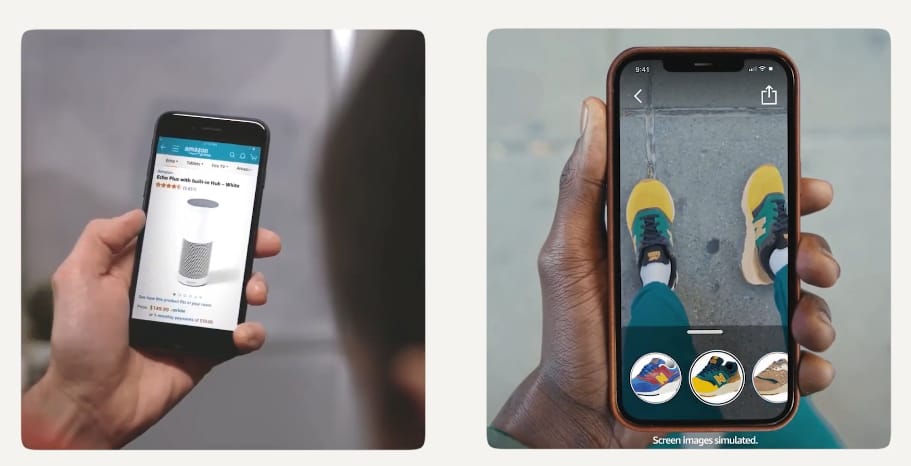
- Amazon: The e-commerce giant has launched 3D and augmented reality functionalities for qualified product listings. View in 3D enables users to view and rotate products, such as electronic devices, shoes, and cosmetic products. View in Your Room provides users with the ability to visualize furniture in their surroundings.
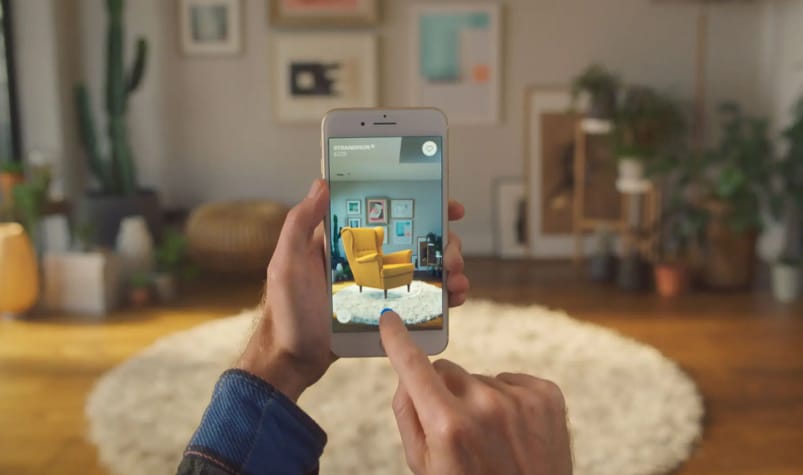
- IKEA Place: IKEA Place uses augmented reality to enable its customers to see the furniture products in their own homes. They can see whether the furniture (sofa, chair, or table) suits their space and blends well with other furniture.
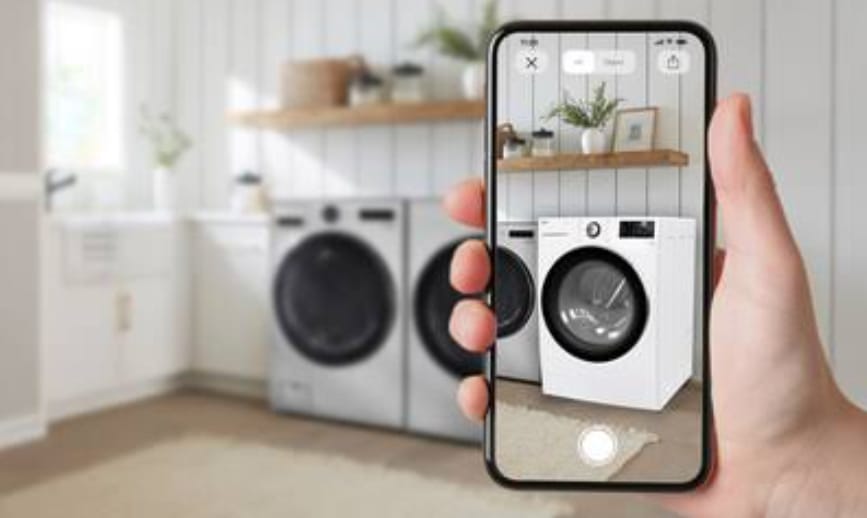
- LG Electronics: It launched RetailVerse Web to make online appliance shopping more interactive. Shoppers can explore detailed 3D models, open doors and drawers, and inspect internal compartments. AR lets them preview appliances in their homes at realistic sizes.
Use Case 2. Virtual Try-On
Beauty and fashion brands offer AR virtual try-on experiences that let shoppers preview makeup, clothing, and accessories such as glasses. Shoppers can compare different styles and see which options match their preferences before making a purchase.
Examples:
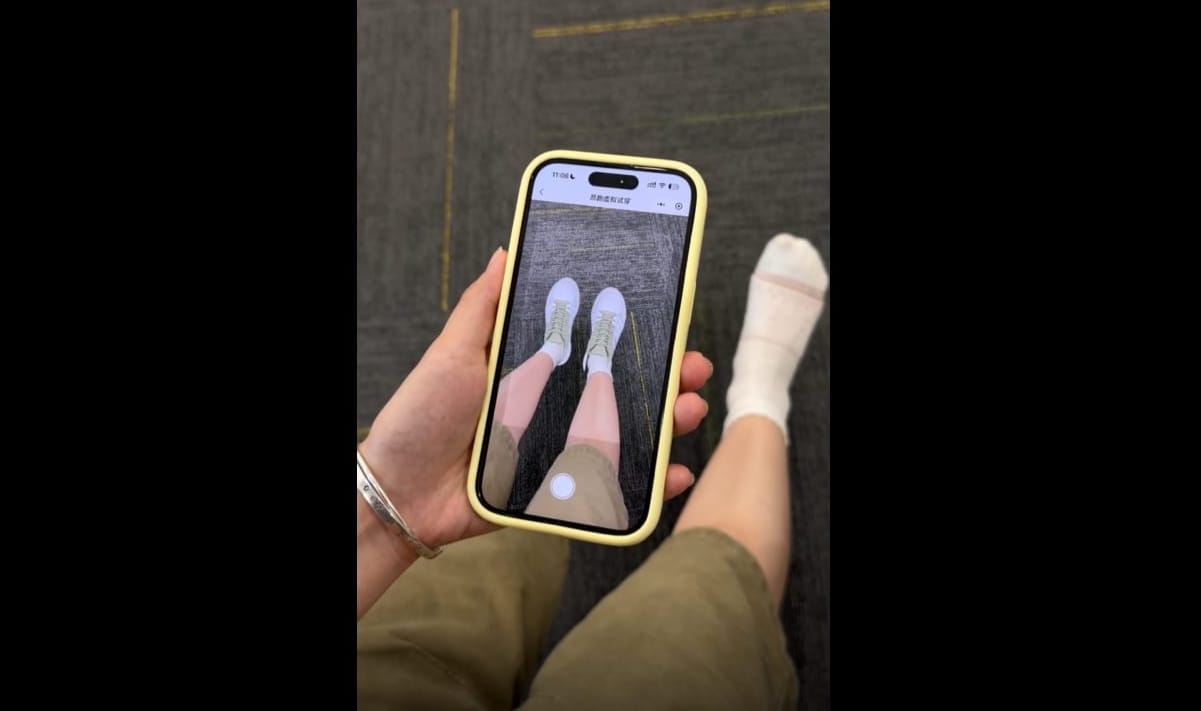
- On X POST: On X POST partnered with Kivicube to create an AR shoe try-on experience. Customers could use their phones to preview how the shoes looked on their feet without visiting a store.
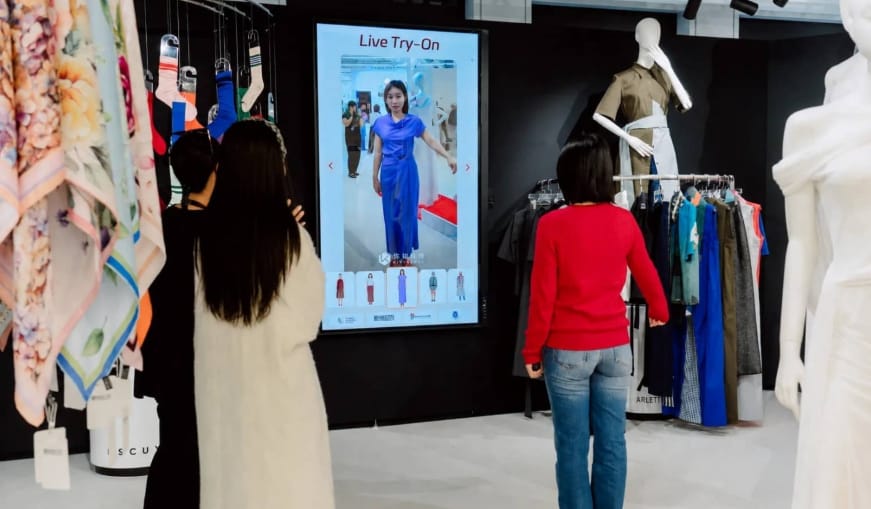
- MMUUZZ: At Shanghai Fashion Week on October 8, 2026, fashion brand MMUUZZ partnered with Kivisense to showcase a live virtual try-on mirror. Visitors could select outfits and see how different styles looked on them in real time, without changing clothes or taking new photos.
Use Case 3. Interactive Advertising and Brand Experiences
Brands can add AR effects to advertisements, branded filters, and marketing campaigns to encourage target audiences to interact with their content.
Examples:
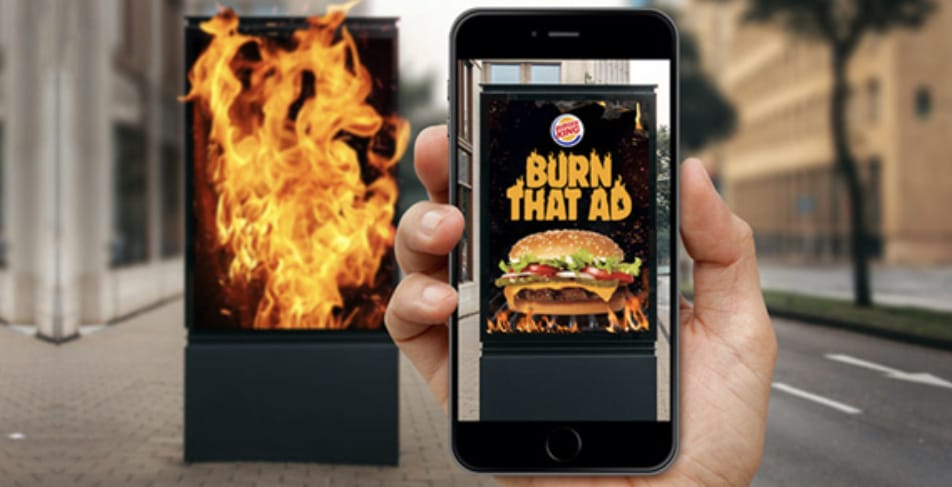
- Burger King: Burger King Brazil launched an AR campaign that let customers virtually burn rival McDonald’s ads through the Burger King app. After scanning an ad, users saw it catch fire on their screens and received a Whopper coupon.
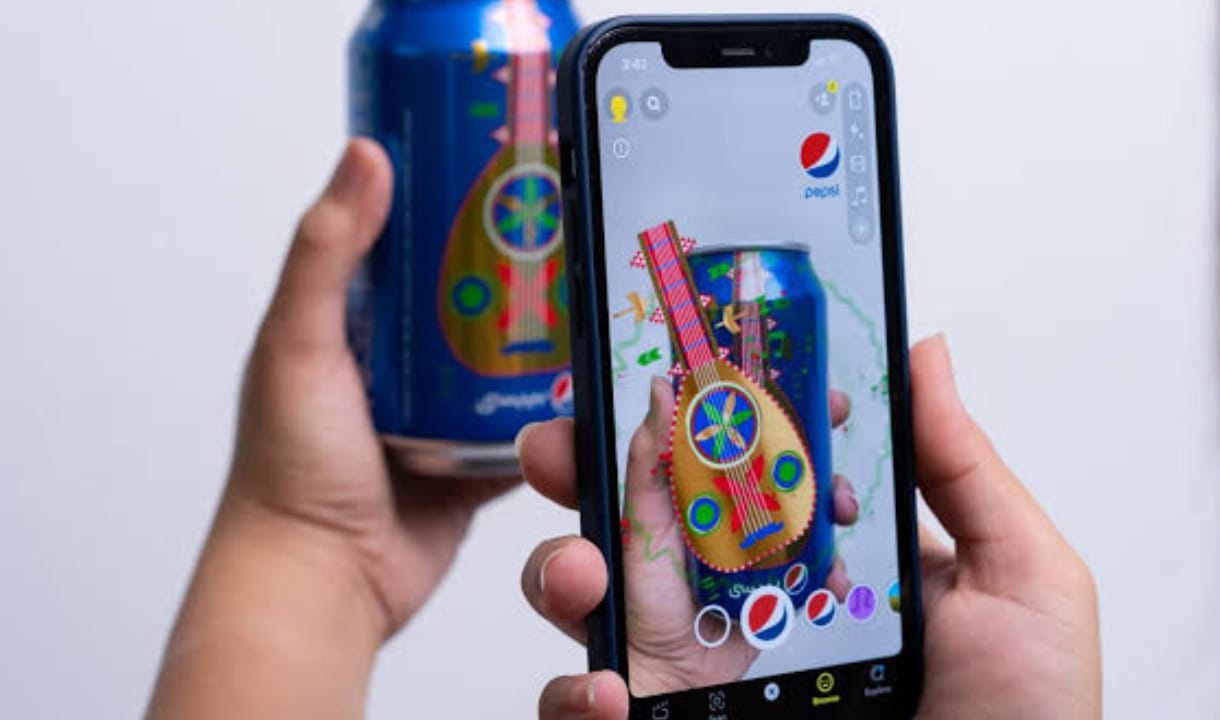
- Pepsi: Pepsi partnered with Snapchat to bring its “Thirst for Music” campaign to life in Saudi Arabia. It combined music, interactive AR filters, and branded packaging to engage younger audiences. Five limited-edition cans unlocked AR Lenses through Snapcodes. One Lens used body tracking to let users practice hip-hop and K-pop dance moves.
Use Case 4. AR-Enhanced Packaging and Product Demonstrations
AR packaging is a popular way for brands to bridge real-world products and the digital world. By applying AR to business activities, brands can vividly demonstrate products and turn packages into interactive experiences.
Examples:
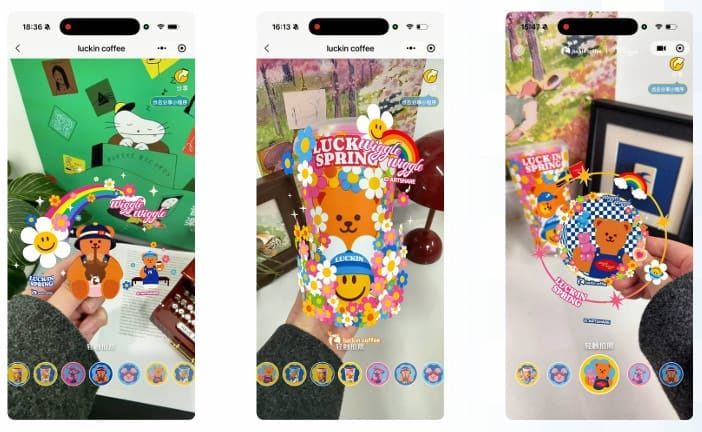
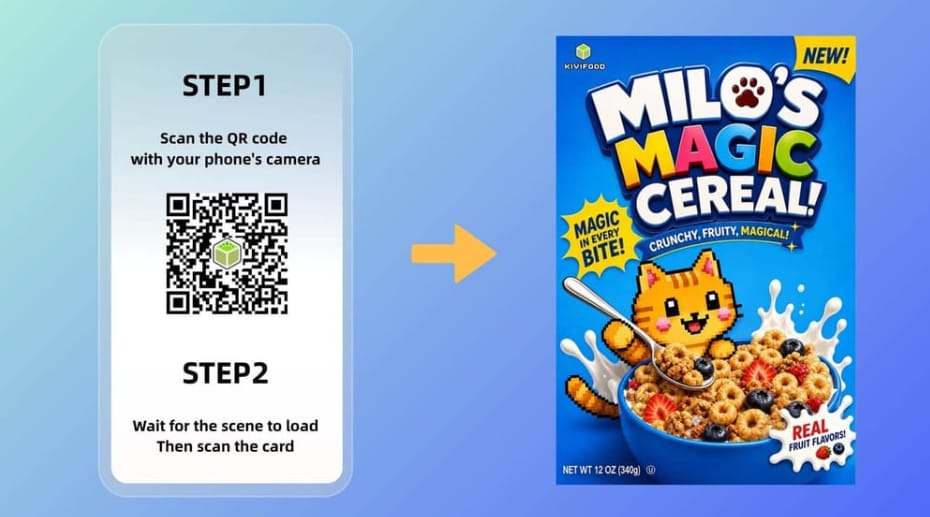
- Luckin: Luckin Coffee partnered with Kivicube to turn its branded cups and co-branded merchandise into interactive AR experiences. Customers could scan the packaging to reveal digital content and animations.
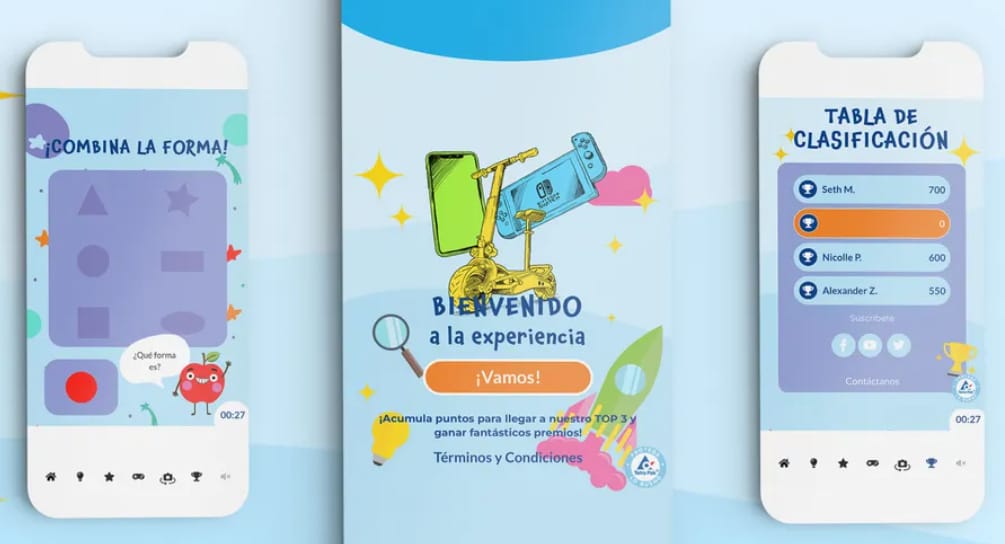
- Iberia Kids: Iberia Kids partnered with Appetite Creative to turn its drink cartons into interactive experiences. After scanning a QR code, children could play the AR games, take quizzes, and explore AR packaging. A leaderboard added friendly competition, while the games introduced the healthy ingredients in the drinks. The campaign recorded 5,300 scans and 18,200 games played.
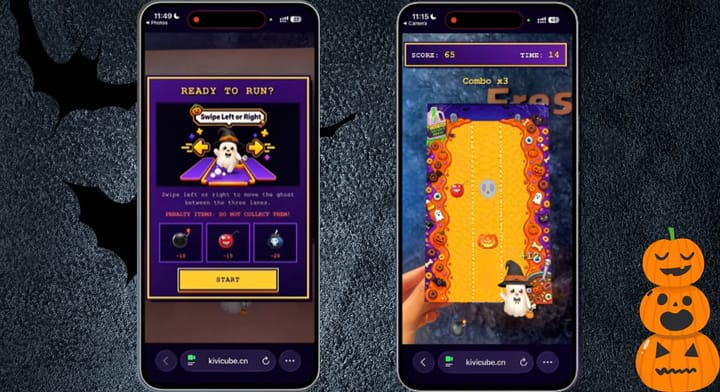
Read more to learn how to create your own AR game for more eye-catching campaigns:
 Bella
Bella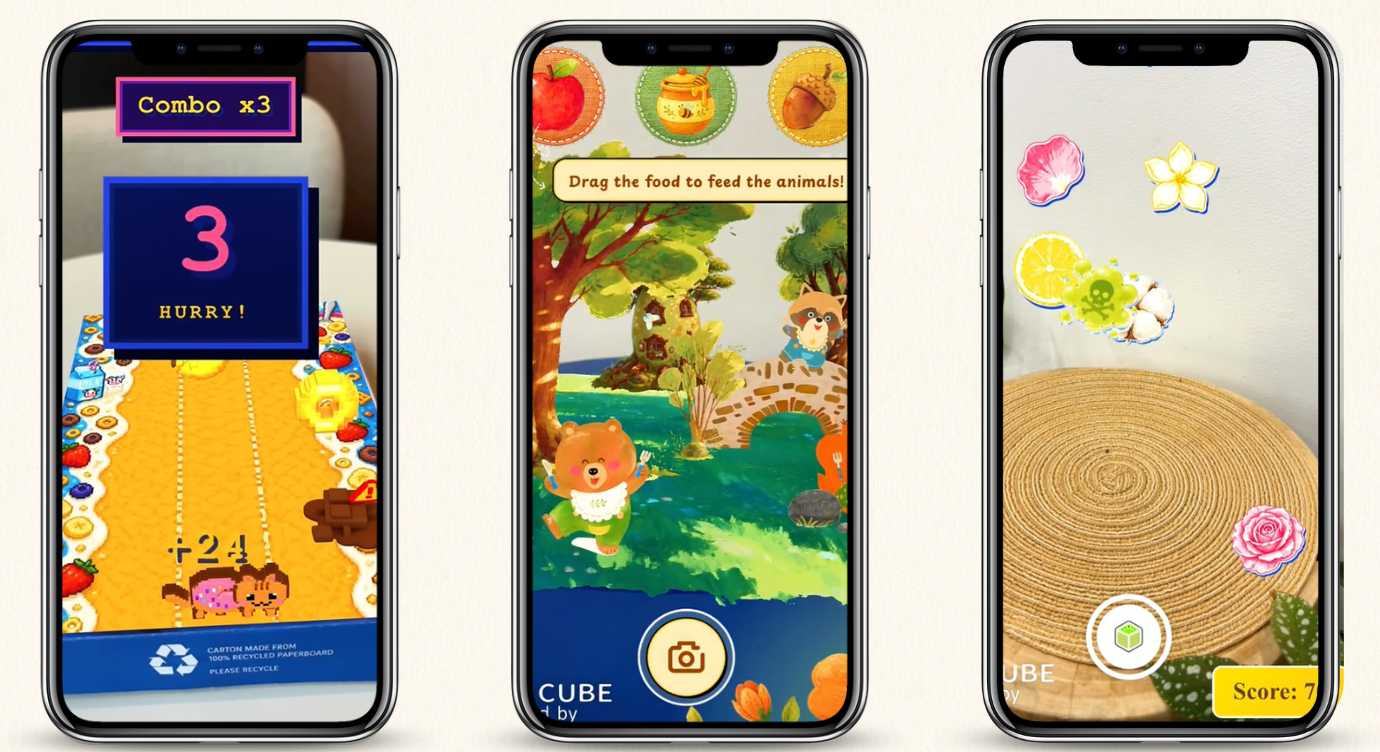
Use Case 5. Immersive Retail, Events, and Hospitality Experiences
Using AR in business events, brands can make in-person experiences more interactive. For example, retail stores can add virtual displays, trade shows can present 3D product models, and restaurants can also offer AR menus with 3D food previews.
Examples:
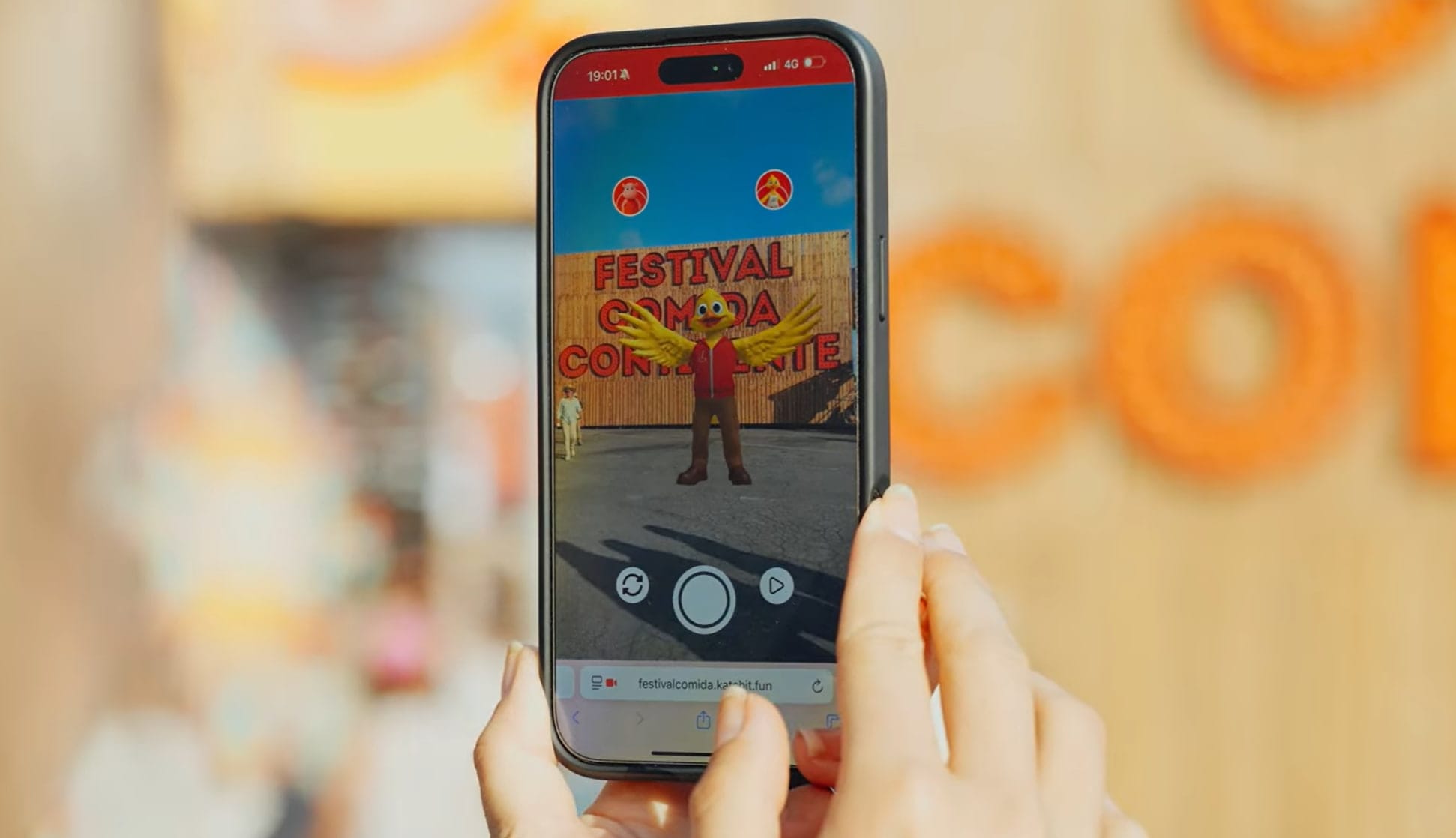
- Popota & Leopoldina: Portuguese retailer Continente brought its mascots, Popota and Leopoldina, to life at a food festival through a WebAR experience. Visitors could interact with the 3D characters and take photos and videos.
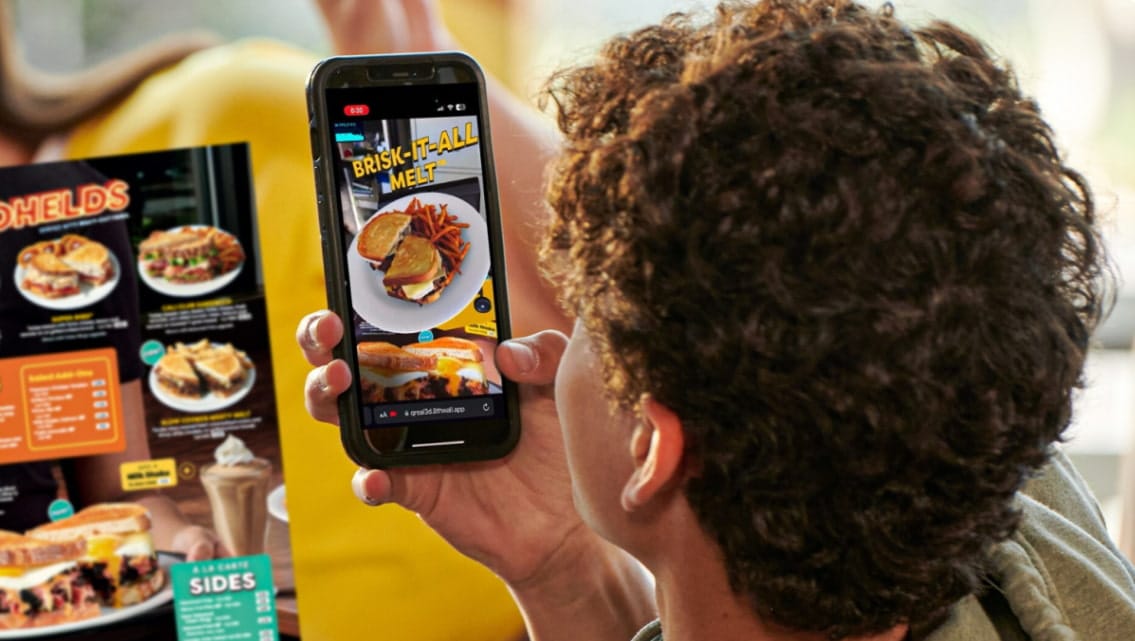
- Denny’s: Denny’s introduced an AR menu as part of its “It’s Diner Time” campaign. Diners could scan the menu with their phones to view 3D food visuals, explore ingredient stories, and learn about the brand’s history. This web-based experience also featured limited-time specials and exclusive offers, adding an interactive touch to dining.
Use Case 6. Tourism, Museums, and Cultural Experiences
Augmented reality provides a more immersive way for tourists to explore museums and historic landmarks. Through their mobile devices, visitors can view 3D reconstructions of historic buildings, watch digital recreations of past events, and access additional information about exhibits.
Examples:
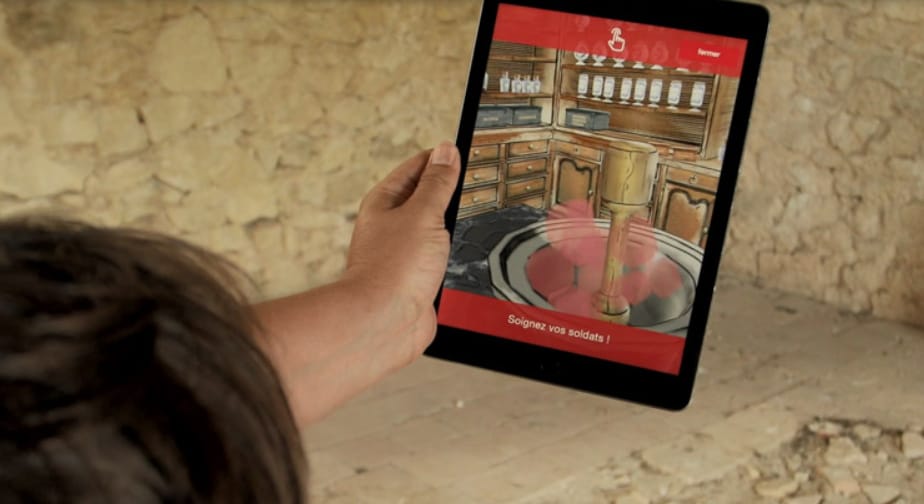
- Fort Médoc: DreamCorp developed an AR self-guided tour for Fort Médoc, a historic fortress in France. Visitors can use their phone cameras to view digital reconstructions of the site’s 17th-century gate, former pharmacy, and historical river attacks. Interactive quizzes and puzzles add another layer to the experience and bring the fortress’s history to life.
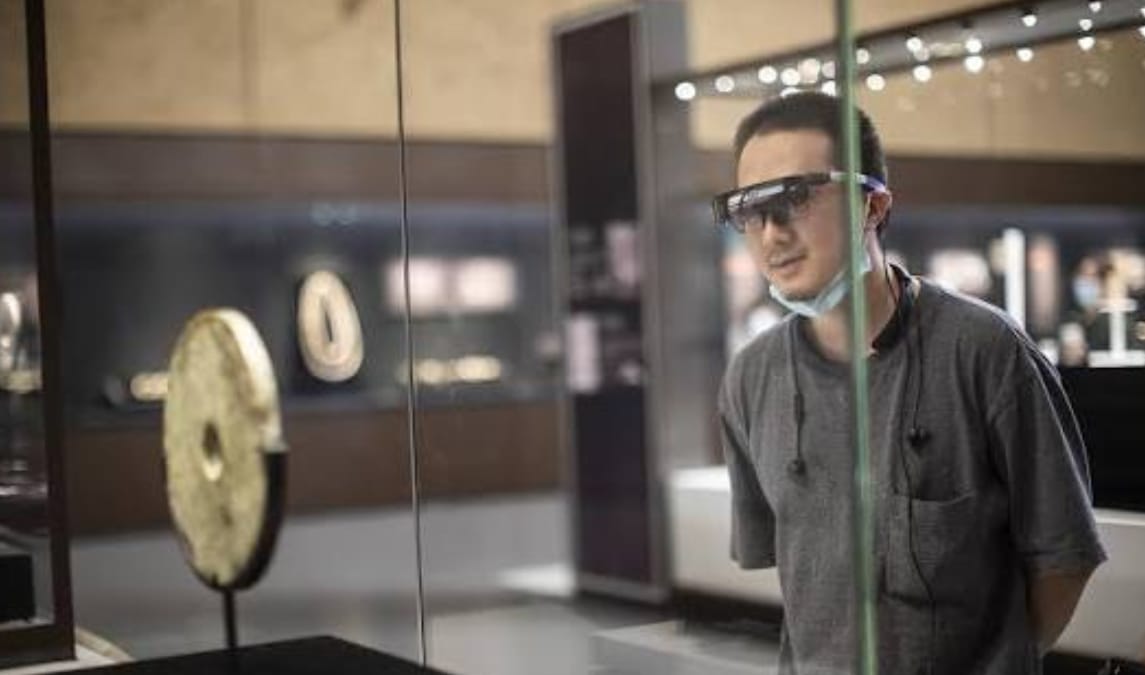
- Liangzhu Museum: Liangzhu Museum in China uses augmented reality to enrich visitors’ understanding of its ancient civilization. AR experiences add digital content to museum exhibits and make cultural heritage more accessible. Visitors can explore historical information through interactive visuals, creating a more engaging way to learn about the Liangzhu culture and its archaeological discoveries.
3 Use Cases of AR for Business to Improve Internal Workflows
Augmented reality is not just for customer-facing experiences. AR for businesses can also be used to improve daily operations, train employees, and support remote teams. By placing digital information in real work environments, augmented reality in enterprise enables employees to follow instructions and understand complex tasks more easily. Here are 3 business augmented reality cases where companies use AR to improve internal workflows.
Use Case 1. Employee Training and Onboarding
Augmented reality gives employees visual guidance as they learn new tasks. Digital instructions appear over real equipment or workspaces, so workers can follow each step in context.
Example:
GE Aerospace: GE Aerospace has showcased AR experiences that bring complex aerospace technology to life. At CES in Las Vegas, visitors could explore digital overlays and interactive demonstrations of aircraft engines.
If you want to create an AR training scene for corporate training, you may be interested in this post:
Bella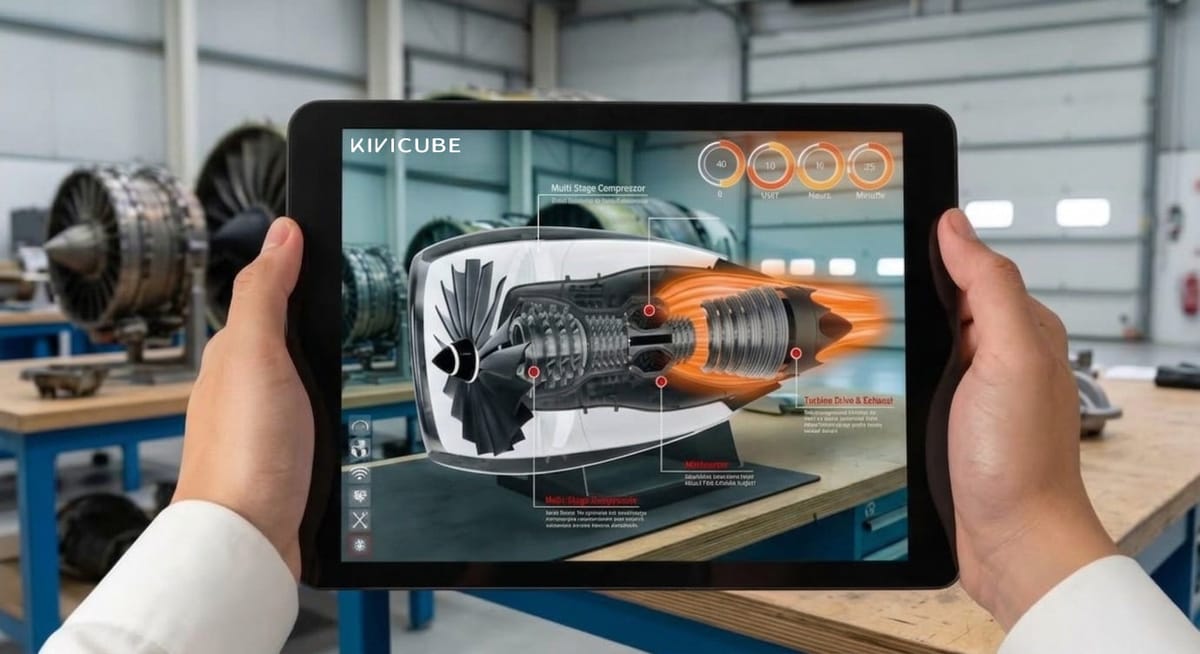
Use Case 2. Equipment Maintenance
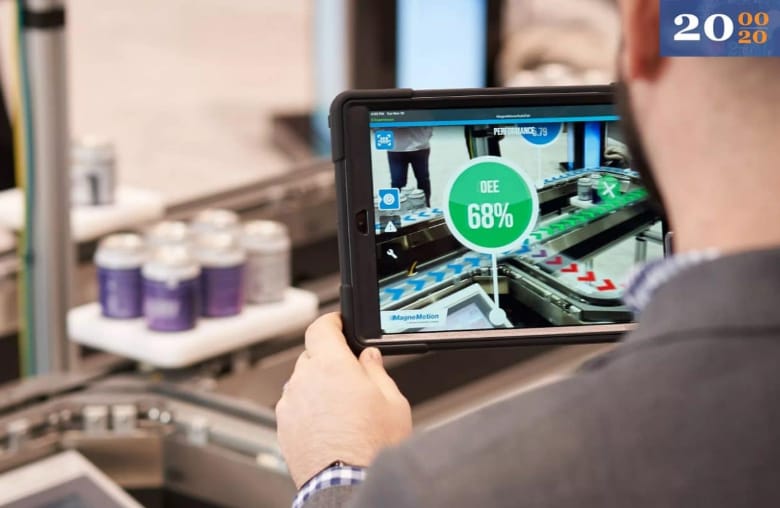
When factory equipment or industrial machinery breaks down, on-site technicians may need help from remote experts. If an expert cannot arrive quickly, diagnosis and repairs may be delayed. AR remote assistance enables technicians to share live views of the equipment with experts. Experts can then add visual annotations, highlight specific parts, and provide step-by-step instructions.
Example:
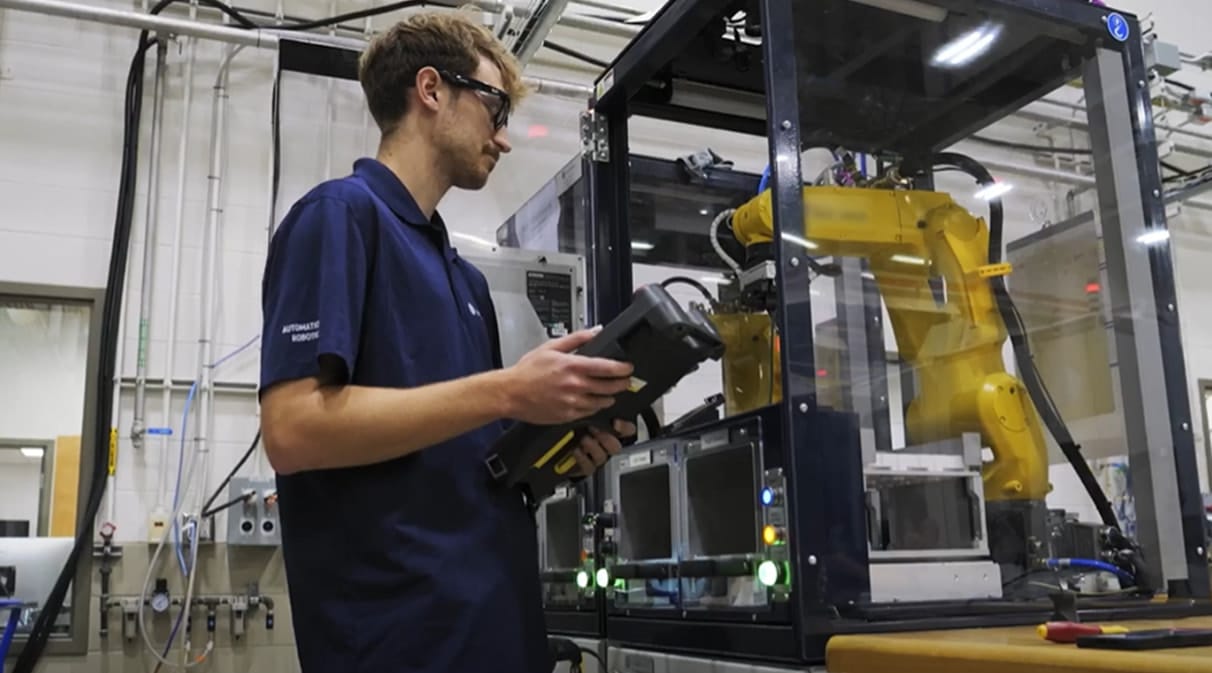
Rockwell Automation: Rockwell Automation uses PTC’s Vuforia Chalk to support remote collaboration between field technicians and experts. Through a shared live camera view, experts can mark up the technician’s screen to highlight specific components and show where to inspect or repair equipment.
Use Case 3. Remote Collaboration and Design Reviews
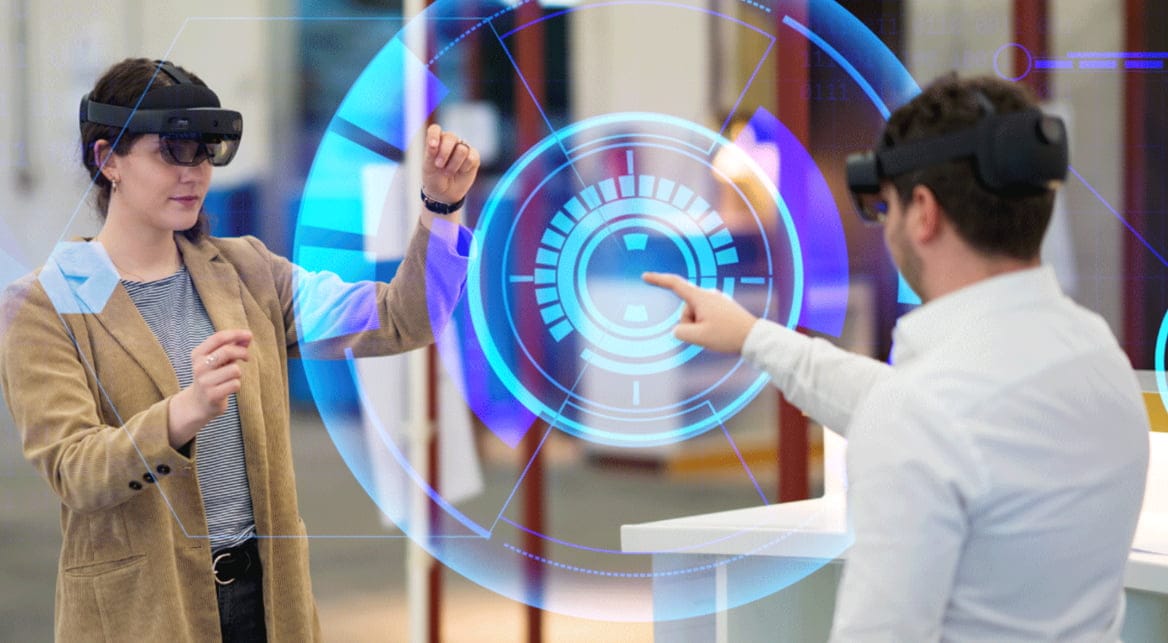
AR video conferencing makes remote meetings more visual and interactive. Instead of relying only on slides and verbal explanations, teams can discuss 3D models, physical objects, and design concepts together. For example, sales teams can present 3D product models to clients, while engineers can review prototypes and discuss structural issues.
Example:
R&M Group: R&M Group, a shipbuilding company, uses augmented reality to review 3D ship interior designs. Teams can view digital models at full scale and examine layouts before construction. This visual approach makes it easier to discuss design details, identify potential issues, and coordinate changes across teams without relying solely on drawings or screen-based models.
Create WebAR Experiences for Your Business with Kivicube
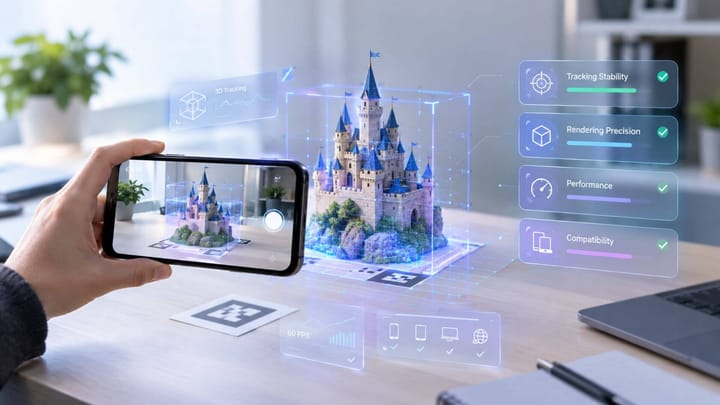
For brands seeking ways to improve brand awareness and boost sales, Kivicube can be a reliable partner to add AR to business campaigns. This web-based AR platform not only helps them to create their own augmented reality business experience in an intuitive drag-and-drop editor, but also offers customizable business AR projects made by an experienced team at a low cost. No dedicated app is required to try the AR experiences generated with this platform.
Main Features:
Extensive AR Asset and Template Library: It offers a range of AR business templates and assets for applications such as AR packaging and corporate training.
Multiple AR Types: It lets users create several types of AR scenes, such as face AR, image AR, and world AR. Whether you require AR filters for virtual product try-ons or wish to develop AR ads, Kivicube provides the relevant services for you.
Advanced AI-Assisted Creation: Various useful tools for AI-powered generation of text/images, videos, and 3D models are provided, making the process of AR scene creation much easier. The AI AR Agent can also optimize existing AR experiences from prompts.
Seamless AR Integration: The generated links and QR codes can be integrated with official websites, e-commerce sites, social media, and other marketing materials for fast implementation.
Tailored AR Projects from Experienced Specialists: The seasoned team will provide end-to-end solutions, right from concept to implementation, including 3D modeling, interaction design, and multi-terminal adaptability.
Data Tracking and Analytics: It provides a data analytics dashboard where the company can track data related to its AR campaign in terms of page views, time spent on the page, clicks, and conversions. Then they can adjust their AR marketing material accordingly.
How to Make a WebAR Experience for Business with Ease
How is augmented reality used in businesses? Follow the steps to learn to create an AR business experience with Kivicube. Here we take AR packaging as an example.
Step 1. Open Kivicube and log in to your account. On the template page, choose an AR packaging template and click “Duplicate”.
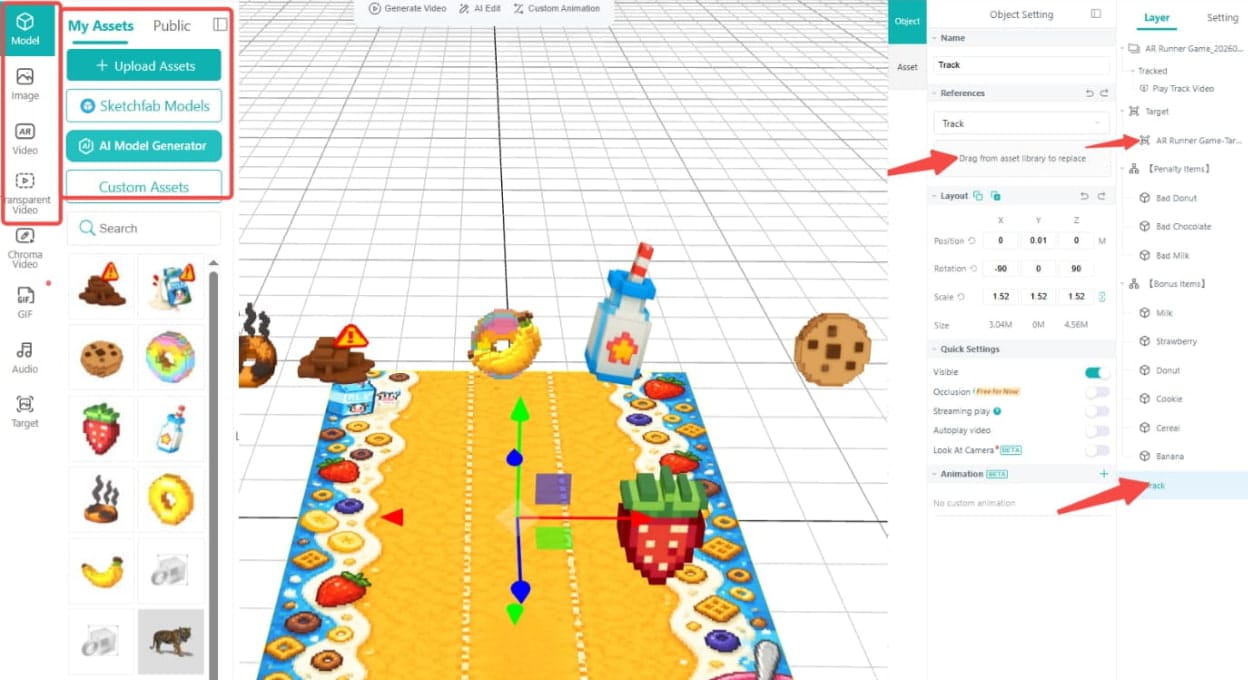
Step 2. In the new interface, upload your own AR business assets. Drag and drop them to replace assets in the template.
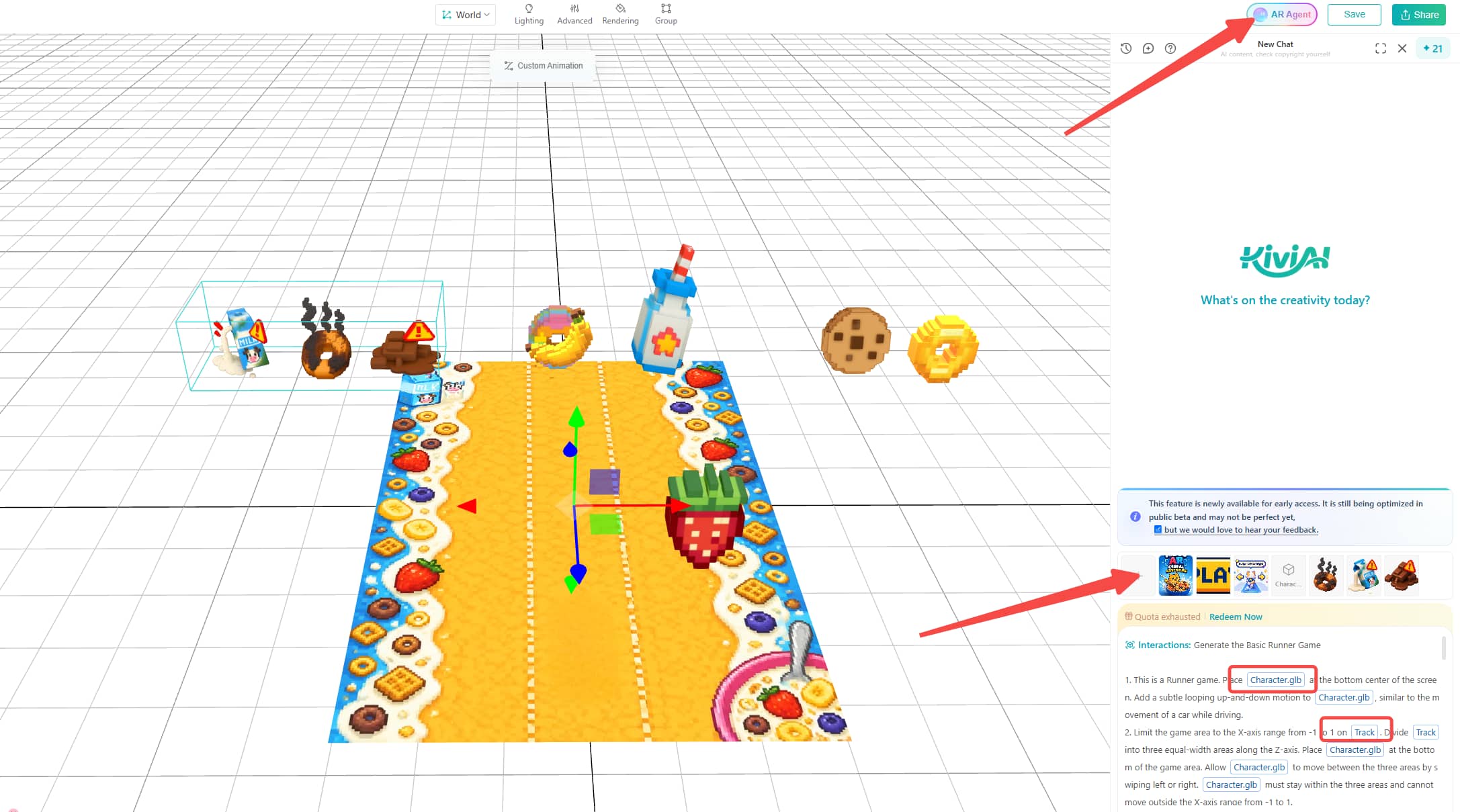
Step 3. Click “AR Agent” in the upper-right corner and adjust the prompts to get your own ideal animations and interactions.
Step 4. Once everything is ready, click “Save” and “Share” to generate a link and QR code for the business AR experience. Then you can share it on your own official website, social media, and other platforms you want.
FAQs about AR in Business
How can small businesses use AR?
Small enterprises can deploy AR in business activities like product showcasing, creating interactive packaging, and running branded marketing campaigns. For example, a retailer can add an interactive AR game to the product package with WebAR platforms like Kivicube.
How much does AR cost for a business?
The cost of AR depends on several factors such as the complexity of the project, the software utilized, 3D assets required, and other factors. A simple WebAR campaign created by Kivicube may require a relatively small budget, while a custom AR campaign with advanced tracking usually costs more.
How can businesses measure the ROI of AR?
Businesses can measure AR ROI by comparing campaign or operational results with implementation costs. Retailers can examine conversion rates, average order value, and product returns. Marketers can track QR-code scans, engagement time, and campaign participation, where these metrics are available. Manufacturers can compare training time, task accuracy, and equipment downtime before and after implementation.
Verdict
Augmented reality gives businesses new ways to present products, engage customers, and support internal operations. This post explains how AR for business works, explores nine use cases, and showcases real-world examples from different industries. It also introduces Kivicube, a WebAR platform that lets businesses create their own AR experiences or work with a specialist team on a customized project.