Augmented Reality Training: Benefits, Use Cases, and How to Create One Without Coding
Augmented reality training overlays digital content onto a real-world environment. Here, we’ll explore it in depth and discover how to make one with ease.
Traditional training often relies on presentations, manuals, on-the-job instruction, and on-site demonstrations, which can be time-consuming and difficult to standardize across employees and locations.
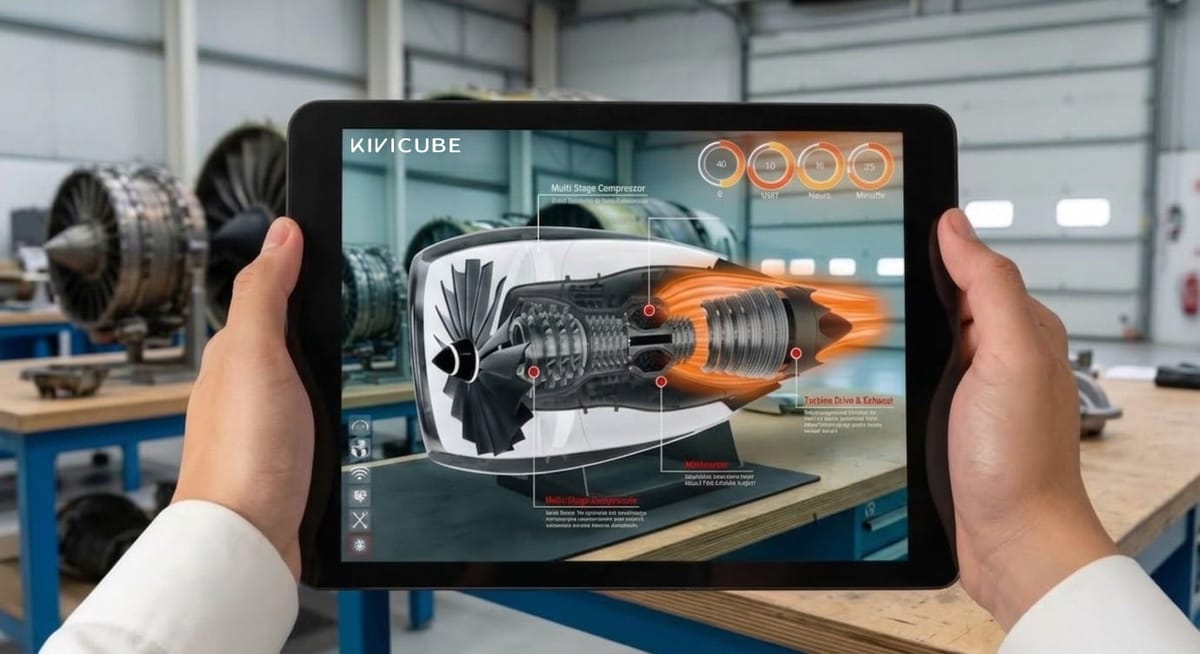
Thanks to augmented reality training solutions, teams can overlay instructions, labels, and other details right on the real devices, making the training more intuitive and easy to understand. According to the study from Springer Nature, operators trained with AR made 72% fewer errors on average than those trained with the traditional paper-based procedure.
In this post, we’ll explore common use cases and real-world examples of augmented reality training, explain how it works, and show you how to create an AR training experience online.
What Is Augmented Reality Training?
AR training uses augmented reality to overlay digital instructions, 3D models, labels, animations, and other visual information onto the physical environment. Employees can interact with the digital content by tapping interactive elements, rotating 3D models, or triggering predefined events.
Unlike traditional training that relies on classrooms, manuals, videos, or guidance from experienced employees, AR training takes a different approach by adding real-time digital interactions to the learning process.
AR training is used across a range of industries, including:
Augmented reality manufacturing training: Equipment operation, assembly, maintenance, and quality inspection.
Augmented reality medical training: Anatomy, medical procedures, and surgical training.
Augmented reality automotive training: Vehicle maintenance, component identification, assembly, and repair.
Augmented reality aerospace training: Aircraft assembly, equipment maintenance, inspection, and technical procedures.
Augmented reality construction training: Equipment operation, installation, safety procedures, and site training.
Augmented reality field service training: Equipment repair, troubleshooting, maintenance, and remote technical support.
How Does Augmented Reality Training Work?
The AR training process typically follows 5 steps:
- Detect the physical environment: The device (mobile phone, tablet, or smart glasses) detects the space around it.
- Identify the target objects: The AR system identifies the surface, image, object, or equipment that the training content should be anchored to.
- Position digital information: The system displays digital instructions, labels, 3D models, and animations on the target objects.
- Follow the AR instructions: Interact with digital content while performing the task.
- Complete the training task: Perform the task using the AR guidance and complete any required checks or assessments.
Why Use Augmented Reality for Training?
Compared with traditional training methods, AR-based training offers several practical advantages.
➤ Learn in the Real Working Environment
AR training can overlay training information directly onto the real working environment, enabling employees to practise on the equipment they will work with.
➤ Make Complex Procedures Easier to Understand
Instead of relying on texts or 2D images that cannot clearly show the real operations, AR can make abstract or complicated information easier to understand by presenting it in the context of the physical task. With digital content (3D models, animations, visual cues, and step-by-step overlays) combined with the physical environment, employees can see how components fit together and follow each procedure in context.
➤ Practice Procedures Through Interactive Learning
Rather than simply presenting operational instructions, AR training allows employees to follow digital guidance while performing the task and interacting with the AR content.
➤ Provide Consistent Training Guidance
Different instructors may explain the same procedure differently or leave out certain instructions. AR training can deliver pre-designed digital instructions, visual cues, and procedures in the same sequence each time, helping provide more consistent guidance across training sessions.
➤ Simulate Risky or Infrequent Situations
Some training scenarios are costly, difficult to recreate, and too risky to practice in real conditions. AR employee training helps address these challenges by adding simulated scenarios to the physical environment.
Read more about AR manufacturing here:
 Bella
Bella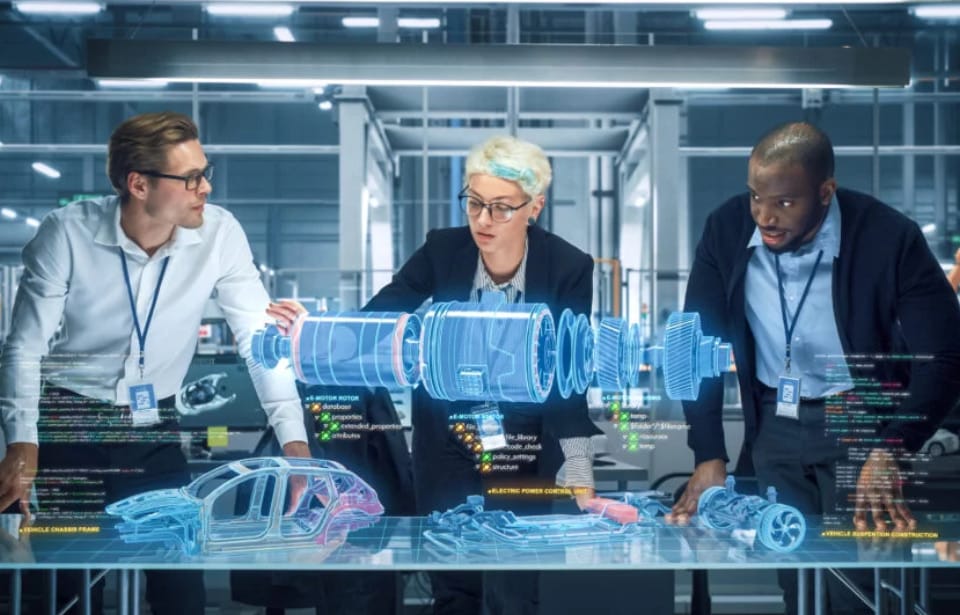
Common Use Cases of Augmented Reality in Corporate Training
Below are several common AR training use cases.
1. Onboarding Training
AR onboarding is used to familiarize new employees with the work environment, tools, and protocols. It can provide step-by-step guidance for routine tasks during the onboarding process.
2. Product Knowledge Training
For employees who need to understand complex products, components, or features, augmented reality employee training combines digital information with the physical product.
3. Safety Training
Safety information in digital form can be posted right in the workplace. Employees can learn how to identify hazards and follow safety protocols through simulated scenarios.
4. Remote Assistance and On-the-Job Guidance
In AR-based remote assistance systems, an expert can view a worker’s environment and provide visual guidance directly on the equipment.
5. Upskilling and Refresher Training
AR training helps employees acquire new skills and update their existing knowledge. Instructions can be overlaid onto familiar equipment and workflows, allowing employees to review procedures while performing the task.
Real-World Examples of Augmented Reality Training
Businesses are increasingly exploring augmented reality as a way to provide more contextual and interactive employee training. Read on and see how AR training works across different fields.
- U.S. Army Bradley Fighting Vehicle Maintenance
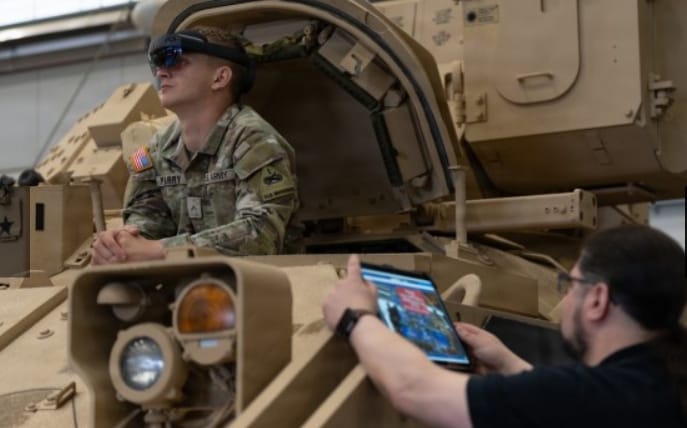
The U.S. Army has tested AR tools for maintaining Bradley Fighting Vehicles at Fort Bliss. The system overlays technical information onto the vehicle. Maintainers can follow step-by-step instructions while working on the equipment and access relevant information without switching between the vehicle and separate manuals.
- Stanford Remote AR Medical Training
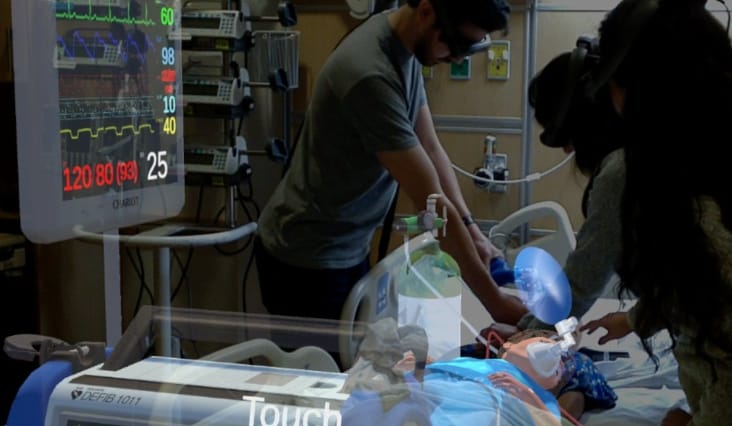
Stanford researchers used AR to deliver remote medical training to clinicians in Chile and Brazil. Trainees can view holographic patients and vital signs with AR headsets while working through clinical scenarios with Stanford instructors.
Explore more augmented reality medical examples in the post below:
Bella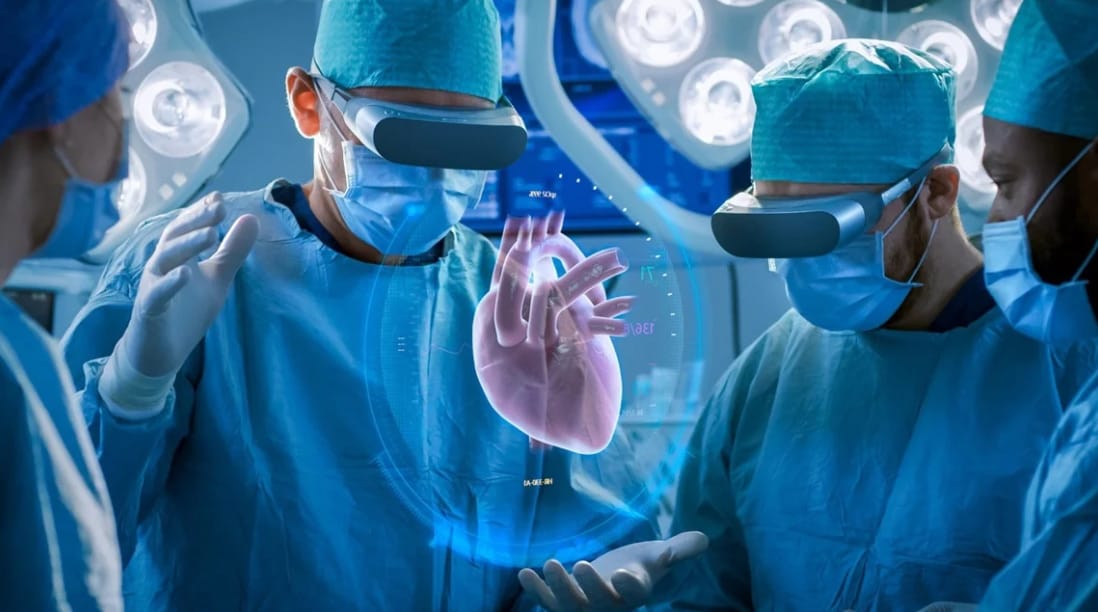
- Nascote Industries Automotive Manufacturing AR Training
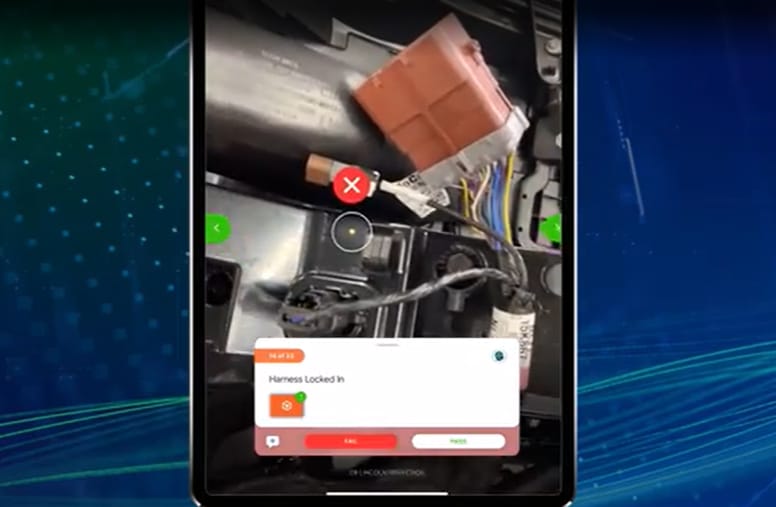
Nascote Industries, a division of Magna International, applies AR work instructions to train employees on complex automotive assembly processes. Workers can follow step-by-step instructions with videos, images, diagrams, and location-aware guidance on an iPad or AR headset.
- Volvo AR Engine Quality Training
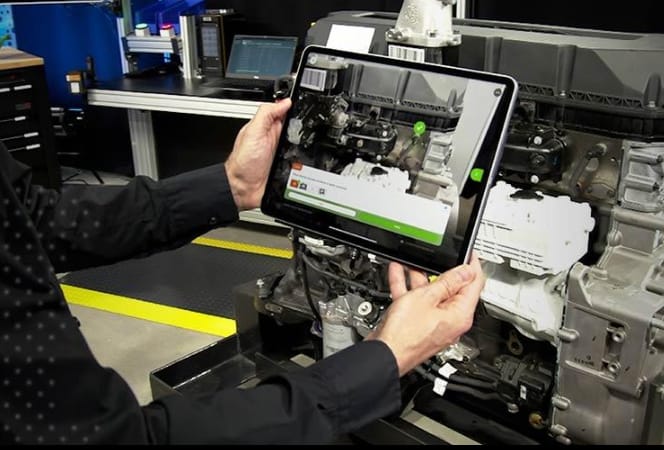
Volvo Group uses Vuforia to overlay 3D data and quality-assurance information onto physical engines, helping operators access current configurations during inspection and training. PTC reports that Volvo achieved a 60% reduction in training time and saved thousands of euros per station per year.
- Philips AR Product Training for Retail Staff
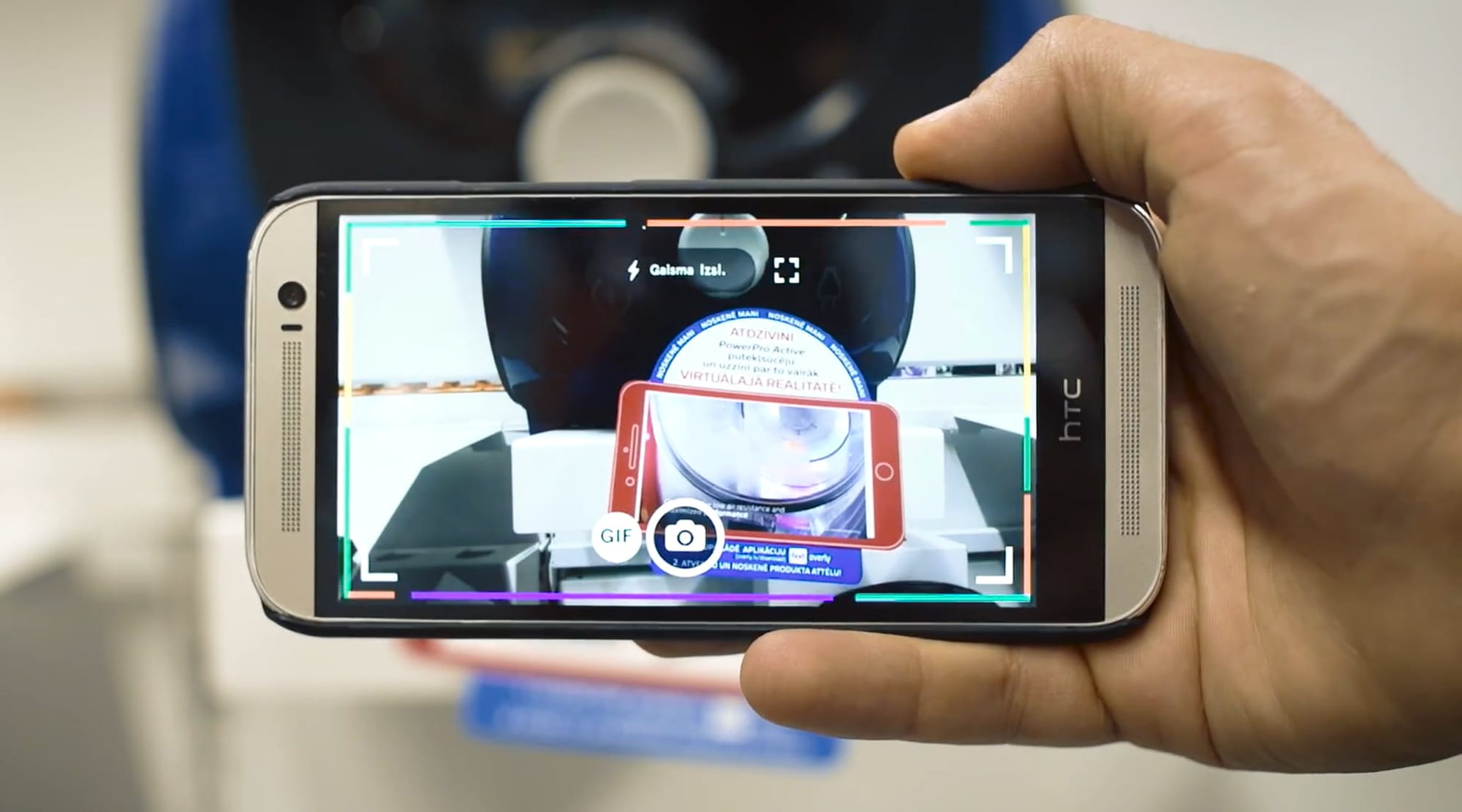
Philips used mobile AR in an Euronics store in Riga, Latvia, where AR-enabled cards were placed next to 67 Philips products. When sales staff scanned the cards, they could access videos and product information. The same AR experience was also available to customers.
How to Create Your Own Augmented Reality Training Experience
While businesses can benefit from augmented reality, AR training scene creation may be challenging for teams without dedicated AR resources. Kivicube is a cost-effective WebAR creation platform that allows users to create AR training experiences themselves or customize projects to meet their specific needs.
Key Features:
No-Code Visual Editor: With an intuitive drag-and-drop editor, users can create AR training scenes without coding skills.
Visualize Complex Equipment in 3D: The high-precision rendering engine helps display complex devices, machine components, and construction details clearly within the AR training experience.
Extensive AR Template and Asset Library: A library of pre-designed AR templates and assets across industries like manuafacturing and medical, enabling users build training experiences more quickly.
Make Training More Hands-On: Multiple animation and interaction options can be selected and added to the AR scene, enabling trainees to really interact with the digital content. The AI AR agent can quickly generate highly interactive AR projects, such as AR games, from prompts.
Stable and Accurate AR Tracking: The powerful real-time AR tracking algorithm keeps digital instructions aligned with real-world objects for a more consistent training experience.
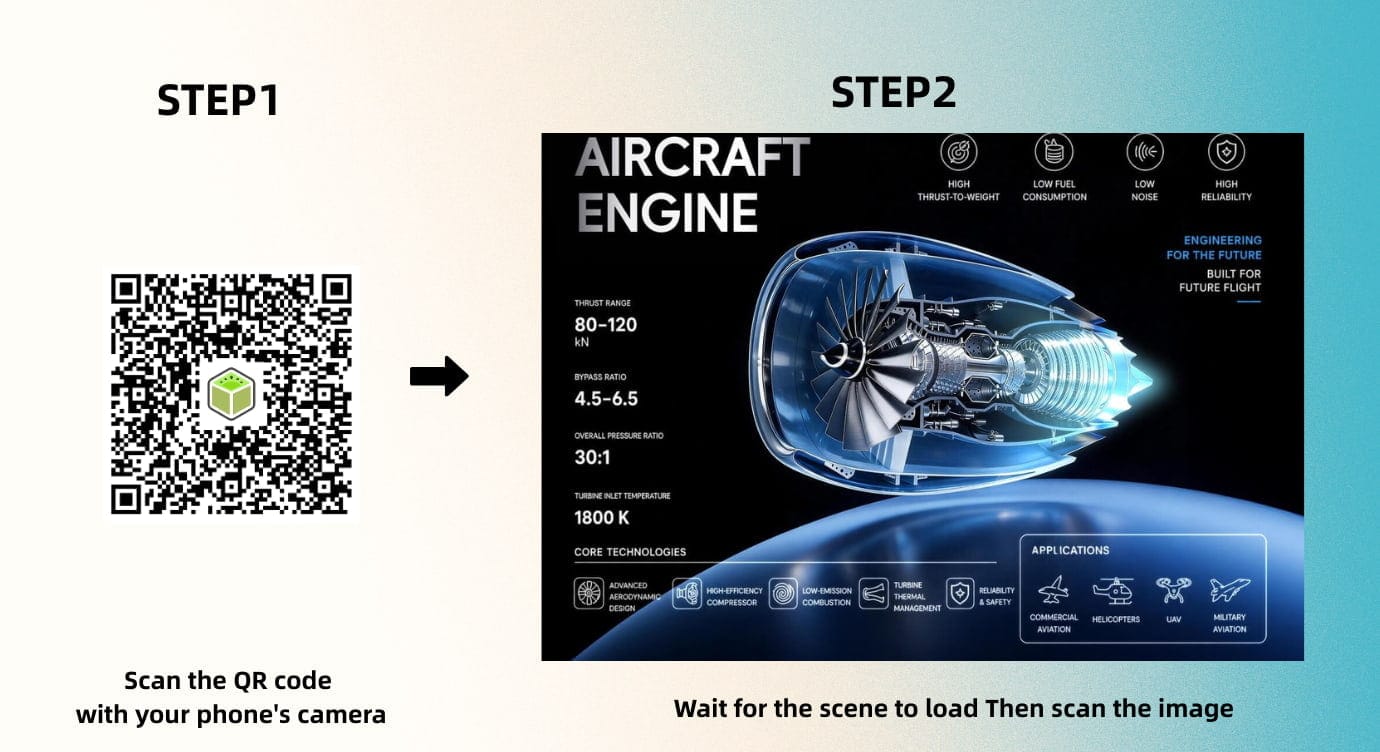
Easy Access to Training: Trainees can scan a QR code with their phones to access the training content directly in a web browser, with no app download required.
Custom AR Development Services: Kivicube also offers custom AR development services for businesses that need support creating tailored training experiences.
Simple Steps to Create an AR Training Experience with Kivicube
How does Kivicube work for AR creation? Follow the simple steps below:
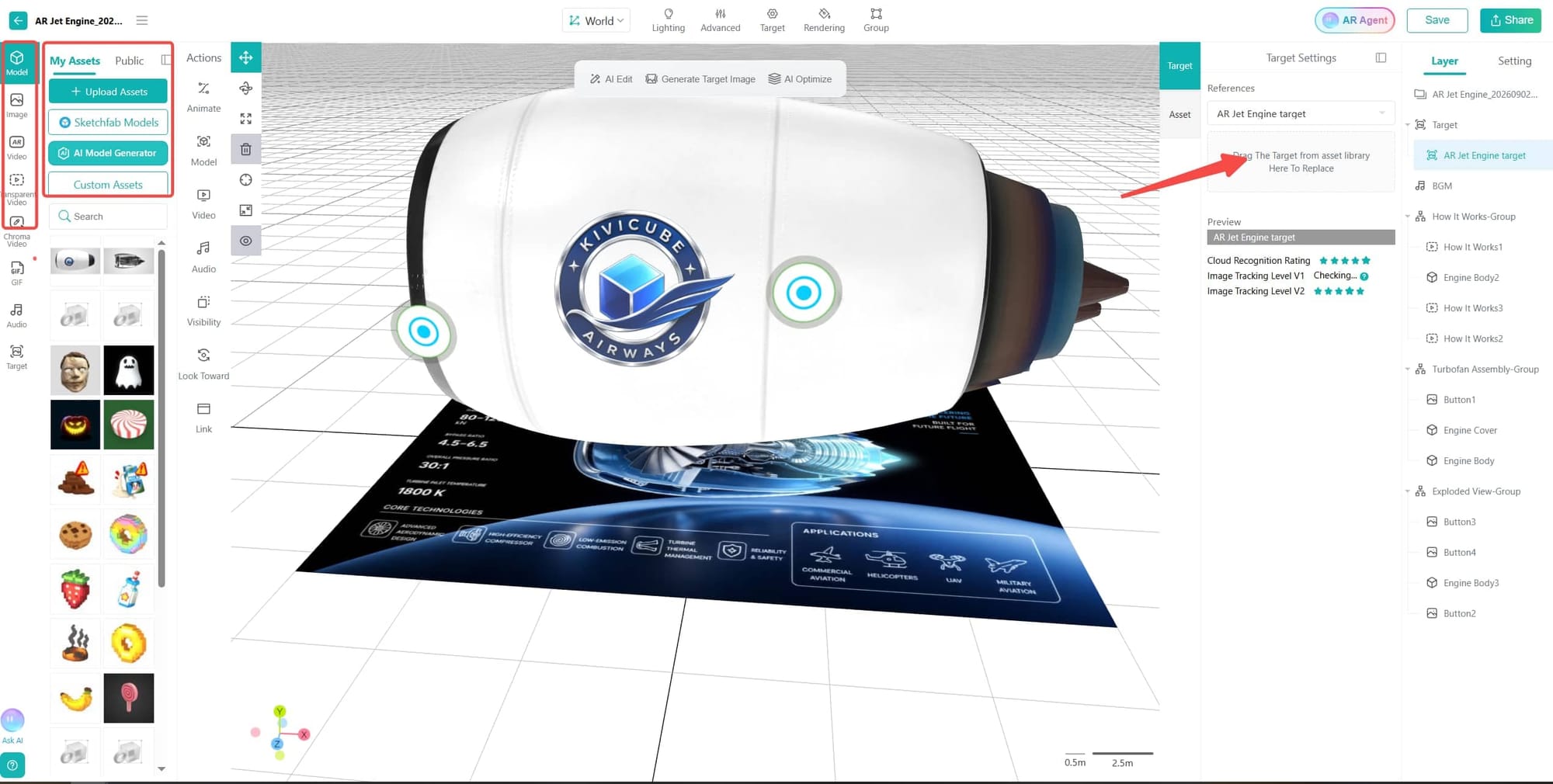
Step 1. Open Kivicube and log in. Select a pre-designed AR template and click “Duplicate”.
Step 2. Upload the required assets, then drag and drop them into the template to replace the existing assets.
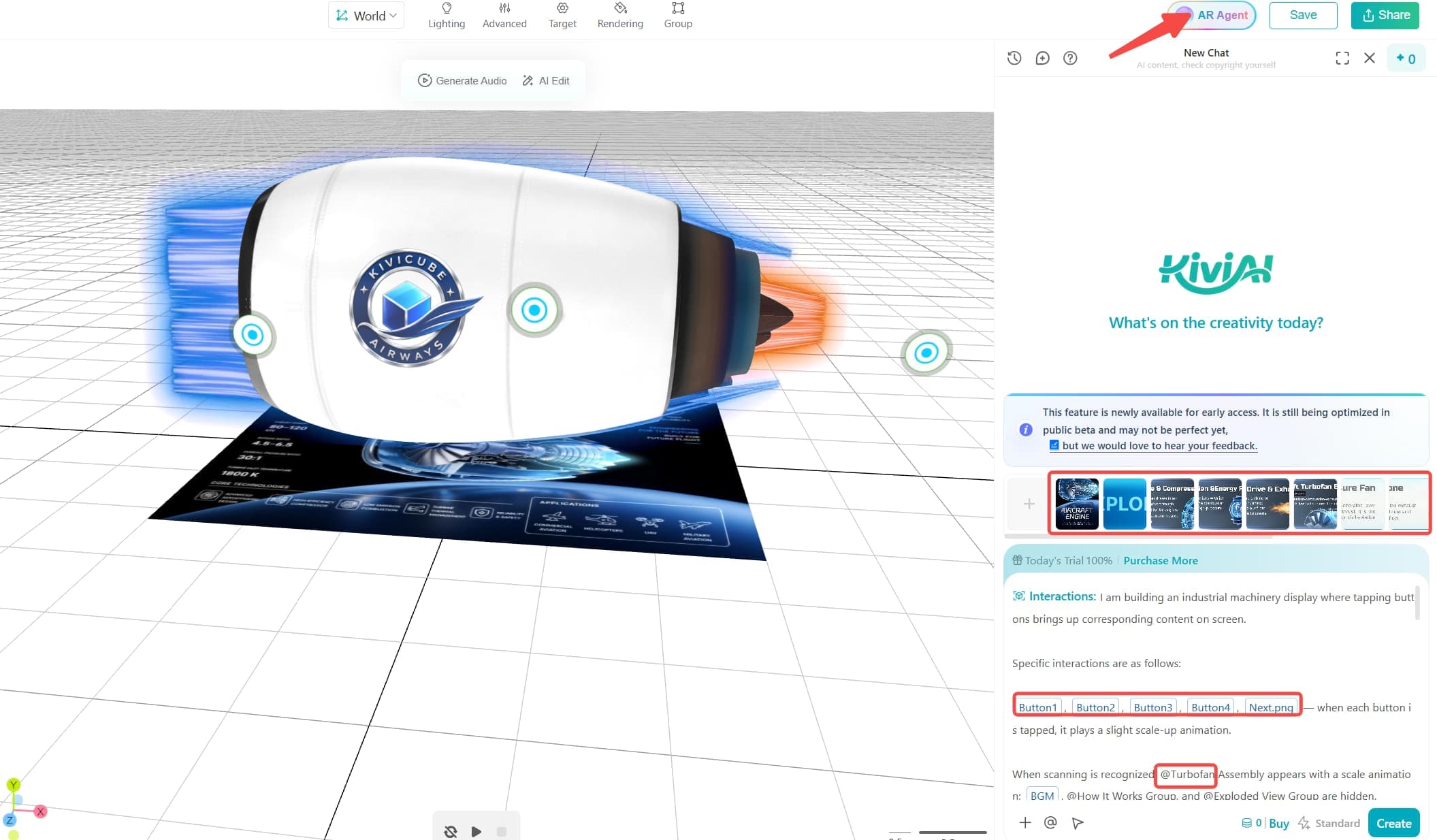
Step 3. Use prompts in the AI AR Agent to adjust animations, interactions, and other scene behaviors.
Step 4. When everything is ready, click “Save” and “Share” to generate a QR code for the AR training scene. You can easily share it across platforms and sites.
Final Words
Augmented reality training introduces a new way for employees to learn and practice tasks. Instead of relying solely on manuals or 2D images, employees can interact with digital instructions while practicing tasks in a physical environment. Web-based AR creation platforms like Kivicube can make these experiences more accessible to teams without specialized coding skills. Ready to create an AR training experience? Explore Kivicube and start building your own scene without coding.
FAQs about Augmented Reality Training
How much does augmented reality training cost?
The cost of AR training depends on the technology used, the content delivered, the devices used, and the number of workers trained. A simple smartphone-based AR experience can require less hardware than a solution built for specialized AR headsets. Existing 3D models and training materials can also affect development costs.
Can employees use AR training on a smartphone?
Yes. AR training does not necessarily require an AR headset. For certain applications, AR experiences can be accessed through smartphones and tablets. Some WebAR experiences can even be run directly in a web browser without needing any dedicated app.
What is the difference between AR training and VR training?
AR training adds digital content to the physical environment, so employees can see both the real world and virtual elements. VR training places users in a fully virtual environment and typically requires a VR headset. AR can be particularly suitable for training that involves real equipment, tools, or workplace environments.