Augmented Reality in Manufacturing: Use Cases, Examples and How-To Tutorial
Using augmented reality in manufacturing can help bridge the skills gap and improve work efficiency. Explore AR use cases, benefits, examples, and a WebAR solution.
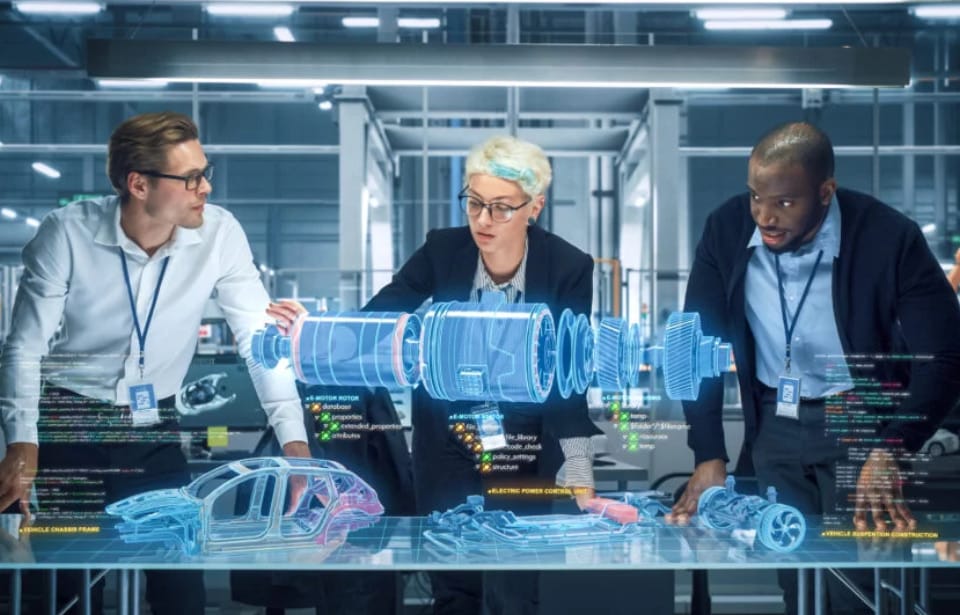
As manufacturing becomes increasingly complex and competitive, traditional paper-based materials may no longer meet the needs of modern production environments. To bridge the skill gap and improve work efficiency, businesses are applying augmented reality in manufacturing. AR is increasingly being used in manufacturing to support tasks such as assembly, maintenance, inspection, and workforce training.
A 2024 meta-analysis of 14 industrial studies in MDPI found a significant positive effect of AR on industrial assistance and training, with an overall standardized mean difference of 0.79 (95% CI: 0.60–0.98).
What is Augmented Reality in Manufacturing?
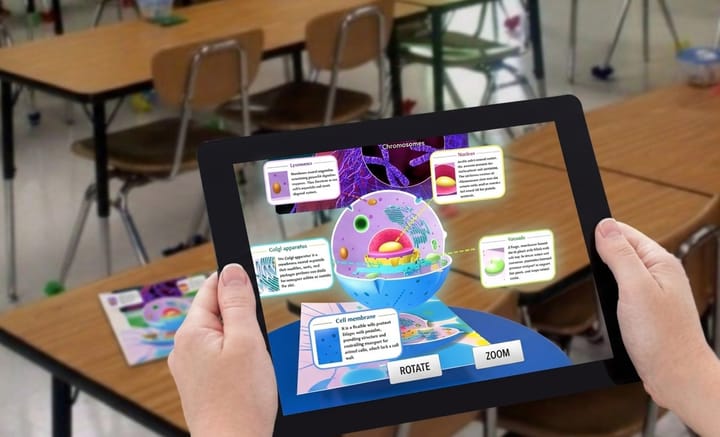
AR in manufacturing refers to the use of digital information, 3D models, and interactive content within physical manufacturing environments. By using devices such as smartphones and smart glasses, workers can better understand manufacturing-related information and knowledge presented in interactive AR manufacturing scenes.
How Is Augmented Reality Used in Manufacturing?
Augmented reality can support a wide range of manufacturing tasks, from assembly and maintenance to training and quality inspection. Here are 7 use cases of augmented reality in manufacturing.
1. AR Assembly & Digital Work Instructions
AR overlays 3D models, assembly steps, arrows, and labels onto physical components, helping workers identify parts and follow instructions accurately. This can reduce assembly errors and simplify complex procedures.
2. Equipment Maintenance & Repair
Complex equipment becomes easier to inspect and repair with AR overlays showing component details, 3D models, fault locations, and step-by-step instructions. Technicians can access maintenance information directly on the equipment, making troubleshooting and repair procedures more intuitive and reducing the need to consult separate manuals.
3. Quality Inspection
Digital models, product specifications, and inspection criteria can be overlaid onto physical products, making deviations easier to identify. Inspectors can compare virtual references with actual components in real time, supporting faster detection of defects and helping ensure products meet required quality standards.
4. Training & Upskilling
AR provides employees with hands-on training in a simulated or real-world environment. Instead of relying solely on conventional manuals, workers can view step-by-step instructions and visual cues while performing tasks.
5. Remote Assistance
AR remote assistance allows experts to see a technician’s field of view and provide real-time guidance. Visual annotations, such as arrows and labels, can help technicians identify components and complete maintenance or repair tasks without requiring an expert to be physically present.
6. Design & Prototyping
3D product models can be viewed at full scale in real-world environments, giving engineers a clearer perspective during design reviews and prototype validation. AR makes it easier to examine dimensions, proportions, and component placement before physical prototypes enter production.
7. Safety Procedures
Safety information, such as hazard areas, operating instructions, and emergency procedures, can be displayed directly in the worker’s field of view. These visual guides can serve as reminders of safety procedures when workers operate dangerous machinery, handle hazardous substances, or enter restricted areas.
Real-World Augmented Reality in Manufacturing Examples
Beyond these use cases, AR is already being applied in real-world manufacturing environments. From AR assembly to guidance, the cooperation between AR and manufacturing has made it valuable.
- Boeing AR-Assisted Aircraft Assembly
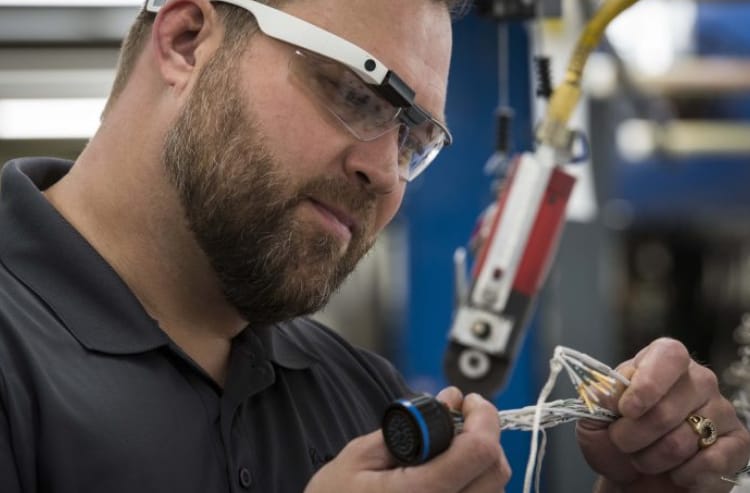
Boeing has explored AR glasses to provide technicians with digital instructions while assembling aircraft wiring. Instead of constantly checking paper manuals or computer screens, workers can view wiring diagrams and instructions directly in their field of view. A peer-reviewed MDPI study reported a 25% reduction in assembly time in an AR-assisted aircraft wiring context.
- AR Jet Engine
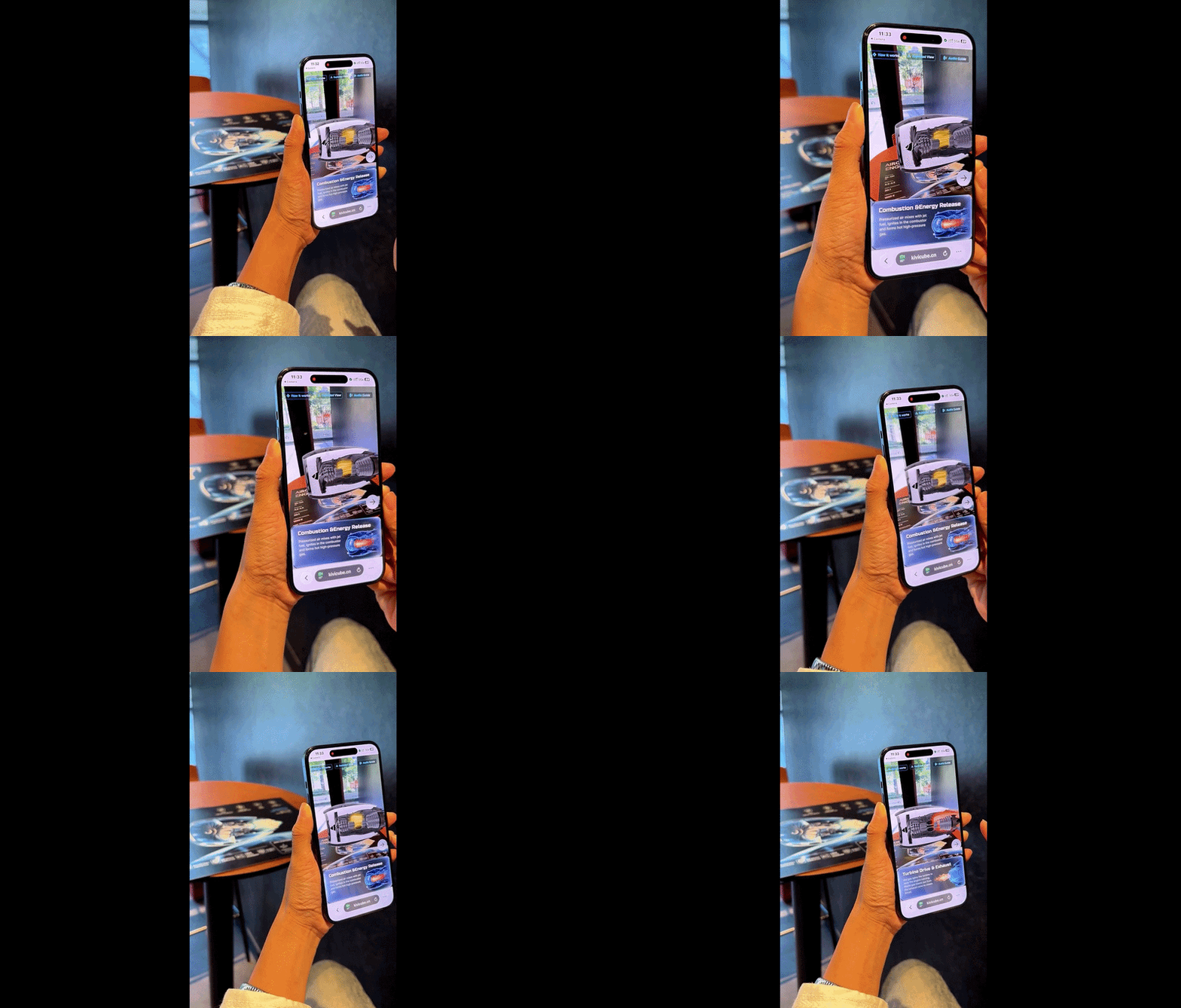
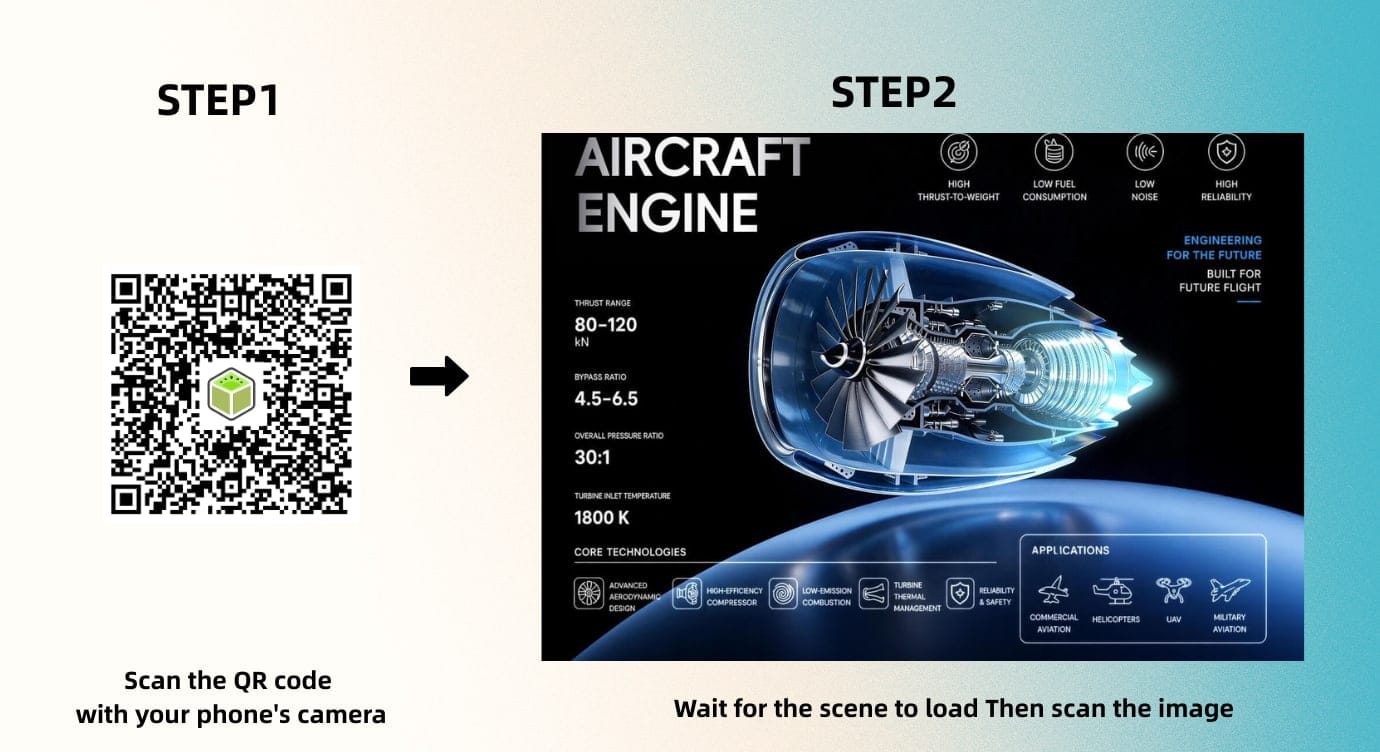
Kivicube has created an AR jet engine experience that presents detailed information about the engine and its assembly process. After scanning the target image and tapping the interactive hotspots, anyone can clearly see the components, inner design, and assembly process without downloading an app.
- Airbus AR Quality Inspection
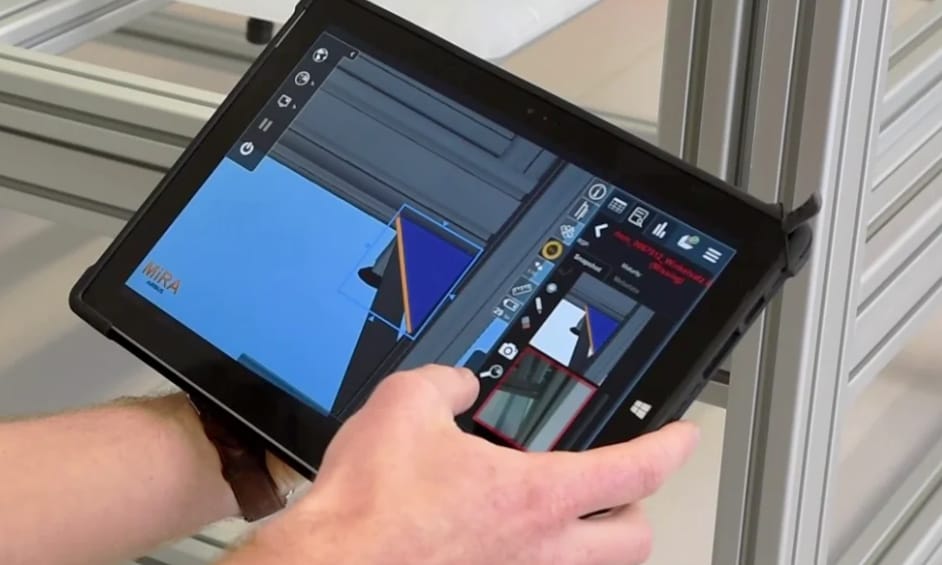
Airbus supports aircraft inspection and quality control by overlaying 3D digital models onto real aircraft structures with the MiRA. Airbus reported that its MiRA system reduced the inspection time for 60,000 A380 fuselage brackets from three weeks to three days. The system also supports faster detection of non-conformities and follow-up repairs.
- Magna International AR Training & Quality Control
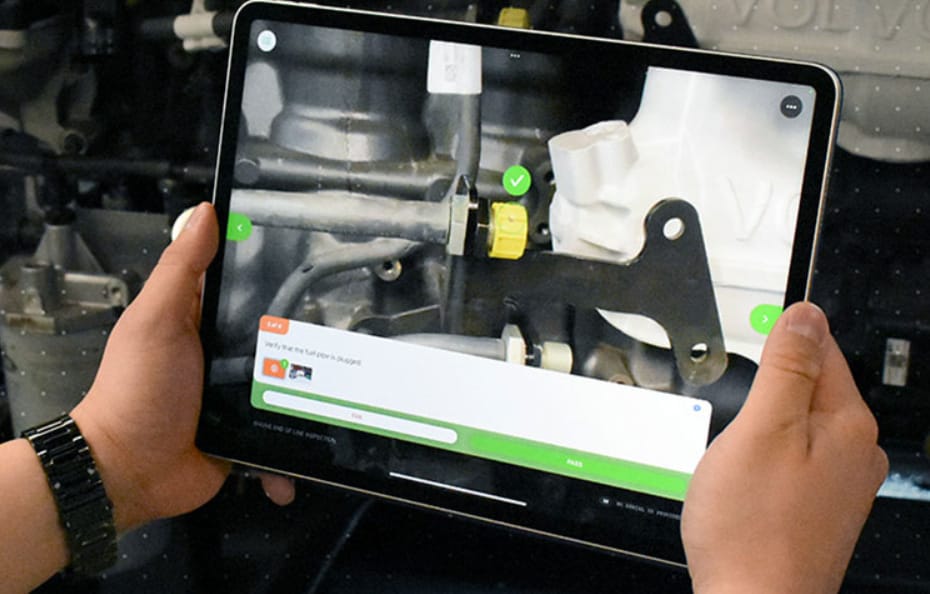
Nascote Industries, a division of Magna International, adopted Vuforia Expert Capture to accelerate new-hire training and improve quality inspection. AR work instructions provide visual guidance for complex assembly procedures, while AI-powered Step Check identifies minor defects during inspections, reducing scrap, rework, and other production inefficiencies.
- Henkel AR Remote Assistance
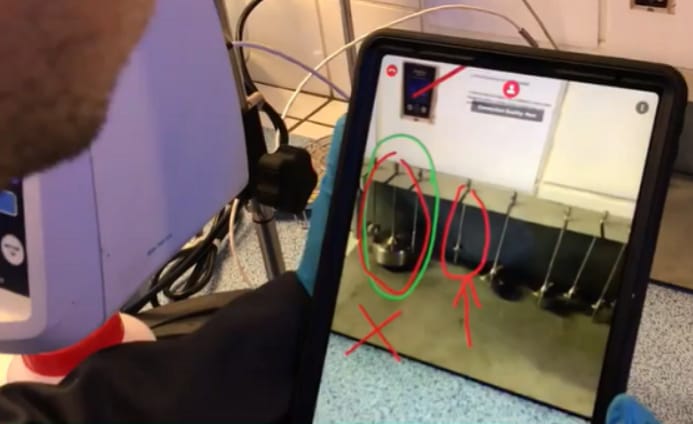
Henkel deployed Vuforia Chalk across more than 30 plants to connect production teams with remote experts. Through live video and AR annotations, experts could guide technicians through maintenance and troubleshooting procedures. Within six months, more than 200 employees adopted the solution, improving knowledge transfer while reducing travel costs and time.
A Powerful WebAR Platform to Create Manufacturing AR Scenes
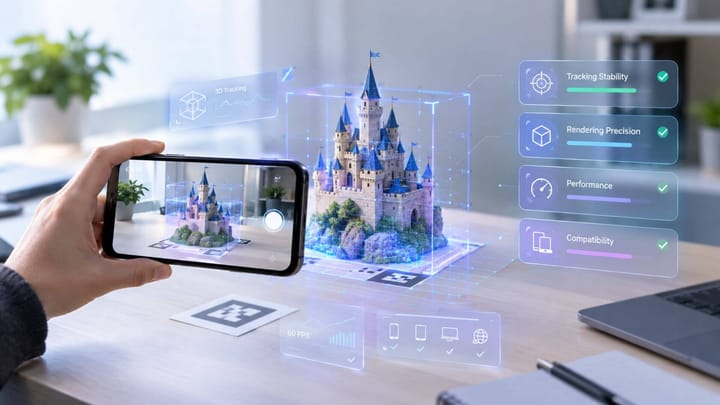
For manufacturers looking to create accessible AR experiences, Kivicube provides a browser-based WebAR solution that does not require users to download a dedicated app. Its drag-and-drop editor allows teams to build interactive AR scenes without extensive coding experience. With the pre-designed AR manufacturing templates, everyone can create an AR scene in a short time.
Why Kivicube:
Realistic 3D Presentation: High-quality 3D rendering helps present devices and component details clearly, making complex equipment and operating procedures easier to understand.
Hands-Free AR Experience: WebAR manufacturing scenes created with it can be experienced directly through supported AR glasses, keeping users’ hands free to interact with digital manufacturing content.
AI-Powered AR Creation: Kivi AI can turn images, such as photos of equipment, into 3D models that will be automatically stored in the local asset library. In addition, there’s an AI AR Agent to optimize your current manufacturing AR scenes from prompts.
Stable and Precise AR Tracking Algorithm: The powerful real-time AR tracking can quickly and precisely recognize the real physical environment, ensuring a more stable AR experience. Whether it’s learning a user manual or checking a device in real time, the tool can improve working efficiency.
Fast Deployment: Web-based AR scenes can be deployed quickly and accessed across supported devices through a browser, without requiring users to install a dedicated app.
Expert Support for Custom AR Solutions: An experienced team can provide customized AR solutions for manufacturing projects, along with technical and creative support throughout the development process.
How to Use Augmented Reality in Manufacturing?
Using an AR jet engine as an example, here’s a simple step-by-step guide to creating an interactive manufacturing AR experience.
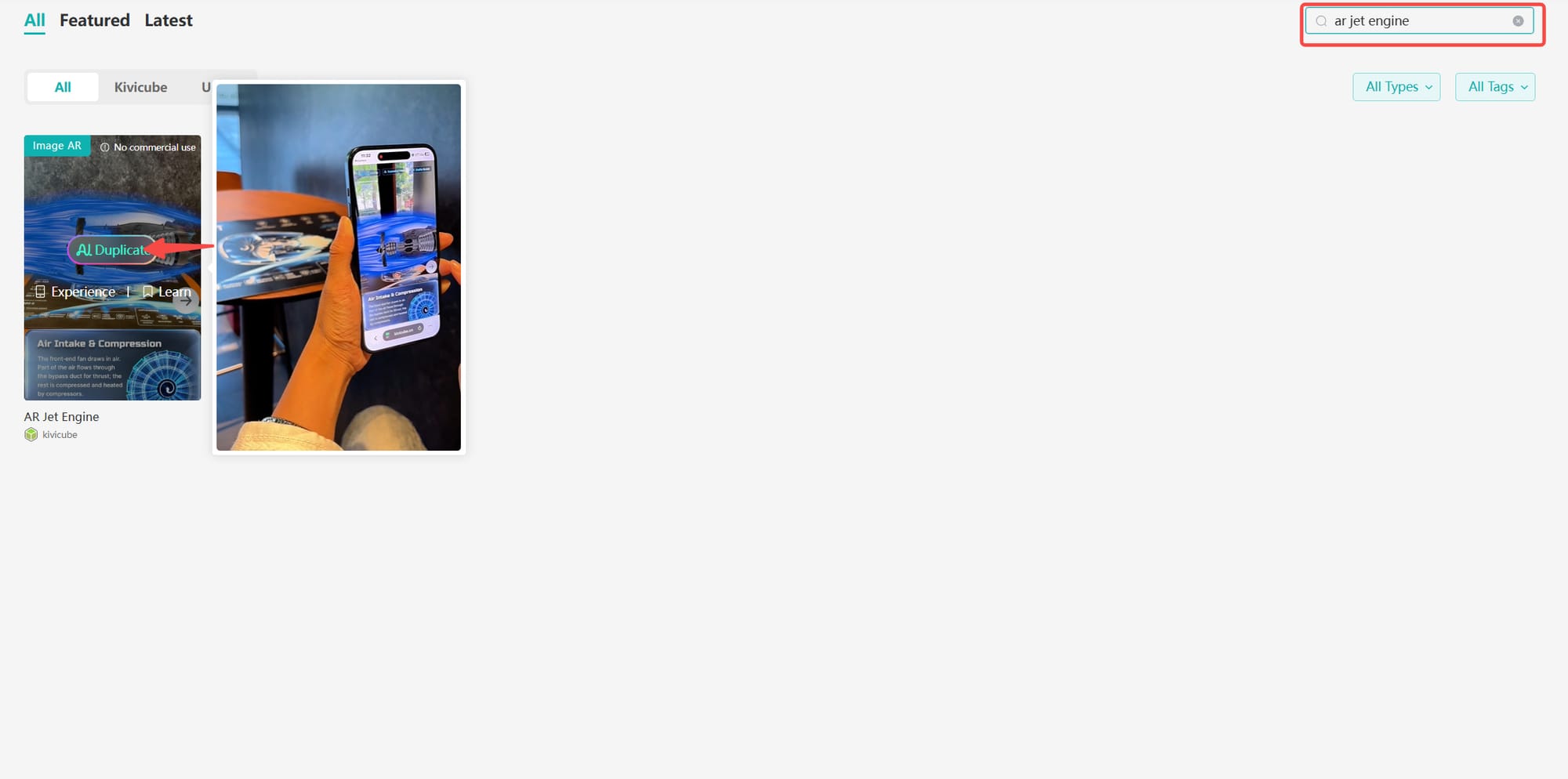
Step 1. Log in to Kivicube, and you can go to the “Templates” page. Enter “AR jet engine” in the search bar and duplicate the AR Jet Engine template.
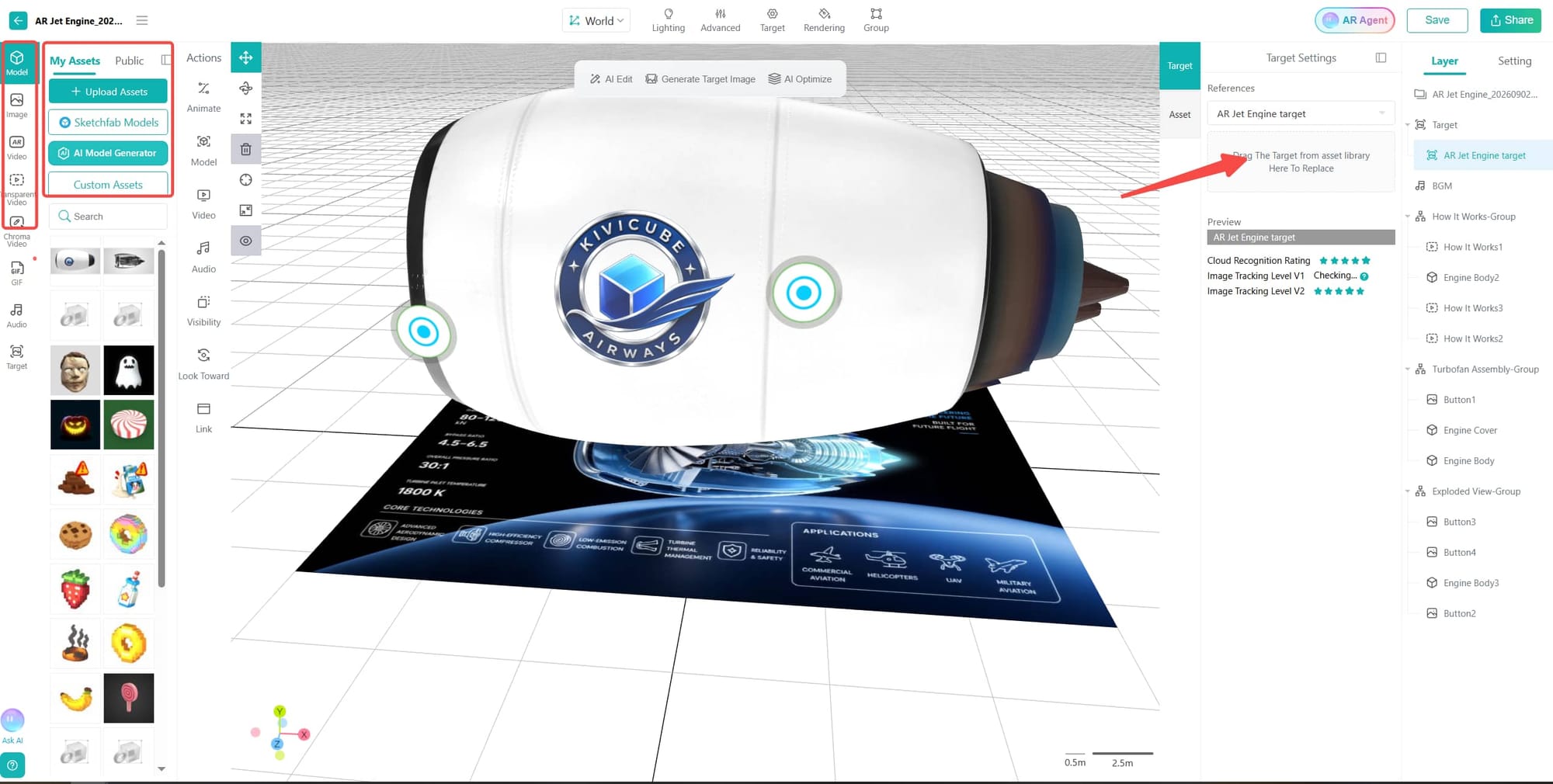
Step 2. Upload your own assets from your devices or generate them with AI, then drag and drop to replace the assets from the right sidebar.
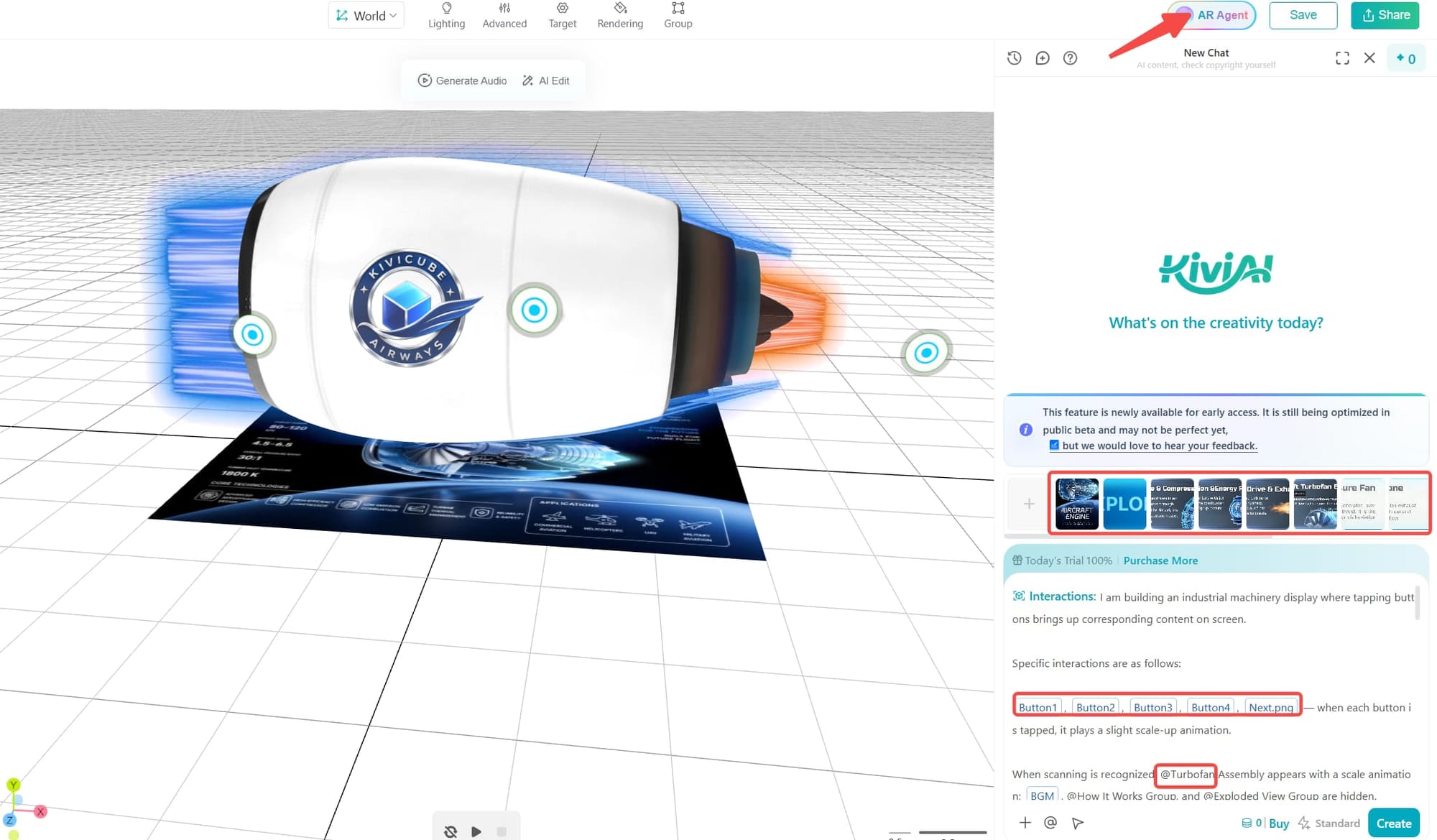
Step 3. Open the AR agent in the top-right corner of the editor, upload the required assets to the AI tool, and remove the unrequired in the original list. Then modify the prompts to adjust the detailed settings.
Step 4. When you have finished creating, save the AR scene and share the QR code across different platforms.
Benefits of Using AR for Manufacturing
AR for manufacturing comes with many benefits. Here are some of the most common benefits.
- Increase Productivity and Operational Efficiency
Through AR technology, manufacturers enable workers to learn complex operating procedures and access visual guidance for equipment maintenance and troubleshooting. It helps improve workforce productivity with real-time instructions. By providing workers with real-time instructions and equipment information, AR can help streamline workflows and reduce unnecessary equipment downtime.
- Reduce Costs and Production Errors
By providing real-time visual guidance and standardized instructions, AR can help manufacturers reduce operational errors, improve resource efficiency, and control production costs.
- Improve Product Quality and Workplace Safety
AR ensures higher product quality and workplace safety by providing standardized procedures, visual guidance, and real-time safety information. Workers can follow precise instructions during production and inspection while receiving warnings about potential hazards or restricted areas. This supports consistent quality control while promoting safer working environments.
- Preserve Knowledge and Support Workforce Collaboration
While competitors rely on traditional, static instructions for sharing expertise and device maintenance, manufacturers using AR can digitize all processes through interactive scenes. Also, information can be delivered through AR work instructions or remote collaboration tools, allowing employees to access expert guidance when needed.
Learn how to turn static instructions into an interactive AR experience:
 summer
FAQs about Augmented Reality in Manufacturing Industry
Q: What device is required for an AR manufacturing experience?
There are three formats that factories usually use: wearable smart glasses and headsets, consumer tablets and smartphones, or projection systems.
Q: What is the difference between AR and VR in manufacturing?
In an AR experience, digital information is overlaid on the real-world surroundings so that people can stay aware of the physical world. In VR, the whole real environment is replaced by a virtual environment. That means that AR is more suitable to use when working directly with factory equipment.
Q: How is AR used on the shop floor?
Assembly Guidance: Shows employees what screws to tighten and in what sequence.
Maintenance & Repair: Marks broken components and presents the torque value needed.
Quality Control: Helps to detect defects by comparing physical parts with the digital 3D blueprint.
Warehouse Logistics: Helps to direct pickers in order to get to the right inventory spots.
Q: Is augmented reality expensive for manufacturing companies?
Depending on the kind of hardware, software, content, integration, and other factors, it can be different. But with a web-based AR platform such as Kivicube, manufacturers can reduce some of the costs associated with AR deployment.
Q: What are the challenges of implementing AR in manufacturing?
Some difficulties include costs, software integration, development of the content, user acceptance, information security issues, technical limitations, tracking requirements, etc.
Final Words
Adopting augmented reality in manufacturing helps make the manufacturing workforce smarter and more effective. With a browser-based WebAR platform such as Kivicube, teams can create and deploy interactive AR experiences without requiring users to install a dedicated app. Stop waiting and start improving employees’ working efficiency with WebAR.