English
Appearance
Image AR refers to the technology that scans 2D flat images in the physical world, such as magazine covers, photos, product packaging and cultural materials.With precise image detection and tracking, it overlays 3D virtual content and interactive effects onto the scanned images in real time, bringing static pictures to life with vivid and dimensional visuals.It is widely used for brand engagement, offline marketing and creative displays.
.BSk3PpOo.png)
Image AR features:
The target image should contain rich details and strong color contrast, and should avoid issues such as glare and color distortion. Click here to view the Image AR recognition image guidelines. For other scenarios, refer to the relevant sections in the user documentation.
Click here to log in to the Kivicube platform. Create a new "Image AR" scene and complete the production using the visual editor.
.DwUuzkhS.png)
Click here to view the video tutorial.
.CNIScmoa.png)
A single Image AR scene supports uploading only one target image, while the Collection feature enables continuous recognition of multiple images, making it easy to support unified AR interactions across multiple assets and scenarios. Click here to view the video tutorial.
.BjS1kVL4.png)
If you require a custom project, click here to add Business WhatsApp for consultation.
Basic AR refers to cloud-based image recognition and matching. By scanning a 2D image, AR content can be placed on the screen (without tracking the target image). This type of AR scene supports recognition of up to 100,000 images and can easily identify real-world visual content such as movie posters and storefront signage. It is widely used in scenarios including brand marketing, in-store interaction, event exhibitions, and educational outreach.
.C0gBe6La.gif)
Gyroscope refers to the use of a mobile device’s gyroscope sensor to enable scene content and interactions. Compared to Basic AR, it provides more dimensional and spatially immersive interactive experiences.
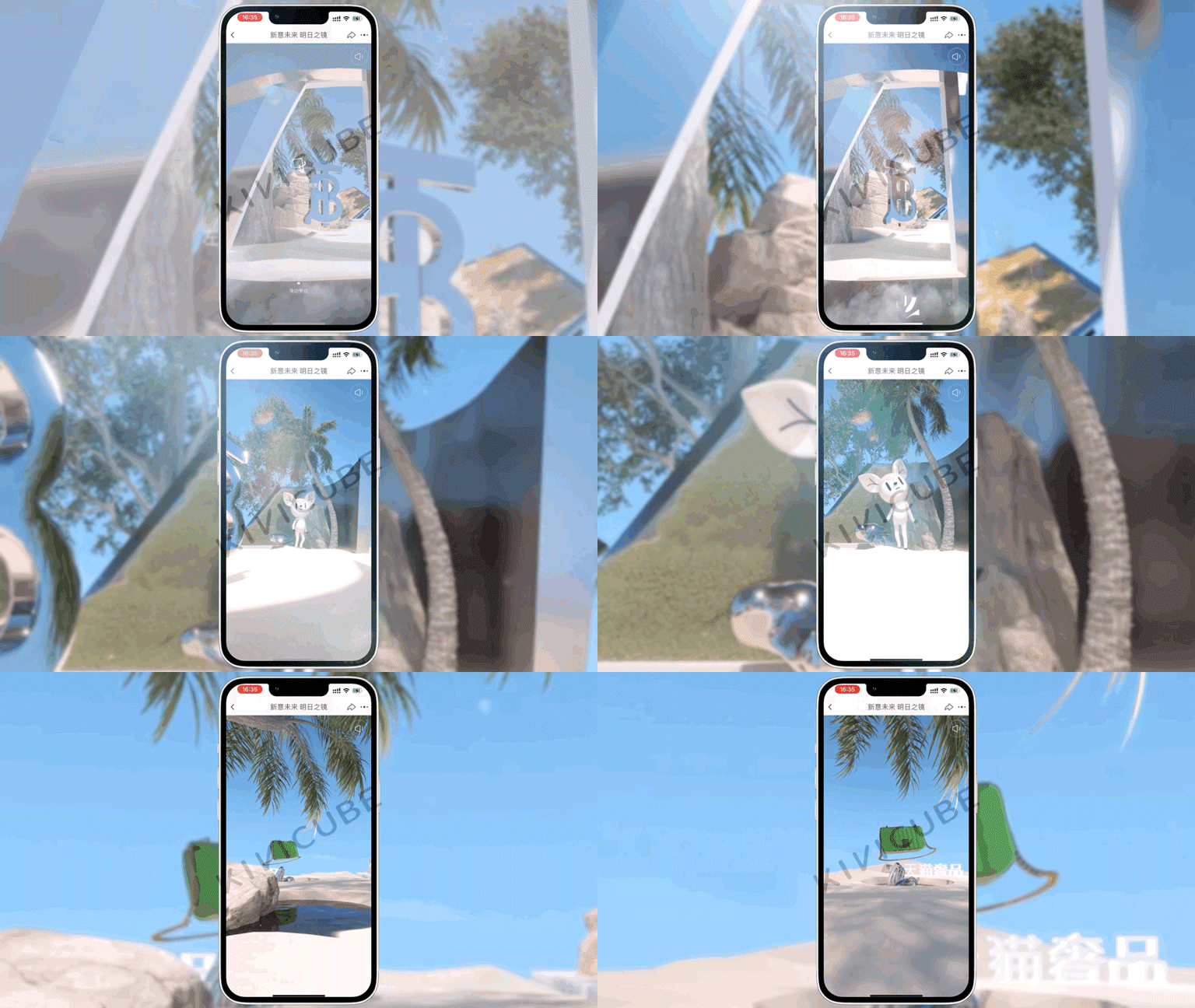
Basic AR/Gyroscope features:
A Basic AR scene allows you to upload multiple target images. For example, for storefront signage, you can upload photos from different angles to enable multi-angle recognition.
All uploaded target images should have rich details and strong color contrast, while avoiding issues such as glare and color distortion. Click here to view the Basic AR target image guidelines; for other scene asset specifications, refer to the relevant sections in the user documentation.
Click here to log in to the Kivicube platform. Create a new "Basic AR/Gyroscope" scene and complete the production using the visual editor.
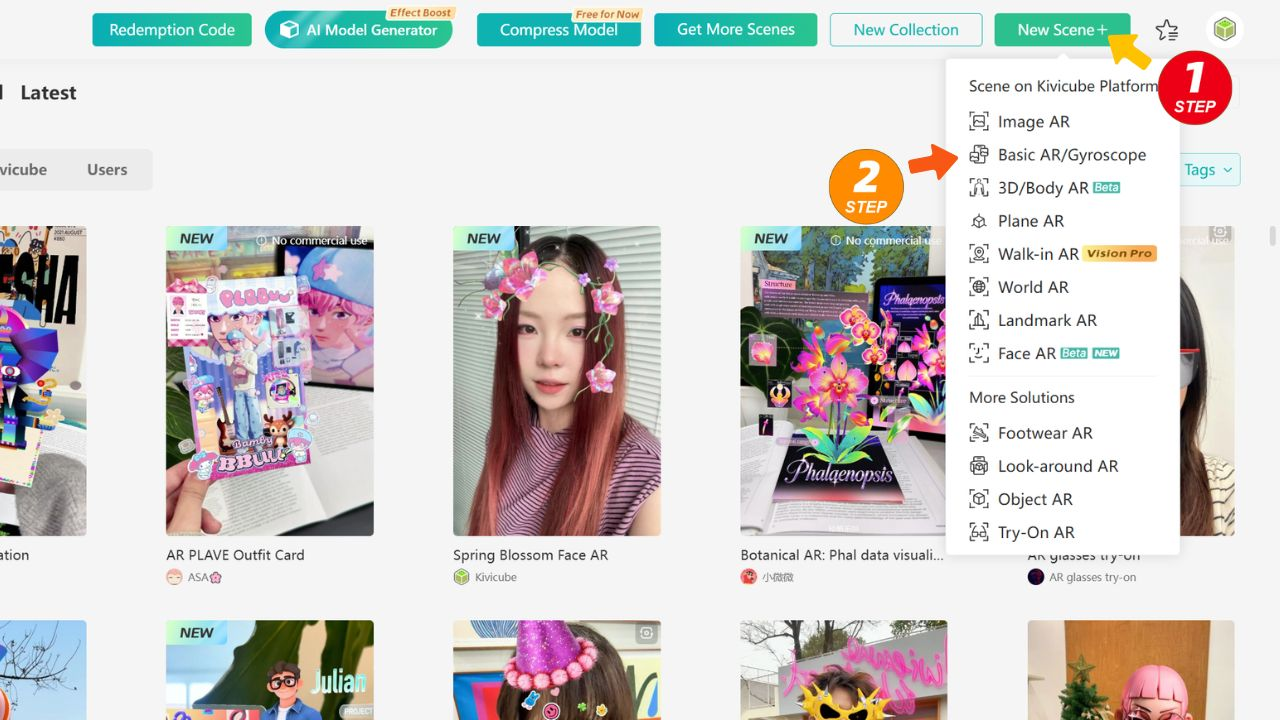
If you require a custom project, click here to add Business WhatsApp for consultation.
Plane AR refers to an AR tracking method that uses any real-world surface as a reference. It supports detecting horizontal (such as floors, tabletops) and placing virtual digital content relative to those surfaces. It is widely used in scenarios such as furniture placement, retail display, mall visual merchandising, cultural tourism guides, and interactive installations.
.D_gbNfwf.png)
Plane AR integrates virtual content with real‑world environments to deliver immersive interactive experiences while introducing an innovative approach to product visualization. Users can preview products in real‑world settings, clearly assess their dimensions and fit, and make more confident and informed purchasing decisions.
.Bjk0a8k6.png)
Plane AR features:
Plane AR doesn't require uploading a target image. You only need to prepare the AR scene assets, then click here to log in to the Kivicube platform and create a new "Plane AR" scene. You can complete the creation using the visual editor.
.Rs--xuYh.png)
Click here to watch the video tutorial and quickly learn how to create a Plane AR scene.
.Cw3C8p1V.png)
If you require a custom project, click here to add Business WhatsApp for consultation.
Walk-in AR is now available for experience on Apple Vision Pro. Click here to learn more.
Walk-in AR refers to scenarios where AR content can be automatically anchored in the real physical environment without the need to recognize a Plane surface, with continuous tracking enabled.
Walk-in AR allows users to step inside virtual content and move around to explore it from any angle. It is widely used in digital marketing, in-store interactions, cultural tourism guides, exhibition displays, and virtual scene creation.
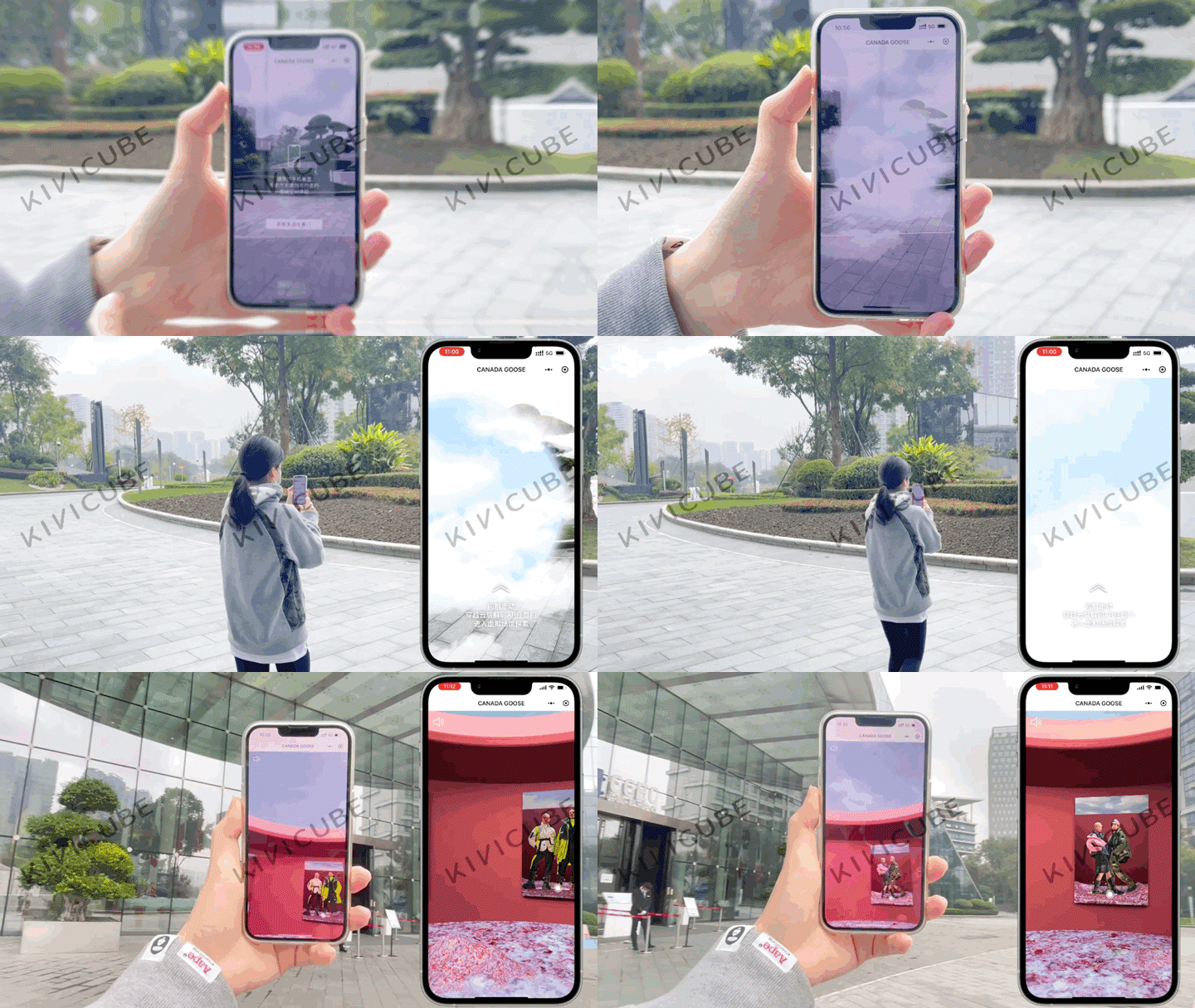
Walk-in AR features:
Click here to log in to the Kivicube platform. Create a new "Walk-in AR" scene and complete the production using the visual editor.
.CdQjQz6i.png)
If you require a custom project, click here to add Business WhatsApp for consultation.
Body AR refers to the scenario that uses the human body as a reference. It accurately identifies and tracks the user's torso in real time, and is widely applicable to digital fashion displays, fun body filters, virtual avatar creation, branded digital fashion shows, and social short video creation.
.BMLWvNR5.png)
Body AR features:
Click here to log in to the Kivicube platform. Create a new "Body AR" scene and complete the production using the visual editor.
.CUgxnprv.png)
Click here to watch the video tutorial and quickly learn how to create a Body AR scene.
.wz5_Fc5U.png)
If you require a custom project, click here to add Business WhatsApp for consultation.
In addition to body AR scenarios, Kivicube provides customized full-body AR try-on solutions. It supports AR experiences including shoe try-on, clothing try-on, bag try-on, and jewelry try-on. Powered by our self-developed high-precision body part tracking and hyper-realistic 3D rendering capabilities, it delivers realistic fitting effects and immersive experiences, effectively addressing core pain points in online fashion retail.
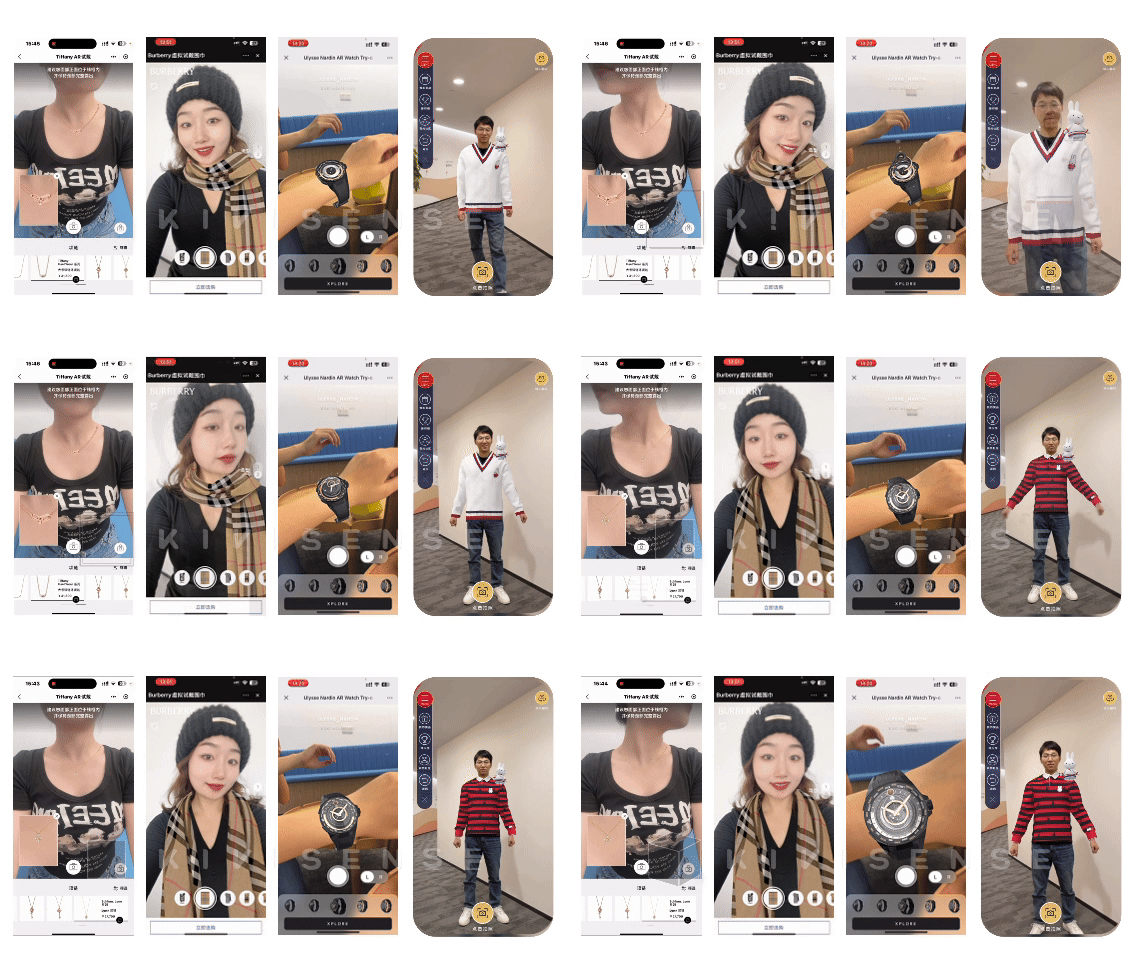
Face AR refers to the real-time capture and tracking of a user’s face via a camera, enabling AR elements to interact with facial movements. It delivers immersive virtual-real blended experiences that significantly boost engagement and entertainment value for fashion-related interactions.
%20(1).05YLk2EW.gif)
Face AR enables AR content such as hats, glasses, helmets, and stickers to align with the user’s face in real time, creating engaging filters and interactive effects. It is widely used in social entertainment, brand marketing, live streaming interactions, eyewear try on, and event photography scenarios.
Face AR features:
.DOUq0hpa.png)
Click here to log in to the Kivicube platform. Create a new "Face AR" scene and complete the production using the visual editor.
.B-y56fiR.png)
Click here to watch the video tutorial and quickly learn how to create a Face AR scene.
.DmuJ5IB9.png)
If you require a custom project, click here to add Business WhatsApp for consultation.
3D Interaction refers to interactive experiences based on 3D content, such as 3D advertisements and 3D products, without displaying the camera view.
3D Interaction features:
Click here to log in to the Kivicube platform. Create a new "3D Interaction" scene and complete the production using the visual editor.
If you require a custom project, click here to add Business WhatsApp for consultation.
World AR refers to an AR experience that recognizes real-world objects such as large murals, posters and sculptures, accurately places digital content at designated physical locations, and supports realistic virtual-real occlusion.It is widely used for on-site interaction, cultural tourism guidance, art exhibitions, city landmark activations and immersive spatial experiences.
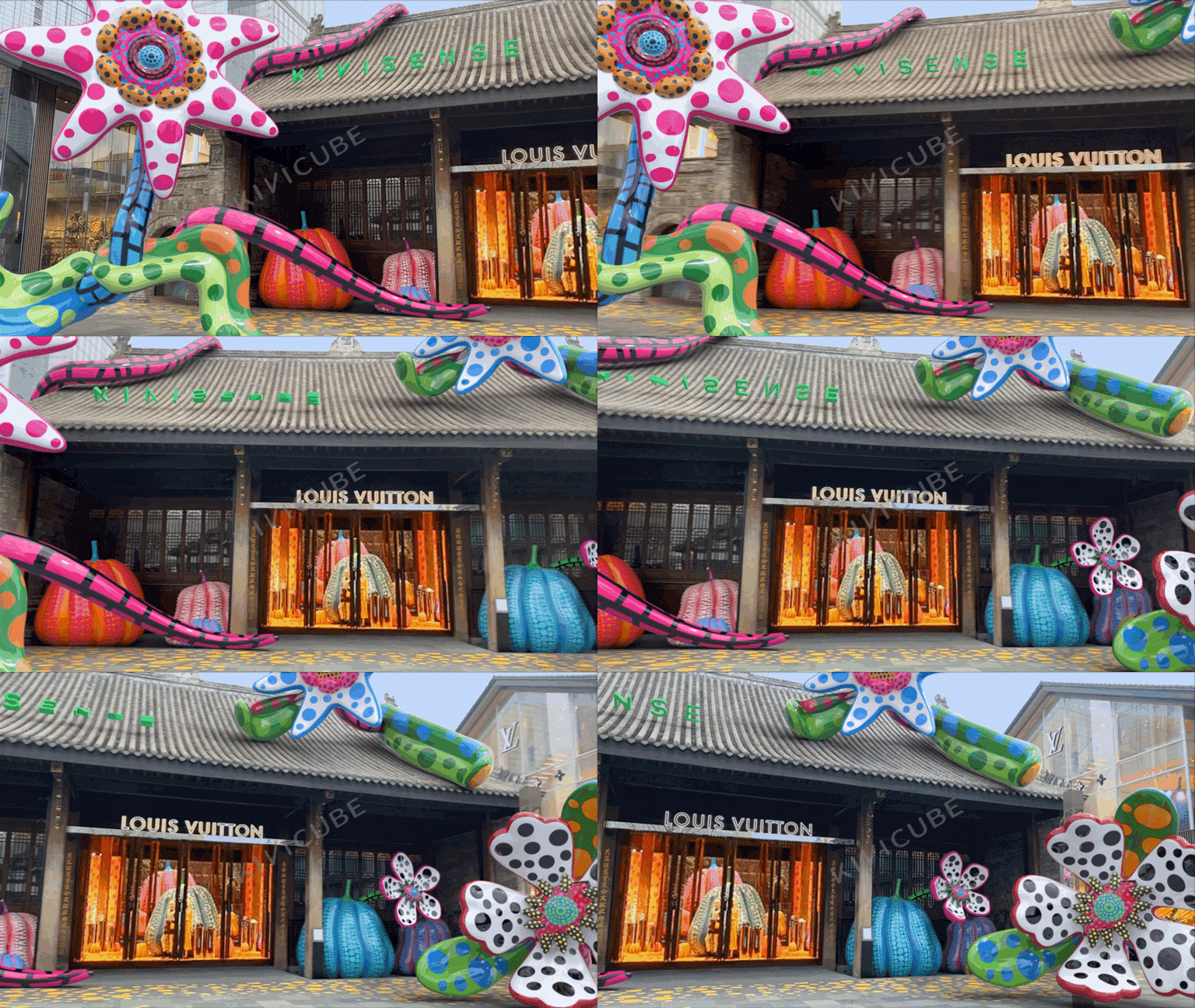
World AR features:
Click here to add our business WhatsApp for more information.
Landmark AR refers to a type of AR experience that detects, recognizes and tracks real-world buildings, and accurately places AR content around landmarks.It is widely used for cultural tourism guidance, city check-ins, on-site interaction, scenic area marketing and immersive landmark experiences.
.DQnLmZYd.png)
Landmark AR features:
Click here to add our business WhatsApp for more information.
Look-around AR requires no positioning. Users can place AR content in the real world around them and view the surrounding scene by rotating their device.
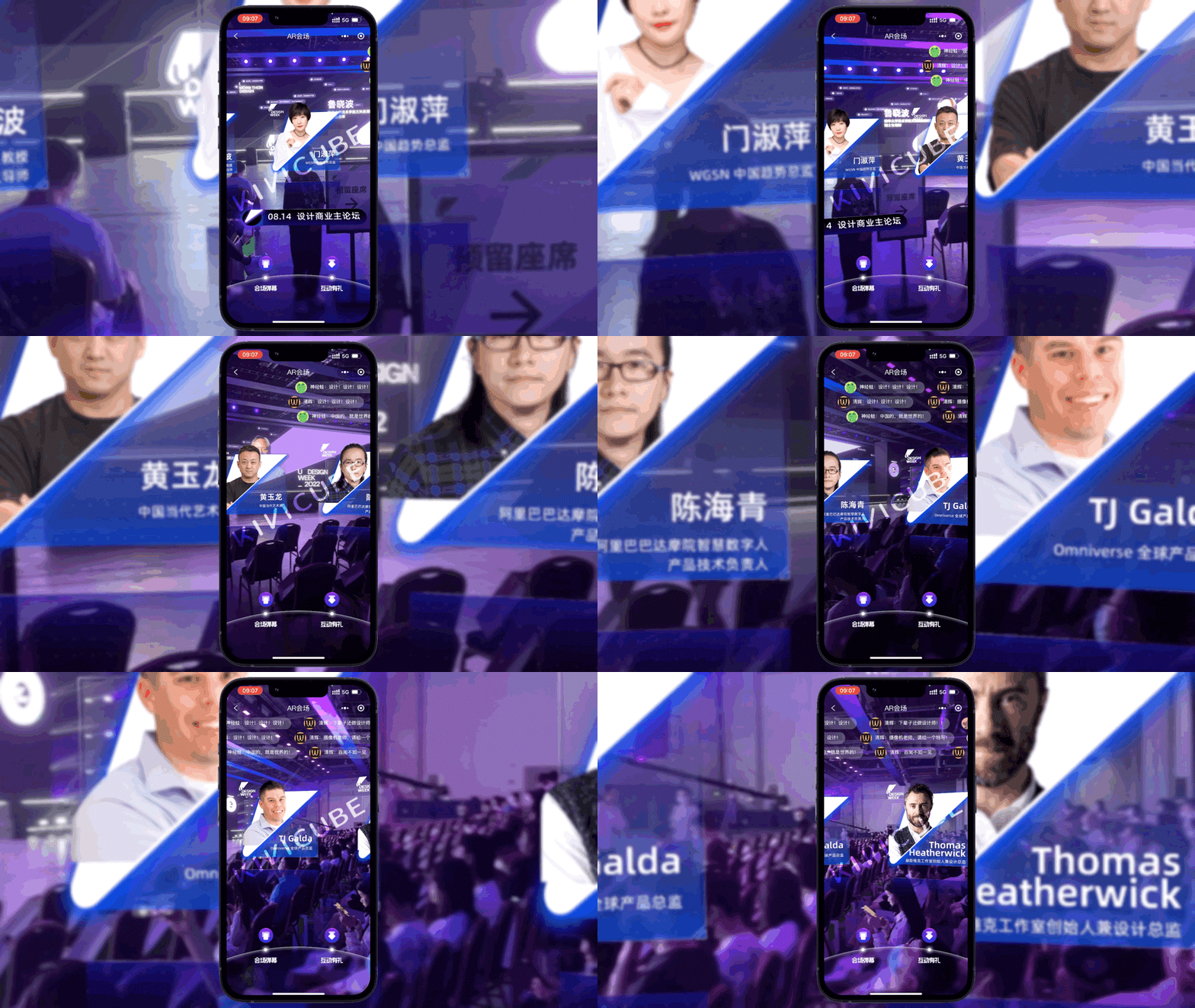
Look-around AR features:
Click here to add our business WhatsApp for more information.
Object AR refers to an AR scene that recognizes small physical objects through the camera, performs AR tracking, and delivers realistic physical effects such as occlusion.
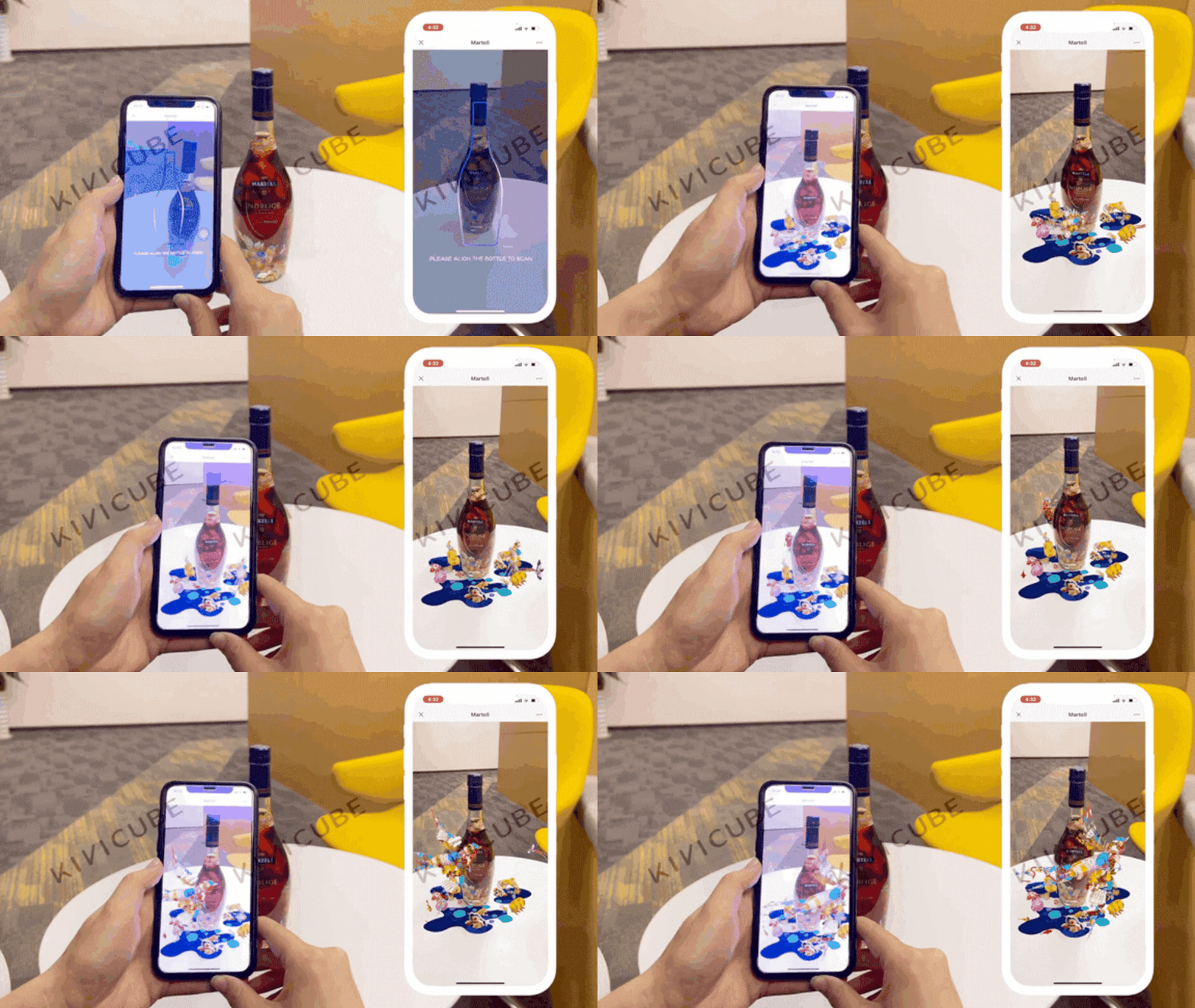
Object AR features:
Click here to add our business WhatsApp for more information.
AI Recognition uses AI algorithms to support image, gesture, logo, text and scene recognition. It can be combined with other AR scene types.
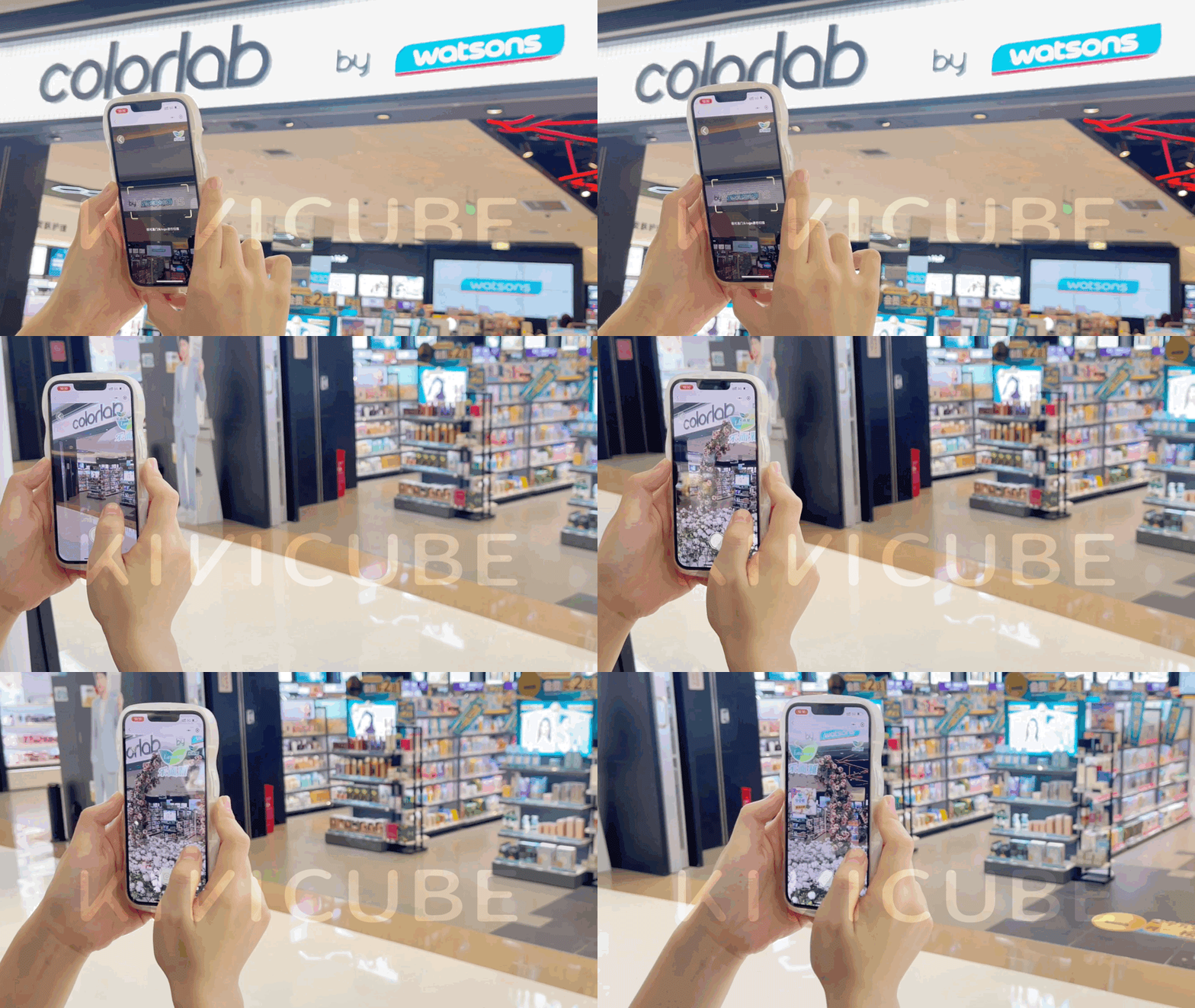
AI Recognition features:
Click here to add our business WhatsApp for more information.