English
Appearance
| Advantages | Description | |
|---|---|---|
| 1 | Compression produces smaller, high-quality videos, which helps mitigate slow loading performance. | Kivicube applies high-quality video compression that keeps the video clear and sharp while significantly reducing file size. This results in faster downloading and loading, improving overall performance. |
| 2 | High compatibility to prevent playback failures or unexpected behavior | Kivicube performs compatibility processing on videos to prevent issues such as playback failure, missing visuals, missing audio, or stuttering on web platforms or WeChat Mini Programs. |
| 3 | The converted output is more compliant and performance-optimized. | The platform normalizes uploaded videos to ensure compatibility with web and WeChat restrictions, preventing upload failures caused by unsupported formats or specifications. |
| 4 | Auto Remove Black Borders | Removes black borders caused by incorrect export settings. |
Supported File Format: MP4
File Size Limits:
Supported Video Codec: H.264
Supported Audio Codec: LC-AAC
Maximum Video Dimension:
Video Dimensions Must Be Even Numbers (Width and height cannot be odd.)
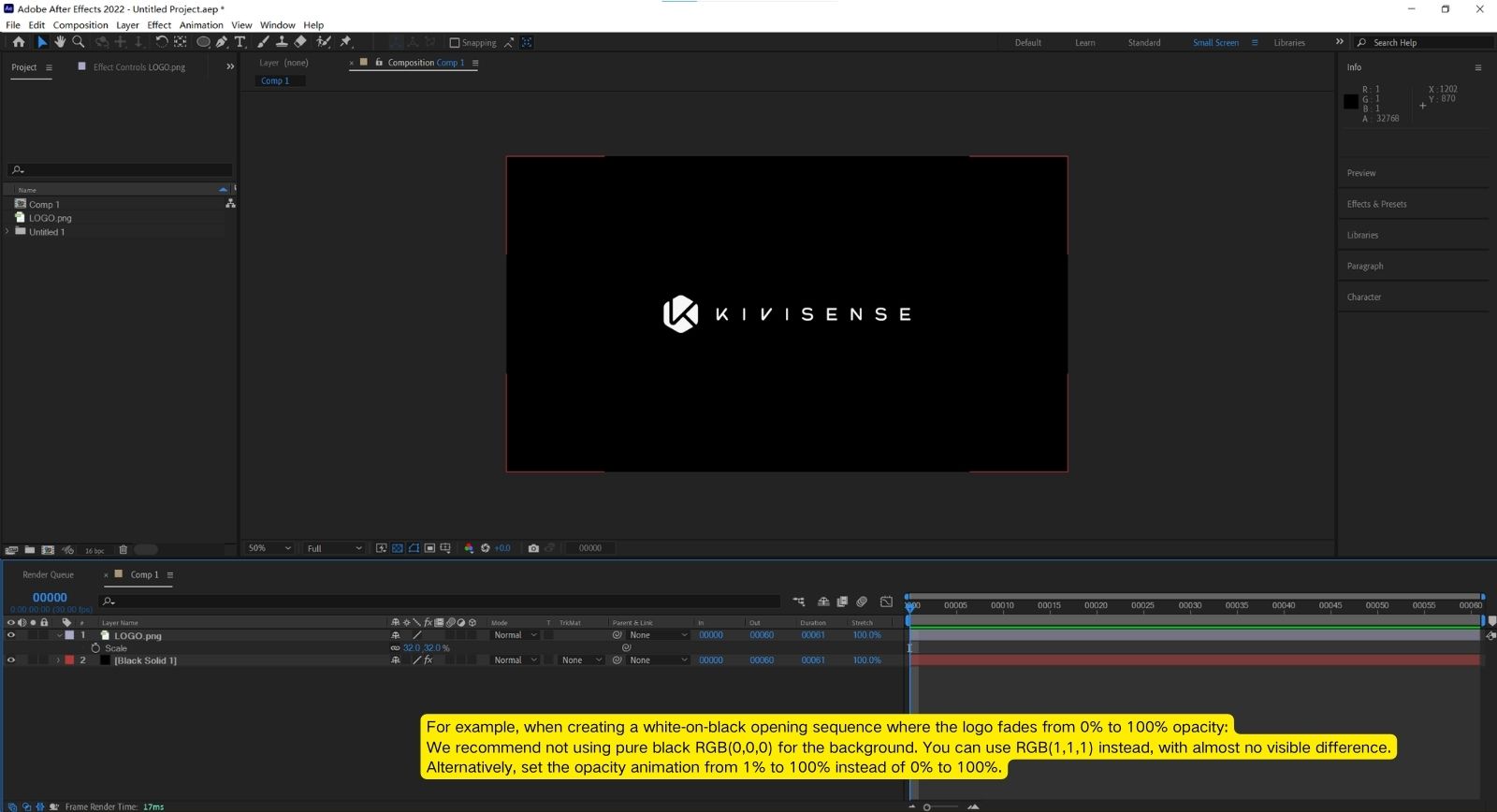
Avoid Full-Frame Pure-Black Frames, especially at the beginning of the video.
See details for more information.
Video Level Requirement: Must not exceed Level 5.2
Video Profile Requirement: Must not exceed High Profile
How to Ensure the Video Does Not Contain Completely Black Frames
Videos recorded directly from a camera typically do not contain fully black frames. Such issues usually occur during post-production or editing.
Example 1:
Avoid using pure black frames during editing. Use your video editing software to trim unnecessary segments.
Example 2:
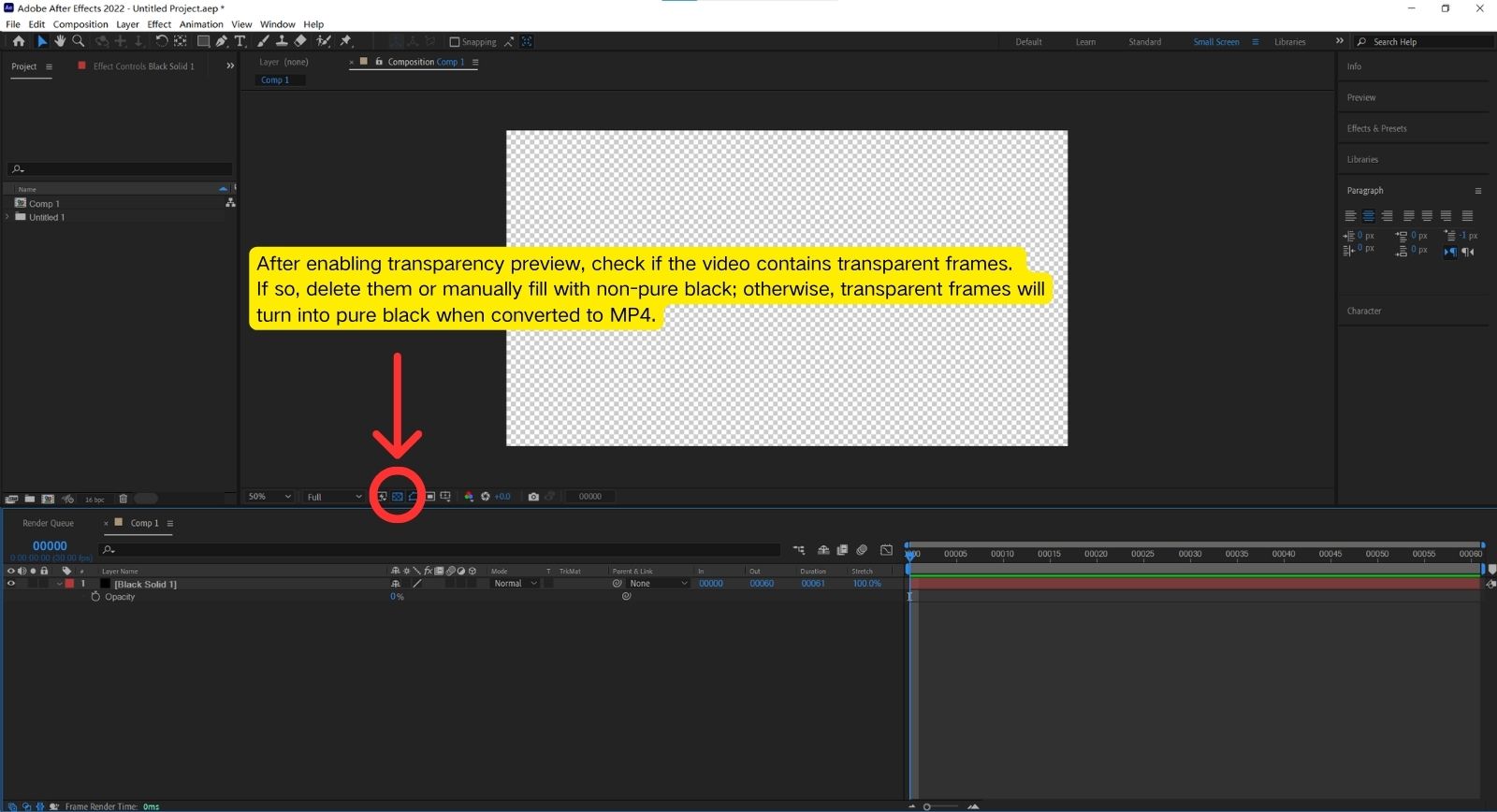
Precautions when using After Effects (AE).
.CJPjcyfG.png)
The error “The operation is not supported.” usually occurs when:
Best Practices:
If the video is displayed full-screen, it is recommended to set the short side to 720px.
For half-screen display, adjust according to your actual needs. For example: