English
Appearance
The Content Editor is a tool for uploading, optimizing, and adjusting 3D models. It allows you to complete the full workflow from model preparation to AR scene creation without using professional 3D software.
Import model: Import your 3D model into the Content Editor.
Edit model: Check the model, adjust materials, pivot point, animations, and other settings.
Use in AR scenes: Save the model and use it in the Scene Editor.
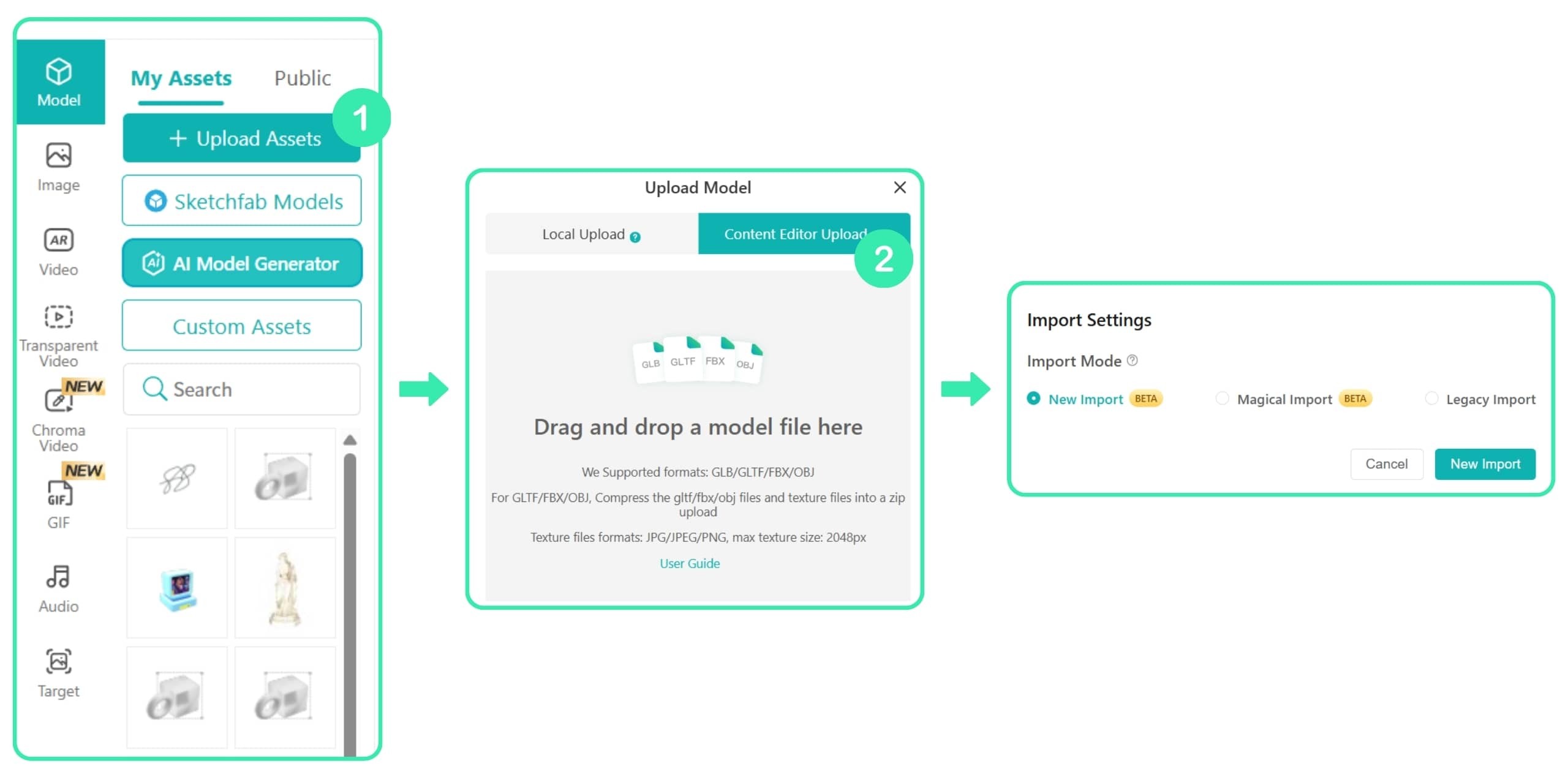
Format conversion: Convert FBX and OBJ files into the GLB format supported by Kivicube.
Material adjustment: Visually adjust material effects. Enable the V2 Rendering Engine to unlock more material options.
Animation preview: Preview and adjust model animations.
Model inspection: Check model properties and ensure they meet the requirements.
Model optimization: Optimize and compress models to improve AR scene performance.
Models with Morph Target animation must be exported as FBX files and uploaded through New Import or Magical Import.