How to Create AR Content: A Detailed Guide and 7 Ways to Get AR Assets
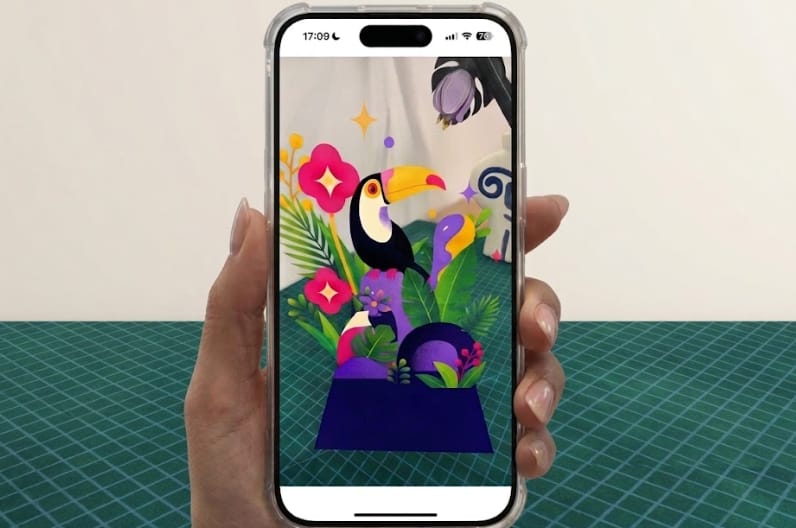
Augmented reality is becoming a popular way for brands, marketers, educators, and other organizations to deliver information through interactive experiences. AR experiences can make digital content more engaging by combining 3D models, animations, and interactive elements with the real world.
You may have wondered how your creative ideas would look in AR. With WebAR generators, creating AR content can be much simpler. In this guide, we’ll show you how to create AR in a few steps and explore 7 ways to source or create AR assets.
Common Types of AR Scenes
Before learning how to create AR content, it's vital to understand the different types of AR experiences available. Here are some of the most common augmented reality experiences you can build:
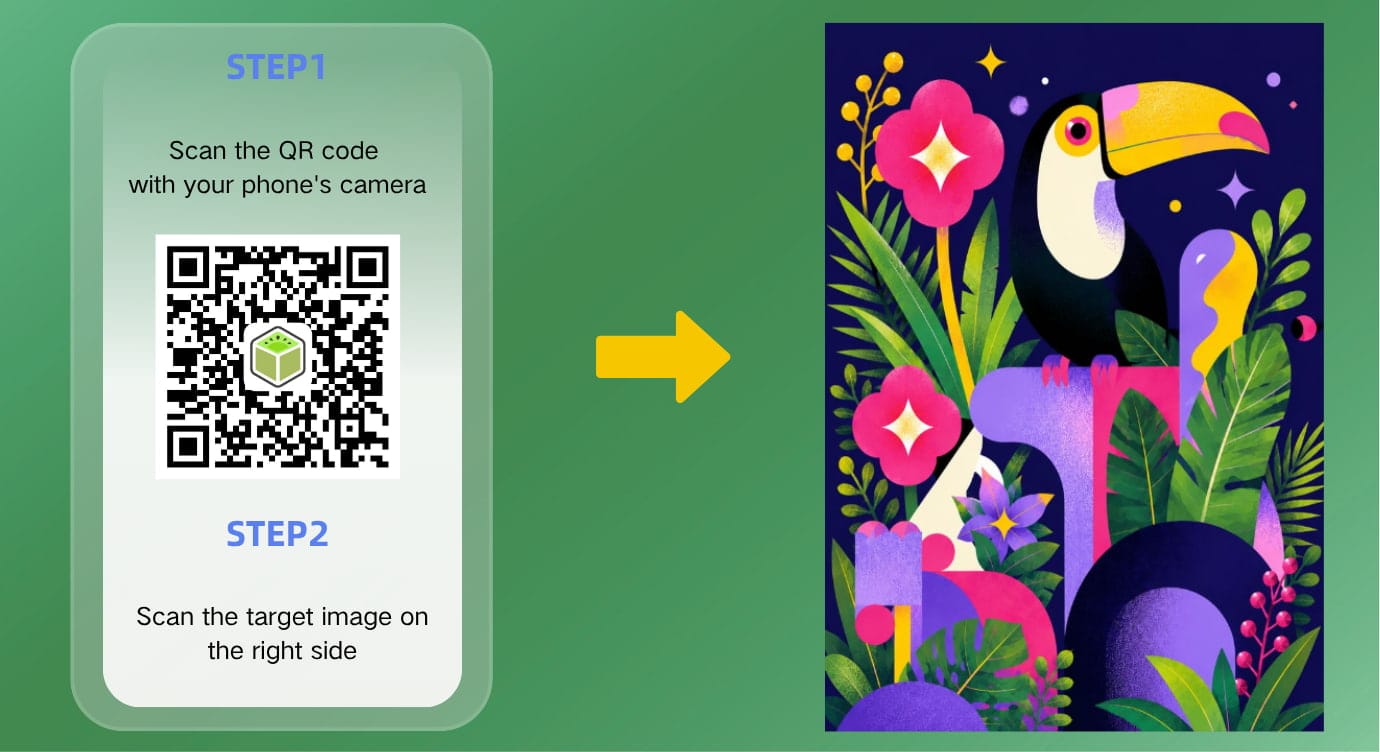
Image AR: Displays digital content when a camera recognizes a specific image.
Plane AR: Places interactive 3D content on detected flat surfaces such as floors, tables, and walls.
Face AR: Adds interesting AR effects, masks, makeup, or accessories to a user’s face.
Body AR: Tracks the user’s body and places digital content around or on it in real time.
Object AR: Recognizes a physical object and displays digital content around it.
Marker AR: Uses a visual marker to trigger an AR experience.
Location-Based AR: Displays digital content based on the user’s geographic location.
Read more about augmented reality:
 Juli Cooper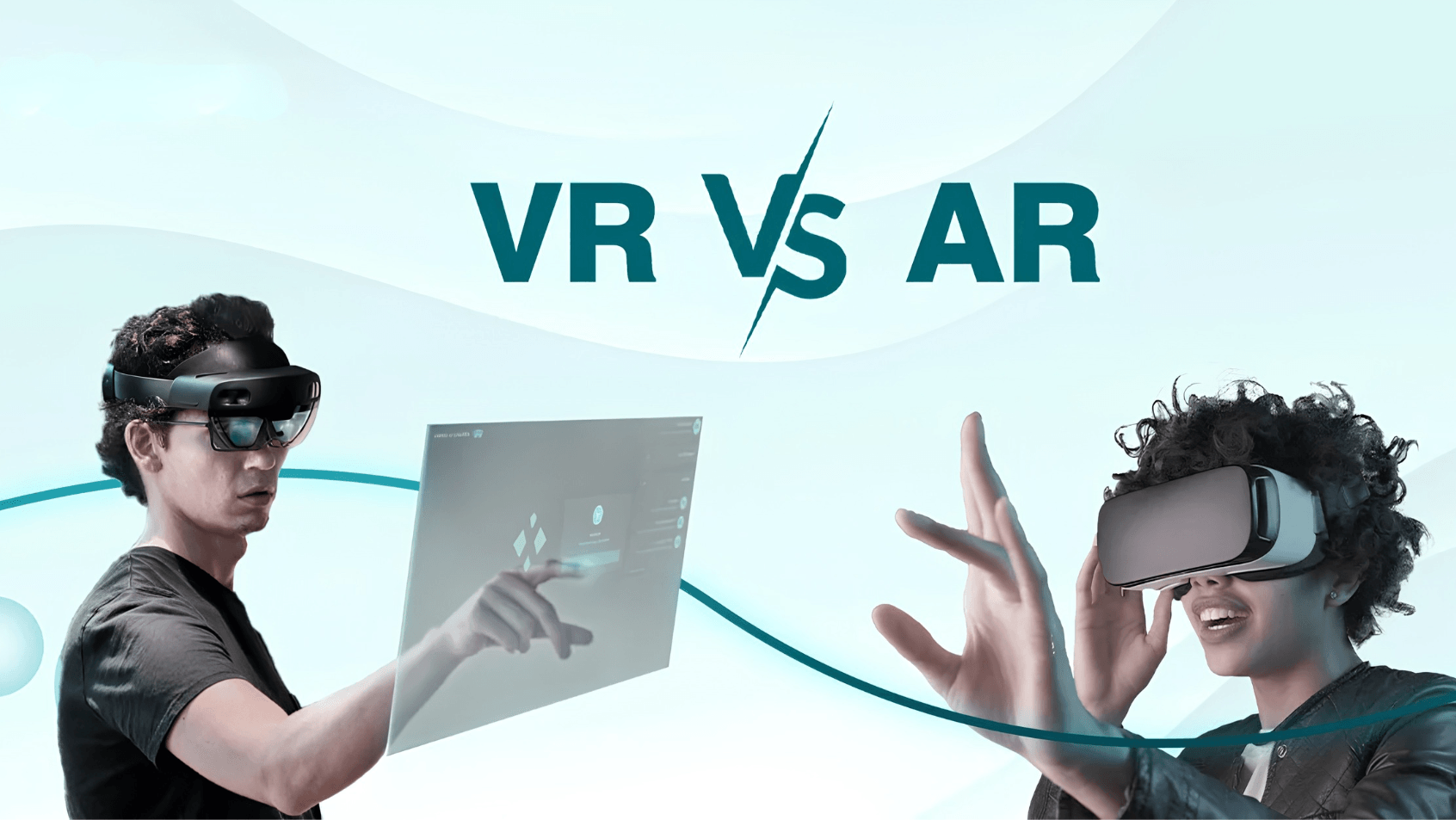
How Does the AR Creation Process Work?
How does the AR creation process work? Let’s explore the whole workflow of AR creation, from brainstorming ideas to sharing the newly made AR scene.
- Define Your AR Idea
First, you need to think about your goal, target audience, and what AR content you want to display. - Choose Your AR Experience Type
The next step is to choose the type of AR experience you want to create. Before making a choice, make sure you understand what each AR type can do. For example, if you just want to bring an image or illustration to life, then Image AR can be a good choice. - Choose an AR Creation Method
There are several ways to build an AR experience. Your choice depends on your technical skills, project requirements, and available resources. Common AR creation methods include:
• No-code WebAR platforms: With tools like Kivicube, even beginners can build browser-based AR experiences that can be accessed through a link or QR code. No app download is required.
• AR SDKs: Add AR features to an app or software project with development tools and APIs.
• Game engines: Create more complex AR experiences with tools such as Unity or Unreal Engine.
• Custom development: Build a tailored AR solution from the ground up for specific technical requirements. - Prepare Your AR Assets
Although some platforms provide built-in assets (images, 3D models, and videos), you may still need custom assets for projects such as AR books or manufacturing manuals. Also, check the file formats and size requirements of your chosen creation tool. - Create a New AR Scene and Upload Your Assets
Create a new project in your chosen AR tool and set up the scene. Then upload and arrange the assets you prepared earlier in the scene. - Add Interactions and Animations
Add animations, triggers, gestures, and other interactions that respond to users, making your AR scene more engaging. - Test Your AR Experience
Preview the experience on different devices before publishing it to check whether the tracking works correctly and whether the assets appear as expected. - Publish and Share It
Once everything works properly, publish your AR experience.
How to Create AR Online without Coding?
Now you may understand some basics about AR creation. Read on, and learn to create AR online with a user-friendly WebAR platform.
Best WebAR Generator to Make an AR Scene with Ease
Building AR scenes is no longer limited to developers with specialized coding skills. How to create Web AR now? With easy-to-follow AR platforms like Kivicube, even newcomers to AR can create their own augmented reality scenes. It also provides stable AR tracking technology and high-precision rendering for more reliable AR experiences. No app. No code.
Why Kivicube:
Code-Free Editor: Users can drag and drop assets in a visual editor to quickly create AR scenes without coding.
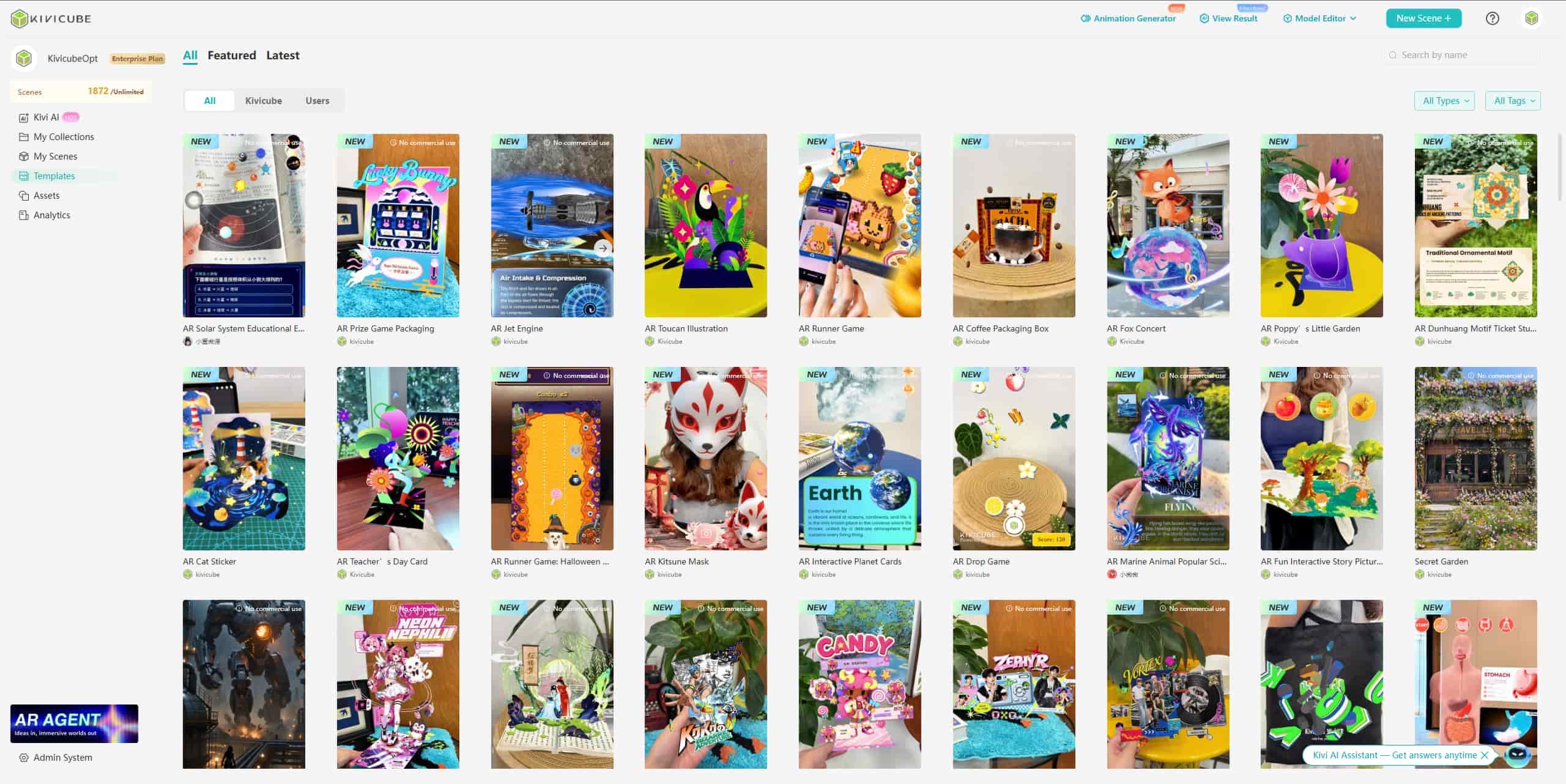
Pre-Designed Templates & Assets: It offers pre-designed AR templates for different purposes, like education, marketing, and product visualization. Simply click Duplicate and then customize for a new AR in minutes. Besides, the extensive AR assets library is also available for direct use.
AI-Assisted AR Generation: The built-in AI generators help for required assets, including images, 3D models, and videos. The practical AI AR Agent is useful for generating AR scenes from prompts.
Multiple Interactions and Animations: You can add various animations and interactions to make your AR scene more eye-catching and engaging. And the keyframe animation feature also gives you control over the motion paths of AR assets.
Simply Share & Experience: You can easily share the AR experience through a QR code or link and embed it on different websites and platforms. Anyone can access the AR experience without downloading a dedicated app.
How to Create an AR Scene with Kivicube
How to create AR? Follow the steps to make an AR scene with ease.
Step 1. Go to Kivicube and log into your account. Click “Templates” and select one to duplicate.
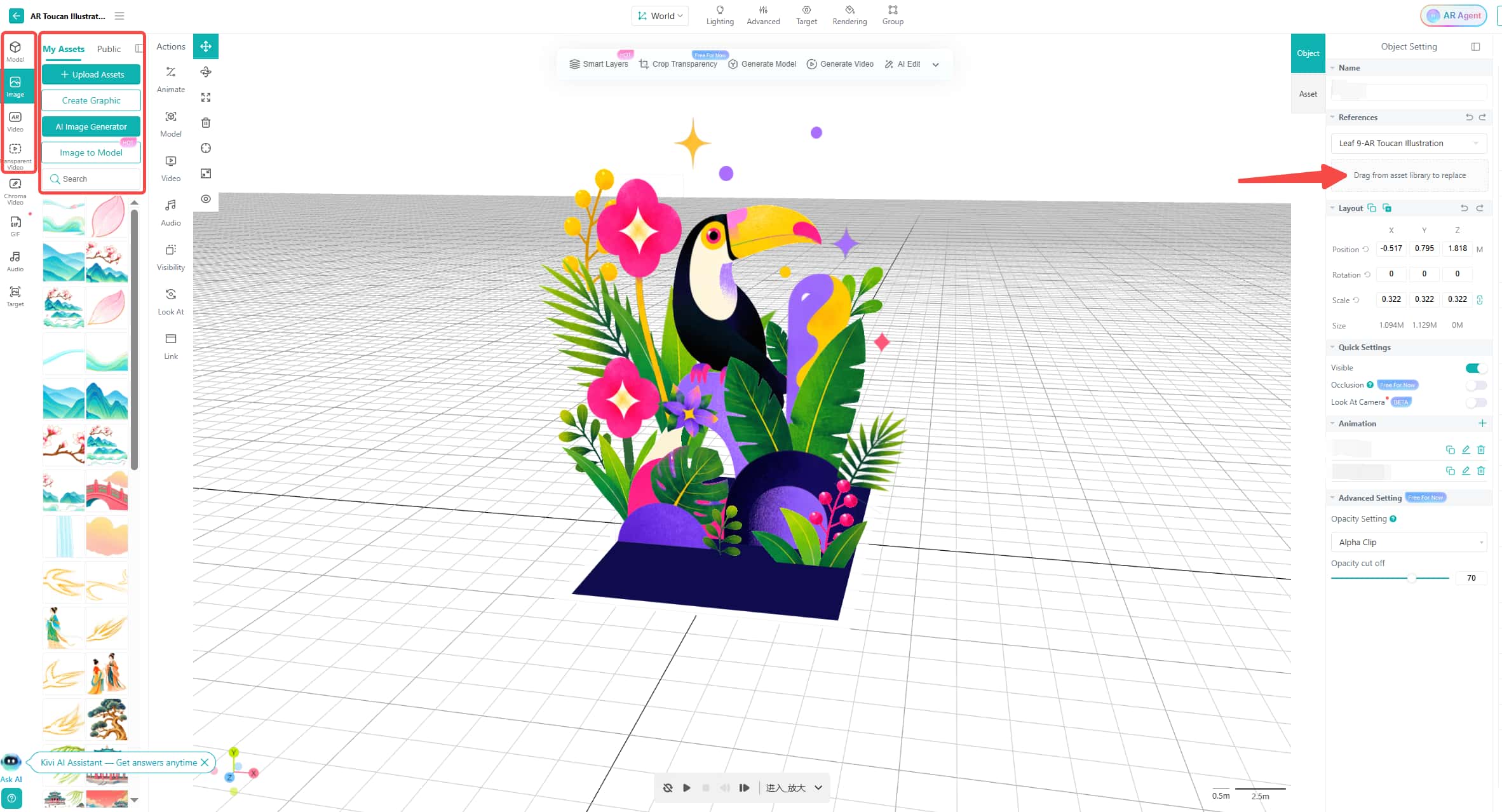
Step 2. Upload your assets to the editor, drag and drop to replace the original assets in the template. Then adjust the position using the transform tools.
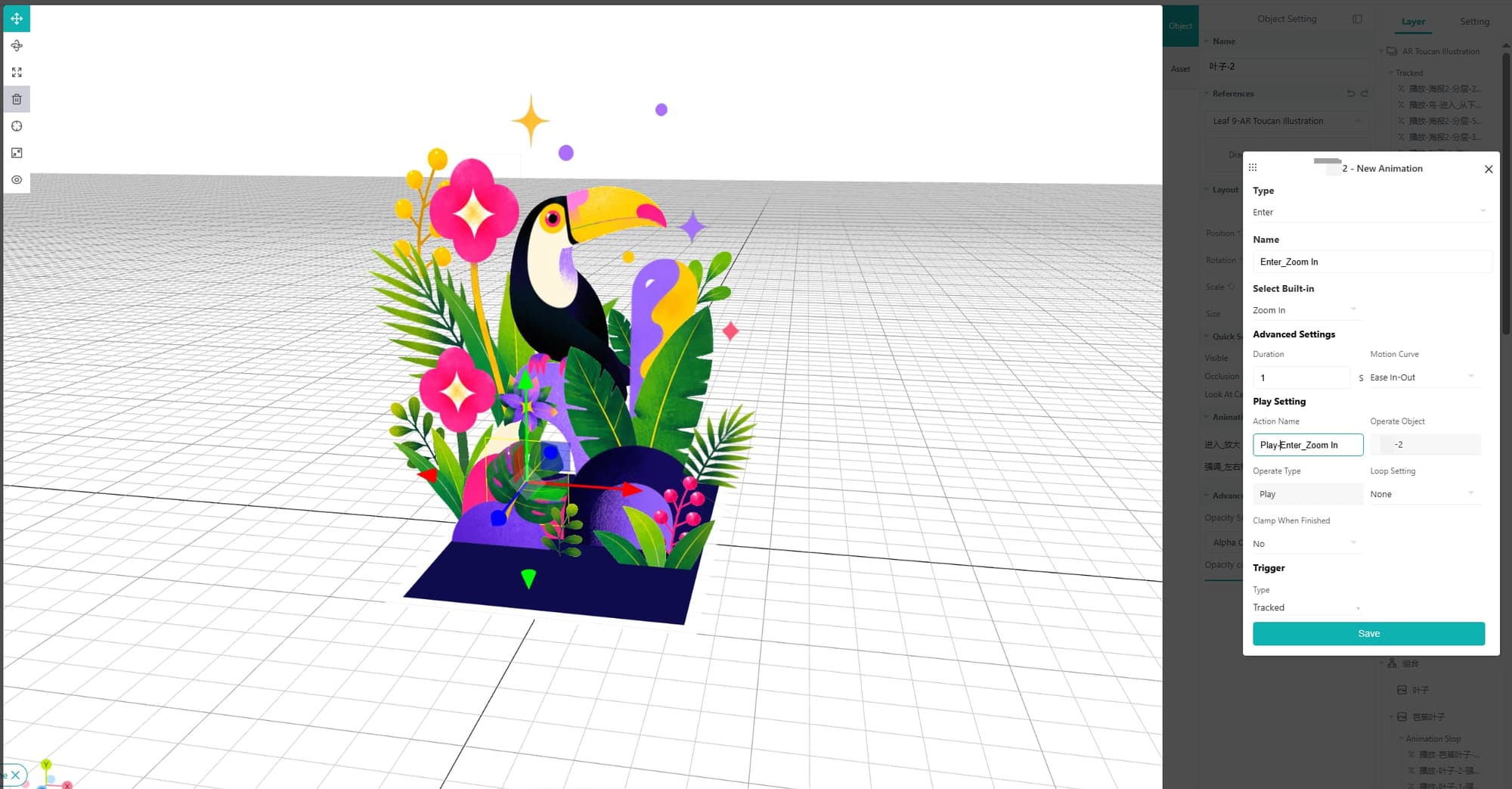
Step 3. Change the animations and interactions to make your new AR scene more engaging.
Step 4. When everything is done, save your project and share it with the QR code and link.
7 Methods to Source or Create Augmented Reality Assets
Assets are necessary when building an augmented reality scene. If you need new assets, there are easy ways to find or create them.
Method 1. Repurpose Existing Videos for AR
Creating AR content doesn't always mean starting from scratch, especially when you have existing videos you can add directly to the AR experience. For example, Kivicube enables you to add normal videos, transparent videos, and chroma videos to the AR experience.
Method 2. Turn Presentations into AR Content
Have a product presentation or sales deck sitting in your cloud storage? You can give it a second life as AR content by exporting your PowerPoint or presentation slides as JPG or PNG files, then uploading them as your AR assets.
Method 3. Get 3D Models from Online Asset Libraries
You can also find ready-made 3D models in online asset libraries such as Sketchfab and CGTrader. For instance, in Kivicube, you can go directly to Sketchfab to look for your required 3D model assets. Search for models suitable for your AR projects, confirm their format, and download them for later use.
Method 4. Hire Freelancers to Create Custom AR Content
If existing assets don't meet your needs or you need a model created specifically for your project, you can also try to hire a freelancer on platforms like Fiverr and Upwork.
Method 5. Generate AR Assets with AI
In addition, you can use AI tools to create assets for your AR project. You can produce images, videos, and even 3D models from text prompts and references. Pick an AI 3D Model Generator or other AI generators for the assets you wish to produce, and save the result in a format supported by your AR generator.
Method 6. Make Videos with Easy-to-Use Tools
Another useful way of creating images and videos is using simple online editing tools. Websites such as Canva and Powtoon offer templates and simple editing features for beginners. You can use them to create short animations, product videos, and promotional videos and export them in MP4 format.
Method 7. Capture 3D Content with Your Smartphone
A smartphone can also be used to create 3D content for an AR experience. Some mobile apps can turn scanned objects, people, or spaces into 3D models. Once you have captured your subject matter, simply export it in a compatible format and integrate it into your AR experience.
FAQs about Augmented Reality
What Is Augmented Reality?
Augmented reality (AR) technology adds digital content, such as images and 3D models, to the real world. Unlike virtual reality, AR does not replace the real world. Users can see both the physical environment and digital content at the same time.
What Are the Challenges of Traditional AR Creation?
Traditional AR development usually requires programming skills, specialized software, and technical knowledge. Custom projects may also need designers, 3D artists, and developers. No-code AR builders such as Kivicube offer a simpler option for users who want to create AR without building the entire project from scratch.
Can AR Content Be Used for Marketing?
Yes. Brands use AR content for product visualization, packaging, advertising, events, social campaigns, and interactive print materials. For example, an AR packaging scene can trigger interactive digital content when users scan it with their phone.
Do I Need 3D Skills to Create AR Content?
Not necessarily. You can use existing 3D models from asset libraries in some AR creation platforms or hire a freelancer to create custom models. Some AI and no-code tools also help you create 3D assets without advanced 3D modeling skills.
To Sum Up
How to create AR? Augmented reality is changing how organizations use interactive content for marketing, education, training, and other applications. In the past, creating AR often required specialized technical skills and development resources. Today, no-code AR creators make it easier for non-developers to turn ideas into interactive AR experiences. In this post, we’ve shown one of the most practical tools and simple steps for AR creation. Stop waiting and try to make your own AR content.