Augmented Reality in Education: Benefits, Use Cases & How to Get Started
Introduction
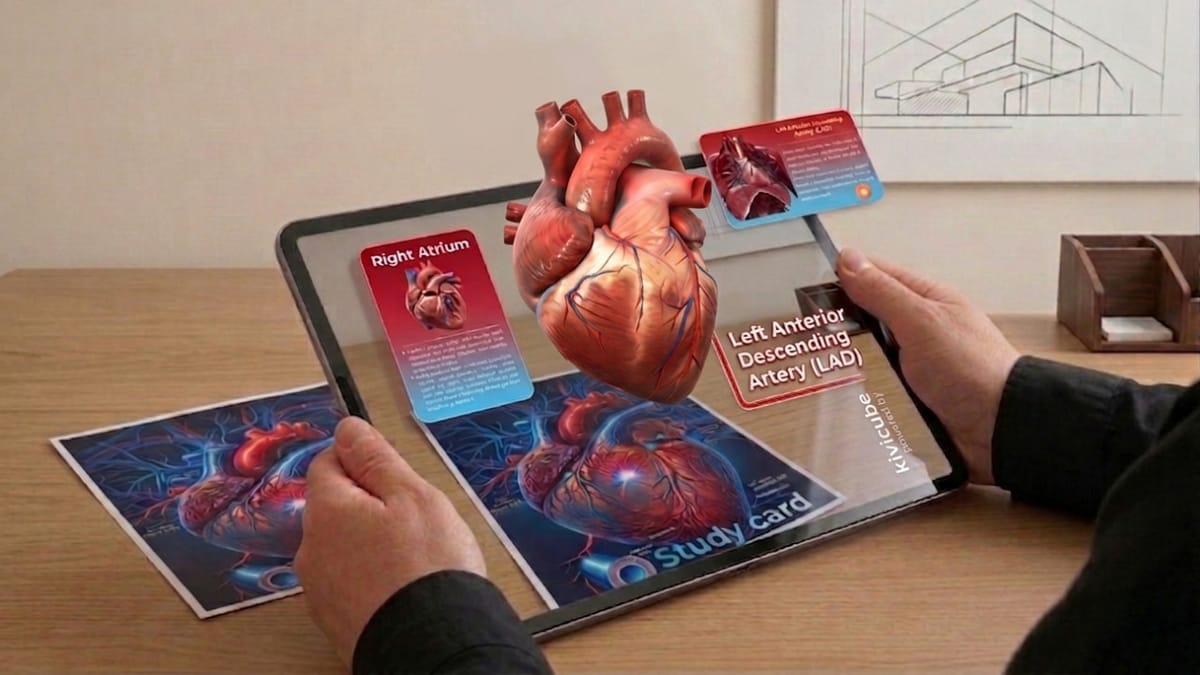
What if students could explore a beating heart in 3D instead of just reading about it?
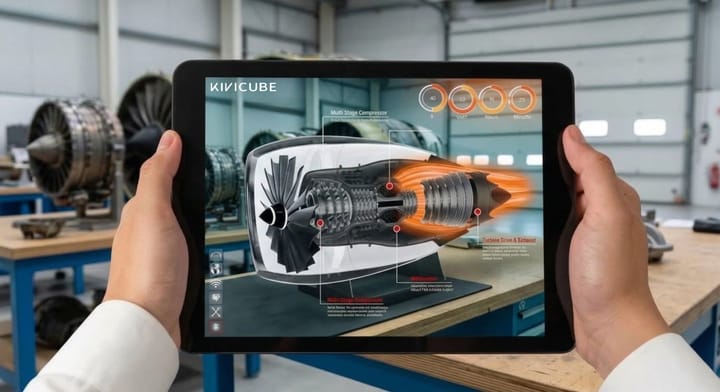
This is exactly what augmented reality in education makes possible. Instead of relying on static textbooks, educators can now turn lessons into interactive, visual experiences that students can see, touch, and explore.
More importantly, this is no longer limited to developers or well-funded institutions. With the rise of no-code and WebAR tools, even individual teachers can create immersive learning content directly in the browser.
In this guide, you’ll learn:
- The real benefits of AR in education (backed by research)
- Practical classroom use cases
- How to create your first AR lesson without coding
Why Augmented Reality Is Transforming Education
Augmented reality is not just a “nice-to-have” visual tool—it’s changing how students understand and retain information.
Studies show that immersive learning experiences can significantly improve engagement and knowledge retention.
According to PwC’s VR soft skills training study, learners in immersive environments can be up to 4× more focused compared to traditional classroom learning.
The shift is clear: AR is moving from experimental technology to a practical classroom tool.
Key Benefits of Augmented Reality in Education
Immersive AR content creates eye-catching experiences. It helps students stay focused for a much longer time.
AR transforms abstract textbook knowledge into clear 3D visuals. It lowers learning barriers and helps students grasp complex concepts faster.
AR also drives higher engagement in offline classes. It encourages active participation and makes learning more fun and interactive.
Real-World Use Cases of AR in Education
AR Interactive Textbooks
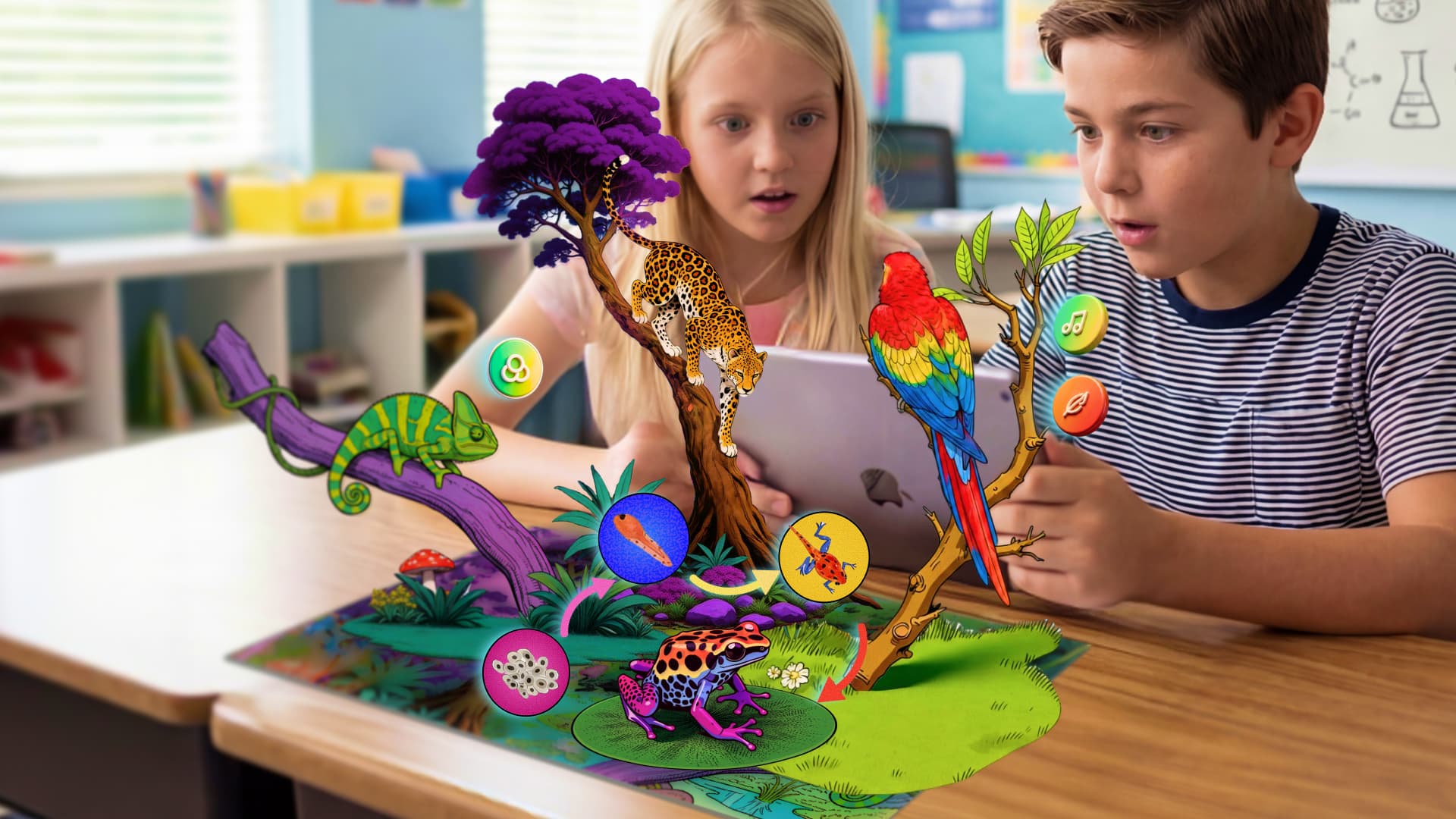
Printed materials come to life with embedded AR experiences. Students scan a page and instantly see 3D models, animations, or guided explanations.
About this part we already break down a detailed no code tutorial to help you get started.
 Leonie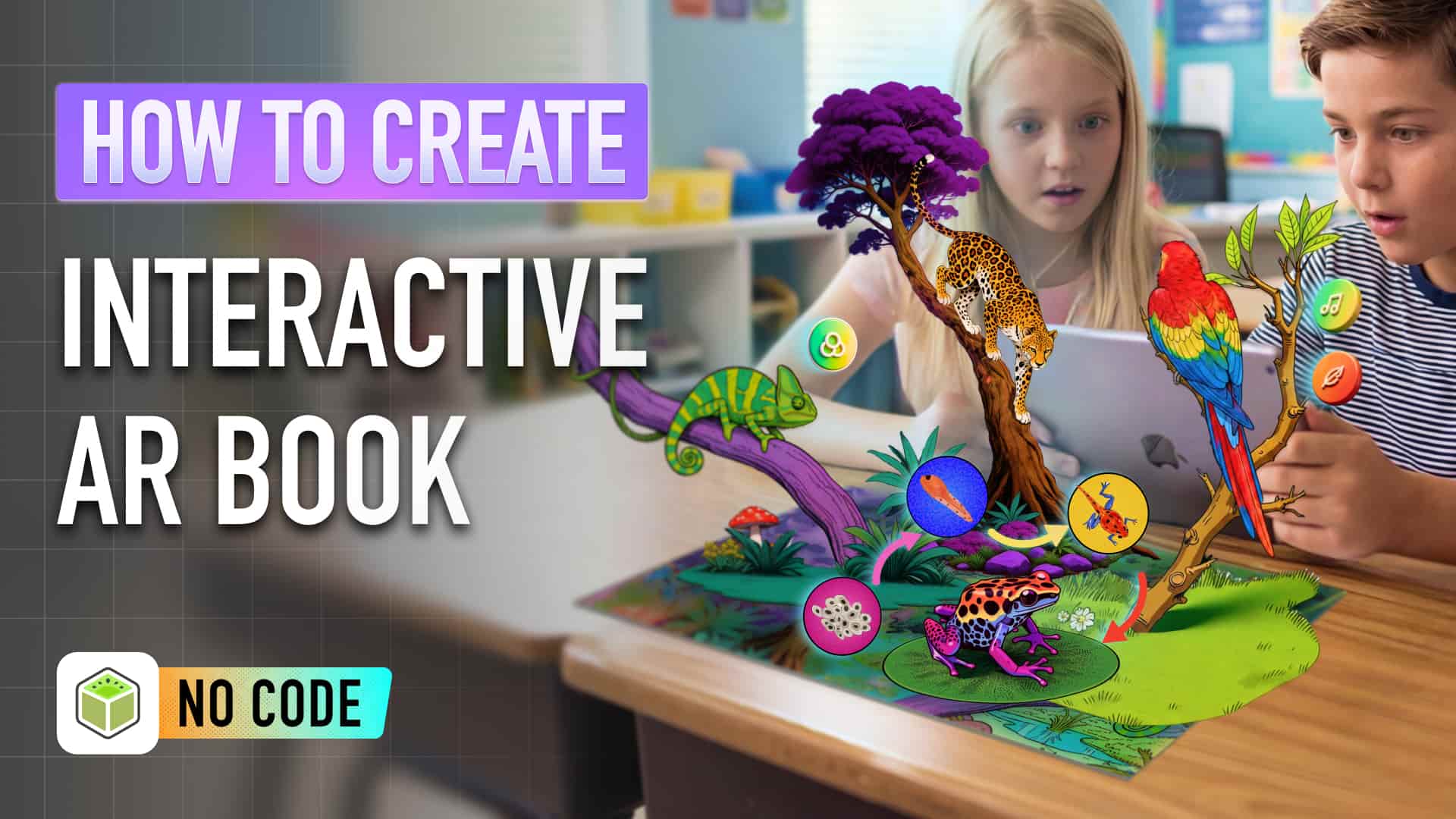
Kivicube Tutorial: How to turn any book into interactive AR experience
Classroom Teaching Enhancement
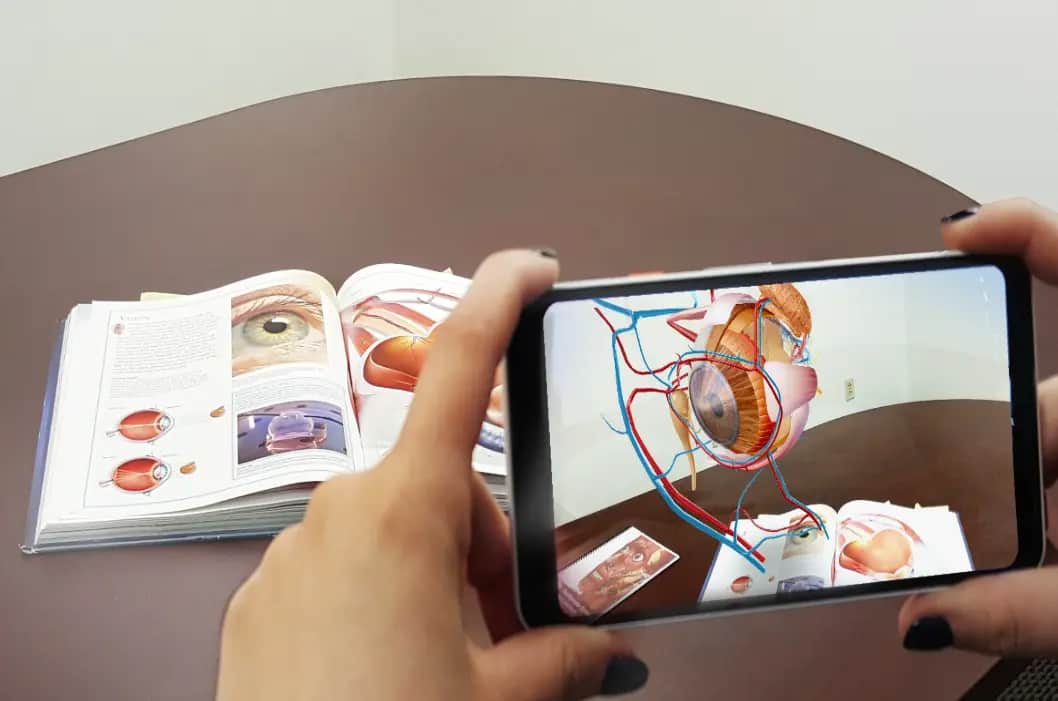
Teachers use AR to support lectures with visual demonstrations—like showing how a volcano erupts or how the human heart functions.
If you want to empower your common textbook with AR magic, you can check the beginner friendly tutorial below.
AR-Based Quizzes & Assessments
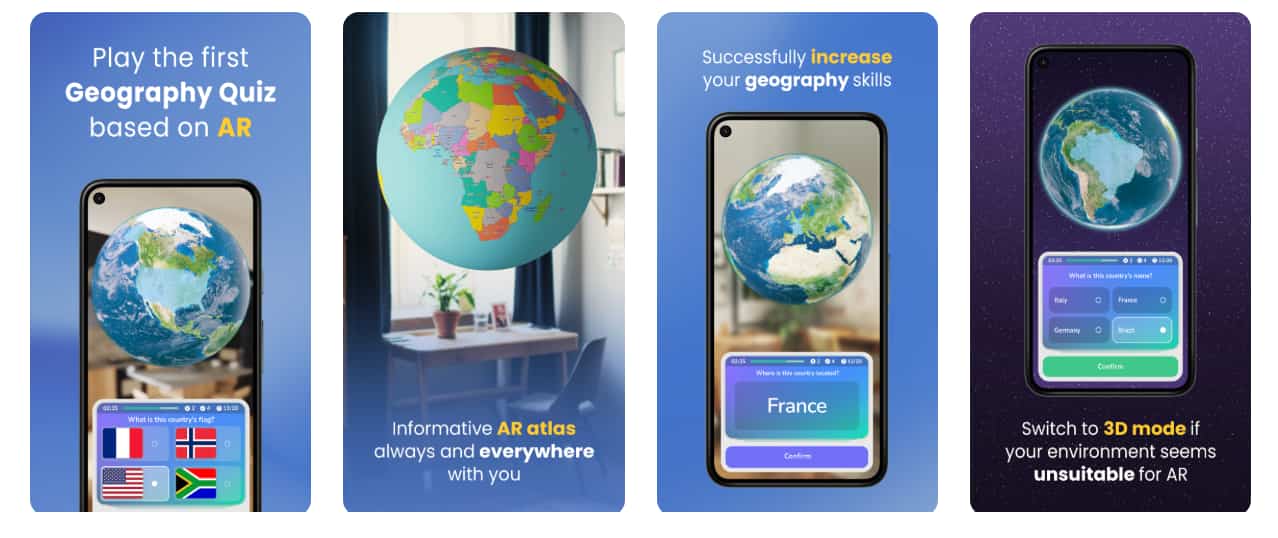
Instead of static tests, students interact with AR objects to answer questions, making evaluation more engaging and dynamic.
Educational AR Kits
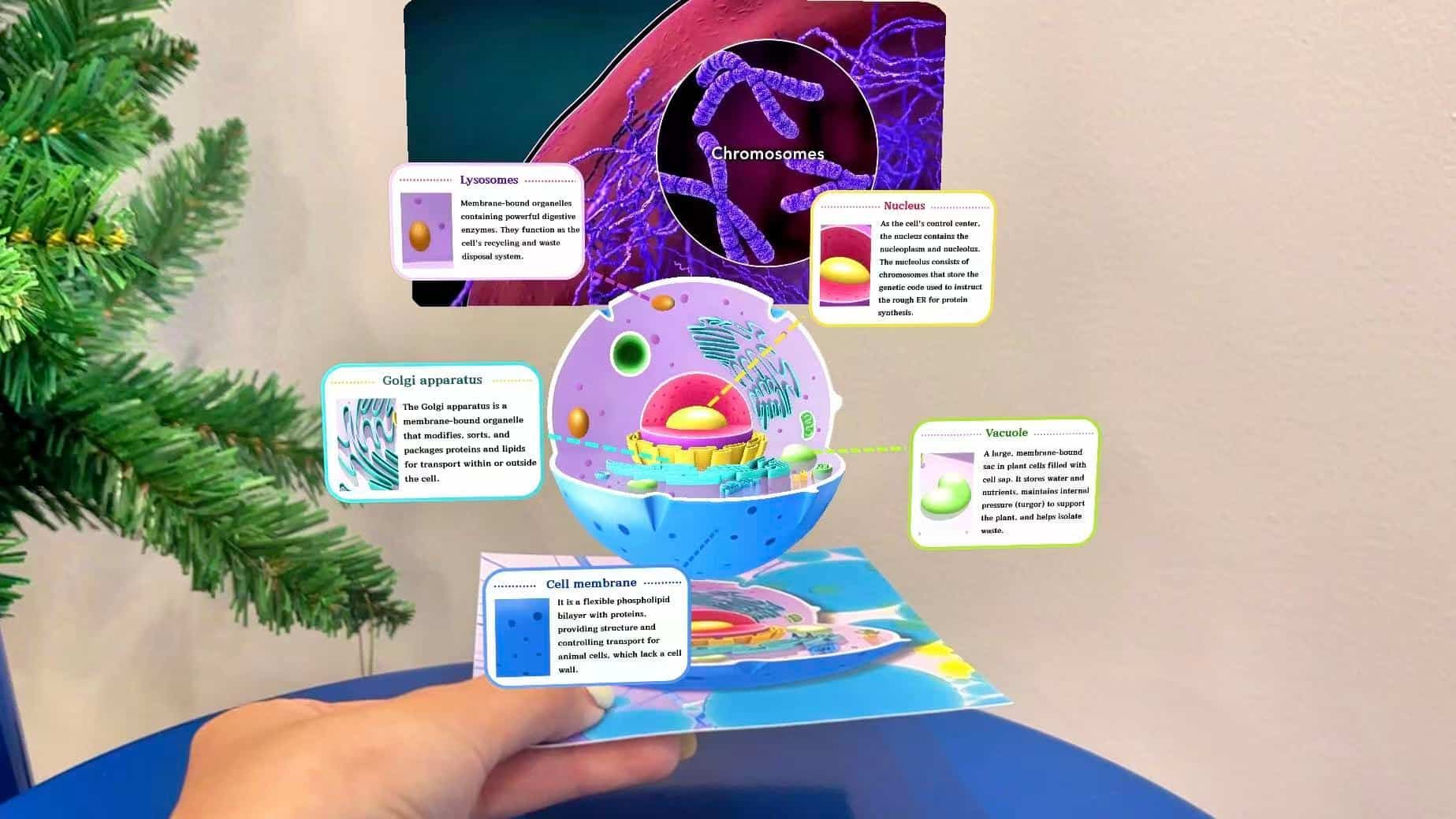
Structured AR content can be packaged into learning kits for: After-school programs, STEM training and Institutional education.
If you’re interested in how to create educational AR kits, check out our step-by-step tutorial to learn more.
 Leonie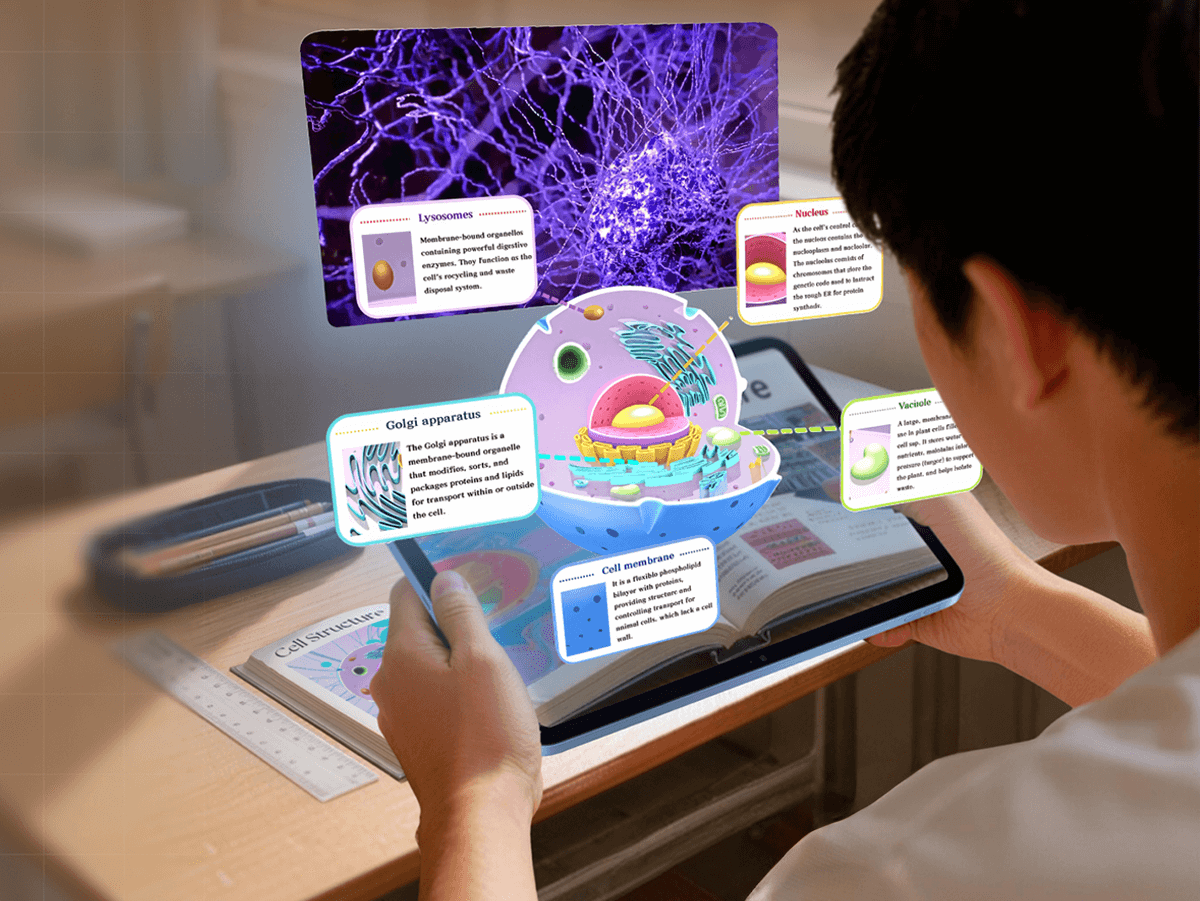
Kivicube Tutorial: How to make an educational AR card
WebAR vs Traditional AR Apps in Education
One of the biggest barriers to adopting AR used to be technical complexity. That’s changing quickly.
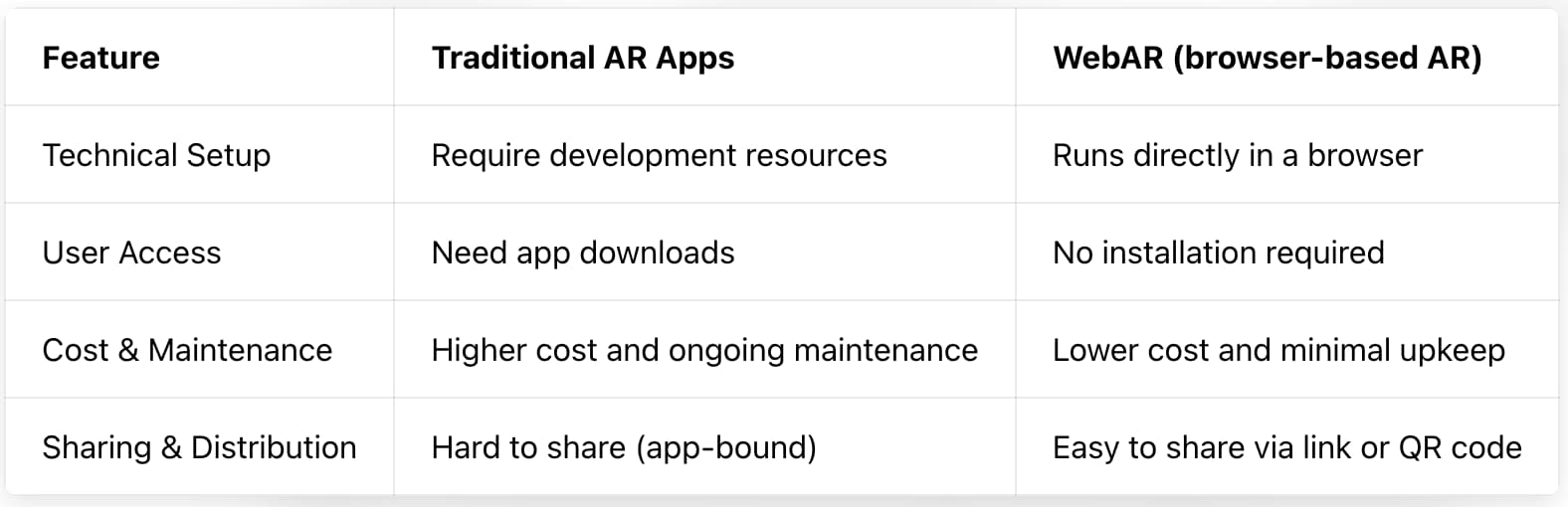
For most educators, WebAR is the more practical and scalable choice.
To help you choose the right no-code WebAR platform for your teaching needs, our detailed guide explains what WebAR is, when to use it, and how to get started:
 summerqiu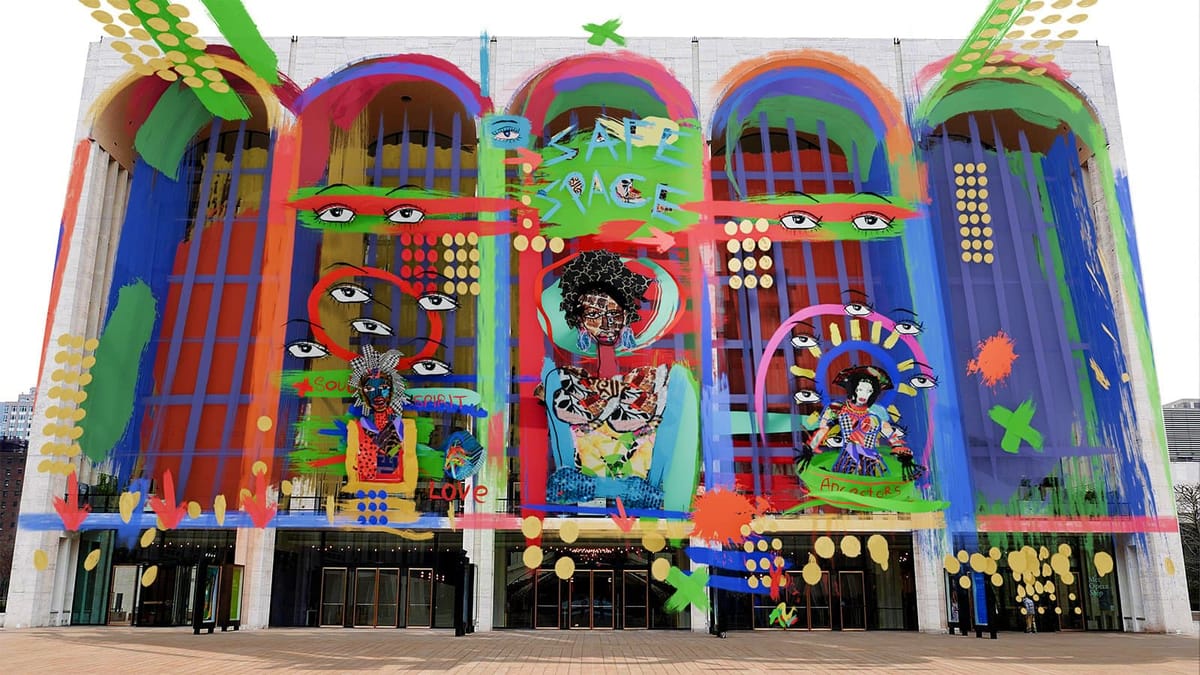
WebAR Platforms Explained 2026
Challenges Educators Face (And How to Solve Them)
Despite its potential, many teachers hesitate to adopt AR due to: limited budget, lack of coding skills and no access to 3D or design resources.
A Practical Solution for Educators
Kivicube AR Platform capabilities Overview
Kivicube serves as a dedicated all in one AR creation platform for educators. It solves budget technical and asset related challenges in one place.
Massive AR Templates for Education
Users can pick ready made education focused AR templates. They only need to remix the structure and swap internal assets to finish a unique AR lesson quickly.
Intuitive Visual AR Editor
The AR creation workflow is as simple as using Canva. Users drag and drop assets on the editor. They add animations to different layers with simple clicks. A custom educational AR experience is ready in minutes with zero coding required.
Built-in AI Tools Accelerates AR Creation
Kivicube integrates powerful AI tools(Kivi AI) inside the platform. You do not need professional skills in graphic design 3D modeling or video production. Just type simple prompts. Kivi AI generates all the assets and delivers polished ready to use results automatically.
Kivicube will launch an upgraded AR interaction generator in the coming months. Users will soon build full AR scenes just with prompts. Stay tuned for the new update.
The biggest shift here is not just AR technology— it’s the removal of technical barriers.
How to Create Your First AR Lesson (Step-by-Step)
Here’s a simple workflow to create an AR learning experience:
- Sign up for a free account
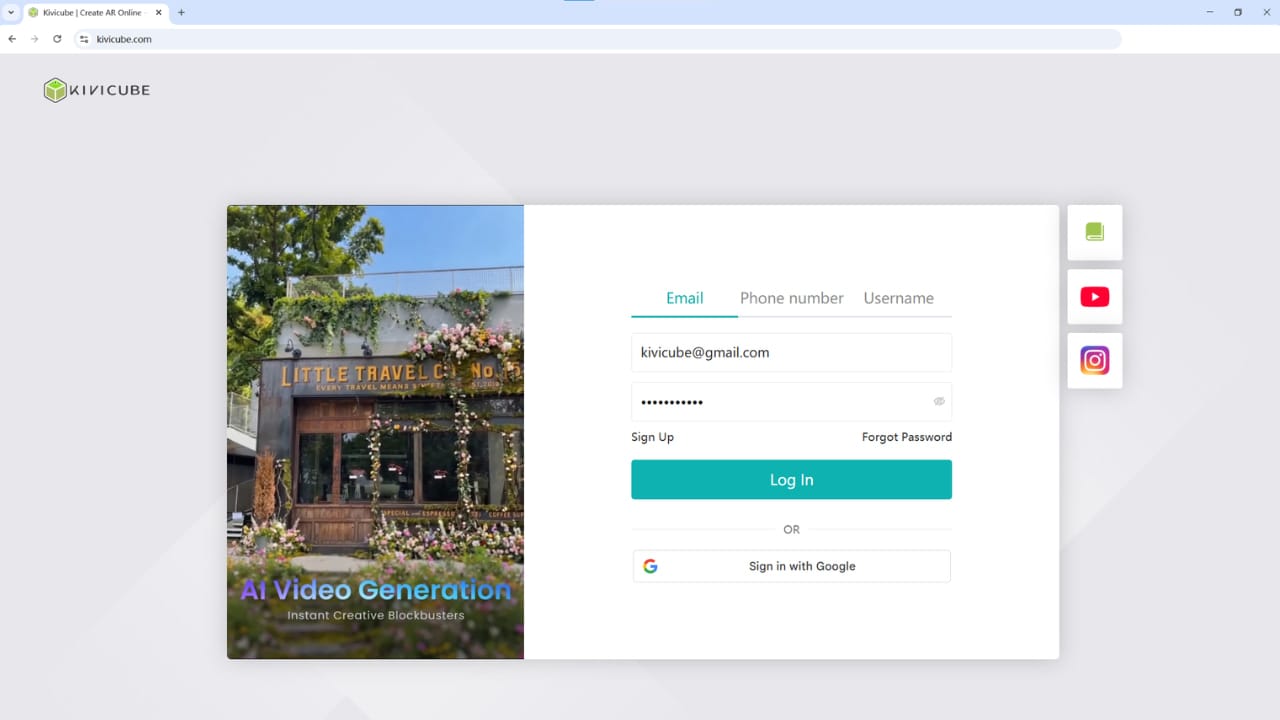
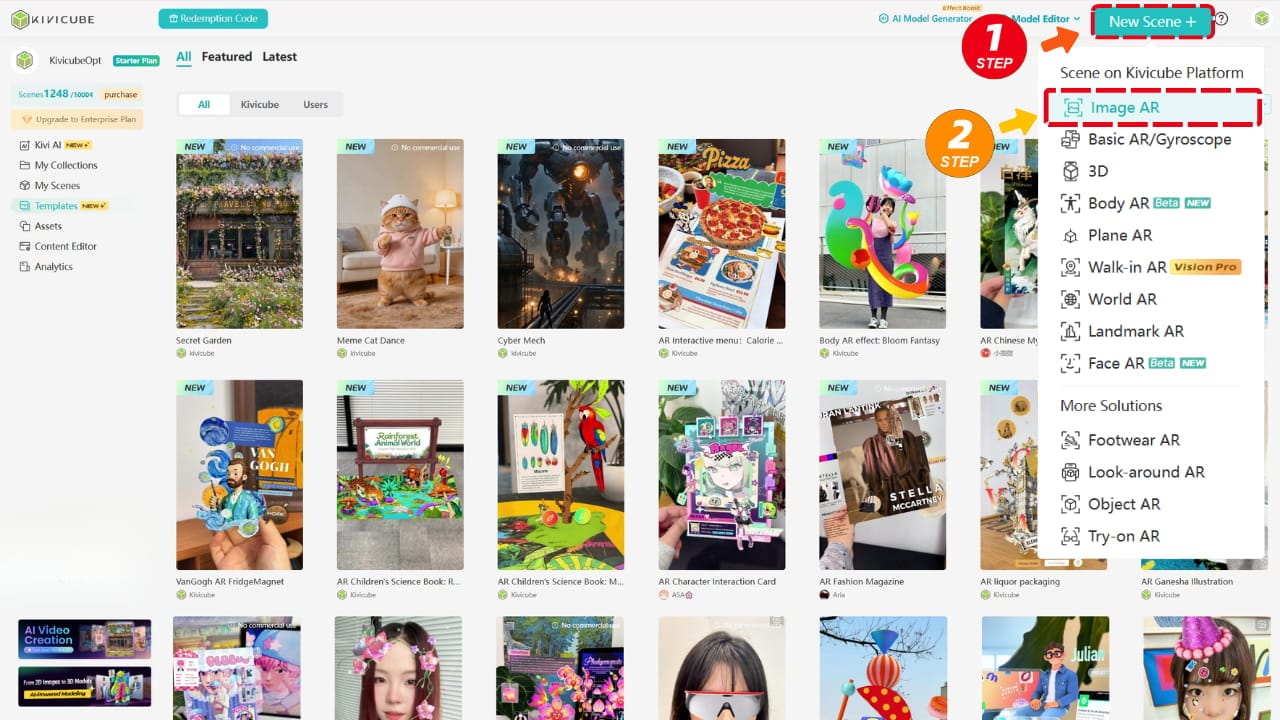
- Create a new image-based AR scene
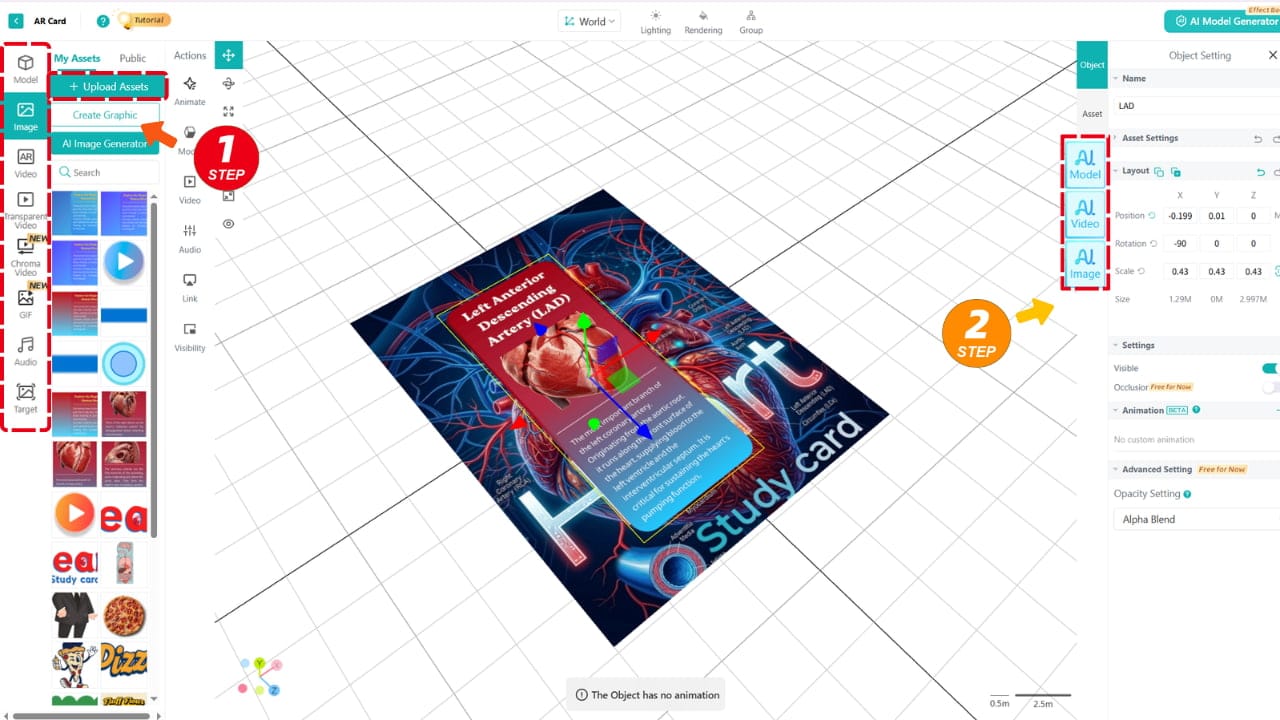
- Upload your teaching materials (or generate them with Kivi AI)
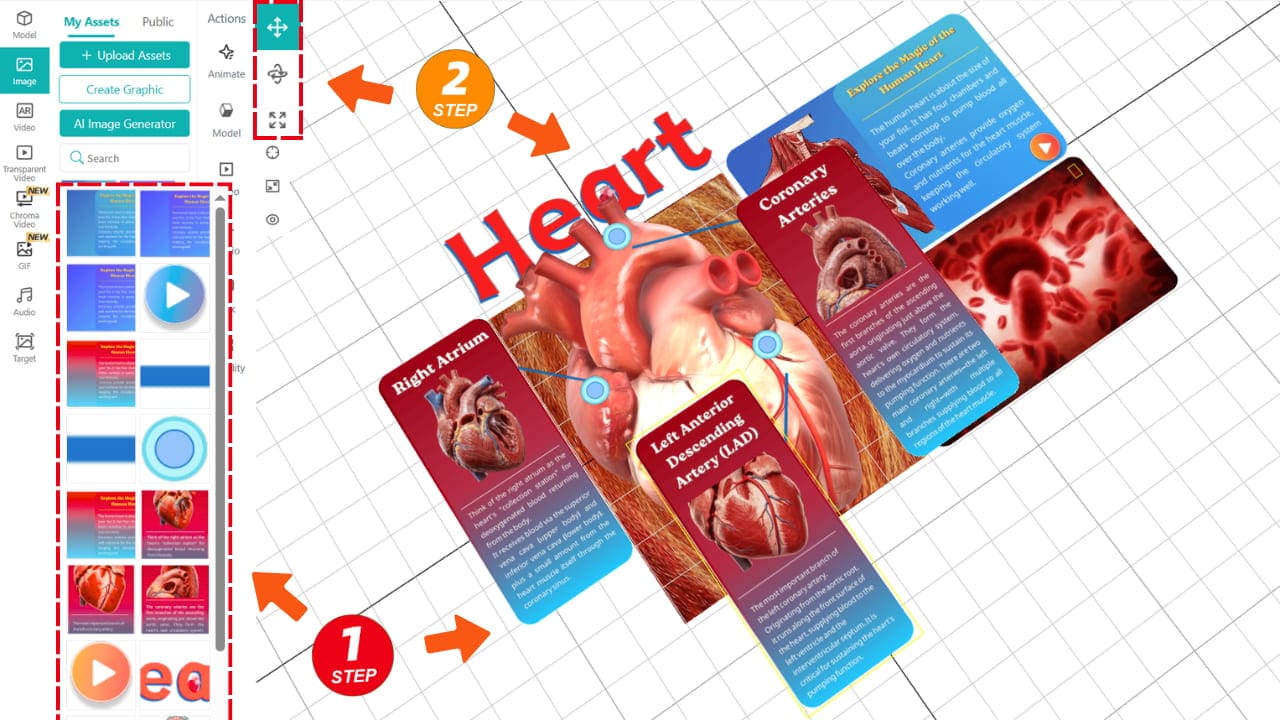
- Drag and arrange elements in a visual editor
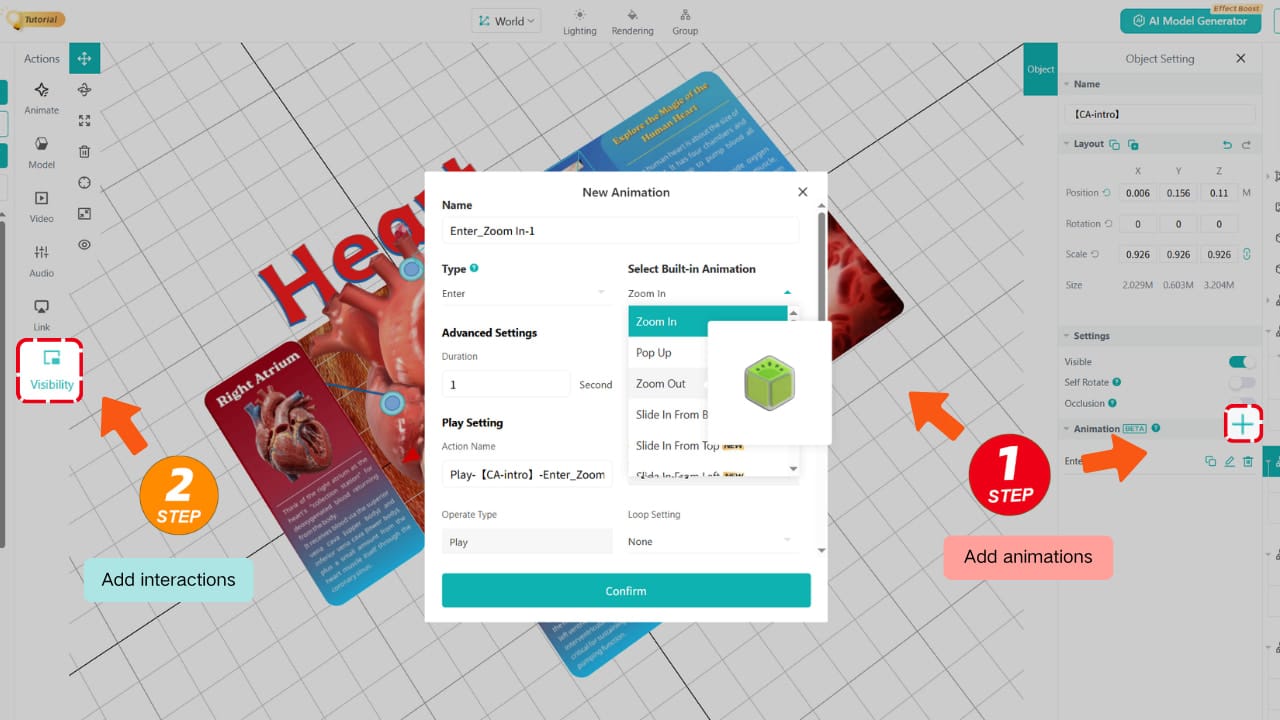
- Add animations and interactions
- Publish and share via a link or QR code
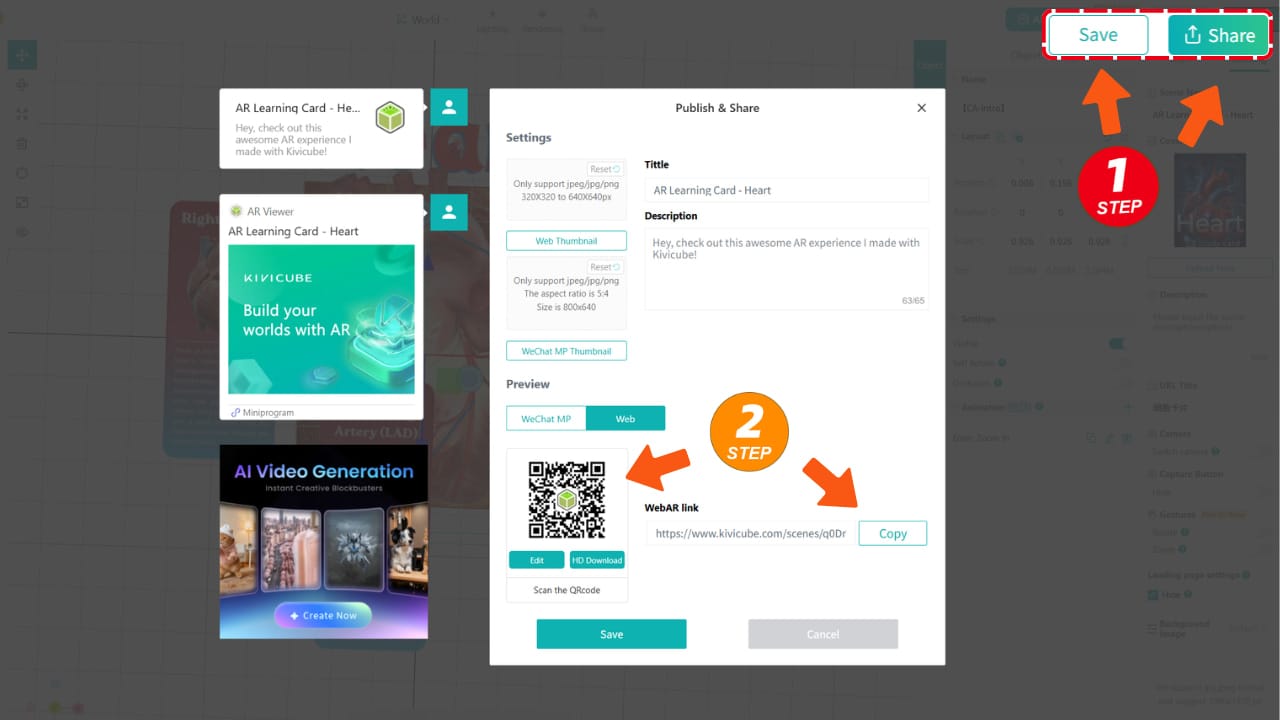
In most cases, you can build a working AR lesson in under an hour.
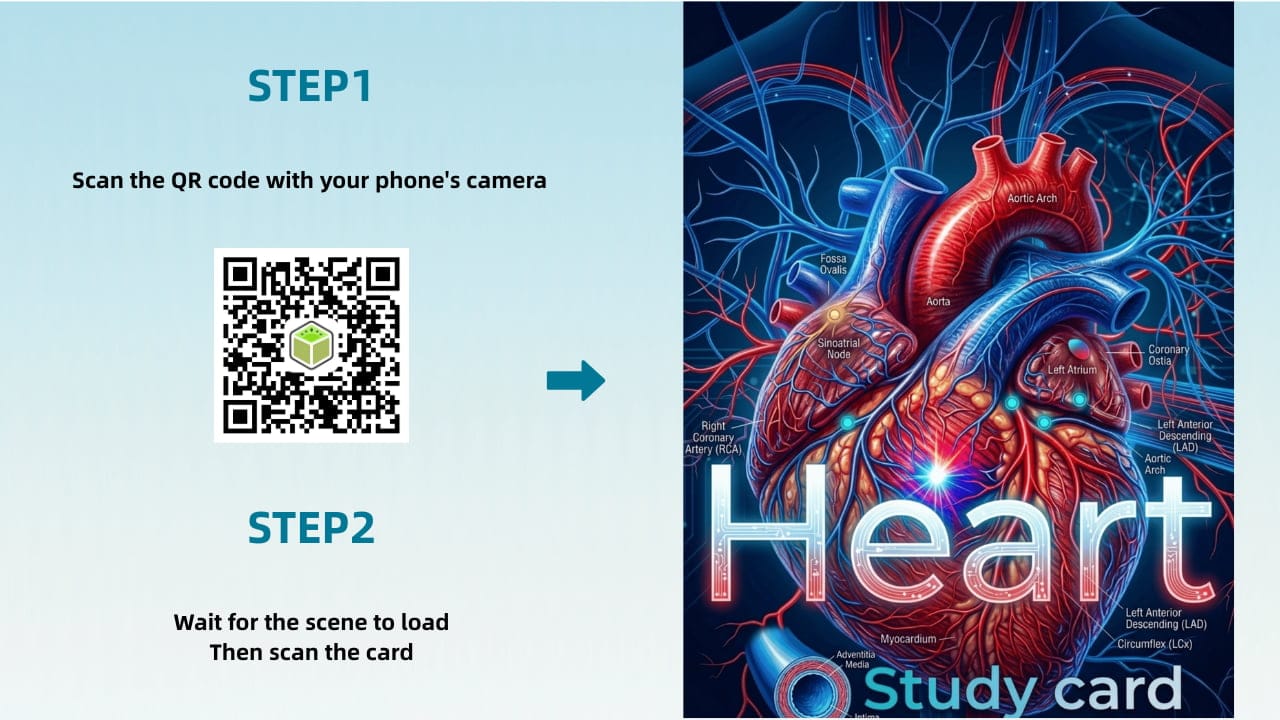
FAQ: Augmented Reality in Education
What is augmented reality in education?
It’s the use of AR technology to overlay digital content—like 3D models or animations—onto the real world to enhance learning experiences.
Do teachers need coding skills to use AR?
No. Modern no-code platforms like Kivicube allow educators to create AR content using drag-and-drop tools and AI-generated assets.
Is AR suitable for everyday classroom use?
Yes. With WebAR, students can access experiences directly from their mobile browsers without installing any apps.
How much does it cost to get started?
Many platforms offer free plans, making it possible to start experimenting with AR at little to no cost.
Conclusion
Augmented reality is no longer a future concept in education—it’s becoming a practical tool that enhances how students learn, engage, and understand complex ideas.
From interactive textbooks to immersive classroom experiences, AR helps bridge the gap between theory and reality.
And with no-code, browser-based tools now available, educators don’t need technical expertise or large budgets to get started.
The real opportunity isn’t just using AR— it’s making interactive learning accessible to everyone.
Explore how you can build your own AR lessons using no-code tools and start creating interactive learning experiences today.