English
Appearance
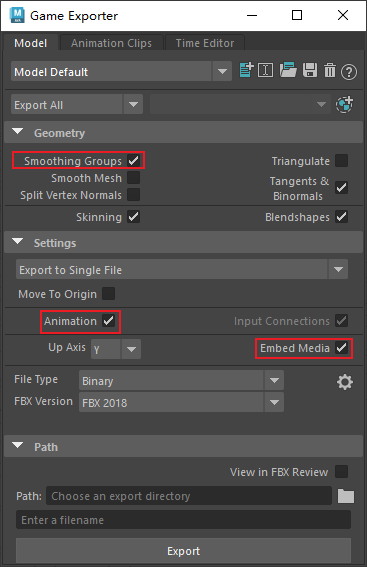
Select the models to export, then go to File → Game Exporter.
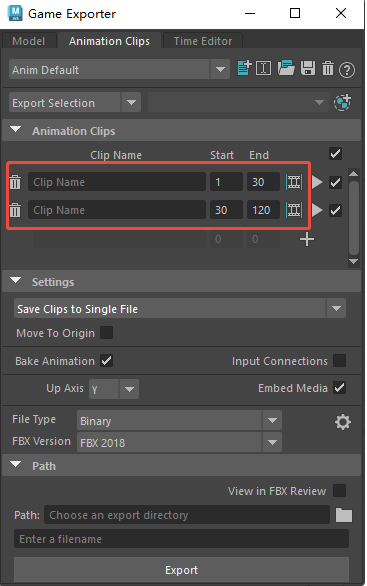
Switch to the Animation Clips tab in the Game Exporter.
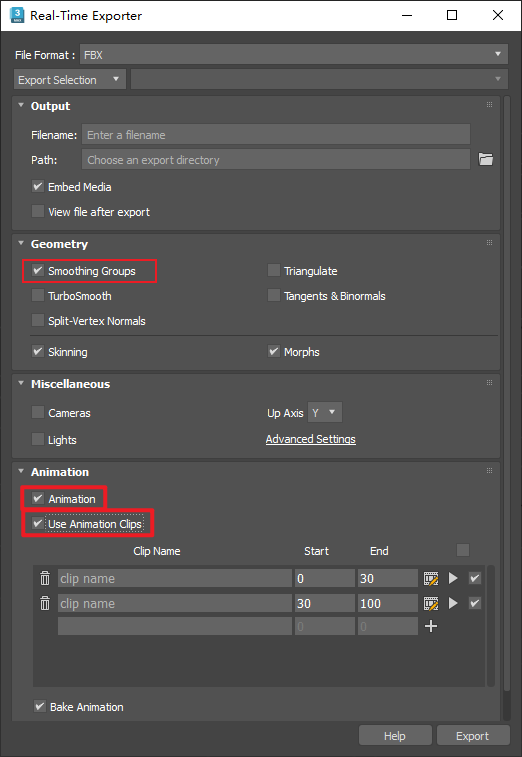
Using 3ds Max 2026 as an example: select the models to export, then go to File → Export → Real-Time Exporter.
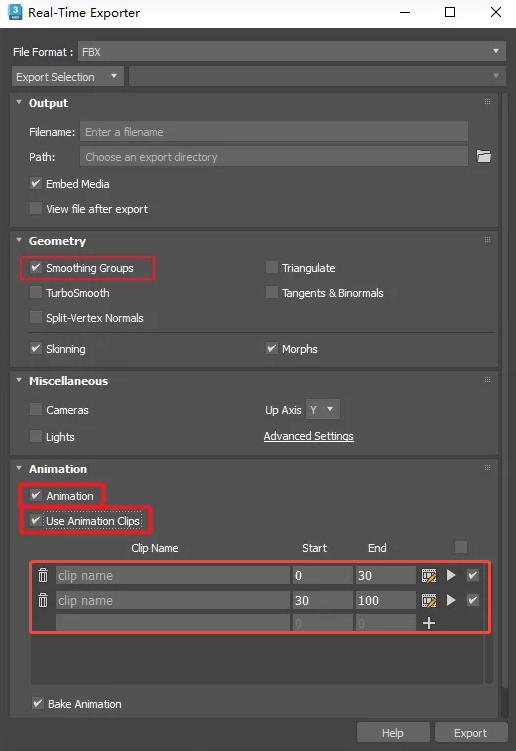
File → Export → FBX
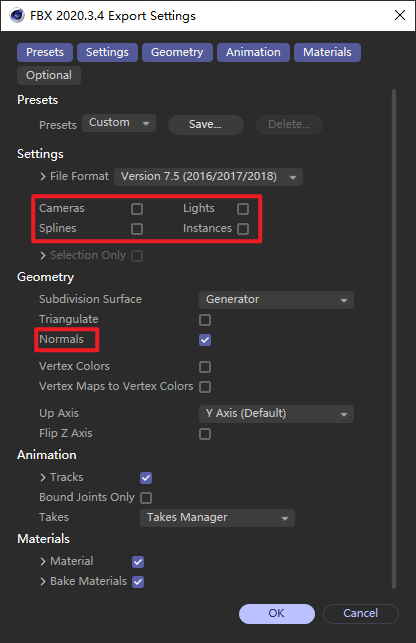
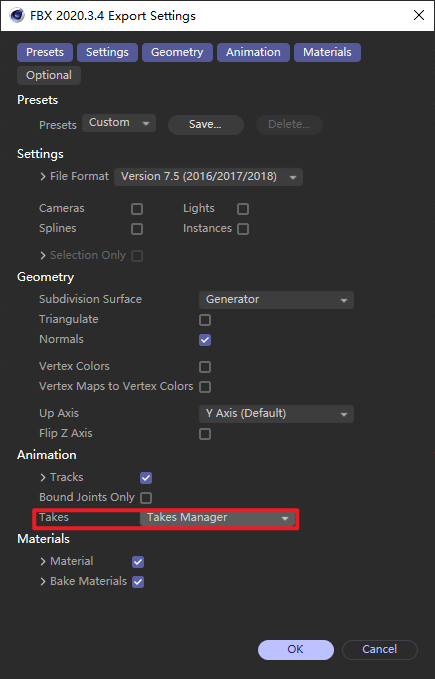
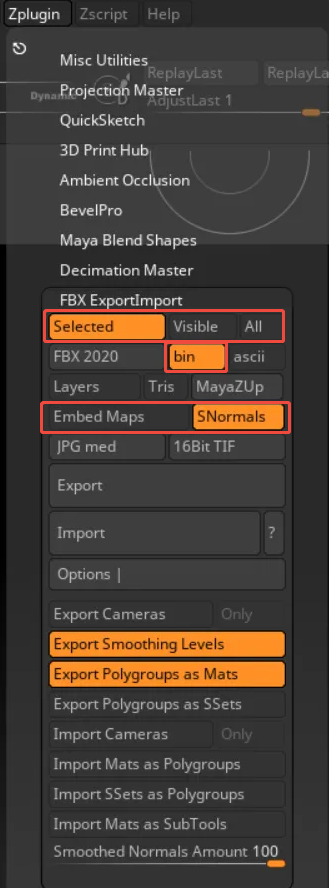
Top menu: Zplugin → FBX ExportImport